change time CADILLAC ATS 2019 User Guide
[x] Cancel search | Manufacturer: CADILLAC, Model Year: 2019, Model line: ATS, Model: CADILLAC ATS 2019Pages: 384, PDF Size: 6.11 MB
Page 146 of 384
Cadillac ATS/ATS-V Owner Manual (GMNA-Localizing-U.S./Canada/Mexico-
12460272) - 2019 - crc - 5/8/18
LIGHTING 145
AUTO :Automatically turns the
exterior lamps on and off, depending
on outside lighting.
;: Turns on the parking lamps
including all lamps, except the
headlamps.
2: Turns on the headlamps together
with the parking lamps and
instrument panel lights.
IntelliBeam System
If equipped, this system turns the
vehicle's high-beam headlamps on and
off according to surrounding traffic
conditions.
The system turns the high-beam
headlamps on when it is dark enough
and there is no other traffic present.
An indicator light
b(Cluster with
Auto Stop) or
2(V-Series Cluster)
comes on in the instrument cluster
when the IntelliBeam system is
enabled.
Turning On and Enabling IntelliBeam
To enable the automatic high-beam
system, with the turn signal lever in
the neutral position, turn the exterior lamp control to AUTO. The blue
high-beam on light appears on the
instrument cluster when the high
beams are on.
Driving with IntelliBeam
The system only activates the high
beams when driving over 40 km/h
(25 mph).
There is a sensor near the top center
of the windshield, which automatically
controls the system. Keep this area of
the windshield clear of debris to allow
for best system performance.
The high-beam headlamps remain on,
under the automatic control, until one
of the following situations occurs:
.
The system detects an
approaching vehicle's headlamps.
. The system detects a preceding
vehicle's taillamps.
. The outside light is bright enough
that high-beam headlamps are not
required.
. The vehicle's speed drops below
20 km/h (12 mph). .
The Intellibeam system is disabled
by the high/low-beam changer or
the flash-to-pass feature. If this
happens, the high/low-beam
changer must be activated two
times within two seconds to
reactivate the Intellibeam system.
The instrument cluster light will
come on to indicate the
Intellibeam system is reactivated.
See Headlamp High/Low-Beam
Changer 0146 and Flash-to-Pass
0 146.
The high beams may not turn off
automatically if the system cannot
detect other vehicle's lamps because
of any of the following:
. The other vehicle's lamp(s) are
missing, damaged, obstructed from
view, or otherwise undetected.
. The other vehicle's lamp(s) are
covered with dirt, snow, and/or
road spray.
. The other vehicle's lamp(s) cannot
be detected due to dense exhaust,
smoke, fog, snow, road spray, mist,
or other airborne obstructions.
Page 147 of 384
Cadillac ATS/ATS-V Owner Manual (GMNA-Localizing-U.S./Canada/Mexico-
12460272) - 2019 - crc - 5/8/18
146 LIGHTING
.Your vehicle's windshield is dirty,
cracked, or obstructed by
something that blocks the view of
the light sensor.
. Your vehicle is loaded such that
the front end points upward,
causing the light sensor to aim
high and not detect headlamps
and taillamps.
. You are driving on winding or hilly
roads.
You may need to manually disable or
cancel the high-beam headlamps by
turning the low-beam headlamps on,
if any of the above conditions exist.
Exterior Lamps Off
Reminder
A warning chime will sound if the
exterior lamp control is left on in
either the headlamp or parking lamp
position and the driver door is opened
with the ignition off.
Headlamp High/Low-Beam
Changer
Push the turn signal lever away from
you and release, to turn the high
beams on. To return to low beams,
push the lever again or pull it toward
you and release.
This indicator light turns on in the
instrument cluster when the
high-beam headlamps are on.
Flash-to-Pass
This feature allows the high-beam
headlamps to be used to signal the
driver in front of you that you want
to pass.
Pull and hold the turn signal lever
toward you to use this feature. When
this is done the following will occur: .
If the headlamps are off or in
low-beam mode, the high-beam
headlamps will turn on. They will
stay on as long as the lever is held
there. Release the lever to turn
them off.
. If the headlamps are in high-beam
mode, they will go to low beam.
Daytime Running
Lamps (DRL)
DRL can make it easier for others to
see the front of your vehicle during
the day. Fully functional DRL are
required on all vehicles first sold in
Canada.
The DRL system turns on the
low-beam headlamps at a reduced
brightness. For vehicles with High
Intensity Discharge (HID) headlamps,
there is a dedicated DRL. The DRL will
come on when all of the following
conditions are met:
.The ignition is on.
. The exterior lamp control is
in AUTO.
Page 148 of 384
Cadillac ATS/ATS-V Owner Manual (GMNA-Localizing-U.S./Canada/Mexico-
12460272) - 2019 - crc - 5/8/18
LIGHTING 147
.The light sensor determines it is
daytime.
. The parking brake is released or
the vehicle is not in P (Park).
The taillamps, sidemarker lamps,
instrument panel lights, and other
lamps will not be on.
The DRL turn off when the headlamps
are turned to
Oor the ignition is off.
For vehicles first sold in Canada, the
DRL can only be turned off when the
transmission is in P (Park).
Automatic Headlamp
System
When the exterior lamp control is set
to AUTO and it is dark enough
outside, the headlamps come on
automatically.
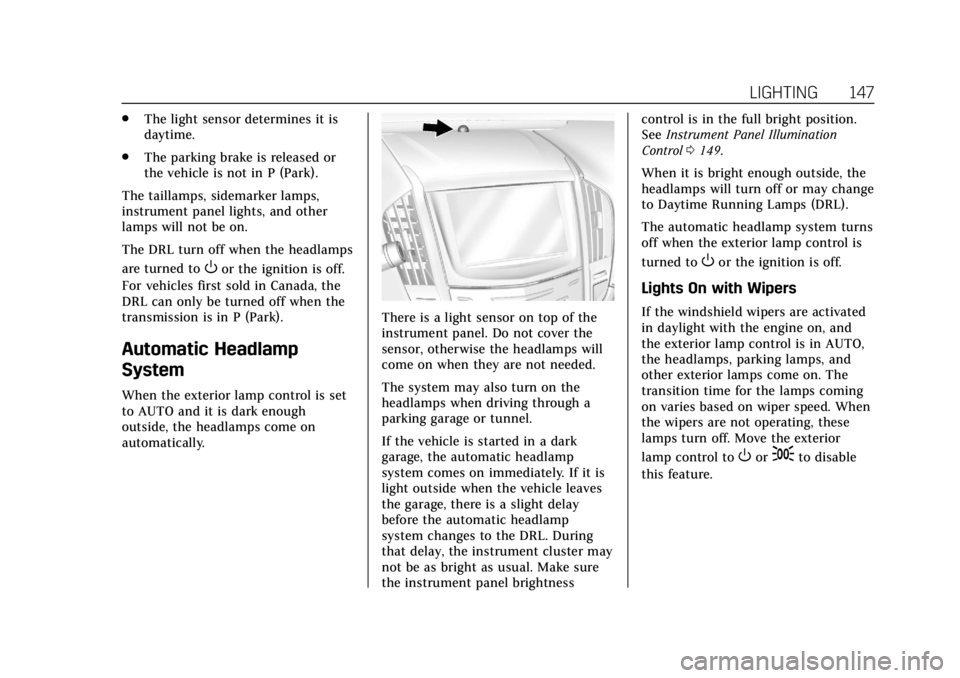
There is a light sensor on top of the
instrument panel. Do not cover the
sensor, otherwise the headlamps will
come on when they are not needed.
The system may also turn on the
headlamps when driving through a
parking garage or tunnel.
If the vehicle is started in a dark
garage, the automatic headlamp
system comes on immediately. If it is
light outside when the vehicle leaves
the garage, there is a slight delay
before the automatic headlamp
system changes to the DRL. During
that delay, the instrument cluster may
not be as bright as usual. Make sure
the instrument panel brightness control is in the full bright position.
See
Instrument Panel Illumination
Control 0149.
When it is bright enough outside, the
headlamps will turn off or may change
to Daytime Running Lamps (DRL).
The automatic headlamp system turns
off when the exterior lamp control is
turned to
Oor the ignition is off.
Lights On with Wipers
If the windshield wipers are activated
in daylight with the engine on, and
the exterior lamp control is in AUTO,
the headlamps, parking lamps, and
other exterior lamps come on. The
transition time for the lamps coming
on varies based on wiper speed. When
the wipers are not operating, these
lamps turn off. Move the exterior
lamp control to
Oor;to disable
this feature.
Page 149 of 384

Cadillac ATS/ATS-V Owner Manual (GMNA-Localizing-U.S./Canada/Mexico-
12460272) - 2019 - crc - 5/8/18
148 LIGHTING
Adaptive Forward
Lighting (AFL)
On vehicles with the AFL system, the
headlamps pivot horizontally to
provide greater road illumination
while turning. To enable AFL, set the
exterior lamp control on the turn
signal lever to the AUTO position. To
adjust the AFL setting, seeVehicle
Personalization 0135. Moving the
control out of the AUTO position will
deactivate the system. AFL will
operate when the vehicle speed is
greater than 3 km/h (2 mph). AFL will
not operate when the transmission is
in R (Reverse). AFL is not immediately
operable after starting the vehicle;
driving a short distance is required to
calibrate the AFL. See Exterior Lamp
Controls 0144.
This feature can be changed, see
Vehicle Personalization 0135.
Hazard Warning Flashers
|:Press to make the front and rear
turn signal lamps flash on and off.
Press again to turn the flashers off.
The hazard warning flashers turn on
automatically if the airbags deploy.
Turn and Lane-Change
Signals
Move the lever all the way up or down
to signal a turn.
An arrow on the instrument cluster
flashes in the direction of the turn or
lane change.
Raise or lower the lever until the
arrow starts to flash to signal a lane
change. Hold it there until the lane
change is completed. If the lever is
briefly pressed and released, the turn
signal flashes three times.
The turn and lane-change signal can
be turned off manually by moving the
lever back to its original position.
Page 152 of 384

Cadillac ATS/ATS-V Owner Manual (GMNA-Localizing-U.S./Canada/Mexico-
12460272) - 2019 - crc - 5/8/18
LIGHTING 151
Exit Lighting
Some exterior lamps and interior
lights come on at night, or in areas
with limited lighting, when the driver
door is opened after the ignition is
turned off. The dome lamp comes on
after the ignition is turned off. The
exterior lamps and dome lamp remain
on for a set amount of time, then
automatically turn off.
The exterior lamps turn off
immediately by turning the exterior
lamp control off.
This feature can be changed. See
Vehicle Personalization0135.
Battery Power Protection
The battery saver feature is designed
to protect the vehicle's battery.
If some interior lamps are left on and
the ignition is turned off, the battery
rundown protection system
automatically turns the lamp off after
some time.
Exterior Lighting Battery
Saver
The exterior lamps turn off about
10 minutes after the ignition is turned
off, if the parking lamps or headlamps
have been manually left on. This
protects against draining the battery.
To restart the 10-minute timer, turn
the exterior lamp control to the
O
position and then back to the;or
2position.
To keep the lamps on for more than
10 minutes, the ignition must be on or
in ACC/ACCESSORY.
Page 154 of 384

Cadillac ATS/ATS-V Owner Manual (GMNA-Localizing-U.S./Canada/Mexico-
12460272) - 2019 - crc - 5/8/18
INFOTAINMENT SYSTEM 153
.Notify other drivers of your
vehicle of the above rules and
require them to comply.
. General Motors does not accept
any responsibility or liability in
connection with use that is not
permitted.
. Law enforcement authorities may
have the right to seize video
recordings and use them as
evidence of criminal/driving
offenses against you or third
parties.
The PDR records video, audio, and
vehicle data. This data is stored on a
removable SD card in the glove box.
The recorded data is not stored
anywhere else and is only accessible
from the SD card.
To begin, insert a FAT32 formatted SD
card, Class 10 required, 8, 16, or 32 GB
recommended, into the glove box SD
card reader.
Touch the PDR icon to access the PDR
menu. The options displayed are: Start Recording
If the system is unable to begin
recording, the Start Recording button
is grayed out.
Touch Start Recording to begin
recording. After recording begins, this
button changes to Stop Recording.
Touch to stop the recording session.
The recording must be stopped and
the file closed before removing the SD
card, or the recording cannot be
reviewed.
The elapsed time will show when
recording. To define a finish line, see
“Define Finish Line
”later in this
section.
If there is no available space on the
SD card, a message displays. Delete or
transfer recordings on the SD card or
use another SD card with free space.
Page 155 of 384

Cadillac ATS/ATS-V Owner Manual (GMNA-Localizing-U.S./Canada/Mexico-
12460272) - 2019 - crc - 5/8/18
154 INFOTAINMENT SYSTEM
To delete a recording, go to the
Recorded Sessions menu and touch
z
next to the item. See“Recorded
Sessions” later in this section.
If no SD card is inserted, a message
displays.
Define Finish Line
To track and record the vehicle’s lap
times, the starting point of a lap must
be set. Crossing this point activates
the lap timer when recording.
To set the finish line, position the
vehicle with the front bumper at the
start/finish point. From the PDR
menu, touch Define Finish Line and
then touch Mark Finish Line. This can
be done with the vehicle moving.
Recorded Sessions
To view recorded videos, touch
Recorded Sessions.
A list of recordings displays. Select the recording to start playback.
Touch
znext to an item to delete
that recording. Touch Yes to delete or
No to cancel on the confirmation
screen. Touch Dismiss to exit.
Video playback is not allowed while
the vehicle is in motion.
Tap on the screen while the video is
playing to display the video controls:
Video Scrubber : Changes the
position and playback. The length of
the bar corresponds to the time of the
video. Advance or rewind the video by
dragging along the bar.
Page 160 of 384
Cadillac ATS/ATS-V Owner Manual (GMNA-Localizing-U.S./Canada/Mexico-
12460272) - 2019 - crc - 5/8/18
CLIMATE CONTROLS 159
Climate Control Function with Stop/
Start (If Equipped)
The climate control system depends
on other vehicle systems for heat and
power input. The climate control
system will balance Stop/Start
efficiency with air conditioning
comfort and defog operation.
The following climate control settings
result in fewer Auto Stops:
.The defrost mode
. High fan speed settings
. Extreme temperature settings
Automatic Operation
The system automatically controls the
fan speed, air delivery, air
conditioning, and recirculation in
order to heat or cool the vehicle to the
desired temperature.
When AUTO is lit, all four functions
operate automatically. Each function
can also be manually set and the
selected setting is displayed.
Functions not manually set will continue to be automatically
controlled, even if the AUTO indicator
is not lit.
For automatic operation:
1. Press AUTO.
2. Set the temperature. Allow the system time to stabilize. Then
adjust the temperature as needed
for best comfort.
To improve fuel efficiency and to cool
the vehicle faster, recirculation may be
automatically selected in warm
weather. The recirculation light will
not come on. Press
@to select
recirculation; press it again to select
outside air.
English units can be changed to
metric units through the instrument
cluster. See “Settings”under
Instrument Cluster 0113.
OFF : Press to turn the fan on or off.
When off is selected, the system will
stop air from flowing into the cabin.
If on is selected, or any other button
press occurs, the climate control
system will turn on and operate to the current setting. The temperature
control and air delivery mode can still
be adjusted.
worx:
The temperature can be
adjusted separately for the driver and
the passenger. Press to increase or
decrease the temperature. Press and
hold to rapidly increase or decrease
the temperature.
SYNC : Press SYNC to link all climate
zone settings to the driver settings.
The SYNC indicator will be lit. Adjust
the driver side temperature control to
change the linked temperature. When
the passenger settings are adjusted,
the temperatures are unlinked and the
SYNC indicator turns off.
Manual Operation
z 9or9y: Press the fan control
buttons to increase or decrease the
fan speed. Press and hold the buttons
to adjust speed more quickly. The fan
speed setting displays. Pressing either
button cancels automatic fan control
and the fan can be controlled
manually. Press AUTO to return to
automatic operation. To turn off the
fan, press OFF.
Page 164 of 384
Cadillac ATS/ATS-V Owner Manual (GMNA-Localizing-U.S./Canada/Mexico-
12460272) - 2019 - crc - 5/8/18
CLIMATE CONTROLS 163
The fan, air delivery mode, A/C mode,
driver and passenger temperatures,
and SYNC settings can be controlled
by touching CLIMATE on the
infotainment Home Page or the
climate button in the display
application tray. A selection can then
be made on the front climate control
page displayed. See the infotainment
manual.
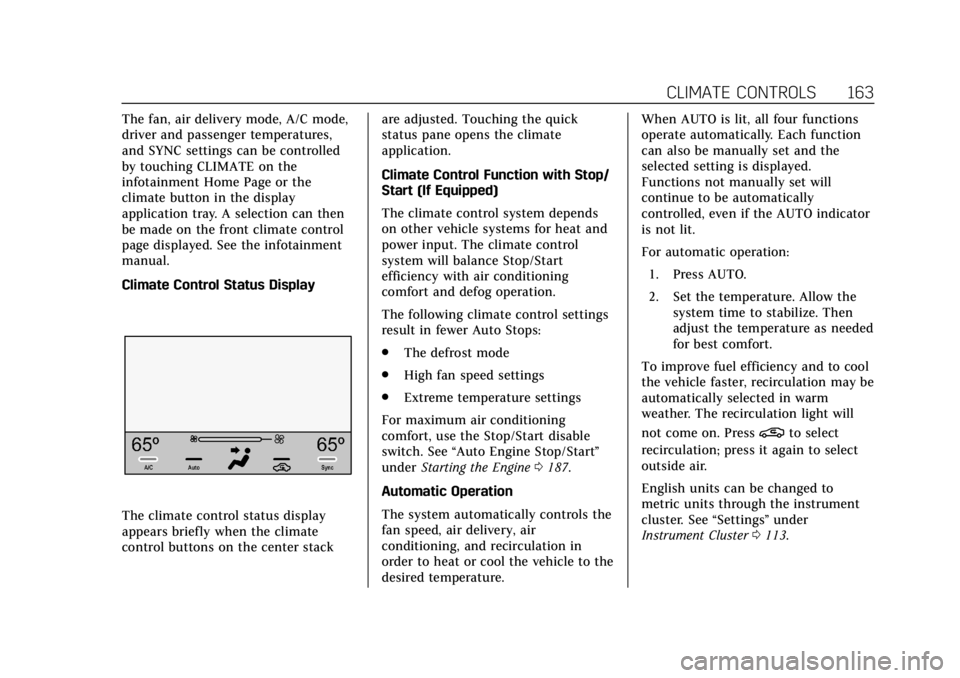
Climate Control Status Display
The climate control status display
appears briefly when the climate
control buttons on the center stackare adjusted. Touching the quick
status pane opens the climate
application.
Climate Control Function with Stop/
Start (If Equipped)
The climate control system depends
on other vehicle systems for heat and
power input. The climate control
system will balance Stop/Start
efficiency with air conditioning
comfort and defog operation.
The following climate control settings
result in fewer Auto Stops:
.
The defrost mode
. High fan speed settings
. Extreme temperature settings
For maximum air conditioning
comfort, use the Stop/Start disable
switch. See “Auto Engine Stop/Start ”
under Starting the Engine 0187.
Automatic Operation
The system automatically controls the
fan speed, air delivery, air
conditioning, and recirculation in
order to heat or cool the vehicle to the
desired temperature. When AUTO is lit, all four functions
operate automatically. Each function
can also be manually set and the
selected setting is displayed.
Functions not manually set will
continue to be automatically
controlled, even if the AUTO indicator
is not lit.
For automatic operation:
1. Press AUTO.
2. Set the temperature. Allow the system time to stabilize. Then
adjust the temperature as needed
for best comfort.
To improve fuel efficiency and to cool
the vehicle faster, recirculation may be
automatically selected in warm
weather. The recirculation light will
not come on. Press
@to select
recirculation; press it again to select
outside air.
English units can be changed to
metric units through the instrument
cluster. See “Settings”under
Instrument Cluster 0113.
Page 176 of 384
Cadillac ATS/ATS-V Owner Manual (GMNA-Localizing-U.S./Canada/Mexico-
12460272) - 2019 - crc - 5/8/18
DRIVING AND OPERATING 175
Caution
Failure to change the brake fluid
and transfer case fluid after any
performance or race track driving
could result in damage not covered
by the vehicle warranty. Have the
brake fluid and transfer case fluid
changed by your dealer after any
performance or race track driving.
SeeRecommended Fluids and
Lubricants 0337.
Brake Burnishing
For vehicles equipped with front
Brembo brake systems:
Base Vehicles Only: Performance/
racing brake pads are required prior to
racing or closed track driving. Vehicles
with option code Y4Q have
performance brake pads.
New brake pads must be burnished
before racing or other competitive
driving.
Caution
Performing the brake burnish
procedure on a base brake system
can result in brake damage.
Caution
The new vehicle break-in period
should be completed before
performing the brake burnish
procedure, otherwise damage may
occur to the powertrain/engine. See
New Vehicle Break-In 0184.
Caution
Brake pedal fade will occur during
any track burnish procedure and
can cause brake pedal travel and
force to increase. This could extend
stopping distance until the brakes
are fully burnished. When this procedure is performed as
instructed, it will not damage the
brakes. The brake pads will smoke and
produce an odor. The braking force
and pedal travel may increase. After
the procedure, the brake pads may
appear white at the rotor contact.
Perform this procedure only on dry
pavement, in a safe manner, and in
compliance with all local and state
ordinances/laws regarding motor
vehicle operation.
Brake Burnish Procedure (V-Series
and Y4Q Only)
1. Apply the brakes 25 times starting at 100 km/h (60 mph) to
50 km/h (30 mph) while
decelerating at 0.4 g. This is a
medium brake application. Drive
for at least 1 km (0.6 mi)
between applying the brakes.
This first step may be skipped if
there are more than 320 km
(200 mi) on the brake pads.
2. Repeatedly apply the brakes from 100 km/h (60 mph) to 25 km/h
(15 mph) while decelerating at
0.8 g. This is a hard brake