infotainment CADILLAC ATS 2019 Owner's Guide
[x] Cancel search | Manufacturer: CADILLAC, Model Year: 2019, Model line: ATS, Model: CADILLAC ATS 2019Pages: 384, PDF Size: 6.11 MB
Page 164 of 384
Cadillac ATS/ATS-V Owner Manual (GMNA-Localizing-U.S./Canada/Mexico-
12460272) - 2019 - crc - 5/8/18
CLIMATE CONTROLS 163
The fan, air delivery mode, A/C mode,
driver and passenger temperatures,
and SYNC settings can be controlled
by touching CLIMATE on the
infotainment Home Page or the
climate button in the display
application tray. A selection can then
be made on the front climate control
page displayed. See the infotainment
manual.
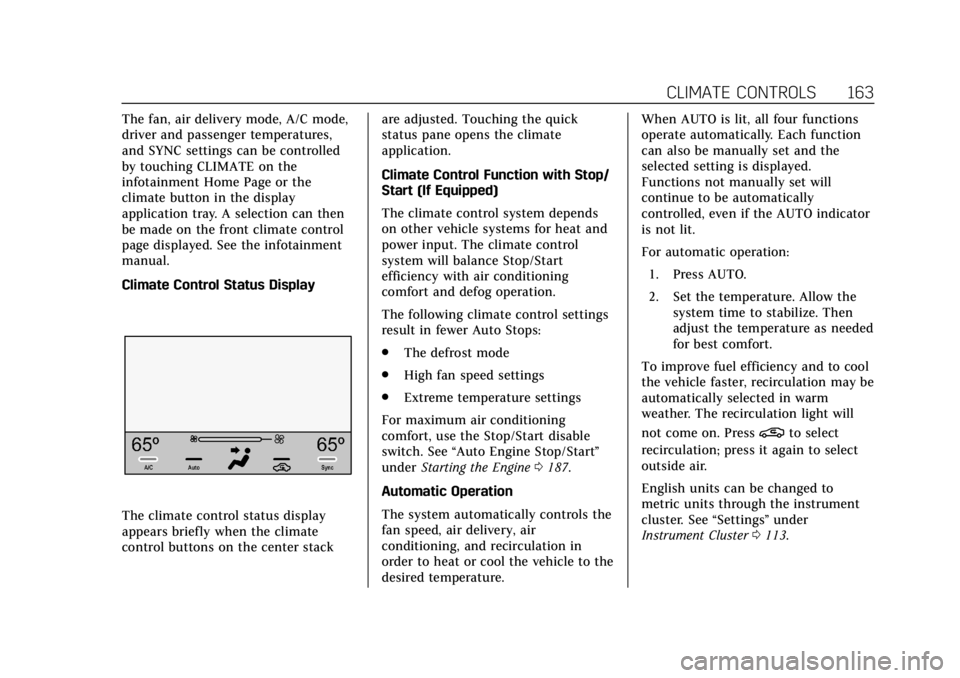
Climate Control Status Display
The climate control status display
appears briefly when the climate
control buttons on the center stackare adjusted. Touching the quick
status pane opens the climate
application.
Climate Control Function with Stop/
Start (If Equipped)
The climate control system depends
on other vehicle systems for heat and
power input. The climate control
system will balance Stop/Start
efficiency with air conditioning
comfort and defog operation.
The following climate control settings
result in fewer Auto Stops:
.
The defrost mode
. High fan speed settings
. Extreme temperature settings
For maximum air conditioning
comfort, use the Stop/Start disable
switch. See “Auto Engine Stop/Start ”
under Starting the Engine 0187.
Automatic Operation
The system automatically controls the
fan speed, air delivery, air
conditioning, and recirculation in
order to heat or cool the vehicle to the
desired temperature. When AUTO is lit, all four functions
operate automatically. Each function
can also be manually set and the
selected setting is displayed.
Functions not manually set will
continue to be automatically
controlled, even if the AUTO indicator
is not lit.
For automatic operation:
1. Press AUTO.
2. Set the temperature. Allow the system time to stabilize. Then
adjust the temperature as needed
for best comfort.
To improve fuel efficiency and to cool
the vehicle faster, recirculation may be
automatically selected in warm
weather. The recirculation light will
not come on. Press
@to select
recirculation; press it again to select
outside air.
English units can be changed to
metric units through the instrument
cluster. See “Settings”under
Instrument Cluster 0113.
Page 172 of 384

Cadillac ATS/ATS-V Owner Manual (GMNA-Localizing-U.S./Canada/Mexico-
12460272) - 2019 - crc - 5/8/18
DRIVING AND OPERATING 171
Refer to the infotainment manual for
more information on using that
system and the navigation system,
if equipped, including pairing and
using a cell phone.
Defensive Driving
Defensive driving means“always
expect the unexpected.” The first step
in driving defensively is to wear the
seat belt. See Seat Belts064.
. Assume that other road users
(pedestrians, bicyclists, and other
drivers) are going to be careless
and make mistakes. Anticipate
what they might do and be ready.
. Allow enough following distance
between you and the driver in
front of you.
. Focus on the task of driving.
Drunk Driving
Death and injury associated with
drinking and driving is a global
tragedy.
{Warning
Drinking and then driving is very
dangerous. Your reflexes,
perceptions, attentiveness, and
judgment can be affected by even a
small amount of alcohol. You can
have a serious —or even fatal —
collision if you drive after drinking.
Do not drink and drive or ride with
a driver who has been drinking.
Ride home in a cab; or if you are
with a group, designate a driver
who will not drink.
Control of a Vehicle
Braking, steering, and accelerating are
important factors in helping to control
a vehicle while driving.
Braking
Braking action involves perception
time and reaction time. Deciding to
push the brake pedal is perception
time. Actually doing it is
reaction time. Average driver reaction time is about
three-quarters of a second. In that
time, a vehicle moving at 100 km/h
(60 mph) travels 20 m (66 ft), which
could be a lot of distance in an
emergency.
Helpful braking tips to keep in mind
include:
.
Keep enough distance between
you and the vehicle in front
of you.
. Avoid needless heavy braking.
. Keep pace with traffic.
If the engine ever stops while the
vehicle is being driven, brake normally
but do not pump the brakes. Doing so
could make the pedal harder to push
down. If the engine stops, there will
be some power brake assist but it will
be used when the brake is applied.
Once the power assist is used up, it
can take longer to stop and the brake
pedal will be harder to push.
Page 191 of 384

Cadillac ATS/ATS-V Owner Manual (GMNA-Localizing-U.S./Canada/Mexico-
12460272) - 2019 - crc - 5/8/18
190 DRIVING AND OPERATING
{Warning
Improper use of the heater cord or
an extension cord can damage the
cord and may result in overheating
and fire.. Plug the cord into a
three-prong electrical utility
receptacle that is protected by
a ground fault detection
function. An ungrounded
outlet could cause an electric
shock.
. Use a weatherproof,
heavy-duty, 15 amp-rated
extension cord if needed.
Failure to use the
recommended extension cord
in good operating condition,
or using a damaged heater or
extension cord, could make it
(Continued)
Warning (Continued)
overheat and cause a fire,
property damage, electric
shock, and injury.
. Do not operate the vehicle
with the heater cord
permanently attached to the
vehicle. Possible heater cord
and thermostat damage could
occur.
. While in use, do not let the
heater cord touch vehicle
parts or sharp edges. Never
close the hood on the
heater cord.
. Before starting the vehicle,
unplug the cord, reattach the
cover to the plug, and
securely fasten the cord. Keep
the cord away from any
moving parts.
4. Before starting the engine, be sure to unplug and store the cord
as it was before to keep it away
from moving engine parts. If you
do not, it could be damaged. Contact your dealer for information
on how long to use the heater in your
particular area.
Retained Accessory
Power (RAP)
Some vehicle accessories may be used
after the ignition is turned off.
The power windows and sunroof,
if equipped, will continue to work for
up to 10 minutes or until any door is
opened.
The infotainment system will continue
to work for 10 minutes, until the
driver door is opened, or until the
ignition is turned on or placed in
ACC/ACCESSORY.
Shifting Into Park
(Automatic Transmission)
To shift into P (Park):
1. Hold the brake pedal down and set the parking brake.
See Parking Brake (Electric) 0201
or Parking Brake (Manual) 0203.
Page 210 of 384

Cadillac ATS/ATS-V Owner Manual (GMNA-Localizing-U.S./Canada/Mexico-
12460272) - 2019 - crc - 5/8/18
DRIVING AND OPERATING 209
hold lower gears when not using
paddles. The shifts are also firmer to
increase the quickness of shifting.
Steering (Assist Effort)
Adjusts from a lighter steering feel in
Tour mode to reduced assist in Sport
and Track mode for more
steering feel.
Magnetic Ride Control (If Equipped)
Adjusts the shock dampening
firmness from a comfort tune in Tour
mode to an optimized responsiveness
tune in Sport and Track.
Launch Control (V-Series Only)
Available only in Track mode for
maximum“off-the-line ”acceleration
when in Competitive Driving Mode
or PTM.
Stability Control
. Competitive Driving Mode allows
less computer control to permit
some slide and drift and is
selected with the button –only
available in Track mode. .
StabiliTrak/ESC can be turned off
by pressing and holding the
button for five seconds.
PTM (Performance Traction
Management) (If equipped)
(V-Series Only)
. Available in Track mode.
. There are five selectable settings.
Driver Mode Customization
The Engine Sound Management,
steering, and suspension drive modes
can be set to the driver’s preference.
See “Driving Mode ”under Vehicle
Personalization 0135.
When in the Track main vehicle mode,
you cannot overwrite the Steering or
Suspension settings. These settings
are designed to interact with the
advanced functions in the Track Mode
and cannot be overwritten.
The selections made in the Driving
Mode menu overwrite the main
vehicle mode selection via the buttons
or switch on the center console. In
order to customize and overwrite,
select one of the three settings by
touching the infotainment display. When in the customization screen for
each system, select one of four
options:
.
Auto (follows the MODE button)
. Tour
. Sport
. Track
The default will be to follow the
vehicle MODE button switch settings,
but the main vehicle mode selection
for the currently selected system can
be overwritten using this menu. The
settings selected in this menu will set
the vehicle behavior in all selected
vehicle modes, and will be retained
over each ignition cycle. They do not
have to be reset each time the vehicle
is started.
Competitive Driving Mode
(FE3 Only)
To select this optional handling mode,
press
Yquickly two times and the
DIC will display the appropriate
message. While in the Competitive
Driving Mode, the traction off light
i
Page 226 of 384

Cadillac ATS/ATS-V Owner Manual (GMNA-Localizing-U.S./Canada/Mexico-
12460272) - 2019 - crc - 5/8/18
DRIVING AND OPERATING 225
Rear Vision Camera (RVC)
When the vehicle is shifted into
R (Reverse), the RVC displays an
image of the area behind the vehicle
in the infotainment display. The
previous screen displays when the
vehicle is shifted out of R (Reverse)
after a short delay. To return to the
previous screen sooner, press any
button on the infotainment system,
shift into P (Park), or reach a vehicle
speed of approximately
12 km/h (8 mph).
1. View Displayed by theCamera
1. View Displayed by theCamera
2. Corners of the Rear Bumper
Displayed images may be farther or
closer than they appear. The area
displayed is limited and objects that
are close to either corner of the
bumper or under the bumper do not
display.
A warning triangle may appear on the
infotainment display to show that
Rear Park Assist (RPA) has detected
an object. This triangle changes from
amber to red and increases in size the
closer the object.
{Warning
The camera(s) do not display
children, pedestrians, bicyclists,
crossing traffic, animals, or any
other object outside of the cameras’
field of view, below the bumper,
or under the vehicle. Shown
distances may be different from
actual distances. Do not drive or
park the vehicle using only these
camera(s). Always check behind and
around the vehicle before driving.
Failure to use proper care may
result in injury, death, or vehicle
damage.
Park Assist
With RPA, and if equipped with FPA,
as the vehicle moves at speeds of less
than 8 km/h (5 mph) the sensors on
the bumpers may detect objects up to
2.5 m (8 ft) behind and 1.2 m (4 ft) in
front of the vehicle within a zone
25 cm (10 in) high off the ground and
below bumper level. These detection
distances may be shorter during
warmer or humid weather. Blocked
Page 228 of 384
Cadillac ATS/ATS-V Owner Manual (GMNA-Localizing-U.S./Canada/Mexico-
12460272) - 2019 - crc - 5/8/18
DRIVING AND OPERATING 227
{Warning
The Backing Warning System only
operates at speeds greater than
8 km/h (5 mph). It does not detect
children, pedestrians, bicyclists,
animals, or objects below the
bumper or that are too close or too
far from the vehicle. In some
situations, such as at higher
backing speeds, there may not be
enough time for the short, sharp
application of the vehicle brake
system to occur. To prevent injury,
death, or vehicle damage, even with
the Backing Warning System,
always check the area around the
vehicle and check all mirrors before
backing.
When the vehicle is in R (Reverse),
if the system detects the vehicle is
backing too fast to avoid a crash with
a detected object behind your vehicle
in your path, it may automatically
brake hard to a stop to help avoid or
reduce the harm caused by a backing
crash.
{Warning
RAB may not avoid many types of
backing crashes. Do not wait for the
automatic braking to apply. This
system is not designed to replace
driver braking and only works in
R (Reverse) when an object is
detected directly behind the vehicle.
It may not brake or stop in time to
avoid a crash. It will not brake for
objects when the vehicle is moving
at very low speeds. It does not
detect children, pedestrians,
bicyclists, animals, or objects below
the bumper or that are too close or
too far from the vehicle. To prevent
injury, death, or vehicle damage,
even with RAB, always check the
area around the vehicle before and
while backing.
Pressing the brake pedal after the
vehicle comes to a stop will release
the Reverse Automatic Braking. If the
brake pedal is not pressed soon after
the stop, the Electric Parking Brake
(EPB) may be set. When it is safe, press the accelerator pedal firmly at
any time to override the Reverse
Automatic Braking.
{Warning
There may be instances where
unexpected or undesired automatic
braking occurs. If this happens,
either press the brake pedal or
firmly press the accelerator pedal to
release the brakes from the RAB
system. Before releasing the brakes,
check the RVC and check the area
around the vehicle to make sure it
is safe to proceed.
Rear Cross Traffic Alert (RCTA)
If equipped, RCTA displays a red
warning triangle with a left or right
pointing arrow on the infotainment
display to warn of traffic coming from
the left or right. This system detects
objects coming from up to 20 m (65 ft)
from the left or right side of the
vehicle. When an object is detected,
either three beeps sound from the left
or right or three Safety Alert Seat
Page 347 of 384
Cadillac ATS/ATS-V Owner Manual (GMNA-Localizing-U.S./Canada/Mexico-
12460272) - 2019 - crc - 5/8/18
346 CUSTOMER INFORMATION
Customer
Information
Customer Information
Customer SatisfactionProcedure . . . . . . . . . . . . . . . . . . . . . . . 346
Customer Assistance Offices . . . . 348
Customer Assistance for Text Telephone (TTY) Users . . . . . . . . . 348
Online Owner Center . . . . . . . . . . . . . 349
GM Mobility Reimbursement Program . . . . . . . . . . . . . . . . . . . . . . . . . 349
Roadside Service . . . . . . . . . . . . . . . . . 350
Scheduling Service Appointments . . . . . . . . . . . . . . . . . . . 352
Courtesy Transportation Program . . . . . . . . . . . . . . . . . . . . . . . . . 352
Collision Damage Repair . . . . . . . . . 353
Publication Ordering Information . . . . . . . . . . . . . . . . . . . . . 355
Radio Frequency Statement . . . . . 356
Reporting Safety Defects
Reporting Safety Defects to the United States Government . . . . . 356
Reporting Safety Defects to the Canadian Government . . . . . . . . . 356 Reporting Safety Defects to
General Motors . . . . . . . . . . . . . . . . . 357
Vehicle Data Recording and
Privacy
Vehicle Data Recording andPrivacy . . . . . . . . . . . . . . . . . . . . . . . . . . . 357
Event Data Recorders . . . . . . . . . . . . 357
OnStar . . . . . . . . . . . . . . . . . . . . . . . . . . . . . 358
Infotainment System . . . . . . . . . . . . . 359
Customer Information
Customer Satisfaction
Procedure
Your satisfaction and goodwill are
important to your dealer and to
Cadillac. Normally, any concerns with
the sales transaction or the operation
of the vehicle will be resolved by your
dealer's sales or service departments.
Sometimes, however, despite the best
intentions of all concerned,
misunderstandings can occur. If your
concern has not been resolved to your
satisfaction, the following steps
should be taken:
STEP ONE : Discuss your concern
with a member of dealership
management. Normally, concerns can
be quickly resolved at that level. If the
matter has already been reviewed with
the sales, service or parts manager,
contact the owner of your dealership
or the general manager.
STEP TWO : If after contacting a
member of dealership management, it
appears your concern cannot be
resolved by your dealership without
Page 356 of 384

Cadillac ATS/ATS-V Owner Manual (GMNA-Localizing-U.S./Canada/Mexico-
12460272) - 2019 - crc - 5/8/18
CUSTOMER INFORMATION 355
Managing the Vehicle Damage
Repair Process
In the event that the vehicle requires
damage repairs, GM recommends that
you take an active role in its repair.
If you have a pre-determined repair
facility of choice, take the vehicle
there, or have it towed there. Specify
to the facility that any required
replacement collision parts be original
equipment parts, either new Genuine
GM parts or recycled original GM
parts. Remember, recycled parts will
not be covered by the GM vehicle
warranty.
Insurance pays the bill for the repair,
but you must live with the repair.
Depending on your policy limits, your
insurance company may initially value
the repair using aftermarket parts.
Discuss this with the repair
professional, and insist on Genuine
GM parts. Remember, if the vehicle is
leased, you may be obligated to have
the vehicle repaired with Genuine GM
parts, even if your insurance coverage
does not pay the full cost.If another party's insurance company
is paying for the repairs, you are not
obligated to accept a repair valuation
based on that insurance company's
collision policy repair limits, as you
have no contractual limits with that
company. In such cases, you can have
control of the repair and parts choices
as long as the cost stays within
reasonable limits.
Publication Ordering
Information
Service Manuals
Service manuals have the diagnosis
and repair information on the engine,
transmission, axle, suspension, brakes,
electrical system, steering system,
body, etc.
Customer Literature
Owner’s manuals are written
specifically for owners and are
intended to provide basic operational
information about the vehicle. The
owner’s manual includes the
Maintenance Schedule for all models.Customer literature publications
available for purchase include owner’s
manuals, warranty manuals,
infotainment manuals, and portfolios.
Portfolios include an owner’s manual,
warranty manual, infotainment
manual, if applicable, and zip lock bag
or pouch.
Current and Past Models
Service manuals and customer
literature are available for many
current and past model year GM
vehicles.
To order, call 1-800-551-4123
Monday–Friday, 8:00 a.m.–6:00 p.m.
eastern time
For credit card orders only (VISA,
MasterCard, or Discover), see Helm,
Inc. at: www.helminc.com.
To order by mail, write to:
Helm, Incorporated
Attention: Customer Service
47911 Halyard Drive
Plymouth, MI 48170
Make checks payable in U.S. funds.
Page 360 of 384
Cadillac ATS/ATS-V Owner Manual (GMNA-Localizing-U.S./Canada/Mexico-
12460272) - 2019 - crc - 5/8/18
CUSTOMER INFORMATION 359
Infotainment System
If the vehicle is equipped with a
navigation system as part of the
infotainment system, use of the
system may result in the storage of
destinations, addresses, telephone
numbers, and other trip information.
See the infotainment manual for
information on stored data and for
deletion instructions.
Page 361 of 384
Cadillac ATS/ATS-V Owner Manual (GMNA-Localizing-U.S./Canada/Mexico-
12460272) - 2019 - crc - 5/8/18
360 ONSTAR
OnStar
OnStar Overview
OnStar Overview . . . . . . . . . . . . . . . . . . 360
OnStar Services
Emergency . . . . . . . . . . . . . . . . . . . . . . . . 361
Security . . . . . . . . . . . . . . . . . . . . . . . . . . . 362
OnStar Additional Information
OnStar AdditionalInformation . . . . . . . . . . . . . . . . . . . . . 362
OnStar Overview
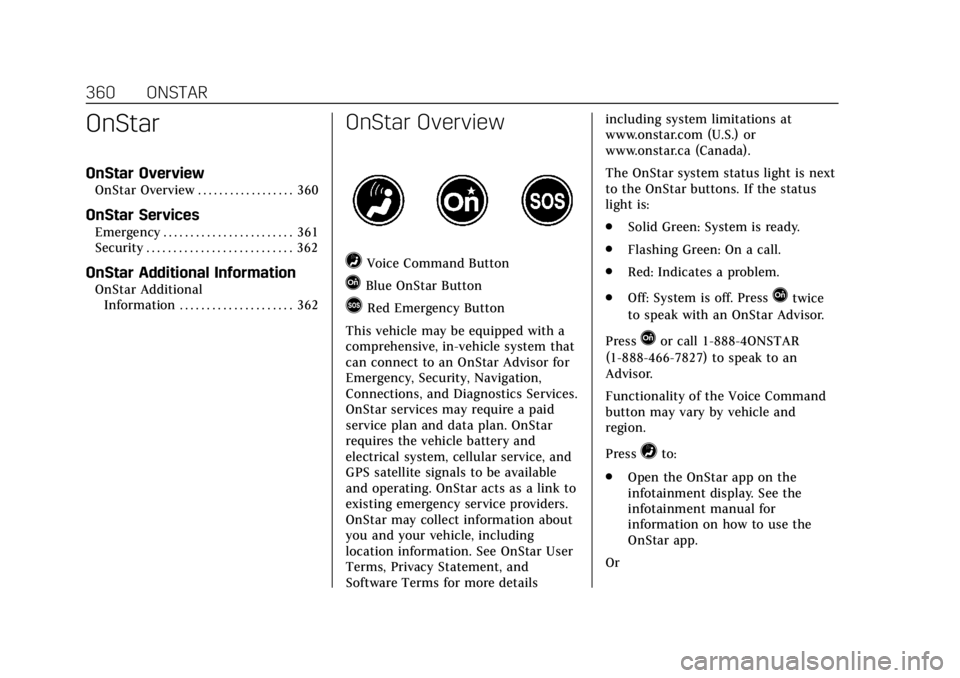
=Voice Command Button
QBlue OnStar Button
>Red Emergency Button
This vehicle may be equipped with a
comprehensive, in-vehicle system that
can connect to an OnStar Advisor for
Emergency, Security, Navigation,
Connections, and Diagnostics Services.
OnStar services may require a paid
service plan and data plan. OnStar
requires the vehicle battery and
electrical system, cellular service, and
GPS satellite signals to be available
and operating. OnStar acts as a link to
existing emergency service providers.
OnStar may collect information about
you and your vehicle, including
location information. See OnStar User
Terms, Privacy Statement, and
Software Terms for more details including system limitations at
www.onstar.com (U.S.) or
www.onstar.ca (Canada).
The OnStar system status light is next
to the OnStar buttons. If the status
light is:
.
Solid Green: System is ready.
. Flashing Green: On a call.
. Red: Indicates a problem.
. Off: System is off. PressQtwice
to speak with an OnStar Advisor.
Press
Qor call 1-888-4ONSTAR
(1-888-466-7827) to speak to an
Advisor.
Functionality of the Voice Command
button may vary by vehicle and
region.
Press
=to:
. Open the OnStar app on the
infotainment display. See the
infotainment manual for
information on how to use the
OnStar app.
Or