power steering CADILLAC ATS COUPE 2015 1.G User Guide
[x] Cancel search | Manufacturer: CADILLAC, Model Year: 2015, Model line: ATS COUPE, Model: CADILLAC ATS COUPE 2015 1.GPages: 443, PDF Size: 5.79 MB
Page 224 of 443
Black plate (1,1)Cadillac ATS Owner Manual (GMNA-Localizing-U.S./Canada/Mexico-
7707477) - 2015 - crc - 9/15/14
Driving and Operating 9-1
Driving and
Operating
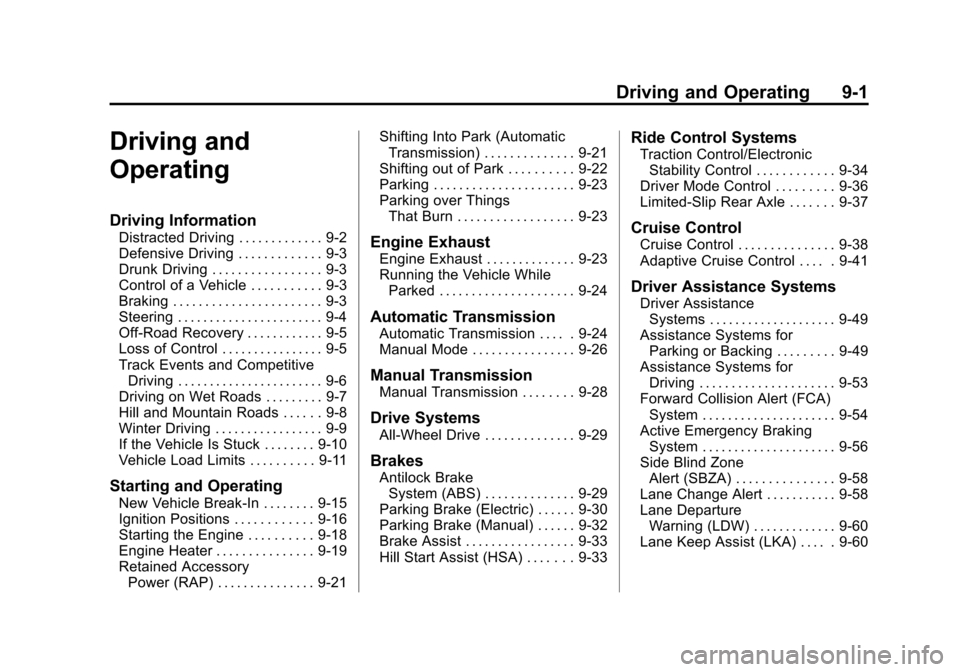
Driving Information
Distracted Driving . . . . . . . . . . . . . 9-2
Defensive Driving . . . . . . . . . . . . . 9-3
Drunk Driving . . . . . . . . . . . . . . . . . 9-3
Control of a Vehicle . . . . . . . . . . . 9-3
Braking . . . . . . . . . . . . . . . . . . . . . . . 9-3
Steering . . . . . . . . . . . . . . . . . . . . . . . 9-4
Off-Road Recovery . . . . . . . . . . . . 9-5
Loss of Control . . . . . . . . . . . . . . . . 9-5
Track Events and CompetitiveDriving . . . . . . . . . . . . . . . . . . . . . . . 9-6
Driving on Wet Roads . . . . . . . . . 9-7
Hill and Mountain Roads . . . . . . 9-8
Winter Driving . . . . . . . . . . . . . . . . . 9-9
If the Vehicle Is Stuck . . . . . . . . 9-10
Vehicle Load Limits . . . . . . . . . . 9-11
Starting and Operating
New Vehicle Break-In . . . . . . . . 9-15
Ignition Positions . . . . . . . . . . . . 9-16
Starting the Engine . . . . . . . . . . 9-18
Engine Heater . . . . . . . . . . . . . . . 9-19
Retained Accessory Power (RAP) . . . . . . . . . . . . . . . 9-21 Shifting Into Park (Automatic
Transmission) . . . . . . . . . . . . . . 9-21
Shifting out of Park . . . . . . . . . . 9-22
Parking . . . . . . . . . . . . . . . . . . . . . . 9-23
Parking over Things That Burn . . . . . . . . . . . . . . . . . . 9-23
Engine Exhaust
Engine Exhaust . . . . . . . . . . . . . . 9-23
Running the Vehicle WhileParked . . . . . . . . . . . . . . . . . . . . . 9-24
Automatic Transmission
Automatic Transmission . . . . . 9-24
Manual Mode . . . . . . . . . . . . . . . . 9-26
Manual Transmission
Manual Transmission . . . . . . . . 9-28
Drive Systems
All-Wheel Drive . . . . . . . . . . . . . . 9-29
Brakes
Antilock BrakeSystem (ABS) . . . . . . . . . . . . . . 9-29
Parking Brake (Electric) . . . . . . 9-30
Parking Brake (Manual) . . . . . . 9-32
Brake Assist . . . . . . . . . . . . . . . . . 9-33
Hill Start Assist (HSA) . . . . . . . 9-33
Ride Control Systems
Traction Control/Electronic Stability Control . . . . . . . . . . . . 9-34
Driver Mode Control . . . . . . . . . 9-36
Limited-Slip Rear Axle . . . . . . . 9-37
Cruise Control
Cruise Control . . . . . . . . . . . . . . . 9-38
Adaptive Cruise Control . . . . . 9-41
Driver Assistance Systems
Driver Assistance Systems . . . . . . . . . . . . . . . . . . . . 9-49
Assistance Systems for Parking or Backing . . . . . . . . . 9-49
Assistance Systems for Driving . . . . . . . . . . . . . . . . . . . . . 9-53
Forward Collision Alert (FCA) System . . . . . . . . . . . . . . . . . . . . . 9-54
Active Emergency Braking System . . . . . . . . . . . . . . . . . . . . . 9-56
Side Blind Zone Alert (SBZA) . . . . . . . . . . . . . . . 9-58
Lane Change Alert . . . . . . . . . . . 9-58
Lane Departure Warning (LDW) . . . . . . . . . . . . . 9-60
Lane Keep Assist (LKA) . . . . . 9-60
Page 227 of 443
Black plate (4,1)Cadillac ATS Owner Manual (GMNA-Localizing-U.S./Canada/Mexico-
7707477) - 2015 - crc - 9/15/14
9-4 Driving and Operating
If the engine ever stops while the
vehicle is being driven, brake
normally but do not pump the
brakes. Doing so could make the
pedal harder to push down. If the
engine stops, there will be some
power brake assist but it will be
used when the brake is applied.
Once the power assist is used up, it
can take longer to stop and the
brake pedal will be harder to push.
Steering
Variable Effort Steering
Some vehicles have a steering
system that varies the amount of
effort required to steer the vehicle in
relation to the speed of the vehicle.
The amount of steering effort
required is less at slower speeds to
make the vehicle more
maneuverable and easier to park. At
faster speeds, the steering effort
increases to provide a sport-like feel
to the steering. This provides
maximum control and stability.If the vehicle seems harder to steer
than normal when parking or driving
slowly, there may be a problem with
the system. You will still have power
steering, but steering will be stiffer
than normal at slow speeds. See
your dealer for service.
Electric Power Steering
The vehicle has electric power
steering. It does not have power
steering fluid. Regular maintenance
is not required.
If power steering assist is lost due
to a system malfunction, the vehicle
can be steered, but may require
increased effort. See your dealer if
there is a problem.
If the steering wheel is turned until it
reaches the end of its travel and is
held against that position for an
extended period of time, power
steering assist may be reduced.
If steering assist is used for an
extended period of time, power
assist may be reduced.
Normal use of the power steering
assist should return when the
system cools down.
See specific vehicle steering
messages under
Vehicle Messages
on page 5-32.
See your dealer if there is a
problem.Curve Tips
.Take curves at a reasonable
speed.
.Reduce speed before entering a
curve.
.Maintain a reasonable steady
speed through the curve.
.Wait until the vehicle is out of
the curve before accelerating
gently into the straightaway.
Page 240 of 443
Black plate (17,1)Cadillac ATS Owner Manual (GMNA-Localizing-U.S./Canada/Mexico-
7707477) - 2015 - crc - 9/15/14
Driving and Operating 9-17
Manual Transmission
If the vehicle is stationary, the
ignition will turn OFF, and Retained
Accessory Power (RAP) will remain
active. SeeRetained Accessory
Power (RAP) on page 9-21.
The vehicle may have an electric
steering column lock. The lock is
activated when the vehicle is
switched to OFF and either front
door is opened. A sound may be
heard as the lock actuates or
releases. The steering column lock
may not release with the wheels
turned off center. If this happens,
the vehicle may not start. Move the
steering wheel from left to right
while attempting to start the vehicle.
If this does not work, the vehicle
needs service.
Do not turn the engine off when the
vehicle is moving. This will cause a
loss of power assist in the brake
and steering systems and disable
the airbags. If the vehicle must be shut off in an
emergency:
1. Brake using a firm and steady
pressure. Do not pump the
brakes repeatedly. This may
deplete power assist, requiring
increased brake pedal force.
2. Shift the vehicle to N (Neutral). This can be done while the
vehicle is moving. After shifting
to N (Neutral), firmly apply the
brakes and steer the vehicle to a
safe location.
3. Come to a complete stop. Shift to P (Park) with an automatic
transmission, or Neutral with a
manual transmission. Turn the
ignition to LOCK/OFF.
4. Set the parking brake. See Parking Brake (Electric) on
page 9-30 orParking Brake
(Manual) on page 9-32.{Warning
Turning off the vehicle while
moving may cause loss of power
assist in the brake and steering
systems and disable the airbags.
While driving, only shut the
vehicle off in an emergency.
If the vehicle cannot be pulled over,
and must be shut off while driving,
press and hold the ENGINE START/
STOP button for longer than
two seconds, or press twice within
five seconds.
ACC/ACCESSORY (Amber
Indicator Light): This mode allows
you to use some electrical
accessories when the engine is off.
With the ignition off, pressing the
button one time without the brake
pedal applied will place the ignition
system in ACC/ACCESSORY.
Page 250 of 443
Black plate (27,1)Cadillac ATS Owner Manual (GMNA-Localizing-U.S./Canada/Mexico-
7707477) - 2015 - crc - 9/15/14
Driving and Operating 9-27
Vehicles with DSC may either use
the shift lever or the tap shift
controls on the back of the steering
wheel (if equipped) to manually shift
the automatic transmission.
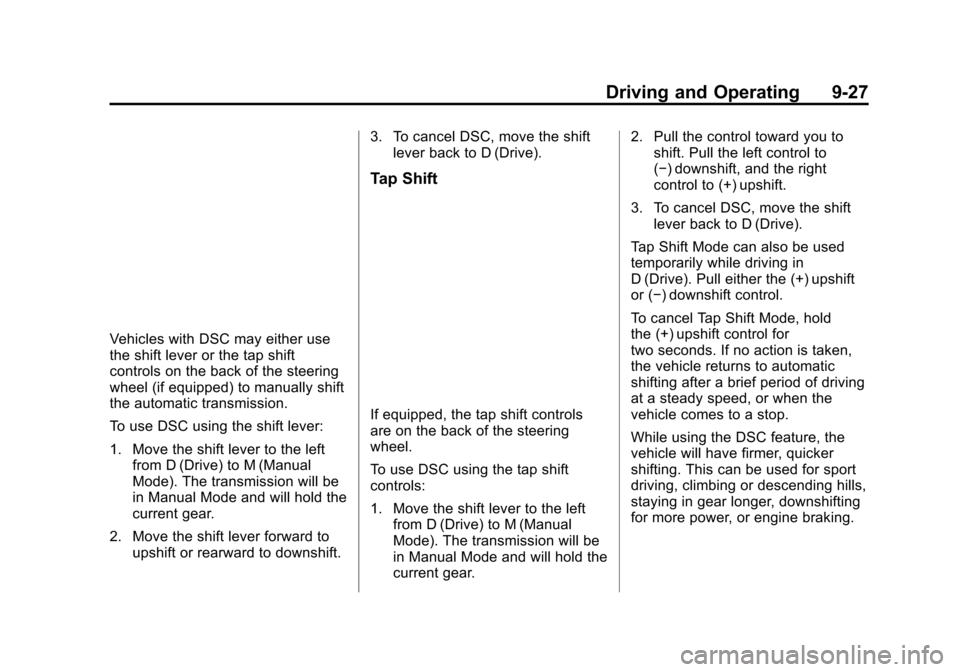
To use DSC using the shift lever:
1. Move the shift lever to the leftfrom D (Drive) to M (Manual
Mode). The transmission will be
in Manual Mode and will hold the
current gear.
2. Move the shift lever forward to upshift or rearward to downshift. 3. To cancel DSC, move the shift
lever back to D (Drive).
Tap Shift
If equipped, the tap shift controls
are on the back of the steering
wheel.
To use DSC using the tap shift
controls:
1. Move the shift lever to the leftfrom D (Drive) to M (Manual
Mode). The transmission will be
in Manual Mode and will hold the
current gear. 2. Pull the control toward you to
shift. Pull the left control to
(−) downshift, and the right
control to (+) upshift.
3. To cancel DSC, move the shift lever back to D (Drive).
Tap Shift Mode can also be used
temporarily while driving in
D (Drive). Pull either the (+) upshift
or (−) downshift control.
To cancel Tap Shift Mode, hold
the (+) upshift control for
two seconds. If no action is taken,
the vehicle returns to automatic
shifting after a brief period of driving
at a steady speed, or when the
vehicle comes to a stop.
While using the DSC feature, the
vehicle will have firmer, quicker
shifting. This can be used for sport
driving, climbing or descending hills,
staying in gear longer, downshifting
for more power, or engine braking.
Page 259 of 443
Black plate (36,1)Cadillac ATS Owner Manual (GMNA-Localizing-U.S./Canada/Mexico-
7707477) - 2015 - crc - 9/15/14
9-36 Driving and Operating
To turn off both TCS and StabiliTrak,
press and hold the
gbutton until
the Traction Off light
iand
StabiliTrak OFF Light
gcome on
and stay on in the instrument
cluster. The appropriate DIC
message displays. See Ride Control
System Messages on page 5-40.
To turn TCS and StabiliTrak on
again, press and release the
g
button. The Traction Off lightiand
StabiliTrak OFF Light
gin the
instrument cluster turn off.
Adding accessories can affect the
vehicle performance. See
Accessories and Modifications on
page 10-3.
Driver Mode Control
Driver Mode Control attempts to add
a sportier feel, provide a more
comfortable ride, or assist in
different weather conditions or
terrain. This system simultaneously
changes the software calibration of
various sub-systems. Depending on
the option package, available
features, and mode selected, the
suspension, steering, and
powertrain will change calibrations
to achieve the desired mode
characteristics. If the vehicle is
equipped with MagneRide™,
selecting the various Driver Modes
adjusts the ride of the vehicle to
enhance the ride performance for
the road conditions and the
selected mode.
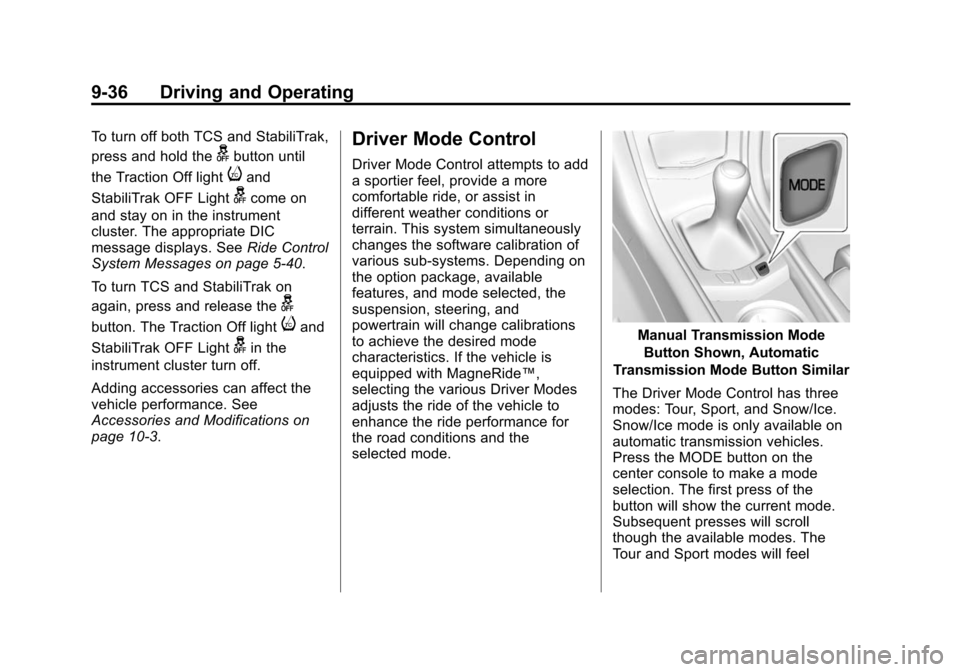
Manual Transmission Mode
Button Shown, Automatic
Transmission Mode Button Similar
The Driver Mode Control has three
modes: Tour, Sport, and Snow/Ice.
Snow/Ice mode is only available on
automatic transmission vehicles.
Press the MODE button on the
center console to make a mode
selection. The first press of the
button will show the current mode.
Subsequent presses will scroll
though the available modes. The
Tour and Sport modes will feel
Page 334 of 443
Black plate (37,1)Cadillac ATS Owner Manual (GMNA-Localizing-U.S./Canada/Mexico-
7707477) - 2015 - crc - 9/15/14
Vehicle Care 10-37
ItemUsage
2 Spare
3 Electric Steering Column Lock
4 Spare
5 Heater, Ventilation, and Air Conditioning
Control
6 Tilt and Telescope Steering Column
8 Data Link Connector
9 Spare
10 Shunt
11 Spare
12 Spare
13 Spare
14 Spare
15 Spare
16 Spare
17 Spare Item
Usage
18 Spare
19 Spare
20 Spare
21 Spare
22 Sensing Diagnostic Module/Automatic
Occupant Sensing
23 Radio/DVD/Heater, Ventilation, and Air
Conditioning
Control
24 Display
25 Heated Steering Wheel
26 Wireless Charger
27 Steering Wheel Controls
28 Spare
29 Spare
30 Spare Item
Usage
31 Spare
32 Spare
33 Front Heater, Ventilation, and Air
Conditioning Blower
CB1 Retained Accessory Power/Accessory
Power Outlet Power
CB7 Spare
K10 Retained Accessory Power/Accessory
K605 Logistics
K644 Spare
Page 350 of 443
Black plate (53,1)Cadillac ATS Owner Manual (GMNA-Localizing-U.S./Canada/Mexico-
7707477) - 2015 - crc - 9/15/14
Vehicle Care 10-53
using a TPMS relearn tool, in the
following order: driver side front tire,
passenger side front tire, passenger
side rear tire, and driver side rear.
See your dealer for service or to
purchase a relearn tool. A TPMS
relearn tool can also be purchased.
See Tire Pressure Monitor Sensor
Activation Tool at
www.gmtoolsandequipment.com or
call 1-800-GM TOOLS
(1-800-468-6657).
There are two minutes to match the
first tire/wheel position, and
five minutes overall to match all four
tire/wheel positions. If it takes
longer, the matching process stops
and must be restarted.
The TPMS sensor matching
process is:
1. Set the parking brake.
2. Place the vehicle power mode inON/RUN/START. See Ignition
Positions on page 9-16. 3. Make sure the Tire Pressure info
display option is turned on. The
info displays on the DIC can be
turned on and off through the
Settings menu. See Driver
Information Center (DIC) on
page 5-25.
4. Use the five-way DIC control on the right side of the steering
wheel to scroll to the Tire
Pressure screen under the DIC
info page. See Driver
Information Center (DIC) on
page 5-25.
5. Press and hold the SEL button in the center of the five-way DIC
control.
The horn sounds twice to signal
the receiver is in relearn mode
and the TIRE LEARNING
ACTIVE message displays on
the DIC screen.
6. Start with the driver side front tire. 7. Place the relearn tool against
the tire sidewall, near the valve
stem. Then press the button to
activate the TPMS sensor.
A horn chirp confirms that the
sensor identification code has
been matched to this tire and
wheel position.
8. Proceed to the passenger side front tire, and repeat Step 7.
9. Proceed to the passenger side rear tire, and repeat Step 7.
10. Proceed to the driver side rear tire, and repeat Step 7. The
horn sounds two times to
indicate the sensor
identification code has been
matched to the driver side rear
tire, and the TPMS sensor
matching process is no longer
active. The TIRE LEARNING
ACTIVE message on the DIC
display screen goes off.
11. Shut the ignition off.
Page 378 of 443
Black plate (81,1)Cadillac ATS Owner Manual (GMNA-Localizing-U.S./Canada/Mexico-
7707477) - 2015 - crc - 9/15/14
Vehicle Care 10-81
can be removed by rubbing with a
clean cloth. SeeRecommended
Fluids and Lubricants on
page 11-13.
Tires
Use a stiff brush with tire cleaner to
clean the tires.
{Caution
Using petroleum-based tire
dressing products on the vehicle
may damage the paint finish and/
or tires. When applying a tire
dressing, always wipe off any
overspray from all painted
surfaces on the vehicle.
Wheels and Trim —Aluminum
or Chrome
Use a soft, clean cloth with mild
soap and water to clean the wheels.
After rinsing thoroughly with clean
water, dry with a soft, clean towel.
A wax may then be applied.
{Caution
Chrome wheels and other chrome
trim may be damaged if the
vehicle is not washed after driving
on roads that have been sprayed
with magnesium, calcium,
or sodium chloride. These
chlorides are used on roads for
conditions such as ice and dust.
Always wash the chrome with
soap and water after exposure.
{Caution
To avoid surface damage, do not
use strong soaps, chemicals,
abrasive polishes, cleaners,
brushes, or cleaners that contain
acid on aluminum or
chrome-plated wheels. Use only
approved cleaners. Also, never
drive a vehicle with aluminum or
chrome-plated wheels through an
(Continued)
Caution (Continued)
automatic car wash that uses
silicone carbide tire cleaning
brushes. Damage could occur
and the repairs would not be
covered by the vehicle warranty.
Steering, Suspension, and
Chassis Components
Visually inspect steering,
suspension, and chassis
components for damaged, loose,
or missing parts or signs of wear at
least once a year.
Inspect power steering for proper
hook-up, binding, leaks, cracks,
chafing, etc.
Visually check constant velocity joint
boots and axle seals for leaks.
Body Component Lubrication
Lubricate all key lock cylinders,
hood hinges, liftgate hinges, steel
fuel door hinge, unless the
components are plastic. Applying
Page 440 of 443

Black plate (11,1)Cadillac ATS Owner Manual (GMNA-Localizing-U.S./Canada/Mexico-
7707477) - 2015 - crc - 9/15/14
INDEX i-11
Scheduling Appointments . . . . . . 13-7
SD Card Reader . . . . . . . . . . . . . . . 7-18
Sealant Kit, Tire . . . . . . . . . . . . . . 10-64
SeatsEasy Entry Seat . . . . . . . . . . . . . . . 3-3
Head Restraints . . . . . . . . . . . . . . . 3-2
Heated Front . . . . . . . . . . . . . . . . . . 3-9
Lumbar Adjustment, Front . . . . . 3-5
Memory . . . . . . . . . . . . . . . . . . . . . . . . 3-6
Power Adjustment, Front . . . . . . 3-4
Rear . . . . . . . . . . . . . . . . . . . . . . . . . . 3-10
Reclining Seatbacks . . . . . . . . . . . 3-5
Securing Child Restraints . . . . . . . . . . . . . . 3-48, 3-50
Security Light . . . . . . . . . . . . . . . . . . . . . . . . . . 5-24
Messages . . . . . . . . . . . . . . . . . . . . 5-41
OnStar
®. . . . . . . . . . . . . . . . . . . . . . 14-3
Vehicle . . . . . . . . . . . . . . . . . . . . . . . 2-17
Vehicle Alarm . . . . . . . . . . . . . . . . . 2-17
Service . . . . . . . . . . . . . . . . . . . . . . . . 8-10
Accessories andModifications . . . . . . . . . . . . . . . . 10-3
Doing Your Own Work . . . . . . . . 10-3
Engine Soon Light . . . . . . . . . . . . 5-16
Maintenance Records . . . . . . .11-16 Service (cont'd)
Maintenance, General
Information . . . . . . . . . . . . . . . . . . 11-1
Parts Identification Label . . . . . 12-1
Publications Ordering
Information . . . . . . . . . . . . . . . . 13-10
Scheduling Appointments . . . . . 13-7
Vehicle Messages . . . . . . . . . . . . 5-41
Service Electric Parking
Brake Light . . . . . . . . . . . . . . . . . . . 5-19
Services Special Application . . . . . . . . . . . 11-9
Servicing the Airbag . . . . . . . . . . . 3-32
Shift Lock Control Function Check, Automatic
Transmission . . . . . . . . . . . . . . . . 10-27
Shifting Into Park . . . . . . . . . . . . . . . . . . . . . . 9-21
Out of Park . . . . . . . . . . . . . . . . . . . 9-22
Side Blind Zone Alert (SBZA) . . . . . . . . . . . . . . . . . 9-58
Signals, Turn and Lane-Change . . . . . . . . . . . . . . . . . 6-6
Software Updates . . . . . . . . . . . . . . 7-7
Special Application Services . . . 11-9
Specifications and Capacities . . . . . . . . . . . . . . . . . . . . 12-2 Speedometer . . . . . . . . . . . . . . . . . . 5-11
StabiliTrak
OFF Light . . . . . . . . . . . . . . . . . . . . . 5-21
Start Assist, Hills . . . . . . . . . . . . . . 9-33
Start Vehicle, Remote . . . . . . . . . . 2-9
Starter Switch Check . . . . . . . . . 10-26
Starting the Engine . . . . . . . . . . . . 9-18
Starting the Vehicle Messages . . . . . . . . . . . . . . . . . . . . 5-41
Steering . . . . . . . . . . . . . . . . . . . . . . . . 9-4 Heated Wheel . . . . . . . . . . . . . . . . . 5-3
Wheel Adjustment . . . . . . . . . . . . . 5-2
Wheel Controls . . . . . . . . . . . . . . . . 5-3
Storage Areas Armrest . . . . . . . . . . . . . . . . . . . . . . . . 4-2
Glove Box . . . . . . . . . . . . . . . . . . . . . 4-2
Instrument Panel . . . . . . . . . . . . . . 4-1
Storage Compartments . . . . . . . . . 4-1
Storing the Tire Sealant and Compressor Kit . . . . . . . . . 10-71
Stuck Vehicle . . . . . . . . . . . . . . . . . . 9-10
Summer Tires . . . . . . . . . . . . . . . . 10-43
Sun Visors . . . . . . . . . . . . . . . . . . . . . 2-24
Sunroof . . . . . . . . . . . . . . . . . . . . . . . . 2-24
Symbols . . . . . . . . . . . . . . . . . . . . . . . . . . iv