automatic CADILLAC CT5 2021 Manual Online
[x] Cancel search | Manufacturer: CADILLAC, Model Year: 2021, Model line: CT5, Model: CADILLAC CT5 2021Pages: 435, PDF Size: 8.9 MB
Page 237 of 435

Cadillac CT5 Owner Manual (GMNA-Localizing-U.S./Canada-14584312) -
2021 - CRC - 11/23/20
236 DRIVING AND OPERATING
Manual Mode
Tap ShiftCaution
Driving with the engine at a high
rpm without upshifting while using
Tap Shift, could damage the vehicle.
Always upshift when necessary
while using Tap Shift.
If equipped, vehicles with Tap Shift
have controls on the back of the
steering wheel to manually shift the
automatic transmission. Permanent Tap Shift Mode
To enter Permanent Tap Shift Mode:
1. With the vehicle in D (Drive), pull back on the shift lever to activate
M (Manual Mode). The M in the
shift pattern will illuminate in red,
and the D will switch to white.
While in Permanent Tap Shift
Mode, the M on the instrument
cluster will be highlighted and the
current gear shown.
2. After releasing the shift lever, it will return to the center position.
3. Pull the control toward you to shift. Pull the left control to
downshift, and the right control to
upshift. To shift to the lowest
available gear, pull and hold the
left control.
To exit Permanent Tap Shift Mode: 1. To exit M (Manual Mode) and return to D (Drive), pull back on
the shift lever. The D in the shift
pattern will illuminate in red, and
the M will switch to white.
2. After releasing the shift lever, it will return to the center position. M (Manual Mode) can be exited to
return to D (Drive) at any speed by
pulling the lever rearward from the
center position. It is not necessary to
stop the vehicle or shift to N (Neutral)
or P (Park) prior to shifting back to
D (Drive).
Temporary Tap Manual Shift Mode
To enter Temporary Tap Shift Mode:
1. With the transmission in D (Drive) and not in Permanent Tap Shift
Mode, the Tap Shift controls will
activate a Temporary Tap Manual
Shift Mode, allowing the
transmission to be manually
shifted. While in Temporary Tap
Shift Mode, the D on the
instrument cluster will be
highlighted and the current gear
shown.
2. To shift to the lowest available gear, press and hold the left
control.
3. To deactivate, hold the right control briefly. Automatic shifts
return after no manual shifts have
been done for seven to 10 seconds.
Page 238 of 435
Cadillac CT5 Owner Manual (GMNA-Localizing-U.S./Canada-14584312) -
2021 - CRC - 11/23/20
DRIVING AND OPERATING 237
While using Tap Shift, the vehicle will
have firmer, quicker shifting. This can
be used for sport driving or when
climbing or descending hills, to stay in
gear longer, or to downshift for more
power or engine braking.
The transmission will only allow
shifting into gears appropriate for the
vehicle speed and engine revolutions
per minute (rpm). The transmission
will not automatically shift to the next
higher gear if the engine rpm is too
high. It will only automatically shift to
the next lower gear if the engine rpm
is much too low.
Drive Systems
All-Wheel Drive
Vehicles with this feature always send
engine power to all four wheels. It is
fully automatic, and adjusts itself as
needed for road conditions.
Brakes
Electric Brake Boost
Vehicles equipped with electric brake
boost have hydraulic brake circuits
that are electronically controlled when
the brake pedal is applied during
normal operation. The system
performs routine tests and turns off
within a few minutes after the vehicle
is turned off. Noise may be heard
during this time. If the brake pedal is
pressed during the tests or when the
electric brake boost system is off, a
noticeable change in pedal force and
travel may be felt. This is normal.
Antilock Brake
System (ABS)
The Antilock Brake System (ABS)
helps prevent a braking skid and
maintain steering while braking hard.
If there is a problem with ABS, this
warning light stays on. SeeAntilock
Brake System (ABS) Warning Light
0 106.
ABS does not change the time needed
to get a foot on the brake pedal and
does not always decrease stopping
distance. If you get too close to the
vehicle ahead, there will not be
enough time to apply the brakes if
that vehicle suddenly slows or stops.
Always leave enough room ahead to
stop, even with ABS.
Using ABS
Do not pump the brakes. Just hold the
brake pedal down firmly. Hearing and
feeling ABS operate is normal.
Braking in Emergencies
ABS allows steering and braking at the
same time. In many emergencies,
steering can help even more than
braking.
Page 239 of 435
Cadillac CT5 Owner Manual (GMNA-Localizing-U.S./Canada-14584312) -
2021 - CRC - 11/23/20
238 DRIVING AND OPERATING
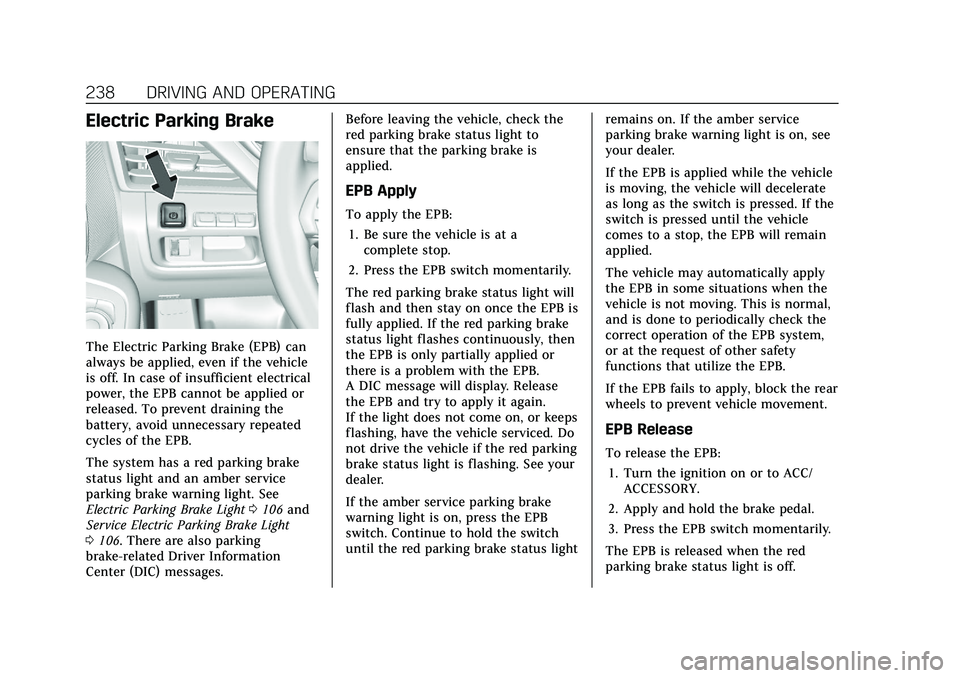
Electric Parking Brake
The Electric Parking Brake (EPB) can
always be applied, even if the vehicle
is off. In case of insufficient electrical
power, the EPB cannot be applied or
released. To prevent draining the
battery, avoid unnecessary repeated
cycles of the EPB.
The system has a red parking brake
status light and an amber service
parking brake warning light. See
Electric Parking Brake Light0106 and
Service Electric Parking Brake Light
0 106. There are also parking
brake-related Driver Information
Center (DIC) messages. Before leaving the vehicle, check the
red parking brake status light to
ensure that the parking brake is
applied.
EPB Apply
To apply the EPB:
1. Be sure the vehicle is at a complete stop.
2. Press the EPB switch momentarily.
The red parking brake status light will
flash and then stay on once the EPB is
fully applied. If the red parking brake
status light flashes continuously, then
the EPB is only partially applied or
there is a problem with the EPB.
A DIC message will display. Release
the EPB and try to apply it again.
If the light does not come on, or keeps
flashing, have the vehicle serviced. Do
not drive the vehicle if the red parking
brake status light is flashing. See your
dealer.
If the amber service parking brake
warning light is on, press the EPB
switch. Continue to hold the switch
until the red parking brake status light remains on. If the amber service
parking brake warning light is on, see
your dealer.
If the EPB is applied while the vehicle
is moving, the vehicle will decelerate
as long as the switch is pressed. If the
switch is pressed until the vehicle
comes to a stop, the EPB will remain
applied.
The vehicle may automatically apply
the EPB in some situations when the
vehicle is not moving. This is normal,
and is done to periodically check the
correct operation of the EPB system,
or at the request of other safety
functions that utilize the EPB.
If the EPB fails to apply, block the rear
wheels to prevent vehicle movement.
EPB Release
To release the EPB:
1. Turn the ignition on or to ACC/ ACCESSORY.
2. Apply and hold the brake pedal.
3. Press the EPB switch momentarily.
The EPB is released when the red
parking brake status light is off.
Page 240 of 435
Cadillac CT5 Owner Manual (GMNA-Localizing-U.S./Canada-14584312) -
2021 - CRC - 11/23/20
DRIVING AND OPERATING 239
If the amber service parking brake
warning light is on, release the EPB by
pressing and holding the EPB switch.
Continue to hold the switch until the
red parking brake status light is off.
If either light stays on after release is
attempted, see your dealer.
Caution
Driving with the parking brake on
can overheat the brake system and
cause premature wear or damage to
brake system parts. Make sure that
the parking brake is fully released
and the brake warning light is off
before driving.
If you are towing a trailer and parking
on a hill, see Driving Characteristics
and Towing Tips 0301.
Automatic EPB Release
The EPB will automatically release if
the vehicle is running, placed into
gear, and an attempt is made to drive
away. Avoid rapid acceleration when
the EPB is applied, to preserve parking
brake lining life.
Brake Assist
Brake Assist detects rapid brake pedal
applications due to emergency braking
situations and provides additional
braking to activate the Antilock Brake
System (ABS) if the brake pedal is not
pushed hard enough to activate ABS
normally. Minor noise, brake pedal
pulsation, and/or pedal movement
during this time may occur. Continue
to apply the brake pedal as the driving
situation dictates. Brake Assist
disengages when the brake pedal is
released.
Hill Start Assist (HSA)
{Warning
Do not rely on the HSA feature.
HSA does not replace the need to
pay attention and drive safely. You
may not hear or feel alerts or
warnings provided by this system.
Failure to use proper care when
driving may result in injury, death,
or vehicle damage. See Defensive
Driving 0210. When the vehicle is stopped on a
grade, Hill Start Assist (HSA)
temporarily prevents the vehicle from
rolling in an unintended direction
during the transition from brake pedal
release to accelerator pedal apply. The
brakes release when the accelerator
pedal is applied or automatically
release after a few seconds. The brakes
may also release under other
conditions. Do not rely on HSA to
hold the vehicle.
HSA is available when the vehicle is
facing uphill in a forward gear,
or when facing downhill in
R (Reverse). The vehicle must come to
a complete stop on a grade for HSA to
activate.
Page 241 of 435
Cadillac CT5 Owner Manual (GMNA-Localizing-U.S./Canada-14584312) -
2021 - CRC - 11/23/20
240 DRIVING AND OPERATING
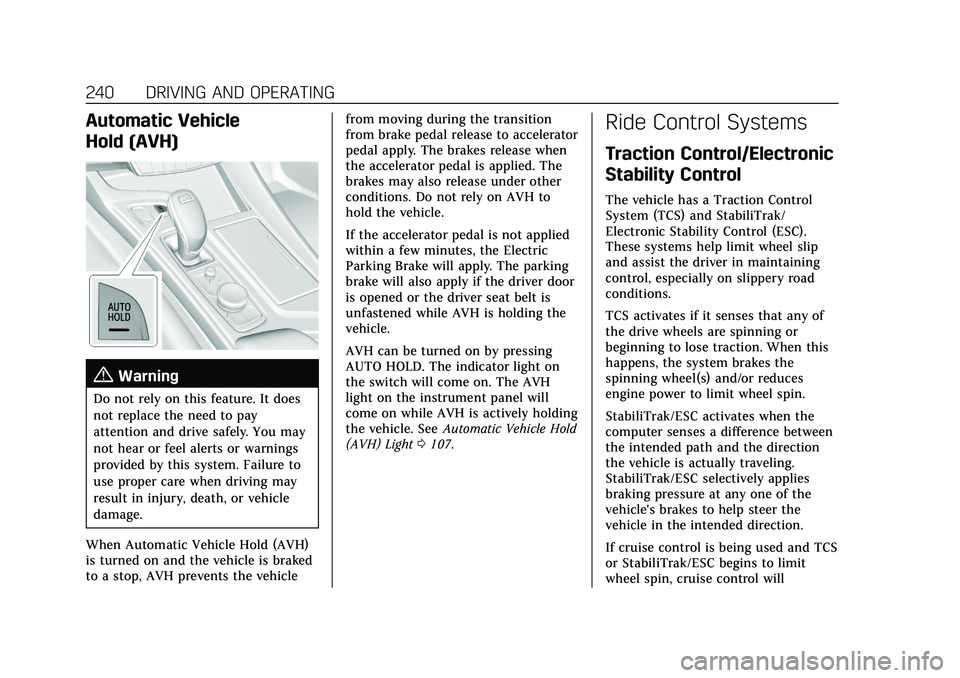
Automatic Vehicle
Hold (AVH)
{Warning
Do not rely on this feature. It does
not replace the need to pay
attention and drive safely. You may
not hear or feel alerts or warnings
provided by this system. Failure to
use proper care when driving may
result in injury, death, or vehicle
damage.
When Automatic Vehicle Hold (AVH)
is turned on and the vehicle is braked
to a stop, AVH prevents the vehicle from moving during the transition
from brake pedal release to accelerator
pedal apply. The brakes release when
the accelerator pedal is applied. The
brakes may also release under other
conditions. Do not rely on AVH to
hold the vehicle.
If the accelerator pedal is not applied
within a few minutes, the Electric
Parking Brake will apply. The parking
brake will also apply if the driver door
is opened or the driver seat belt is
unfastened while AVH is holding the
vehicle.
AVH can be turned on by pressing
AUTO HOLD. The indicator light on
the switch will come on. The AVH
light on the instrument panel will
come on while AVH is actively holding
the vehicle. See
Automatic Vehicle Hold
(AVH) Light 0107.
Ride Control Systems
Traction Control/Electronic
Stability Control
The vehicle has a Traction Control
System (TCS) and StabiliTrak/
Electronic Stability Control (ESC).
These systems help limit wheel slip
and assist the driver in maintaining
control, especially on slippery road
conditions.
TCS activates if it senses that any of
the drive wheels are spinning or
beginning to lose traction. When this
happens, the system brakes the
spinning wheel(s) and/or reduces
engine power to limit wheel spin.
StabiliTrak/ESC activates when the
computer senses a difference between
the intended path and the direction
the vehicle is actually traveling.
StabiliTrak/ESC selectively applies
braking pressure at any one of the
vehicle's brakes to help steer the
vehicle in the intended direction.
If cruise control is being used and TCS
or StabiliTrak/ESC begins to limit
wheel spin, cruise control will
Page 242 of 435

Cadillac CT5 Owner Manual (GMNA-Localizing-U.S./Canada-14584312) -
2021 - CRC - 11/23/20
DRIVING AND OPERATING 241
disengage. Cruise control may be
turned back on when road conditions
allow.
Both systems come on automatically
when the vehicle is started and begins
to move. The systems may be heard or
felt while they are operating or while
performing diagnostic checks. This is
normal and does not mean there is a
problem with the vehicle.
It is recommended to leave both
systems on for normal driving
conditions, but it may be necessary to
turn TCS off if the vehicle gets stuck
in sand, mud, ice, or snow. SeeIf the
Vehicle Is Stuck 0219 and “Turning
the Systems Off and On ”later in this
section.
The indicator light for both systems is
in the instrument cluster. This
light will:
.Flash when TCS is limiting
wheel spin.
.Flash when StabiliTrak/ESC is
activated.
.Turn on and stay on when either
system is not working.
If either system fails to turn on or to
activate, a message may display in the
Driver Information Center (DIC), and
dcomes on and stays on to indicate
that the system is inactive and is not
assisting the driver in maintaining
control. The vehicle is safe to drive,
but driving should be adjusted
accordingly.
If
dcomes on and stays on:
1. Stop the vehicle.
2. Turn the engine off and wait 15 seconds.
3. Start the engine.
Drive the vehicle. if
dcomes on and
stays on, the vehicle may need more
time to diagnose the problem. If the
condition persists, see your dealer.
Turning the Systems Off and On
Caution
Do not repeatedly brake or
accelerate heavily when TCS is off.
The vehicle driveline could be
damaged.
To turn off only TCS, press and
release
g. The traction off lighti
displays in the instrument cluster.
A DIC message may display.
Page 244 of 435

Cadillac CT5 Owner Manual (GMNA-Localizing-U.S./Canada-14584312) -
2021 - CRC - 11/23/20
DRIVING AND OPERATING 243
V-Mode Button
To activate V-Mode, press the V-Mode
button on the steering wheel. To
deactivate, select a different mode
using the DMC switch, or press the
V-Mode button on the steering wheel.
When V-Mode is deactivated by the
V-Mode button, DMC returns to
Tour Mode.
Mode Description
Tour Mode
Use for normal city and highway
driving to provide a smooth, soft ride.
This mode provides a balance between
comfort and handling. This is the
standard mode. See “Mode Selection
Attributes” later in this section. When
Tour Mode is selected, no indicator
will display.
Sport Mode
Use this mode where road conditions
or personal preference demand a more
controlled response. When this mode
is selected, the vehicle immediately
downshifts. The vehicle also monitors
driving behaviors and automatically
enables Performance Shift Features
when spirited driving is detected.
These features maintain lower
transmission gears to increase
available engine braking and improve
acceleration response. The vehicle will exit this feature and return to normal
operation after a short period when
spirited driving is no longer detected.
The steering changes to provide more
precise control. If the vehicle has
Magnetic Ride Control, the suspension
changes to provide better cornering
performance.
See
“Mode Selection Attributes ”later
in this section.
Snow/Ice Mode
Use this mode for slippery surfaces to
help control wheel speed. This mode
can compromise the acceleration on
dry asphalt.
This feature is not intended for use
when the vehicle is stuck in sand,
mud, or gravel. If the vehicle is stuck,
see If the Vehicle Is Stuck 0219.
See “Mode Selection Attributes ”later
in this section.
Page 245 of 435

Cadillac CT5 Owner Manual (GMNA-Localizing-U.S./Canada-14584312) -
2021 - CRC - 11/23/20
244 DRIVING AND OPERATING
Track Mode (V-Series Only)
When in Track Mode, the automatic
transmission and steering function
similar to Sport Mode. The accelerator
pedal is adjusted to give maximum
control during the highest level of
spirited driving. The Magnetic Ride
Control will be set to the optimum
level for vehicle responsiveness.
Performance Traction Management
(PTM) can be accessed through this
mode. See“Performance Traction
Management ”in Competitive Driving
Mode 0247.
See “Mode Selection Attributes ”later
in this section.
My Mode
My Mode is used to personalize
everyday driving. This mode is
designed to allow the driver to
configure vehicle systems to their own
preference for city or normal driving. Through the center stack, the
following vehicle systems may be
available for customization in
this mode.
.Engine Sound: Stealth, Tour
(Default), Sport, Track
.Steering: Tour (default), Sport,
Track
.Suspension: Tour (default), Sport,
Track
.Brake Response: Tour (default),
Sport, Track
For information on the range of
settings, see “Driver Mode
Customization ”.
V-Mode (V-Series Only)
V-Mode is used to personalize
dynamic driving. This mode is
designed to allow the driver to
configure vehicle sub-systems to their
own preference for maximum
handling. V-Mode further enhances the drivers experience by adding a
powertrain customization. Through
the center stack, the following vehicle
systems may be available for
customization in this mode.
.Engine Sound: Stealth, Tour, Sport
(default), Track
.Steering: Tour, Sport (default),
Track
.Suspension: Tour, Sport, (default),
Track
.Powertrain: Tour, Sport, (default),
Track, Snow/Ice
.PTM: OFF, WET, DRY, SPORT, RACE
1, RACE 2
.Brake Response: Tour, Sport, Track
For information on the range of
settings, see “Driver Mode
Customization ”.
Page 248 of 435
Cadillac CT5 Owner Manual (GMNA-Localizing-U.S./Canada-14584312) -
2021 - CRC - 11/23/20
DRIVING AND OPERATING 247
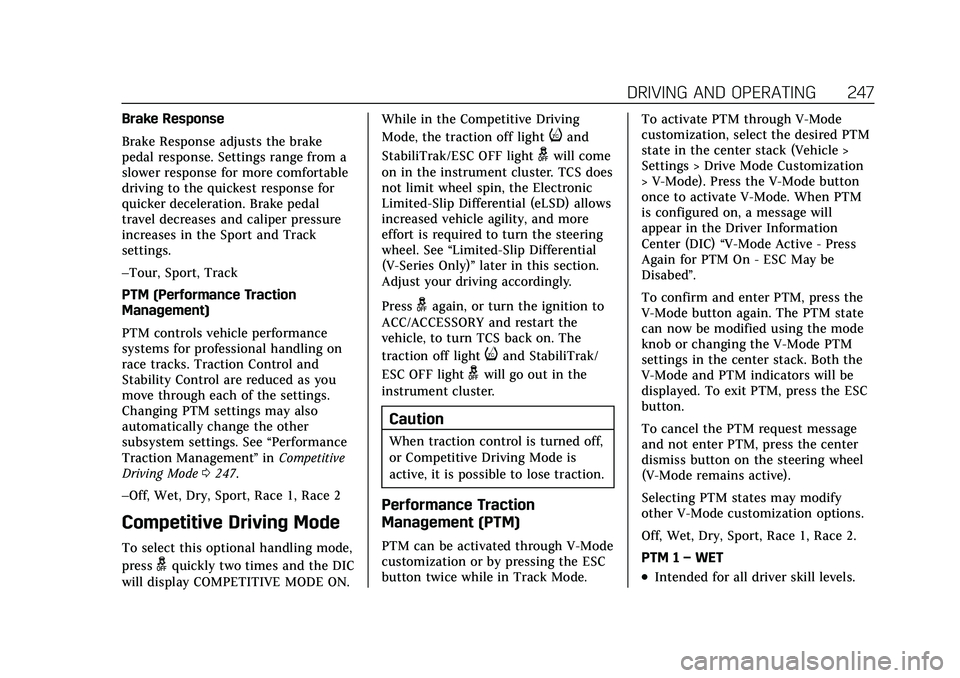
Brake Response
Brake Response adjusts the brake
pedal response. Settings range from a
slower response for more comfortable
driving to the quickest response for
quicker deceleration. Brake pedal
travel decreases and caliper pressure
increases in the Sport and Track
settings.
–Tour, Sport, Track
PTM (Performance Traction
Management)
PTM controls vehicle performance
systems for professional handling on
race tracks. Traction Control and
Stability Control are reduced as you
move through each of the settings.
Changing PTM settings may also
automatically change the other
subsystem settings. See“Performance
Traction Management ”in Competitive
Driving Mode 0247.
–Off, Wet, Dry, Sport, Race 1, Race 2
Competitive Driving Mode
To select this optional handling mode,
press
gquickly two times and the DIC
will display COMPETITIVE MODE ON. While in the Competitive Driving
Mode, the traction off light
iand
StabiliTrak/ESC OFF light
gwill come
on in the instrument cluster. TCS does
not limit wheel spin, the Electronic
Limited-Slip Differential (eLSD) allows
increased vehicle agility, and more
effort is required to turn the steering
wheel. See “Limited-Slip Differential
(V-Series Only)” later in this section.
Adjust your driving accordingly.
Press
gagain, or turn the ignition to
ACC/ACCESSORY and restart the
vehicle, to turn TCS back on. The
traction off light
iand StabiliTrak/
ESC OFF light
gwill go out in the
instrument cluster.
Caution
When traction control is turned off,
or Competitive Driving Mode is
active, it is possible to lose traction.
Performance Traction
Management (PTM)
PTM can be activated through V-Mode
customization or by pressing the ESC
button twice while in Track Mode. To activate PTM through V-Mode
customization, select the desired PTM
state in the center stack (Vehicle >
Settings > Drive Mode Customization
> V-Mode). Press the V-Mode button
once to activate V-Mode. When PTM
is configured on, a message will
appear in the Driver Information
Center (DIC)
“V-Mode Active - Press
Again for PTM On - ESC May be
Disabed”.
To confirm and enter PTM, press the
V-Mode button again. The PTM state
can now be modified using the mode
knob or changing the V-Mode PTM
settings in the center stack. Both the
V-Mode and PTM indicators will be
displayed. To exit PTM, press the ESC
button.
To cancel the PTM request message
and not enter PTM, press the center
dismiss button on the steering wheel
(V-Mode remains active).
Selecting PTM states may modify
other V-Mode customization options.
Off, Wet, Dry, Sport, Race 1, Race 2.
PTM 1 –WET
.Intended for all driver skill levels.
Page 249 of 435

Cadillac CT5 Owner Manual (GMNA-Localizing-U.S./Canada-14584312) -
2021 - CRC - 11/23/20
248 DRIVING AND OPERATING
.Wet or damp conditions only—not
intended for use in heavy rain or
standing water.
.StabiliTrak/ESC is on and engine
power is reduced based on
conditions.
PTM 2 –DRY
.For use by less experienced drivers
or while learning a new track.
.Dry conditions only.
.StabiliTrak/ESC is on and engine
power is slightly reduced.
PTM 3 –SPORT
.For use by drivers who are familiar
with the track.
.Dry conditions only.
.Requires more driving skill than
mode 2.
.StabiliTrak/ESC is on and more
engine power is available than in
mode 2.
PTM 4 –Race 1
.For use by drivers who are familiar
with the track.
.Dry conditions only.
.Requires more driving skill than
modes 2 or 3.
.StabiliTrak/ESC is off and available
engine power is the same as
mode 3.
PTM 5 –RACE 2
.For use by experienced drivers who
are familiar with the track.
.Dry conditions only.
.Requires more driving skill than in
other modes.
.StabiliTrak/ESC is off and engine
power is available for maximum
cornering speed.
Press and release
gto turn off PTM
and return to the TCS and StabiliTrak/
ESC systems. The traction off light
i
and StabiliTrak Off lightiwill
go out.
Launch Control
If equipped, Launch Control is
available within Competitive Driving
Mode and Performance Traction
Management (PTM) to allow high
levels of vehicle acceleration in a
straight line. Launch Control is a form
of traction control that manages tire
spin while launching the vehicle. This
feature is intended for use during closed course race events where
consistent zero to 60 and quarter mile
times are desirable.
Launch Control is only available when
the following criteria are met:
.Competitive Driving Mode is
selected or any of the Performance
Traction Management modes are
selected.
.The vehicle is not moving.
.The steering wheel is pointing
straight.
Automatic Transmissions
.The brake pedal is firmly pressed to
the floor, equivalent to a panic
brake event.
.The accelerator pedal is rapidly
applied to wide open throttle. If the
vehicle rolls due to wide open
throttle, release the throttle, press
the brake pedal more firmly, and
re-apply the accelerator to wide
open throttle.
Launch Control will initially limit
engine speed as you rapidly apply the
accelerator pedal to wide open
throttle. Allow the engine rpm to
stabilize. A smooth, quick release of