air condition CADILLAC CT5 2023 Owner's Manual
[x] Cancel search | Manufacturer: CADILLAC, Model Year: 2023, Model line: CT5, Model: CADILLAC CT5 2023Pages: 526, PDF Size: 6.85 MB
Page 261 of 526
Cadillac CT5 Owner Manual (GMNA-Localizing-U.S./Canada-16500419) -
2023 - CRC - 5/10/22
260 Driving and Operating
applied sooner than when on
dry pavement. See Antilock
Brake System (ABS)0287.
.Allow greater following
distance and watch for
slippery spots. Icy patches
can occur on otherwise clear
roads in shaded areas. The
surface of a curve or an
overpass can remain icy
when the surrounding roads
are clear. Avoid sudden
steering maneuvers and
braking while on ice.
.Turn off cruise control.
.Select All-Wheel Drive (AWD)
Mode for vehicles equipped
with AWD. Select Snow/Ice
Mode for FWD only vehicles.
See Driver Mode Control
0293 and
All-Wheel Drive 0287.
Cold Weather Mode
In very low temperatures, a
cold weather message may
display on the Driver
Information Center (DIC). The
engine speed, transmission
shift patterns, and cabin fan speed may operate differently
to enable the vehicle to warm
up quicker. You can manually
override the cabin fan speed in
cold weather mode.
Blizzard Conditions
Stop the vehicle in a safe
place and signal for help. Stay
with the vehicle unless there is
help nearby. If possible, use
Roadside Assistance. See
Roadside Assistance Program
0
489. To get help and keep
everyone in the vehicle safe:
.Turn on the hazard warning
flashers.
.Tie a red cloth to an outside
mirror.
{Warning
Snow can trap engine
exhaust under the vehicle.
This may cause exhaust
gases to get inside. Engine
exhaust contains carbon
monoxide (CO), which cannot
(Continued)
Warning (Continued)
be seen or smelled. It can
cause unconsciousness and
even death.
If the vehicle is stuck
in snow:
.Clear snow from the base
of the vehicle, especially
any blocking the
exhaust pipe.
.Open a window about
5 cm (2 in) on the vehicle
side that is away from the
wind, to bring in fresh air.
.Fully open the air outlets
on or under the
instrument panel.
.Adjust the climate control
system to circulate the air
inside the vehicle and set
the fan speed to the
highest setting. See
“Climate Control Systems.”
For more information about
CO, see Engine Exhaust
0 276.
Page 341 of 526
Cadillac CT5 Owner Manual (GMNA-Localizing-U.S./Canada-16500419) -
2023 - CRC - 5/10/22
340 Driving and Operating
front are higher pitched than
beeps for the rear. If equipped
with Safety Alert seat, both
sides of the seat will pulse
alongside the beeps.
When the System Does Not
Seem to Work Properly
The following messages may
be displayed on the DIC:
SERVICE PARKING ASSIST :
If this message occurs, check
the following conditions:
.The sensors are not clean.
Keep the vehicle's rear
bumper free of mud, dirt,
snow, ice, and slush. For
cleaning instructions, see
Exterior Care0457.
.The Park Assist sensors are
covered by frost or ice.
Frost or ice can form around
and behind the sensors and
may not always be seen; this
can occur after washing the
vehicle in cold weather. The
message may not clear until
the frost or ice has melted. If the above conditions do not
exist, take the vehicle to your
dealer to repair the system.
PARK ASSIST OFF :
If the PA
system does not activate due
to a temporary condition, the
appropriate message displays
on the DIC. PA OFF message
is displayed when disabled by
the driver. Front/Rear PA OFF
message is displayed when an
attached object is detected in
the front or rear respectively.
PA Temporarily Unavailable
message is displayed for
system failures. This can occur
under the following conditions:
.The driver has disabled the
system.
.An object was hanging out
of the trunk during the last
drive cycle. Once the object
is removed, RPA will return
to normal operation.
.The bumper is damaged.
Take the vehicle to your
dealer to repair the system.
.Other conditions, such as
vibrations from a
jackhammer or the
compression of air brakes on
a very large truck, are
affecting system
performance.
Turning the Feature On
or Off
TouchXon the center stack
to turn on or off the Front and
Rear Park Assist, Reverse
Automatic Braking (RAB), and
the Backing Warning System
at the same time. The
indicator light next to the
button comes on when the
features are on and turns off
when the features have been
disabled.
Turn off Park Assist when
towing a trailer.
To view available settings for
this feature, touch the
Settings icon on the
infotainment home page.
Select “Vehicle” to display the
Page 346 of 526

Cadillac CT5 Owner Manual (GMNA-Localizing-U.S./Canada-16500419) -
2023 - CRC - 5/10/22
Driving and Operating 345
When a pedestrian is detected
within the system’s range
directly behind the vehicle, this
symbol flashes amber on the
infotainment display, along
with five beeps from the rear,
or if equipped, two pulses
from both sides of the driver
seat. When a pedestrian is
detected close to the vehicle,
the symbol flashes red on the
infotainment display, along
with ten beeps from the rear,
or if equipped, seven pulses
from both sides of the
driver seat.
{Warning
Rear Pedestrian Alert does
not automatically brake the
vehicle. It also does not
provide an alert unless it
detects a pedestrian, and it
may not detect all
pedestrians if:(Continued)
Warning (Continued)
.The pedestrian is not
directly behind the vehicle,
fully visible to the Rear
Vision Camera (RVC),
or standing upright.
.The pedestrian is part of a
group.
.The pedestrian is a child.
.Visibility is poor, including
nighttime conditions, fog,
rain, or snow.
.The RVC is blocked by
dirt, snow, or ice.
.The RVC, taillamps,
or back-up lamps are not
cleaned or in proper
working condition.
.The vehicle is not in
R (Reverse).
To help avoid death or injury,
always check for
pedestrians around the
vehicle before backing up. (Continued)
Warning (Continued)
Be ready to take action and
apply the brakes. See
Defensive Driving 0242.
Keep the RVC, taillamps, and
back-up lamps clean and in
good repair.
Rear Pedestrian Alert can be
set to Off or Alert. To view
available settings from the
infotainment screen, touch
Settings > Vehicle > Collision/
Detection Systems > Rear
Pedestrian Detection.
If equipped, alerts can be set
to beeps or seat pulses. To
view available settings from
the infotainment screen, touch
Settings > Vehicle > Collision/
Detection Systems >
Alert Type.
Page 348 of 526

Cadillac CT5 Owner Manual (GMNA-Localizing-U.S./Canada-16500419) -
2023 - CRC - 5/10/22
Driving and Operating 347
{Warning
FCA is a warning system and
does not apply the brakes.
When approaching a
slower-moving or stopped
vehicle ahead too rapidly,
or when following a vehicle
too closely, FCA may not
provide a warning with
enough time to help avoid a
crash. It also may not
provide any warning at all.
FCA does not warn of
pedestrians, animals, signs,
guardrails, bridges,
construction barrels,
or other objects. Be ready to
take action and apply the
brakes. See Defensive
Driving0242.
FCA can be disabled through
vehicle personalization. To
view available settings for this
feature, touch the Settings
icon on the infotainment home
page. Select “Vehicle”to display the list of available
options and select
“Collision/
Detection Systems”.
Detecting the Vehicle
Ahead
FCA warnings will not occur
unless the FCA system
detects a vehicle ahead. When
a vehicle is detected, the
vehicle ahead indicator will
display green. Vehicles may
not be detected on curves,
highway exit ramps, or hills,
due to poor visibility; or if a
vehicle ahead is partially
blocked by pedestrians or
other objects. FCA will not
detect another vehicle ahead
until it is completely in the
driving lane.
{Warning
FCA does not provide a
warning to help avoid a
crash, unless it detects a
vehicle. FCA may not detect
a vehicle ahead if the FCA
sensor is blocked by dirt,
snow, or ice, or if the
windshield is damaged.
It may also not detect a
vehicle on winding or hilly
roads, or in conditions that
can limit visibility such as
fog, rain, or snow, or if the
headlamps or windshield are
not cleaned or in proper
condition. Keep the
windshield, headlamps, and
FCA sensors clean and in
good repair.
Page 353 of 526

Cadillac CT5 Owner Manual (GMNA-Localizing-U.S./Canada-16500419) -
2023 - CRC - 5/10/22
352 Driving and Operating
Warning (Continued)
windshield, headlamps, and
FPB sensor clean and in
good repair.
FPB can be set to Off, Alert,
or Alert & Brake through
vehicle personalization. To
view available settings for this
feature, touch the Settings
icon on the infotainment home
page. Select “Vehicle”to
display the list of available
options and select “Collision/
Detection Systems”.
Detecting the Pedestrian
Ahead
FPB alerts and automatic
braking will not occur unless
the FPB system detects a
pedestrian. When a nearby pedestrian is detected in front
of the vehicle, the pedestrian
ahead indicator will display
amber.
Front Pedestrian Alert
With Head-Up Display
Without Head-Up Display
When the vehicle approaches
a pedestrian ahead too rapidly,
the red FPB alert display will
flash on the windshield. Eight
rapid high-pitched beeps will
sound from the front, or both
sides of the Safety Alert Seat
will pulse five times. When this Pedestrian Alert occurs, the
brake system may prepare for
driver braking to occur more
rapidly which can cause a
brief, mild deceleration.
Continue to apply the brake
pedal as needed. Cruise
control may be disengaged
when the Front Pedestrian
Alert occurs.
Automatic Braking
If FPB detects it is about to
crash into a pedestrian
directly ahead, and the brakes
have not been applied, FPB
may automatically brake
moderately or brake hard. This
can help to avoid some very
low speed pedestrian crashes
or reduce pedestrian injury.
FPB can automatically brake
to detected pedestrians
between 8 km/h (5 mph) and
80 km/h (50 mph). Automatic
braking levels may be reduced
under certain conditions, such
as higher speeds.
Page 358 of 526

Cadillac CT5 Owner Manual (GMNA-Localizing-U.S./Canada-16500419) -
2023 - CRC - 5/10/22
Driving and Operating 357
Warning (Continued)
sensors clean and in good
repair. Do not use LKA in
bad weather conditions or
on roads with unclear lane
markings, such as
construction zones.
{Warning
Using LKA on slippery roads
could cause loss of control
of the vehicle and a crash.
Turn the system off.
{Warning
LKA will not alert the driver
if a towed trailer crosses
into an adjacent lane of
travel. Serious injury or
property damage may occur
if the trailer moves into
another lane. Always
monitor the trailer position(Continued)
Warning (Continued)
while towing to make sure it
is within the same lane as
the tow vehicle.
How the System Works
LKA uses a camera sensor
installed on the windshield
ahead of the rearview mirror
to detect lane markings. It may
provide brief steering assist if
it detects an unintended lane
departure. It may further
provide an audible alert or the
driver seat may pulse
indicating that a lane marking
has been crossed. The system
does not provide a Lane
Departure Warning (LDW)
when intentionally steering
across a lane marker.
To turn LKA on and off, press
Aon the center stack.
If equipped, the indicator light
on the button comes on when
LKA is on and turns off when
LKA is disabled. In some vehicles, a long press of over
three seconds is required to
turn LKA off.
When on,
Ais white,
if equipped, indicating that the
system is not ready to assist.
Ais green if LKA is ready to
assist. LKA may assist by
gently turning the steering
wheel if the vehicle
approaches a detected lane
marking.
Ais amber when
assisting. It may also provide a
Lane Departure Warning
(LDW) alert by flashing
A
amber if the vehicle crosses a
detected lane marking.
Additionally, there may be
three beeps, or the driver seat
may pulse three times, on the
right or left, depending on the
lane departure direction.
Take Steering
The LKA system does not
continuously steer the vehicle.
If LKA does not detect active
driver steering, an alert and
chime may be provided. Steer
Page 390 of 526

Cadillac CT5 Owner Manual (GMNA-Localizing-U.S./Canada-16500419) -
2023 - CRC - 5/6/22
Vehicle Care 389
fluid as indicated on the
reservoir cap. See Brake Fluid
0404 for brake fluid to use.
How to Check and Add
Fluid
Visually check the brake/
clutch fluid reservoir to make
sure the fluid level is at the
MIN (minimum) line on the side
of the reservoir. The brake/
hydraulic clutch fluid system
should be closed and sealed.
Do not remove the cap to
check the fluid level or to
top-off the fluid level. Remove
the cap only when necessary
to add the proper fluid until
the level reaches the MIN line.
Engine Air Filter Life
System
This feature provides the
engine air filter’s remaining life
and best timing for a change.
The timing to change an
engine air filter depends on
driving and environmental
conditions.
When to Change the
Engine Air Filter
When the Driver Information
Center (DIC) displays a
message to replace the engine
air filter at the next oil change,
follow this timing.
When the DIC displays a
message to replace the engine
air filter soon, replace the
engine air filter at the earliest
convenience.
The system must be reset
after the engine air filter is
changed.
If the DIC displays a message
to check the engine air filter
system, see your dealer.
How to Reset the Engine
Air Filter Life System
To reset:
1. Place the vehicle in P (Park). 2. Display the Air Filter Life
on the DIC. See Driver
Information Center (DIC)
(Base Level) 0136 or
Driver Information Center
(DIC) (Uplevel) 0139.
3. Press
Ton the steering
wheel, or press the trip
odometer reset stem if the
vehicle does not have DIC
controls, to move to the
Reset/Disable display area.
Select Reset, then press
the thumbwheel or press
the reset stem for several
seconds.
4. Press the thumbwheel or the reset stem to confirm
the reset.
Engine Air Cleaner/
Filter
The engine air cleaner/filter is
in the engine compartment on
the passenger side of the
vehicle for the 2.0L L4 and
6.2L V8 engines, and in the
center of the engine
Page 397 of 526

Cadillac CT5 Owner Manual (GMNA-Localizing-U.S./Canada-16500419) -
2023 - CRC - 5/6/22
396 Vehicle Care
If no problem is found, check
to see if coolant is visible in
the coolant surge tank.
If coolant is visible but the
coolant level is not at or above
the indicated mark, add a
50/50 mixture of clean,
drinkable water and
DEX-COOL coolant at the
coolant surge tank, but be
sure the cooling system,
including the coolant surge
tank pressure cap, is cool
before you do it.
2.0L L4 Engine
Automatic Coolant Service
Fill Instructions
The vehicle is equipped with a
service feature that assists
with filling and removing air
from the cooling system after
service of components or
when coolant is added after
being too low.To use the service feature:
1. With a cold system, add
coolant to the indicated
line on the surge tank.
2. Replace the pressure cap on the surge tank.
To activate the service
feature: 1. Connect the vehicle to a battery charger.
2. Turn the ignition on. See Ignition Positions 0267.
3. Turn off the air conditioning.
4. Set the parking brake. 5. At the same time, press
the accelerator and the
brake pedal for
two seconds, then release.
6. At the end of the cycle, check the coolant level in
the surge tank and add
coolant if it is below the
indicated line. Turn the
ignition off, allow the
Electronic Control Module
(ECM) to go to sleep, about
two minutes, and repeat
Steps 2–6.
Listen for pump activation and
movement of the control
valves while watching the level
of the coolant in the surge
tank. If the tank empties, turn
the ignition off, carefully
remove the pressure cap, refill
to the indicated line, replace
the pressure cap, and repeat
Steps 2–6.
The fill and air removal
process will run for
approximately 15 minutes.
Page 400 of 526
Cadillac CT5 Owner Manual (GMNA-Localizing-U.S./Canada-16500419) -
2023 - CRC - 5/6/22
Vehicle Care 399
.Climbs a long hill on a
hot day.
.Stops after high-speed
driving.
.Idles for long periods in
traffic.
If the overheat warning is
displayed with no sign of
steam: 1. Turn the air conditioning off.
2. Turn the heater on to the highest temperature and
to the highest fan speed.
Open the windows as
necessary.
3. When it is safe to do so, pull off the road, shift to
P (Park) or N (Neutral) and
let the engine idle.
If the overheat warning no
longer displays, the vehicle
can be driven. Continue to
drive the vehicle slowly for
about 10 minutes. Keep a safe
vehicle distance from the
vehicle in front. If the warning
does not come back on, continue to drive normally and
have the cooling system
checked for proper fill and
function.
If the warning continues, pull
over, stop, and park the
vehicle right away.
If there is no sign of steam,
idle the engine for
three minutes while parked.
If the warning is still displayed,
turn off the engine until it
cools down.
Washer Fluid
What to Use
When windshield washer fluid
is needed, be sure to read the
manufacturer's instructions
before use. If operating the
vehicle in an area where the
temperature may fall below
freezing, use a fluid that has
sufficient protection against
freezing.
Adding Washer Fluid
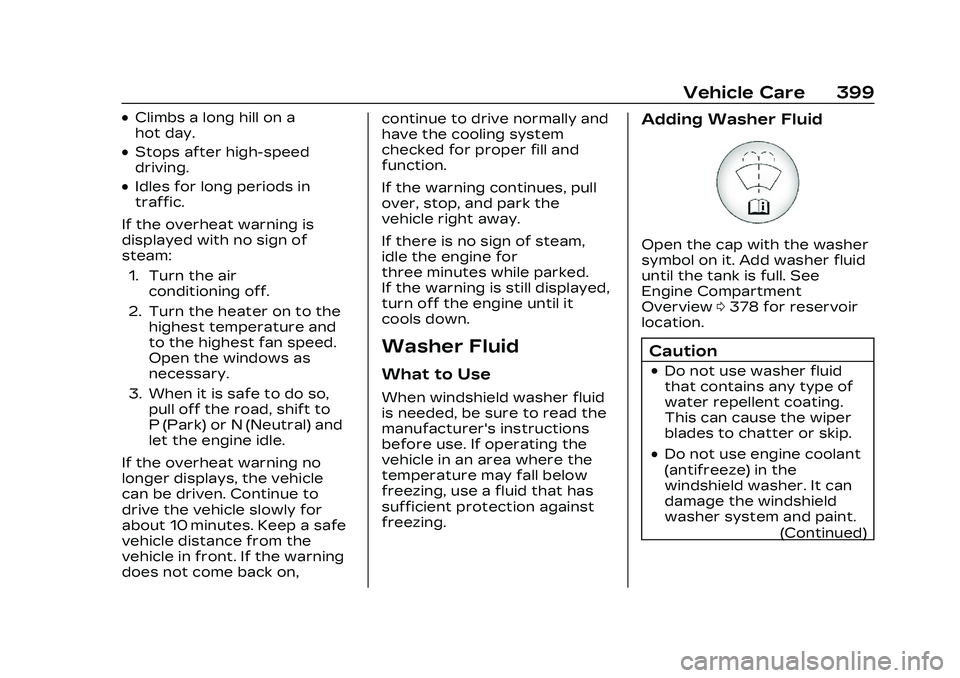
Open the cap with the washer
symbol on it. Add washer fluid
until the tank is full. See
Engine Compartment
Overview
0378 for reservoir
location.
Caution
.Do not use washer fluid
that contains any type of
water repellent coating.
This can cause the wiper
blades to chatter or skip.
.Do not use engine coolant
(antifreeze) in the
windshield washer. It can
damage the windshield
washer system and paint.
(Continued)
Page 401 of 526
Cadillac CT5 Owner Manual (GMNA-Localizing-U.S./Canada-16500419) -
2023 - CRC - 5/6/22
400 Vehicle Care
Caution (Continued)
.Do not mix water with
ready-to-use washer fluid.
Water can cause the
solution to freeze and
damage the washer fluid
tank and other parts of
the washer system.
.When using concentrated
washer fluid, follow the
manufacturer instructions
for adding water.
.Fill the washer fluid tank
only three-quarters full
when it is very cold. This
allows for fluid expansion
if freezing occurs, which
could damage the tank if it
is completely full.
Brakes
Disc brake linings, except J57
V-Series Blackwing with
carbon ceramic brakes, have
built-in wear indicators that
make a high-pitched warning
sound when the brake linings
are worn and new linings areneeded. The sound can come
and go or can be heard all the
time when the vehicle is
moving, except when applying
the brake pedal firmly. The
V-Series Blackwing has
electronic pad wear sensors.
See Brake Pad Life System (If
Equipped)
0403
{Warning
The brake wear warning
sound means that soon the
brakes will not work well.
That could lead to a crash.
When the brake wear
warning sound is heard,
have the vehicle serviced.
Caution
Continuing to drive with
worn-out brake linings could
result in costly brake repairs.
Properly torqued wheel nuts
are necessary to help prevent
brake pulsation. When tires
are rotated, inspect brake linings for wear and evenly
tighten wheel nuts in the
proper sequence to torque
specifications. See Capacities
and Specifications
0482.
Brake linings should be
replaced as complete
axle sets.
Brake Squeal and
Brake Dust
Some driving conditions or
climates can cause a brake
squeal when the brakes are
first applied, clearing up
following several applies. This
does not mean something is
wrong with the brakes.
Vehicles equipped with high
performance brake systems
provide superior fade
resistance, but will produce
increased brake squeal and
brake dust on the wheels and
calipers as compared to
standard brake linings. This is
normal.