brakes CADILLAC CT6 2016 User Guide
[x] Cancel search | Manufacturer: CADILLAC, Model Year: 2016, Model line: CT6, Model: CADILLAC CT6 2016Pages: 397, PDF Size: 7.09 MB
Page 211 of 397

Cadillac CT6 Owner Manual (GMNA-Localizing-U.S./Canada-9235592) -
2016 - crc - 11/6/15
210 Driving and Operating
Running the Vehicle
While Parked It is better not to park with the
engine running.
If the vehicle is left with the engine
running, follow the proper steps to
be sure the vehicle will not move.
See Shifting Into Park 0 207 and
Engine Exhaust 0 209 .
If parking on a hill and pulling a
trailer, see Driving Characteristics
and Towing Tips 0 255 .Automatic
Transmission
There are several different positions
for the shift lever.
P : This position locks the rear
wheels. Use this position when
starting the engine because the
vehicle cannot move easily. { WarningIt is dangerous to get out of the
vehicle if the shift lever is not fully
in P (Park) with the parking brake
firmly set. The vehicle can roll.
Do not leave the vehicle when the
engine is running unless you
have to. If you have left the
engine running, the vehicle can
move suddenly. You or others
could be injured. To be sure the
vehicle will not move, even when
you are on fairly level ground,
always set the parking brake and
move the shift lever to P (Park).
See Shifting Into Park 0 207 .
If you are pulling a trailer, see
Driving Characteristics and
Towing Tips 0 255 .
Make sure the shift lever is fully in
P (Park) before starting the engine.
The vehicle has an electronic shift
lock release system. Fully apply the
regular brakes first and then press
the shift lever button before shifting
from P (Park) when the ignition is in
Page 213 of 397
Cadillac CT6 Owner Manual (GMNA-Localizing-U.S./Canada-9235592) -
2016 - crc - 11/6/15
212 Driving and Operating CautionSpinning the tires or holding the
vehicle in one place on a hill
using only the accelerator pedal
may damage the transmission.
The repair will not be covered by
the vehicle warranty. If you are
stuck, do not spin the tires. When
stopping on a hill, use the brakes
to hold the vehicle in place.
While in Sport Mode, the vehicle
monitors driving behavior and
automatically enables performance
shift features when spirited driving is
detected. These features maintain
lower transmission gears to
increase available engine braking
and improve acceleration response.
The vehicle will exit these features
and return to normal operation after
a short period when no spirited
driving is detected. See Driver Mode
Control 0 219 . Manual Mode Tap Shift
CautionDriving with the engine at a high
rpm without upshifting while using
Tap Shift, could damage the
vehicle. Always upshift when
necessary while using Tap Shift.
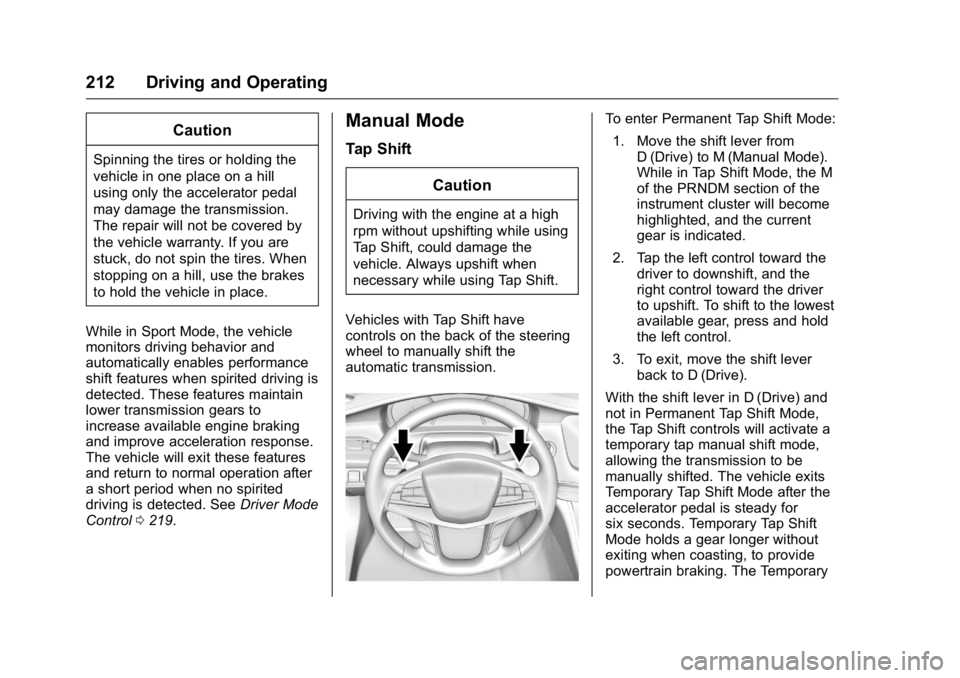
Vehicles with Tap Shift have
controls on the back of the steering
wheel to manually shift the
automatic transmission. To enter Permanent Tap Shift Mode:
1. Move the shift lever from
D (Drive) to M (Manual Mode).
While in Tap Shift Mode, the M
of the PRNDM section of the
instrument cluster will become
highlighted, and the current
gear is indicated.
2. Tap the left control toward the
driver to downshift, and the
right control toward the driver
to upshift. To shift to the lowest
available gear, press and hold
the left control.
3. To exit, move the shift lever
back to D (Drive).
With the shift lever in D (Drive) and
not in Permanent Tap Shift Mode,
the Tap Shift controls will activate a
temporary tap manual shift mode,
allowing the transmission to be
manually shifted. The vehicle exits
Temporary Tap Shift Mode after the
accelerator pedal is steady for
six seconds. Temporary Tap Shift
Mode holds a gear longer without
exiting when coasting, to provide
powertrain braking. The Temporary
Page 215 of 397
Cadillac CT6 Owner Manual (GMNA-Localizing-U.S./Canada-9235592) -
2016 - crc - 11/6/15
214 Driving and Operating
Brakes Antilock Brake
System (ABS) This vehicle has ABS, an advanced
electronic braking system that helps
prevent a braking skid.
When the vehicle begins to drive
away, ABS checks itself.
A momentary motor or clicking noise
might be heard while this test is
going on, and it might even be
noticed that the brake pedal moves
a little. This is normal.
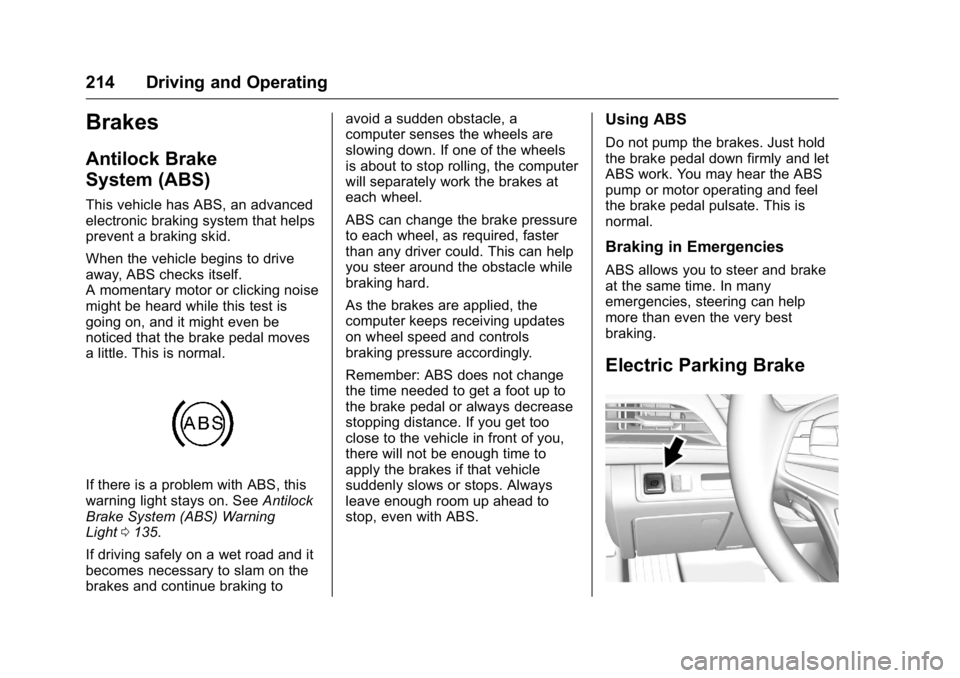
If there is a problem with ABS, this
warning light stays on. See Antilock
Brake System (ABS) Warning
Light 0 135 .
If driving safely on a wet road and it
becomes necessary to slam on the
brakes and continue braking to avoid a sudden obstacle, a
computer senses the wheels are
slowing down. If one of the wheels
is about to stop rolling, the computer
will separately work the brakes at
each wheel.
ABS can change the brake pressure
to each wheel, as required, faster
than any driver could. This can help
you steer around the obstacle while
braking hard.
As the brakes are applied, the
computer keeps receiving updates
on wheel speed and controls
braking pressure accordingly.
Remember: ABS does not change
the time needed to get a foot up to
the brake pedal or always decrease
stopping distance. If you get too
close to the vehicle in front of you,
there will not be enough time to
apply the brakes if that vehicle
suddenly slows or stops. Always
leave enough room up ahead to
stop, even with ABS. Using ABS Do not pump the brakes. Just hold
the brake pedal down firmly and let
ABS work. You may hear the ABS
pump or motor operating and feel
the brake pedal pulsate. This is
normal.
Braking in Emergencies ABS allows you to steer and brake
at the same time. In many
emergencies, steering can help
more than even the very best
braking.
Electric Parking Brake
Page 218 of 397
Cadillac CT6 Owner Manual (GMNA-Localizing-U.S./Canada-9235592) -
2016 - crc - 11/6/15
Driving and Operating 217
Automatic Vehicle
Hold (AVH)
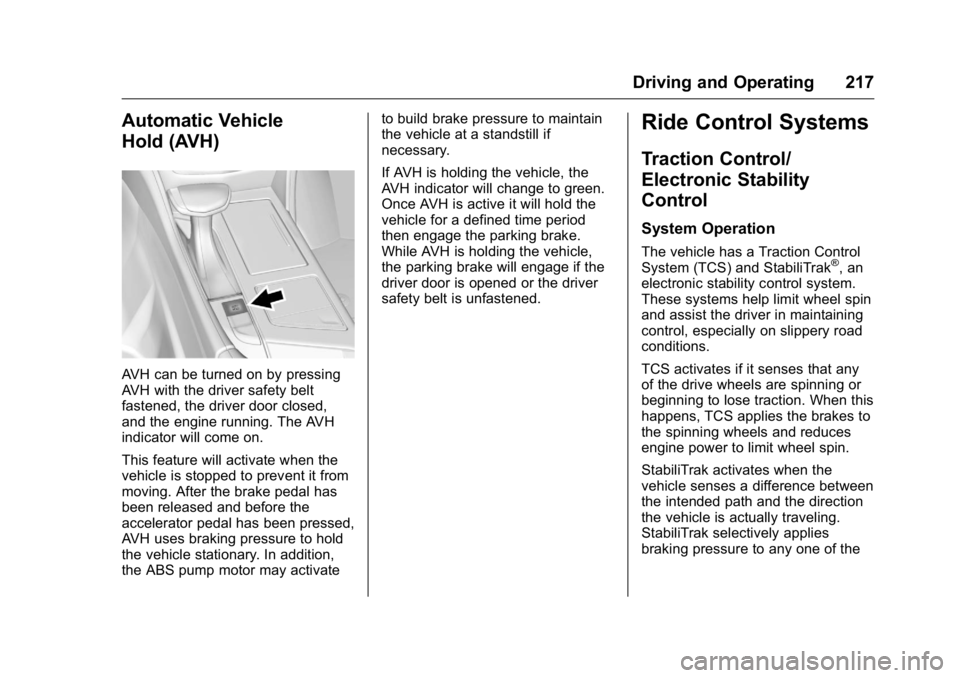
AVH can be turned on by pressing
AVH with the driver safety belt
fastened, the driver door closed,
and the engine running. The AVH
indicator will come on.
This feature will activate when the
vehicle is stopped to prevent it from
moving. After the brake pedal has
been released and before the
accelerator pedal has been pressed,
AVH uses braking pressure to hold
the vehicle stationary. In addition,
the ABS pump motor may activate to build brake pressure to maintain
the vehicle at a standstill if
necessary.
If AVH is holding the vehicle, the
AVH indicator will change to green.
Once AVH is active it will hold the
vehicle for a defined time period
then engage the parking brake.
While AVH is holding the vehicle,
the parking brake will engage if the
driver door is opened or the driver
safety belt is unfastened.
Ride Control Systems Traction Control/
Electronic Stability
Control System Operation The vehicle has a Traction Control
System (TCS) and StabiliTrak ®
, an
electronic stability control system.
These systems help limit wheel spin
and assist the driver in maintaining
control, especially on slippery road
conditions.
TCS activates if it senses that any
of the drive wheels are spinning or
beginning to lose traction. When this
happens, TCS applies the brakes to
the spinning wheels and reduces
engine power to limit wheel spin.
StabiliTrak activates when the
vehicle senses a difference between
the intended path and the direction
the vehicle is actually traveling.
StabiliTrak selectively applies
braking pressure to any one of the
Page 219 of 397

Cadillac CT6 Owner Manual (GMNA-Localizing-U.S./Canada-9235592) -
2016 - crc - 11/6/15
218 Driving and Operating vehicle wheel brakes to assist the
driver in keeping the vehicle on the
intended path.
If cruise control is being used and
traction control or StabiliTrak begins
to limit wheel spin, cruise control will
disengage. Cruise control may be
turned back on when road
conditions allow.
Both systems come on
automatically when the vehicle is
started and begins to move. The
systems may be heard or felt while
they are operating or while
performing diagnostic checks. This
is normal and does not mean there
is a problem with the vehicle.
It is recommended to leave both
systems on for normal driving
conditions, but it may be necessary
to turn TCS off if the vehicle gets
stuck in sand, mud, ice, or snow.
See If the Vehicle Is Stuck 0 198
and “ Turning the Systems Off and
On ” later in this section. The indicator light for both systems
is in the instrument cluster. This
light will:
.
Flash when TCS is limiting
wheel spin.
.
Flash when StabiliTrak is
activated.
.
Turn on and stay on when either
system is not working.
If either system fails to turn on or to
activate, a message displays in the
Driver Information Center (DIC),
and
d comes on and stays on to
indicate that the system is inactive
and is not assisting the driver in
maintaining control. The vehicle is
safe to drive, but driving should be
adjusted accordingly.
If
d comes on and stays on:
1. Stop the vehicle. 2. Turn the engine off and wait
15 seconds.
3. Start the engine.
4. Drive the vehicle.
If
d comes on and stays on, the
vehicle may need more time to
diagnose the problem. If the
condition persists, see your dealer.
Turning the Systems Off
and On
Page 222 of 397

Cadillac CT6 Owner Manual (GMNA-Localizing-U.S./Canada-9235592) -
2016 - crc - 11/6/15
Driving and Operating 221automatically disengages. See
Traction Control/Electronic Stability
Control 0 217 . If a collision alert
occurs when cruise control is
activated, cruise control is
disengaged. See Forward Collision
Alert (FCA) System 0 237 . When
road conditions allow cruise control
to be safely used, it can be turned
back on.
Cruise control will disengage if
either TCS or StabiliTrak is
turned off.
If the brakes are applied, cruise
control disengages. J : Press to turn the system on
and off. A white indicator appears in
the instrument cluster when cruise
is turned on.
RES+ : If there is a set speed in
memory, press briefly to resume to
that speed or press and hold to
accelerate. If the cruise control is
already active, use to increase
vehicle speed. To increase speed by
1 km/h (1 mph), press RES+ to the
first detent. To increase speed to the
next 5 km/h (5 mph) mark on the
speedometer, press RES+ to the
second detent.
SET − : Press briefly to set the
speed and activate cruise control.
If the cruise control is already
active, use to decrease vehicle
speed. To decrease speed by
1 km/h (1 mph), press SET − to the
first detent. To decrease speed to
the next 5 km/h (5 mph) mark on the
speedometer, press SET − to the
second detent.
* : Press to disengage cruise
control without erasing the set
speed from memory. Setting Cruise Control
If
J is on when not in use, SET − or
RES+ could get pressed and go into
cruise when not desired. Keep
J off when cruise is not being used.
1. Press
J .
2. Get up to the desired speed.
3. Press and release SET − . The
desired set speed briefly
appears in the instrument
cluster.
4. Remove your foot from the
accelerator.
When the cruise control has been
set to the desired speed, a green
cruise control indicator appears on
the instrument cluster and a cruise
set speed message appears on the
Head-Up Display (HUD),
if equipped.
Resuming a Set Speed
If the cruise control is set at a
desired speed and then the brakes
are applied or
* is pressed, the
cruise control is disengaged without
erasing the set speed from memory.
Page 224 of 397

Cadillac CT6 Owner Manual (GMNA-Localizing-U.S./Canada-9235592) -
2016 - crc - 11/6/15
Driving and Operating 223accelerator pedal to maintain your
speed. When going downhill, the
cruise control system may
automatically brake to slow the
vehicle down. Also, you may have
to brake or shift to a lower gear to
keep your speed down. If the brake
pedal is applied, cruise control
disengages.
Ending Cruise Control
There are four ways to end cruise
control:
.
Step lightly on the brake pedal.
.
Press
* .
.
Shift the transmission to
N (Neutral).
.
Press
J .
Erasing Speed Memory
The cruise control set speed is
erased from memory if
J is
pressed or if the ignition is
turned off. Adaptive Cruise Control If equipped with Adaptive Cruise
Control (ACC), it allows the driver to
select the cruise control set speed
and following gap. Read this entire
section before using this system.
The following gap is the following
time between your vehicle and a
vehicle detected directly ahead in
your path, moving in the same
direction. If no vehicle is detected in
your path, ACC works like regular
cruise control. ACC uses camera
and radar sensors. See Radio
Frequency Statement 0 371 .
If a vehicle is detected in your path,
ACC can apply acceleration or
limited, moderate braking to
maintain the selected following gap.
To disengage ACC, apply the brake.
If ACC is controlling your vehicle
speed when the Traction Control
System (TCS) or StabiliTrak ®
electronic stability control system
activates, the ACC may automatically disengage. See
Traction Control/Electronic Stability
Control 0 217 . When road
conditions allow ACC to be safely
used, ACC can be turned back on.
ACC will not engage if the TCS or
StabiliTrak electronic stability control
system is disabled.
{ WarningACC has limited braking ability
and may not have time to slow
the vehicle down enough to avoid
a collision with another vehicle
you are following. This can occur
when vehicles suddenly slow or
stop ahead, or enter your lane.
Also see “ Alerting the Driver ” in
this section. Complete attention is
always required while driving and
you should be ready to take
action and apply the brakes. See
Defensive Driving 0 193 .
Page 226 of 397

Cadillac CT6 Owner Manual (GMNA-Localizing-U.S./Canada-9235592) -
2016 - crc - 11/6/15
Driving and Operating 225To set ACC:
1. Press
J .
2. Get up to the desired speed.
3. Press and release SET – .
4. Remove your foot from the
accelerator.
After ACC is set, it may immediately
apply the brakes if a vehicle ahead
is detected closer than the selected
following gap.
The ACC indicator displays on the
instrument cluster and Head-Up
Display (HUD). When ACC is active,
the indicator will be lit green.
Be mindful of speed limits,
surrounding traffic speeds, and
weather conditions when selecting
the set speed. Resuming a Set Speed
If ACC is set at a desired speed and
then the brakes are applied, ACC is
disengaged without erasing the set
speed from memory.
To begin using ACC again, press
RES+ up briefly. The vehicle returns
to the previous set speed.
Increasing Speed While ACC Is at
a Set Speed
If ACC is already activated, do one
of the following:
.
Use the accelerator to get to the
higher speed. Press SET – .
Release the control and the
accelerator pedal. The vehicle
will now cruise at the higher
speed.
When the accelerator pedal is
pressed, ACC will not brake
because it is overridden.
A warning message will appear
on the Driver Information Center
(DIC) and HUD. See Cruise
Control Messages 0 148 . .
Press and hold RES+ until the
desired set speed appears on
the display, then release it.
.
To increase vehicle speed in
small increments, press RES+ to
the first detent. For each press,
the vehicle goes 1 km/h (1 mph)
faster.
.
To increase vehicle speed in
larger increments, press RES+
to the second detent. For each
press, the vehicle speed
increases to the next 5 km/h
(5 mph) mark on the
speedometer.
When it is determined that there is
no vehicle ahead or the vehicle
ahead is beyond the selected
following gap, then the vehicle
speed will increase to the set speed.
The speedometer reading can be
displayed in either English or metric
units. See Instrument Cluster
(Uplevel) 0 121 or Instrument
Cluster (Base Level) 0 118 . The
increment value used depends on
the units displayed.
Page 228 of 397
Cadillac CT6 Owner Manual (GMNA-Localizing-U.S./Canada-9235592) -
2016 - crc - 11/6/15
Driving and Operating 227eight beeps will sound from the
front, or both sides of the Safety
Alert Seat will pulse five times. See
“ Collision/Detection Systems ” under
Vehicle Personalization 0 157 .
See Defensive Driving 0 193 .
Approaching and Following a
Vehicle
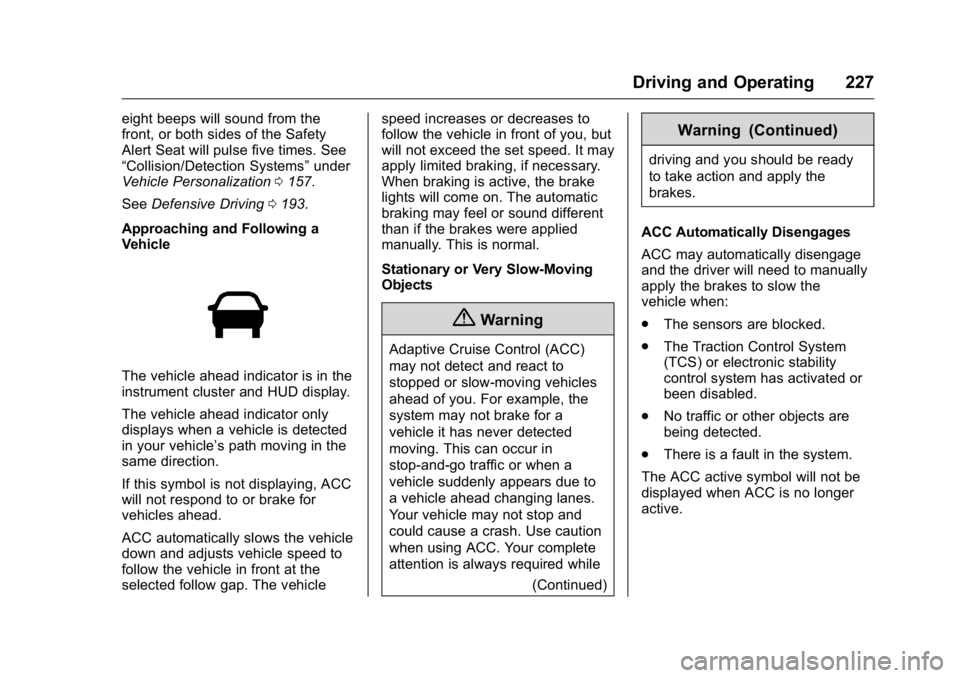
The vehicle ahead indicator is in the
instrument cluster and HUD display.
The vehicle ahead indicator only
displays when a vehicle is detected
in your vehicle ’ s path moving in the
same direction.
If this symbol is not displaying, ACC
will not respond to or brake for
vehicles ahead.
ACC automatically slows the vehicle
down and adjusts vehicle speed to
follow the vehicle in front at the
selected follow gap. The vehicle speed increases or decreases to
follow the vehicle in front of you, but
will not exceed the set speed. It may
apply limited braking, if necessary.
When braking is active, the brake
lights will come on. The automatic
braking may feel or sound different
than if the brakes were applied
manually. This is normal.
Stationary or Very Slow-Moving
Objects
{ WarningAdaptive Cruise Control (ACC)
may not detect and react to
stopped or slow-moving vehicles
ahead of you. For example, the
system may not brake for a
vehicle it has never detected
moving. This can occur in
stop-and-go traffic or when a
vehicle suddenly appears due to
a vehicle ahead changing lanes.
Your vehicle may not stop and
could cause a crash. Use caution
when using ACC. Your complete
attention is always required while
(Continued) Warning (Continued) driving and you should be ready
to take action and apply the
brakes.
ACC Automatically Disengages
ACC may automatically disengage
and the driver will need to manually
apply the brakes to slow the
vehicle when:
.
The sensors are blocked.
.
The Traction Control System
(TCS) or electronic stability
control system has activated or
been disabled.
.
No traffic or other objects are
being detected.
.
There is a fault in the system.
The ACC active symbol will not be
displayed when ACC is no longer
active.
Page 229 of 397
Cadillac CT6 Owner Manual (GMNA-Localizing-U.S./Canada-9235592) -
2016 - crc - 11/6/15
228 Driving and Operating Notification to Resume ACC
ACC will maintain a follow gap
behind a detected vehicle and slow
your vehicle to a stop behind that
vehicle.
If the stopped vehicle ahead has
driven away and ACC has not
resumed, the vehicle ahead
indicator will flash as a reminder to
check traffic ahead before
proceeding. In addition, the left and
right sides of the Safety Alert Seat
will pulse three times, or three
beeps will sound. See ” Alert Type ”
and “ Go Notifier ” in “ Collision/
Detection Systems ” under Vehicle
Personalization 0 157 .
When the vehicle ahead drives
away, ACC resumes automatically if
the stop was brief. If necessary,
press RES+ or the accelerator pedal
to resume cruise control. If stopped
for more than two minutes or if the
driver door is opened and the driver
safety belt is unbuckled, the ACC
automatically applies the Electric
Parking Brake (EPB) to hold the
vehicle. The Electric Parking Brake status light will turn on. See Electric
Parking Brake 0 214 . To resume
ACC and release the EPB, press
the accelerator pedal.
A DIC warning message may
display indicating to shift to P (Park)
before exiting the vehicle. See
Vehicle Messages 0 146 .
{ WarningIf ACC has stopped the vehicle,
and if ACC is disengaged, turned
off, or canceled, the vehicle will
no longer be held at a stop. The
vehicle can move. When ACC is
holding the vehicle at a stop,
always be prepared to manually
apply the brakes.
{ Warning
Leaving the vehicle without
placing it in P (Park) can be
dangerous. Do not leave the
vehicle while it is being held at a
stop by ACC. Always place the
(Continued) Warning (Continued) vehicle in P (Park) and turn off
the ignition before leaving the
vehicle.
ACC Override
If using the accelerator pedal while
ACC is active, a DIC warning
message will indicate that automatic
braking will not occur. See Vehicle
Messages 0 146 . ACC will resume
operation when the accelerator
pedal is not being pressed.
{ WarningThe ACC will not automatically
apply the brakes if your foot is
resting on the accelerator pedal.
You could crash into a vehicle
ahead of you.