remote control CADILLAC CT6 2016 User Guide
[x] Cancel search | Manufacturer: CADILLAC, Model Year: 2016, Model line: CT6, Model: CADILLAC CT6 2016Pages: 397, PDF Size: 7.09 MB
Page 49 of 397

Cadillac CT6 Owner Manual (GMNA-Localizing-U.S./Canada-9235592) -
2016 - crc - 11/6/15
48 Keys, Doors, and Windows
Exterior Mirrors Convex Mirrors
{ WarningA convex mirror can make things,
like other vehicles, look farther
away than they really are. If you
cut too sharply into the right lane,
you could hit a vehicle on the
right. Check the inside mirror or
glance over your shoulder before
changing lanes.
The passenger side mirror is convex
shaped. A convex mirror's surface is
curved so more can be seen from
the driver seat. Power Mirrors
1. Move the selector switch to L
(Left) or R (Right) to choose
the driver or passenger mirror.
2. Press one of the four arrows to
move the mirror.
3. Move the selector switch to
)to deselect the mirror.
Power Folding Mirrors
If equipped with power folding
mirrors, press the down arrow on
the control pad while the selector
switch is at
) . Press again to
unfold. Auto Mirror Folding
If equipped, with the ignition off,
press and hold
Q on the RKE
transmitter for approximately
one second to automatically fold the
exterior mirrors. Press and hold
Kon the RKE transmitter for
approximately one second to unfold.
See Remote Keyless Entry (RKE)
System Operation 0 29 .
This feature is turned on or off
through vehicle personalization. See
Vehicle Personalization 0 157 .
Manual Folding Mirrors
If equipped, the mirrors can be
folded inward toward the vehicle to
prevent damage when going
through an automatic car wash.
Push the mirror outward to return it
to the original position.
Exterior Automatic Dimming
Mirror
The vehicle may have exterior
automatic dimming mirrors that will
automatically adjust for the glare of
headlamps behind.
Page 66 of 397

Cadillac CT6 Owner Manual (GMNA-Localizing-U.S./Canada-9235592) -
2016 - crc - 11/6/15
Seats and Restraints 65
If equipped, the buttons are near the
climate controls on the center stack.
To operate, the ignition must be on.
Press
J or
z to heat the driver or
passenger seat cushion and
seatback.
Press
I or
+ to heat the driver or
passenger seatback only.
Press
C or
{ to ventilate the driver
or passenger seat.
Press the button once for the
highest setting. With each press of
the button, the seat will change to
the next lower setting, and then to
the off setting. The indicator lights next to the buttons indicate three for
the highest setting and one for the
lowest. If the front heated seats are
on high, the level may automatically
be lowered after approximately
30 minutes.
When this feature is off, the heated
and ventilated seat symbols on the
buttons are white. A ventilated seat
has a fan that pulls or pushes air
through the seat. The air is not
cooled. When a heated seat is
turned on, the symbol turns red.
When a ventilated seat is turned on,
the symbol turns blue.
The passenger seat may take
longer to heat up.
Auto Heated Seats
When the vehicle is on, this feature
will automatically activate the
heated seats at the level required by
the vehicle ’ s interior temperature.
The active high, medium, low, or off
heated seat level will be indicated
by the manual heated seat buttons
on the center stack. Use the manual
heated seat buttons on the center
stack to turn auto heated seats off. If the passenger seat is unoccupied,
the auto heated seats feature will
not activate that seat. The auto
heated seats feature can be
programmed to always be enabled
when the vehicle is on.
See Vehicle Personalization 0 157 .
Remote Start Heated and
Ventilated Seats
During a remote start, the heated or
ventilated seats, if equipped, can be
turned on automatically. When it is
cold outside, the heated seats turn
on, and when it is hot outside the
ventilated seats turn on. The heated
or ventilated seats are canceled
when the ignition is turned on. Press
the heated or ventilated seat button
to use the heated or ventilated seats
after the vehicle is started.
The heated or ventilated seat
indicator lights do not turn on during
a remote start.
The temperature performance of an
unoccupied seat may be reduced.
This is normal.
Page 67 of 397

Cadillac CT6 Owner Manual (GMNA-Localizing-U.S./Canada-9235592) -
2016 - crc - 11/6/15
66 Seats and Restraints The heated or ventilated seats may
be enabled or disabled in the
vehicle personalization menu. See
Remote Vehicle Start 0 36 and
Vehicle Personalization 0 157 .
Massage Massage
Platinum Driver Seat Shown,
Passenger Seat Similar
If equipped, the ignition must be on
to use the massage feature. To activate and adjust the massage
feature:
1. Toggle the center selection
control (2) located on the door
to view adjustable massage
options on the center stack
display.
2. Select massage feature.
3. Press the control up (3) or
down (5) to select the
massage type.
4. Press the control forward (4) or
rearward (6) to change the
intensity.
5. Press the massage control
button (1) to recall the last
massage type and intensity.
See Massage 0 66 .Rear Seats
{ WarningThe power seats will work with
the ignition off. Children could
operate the power seats and be
injured. Never leave children
alone in the vehicle.
CautionDo not adjust the power seat
when a child restraint is installed.
Adjusting the seat may cause
damage to the installed child
restraint. Use the window lockout
button on the driver door to
prevent adjustment of the seat
whenever a child restraint is
installed.
Page 111 of 397
Cadillac CT6 Owner Manual (GMNA-Localizing-U.S./Canada-9235592) -
2016 - crc - 11/6/15
110 Instruments and Controls Engine Power Messages . . . . . 150
Fuel System Messages . . . . . . . 150
Key and Lock Messages . . . . . 150
Lamp Messages . . . . . . . . . . . . . . 151
Object Detection System
Messages . . . . . . . . . . . . . . . . . . . 151
Ride Control System
Messages . . . . . . . . . . . . . . . . . . . 154
Airbag System Messages . . . . 154
Safety Belt Messages . . . . . . . . 154
Security Messages . . . . . . . . . . . 155
Service Vehicle Messages . . . . 155
Steering System
Messages . . . . . . . . . . . . . . . . . . . 155
Starting the Vehicle
Messages . . . . . . . . . . . . . . . . . . . 156
Tire Messages . . . . . . . . . . . . . . . . 156
Transmission Messages . . . . . . 156
Vehicle Reminder
Messages . . . . . . . . . . . . . . . . . . . 157
Vehicle Speed Messages . . . . . 157
Washer Fluid Messages . . . . . . 157
Window Messages . . . . . . . . . . . 157 Vehicle Personalization Vehicle Personalization . . . . . . . 157
Universal Remote System Universal Remote System . . . . 166
Universal Remote System
Programming . . . . . . . . . . . . . . . 166
Universal Remote System
Operation . . . . . . . . . . . . . . . . . . . 168
Controls Steering Wheel
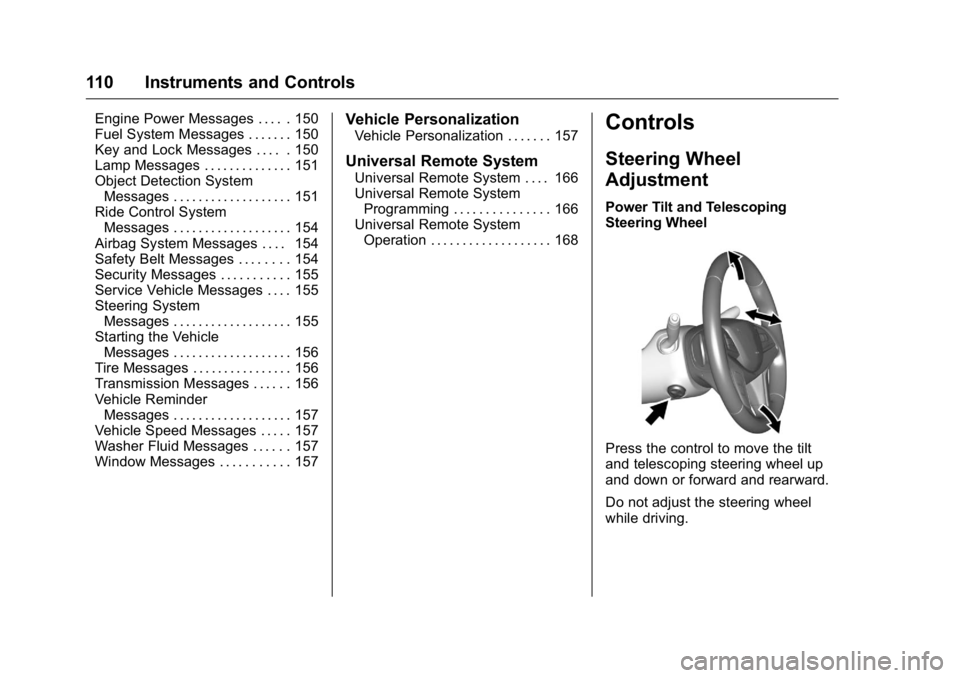
Adjustment Power Tilt and Telescoping
Steering Wheel
Press the control to move the tilt
and telescoping steering wheel up
and down or forward and rearward.
Do not adjust the steering wheel
while driving.
Page 148 of 397
Cadillac CT6 Owner Manual (GMNA-Localizing-U.S./Canada-9235592) -
2016 - crc - 11/6/15
Instruments and Controls 147
Battery Voltage and
Charging Messages BATTERY SAVER ACTIVE This message displays when the
vehicle has detected that the battery
voltage is dropping beyond a
reasonable point. The battery saver
system starts reducing features of
the vehicle that may be noticed. At
the point that features are disabled,
this message displays. Turn off
unnecessary accessories to allow
the battery to recharge.
LOW BATTERY This message is displayed when the
battery voltage is low. See Battery -
North America 0 284 .
SERVICE BATTERY
CHARGING SYSTEM
This message is displayed when
there is a fault in the battery
charging system. Take the vehicle to
your dealer for service. TRANSPORT MODE ON This message is displayed when the
vehicle is in transport mode. Some
features can be disabled while in
this mode, including Remote
Keyless Entry (RKE), remote start,
and the vehicle alarm system. Take
the vehicle to your dealer for service
to turn transport mode off.
Brake System Messages BRAKE FLUID LOW This message is displayed when the
brake fluid level is low. See Brake
Fluid 0 283 .
BRAKES OVERHEATED This message is displayed when the
brakes are becoming overheated.
This may be seen when driving on
hills. Shift to a lower gear. STEP ON BRAKE TO
RELEASE PARK BRAKE This message is displayed if you
attempt to release the Electric
Parking Brake without the brake
pedal applied. See Electric Parking
Brake 0 214 .
RELEASE PARKING BRAKE This message is displayed if the
Electric Parking Brake is on while
the vehicle is in motion. See Electric
Parking Brake 0 214 .
SERVICE BRAKE ASSIST This message may be displayed
when there is a problem with the
brake boost assist system. The
brake boost assist motor may be
heard and brake pedal pulsation
may be felt. This is normal under
these conditions. Take the vehicle to
your dealer for service.
SERVICE PARKING BRAKE
This message is displayed when
there is a problem with the parking
brake. Take the vehicle to your
dealer for service.
Page 151 of 397

Cadillac CT6 Owner Manual (GMNA-Localizing-U.S./Canada-9235592) -
2016 - crc - 11/6/15
150 Instruments and Controls before filling to the recommended
level. If the oil is not low and this
message remains on, take the
vehicle to your dealer for service.
See Engine Oil 0 270 .
OIL PRESSURE LOW — TURN
VEHICLE OFF This message displays if low oil
pressure levels occur. Stop the
vehicle as soon as safely possible
and do not operate it until the cause
of the low oil pressure has been
corrected. Check the oil as soon as
possible and have the vehicle
serviced by your dealer.
Engine Power Messages ENGINE POWER IS REDUCED This message displays when the
vehicle's engine power is reduced.
Reduced engine power can affect
the vehicle's ability to accelerate.
If this message is on, but there is no
reduction in performance, proceed
to your destination. The
performance may be reduced the
next time the vehicle is driven. The
vehicle may be driven at a reduced speed while this message is on, but
maximum acceleration and speed
may be reduced. Anytime this
message stays on, the vehicle
should be taken to your dealer for
service as soon as possible.
Fuel System Messages FUEL LEVEL LOW This message displays when the
vehicle is low on fuel. Refuel as
soon as possible.
Key and Lock Messages NO REMOTE KEY WAS
DETECTED PLACE KEY IN
TRANSMITTER POCKET THEN
START YOUR VEHICLE This message displays when trying
to start the vehicle if an RKE
transmitter is not detected. The
transmitter battery may be weak.
See “ Starting the Vehicle with a Low
Transmitter Battery ” under Remote
Keyless Entry (RKE) System
Operation 0 29 . NO REMOTE DETECTED This message displays when the
transmitter battery may be weak.
See “ Starting the Vehicle with a Low
Transmitter Battery ” under Remote
Keyless Entry (RKE) System
Operation 0 29 .
NO REMOTE DETECTED
PRESS BRAKE TO RESTART This message displays when
attempting to turn off the vehicle
and the RKE transmitter is no longer
detected. Restarting is allowed
without the RKE transmitter for
five minutes. Press the brake pedal
and ENGINE START/STOP to
restart the vehicle.
NUMBER OF KEYS
PROGRAMMED This message displays when
programming new keys to the
vehicle.
REMOTE LEFT IN VEHICLE
This message displays when
leaving the vehicle with the RKE
transmitter still inside.
Page 152 of 397

Cadillac CT6 Owner Manual (GMNA-Localizing-U.S./Canada-9235592) -
2016 - crc - 11/6/15
Instruments and Controls 151REPLACE BATTERY IN
REMOTE KEY This message displays when the
battery in the RKE transmitter needs
to be replaced.
Lamp Messages AUTOMATIC LIGHT CONTROL
ON/OFF This message is displayed when the
automatic light control has been
turned on or off. See Automatic
Headlamp System 0 172 .
XX TURN INDICATOR FAILURE When one of the turn signals is out,
this message displays to show
which bulb needs to be replaced.
See Bulb Replacement 0 288 and
Replacement Bulbs 0 289 .
TURN SIGNAL ON
This message is displayed if the
turn signal has been left on. Turn off
the turn signal. Object Detection System
Messages 24 GHz RADARS OFF This message displays when driving
in certain areas where there may be
radar interference. Adaptive Cruise
Control (ACC), Forward Collision
Alert (FCA), and the Front
Automatic Braking (FAB) System
may not work or may not work as
well. The vehicle does not need
service.
AUTOMATIC COLLISION
PREP OFF This message displays when the
Front Automatic Braking (FAB)
System has been turned off. See
Front Automatic Braking (FAB)
System 0 240 .
AUTOMATIC COLLISION PREP
REDUCED
If the vehicle has Adaptive Cruise
Control (ACC), this message
displays when the Front Automatic
Braking (FAB) System has been set
to the Alert setting. This setting disables FAB functions but if the
vehicle has Adaptive Cruise Control
(ACC), some last-second automatic
braking capability is still provided,
though less likely to occur. See
Front Automatic Braking (FAB)
System 0 240 .
AUTOMATIC COLLISION PREP
UNAVAILABLE This message displays when the
Front Automatic Braking (FAB)
System has been unavailable for
some time. The FAB System does
not need service. This message can
display under the following
conditions:
.
The front of the vehicle or
windshield is not clean. Keep
these areas clean and free of
mud, dirt, snow, ice, and slush.
For cleaning instructions, see
Exterior Care 0 333 .
.
Heavy rain or snow is interfering
with the object detection
performance.
Page 156 of 397

Cadillac CT6 Owner Manual (GMNA-Localizing-U.S./Canada-9235592) -
2016 - crc - 11/6/15
Instruments and Controls 155
Security Messages THEFT ATTEMPTED This message displays if the vehicle
detects a tamper condition.
Service Vehicle Messages SERVICE POWER STEERING This message displays and a chime
may sound when there may be a
problem with the power steering
system. If this message displays
and a reduction in steering
performance or loss of power
steering assistance is noticed, see
your dealer.
SERVICE VEHICLE SOON This message is displayed if there is
a problem with the vehicle. Take the
vehicle to your dealer for service. Steering System
Messages ACTION REQUIRED TURN
STEERING WHEEL START
VEHICLE AGAIN This message displays to indicate
that the steering column lock device
was unable to unlock the column,
and the engine did not start. If this
happens, immediately turn the
steering wheel from side to side.
If that does not unlock the steering
column, turn the ignition off, and
then open the driver door. Then turn
the vehicle back on and turn the
steering wheel from side to side for
about 15 seconds. The steering
column must be turned to each side
immediately after pressing ENGINE
START/STOP to help the steering
column lock device unlock the
column. In some situations it may
take significant force. This situation
may be avoided by straightening the
front wheels before turning off the
engine. SERVICE ACTIVE STEERING
SYSTEM This message displays when there
may be a problem with Active Rear
Steer system. The rear wheels may
be locked at current position and the
driver may experience a small
steering wheel correction for the
vehicle going forward. If the problem
persists for the next ignition cycle,
see your dealer for service.
SERVICE STEERING
COLUMN LOCK This message displays when a
problem with the steering column
lock device has been detected. See
your dealer for service.
STEERING COLUMN LOCKED This message displays when the
steering column is locked with the
engine running. It is normal for the
steering column to be locked during
a remote start. The steering column
should unlock after the brake pedal
and ENGINE START/STOP are
pressed.
Page 160 of 397

Cadillac CT6 Owner Manual (GMNA-Localizing-U.S./Canada-9235592) -
2016 - crc - 11/6/15
Instruments and Controls 159Compensation Technology ” under
“ Infotainment System Settings ” in
the infotainment manual.
Select Off or On.
Maximum Start Up Volume
This feature sets the maximum
startup volume. If the vehicle is
started and the volume is greater
than this level, the volume is
adjusted to this level.
To set the maximum startup volume,
touch + or − to increase or
decrease.
Vehicle Select and the following may
display:
.
Climate and Air Quality
.
Collision/Detection Systems
.
Comfort and Convenience
.
Lighting
.
Power Door Locks
.
Remote Lock, Unlock, Start Climate and Air Quality
Select and the following may
display:
.
Auto Fan Speed
.
Air Quality Sensor
.
Auto Heated Seats
.
Auto Defog
.
Auto Rear Defog
.
Ionizer
Auto Fan Speed
This feature will set the auto fan
speed.
Select Low, Medium, or High.
Air Quality Sensor
This allows for selection of air
quality sensor operation at high or
low sensitivity.
Select Off, Low Sensitivity, or High
Sensitivity. Auto Heated Seats
When enabled, this feature will
automatically activate heated seats
at the level required by the interior
temperature. See Heated and
Ventilated Front Seats 0 64 .
Select Off or On.
Auto Defog
When set to On, the front defog will
automatically react to temperature
and humidity conditions that may
cause fogging.
Select Off or On.
Auto Rear Defog
If equipped, this allows the Auto
Rear Defog to be turned on or off.
This feature will automatically turn
on the rear window defogger when it
is cold outside.
Select Off or On.
Page 162 of 397

Cadillac CT6 Owner Manual (GMNA-Localizing-U.S./Canada-9235592) -
2016 - crc - 11/6/15
Instruments and Controls 161Comfort and Convenience Select and the following may
display:
.
Auto Memory Recall
.
Easy Exit Options
.
Chime Volume
.
Reverse Tilt Mirror
.
Auto Mirror Folding
.
Rainsense Wipers
Auto Memory Recall
This feature automatically recalls
the current driver ’ s previously stored
1 or 2 button positions when
entering the vehicle. See Memory
Seats 0 63 .
Select Off or On.
Easy Exit Options
This feature automatically recalls
the current driver ’ s previously stored
exit button position when exiting the
vehicle. See Memory Seats 0 63 .
Select Off or On. Chime Volume
This allows the selection of the
chime volume level.
Touch + or − to adjust the volume.
Reverse Tilt Mirror
When on, both the driver and
passenger outside mirrors will tilt
downward when the vehicle is
shifted to R (Reverse) to improve
visibility of the ground near the rear
wheels. They will return to their
previous driving position when the
vehicle is shifted out of R (Reverse)
or the engine is turned off.
Select Off, On - Driver and
Passenger, On - Driver, or On -
Passenger.
Auto Mirror Folding
When on, the outside rearview
mirrors will automatically fold or
unfold when the Remote Keyless
Entry (RKE) transmitter
Q or
Kbutton is pressed and held.
Select Off or On. Rainsense Wipers
This allows the Rainsense Wipers
feature to be disabled or enabled.
See “ Rainsense ™ ” in Windshield
Wiper/Washer 0 111 .
Select Off or On.
Lighting Select and the following may
display:
.
Vehicle Locator Lights
.
Exit Lighting
Vehicle Locator Lights
This feature will flash the exterior
lamps and allows some of the
exterior lamps and most of the
interior lamps to turn on briefly at
night when
K on the Remote
Keyless Entry (RKE) transmitter is
pressed to locate the vehicle.
Select Off or On.
Exit Lighting
This allows the selection of how
long the exterior lamps stay on
when leaving the vehicle when it is
dark outside.