battery CADILLAC CT6 2016 Owners Manual
[x] Cancel search | Manufacturer: CADILLAC, Model Year: 2016, Model line: CT6, Model: CADILLAC CT6 2016Pages: 397, PDF Size: 7.09 MB
Page 30 of 397
Cadillac CT6 Owner Manual (GMNA-Localizing-U.S./Canada-9235592) -
2016 - crc - 11/6/15
Keys, Doors, and Windows 29
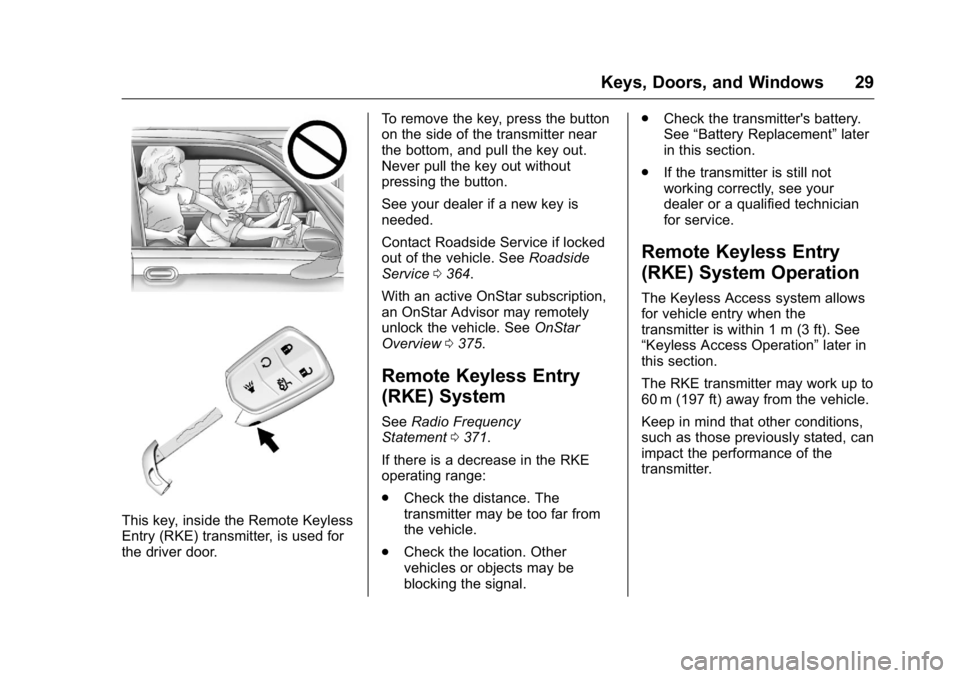
This key, inside the Remote Keyless
Entry (RKE) transmitter, is used for
the driver door. To remove the key, press the button
on the side of the transmitter near
the bottom, and pull the key out.
Never pull the key out without
pressing the button.
See your dealer if a new key is
needed.
Contact Roadside Service if locked
out of the vehicle. See Roadside
Service 0 364 .
With an active OnStar subscription,
an OnStar Advisor may remotely
unlock the vehicle. See OnStar
Overview 0 375 .
Remote Keyless Entry
(RKE) System See Radio Frequency
Statement 0 371 .
If there is a decrease in the RKE
operating range:
.
Check the distance. The
transmitter may be too far from
the vehicle.
.
Check the location. Other
vehicles or objects may be
blocking the signal. .
Check the transmitter's battery.
See “ Battery Replacement ” later
in this section.
.
If the transmitter is still not
working correctly, see your
dealer or a qualified technician
for service.
Remote Keyless Entry
(RKE) System Operation The Keyless Access system allows
for vehicle entry when the
transmitter is within 1 m (3 ft). See
“ Keyless Access Operation ” later in
this section.
The RKE transmitter may work up to
60 m (197 ft) away from the vehicle.
Keep in mind that other conditions,
such as those previously stated, can
impact the performance of the
transmitter.
Page 33 of 397

Cadillac CT6 Owner Manual (GMNA-Localizing-U.S./Canada-9235592) -
2016 - crc - 11/6/15
32 Keys, Doors, and Windows transmitter inside the vehicle.
If passive locking is enabled, the
doors may lock with the RKE
transmitter inside the vehicle. Do
not leave the RKE transmitter in an
unattended vehicle.
To customize the doors to
automatically lock when exiting the
vehicle, see Vehicle
Personalization 0 157 .
Temporary Disable of Passive
Locking Feature
Temporarily disable passive locking
by pressing and holding
K on the
interior door switch with a door open
for at least four seconds, or until
three chimes are heard. Passive
locking will then remain disabled
until
Q on the interior door is
pressed, or until the vehicle is
turned on.
Remote Left In Vehicle Alert
When the vehicle is turned off and a
remote is left in the vehicle, the horn
will chirp three times after all doors
are closed. To turn on or off see
Vehicle Personalization 0 157 . Keyless Trunk Opening
To open the trunk, press the touch
pad on the rear of the trunk above
the license plate. The RKE
transmitter must be within 1 m (3 ft).
Keyed Access
To access a vehicle with a dead
transmitter battery, see Door
Locks 0 37 .
Programming Transmitters to
the Vehicle Only RKE transmitters programmed
to the vehicle will work. If a
transmitter is lost or stolen, a
replacement can be purchased and
programmed through your dealer.
The vehicle can be reprogrammed
so that lost or stolen transmitters no
longer work. Each vehicle can have
up to eight transmitters matched
to it.
Programming with a Recognized
Transmitter
A new transmitter can be
programmed to the vehicle when
there is one recognized transmitter. To program, the vehicle must be off
and all transmitters, both currently
recognized and new, must be
with you.
1. Remove the vehicle key from
the recognized transmitter.
2. Place the recognized
transmitter(s) in the cupholder.
3. Remove the key lock cylinder
cap on the driver door handle.
See Door Locks 0 37 . Insert
the vehicle key into the key
lock cylinder on the driver door
handle, then turn the key
counterclockwise to the unlock
position five times within
10 seconds.
The Driver Information Center
(DIC) displays READY FOR
REMOTE #2, 3, 4, ETC.
Page 35 of 397
Cadillac CT6 Owner Manual (GMNA-Localizing-U.S./Canada-9235592) -
2016 - crc - 11/6/15
34 Keys, Doors, and Windows
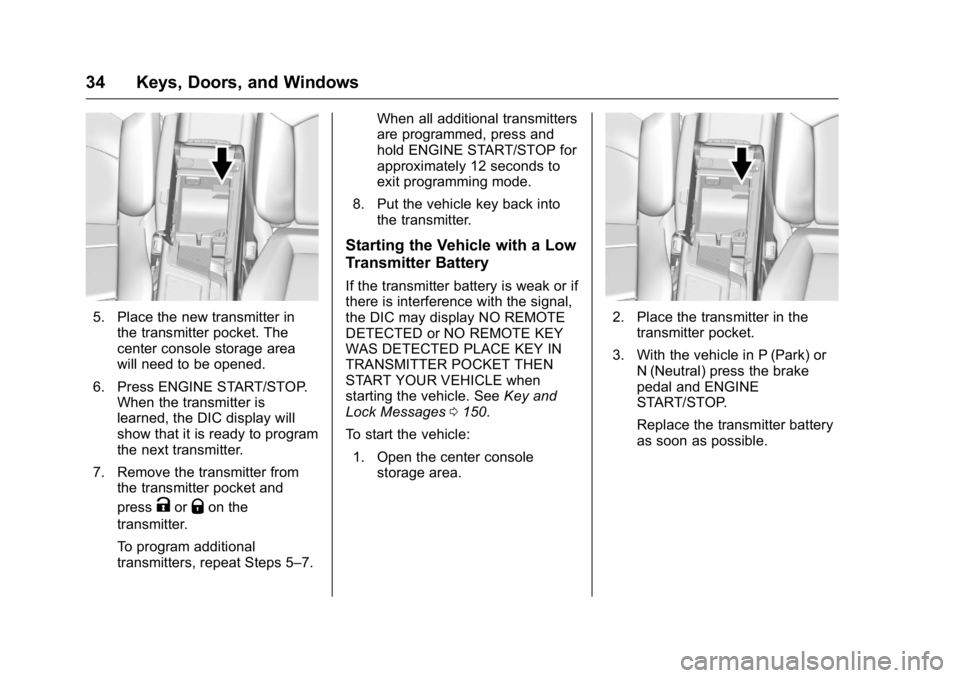
5. Place the new transmitter in
the transmitter pocket. The
center console storage area
will need to be opened.
6. Press ENGINE START/STOP.
When the transmitter is
learned, the DIC display will
show that it is ready to program
the next transmitter.
7. Remove the transmitter from
the transmitter pocket and
press
K or
Q on the
transmitter.
To program additional
transmitters, repeat Steps 5 – 7. When all additional transmitters
are programmed, press and
hold ENGINE START/STOP for
approximately 12 seconds to
exit programming mode.
8. Put the vehicle key back into
the transmitter.
Starting the Vehicle with a Low
Transmitter Battery If the transmitter battery is weak or if
there is interference with the signal,
the DIC may display NO REMOTE
DETECTED or NO REMOTE KEY
WAS DETECTED PLACE KEY IN
TRANSMITTER POCKET THEN
START YOUR VEHICLE when
starting the vehicle. See Key and
Lock Messages 0 150 .
To start the vehicle:
1. Open the center console
storage area. 2. Place the transmitter in the
transmitter pocket.
3. With the vehicle in P (Park) or
N (Neutral) press the brake
pedal and ENGINE
START/STOP.
Replace the transmitter battery
as soon as possible.
Page 36 of 397

Cadillac CT6 Owner Manual (GMNA-Localizing-U.S./Canada-9235592) -
2016 - crc - 11/6/15
Keys, Doors, and Windows 35Battery Replacement
CautionWhen replacing the battery, do
not touch any of the circuitry on
the transmitter. Static from your
body could damage the
transmitter.
Replace the battery if the REPLACE
BATTERY IN REMOTE KEY
message displays in the DIC.
1. Press the button on the side of
the transmitter near the bottom
and pull the key out. 2. Separate the two halves of the
transmitter using a flat tool
inserted into the bottom center
of the transmitter. Do not use
the key slot. 3. Remove the old battery. Do not
use a metal object.
4. Insert the new battery on the
back housing, positive side
facing down. Replace with a
CR2032 or equivalent battery.
5. Align the front and back
housing, then snap the
transmitter together.
6. Reinsert the key.
Page 43 of 397

Cadillac CT6 Owner Manual (GMNA-Localizing-U.S./Canada-9235592) -
2016 - crc - 11/6/15
42 Keys, Doors, and Windows
.
Press the touch pad on the rear
of the trunk above the license
plate when all doors are
unlocked.
For Keyless Access, the trunk can
be opened while the vehicle is
locked by pressing the touch pad
above the license plate while the
RKE transmitter is within 1 m (3 ft)
of the rear of the vehicle. See
Remote Keyless Entry (RKE)
System Operation 0 29 .
Close the trunk by pulling on the
handle. Do not use the handle as a
tie-down. Do not press the touch
pad while closing the trunk; this will
cause the trunk lid to be unlatched. The trunk has an electric latch. If the
vehicle has lost power or the battery
is disconnected, the trunk will not
open. If this happens, use the
emergency trunk release handle.
Power Trunk
{ WarningYou or others could be injured if
caught in the path of the power
trunk. Make sure there is no one
in the way of the power trunk as it
is opening and closing.
If equipped, to open the power
trunk:
.
Press and release
| on the
driver door. The driver door must
be unlocked or the vehicle must
be in ON/RUN or Retained
Accessory Power (RAP).
.
Press
X twice quickly on the
RKE transmitter. .
Press the touch pad on the rear
of the trunk after unlocking all
doors or with the RKE
transmitter in range for Keyless
Access.
Monitor the trunk area to make sure
nothing will come in contact or move
into the path of the trunk lid when
power closing.
To close the power trunk:
.
Press and hold
| on the
driver door until the trunk
latches. A chime will sound and
a DIC message will display
when the operation is complete.
Page 47 of 397

Cadillac CT6 Owner Manual (GMNA-Localizing-U.S./Canada-9235592) -
2016 - crc - 11/6/15
46 Keys, Doors, and Windows Power Sounder, Inclination
Sensor, and Intrusion Sensor In addition to the standard
theft-deterrent system features, this
system may also have a power
sounder, inclination sensor, and
intrusion sensor.
The power sounder provides an
audible alarm, which is distinct from
the vehicle ’ s horn. It has its own
power source, and can sound an
alarm if the vehicle ’ s battery is
compromised.
The inclination sensor can set off
the alarm if it senses movement of
the vehicle, such as a change in
vehicle orientation.
The intrusion sensor monitors the
vehicle interior, and can activate the
alarm if it senses unauthorized entry
into the vehicle ’ s interior. Do not
allow passengers or pets to remain
in the vehicle when the intrusion
sensor is activated. Before arming the theft-deterrent
system and activating the intrusion
sensor:
.
Make sure all doors and
windows are completely closed.
.
Secure any loose items such as
sunshades.
.
Make sure there are no
obstructions blocking the
sensors in the front overhead
console.
Inclination and Intrusion
Sensors Disable Switch It is recommended that the intrusion
and inclination sensors be
deactivated if pets are left in the
vehicle or if the vehicle is being
transported. With the vehicle turned off, press
o in the front overhead console.
The indicator light will come on
momentarily, indicating that these
sensors have been disabled for the
next alarm system arming cycle.
Immobilizer See Radio Frequency
Statement 0 371 .
Immobilizer Operation This vehicle has a passive
theft-deterrent system.
The system does not have to be
manually armed or disarmed.
Page 54 of 397
Cadillac CT6 Owner Manual (GMNA-Localizing-U.S./Canada-9235592) -
2016 - crc - 11/6/15
Keys, Doors, and Windows 53Express Window Anti-Pinch
Override
{ WarningIf express override is activated,
the window will not reverse
automatically. You or others could
be injured and the window could
be damaged. Before you use
express override, make sure that
all people and obstructions are
clear of the window path.
To override the anti-pinch feature,
hold the window switch all the way
up to the second position. The
window will raise for as long as the
switch is held. Once the switch is
released, the express mode is
reactivated.
In this mode, the window can close
on an object in its path. Use care
when using the override mode. Programming the Power
Windows If the vehicle battery has been
recharged or disconnected, or is not
working, the front power windows
will need to be reprogrammed for
the express-up feature to work.
Before reprogramming, replace or
recharge the vehicle's battery.
To program:
1. With the ignition in ON/RUN or
ACC/ACCESSORY, or when
Retained Accessory Power
(RAP) is active, close all doors.
2. Pull and hold the power
window switch up until the
window is fully closed.
Continue holding the switch up
for two seconds after the
window closes.
3. Press and hold the power
window switch down until the
window is fully open. Continue
holding the switch down for
two seconds.
The window is now reprogrammed.
Repeat the process for the other
windows. Comfort Open When Comfort Open is enabled in
the vehicle personalization menu,
press and hold
K on the RKE
transmitter until the windows fully
open. See “ Remote Window
Operation ” under Vehicle
Personalization 0 157 .
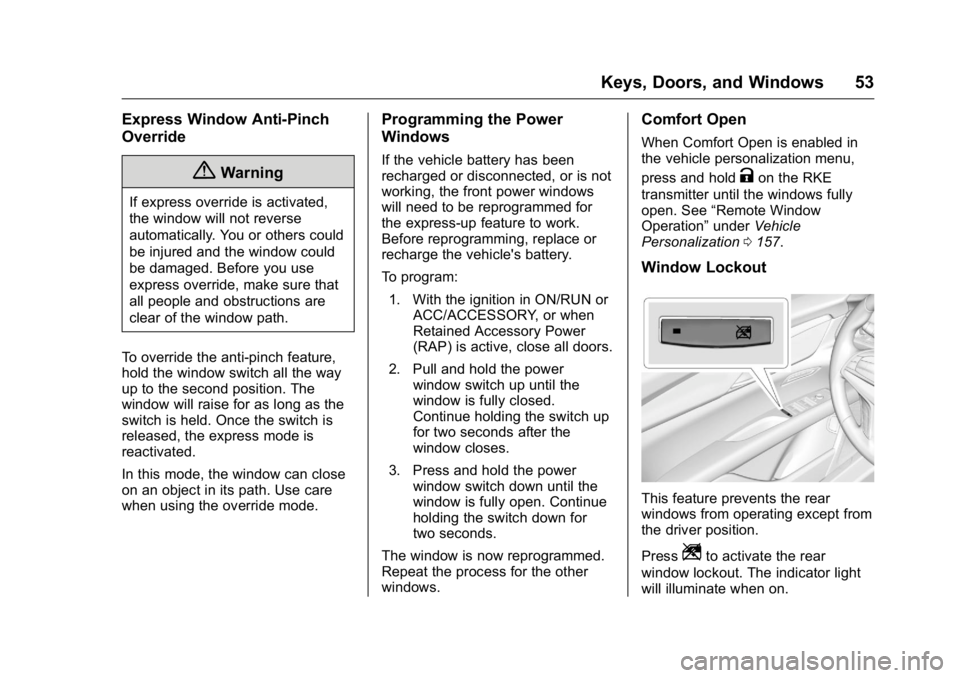
Window Lockout
This feature prevents the rear
windows from operating except from
the driver position.
Press
Z to activate the rear
window lockout. The indicator light
will illuminate when on.
Page 87 of 397

Cadillac CT6 Owner Manual (GMNA-Localizing-U.S./Canada-9235592) -
2016 - crc - 11/6/15
86 Seats and Restraints A thick layer of additional material,
such as a blanket or cushion,
or aftermarket equipment such as
seat covers, seat heaters, and seat
massagers can affect how well the
passenger sensing system
operates. We recommend that you
not use seat covers or other
aftermarket equipment except when
approved by GM for your specific
vehicle. See Adding Equipment to
the Airbag-Equipped Vehicle 0 86
for more information about
modifications that can affect how
the system operates.
The on indicator may be lit if an
object, such as a briefcase,
handbag, grocery bag, laptop,
or other electronic device is put on
an unoccupied seat. If this is not
desired remove the object from
the seat.
{ Warning
Stowing of articles under the
passenger seat or between the
passenger seat cushion and
(Continued) Warning (Continued) seatback may interfere with the
proper operation of the passenger
sensing system.
Servicing the
Airbag-Equipped Vehicle Airbags affect how the vehicle
should be serviced. There are parts
of the airbag system in several
places around the vehicle. Your
dealer and the service manual have
information about servicing the
vehicle and the airbag system. To
purchase a service manual, see
Service Publications Ordering
Information 0 370 .
{ Warning
For up to 10 seconds after the
vehicle is turned off and the
battery is disconnected, an airbag
can still inflate during improper
service. You can be injured if you
(Continued) Warning (Continued) are close to an airbag when it
inflates. Avoid yellow connectors.
They are probably part of the
airbag system. Be sure to follow
proper service procedures, and
make sure the person performing
work for you is qualified to do so.
Adding Equipment to the
Airbag-Equipped Vehicle Adding accessories that change the
vehicle's frame, bumper system,
height, front end, or side sheet
metal may keep the airbag system
from working properly. The
operation of the airbag system can
also be affected by changing any
parts of the front seats, safety belts,
the airbag sensing and diagnostic
module, steering wheel, instrument
panel, any of the airbag modules,
ceiling or pillar garnish trim, front
sensors, side impact sensors,
or airbag wiring.
Page 110 of 397
Cadillac CT6 Owner Manual (GMNA-Localizing-U.S./Canada-9235592) -
2016 - crc - 11/6/15
Instruments and Controls 109
Instruments and
Controls Controls Steering Wheel Adjustment . . . 110
Steering Wheel Controls . . . . . . 111
Heated Steering Wheel . . . . . . . 111
Horn . . . . . . . . . . . . . . . . . . . . . . . . . . 111
Windshield Wiper/Washer . . . . . 111
Compass . . . . . . . . . . . . . . . . . . . . . 113
Clock . . . . . . . . . . . . . . . . . . . . . . . . . 113
Power Outlets . . . . . . . . . . . . . . . . 114
Wireless Charging . . . . . . . . . . . . 115
Warning Lights, Gauges, and
Indicators Warning Lights, Gauges, and
Indicators . . . . . . . . . . . . . . . . . . . 117
Instrument Cluster (Base
Level) . . . . . . . . . . . . . . . . . . . . . . . 118
Instrument Cluster
(Uplevel) . . . . . . . . . . . . . . . . . . . . 121
Speedometer . . . . . . . . . . . . . . . . . 123
Odometer . . . . . . . . . . . . . . . . . . . . . 124
Trip Odometer . . . . . . . . . . . . . . . . 124
Tachometer . . . . . . . . . . . . . . . . . . . 124
Fuel Gauge . . . . . . . . . . . . . . . . . . . 124
Boost Gauge (Performance
Configuration Only) . . . . . . . . . 125 Engine Oil Pressure Gauge
(Base Level Cluster Only) . . . 126
Engine Oil Temperature Gauge
(Performance
Configuration Only) . . . . . . . . . 127
Engine Coolant Temperature
Gauge . . . . . . . . . . . . . . . . . . . . . . 128
Voltmeter Gauge (Base Level
Cluster Only) . . . . . . . . . . . . . . . . 129
Safety Belt Reminders . . . . . . . . 129
Airbag Readiness Light . . . . . . . 130
Passenger Airbag Status
Indicator . . . . . . . . . . . . . . . . . . . . 130
Charging System Light . . . . . . . 131
Malfunction Indicator Lamp
(Check Engine Light) . . . . . . . . 132
Brake System Warning
Light . . . . . . . . . . . . . . . . . . . . . . . . 133
Electric Parking Brake
Light . . . . . . . . . . . . . . . . . . . . . . . . 134
Service Electric Parking Brake
Light . . . . . . . . . . . . . . . . . . . . . . . . 134
Antilock Brake System (ABS)
Warning Light . . . . . . . . . . . . . . . 135
Lane Keep Assist (LKA)
Light . . . . . . . . . . . . . . . . . . . . . . . . 135
Vehicle Ahead Indicator . . . . . . 136
Pedestrian Ahead Indicator . . . 136
Traction Off Light . . . . . . . . . . . . . 136
StabiliTrak ®
OFF Light . . . . . . . . 136 Traction Control System (TCS)/
StabiliTrak ®
Light . . . . . . . . . . . 137
Engine Coolant Temperature
Warning Light . . . . . . . . . . . . . . . 137
Tire Pressure Light . . . . . . . . . . . 137
Engine Oil Pressure Light . . . . 138
Low Fuel Warning Light . . . . . . 138
Auto Stop Mode (Uplevel
Cluster) . . . . . . . . . . . . . . . . . . . . . 139
Security Light . . . . . . . . . . . . . . . . . 139
High-Beam On Light . . . . . . . . . . 139
Lamps On Reminder . . . . . . . . . 139
Cruise Control Light . . . . . . . . . . 140
Door Ajar Light . . . . . . . . . . . . . . . 140
Information Displays Driver Information
Center (DIC) . . . . . . . . . . . . . . . . 140
Head-Up Display (HUD) . . . . . . 143
Vehicle Messages Vehicle Messages . . . . . . . . . . . . 146
Battery Voltage and Charging
Messages . . . . . . . . . . . . . . . . . . . 147
Brake System Messages . . . . . 147
Compass Messages . . . . . . . . . . 148
Cruise Control Messages . . . . . 148
Door Ajar Messages . . . . . . . . . . 148
Engine Cooling System
Messages . . . . . . . . . . . . . . . . . . . 149
Engine Oil Messages . . . . . . . . . 149
Page 130 of 397

Cadillac CT6 Owner Manual (GMNA-Localizing-U.S./Canada-9235592) -
2016 - crc - 11/6/15
Instruments and Controls 129
Voltmeter Gauge (Base
Level Cluster Only)
Standard Theme Shown
When the ignition is on, this gauge
indicates the battery voltage.
When the engine is running, this
gauge shows the condition of the
charging system. The gauge can
transition from a higher to lower or a
lower to higher reading. This is
normal. If the vehicle is operating
outside the normal operating range,
the charging system light comes on.
See Charging System Light 0 131 . Readings outside the normal
operating range can also occur
when a large number of electrical
accessories are operating in the
vehicle and the engine is left idling
for an extended period. This
condition is normal since the
charging system is not able to
provide full power at engine idle. As
engine speeds are increased, this
condition should correct itself as
higher engine speeds allow the
charging system to create maximum
power.
The vehicle can only be driven for a
short time with the readings outside
the normal operating range. If the
vehicle must be driven, turn off all
accessories, such as the radio and
air conditioner, and unplug all
chargers and accessories.
Readings outside the normal
operating range indicate a possible
problem in the electrical system.
Have the vehicle serviced as soon
as possible. Safety Belt Reminders Driver Safety Belt Reminder
Light There is a driver safety belt
reminder light on the instrument
cluster.
When the vehicle is started, this
light flashes and a chime may come
on to remind the driver to fasten
their safety belt. Then the light stays
on solid until the belt is buckled.
This cycle may continue several
times if the driver remains or
becomes unbuckled while the
vehicle is moving.
If the driver safety belt is buckled,
neither the light nor the chime
comes on.