traction control CADILLAC CT6 2016 Owners Manual
[x] Cancel search | Manufacturer: CADILLAC, Model Year: 2016, Model line: CT6, Model: CADILLAC CT6 2016Pages: 397, PDF Size: 7.09 MB
Page 5 of 397
Cadillac CT6 Owner Manual (GMNA-Localizing-U.S./Canada-9235592) -
2016 - crc - 11/6/15
4 Introduction
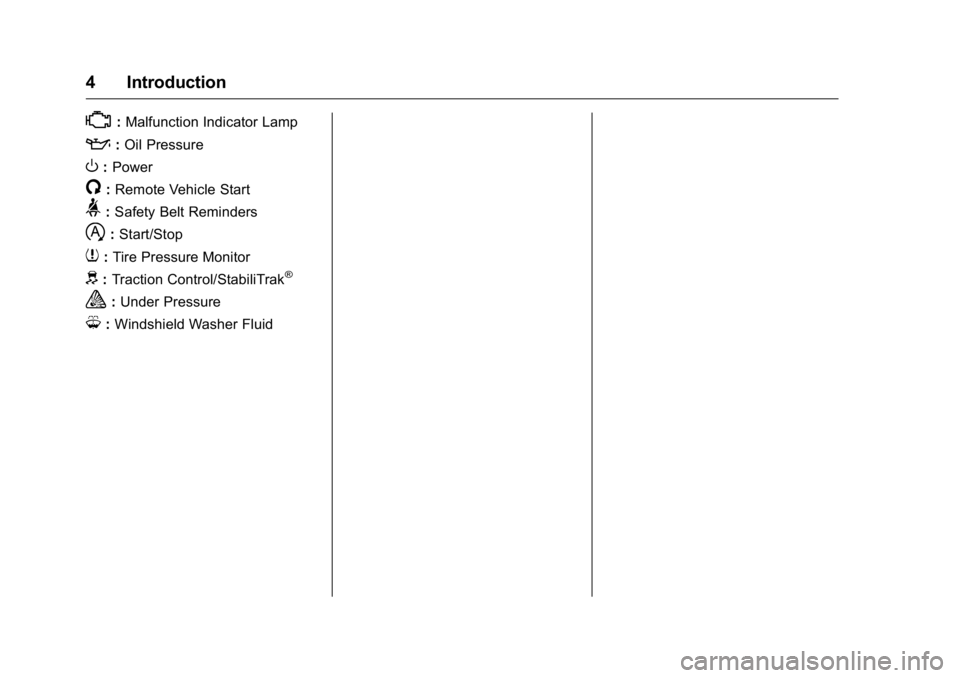
* : Malfunction Indicator Lamp
: : Oil Pressure
O : Power
/ : Remote Vehicle Start
> : Safety Belt Reminders
h : Start/Stop
7 : Tire Pressure Monitor
d : Traction Control/StabiliTrak ®
a : Under Pressure
M : Windshield Washer Fluid
Page 6 of 397
Cadillac CT6 Owner Manual (GMNA-Localizing-U.S./Canada-9235592) -
2016 - crc - 11/6/15
In Brief 5
In Brief Instrument Panel Instrument Panel Overview . . . . . . 6
Initial Drive Information Initial Drive Information . . . . . . . . . . 8
Stop/Start System . . . . . . . . . . . . . . . 8
Remote Keyless Entry (RKE)
System . . . . . . . . . . . . . . . . . . . . . . . . 8
Remote Vehicle Start . . . . . . . . . . . 9
Door Locks . . . . . . . . . . . . . . . . . . . . . 9
Trunk . . . . . . . . . . . . . . . . . . . . . . . . . . 10
Windows . . . . . . . . . . . . . . . . . . . . . . . 10
Seat Adjustment . . . . . . . . . . . . . . . 10
Memory Features . . . . . . . . . . . . . . 12
Second Row Seats . . . . . . . . . . . . 13
Heated and Ventilated Seats . . . 14
Head Restraint Adjustment . . . . 14
Safety Belts . . . . . . . . . . . . . . . . . . . . 15
Passenger Sensing System . . . 15
Mirror Adjustment . . . . . . . . . . . . . . 15
Steering Wheel Adjustment . . . . 16
Interior Lighting . . . . . . . . . . . . . . . . 16
Exterior Lighting . . . . . . . . . . . . . . . 17
Windshield Wiper/Washer . . . . . . 18
Climate Controls . . . . . . . . . . . . . . . 19
Transmission . . . . . . . . . . . . . . . . . . 20 Vehicle Features Infotainment System . . . . . . . . . . . 20
Steering Wheel Controls . . . . . . . 20
Cruise Control . . . . . . . . . . . . . . . . . 20
Driver Information
Center (DIC) . . . . . . . . . . . . . . . . . 21
Forward Collision Alert (FCA)
System . . . . . . . . . . . . . . . . . . . . . . . 21
Night Vision System . . . . . . . . . . . 21
Front Automatic Braking (FAB)
System . . . . . . . . . . . . . . . . . . . . . . . 22
Front Pedestrian Braking (FPB)
System . . . . . . . . . . . . . . . . . . . . . . . 22
Lane Keep Assist (LKA) . . . . . . . 22
Lane Change Alert (LCA) . . . . . . 22
Surround Vision . . . . . . . . . . . . . . . 22
Rear Vision Camera (RVC) . . . . 23
Rear Cross Traffic Alert (RCTA)
System . . . . . . . . . . . . . . . . . . . . . . . 23
Parking Assist . . . . . . . . . . . . . . . . . 23
Automatic Parking
Assist (APA) . . . . . . . . . . . . . . . . . . 23
Rear Automatic Braking (RAB)
System . . . . . . . . . . . . . . . . . . . . . . . 23
Surround Vision Recorder . . . . . 24
Power Outlets . . . . . . . . . . . . . . . . . 24
Universal Remote System . . . . . 24
Sunroof . . . . . . . . . . . . . . . . . . . . . . . . 24 Performance and Maintenance Traction Control/Electronic
Stability Control . . . . . . . . . . . . . . 25
Tire Pressure Monitor . . . . . . . . . . 26
Engine Oil Life System . . . . . . . . 26
Driving for Better Fuel
Economy . . . . . . . . . . . . . . . . . . . . . 27
Roadside Service . . . . . . . . . . . . . . 27
Page 8 of 397

Cadillac CT6 Owner Manual (GMNA-Localizing-U.S./Canada-9235592) -
2016 - crc - 11/6/15
In Brief 71. Air Vents 0 189 .
2. Exterior Lamp Controls 0 170 .
Turn Signal Lever. See Turn
and Lane-Change
Signals 0 173 .
3. Instrument Cluster (Uplevel)
0 121 or Instrument Cluster
(Base Level) 0 118 .
Driver Information Center (DIC)
Display. See Driver Information
Center (DIC) 0 140 .
4. Windshield Wiper/
Washer 0 111 .
5. ENGINE START/STOP Button.
See Ignition Positions 0 202 .
6. Parking Assist Button. See
Assistance Systems for
Parking or Backing 0 231 .
Automatic Parking Assist (APA)
Button. See Assistance
Systems for Parking or
Backing 0 231 .
Automatic Engine Start/Stop
Disable Switch. See Starting
the Engine 0 204 . 7. Light Sensor. See Automatic
Headlamp System 0 172 .
8. Hazard Warning
Flashers 0 173 .
Glove Box Button. See Glove
Box 0 106 .
9. Infotainment 0 177 .
10. Heated and Ventilated Front
Seats 0 64 (If Equipped).
11. Infotainment Touch Pad. See
the infotainment manual.
12. Automatic Climate Control
System (Quad Zone) 0 178 or
Automatic Climate Control
System (Dual Zone) 0 185 .
13. Automatic Vehicle Hold
(AVH) 0 217 .
MODE Button. See Driver
Mode Control 0 219 .
Traction Control/Electronic
Stability Control 0 217 .
14. Shift Lever. See Automatic
Transmission 0 210 .
15. Driver Information Center (DIC)
Controls. See Driver
Information Center (DIC) 0 140 . 16. Steering Wheel Controls. See
the infotainment manual.
17. Horn 0 111 .
18. Steering Wheel Adjustment
0 110 (Out of View).
19. Forward Collision Alert (FCA)
System 0 237 (If Equipped).
Lane Keep Assist (LKA) 0 248
(If Equipped).
Heated Steering Wheel 0 111
(If Equipped).
20. Cruise Control 0 220 .
Adaptive Cruise Control 0 223
(If Equipped).
Phone Button. See “ Steering
Wheel Controls ” in the
infotainment manual.
21. Data Link Connector (DLC)
(Out of View). See Malfunction
Indicator Lamp (Check Engine
Light) 0 132 .
22. Instrument Panel
Storage 0 106 .
Instrument Panel Fuse
Block 0 293 .
Page 26 of 397

Cadillac CT6 Owner Manual (GMNA-Localizing-U.S./Canada-9235592) -
2016 - crc - 11/6/15
In Brief 25
1. SLIDE Switch
2. TILT Switch
Open/Close : Press the rear or
front of the switch (1) to the first
detent and hold to open or close the
sunroof. Express Open/Express Close :
Press the rear or front of the
switch (1) to the second detent and
release to express open or express
close the sunroof.
Vent Feature : Press and hold the
front of the switch (2) to vent the
sunroof. Press and hold the rear of
the switch (2) to close the
sunroof vent.
See Sunroof 0 55 .
Performance and
Maintenance Traction Control/
Electronic Stability
Control The Traction Control System (TCS)
limits wheel spin. The system is on
when the vehicle is started.
The StabiliTrak system assists with
directional control of the vehicle in
difficult driving conditions. The
system is on when the vehicle is
started.
.
To turn off TCS, press and
release
Y on the center
console.
i illuminates in the
instrument cluster and the
appropriate DIC message
displays. See Ride Control
System Messages 0 154 .
.
Press and release
Y again to
turn TCS back on.
Page 27 of 397

Cadillac CT6 Owner Manual (GMNA-Localizing-U.S./Canada-9235592) -
2016 - crc - 11/6/15
26 In Brief .
To turn off both TCS and
StabiliTrak, press and hold
Yon the center console until
gand
i illuminate in the
instrument cluster. The
appropriate DIC message
displays. See Ride Control
System Messages 0 154 .
.
Press and release
Y again to
turn on both systems.
See Traction Control/Electronic
Stability Control 0 217 .
The vehicle has Driver Mode
Control. See Driver Mode
Control 0 219 .
Tire Pressure Monitor This vehicle may have a Tire
Pressure Monitor System (TPMS). The low tire pressure warning light
alerts to a significant loss in
pressure of one of the vehicle's
tires. If the warning light comes on,
stop as soon as possible and inflate
the tires to the recommended
pressure shown on the Tire and
Loading Information label. See
Vehicle Load Limits 0 198 . The
warning light will remain on until the
tire pressure is corrected.
The low tire pressure warning light
may come on in cool weather when
the vehicle is first started, and then
turn off as the vehicle is driven. This
may be an early indicator that the
tire pressures are getting low and
the tires need to be inflated to the
proper pressure.
The TPMS does not replace normal
monthly tire maintenance. Maintain
the correct tire pressures.
See Tire Pressure Monitor
System 0 308 . Engine Oil Life System The engine oil life system calculates
engine oil life based on vehicle use
and displays the CHANGE ENGINE
OIL SOON message when it is time
to change the engine oil and filter.
The oil life system should be reset
to 100% only following an oil
change.
Resetting the Oil Life System
1. Using the DIC buttons, display
REMAINING OIL LIFE on the
DIC. See Driver Information
Center (DIC) 0 140 and Engine
Oil Messages 0 149 .
2. Press and hold SEL to clear
the CHANGE ENGINE OIL
SOON message and reset the
oil life at 100%.
Be careful not to reset the oil
life display accidentally at any
time other than after the oil is
changed. It cannot be reset
accurately until the next oil
change.
Page 75 of 397

Cadillac CT6 Owner Manual (GMNA-Localizing-U.S./Canada-9235592) -
2016 - crc - 11/6/15
74 Seats and Restraints Automatic Safety Belt
Tightening System The vehicle may have the Automatic
Safety Belt Tightening System.
The system activates during
emergency braking and/or sudden
driving maneuvers and releases
when driving conditions return to
normal.
The system will not activate if the
Traction Control/Electronic Stability
Control system is not functioning
properly. See Traction Control/
Electronic Stability Control 0 217 .
If there is a problem with the
Automatic Safety Belt Tightening
System, a message displays on the
Driver Information Center (DIC). See
Safety Belt Messages 0 154 . Other
safety belt functions are not affected
by the Automatic Safety Belt
Tightening System.
Safety Belt Pretensioners
This vehicle has safety belt
pretensioners for front outboard
occupants. Although the safety belt
pretensioners cannot be seen, they
are part of the safety belt assembly. They can help tighten the safety
belts during the early stages of a
moderate to severe frontal, near
frontal, or rear crash if the threshold
conditions for pretensioner
activation are met. Safety belt
pretensioners can also help tighten
the safety belts in a side crash or a
rollover event.
Pretensioners work only once. If the
pretensioners activate in a crash,
the pretensioners and probably
other parts of the vehicle's safety
belt system will need to be replaced.
See Replacing Safety Belt System
Parts after a Crash 0 75 .
Rear Safety Belt Comfort
Guides Rear safety belt comfort guides may
provide added safety belt comfort
for older children who have
outgrown booster seats and for
some adults. When installed on a
shoulder belt, the comfort guide
positions the belt away from the
neck and head. Comfort guides are available
through your dealer for the rear
outboard seating positions.
Instructions are included with the
guide.
Safety Belt Use During
Pregnancy Safety belts work for everyone,
including pregnant women. Like all
occupants, they are more likely to
be seriously injured if they do not
wear safety belts.
Page 110 of 397
Cadillac CT6 Owner Manual (GMNA-Localizing-U.S./Canada-9235592) -
2016 - crc - 11/6/15
Instruments and Controls 109
Instruments and
Controls Controls Steering Wheel Adjustment . . . 110
Steering Wheel Controls . . . . . . 111
Heated Steering Wheel . . . . . . . 111
Horn . . . . . . . . . . . . . . . . . . . . . . . . . . 111
Windshield Wiper/Washer . . . . . 111
Compass . . . . . . . . . . . . . . . . . . . . . 113
Clock . . . . . . . . . . . . . . . . . . . . . . . . . 113
Power Outlets . . . . . . . . . . . . . . . . 114
Wireless Charging . . . . . . . . . . . . 115
Warning Lights, Gauges, and
Indicators Warning Lights, Gauges, and
Indicators . . . . . . . . . . . . . . . . . . . 117
Instrument Cluster (Base
Level) . . . . . . . . . . . . . . . . . . . . . . . 118
Instrument Cluster
(Uplevel) . . . . . . . . . . . . . . . . . . . . 121
Speedometer . . . . . . . . . . . . . . . . . 123
Odometer . . . . . . . . . . . . . . . . . . . . . 124
Trip Odometer . . . . . . . . . . . . . . . . 124
Tachometer . . . . . . . . . . . . . . . . . . . 124
Fuel Gauge . . . . . . . . . . . . . . . . . . . 124
Boost Gauge (Performance
Configuration Only) . . . . . . . . . 125 Engine Oil Pressure Gauge
(Base Level Cluster Only) . . . 126
Engine Oil Temperature Gauge
(Performance
Configuration Only) . . . . . . . . . 127
Engine Coolant Temperature
Gauge . . . . . . . . . . . . . . . . . . . . . . 128
Voltmeter Gauge (Base Level
Cluster Only) . . . . . . . . . . . . . . . . 129
Safety Belt Reminders . . . . . . . . 129
Airbag Readiness Light . . . . . . . 130
Passenger Airbag Status
Indicator . . . . . . . . . . . . . . . . . . . . 130
Charging System Light . . . . . . . 131
Malfunction Indicator Lamp
(Check Engine Light) . . . . . . . . 132
Brake System Warning
Light . . . . . . . . . . . . . . . . . . . . . . . . 133
Electric Parking Brake
Light . . . . . . . . . . . . . . . . . . . . . . . . 134
Service Electric Parking Brake
Light . . . . . . . . . . . . . . . . . . . . . . . . 134
Antilock Brake System (ABS)
Warning Light . . . . . . . . . . . . . . . 135
Lane Keep Assist (LKA)
Light . . . . . . . . . . . . . . . . . . . . . . . . 135
Vehicle Ahead Indicator . . . . . . 136
Pedestrian Ahead Indicator . . . 136
Traction Off Light . . . . . . . . . . . . . 136
StabiliTrak ®
OFF Light . . . . . . . . 136 Traction Control System (TCS)/
StabiliTrak ®
Light . . . . . . . . . . . 137
Engine Coolant Temperature
Warning Light . . . . . . . . . . . . . . . 137
Tire Pressure Light . . . . . . . . . . . 137
Engine Oil Pressure Light . . . . 138
Low Fuel Warning Light . . . . . . 138
Auto Stop Mode (Uplevel
Cluster) . . . . . . . . . . . . . . . . . . . . . 139
Security Light . . . . . . . . . . . . . . . . . 139
High-Beam On Light . . . . . . . . . . 139
Lamps On Reminder . . . . . . . . . 139
Cruise Control Light . . . . . . . . . . 140
Door Ajar Light . . . . . . . . . . . . . . . 140
Information Displays Driver Information
Center (DIC) . . . . . . . . . . . . . . . . 140
Head-Up Display (HUD) . . . . . . 143
Vehicle Messages Vehicle Messages . . . . . . . . . . . . 146
Battery Voltage and Charging
Messages . . . . . . . . . . . . . . . . . . . 147
Brake System Messages . . . . . 147
Compass Messages . . . . . . . . . . 148
Cruise Control Messages . . . . . 148
Door Ajar Messages . . . . . . . . . . 148
Engine Cooling System
Messages . . . . . . . . . . . . . . . . . . . 149
Engine Oil Messages . . . . . . . . . 149
Page 137 of 397

Cadillac CT6 Owner Manual (GMNA-Localizing-U.S./Canada-9235592) -
2016 - crc - 11/6/15
136 Instruments and Controls
Vehicle Ahead Indicator If equipped, this indicator will
display green when a vehicle is
detected ahead and amber when
you are following a vehicle ahead
much too closely.
See Forward Collision Alert (FCA)
System 0 237 .
Pedestrian Ahead
Indicator
If equipped, this indicator will
display amber when a nearby
pedestrian is detected directly in
front of the vehicle. See Front Pedestrian Braking (FPB)
System 0 241 .
Traction Off Light
This light comes on briefly while
starting the engine. If it does not,
have the vehicle serviced by your
dealer. If the system is working
normally, the indicator light then
turns off. For vehicles with a
reconfigurable cluster, this light is in
the display area and it may not
come on when the ignition is
turned on.
The traction off light comes on when
the Traction Control System (TCS)
has been turned off by pressing and
releasing the TCS/StabiliTrak
button.
This light and the StabiliTrak OFF
light come on when StabiliTrak is
turned off. If the TCS is off, wheel spin is not
limited. Adjust driving accordingly.
See Traction Control/Electronic
Stability Control 0 217 .
StabiliTrak ®
OFF Light
This light comes on briefly while
starting the engine. If it does not,
have the vehicle serviced by your
dealer.
This light comes on when the
StabiliTrak system is turned off.
If StabiliTrak is off, the Traction
Control System (TCS) is also off.
If StabiliTrak and TCS are off, the
system does not assist in controlling
the vehicle. Turn on the TCS and
the StabiliTrak systems, and the
warning light turns off.
See Traction Control/Electronic
Stability Control 0 217 .
Page 138 of 397

Cadillac CT6 Owner Manual (GMNA-Localizing-U.S./Canada-9235592) -
2016 - crc - 11/6/15
Instruments and Controls 137
Traction Control System
(TCS)/StabiliTrak ®
Light
This light comes on briefly when the
engine is started.
If the light does not come on, have
the vehicle serviced by your dealer.
If the system is working normally,
the indicator light turns off.
If the light is on and not flashing, the
TCS and potentially the StabiliTrak
system have been disabled.
A Driver Information Center (DIC)
message may display. Check the
DIC messages to determine which
feature(s) is no longer functioning
and whether the vehicle requires
service.
If the light is on and flashing, the
TCS and/or the StabiliTrak system
is actively working. See Traction Control/Electronic
Stability Control 0 217 .
Engine Coolant
Temperature Warning
Light
On some vehicles this light comes
on briefly while starting the vehicle.
If it does not, have the vehicle
serviced by the dealer. If the system
is working normally the indicator
light goes off. For vehicles with the
reconfigurable cluster, this light may
not come on when starting the
vehicle. CautionThe engine coolant temperature
warning light indicates that the
vehicle has overheated. Driving
with this light on can damage the
engine and it may not be covered
by the vehicle warranty. See
Engine Overheating 0 280 .
The engine coolant temperature
warning light comes on when the
engine has overheated.
If this happens pull over and turn off
the engine as soon as possible. See
Engine Overheating 0 280 .
Tire Pressure Light
Page 153 of 397

Cadillac CT6 Owner Manual (GMNA-Localizing-U.S./Canada-9235592) -
2016 - crc - 11/6/15
152 Instruments and Controls This message may also be
displayed if there is a problem with
the StabiliTrak system. See Traction
Control/Electronic Stability
Control 0 217 .
FORWARD COLLISION
ALERT OFF This message displays when the
Forward Collision Alert has been
turned off.
FRONT CAMERA BLOCKED
CLEAN WINDSHIELD This message displays when the
camera is blocked. The Front
Pedestrian Braking (FPB), Forward
Collision Alert (FCA), Front
Automatic Braking (FAB), Lane
Keep Assist (LKA), and Lane
Departure Warning (LDW) features
will not operate. Cleaning the
outside of the windshield behind the
rearview mirror may correct the
issue. LANE CHANGE ALERT OFF This message indicates that the
driver has turned the Side Blind
Zone Alert (SBZA) and Lane
Change Alert (LCA) systems off.
LANE KEEPING ASSIST
UNAVAILABLE This message displays when the
Lane Keep Assist (LKA) and Lane
Departure Warning (LDW) system is
temporarily unavailable. The LKA
system does not need service.
This message could be due to the
camera being blocked. Clean the
outside of the windshield behind the
rearview mirror.
REAR AUTO BRAKE/PARK
ASSIST OFF This message displays when the
Parking Assist system has been
turned off or when there is a
temporary condition causing the
system to be disabled. REAR AUTO BRAKE AND
PARK ASSIST UNAVAILABLE This message displays when
attempting to activate the parking
and backing features of the Driver
Assistance System when they are
temporarily unavailable. The system
does not need service.
This can occur under the following
conditions:
.
The radar is not clean. Keep the
radar sensors free of mud, dirt,
snow, ice, and slush. Clean the
entire front and/or rear of the
vehicle. For cleaning
instructions, see Exterior
Care 0 333 .
.
Heavy rain or snow is interfering
with the radar object detection or
camera performance.
See Driver Assistance
Systems 0 230 .
SERVICE AUTOMATIC
COLLISION PREP
If this message displays, take the
vehicle to your dealer to repair the
system. Adaptive Cruise Control