replacement CADILLAC CT6 2017 1.G User Guide
[x] Cancel search | Manufacturer: CADILLAC, Model Year: 2017, Model line: CT6, Model: CADILLAC CT6 2017 1.GPages: 337, PDF Size: 3.89 MB
Page 115 of 337
Cadillac CT6 Owner Manual (GMNA-Localizing-MidEast-10293390) - 2017 -
CRC - 6/21/16
114 INSTRUMENTS AND CONTROLS
To charge a mobile device:1. Remove all objects from the charging pad. The system may
not charge if there are any
objects on the charging pad.
2. Place the mobile device face up on the
@symbol on the
charging pad and align it to the
left wall of the charging bin.
3. The
~will display on theV
on the infotainment screen. This
indicates that the mobile device
is properly positioned and
charging. If a phone is placed on
the charging pad and
~does
not display, remove the phone
from the pad, turn 180 degrees
and wait three seconds before
placing/aligning the phone on
the pad again.
Cigarette Lighter
There may be a cigarette lighter inside
the center console storage area.
To use the cigarette lighter, push it in
all the way, and let go. When it is
ready, it will pop back out by itself.
Caution
Holding a cigarette lighter in while
it is heating does not let the lighter
back away from the heating
element when it is hot. Damage
from overheating can occur to the
lighter or heating element, or a fuse
could be blown. Do not hold a
cigarette lighter in while it is
heating.
Ashtrays
There are front and rear ashtrays.
Caution
If papers, pins, or other flammable
items are put in the ashtray, hot
cigarettes or other smoking
materials could ignite them and
possibly damage the vehicle. Never
put flammable items in the ashtray.
Warning Lights, Gauges,
and Indicators
Warning lights and gauges can signal
that something is wrong before it
becomes serious enough to cause an
expensive repair or replacement.
Paying attention to the warning lights
and gauges could prevent injury.
Some warning lights come on briefly
when the engine is started to indicate
they are working. When one of the
warning lights comes on and stays on
while driving, or when one of the
gauges shows there may be a problem,
check the section that explains what
to do. Waiting to do repairs can be
costly and even dangerous.
Page 129 of 337
Cadillac CT6 Owner Manual (GMNA-Localizing-MidEast-10293390) - 2017 -
CRC - 6/21/16
128 INSTRUMENTS AND CONTROLS
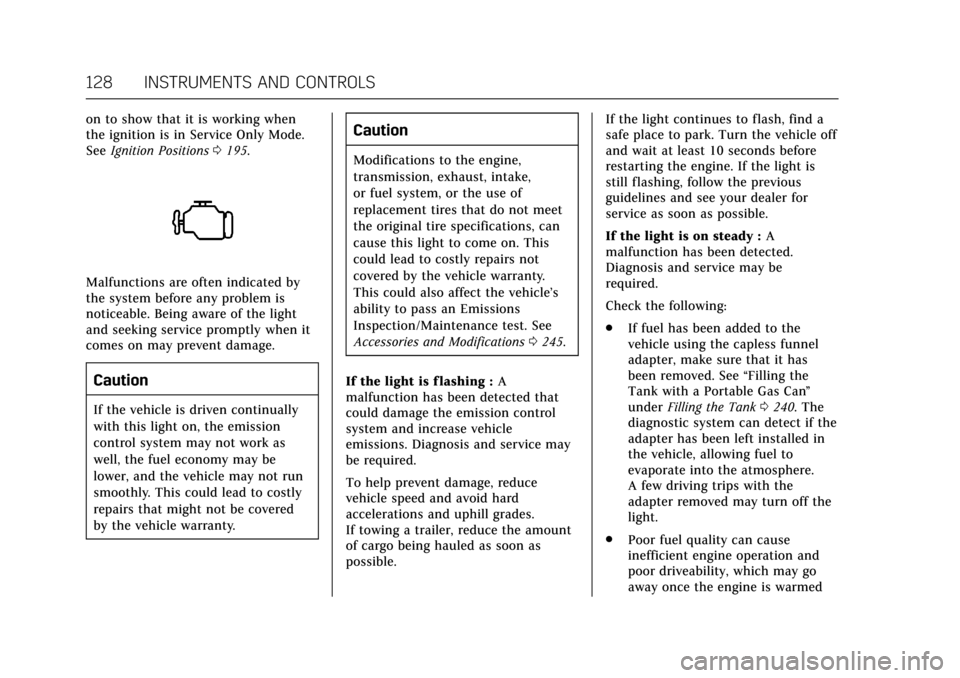
on to show that it is working when
the ignition is in Service Only Mode.
SeeIgnition Positions 0195.
Malfunctions are often indicated by
the system before any problem is
noticeable. Being aware of the light
and seeking service promptly when it
comes on may prevent damage.
Caution
If the vehicle is driven continually
with this light on, the emission
control system may not work as
well, the fuel economy may be
lower, and the vehicle may not run
smoothly. This could lead to costly
repairs that might not be covered
by the vehicle warranty.
Caution
Modifications to the engine,
transmission, exhaust, intake,
or fuel system, or the use of
replacement tires that do not meet
the original tire specifications, can
cause this light to come on. This
could lead to costly repairs not
covered by the vehicle warranty.
This could also affect the vehicle’s
ability to pass an Emissions
Inspection/Maintenance test. See
Accessories and Modifications 0245.
If the light is f lashing : A
malfunction has been detected that
could damage the emission control
system and increase vehicle
emissions. Diagnosis and service may
be required.
To help prevent damage, reduce
vehicle speed and avoid hard
accelerations and uphill grades.
If towing a trailer, reduce the amount
of cargo being hauled as soon as
possible. If the light continues to flash, find a
safe place to park. Turn the vehicle off
and wait at least 10 seconds before
restarting the engine. If the light is
still flashing, follow the previous
guidelines and see your dealer for
service as soon as possible.
If the light is on steady :
A
malfunction has been detected.
Diagnosis and service may be
required.
Check the following:
. If fuel has been added to the
vehicle using the capless funnel
adapter, make sure that it has
been removed. See “Filling the
Tank with a Portable Gas Can ”
under Filling the Tank 0240. The
diagnostic system can detect if the
adapter has been left installed in
the vehicle, allowing fuel to
evaporate into the atmosphere.
A few driving trips with the
adapter removed may turn off the
light.
. Poor fuel quality can cause
inefficient engine operation and
poor driveability, which may go
away once the engine is warmed
Page 142 of 337

Cadillac CT6 Owner Manual (GMNA-Localizing-MidEast-10293390) - 2017 -
CRC - 6/21/16
INSTRUMENTS AND CONTROLS 141
Metric
Performance View : This displays the
speedometer reading, rpm reading,
transmission positions, and gear shift
indicator.
Care of the HUD
Clean the inside of the windshield to
remove any dirt or film that could
reduce the sharpness or clarity of the
HUD image.
Clean the HUD lens with a soft cloth
sprayed with glass cleaner. Wipe the
lens gently, then dry it.
HUD Troubleshooting
Check that:
. Nothing is covering the HUD lens.
. HUD brightness setting is not too
dim or too bright.
. HUD is adjusted to the proper
height.
. Polarized sunglasses are not worn.
. Windshield and HUD lens are
clean.
If the HUD image is not correct,
contact your dealer.
The windshield is part of the HUD
system. If the windshield needs
replacing, see Windshield
Replacement 0266.
Vehicle Messages
Messages displayed on the DIC
indicate the status of the vehicle or
some action that may be needed to
correct a condition. Multiple messages
may display one after the other.
The messages that do not require
immediate action can be
acknowledged and cleared by pressing
SEL. The messages that require
immediate action cannot be cleared
until that action is performed. All
messages should be taken seriously
and clearing the messages does not
correct the problem.
The following are some of the vehicle
messages that may be displayed
depending on the vehicle content.
Battery Voltage and
Charging Messages
BATTERY SAVER ACTIVE
This message displays when the
vehicle has detected that the battery
voltage is dropping beyond a
reasonable point. The battery saver
system starts reducing features of the
Page 146 of 337

Cadillac CT6 Owner Manual (GMNA-Localizing-MidEast-10293390) - 2017 -
CRC - 6/21/16
INSTRUMENTS AND CONTROLS 145
on, or displays repeatedly, the vehicle
should be taken to your dealer for
service as soon as possible.
Fuel System Messages
FUEL LEVEL LOW
This message displays when the
vehicle is low on fuel. Refuel as soon
as possible.
Key and Lock Messages
NO REMOTE KEY WAS DETECTED
PLACE KEY IN TRANSMITTER
POCKET THEN START YOUR
VEHICLE
This message displays when trying to
start the vehicle if an RKE transmitter
is not detected. The transmitter
battery may be weak. See“Starting the
Vehicle with a Low Transmitter
Battery” underRemote Keyless Entry
(RKE) System Operation 029.
NO REMOTE DETECTED
This message displays when the
transmitter battery may be weak. See
“Starting the Vehicle with a Low Transmitter Battery”
underRemote
Keyless Entry (RKE) System
Operation 029.
NO REMOTE DETECTED PRESS
BRAKE TO RESTART
This message displays when
attempting to turn off the vehicle and
the RKE transmitter is no longer
detected. Restarting is allowed
without the RKE transmitter for
five minutes. Press the brake pedal
and ENGINE START/STOP to restart
the vehicle.
NUMBER OF KEYS PROGRAMMED
This message displays when
programming new keys to the vehicle.
REMOTE LEFT IN VEHICLE
This message displays when leaving
the vehicle with the RKE transmitter
still inside.
REPLACE BATTERY IN
REMOTE KEY
This message displays when the
battery in the RKE transmitter needs
to be replaced.
Lamp Messages
AUTOMATIC LIGHT CONTROL
ON/OFF
This message is displayed when the
automatic light control has been
turned on or off. See Automatic
Headlamp System 0165.
XX TURN INDICATOR FAILURE
When one of the turn signals is out,
this message displays to show which
bulb needs to be replaced. See Bulb
Replacement 0267 and Replacement
Bulbs 0267.
TURN SIGNAL ON
This message is displayed if the turn
signal has been left on. Turn off the
turn signal.
Object Detection System
Messages
24 GHz RADARS OFF
This message displays when driving in
certain areas where there may be
radar interference. Adaptive Cruise
Control (ACC), Forward Collision Alert
Page 184 of 337
Cadillac CT6 Owner Manual (GMNA-Localizing-MidEast-10293390) - 2017 -
CRC - 6/21/16
CLIMATE CONTROLS 183
Operation Tips
.Clear away any ice, snow, or leaves
from air inlets at the base of the
windshield that could block the
flow of air into the vehicle.
. Keep the path under the front
seats clear of objects to help
circulate the air inside of the
vehicle more effectively.
. Use of non-GM approved hood
deflectors can adversely affect the
performance of the system. Check
with your dealer before adding
equipment to the outside of the
vehicle.
. Do not attach any devices to the
air vent slats. This restricts airflow
and may cause damage to the air
vents.Maintenance
Passenger Compartment
Air Filter
The filter reduces dust, pollen, and
other airborne irritants from outside
air that is pulled into the vehicle. The
filter should be replaced as part of
routine scheduled maintenance. See
Maintenance Schedule 0311.
See your dealer regarding replacement
of the filter.
Service
All vehicles have a label underhood
that identifies the refrigerant used in
the vehicle. The refrigerant system
should only be serviced by trained and
certified technicians. The air
conditioning evaporator should never
be repaired or replaced by one from a
salvage vehicle. It should only be
replaced by a new evaporator to
ensure proper and safe operation.
During service, all refrigerants should
be reclaimed with proper equipment.
Venting refrigerants directly to the
atmosphere is harmful to the
environment and may also create
unsafe conditions based on inhalation,
combustion, frostbite, or other
health-based concerns.
Page 245 of 337
Cadillac CT6 Owner Manual (GMNA-Localizing-MidEast-10293390) - 2017 -
CRC - 6/21/16
244 VEHICLE CARE
Vehicle Care
General Information
General Information . . . . . . . . . . . . . 245
Accessories andModifications . . . . . . . . . . . . . . . . . . . 245
Vehicle Checks
Doing Your OwnService Work . . . . . . . . . . . . . . . . . . . . 245
Hood . . . . . . . . . . . . . . . . . . . . . . . . . . . . . . 246
Engine Compartment Overview . . . . . . . . . . . . . . . . . . . . . . . . . 247
Engine Oil . . . . . . . . . . . . . . . . . . . . . . . . . 250
Engine Oil Life System . . . . . . . . . . . 252
Automatic Transmission Fluid . . . . . . . . . . . . . . . . . . . . . . . . . . . . . 253
Engine Air Cleaner/Filter . . . . . . . . . 254
Cooling System . . . . . . . . . . . . . . . . . . . 255
Engine Coolant . . . . . . . . . . . . . . . . . . . 256
Engine Overheating . . . . . . . . . . . . . . 259
Washer Fluid . . . . . . . . . . . . . . . . . . . . . 260
Brakes . . . . . . . . . . . . . . . . . . . . . . . . . . . . . 261
Brake Fluid . . . . . . . . . . . . . . . . . . . . . . . 262
Battery . . . . . . . . . . . . . . . . . . . . . . . . . . . . 263
All-Wheel Drive . . . . . . . . . . . . . . . . . . 264
Starter Switch Check . . . . . . . . . . . . . 264
Automatic Transmission Shift Lock Control Function
Check . . . . . . . . . . . . . . . . . . . . . . . . . . . . 264 Park Brake and P (Park)
Mechanism Check . . . . . . . . . . . . . . 265
Wiper Blade Replacement . . . . . . . 265
Windshield Replacement . . . . . . . . 266
Headlamp Aiming
Headlamp Aiming . . . . . . . . . . . . . . . . 266
Bulb Replacement
Bulb Replacement . . . . . . . . . . . . . . . . 267
LED Lighting . . . . . . . . . . . . . . . . . . . . . 267
License Plate Lamp . . . . . . . . . . . . . . 267
Replacement Bulbs . . . . . . . . . . . . . . . 267
Electrical System
Electrical System Overload . . . . . . 268
Fuses and Circuit Breakers . . . . . . 269
Engine Compartment Fuse Block . . . . . . . . . . . . . . . . . . . . . . . . . . . . 269
Instrument Panel Fuse Block . . . . 272
Rear Compartment Fuse Block . . . . . . . . . . . . . . . . . . . . . . . . . . . . 274
Wheels and Tires
Tires . . . . . . . . . . . . . . . . . . . . . . . . . . . . . . . 276
All-Season Tires . . . . . . . . . . . . . . . . . . 277
Winter Tires . . . . . . . . . . . . . . . . . . . . . . 277
Low-Profile Tires . . . . . . . . . . . . . . . . . 278
Summer Tires . . . . . . . . . . . . . . . . . . . . 278
Tire Pressure . . . . . . . . . . . . . . . . . . . . . . 279
Tire Pressure for High-SpeedOperation . . . . . . . . . . . . . . . . . . . . . . . . 280 Tire Pressure Monitor System . . . 280
Tire Pressure Monitor
Operation . . . . . . . . . . . . . . . . . . . . . . . . 281
Tire Inspection . . . . . . . . . . . . . . . . . . . 284
Tire Rotation . . . . . . . . . . . . . . . . . . . . . 284
When It Is Time for New Tires . . . . . . . . . . . . . . . . . . . . . . . . . . . . . 286
Buying New Tires . . . . . . . . . . . . . . . . 286
Different Size Tires and Wheels . . . . . . . . . . . . . . . . . . . . . . . . . . 288
Wheel Alignment and Tire Balance . . . . . . . . . . . . . . . . . . . . . . . . . . 288
Wheel Replacement . . . . . . . . . . . . . . 288
Tire Chains . . . . . . . . . . . . . . . . . . . . . . . 289
If a Tire Goes Flat . . . . . . . . . . . . . . . . 289
Tire Changing . . . . . . . . . . . . . . . . . . . . . 291
Compact Spare Tire . . . . . . . . . . . . . . 295
Jump Starting
Jump Starting . . . . . . . . . . . . . . . . . . . . . 296
Towing the Vehicle
Towing the Vehicle . . . . . . . . . . . . . . . 299
Recreational Vehicle Towing . . . . 299
Appearance Care
Exterior Care . . . . . . . . . . . . . . . . . . . . . . 301
Interior Care . . . . . . . . . . . . . . . . . . . . . . 305
Floor Mats . . . . . . . . . . . . . . . . . . . . . . . . 308
Page 262 of 337

Cadillac CT6 Owner Manual (GMNA-Localizing-MidEast-10293390) - 2017 -
CRC - 6/21/16
VEHICLE CARE 261
Caution (Continued)
to freeze and damage the
washer fluid tank and other
parts of the washer system.
. When using concentrated
washer fluid, follow the
manufacturer instructions for
adding water.
. Fill the washer fluid tank only
three-quarters full when it is
very cold. This allows for
fluid expansion if freezing
occurs, which could damage
the tank if it is
completely full.
Brakes
Disc brake pads have built-in wear
indicators that make a high-pitched
warning sound when the brake pads
are worn and new pads are needed.
The sound can come and go or can be
heard all the time when the vehicle is
moving, except when applying the
brake pedal firmly.
{Warning
The brake wear warning sound
means that soon the brakes will not
work well. That could lead to a
crash. When the brake wear
warning sound is heard, have the
vehicle serviced.
Caution
Continuing to drive with worn-out
brake pads could result in costly
brake repair.
Some driving conditions or climates
can cause a brake squeal when the
brakes are first applied or lightly
applied. This does not mean
something is wrong with the brakes.
Properly torqued wheel nuts are
necessary to help prevent brake
pulsation. When tires are rotated,
inspect brake pads for wear and
evenly tighten wheel nuts in the proper sequence to torque
specifications. See
Capacities and
Specifications 0322.
Brake pads should be replaced as
complete sets.
Brake Pedal Travel
See your dealer if the brake pedal does
not return to normal height, or if
there is a rapid increase in pedal
travel. This could be a sign that brake
service may be required.
Replacing Brake System Parts
Always replace brake system parts
with new, approved replacement parts.
If this is not done, the brakes may not
work properly. The braking
performance expected can change in
many other ways if the wrong
replacement brake parts are installed
or if parts are improperly installed.
Page 264 of 337
Cadillac CT6 Owner Manual (GMNA-Localizing-MidEast-10293390) - 2017 -
CRC - 6/21/16
VEHICLE CARE 263
Battery
The original equipment battery is
maintenance free. Do not remove the
cap and do not add fluid.
Refer to the replacement number
shown on the original battery label
when a new 12-volt battery is needed.
The battery is in the trunk under the
spare tire. The vehicle has an
Absorbed Glass Mat (AGM) 12-volt
battery. Installation of a standard
12-volt battery will result in reduced
12-volt battery life.
When using a 12-volt battery charger
on the 12-volt AGM battery, some
chargers have an AGM battery setting
on the charger. If available, use the
AGM setting on the charger, to limit
charge voltage to 14.8 volts.
Stop/Start System
The vehicle has a Stop/Start system to
shut off the engine to help conserve
fuel. SeeStarting the Engine 0196.
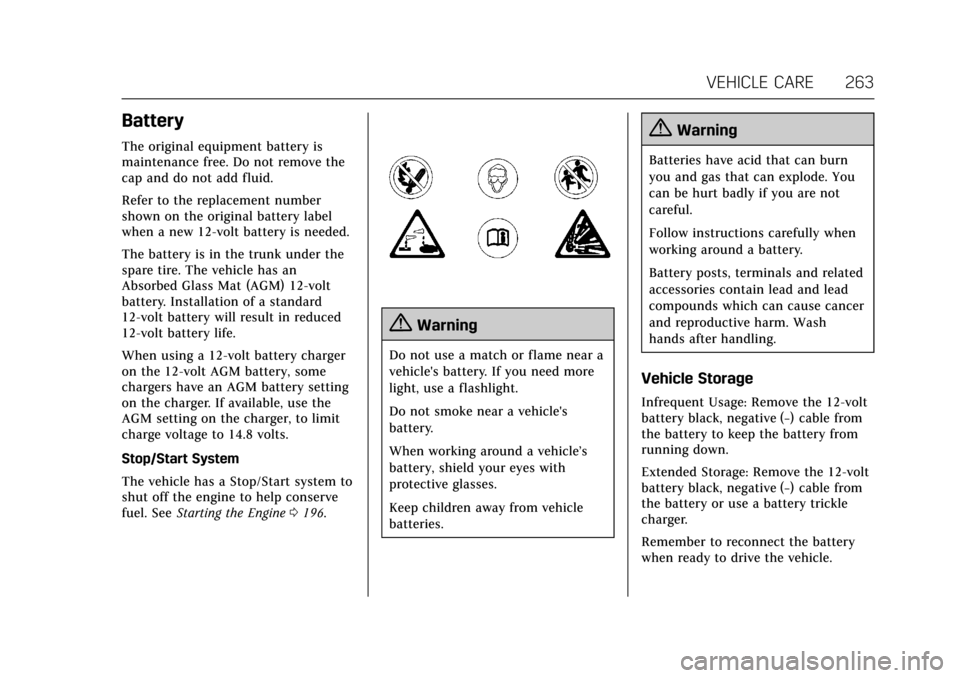
{Warning
Do not use a match or flame near a
vehicle's battery. If you need more
light, use a flashlight.
Do not smoke near a vehicle's
battery.
When working around a vehicle’s
battery, shield your eyes with
protective glasses.
Keep children away from vehicle
batteries.
{Warning
Batteries have acid that can burn
you and gas that can explode. You
can be hurt badly if you are not
careful.
Follow instructions carefully when
working around a battery.
Battery posts, terminals and related
accessories contain lead and lead
compounds which can cause cancer
and reproductive harm. Wash
hands after handling.
Vehicle Storage
Infrequent Usage: Remove the 12-volt
battery black, negative (−) cable from
the battery to keep the battery from
running down.
Extended Storage: Remove the 12-volt
battery black, negative (−) cable from
the battery or use a battery trickle
charger.
Remember to reconnect the battery
when ready to drive the vehicle.
Page 266 of 337

Cadillac CT6 Owner Manual (GMNA-Localizing-MidEast-10293390) - 2017 -
CRC - 6/21/16
VEHICLE CARE 265
2. Firmly apply the parking brake.See Electric Parking Brake 0205.
Be ready to apply the regular
brake immediately if the vehicle
begins to move.
3. With the engine off, turn the ignition on, but do not start the
engine. Without applying the
regular brake, try to move the
shift lever out of P (Park) with
normal effort. If the shift lever
moves out of P (Park), contact
your dealer for service.
Park Brake and P (Park)
Mechanism Check
{Warning
When you are doing this check, the
vehicle could begin to move. You or
others could be injured and
property could be damaged. Make
sure there is room in front of the
vehicle in case it begins to roll. Be
ready to apply the regular brake at
once should the vehicle begin
to move. Park on a fairly steep hill, with the
vehicle facing downhill. Keeping your
foot on the regular brake, set the
parking brake.
.
To check the parking brake's
holding ability: With the engine
running and the transmission in
N (Neutral), slowly remove foot
pressure from the regular brake
pedal. Do this until the vehicle is
held by the parking brake only.
. To check the P (Park) mechanism's
holding ability: With the engine
running, shift to P (Park). Then
release the parking brake followed
by the regular brake.
Contact your dealer if service is
required.Wiper Blade Replacement
Windshield wiper blades should be
inspected for wear or cracking.
For the proper type and size, see
Maintenance Replacement Parts 0319. To replace the wiper blade assembly:
1. Pull the windshield wiper assembly away from the
windshield.
2. Lift up on the latch in the middleof the wiper blade where the
wiper arm attaches.
3. With the latch open, pull the wiper blade down toward the
windshield far enough to release
it from the J-hooked end of the
wiper arm.
4. Remove the wiper blade.
Page 267 of 337

Cadillac CT6 Owner Manual (GMNA-Localizing-MidEast-10293390) - 2017 -
CRC - 6/21/16
266 VEHICLE CARE
Caution
Allowing the wiper arm to touch
the windshield when no wiper blade
is installed could damage the
windshield. Any damage that occurs
would not be covered by the vehicle
warranty. Do not allow the wiper
arm to touch the windshield.
5. Reverse Steps 1–3 for wiper blade replacement.
Windshield Replacement
HUD System
The windshield is part of the HUD
system. If the windshield must be
replaced, get one that is designed for
HUD or the HUD image may look out
of focus.
Driver Assistance Systems
When a windshield replacement is
needed and the vehicle is equipped
with a front-looking camera sensor for
the Driver Assistance Systems, the
windshield must be installed
according to GM specifications for
these systems to work properly. If it is
not, there may be unexpected
behavior and/or messages from these
systems. See Object Detection System
Messages 0145.
Headlamp Aiming
Headlamp aim has been preset and
should need no further adjustment.
If the vehicle is damaged in a crash,
the headlamp aim may be affected.
If adjustment to the headlamps is
necessary, see your dealer.