change time CADILLAC CT6 2017 1.G Owners Manual
[x] Cancel search | Manufacturer: CADILLAC, Model Year: 2017, Model line: CT6, Model: CADILLAC CT6 2017 1.GPages: 337, PDF Size: 3.89 MB
Page 13 of 337

Cadillac CT6 Owner Manual (GMNA-Localizing-MidEast-10293390) - 2017 -
CRC - 6/21/16
12 IN BRIEF
Massage
Platinum Driver Seat Shown,Passenger Seat Similar
If equipped, the ignition must be on
to use the massage feature.
To activate and adjust the massage
feature: 1. Toggle the center selection control (2) to view available
seating adjustment options on
the infotainment display.
2. Select massage feature.
3. Press the control up (3) or down (5) to select the
massage type. 4. Press the control forward (4) or
rearward (6) to change the
intensity.
5. Press the massage control button (1) to recall the last
massage type and intensity.
See Massage 064.
Memory Features
Platinum Driver Seat Shown,
Passenger Seat Similar
If equipped, the SET, 1, 2, and
B
(Exit) buttons on the driver door and
front passenger door are used to
manually store and recall memory
settings for the driver and passenger seats. The driver memory buttons also
store outside mirror positions, power
tilt and telescoping steering column
positions, and massage settings (if
equipped).
When Auto Memory Recall is enabled
in the personalization menu, positions
previously stored to the driver
memory buttons 1 or 2 are recalled
when the ignition is changed from
OFF to ON/RUN/START or ACC/
ACCESSORY.
When Easy Exit Options is enabled in
the personalization menu, the
positions previously stored to the
driver memory
B(Exit) button are
recalled when the ignition is changed
to OFF and the driver door is opened
within a short time.
See Memory Seats 061 and Vehicle
Personalization 0152.
Page 27 of 337
Cadillac CT6 Owner Manual (GMNA-Localizing-MidEast-10293390) - 2017 -
CRC - 6/21/16
26 IN BRIEF
Fuel (LGX 3.6L V6 Engine)
Use only unleaded petrol rated at 91
RON or higher in your vehicle. Do not
use petrol with an octane rating lower
as it may result in vehicle damage and
lower fuel economy. SeeFuel0240.
Engine Oil Life System
The engine oil life system calculates
engine oil life based on vehicle use
and displays the CHANGE ENGINE
OIL SOON message when it is time to
change the engine oil and filter. The
oil life system should be reset to 100%
only following an oil change. Resetting the Oil Life System
1. Using the DIC controls on the right side of the steering wheel,
display REMAINING OIL LIFE on
the DIC. See Driver Information
Center (DIC) 0136. When
remaining oil life is low, the
CHANGE ENGINE OIL SOON
message will appear on the
display. See Engine Oil
Messages 0144.
2. Press and hold SEL to clear the CHANGE ENGINE OIL SOON
message and reset the oil life
at 100%.
Be careful not to reset the oil life
display accidentally at any time
other than after the oil is
changed. It cannot be reset
accurately until the next oil
change. The oil life system can also be reset as
follows:
1. Turn the ignition on with the engine off.
2. Fully press and release the accelerator pedal three times
within five seconds.
If the CHANGE ENGINE OIL
SOON message is not on, the
system is reset.
See Engine Oil Life System 0252.
Driving for Better Fuel
Economy
Driving habits can affect fuel mileage.
Here are some driving tips to get the
best fuel economy possible.
.
Avoid fast starts and accelerate
smoothly.
. Brake gradually and avoid abrupt
stops.
Page 36 of 337
Cadillac CT6 Owner Manual (GMNA-Localizing-MidEast-10293390) - 2017 -
CRC - 6/21/16
KEYS, DOORS, AND WINDOWS 35
Extending Engine Run Time
The engine run time can also be
extended by another 10 minutes,
if during the first 10 minutes
Steps 1 and 2 are repeated while the
engine is still running. An extension
can be requested 30 seconds after
starting. This provides a total of
20 minutes.
The remote start can only be
extended once.
When the remote start is extended,
the second 10 minute period is added
on to the first 10 minutes for a total
of 20 minutes.
A maximum of two remote starts, or a
remote start with an extension, are
allowed between ignition cycles.
The vehicle's ignition must be
changed to ON/RUN/START and then
back to OFF before the remote start
procedure can be used again.
Canceling a Remote Start
To cancel a remote start, do one of
the following:
.Press and hold
/until the
parking lamps turn off. .
Turn on the hazard warning
flashers.
. Turn the vehicle on and then off.
Conditions in Which Remote Start
Will Not Work
The remote start will not operate if
any of the following occur:
. The ignition is in any mode other
than OFF.
. A transmitter is in the vehicle.
. The hood is not closed.
. The hazard warning flashers
are on.
. There is an emission control
system malfunction.
. The engine coolant temperature is
too high.
. The oil pressure is low.
. Two remote vehicle starts have
already been used.
. The vehicle is not in P (Park).
Door Locks
{Warning
Unlocked doors can be dangerous.
. Passengers, especially
children, can easily open the
doors and fall out of a moving
vehicle. The chance of being
thrown out of the vehicle in a
crash is increased if the doors
are not locked. So, all
passengers should wear safety
belts properly and the doors
should be locked whenever
the vehicle is driven.
. Young children who get into
unlocked vehicles may be
unable to get out. A child can
be overcome by extreme heat
and can suffer permanent
injuries or even death from
heat stroke. Always lock the
vehicle whenever leaving it.
. Outsiders can easily enter
through an unlocked door
when slowing or stopping the
(Continued)
Page 44 of 337
Cadillac CT6 Owner Manual (GMNA-Localizing-MidEast-10293390) - 2017 -
CRC - 6/21/16
KEYS, DOORS, AND WINDOWS 43
If the driver door is opened without
first unlocking with the RKE
transmitter, the horn will chirp and
the lights will flash to indicate
pre-alarm. If the vehicle is not started,
or the door is not unlocked by
pressing
Kon the RKE transmitter
during the 10-second pre-alarm, the
alarm will be activated.
The alarm will also be activated if a
passenger door, the trunk, or the hood
is opened without first disarming the
system. When the alarm is activated,
the turn signals flash and the horn
sounds for about 30 seconds. The
alarm system will then re-arm to
monitor the next unauthorized event.
Disarming the Alarm System
To disarm the alarm system or turn
off the alarm if it has been activated:
. Press
Kon the RKE transmitter.
. Unlock the vehicle using the
Keyless Access system.
. Start the vehicle. To avoid setting off the alarm by
accident:
.
Lock the vehicle after all
occupants have left the vehicle
and all doors are closed.
. Always unlock a door with the
RKE transmitter or use the Keyless
Access system.
Unlocking the driver door with the key
will not disarm the system or turn off
the alarm.
How to Detect a Tamper
Condition
IfKis pressed on the RKE
transmitter and the horn chirps and
the lights flash three times, a previous
alarm occurred while the system was
armed.
If the alarm has been activated, a
message will appear on the DIC. See
Security Messages 0149.
Power Sounder, Inclination
Sensor, and Intrusion Sensor
In addition to the standard
theft-deterrent system features, this
system may also have a power
sounder, inclination sensor, and
intrusion sensor.
The power sounder provides an
audible alarm, which is distinct from
the vehicle’s horn. It has its own
power source, and can sound an alarm
if the vehicle’s battery is
compromised.
The inclination sensor can set off the
alarm if it senses movement of the
vehicle, such as a change in vehicle
orientation.
The intrusion sensor monitors the
vehicle interior, and can activate the
alarm if it senses unauthorized entry
into the vehicle’s interior. Do not
allow passengers or pets to remain in
the vehicle when the intrusion sensor
is activated.
Page 63 of 337
Cadillac CT6 Owner Manual (GMNA-Localizing-MidEast-10293390) - 2017 -
CRC - 6/21/16
62 SEATS AND RESTRAINTS
See“Auto Memory Recall’ under
“Comfort and Convenience ”in Vehicle
Personalization 0152.
To stop recall movement, press one of
the memory, power mirror, or power
seat controls; or press the power tilt
and telescoping steering column
control.
RKE transmitters are not labeled with
a number. If your memory seat
position is stored to 1 or 2 but this
position is not automatically recalling,
then store your positions to the other
button or switch RKE transmitters
with the other driver.
If the vehicle’s driver has changed, in
some vehicles the Driver ID may be
displayed for the first few ignition
cycles.
Easy Exit Recall (Driver Only)
If programmed on in the vehicle
personalization menu, the easy exit
feature automatically recalls the
previously stored exit positions when
leaving the vehicle. See “Storing
Memory Positions ”earlier in this
section. See also Vehicle
Personalization 0152. Easy exit recall automatically activates
when one of the following occurs:
.
The vehicle is turned off and the
driver door is opened within a
short time.
. The vehicle is turned off with the
driver door open.
To stop recall movement, press one of
the memory, power mirror, or power
seat controls; or press the power tilt
and telescoping steering column
control.
Obstructions
If something has blocked the driver
seat while recalling a memory
position, the recall may stop. Remove
the obstruction. Then do one of the
following:
. If automatically or manually
recalling the stored memory
position, press and hold the
appropriate manual control for
two seconds. Try recalling again
by pressing the appropriate
memory button. If automatically
recalling the position, try recalling again by opening the driver door
and pressing
Kon the RKE
transmitter.
. If recalling the exit position, press
and hold the appropriate manual
control for the exit feature not
recalling for two seconds. Then try
recalling the exit position again.
If the memory position is still not
recalling, see your dealer for service.
Heated and Ventilated
Front Seats
{Warning
If you cannot feel temperature
change or pain to the skin, the seat
heater may cause burns. To reduce
the risk of burns, people with such
a condition should use care when
using the seat heater, especially for
long periods of time. Do not place
anything on the seat that insulates
against heat, such as a blanket,
cushion, cover, or similar item. This
may cause the seat heater to (Continued)
Page 88 of 337

Cadillac CT6 Owner Manual (GMNA-Localizing-MidEast-10293390) - 2017 -
CRC - 6/21/16
SEATS AND RESTRAINTS 87
Infants and Young Children
Everyone in a vehicle needs
protection! This includes infants and
all other children. Neither the distance
traveled nor the age and size of the
traveler changes the need, for
everyone, to use safety restraints.
{Warning
Children can be seriously injured or
strangled if a shoulder belt is
wrapped around their neck. The
shoulder belt can tighten but
cannot be loosened if it is locked.
The shoulder belt locks when it is
pulled all the way out of the
retractor. It unlocks when the
shoulder belt is allowed to go all
the way back into the retractor, but
it cannot do this if it is wrapped
around a child’s neck. If the
shoulder belt is locked and
tightened around a child’s neck, the
only way to loosen the belt is to
cut it.(Continued)
Warning (Continued)
Never leave children unattended in
a vehicle and never allow children
to play with the safety belts.
Every time infants and young children
ride in vehicles, they should have the
protection provided by appropriate
child restraints. Neither the vehicle's
safety belt system nor its airbag
system is designed for them.
Children who are not restrained
properly can strike other people,
or can be thrown out of the vehicle.
{Warning
Never hold an infant or a child
while riding in a vehicle. Due to
crash forces, an infant or a child
will become so heavy it is not
possible to hold it during a crash.
For example, in a crash at only
40 km/h (25 mph), a 5.5 kg (12 lb)
infant will suddenly become a (Continued)
Warning (Continued)
110 kg (240 lb) force on a person's
arms. An infant or child should be
secured in an appropriate restraint.
{Warning
Children who are up against,
or very close to, any airbag when it
inflates can be seriously injured or
killed. Never put a rear-facing child
restraint in the front outboard seat.
Secure a rear-facing child restraint(Continued)
Page 112 of 337
Cadillac CT6 Owner Manual (GMNA-Localizing-MidEast-10293390) - 2017 -
CRC - 6/21/16
INSTRUMENTS AND CONTROLS 111
lever returns to its starting position
when released. SeeRear Camera
Mirror 047.
Clock
The infotainment system controls are
used to access the time and date
settings through the menu system.
See “Home Page ”in the infotainment
manual for information about how to
use the menu system.
Setting the Clock
Time
To set the time:
1. From the Home Page, touch the SETTINGS screen button, then
touch Time and Date.
2. Touch Set Time, then touch + or −to increase or decrease hours
or minutes, and change AM
or PM.
3. Touch 12-24 Hr for a 12 or 24 hour clock.
4. Touch
0to go back to the
previous menu. Date
To set the date:
1. Touch the SETTINGS screen button, then touch Time
and Date.
2. Touch Set Date, then touch + or −to increase or decrease month,
day, or year.
3. Touch
0to go back to the
previous menu.
Auto Set
When on, the time and date will
automatically update.
To set auto set: 1. Touch the SETTINGS screen button, then touch Time
and Date.
2. Touch Set Time or Set Date.
3. Touch Auto Set, then select On-Cell Network or Off-Manual
to manually set the time
and date.
4. Touch
0to go back to the
previous menu. If auto set is on, the time displayed on
the clock may not update immediately
when driving into a new time zone.
Clock Display
When on, the digital clock will display
on the infotainment screen.
To set the clock display:
1. Touch the SETTINGS screen button, then touch Time
and Date.
2. Touch Clock Display, then select Off or On.
3. Touch
0to go back to the
previous menu.
Power Outlets
Power Outlet 12-Volt Direct Current
The 12-volt accessory power outlet
can be used to plug in electrical
equipment, such as a cell phone or
MP3 player.
The vehicle has an accessory power
outlet on the rear seat trim panel.
Page 123 of 337
Cadillac CT6 Owner Manual (GMNA-Localizing-MidEast-10293390) - 2017 -
CRC - 6/21/16
122 INSTRUMENTS AND CONTROLS
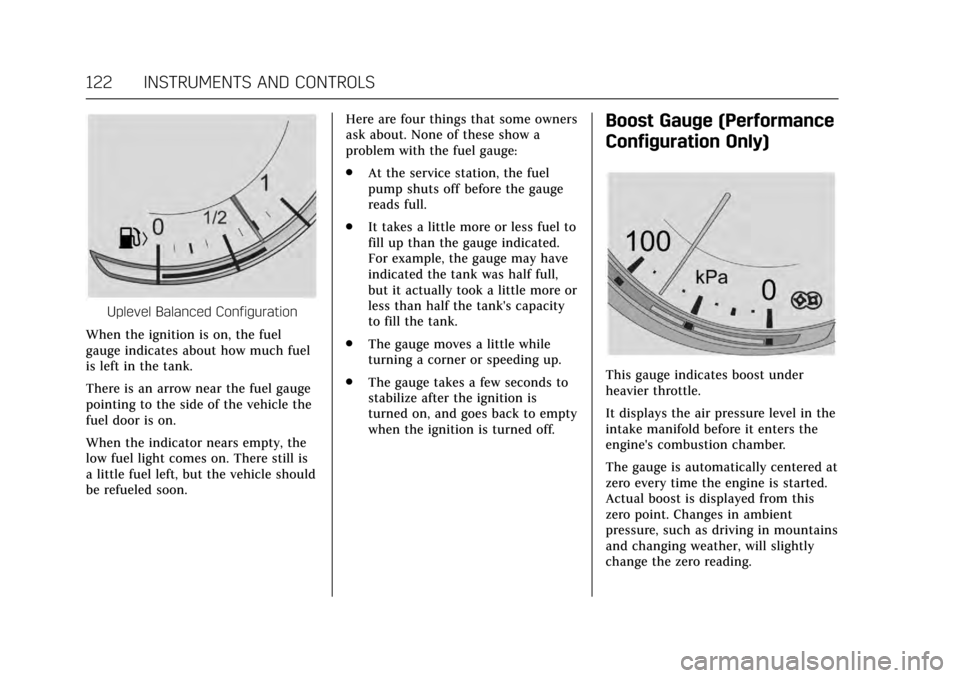
Uplevel Balanced Configuration
When the ignition is on, the fuel
gauge indicates about how much fuel
is left in the tank.
There is an arrow near the fuel gauge
pointing to the side of the vehicle the
fuel door is on.
When the indicator nears empty, the
low fuel light comes on. There still is
a little fuel left, but the vehicle should
be refueled soon. Here are four things that some owners
ask about. None of these show a
problem with the fuel gauge:
.
At the service station, the fuel
pump shuts off before the gauge
reads full.
. It takes a little more or less fuel to
fill up than the gauge indicated.
For example, the gauge may have
indicated the tank was half full,
but it actually took a little more or
less than half the tank's capacity
to fill the tank.
. The gauge moves a little while
turning a corner or speeding up.
. The gauge takes a few seconds to
stabilize after the ignition is
turned on, and goes back to empty
when the ignition is turned off.
Boost Gauge (Performance
Configuration Only)
This gauge indicates boost under
heavier throttle.
It displays the air pressure level in the
intake manifold before it enters the
engine's combustion chamber.
The gauge is automatically centered at
zero every time the engine is started.
Actual boost is displayed from this
zero point. Changes in ambient
pressure, such as driving in mountains
and changing weather, will slightly
change the zero reading.
Page 137 of 337

Cadillac CT6 Owner Manual (GMNA-Localizing-MidEast-10293390) - 2017 -
CRC - 6/21/16
136 INSTRUMENTS AND CONTROLS
Information Displays
Driver Information
Center (DIC)
The DIC is displayed in the
instrument cluster. It shows the status
of many vehicle systems.
yorz:Move SEL up or down to
go to the previous or next selection.
SorT: Press to move between the
interactive display zones in the
cluster. Press
Sto go back to the
previous menu. SEL :
Press to open a menu or select a
menu item. Press and hold to reset
values on certain screens.
DIC Information Display Options
The info displays on the DIC can be
turned on or off through the
Settings menu.
1. Press SEL while viewing the Settings page in one of the
interactive display zones on the
cluster.
2. Scroll to Info Pages and press SEL.
3. Press
yorzto move through
the list of possible info displays.
4. Press SEL while an item is highlighted to select or deselect
that item. When an item is
selected, a checkmark will appear
next to it.
DIC Information Displays
The following is the list of all possible
DIC information displays. Some of the
information displays may not be
available for your particular vehicle. Speed (Base Cluster) :
Shows the
vehicle speed in either kilometers per
hour (km/h) or miles per hour (mph).
Trip 1 or Trip 2 (Base Cluster) /
Trip 1 or Trip 2 and Average Fuel
Economy (Uplevel Cluster) : The Trip
display shows the current distance
traveled, in either kilometers (km) or
miles (mi), since the trip odometer
was last reset. The trip odometer can
be reset by pressing and holding SEL
while this display is active.
The Average Fuel Economy display
shows the approximate average liters
per 100 kilometers (L/100 km) or
miles per gallon (mpg). This number
is calculated based on the number of
L/100 km (mpg) recorded since the
last time this menu item was reset.
This number reflects only the
approximate average fuel economy
that the vehicle has right now, and
will change as driving conditions
change. The Average Fuel Economy
can be reset along with the trip
odometer by pressing and holding SEL
while this display is active.
Page 138 of 337

Cadillac CT6 Owner Manual (GMNA-Localizing-MidEast-10293390) - 2017 -
CRC - 6/21/16
INSTRUMENTS AND CONTROLS 137
Fuel Range :Shows the approximate
distance the vehicle can be driven
without refueling. LOW will be
displayed when the vehicle is low on
fuel. The fuel range estimate is based
on an average of the vehicle's fuel
economy over recent driving history
and the amount of fuel remaining in
the fuel tank.
Average Fuel Economy (Base
Cluster) : Shows the approximate
average liters per 100 kilometers (L/100 km) or miles per gallon (mpg).
This number is calculated based on
the number of L/100 km (mpg)
recorded since the last time this menu
item was reset. This number reflects
only the approximate average fuel
economy that the vehicle has right
now, and will change as driving
conditions change. The Average Fuel
Economy can be reset by pressing and
holding SEL while this display is
active.
Instantaneous Fuel Economy : Shows
the current fuel economy in either
liters per 100 kilometers (L/100 km) or
miles per gallon (mpg). This number
reflects only the approximate fuel economy that the vehicle has right
now and changes frequently as driving
conditions change.
Average Speed :
Shows the average
speed of the vehicle in kilometers per
hour (km/h) or miles per hour (mph).
This average is calculated based on
the various vehicle speeds recorded
since the last reset of this value. The
average speed can be reset by pressing
and holding SEL while this display is
active.
Timer : This display can be used as a
timer. To start the timer, press SEL
while this display is active. The
display will show the amount of time
that has passed since the timer was
last reset. To stop the timer, press SEL
briefly while this display is active and
the timer is running. To reset the
timer to zero, press and hold SEL
while this display is active.
Compass (Uplevel Cluster) : Shows
the direction the vehicle is driving.
Driver Efficiency Gauge : Guide to
driving in an efficient manner by
keeping the ball green and in the center of the gauge. Hard braking or
acceleration cause the ball to travel
away from the center of the gauge.
Traff ic Signs :
Select this menu item
to view detected traffic signs.
Speed Warning : Allows the driver to
set a speed that they do not want to
exceed. To set the Speed Warning,
press SEL when Speed Warning is
displayed. Press
yorzto adjust the
value. This feature can be turned off
by pressing and holding SEL while
viewing this page. If the selected
speed limit is exceeded, a pop-up
warning is displayed and a chime may
sound.
Cruise Set Speed : Shows the speed
the cruise control or Adaptive Cruise
Control is set to.
Driver Assistance (Uplevel
Cluster) : May show information for
Lane Keep Assist (LKA), Lane
Departure Warning (LDW), Adaptive
Cruise Control (ACC), and Forward
Collision Alert (FCA). The display
shows if there is a vehicle detected
ahead, and the current FCA timing
setting. In addition, when ACC is not