change time CADILLAC CT6 2017 1.G User Guide
[x] Cancel search | Manufacturer: CADILLAC, Model Year: 2017, Model line: CT6, Model: CADILLAC CT6 2017 1.GPages: 337, PDF Size: 3.89 MB
Page 139 of 337
Cadillac CT6 Owner Manual (GMNA-Localizing-MidEast-10293390) - 2017 -
CRC - 6/21/16
138 INSTRUMENTS AND CONTROLS
engaged, the current follow time to
the vehicle ahead is displayed as a
time value on this page.
Battery Voltage :Shows the current
battery voltage.
Oil Life : Shows an estimate of the
oil's remaining useful life.
If REMAINING OIL LIFE 99% is
displayed, that means 99% of the
current oil life remains.
When the remaining oil life is low, the
CHANGE ENGINE OIL SOON message
will appear on the display. See Engine
Oil Messages 0144. The oil should be
changed as soon as possible. See
Engine Oil 0250. In addition to the
engine oil life system monitoring the
oil life, additional maintenance is
recommended. See Maintenance
Schedule 0311.
The Oil Life display must be reset
after each oil change. It will not reset
itself. Do not reset the Oil Life display
accidentally at any time other than
when the oil has just been changed.
It cannot be reset accurately until the
next oil change. To reset the engine
oil life system, press and hold SEL for several seconds while the Oil Life
display is active. See
Engine Oil Life
System 0252.
Tire Pressure : Shows the
approximate pressures of all four tires.
Tire pressure is displayed in either
kilopascal (kPa) or in pounds per
square inch (psi). If the pressure is
low, the value for that tire is shown in
amber. See Tire Pressure Monitor
System 0280 and Tire Pressure
Monitor Operation 0281.
Vehicle Odometer (Base Cluster) :
Shows the odometer.
Blank Page : Allows for no
information to be displayed in the
cluster info display areas.
Head-Up Display (HUD)
{Warning
If the HUD image is too bright or
too high in your field of view, it
may take you more time to see
things you need to see when it is
(Continued)
Warning (Continued)
dark outside. Be sure to keep the
HUD image dim and placed low in
your field of view.
If equipped with HUD, some
information concerning the operation
of the vehicle is projected onto the
windshield. The image is projected
through the HUD lens on top of the
instrument panel. The information
appears as an image focused out
toward the front of the vehicle.
Caution
If you try to use the HUD image as
a parking aid, you may misjudge
the distance and damage your
vehicle. Do not use the HUD image
as a parking aid.
The HUD information can be
displayed in various languages in
some vehicles. The speedometer
reading and other numerical values
can be displayed in either English or
metric units.
Page 145 of 337
Cadillac CT6 Owner Manual (GMNA-Localizing-MidEast-10293390) - 2017 -
CRC - 6/21/16
144 INSTRUMENTS AND CONTROLS
If this message continues to appear,
have the system repaired by your
dealer as soon as possible to avoid
damage to the engine.
COOLANT LEVEL LOW ADD
COOLANT
This message will display if the
coolant is low. SeeEngine
Coolant 0256.
ENGINE OVERHEATED —IDLE
ENGINE
This message displays when the
engine coolant temperature is too hot.
Stop and allow the vehicle to idle until
it cools down.
ENGINE OVERHEATED —STOP
ENGINE
This message displays and a
continuous chime sounds if the
engine cooling system reaches unsafe
temperatures for operation. Stop and
turn off the vehicle as soon as it is
safe to do so to avoid severe damage.
This message clears when the engine
has cooled to a safe operating
temperature.
HIGH COOLANT TEMPERATURE
This message may display if the
coolant temperature is hot. See Engine
Overheating 0259.
Engine Oil Messages
CHANGE ENGINE OIL SOON
This message displays when the
engine oil needs to be changed. When
you change the engine oil, be sure to
reset the oil life system. See Engine Oil
Life System 0252, Driver Information
Center (DIC) 0136, Engine Oil 0250,
and Maintenance Schedule 0311.
ENGINE OIL HOT, IDLE ENGINE
This message displays when the
engine oil temperature is too hot. Stop
and allow the vehicle to idle until it
cools down.
ENGINE OIL LOW —ADD OIL
On some vehicles, this message
displays when the engine oil level may
be too low. Check the oil level before
filling to the recommended level.
If the oil is not low and this message remains on, take the vehicle to your
dealer for service. See
Engine
Oil 0250.
OIL PRESSURE LOW —TURN
VEHICLE OFF
This message displays if low oil
pressure levels occur. Stop the vehicle
as soon as safely possible and do not
operate it until the cause of the low
oil pressure has been corrected. Check
the oil as soon as possible and have
the vehicle serviced by your dealer.
Engine Power Messages
ENGINE POWER IS REDUCED
This message displays when the
vehicle's engine power is reduced.
Reduced engine power can affect the
vehicle's ability to accelerate. If this
message is on, but there is no
reduction in performance, proceed to
your destination. The performance
may be reduced the next time the
vehicle is driven. The vehicle may be
driven at a reduced speed while this
message is on, but maximum
acceleration and speed may be
reduced. Anytime this message stays
Page 147 of 337

Cadillac CT6 Owner Manual (GMNA-Localizing-MidEast-10293390) - 2017 -
CRC - 6/21/16
146 INSTRUMENTS AND CONTROLS
(FCA), and the Forward Automatic
Braking (FAB) may not work or may
not work as well. The vehicle does not
need service.
AUTOMATIC COLLISION PREP OFF
This message displays when the
Forward Automatic Braking (FAB) has
been turned off. SeeForward
Automatic Braking (FAB) 0230.
AUTOMATIC COLLISION PREP
REDUCED
If the vehicle has Adaptive Cruise
Control (ACC), this message displays
when the Forward Automatic Braking
(FAB) has been set to the Alert
setting. This setting disables FAB
functions. See Forward Automatic
Braking (FAB) 0230.
AUTOMATIC COLLISION PREP
UNAVAILABLE
This message displays when the
Forward Automatic Braking (FAB) has
been unavailable for some time. The FAB System does not need service.
This message can display under the
following conditions:
.
The front of the vehicle or
windshield is not clean. Keep
these areas clean and free of mud,
dirt, snow, ice, and slush. For
cleaning instructions, see Exterior
Care 0301.
. Heavy rain or snow is interfering
with the object detection
performance.
This message may also be displayed if
there is a problem with the StabiliTrak
system. See Traction Control/Electronic
Stability Control 0208.
FORWARD COLLISION ALERT OFF
This message displays when the
Forward Collision Alert has been
turned off.
FRONT CAMERA BLOCKED CLEAN
WINDSHIELD
This message displays when the
camera is blocked. The Front
Pedestrian Braking (FPB), Forward Collision Alert (FCA), Forward
Automatic Braking (FAB), Lane Keep
Assist (LKA), and Lane Departure
Warning (LDW) features will not
operate. Cleaning the outside of the
windshield behind the rearview mirror
may correct the issue.
LANE CHANGE ALERT OFF
This message indicates that the driver
has turned the Side Blind Zone Alert
(SBZA) and Lane Change Alert (LCA)
systems off.
LANE KEEPING ASSIST
UNAVAILABLE
This message displays when the Lane
Keep Assist (LKA) and Lane Departure
Warning (LDW) system is temporarily
unavailable. The LKA system does not
need service.
This message could be due to the
camera being blocked. Clean the
outside of the windshield behind the
rearview mirror.
Page 161 of 337

Cadillac CT6 Owner Manual (GMNA-Localizing-MidEast-10293390) - 2017 -
CRC - 6/21/16
160 INSTRUMENTS AND CONTROLS
Universal Remote
System
Universal Remote System
Programming
If equipped, these buttons are in the
overhead console.
This system can replace up to three
remote control transmitters used to
activate devices such as garage door
openers, security systems, and home
automation devices. These
instructions refer to a garage door
opener, but can be used for other
devices.Do not use the Universal Remote
system with any garage door opener
that does not have the stop and
reverse feature. This includes any
garage door opener model
manufactured before April 1, 1982.
Read these instructions completely
before programming the Universal
Remote system. It may help to have
another person assist with the
programming process.
Keep the original hand-held
transmitter for use in other vehicles
as well as for future programming.
Erase the programming when vehicle
ownership is terminated. See
“Erasing
Universal Remote System Buttons”
later in this section.
To program a garage door opener,
park outside directly in line with and
facing the garage door opener receiver.
Clear all people and objects near the
garage door.
Make sure the hand-held transmitter
has a new battery for quick and
accurate transmission of the
radio-frequency signal.
Programming the Universal
Remote System
The Universal Remote system is
compatible with radio-frequency
devices operating between 433–
434 MHz.
Programming involves time-sensitive
actions, and may time out causing the
procedure to be repeated.
To program up to three devices:
1. Hold the end of the hand-held transmitter about 3 to 8 cm (1 to
3 in) away from the Universal
Remote system buttons with the
indicator light in view. The
hand-held transmitter was
supplied by the manufacturer of
the garage door opener receiver.
2. At the same time, press and hold both the hand-held transmitter
button and one of the three
Universal Remote system
buttons to be used to operate the
garage door. Do not release either
button until the indicator light
changes from a slow to a rapid
flash. Then release both buttons.
Page 162 of 337

Cadillac CT6 Owner Manual (GMNA-Localizing-MidEast-10293390) - 2017 -
CRC - 6/21/16
INSTRUMENTS AND CONTROLS 161
Some garage door openers may
require substitution of Step 2
with the procedure under
“Programming for Some Gate
Operators”later in this section.
3. Press and hold the newly programmed Universal Remote
system button for five seconds
while watching the indicator
light and garage door activation.
.If the indicator light stays on
continuously or the garage
door moves when the button
is pressed, then programming
is complete. There is no need
to complete Steps 4–6.
. If the indicator light does not
come on or the garage door
does not move, a second
button press may be
required. For a second time,
press and hold the newly
programmed button for
five seconds. If the light stays
on or the garage door moves,
programming is complete.
. If the indicator light blinks
rapidly for two seconds, then
changes to a solid light and the garage door does not
move, continue with
programming Steps 4–6.
Learn or Smart Button
4. After completing Steps 1–3, locate the Learn or Smart button
inside the garage on the garage
door opener receiver. The name
and color of the button may vary
by manufacturer.
5. Press and release the Learn or Smart button. Step 6 must be
completed within 30 seconds of
pressing this button.
6. Inside the vehicle, press and hold the newly programmed Universal
Remote system button for
two seconds and then release it.
If the garage door does not move
or the lamp on the garage door opener receiver does not flash,
press and hold the same button
a second time for two seconds,
then release it. Again, if the door
does not move or the garage
door lamp does not flash, press
and hold the same button a third
time for two seconds, then
release it.
The Universal Remote system should
now activate the garage door.
Repeat the process for programming
the two remaining buttons.
Programming for Some Gate
Operators
Some gate operators require
transmitter signals to time out or quit
after several seconds of transmission.
This may not be long enough for the
Universal Remote system to pick up
the signal during programming.
If the programming did not work,
replace Step 2 under “Programming
the Universal Remote System ”with
the following:
Press and hold the Universal Remote
system button while pressing and
releasing the hand-held transmitter
Page 164 of 337
Cadillac CT6 Owner Manual (GMNA-Localizing-MidEast-10293390) - 2017 -
CRC - 6/21/16
LIGHTING 163
Lighting
Exterior Lighting
Exterior Lamp Controls . . . . . . . . . . 163
Exterior Lamps Off Reminder . . . 164
Headlamp High/Low-BeamChanger . . . . . . . . . . . . . . . . . . . . . . . . . . 164
Flash-to-Pass . . . . . . . . . . . . . . . . . . . . . 165
Daytime Running Lamps (DRL) . . . . . . . . . . . . . . . . . . . . 165
Automatic Headlamp System . . . 165
Hazard Warning Flashers . . . . . . . . 166
Turn and Lane-Change Signals . . . . . . . . . . . . . . . . . . . . . . . . . . . 166
Interior Lighting
Instrument Panel IlluminationControl . . . . . . . . . . . . . . . . . . . . . . . . . . 167
Courtesy Lamps . . . . . . . . . . . . . . . . . . 167
Dome Lamps . . . . . . . . . . . . . . . . . . . . . 167
Reading Lamps . . . . . . . . . . . . . . . . . . . 167
Lighting Features
Entry Lighting . . . . . . . . . . . . . . . . . . . . 168
Exit Lighting . . . . . . . . . . . . . . . . . . . . . . 169
Battery Power Protection . . . . . . . . 169
Exterior Lighting Battery Saver . . . . . . . . . . . . . . . . . . . . . . . . . . . . . 169
Exterior Lighting
Exterior Lamp Controls
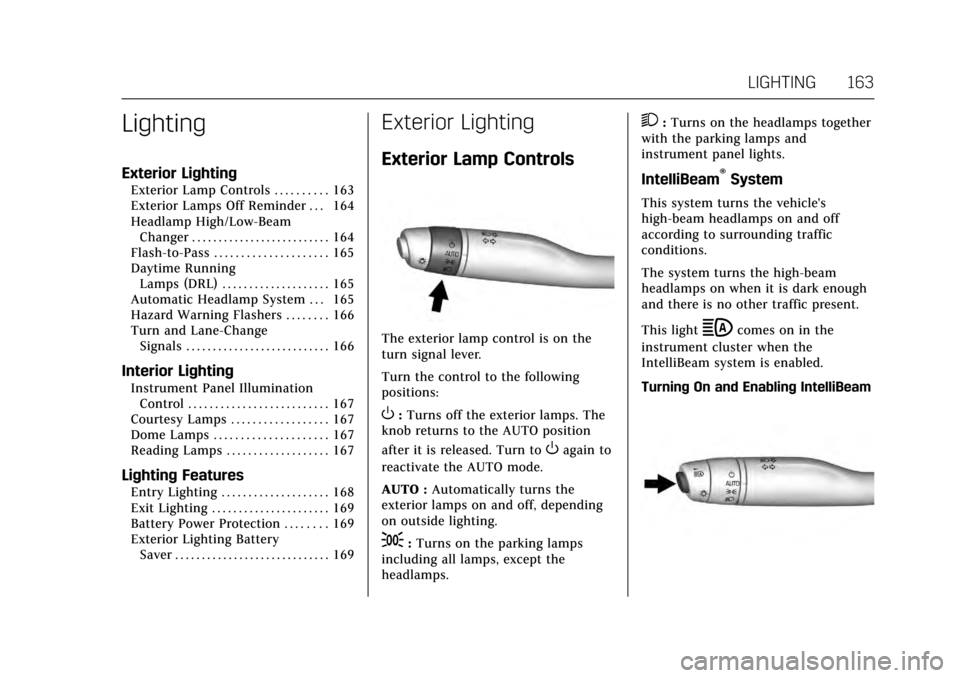
The exterior lamp control is on the
turn signal lever.
Turn the control to the following
positions:
O:Turns off the exterior lamps. The
knob returns to the AUTO position
after it is released. Turn to
Oagain to
reactivate the AUTO mode.
AUTO : Automatically turns the
exterior lamps on and off, depending
on outside lighting.
;: Turns on the parking lamps
including all lamps, except the
headlamps.
2: Turns on the headlamps together
with the parking lamps and
instrument panel lights.
IntelliBeam®System
This system turns the vehicle's
high-beam headlamps on and off
according to surrounding traffic
conditions.
The system turns the high-beam
headlamps on when it is dark enough
and there is no other traffic present.
This light
bcomes on in the
instrument cluster when the
IntelliBeam system is enabled.
Turning On and Enabling IntelliBeam
Page 166 of 337

Cadillac CT6 Owner Manual (GMNA-Localizing-MidEast-10293390) - 2017 -
CRC - 6/21/16
LIGHTING 165
This indicator light turns on in the
instrument cluster when the
high-beam headlamps are on.
Flash-to-Pass
To flash the high beams, pull the turn
signal lever toward you, and release.
Daytime Running
Lamps (DRL)
DRL can make it easier for others to
see the front of your vehicle during
the day.
If equipped with Light-Emitting Diode
(LED) headlamps, the dedicated DRL
will come on when all of the following
conditions are met:
.The ignition is on.
. The exterior lamp control is
in AUTO. .
The light sensor determines it is
daytime.
When the DRL are on, the taillamps
and other lamps will not be on.
The DRL turn off when the headlamps
are turned to
Oor the ignition is off.
Automatic Headlamp
System
When the exterior lamp control is set
to AUTO and it is dark enough
outside, the headlamps come on
automatically.
There is a light sensor on top of the
instrument panel. Do not cover the
sensor.
The system may also turn on the
headlamps when driving through a
parking garage or tunnel.
If the vehicle is started in a dark
garage, the automatic headlamp
system comes on immediately. If it is
light outside when the vehicle leaves
the garage, there is a slight delay
before the automatic headlamp
system changes to the DRL. During
that delay, the instrument cluster may
not be as bright as usual. Make sure
the instrument panel brightness
control is in the full bright position.
See Instrument Panel Illumination
Control 0167.
When it is bright enough outside, the
headlamps will turn off or may change
to Daytime Running Lamps (DRL).
The automatic headlamp system turns
off when the exterior lamp control is
turned to
Oor the ignition is off.
Page 167 of 337

Cadillac CT6 Owner Manual (GMNA-Localizing-MidEast-10293390) - 2017 -
CRC - 6/21/16
166 LIGHTING
Lights On with Wipers
If the windshield wipers are activated
in daylight with the engine on, and
the exterior lamp control is in AUTO,
the headlamps, parking lamps, and
other exterior lamps come on. The
transition time for the lamps coming
on varies based on wiper speed. When
the wipers are not operating, these
lamps turn off. Move the exterior
lamp control to
Oor;to disable
this feature.
Hazard Warning Flashers
|: Touch this button to make the
front and rear turn signal lamps flash
on and off. Touch again to turn the
flashers off. The hazard warning flashers turn on
automatically if the airbags deploy.
Turn and Lane-Change
Signals
Move the lever all the way up or down
to signal a turn.
An arrow on the instrument cluster
flashes in the direction of the turn or
lane change.
Raise or lower the lever until the
arrow starts to flash to signal a lane
change. Hold it there until the lane
change is completed. If the lever is
briefly pressed and released, the turn
signal flashes three times.
The turn and lane-change signal can
be turned off manually by moving the
lever back to its original position.
If after signaling a turn or lane
change, the arrow flashes rapidly or
does not come on, a signal bulb may
be burned out.
Replace any burned out bulbs. If a
bulb is not burned out, check the fuse.
See
Fuses and Circuit Breakers 0269.
Page 169 of 337

Cadillac CT6 Owner Manual (GMNA-Localizing-MidEast-10293390) - 2017 -
CRC - 6/21/16
168 LIGHTING
Press the lamp lenses over the rear
passenger doors.
Lighting Features
Entry Lighting
Some exterior lamps and most of the
interior lights turn on briefly at night,
or in areas of limited lighting when
K
is pressed on the Remote Keyless
Entry (RKE) transmitter. SeeRemote
Keyless Entry (RKE) System Operation
0 29. When the driver door is opened,
all control lights, Driver Information
Center (DIC) lights, and door pocket
lights turn on. After about 30 seconds
the exterior lamps turn off, then the
remaining interior lights dim to off.
Entry lighting can be disabled
manually by changing the ignition out
of the OFF position, or by pressing
Q
on the RKE transmitter.
This feature can be changed. See
“Vehicle Locator Lights” underVehicle
Personalization 0152. Entry Lighting with Approach
Detection
If equipped with approach detection,
the entry lighting feature will
automatically turn on when the RKE
transmitter is detected within
approximately 2 m (6 ft) of the vehicle.
If the vehicle has remained parked for
an extended period of time with no
RKE transmitter use or Keyless Access
operation, approach detection will be
disabled. To reactivate, press any
button on the RKE transmitter or
open and close all vehicle doors to
re-enable the entry lighting feature on
approach.
Approach detection will not work if:
.
The vehicle battery is low.
. The ignition is in ACC/ACCESSORY
or ON/RUN.
. Entry lighting is set to OFF in
“Vehicle Locator Lights” . See
Vehicle Personalization 0152.
Page 170 of 337

Cadillac CT6 Owner Manual (GMNA-Localizing-MidEast-10293390) - 2017 -
CRC - 6/21/16
LIGHTING 169
Approach detection will not work with
a single RKE transmitter if:
.The RKE transmitter is left within
a 5 m (16 ft) range of the vehicle
for several minutes.
. The RKE transmitter is left inside
the vehicle and all the doors are
closed.
Exit Lighting
Some exterior lamps and interior
lights come on at night, or in areas
with limited lighting, when the driver
door is opened after the ignition is
turned off. The dome lamp comes on
after the ignition is changed to the
OFF position. The exterior lamps and
dome lamp remain on for a set
amount of time, then automatically
turn off.
The exterior lamps turn off
immediately by turning the exterior
lamp control off.
This feature can be changed. See
Vehicle Personalization 0152.
Battery Power Protection
The battery saver feature is designed
to protect the vehicle's battery.
If some interior lamps are left on and
the ignition is turned off, the battery
rundown protection system
automatically turns the lamp off after
some time.
Exterior Lighting Battery
Saver
The exterior lamps turn off about
10 minutes after the ignition is turned
off, if the parking lamps or headlamps
have been manually left on. This
protects against draining the battery.
To restart the 10-minute timer, turn
the exterior lamp control to the off
position and then back to the parking
lamp or headlamp position.
To keep the lamps on for more than
10 minutes, the ignition must be in
the ACC/ACCESSORY or ON/RUN
position.