Trunk CADILLAC CT6 2018 1.G User Guide
[x] Cancel search | Manufacturer: CADILLAC, Model Year: 2018, Model line: CT6, Model: CADILLAC CT6 2018 1.GPages: 445, PDF Size: 7.7 MB
Page 50 of 445
Cadillac CT6 Owner Manual (GMNA-Localizing-U.S./Canada-11292458) -
2018 - crc - 2/14/17
KEYS, DOORS, AND WINDOWS 49
Power TrunkCaution
You or others could be injured if
caught in the path of the power
trunk. Make sure there is no one in
the way of the power trunk as it is
opening and closing.
Caution
Do not mount any load-carrying
accessories, such as a bike rack or
luggage carriers, to the trunk of a
vehicle equipped with the power
trunk feature. This may damage the
power trunk system.
If equipped, to open the power trunk:
. Press and release
|on the
driver door. The driver door must
be unlocked, the ignition must be
on, or Retained Accessory Power
(RAP) must be active. .
Press
Xtwice quickly on the RKE
transmitter.
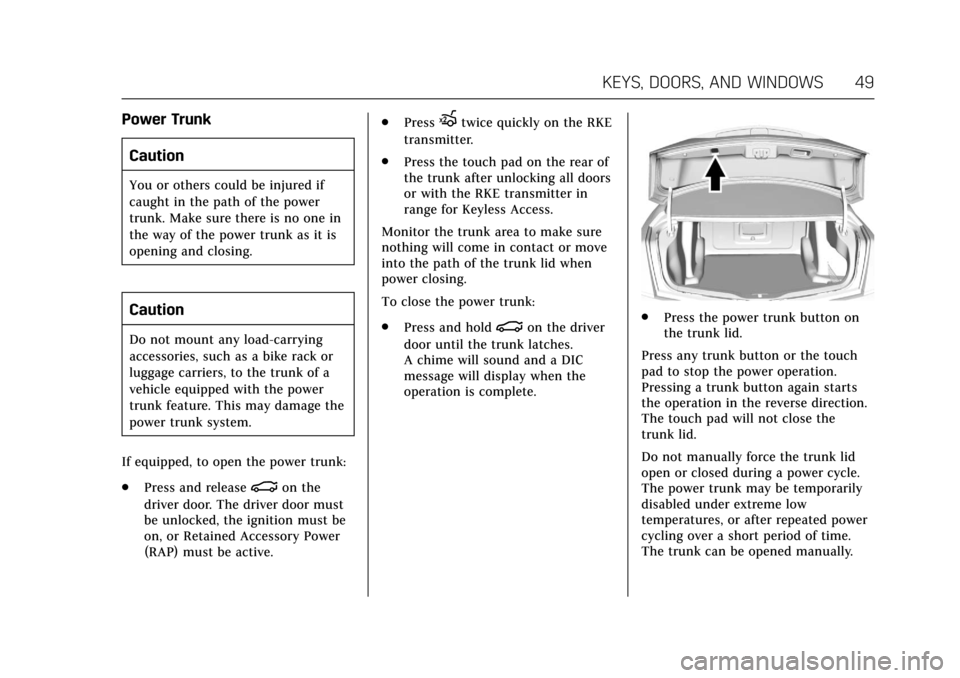
. Press the touch pad on the rear of
the trunk after unlocking all doors
or with the RKE transmitter in
range for Keyless Access.
Monitor the trunk area to make sure
nothing will come in contact or move
into the path of the trunk lid when
power closing.
To close the power trunk:
. Press and hold
|on the driver
door until the trunk latches.
A chime will sound and a DIC
message will display when the
operation is complete.. Press the power trunk button on
the trunk lid.
Press any trunk button or the touch
pad to stop the power operation.
Pressing a trunk button again starts
the operation in the reverse direction.
The touch pad will not close the
trunk lid.
Do not manually force the trunk lid
open or closed during a power cycle.
The power trunk may be temporarily
disabled under extreme low
temperatures, or after repeated power
cycling over a short period of time.
The trunk can be opened manually.
Page 51 of 445
Cadillac CT6 Owner Manual (GMNA-Localizing-U.S./Canada-11292458) -
2018 - crc - 2/14/17
50 KEYS, DOORS, AND WINDOWS
Obstacle Detection Features
If there is an obstruction during a
power open or close cycle, a closing
trunk will reverse direction and an
opening trunk will stop power
operation. If there are multiple
obstructions on the same power cycle,
the power function will deactivate.
After removing the obstructions,
manually close the trunk lid to allow
normal power operation functions to
resume.
If the vehicle is locked and an
obstacle prevents the trunk from
closing and latching, the horn will
sound as an alert that the trunk did
not close.
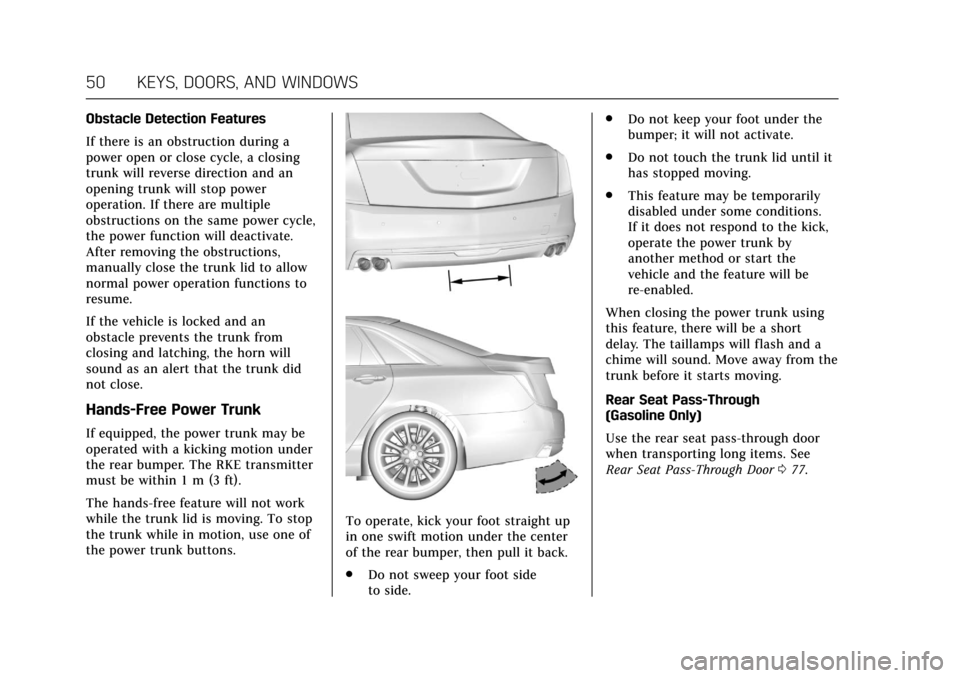
Hands-Free Power Trunk
If equipped, the power trunk may be
operated with a kicking motion under
the rear bumper. The RKE transmitter
must be within 1 m (3 ft).
The hands-free feature will not work
while the trunk lid is moving. To stop
the trunk while in motion, use one of
the power trunk buttons.
To operate, kick your foot straight up
in one swift motion under the center
of the rear bumper, then pull it back.
.Do not sweep your foot side
to side. .
Do not keep your foot under the
bumper; it will not activate.
. Do not touch the trunk lid until it
has stopped moving.
. This feature may be temporarily
disabled under some conditions.
If it does not respond to the kick,
operate the power trunk by
another method or start the
vehicle and the feature will be
re-enabled.
When closing the power trunk using
this feature, there will be a short
delay. The taillamps will flash and a
chime will sound. Move away from the
trunk before it starts moving.
Rear Seat Pass-Through
(Gasoline Only)
Use the rear seat pass-through door
when transporting long items. See
Rear Seat Pass-Through Door 077.
Page 52 of 445
Cadillac CT6 Owner Manual (GMNA-Localizing-U.S./Canada-11292458) -
2018 - crc - 2/14/17
KEYS, DOORS, AND WINDOWS 51
Emergency Trunk Release
Handle
Caution
Do not use the emergency trunk
release handle as a tie-down or
anchor point when securing items
in the trunk as it could damage the
handle.
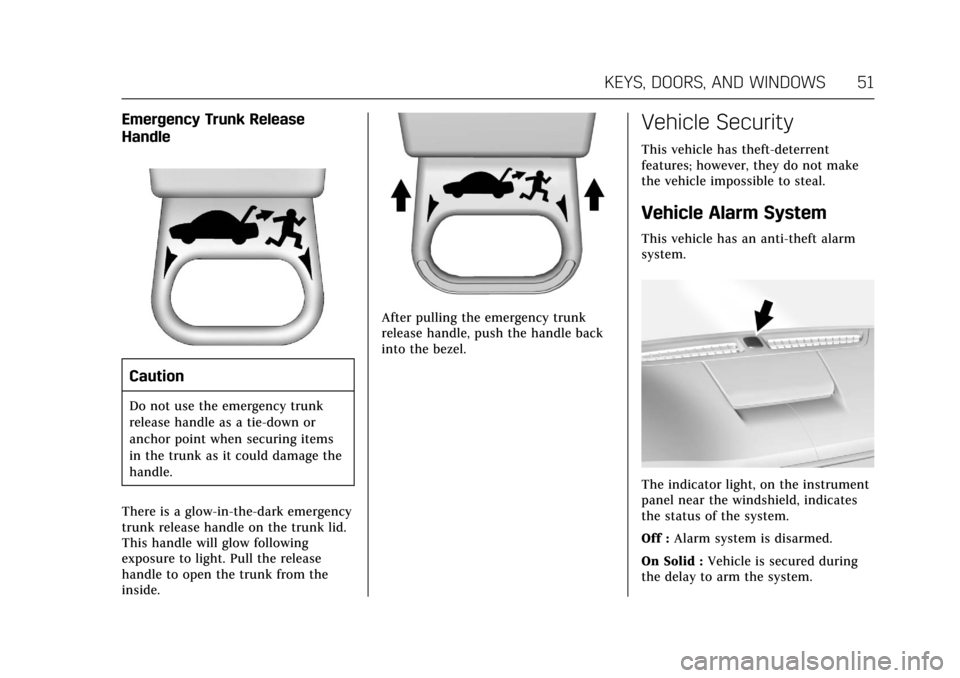
There is a glow-in-the-dark emergency
trunk release handle on the trunk lid.
This handle will glow following
exposure to light. Pull the release
handle to open the trunk from the
inside.
After pulling the emergency trunk
release handle, push the handle back
into the bezel.
Vehicle Security
This vehicle has theft-deterrent
features; however, they do not make
the vehicle impossible to steal.
Vehicle Alarm System
This vehicle has an anti-theft alarm
system.
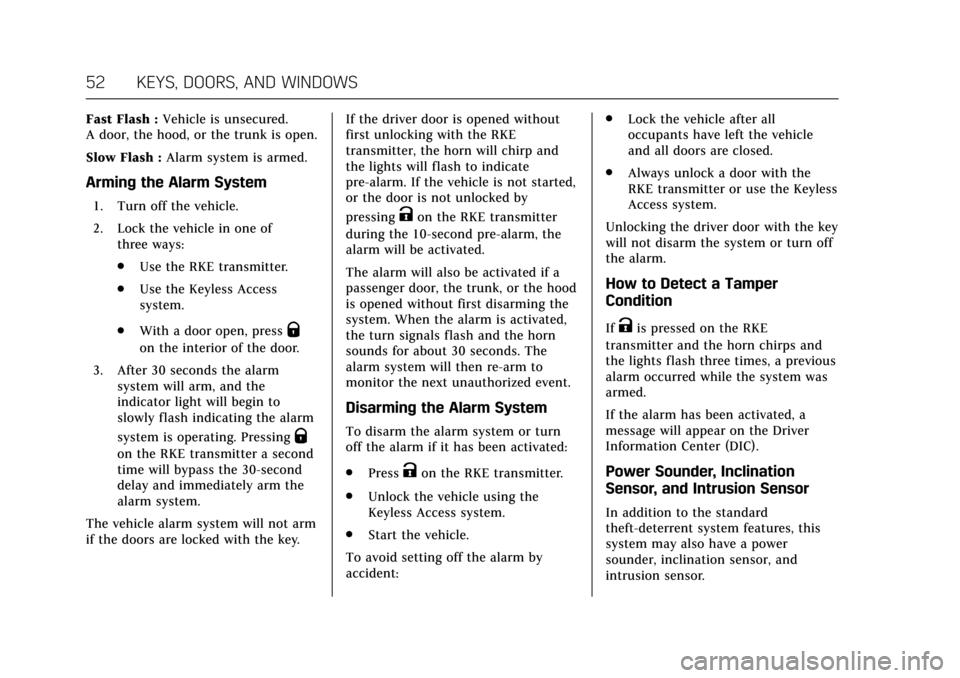
The indicator light, on the instrument
panel near the windshield, indicates
the status of the system.
Off : Alarm system is disarmed.
On Solid : Vehicle is secured during
the delay to arm the system.
Page 53 of 445
Cadillac CT6 Owner Manual (GMNA-Localizing-U.S./Canada-11292458) -
2018 - crc - 2/14/17
52 KEYS, DOORS, AND WINDOWS
Fast Flash :Vehicle is unsecured.
A door, the hood, or the trunk is open.
Slow Flash : Alarm system is armed.
Arming the Alarm System
1. Turn off the vehicle.
2. Lock the vehicle in one of
three ways:
.Use the RKE transmitter.
. Use the Keyless Access
system.
. With a door open, press
Q
on the interior of the door.
3. After 30 seconds the alarm system will arm, and the
indicator light will begin to
slowly flash indicating the alarm
system is operating. Pressing
Q
on the RKE transmitter a second
time will bypass the 30-second
delay and immediately arm the
alarm system.
The vehicle alarm system will not arm
if the doors are locked with the key. If the driver door is opened without
first unlocking with the RKE
transmitter, the horn will chirp and
the lights will flash to indicate
pre-alarm. If the vehicle is not started,
or the door is not unlocked by
pressing
Kon the RKE transmitter
during the 10-second pre-alarm, the
alarm will be activated.
The alarm will also be activated if a
passenger door, the trunk, or the hood
is opened without first disarming the
system. When the alarm is activated,
the turn signals flash and the horn
sounds for about 30 seconds. The
alarm system will then re-arm to
monitor the next unauthorized event.
Disarming the Alarm System
To disarm the alarm system or turn
off the alarm if it has been activated:
. Press
Kon the RKE transmitter.
. Unlock the vehicle using the
Keyless Access system.
. Start the vehicle.
To avoid setting off the alarm by
accident: .
Lock the vehicle after all
occupants have left the vehicle
and all doors are closed.
. Always unlock a door with the
RKE transmitter or use the Keyless
Access system.
Unlocking the driver door with the key
will not disarm the system or turn off
the alarm.
How to Detect a Tamper
Condition
IfKis pressed on the RKE
transmitter and the horn chirps and
the lights flash three times, a previous
alarm occurred while the system was
armed.
If the alarm has been activated, a
message will appear on the Driver
Information Center (DIC).
Power Sounder, Inclination
Sensor, and Intrusion Sensor
In addition to the standard
theft-deterrent system features, this
system may also have a power
sounder, inclination sensor, and
intrusion sensor.
Page 118 of 445
Cadillac CT6 Owner Manual (GMNA-Localizing-U.S./Canada-11292458) -
2018 - crc - 2/14/17
STORAGE 117
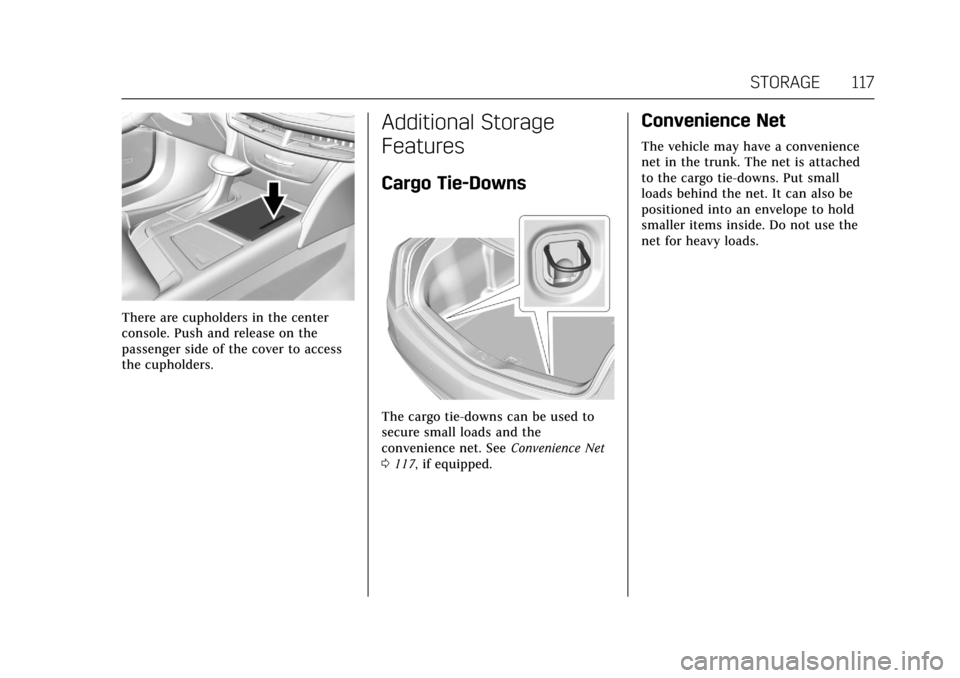
There are cupholders in the center
console. Push and release on the
passenger side of the cover to access
the cupholders.
Additional Storage
Features
Cargo Tie-Downs
The cargo tie-downs can be used to
secure small loads and the
convenience net. SeeConvenience Net
0 117, if equipped.
Convenience Net
The vehicle may have a convenience
net in the trunk. The net is attached
to the cargo tie-downs. Put small
loads behind the net. It can also be
positioned into an envelope to hold
smaller items inside. Do not use the
net for heavy loads.
Page 124 of 445
Cadillac CT6 Owner Manual (GMNA-Localizing-U.S./Canada-11292458) -
2018 - crc - 2/14/17
INSTRUMENTS AND CONTROLS 123
Auto Set
When on, the time and date will
automatically update.
To set auto set:1. Touch SETTINGS, then touch Time and Date.
2. Touch Set Time or Set Date.
3. Touch Auto Set, then select On-Cell Network or Off-Manual
to manually set the time
and date.
4. Touch
0to go back to the
previous menu.
If auto set is on, the time displayed on
the clock may not update immediately
when driving into a new time zone.
Clock Display
When on, the digital clock will appear
on the infotainment display.
To set the clock display:
1. Touch SETTINGS, then touch Time and Date.
2. Touch Clock Display, then select Off or On. 3. Touch
0to go back to the
previous menu.
Power Outlets
Power Outlet 12-Volt Direct
Current
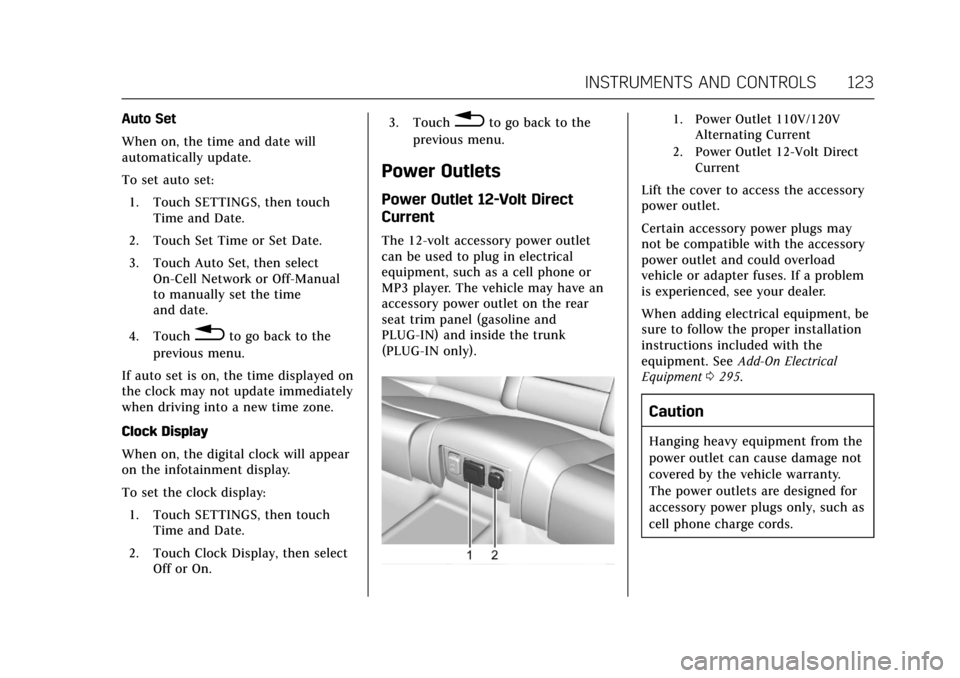
The 12-volt accessory power outlet
can be used to plug in electrical
equipment, such as a cell phone or
MP3 player. The vehicle may have an
accessory power outlet on the rear
seat trim panel (gasoline and
PLUG-IN) and inside the trunk
(PLUG-IN only).
1. Power Outlet 110V/120V Alternating Current
2. Power Outlet 12-Volt Direct Current
Lift the cover to access the accessory
power outlet.
Certain accessory power plugs may
not be compatible with the accessory
power outlet and could overload
vehicle or adapter fuses. If a problem
is experienced, see your dealer.
When adding electrical equipment, be
sure to follow the proper installation
instructions included with the
equipment. See Add-On Electrical
Equipment 0295.
Caution
Hanging heavy equipment from the
power outlet can cause damage not
covered by the vehicle warranty.
The power outlets are designed for
accessory power plugs only, such as
cell phone charge cords.
Page 273 of 445
Cadillac CT6 Owner Manual (GMNA-Localizing-U.S./Canada-11292458) -
2018 - crc - 2/14/17
272 DRIVING AND OPERATING
When on,Ais green if LKA is
available to assist and provide LDW
alerts. It may assist by gently turning
the steering wheel and display
A
as amber if the vehicle approaches a
detected lane marking without using a
turn signal in that direction. It may also provide an LDW alert by
flashing
Aamber as the lane
marking is crossed. Additionally, there
may be three beeps, or the driver seat
may pulse three times, on the right or
left, depending on the lane departure
direction.
Take Steering
The LKA system does not
continuously steer the vehicle. If LKA
does not detect active driver steering,
an alert, chime, or DIC message may
be provided. Move the steering wheel
to dismiss.
When the System Does Not
Seem to Work Properly
The system performance may be
affected by:
. Close vehicles ahead. .
Sudden lighting changes, such as
when driving through tunnels.
. Banked roads.
. Roads with poor lane markings,
such as two-lane roads.
If the LKA system is not functioning
properly when lane markings are
clearly visible, cleaning the windshield
may help.
A system unavailable message may
display if the camera is blocked. The
LKA system does not need service.
LKA assistance and/or LDW alerts
may occur due to tar marks, shadows,
cracks in the road, temporary or
construction lane markings, or other
road imperfections. This is normal
system operation; the vehicle does not
need service. Turn LKA off if these
conditions continue.
Surround Vision Recorder
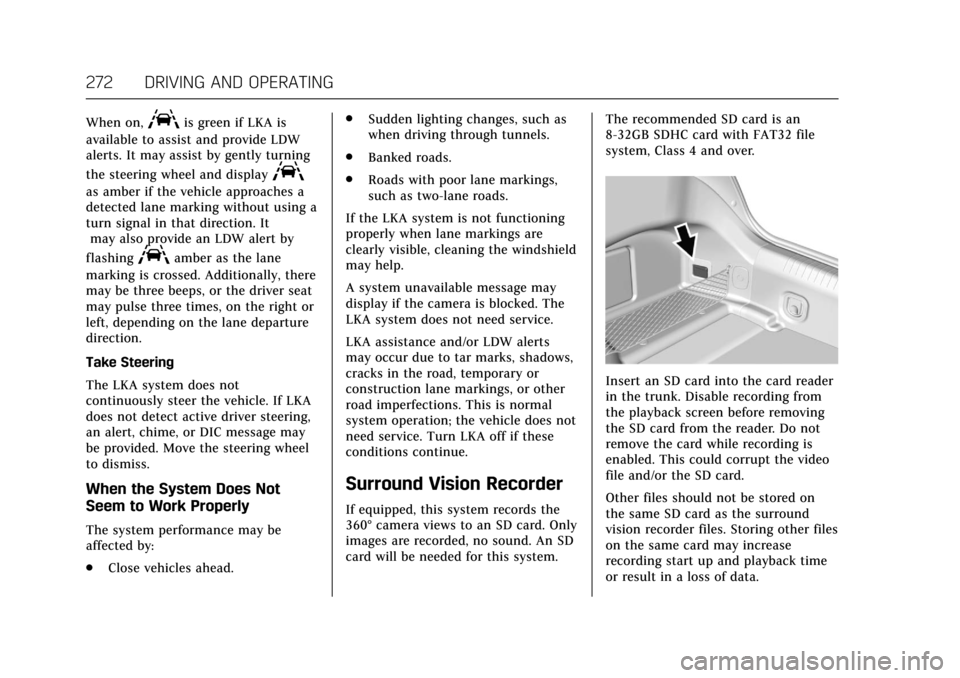
If equipped, this system records the
360° camera views to an SD card. Only
images are recorded, no sound. An SD
card will be needed for this system. The recommended SD card is an
8-32GB SDHC card with FAT32 file
system, Class 4 and over.
Insert an SD card into the card reader
in the trunk. Disable recording from
the playback screen before removing
the SD card from the reader. Do not
remove the card while recording is
enabled. This could corrupt the video
file and/or the SD card.
Other files should not be stored on
the same SD card as the surround
vision recorder files. Storing other files
on the same card may increase
recording start up and playback time
or result in a loss of data.
Page 275 of 445
Cadillac CT6 Owner Manual (GMNA-Localizing-U.S./Canada-11292458) -
2018 - crc - 2/14/17
274 DRIVING AND OPERATING
Charging
Plug-In Charging
(PLUG-IN Only)
This section explains the charging of
the vehicle's high voltage battery. Do
not allow the vehicle to remain in
extreme temperatures for long periods
without being driven or plugged in.
Plug the vehicle in when temperatures
are below 0 °C (32 °F) and above 32 °C
(90 °F) to maximize the life of the high
voltage battery.
When using the portable charge cord
included with the vehicle, it will take
approximately 12.5 hours to charge
the vehicle with the 12 amp AC
current setting or 20 hours using the
default 8 amp AC current setting.
When using a charging station
capable of 16 amps or more, it will
take approximately 4.5 hours to
charge the vehicle. Charge times will
vary with outside temperature. There
are three ways to program how the
vehicle is charged. SeeProgrammable
Charging (PLUG-IN Only) 0152. The charging system may run fans
and pumps that result in sounds from
the vehicle while it is turned off.
Additional unexpected clicking sounds
may be caused by the electrical
devices used while charging.
While the charge cord is plugged into
the vehicle, the vehicle cannot be
driven.
Charging
Start Charge
1. Make sure the vehicle is parked and turned off.
2. Push the rearward edge of the charge port door in and release
to open the door.
In cold weather conditions, ice
may form around the charge port
door. Remove ice from the area
before attempting to open or
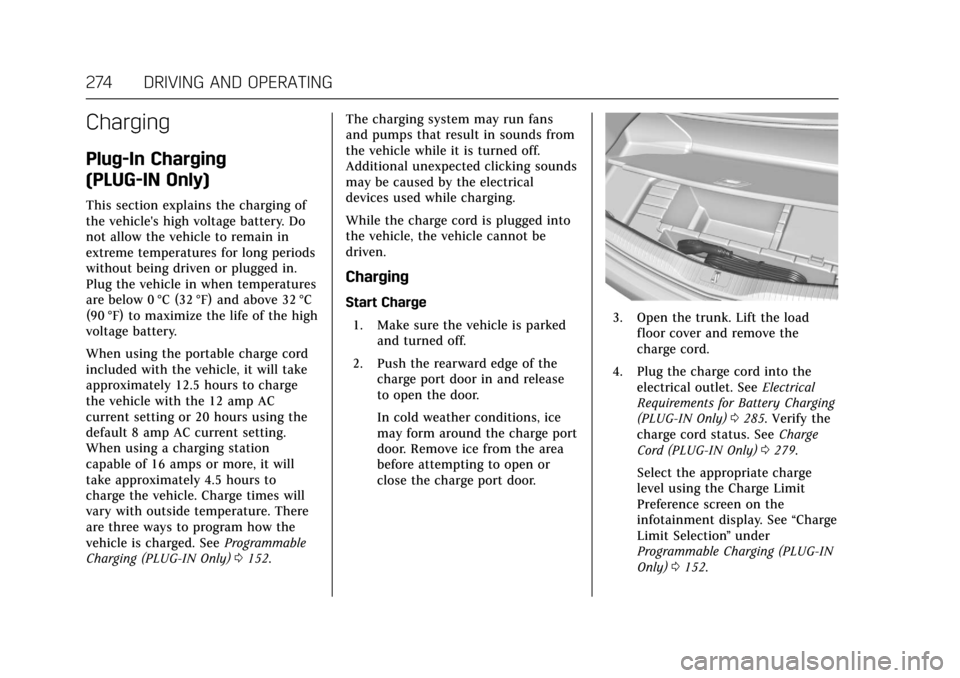
close the charge port door.3. Open the trunk. Lift the loadfloor cover and remove the
charge cord.
4. Plug the charge cord into the electrical outlet. See Electrical
Requirements for Battery Charging
(PLUG-IN Only) 0285. Verify the
charge cord status. See Charge
Cord (PLUG-IN Only) 0279.
Select the appropriate charge
level using the Charge Limit
Preference screen on the
infotainment display. See “Charge
Limit Selection ”under
Programmable Charging (PLUG-IN
Only) 0152.
Page 291 of 445

Cadillac CT6 Owner Manual (GMNA-Localizing-U.S./Canada-11292458) -
2018 - crc - 2/14/17
290 DRIVING AND OPERATING
3. Remove and clean the funneladapter and return it to the
storage location.
Filling a Portable Fuel
Container
{Warning
Filling a portable fuel container
while it is in the vehicle can cause
fuel vapors that can ignite either by
static electricity or other means.
You or others could be badly
burned and the vehicle could be
damaged. Always:
. Use approved fuel containers.
. Remove the container from
the vehicle, trunk, or pickup
bed before filling.
. Place the container on the
ground.
. Place the nozzle inside the fill
opening of the container
before dispensing fuel, and
(Continued)
Warning (Continued)
keep it in contact with the fill
opening until filling is
complete.
. Fill the container no more
than 95% full to allow for
expansion.
. Do not smoke, light matches,
or use lighters while
pumping fuel.
. Avoid using cell phones or
other electronic devices.
Trailer Towing
General Towing
Information
Only use towing equipment that has
been designed for the vehicle. Contact
your dealer or trailering dealer for
assistance with preparing the vehicle
for towing a trailer. Read the entire
section before towing a trailer.
For towing a disabled vehicle, see
Towing the Vehicle 0376. For towing
the vehicle behind another vehicle
such as a motor home, see
Recreational Vehicle Towing 0378.
Driving Characteristics and
Towing Tips
Driving with a Trailer
When towing a trailer:
.
Become familiar with the local
laws that apply to trailer towing.
. Do not tow a trailer during the
first 2 414 km (1,500 mi) to
prevent damage to the engine,
axle, or other parts.
Page 292 of 445
Cadillac CT6 Owner Manual (GMNA-Localizing-U.S./Canada-11292458) -
2018 - crc - 2/14/17
DRIVING AND OPERATING 291
.Then during the first 800 km
(500 mi) of trailer towing, do not
drive over 80 km/h (50 mph) and
do not make starts at full throttle.
. Vehicles can tow in D (Drive). Shift
the transmission to a lower gear if
the transmission shifts too often
under heavy loads and/or hilly
conditions.
. Do not use Adaptive Cruise
Control when towing.
. The Forward Automatic Braking
system should be set to Off when
towing. See Forward Automatic
Braking (FAB) 0262.
. The Front Pedestrian Braking
system should be set to Alert or
Off when towing. See Front
Pedestrian Braking (FPB) System
0 264.
. Turn off Parking Assist when
towing.{Warning
When towing a trailer, exhaust
gases may collect at the rear of the
vehicle and enter if the liftgate,
trunk/hatch, or rear-most window
is open.
When towing a trailer:
. Do not drive with the liftgate,
trunk/hatch, or rear-most
window open.
. Fully open the air outlets on
or under the instrument
panel.
. Also adjust the climate
control system to a setting
that brings in only outside air.
See “Climate Control Systems ”
in the Index.
For more information about carbon
monoxide, see Engine Exhaust
0 230.
Towing a trailer requires a certain
amount of experience. The
combination you are driving is longer
and not as responsive as the vehicle itself. Get acquainted with the
handling and braking of the rig before
setting out for the open road.
Before starting, check all trailer hitch
parts and attachments, safety chains,
electrical connectors, lamps, tires, and
mirrors. If the trailer has electric
brakes, start the combination moving
and then apply the trailer brake
controller by hand to be sure the
brakes work.
During the trip, check occasionally to
be sure that the load is secure and the
lamps and any trailer brakes
still work.
Following Distance
Stay at least twice as far behind the
vehicle ahead as you would when
driving the vehicle without a trailer.
This can help to avoid heavy braking
and sudden turns.
Passing
More passing distance is needed when
towing a trailer. The combination will
not accelerate as quickly and is longer
so it is necessary to go much farther
beyond the passed vehicle before
returning to the lane.