Head CADILLAC CT6 2018 1.G Service Manual
[x] Cancel search | Manufacturer: CADILLAC, Model Year: 2018, Model line: CT6, Model: CADILLAC CT6 2018 1.GPages: 445, PDF Size: 7.7 MB
Page 180 of 445
Cadillac CT6 Owner Manual (GMNA-Localizing-U.S./Canada-11292458) -
2018 - crc - 2/14/17
INSTRUMENTS AND CONTROLS 179
Select Restore or Cancel.
Clear All Private Data
This allows selection to clear all
private information from the vehicle.
Select Delete or Cancel.
Restore Radio Settings
This allows selection to restore radio
settings.
Select Restore or Cancel.
Software Information
Touch to view the version of the
infotainment system software.
Wi-Fi
Select and the following may display:
.Wi-Fi
. Manage Wi-Fi Networks
Wi-Fi
This feature allows Wi-Fi networks to
be turned off or on.
Select Off or On.
Manage Wi-Fi Networks
Select to manage Wi-Fi networks.
Wi-Fi must be on for this feature to be
accessed.
Universal Remote
System
See Radio Frequency Statement 0417.
Universal Remote System
Programming
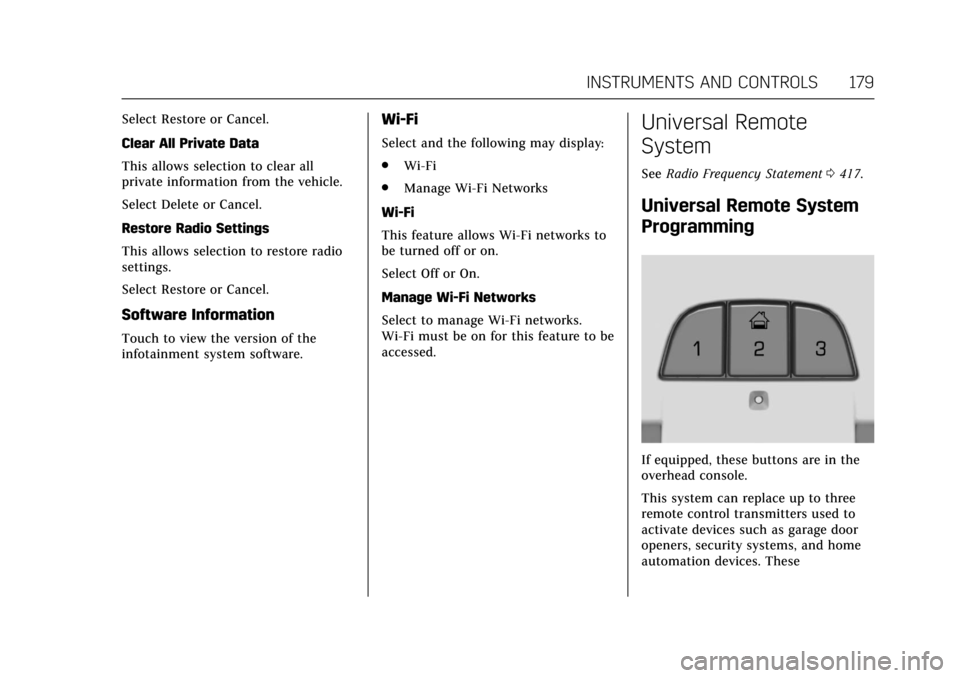
If equipped, these buttons are in the
overhead console.
This system can replace up to three
remote control transmitters used to
activate devices such as garage door
openers, security systems, and home
automation devices. These
Page 184 of 445
Cadillac CT6 Owner Manual (GMNA-Localizing-U.S./Canada-11292458) -
2018 - crc - 2/14/17
LIGHTING 183
Lighting
Exterior Lighting
Exterior Lamp Controls . . . . . . . . . . 183
Exterior Lamps Off Reminder . . . 185
Headlamp High/Low-BeamChanger . . . . . . . . . . . . . . . . . . . . . . . . . . 185
Flash-to-Pass . . . . . . . . . . . . . . . . . . . . . 185
Daytime Running Lamps (DRL) . . . . . . . . . . . . . . . . . . . . 185
Automatic Headlamp System . . . 185
Hazard Warning Flashers . . . . . . . . 186
Turn and Lane-Change Signals . . . . . . . . . . . . . . . . . . . . . . . . . . . 186
Interior Lighting
Instrument Panel IlluminationControl . . . . . . . . . . . . . . . . . . . . . . . . . . 187
Courtesy Lamps . . . . . . . . . . . . . . . . . . 187
Dome Lamps . . . . . . . . . . . . . . . . . . . . . 187
Reading Lamps . . . . . . . . . . . . . . . . . . . 188
Lighting Features
Entry Lighting . . . . . . . . . . . . . . . . . . . . 188
Exit Lighting . . . . . . . . . . . . . . . . . . . . . . 189
Battery Power Protection . . . . . . . . 189
Exterior Lighting Battery Saver . . . . . . . . . . . . . . . . . . . . . . . . . . . . . 189
Exterior Lighting
Exterior Lamp Controls
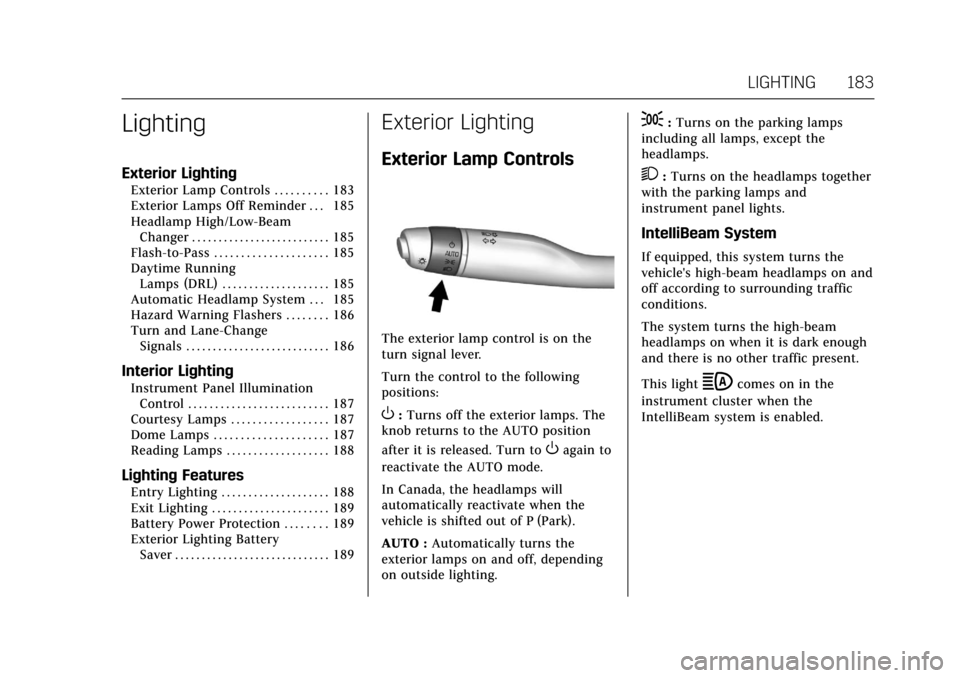
The exterior lamp control is on the
turn signal lever.
Turn the control to the following
positions:
O:Turns off the exterior lamps. The
knob returns to the AUTO position
after it is released. Turn to
Oagain to
reactivate the AUTO mode.
In Canada, the headlamps will
automatically reactivate when the
vehicle is shifted out of P (Park).
AUTO : Automatically turns the
exterior lamps on and off, depending
on outside lighting.
;: Turns on the parking lamps
including all lamps, except the
headlamps.
2: Turns on the headlamps together
with the parking lamps and
instrument panel lights.
IntelliBeam System
If equipped, this system turns the
vehicle's high-beam headlamps on and
off according to surrounding traffic
conditions.
The system turns the high-beam
headlamps on when it is dark enough
and there is no other traffic present.
This light
bcomes on in the
instrument cluster when the
IntelliBeam system is enabled.
Page 185 of 445
Cadillac CT6 Owner Manual (GMNA-Localizing-U.S./Canada-11292458) -
2018 - crc - 2/14/17
184 LIGHTING
Turning On and Enabling IntelliBeam
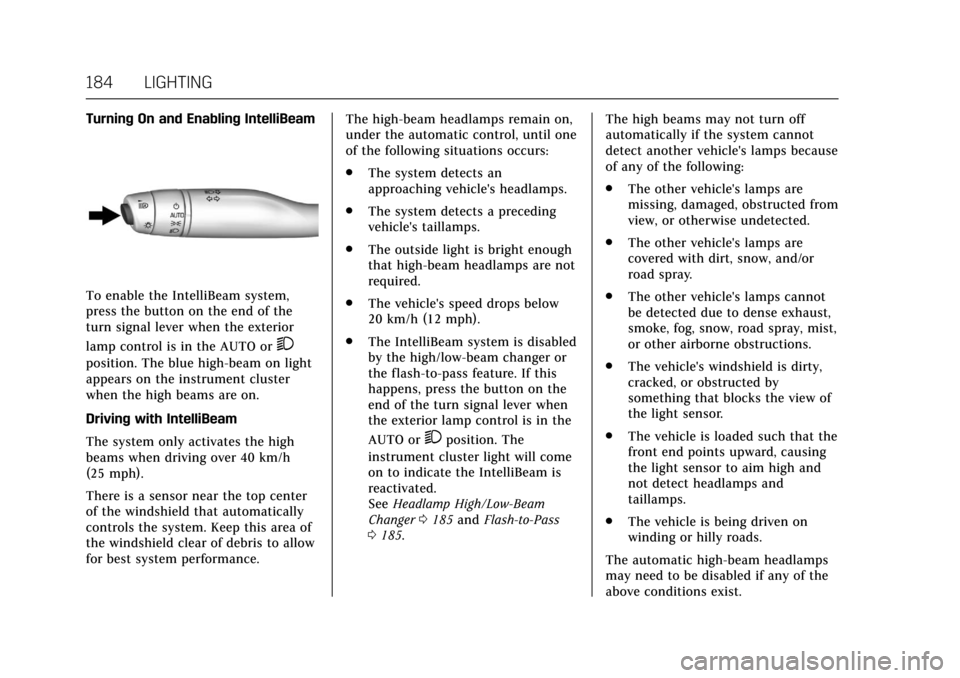
To enable the IntelliBeam system,
press the button on the end of the
turn signal lever when the exterior
lamp control is in the AUTO or
2
position. The blue high-beam on light
appears on the instrument cluster
when the high beams are on.
Driving with IntelliBeam
The system only activates the high
beams when driving over 40 km/h
(25 mph).
There is a sensor near the top center
of the windshield that automatically
controls the system. Keep this area of
the windshield clear of debris to allow
for best system performance.The high-beam headlamps remain on,
under the automatic control, until one
of the following situations occurs:
.
The system detects an
approaching vehicle's headlamps.
. The system detects a preceding
vehicle's taillamps.
. The outside light is bright enough
that high-beam headlamps are not
required.
. The vehicle's speed drops below
20 km/h (12 mph).
. The IntelliBeam system is disabled
by the high/low-beam changer or
the flash-to-pass feature. If this
happens, press the button on the
end of the turn signal lever when
the exterior lamp control is in the
AUTO or
2position. The
instrument cluster light will come
on to indicate the IntelliBeam is
reactivated.
See Headlamp High/Low-Beam
Changer 0185 and Flash-to-Pass
0 185. The high beams may not turn off
automatically if the system cannot
detect another vehicle's lamps because
of any of the following:
.
The other vehicle's lamps are
missing, damaged, obstructed from
view, or otherwise undetected.
. The other vehicle's lamps are
covered with dirt, snow, and/or
road spray.
. The other vehicle's lamps cannot
be detected due to dense exhaust,
smoke, fog, snow, road spray, mist,
or other airborne obstructions.
. The vehicle's windshield is dirty,
cracked, or obstructed by
something that blocks the view of
the light sensor.
. The vehicle is loaded such that the
front end points upward, causing
the light sensor to aim high and
not detect headlamps and
taillamps.
. The vehicle is being driven on
winding or hilly roads.
The automatic high-beam headlamps
may need to be disabled if any of the
above conditions exist.
Page 186 of 445
Cadillac CT6 Owner Manual (GMNA-Localizing-U.S./Canada-11292458) -
2018 - crc - 2/14/17
LIGHTING 185
Exterior Lamps Off
Reminder
A warning chime sounds if the driver
door is opened while the ignition is off
and the exterior lamps are on.
Headlamp High/Low-Beam
Changer
3
:Push the turn signal lever away
from you and release, to turn the high
beams on. To return to low beams,
push the lever again or pull it toward
you and release.
This indicator light turns on in the
instrument cluster when the
high-beam headlamps are on.
Flash-to-Pass
To flash the high beams, pull the turn
signal lever toward you, and release.
Daytime Running
Lamps (DRL)
DRL can make it easier for others to
see the front of your vehicle during
the day. Fully functional DRL are
required on all vehicles first sold in
Canada.
If equipped with Light-Emitting Diode
(LED) headlamps, the dedicated DRL
will come on when all of the following
conditions are met:
. The ignition is on.
. The exterior lamp control is
in AUTO.
. The light sensor determines it is
daytime.
. The parking brake is released or
the vehicle is not in P (Park).
When the DRL are on, the taillamps,
sidemarker lamps, and other lamps
will not be on.
The DRL turn off when the headlamps
are turned to
Oor the ignition is off.
For vehicles first sold in Canada, the
DRL can only be turned off when the
vehicle is parked.
Automatic Headlamp
System
When the exterior lamp control is set
to AUTO and it is dark enough
outside, the headlamps come on
automatically.
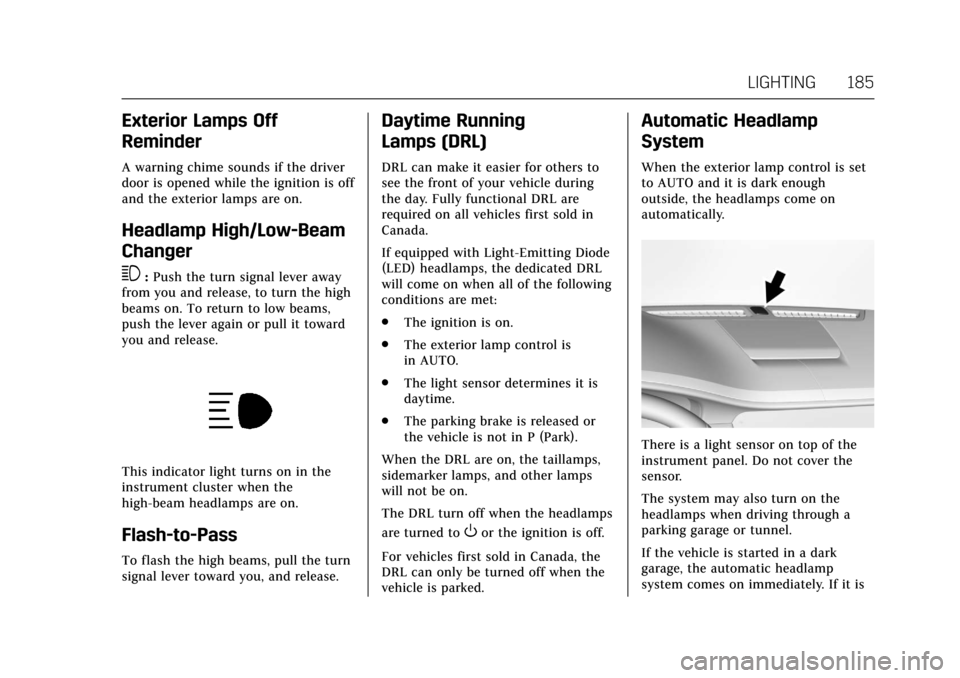
There is a light sensor on top of the
instrument panel. Do not cover the
sensor.
The system may also turn on the
headlamps when driving through a
parking garage or tunnel.
If the vehicle is started in a dark
garage, the automatic headlamp
system comes on immediately. If it is
Page 187 of 445
Cadillac CT6 Owner Manual (GMNA-Localizing-U.S./Canada-11292458) -
2018 - crc - 2/14/17
186 LIGHTING
light outside when the vehicle leaves
the garage, there is a slight delay
before the automatic headlamp
system changes to the DRL. During
that delay, the instrument cluster may
not be as bright as usual. Make sure
the instrument panel brightness
control is in the full bright position.
SeeInstrument Panel Illumination
Control 0187.
When it is bright enough outside, the
headlamps will turn off or may change
to Daytime Running Lamps (DRL).
The automatic headlamp system turns
off when the exterior lamp control is
turned to
Oor the ignition is off.
For vehicles sold in Canada, this
control only works when the
transmission is in P (Park).
Lights On with Wipers
If the windshield wipers are activated
in daylight with the engine on, and
the exterior lamp control is in AUTO,
the headlamps, parking lamps, and
other exterior lamps come on. The
transition time for the lamps coming
on varies based on wiper speed. When
the wipers are not operating, these lamps turn off. Move the exterior
lamp control to
Oor;to disable
this feature.
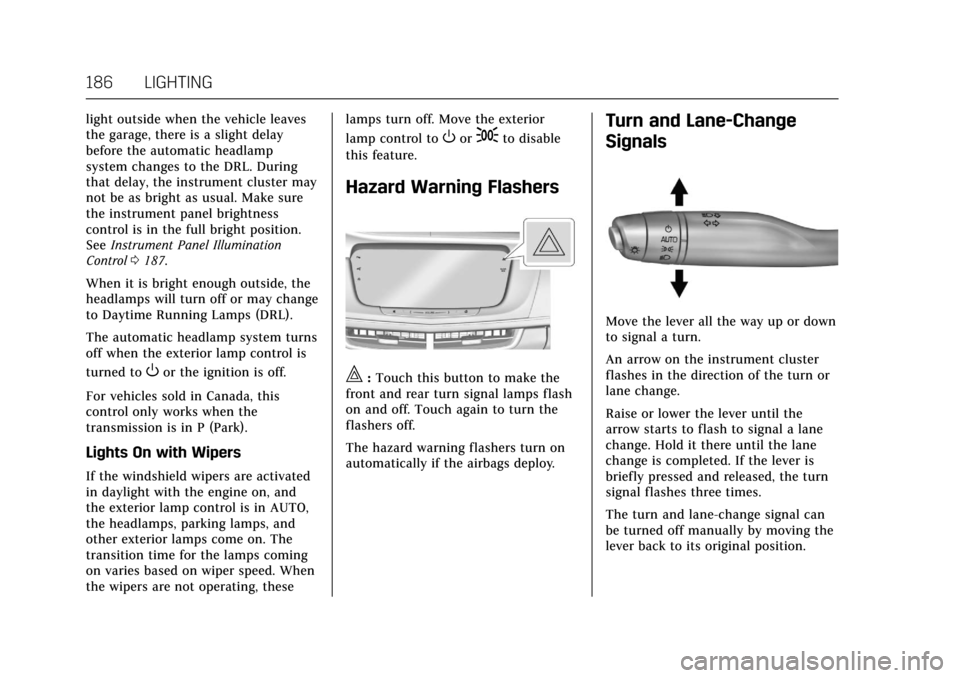
Hazard Warning Flashers
|: Touch this button to make the
front and rear turn signal lamps flash
on and off. Touch again to turn the
flashers off.
The hazard warning flashers turn on
automatically if the airbags deploy.
Turn and Lane-Change
Signals
Move the lever all the way up or down
to signal a turn.
An arrow on the instrument cluster
flashes in the direction of the turn or
lane change.
Raise or lower the lever until the
arrow starts to flash to signal a lane
change. Hold it there until the lane
change is completed. If the lever is
briefly pressed and released, the turn
signal flashes three times.
The turn and lane-change signal can
be turned off manually by moving the
lever back to its original position.
Page 188 of 445
Cadillac CT6 Owner Manual (GMNA-Localizing-U.S./Canada-11292458) -
2018 - crc - 2/14/17
LIGHTING 187
If after signaling a turn or lane
change, the arrow flashes rapidly or
does not come on, a signal bulb may
be burned out.
Replace any burned out bulbs. If a
bulb is not burned out, check the fuse.
SeeFuses and Circuit Breakers 0331.Interior Lighting
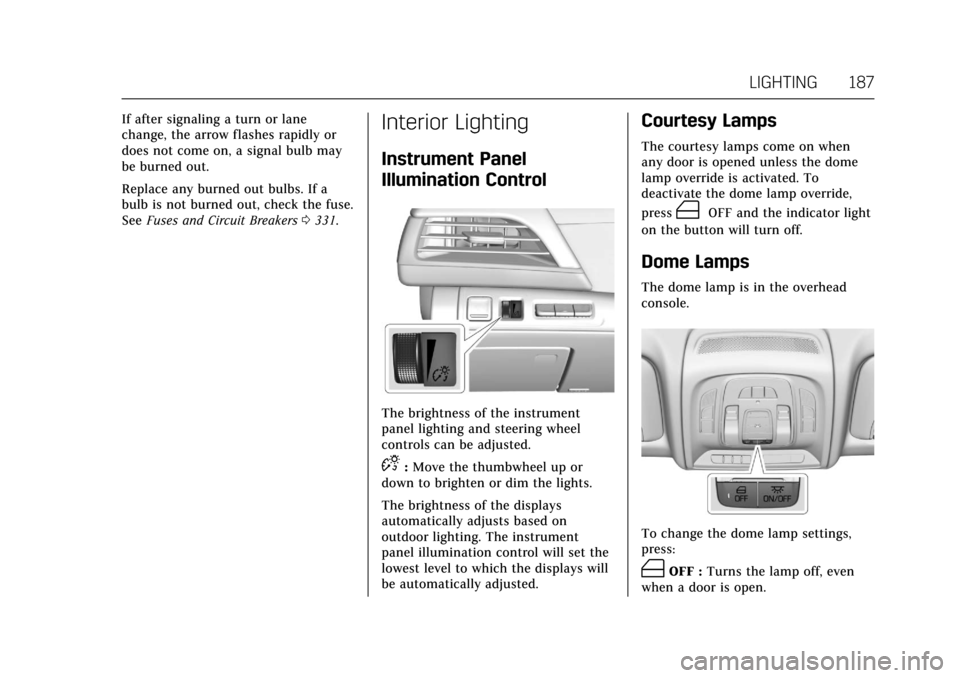
Instrument Panel
Illumination Control
The brightness of the instrument
panel lighting and steering wheel
controls can be adjusted.
D:Move the thumbwheel up or
down to brighten or dim the lights.
The brightness of the displays
automatically adjusts based on
outdoor lighting. The instrument
panel illumination control will set the
lowest level to which the displays will
be automatically adjusted.
Courtesy Lamps
The courtesy lamps come on when
any door is opened unless the dome
lamp override is activated. To
deactivate the dome lamp override,
press
(OFF and the indicator light
on the button will turn off.
Dome Lamps
The dome lamp is in the overhead
console.
To change the dome lamp settings,
press:
(OFF : Turns the lamp off, even
when a door is open.
Page 189 of 445
Cadillac CT6 Owner Manual (GMNA-Localizing-U.S./Canada-11292458) -
2018 - crc - 2/14/17
188 LIGHTING
+ON/OFF :Turns the lamp on
or off.
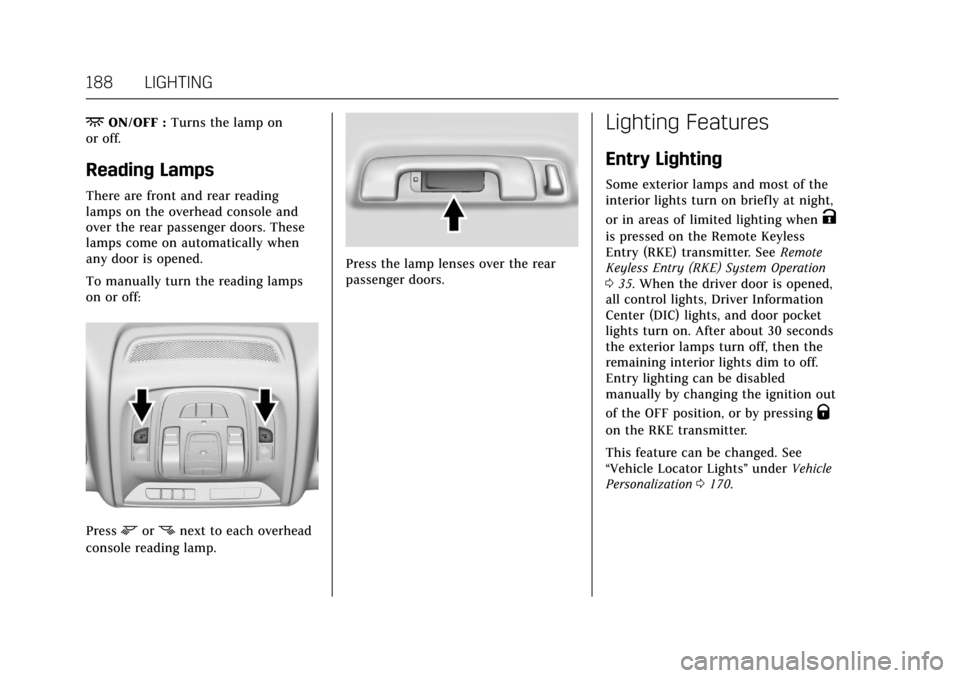
Reading Lamps
There are front and rear reading
lamps on the overhead console and
over the rear passenger doors. These
lamps come on automatically when
any door is opened.
To manually turn the reading lamps
on or off:
Pressmornnext to each overhead
console reading lamp.
Press the lamp lenses over the rear
passenger doors.
Lighting Features
Entry Lighting
Some exterior lamps and most of the
interior lights turn on briefly at night,
or in areas of limited lighting when
K
is pressed on the Remote Keyless
Entry (RKE) transmitter. See Remote
Keyless Entry (RKE) System Operation
0 35. When the driver door is opened,
all control lights, Driver Information
Center (DIC) lights, and door pocket
lights turn on. After about 30 seconds
the exterior lamps turn off, then the
remaining interior lights dim to off.
Entry lighting can be disabled
manually by changing the ignition out
of the OFF position, or by pressing
Q
on the RKE transmitter.
This feature can be changed. See
“Vehicle Locator Lights” underVehicle
Personalization 0170.
Page 190 of 445

Cadillac CT6 Owner Manual (GMNA-Localizing-U.S./Canada-11292458) -
2018 - crc - 2/14/17
LIGHTING 189
Entry Lighting with Approach
Detection
If equipped with approach detection,
the entry lighting feature will
automatically turn on when the RKE
transmitter is detected within
approximately 2 m (6 ft) of the vehicle.
If the vehicle has remained parked for
an extended period of time with no
RKE transmitter use or Keyless Access
operation, approach detection will be
disabled. To reactivate, press any
button on the RKE transmitter or
open and close all vehicle doors to
re-enable the entry lighting feature on
approach.
Approach detection will not work if:
.The vehicle battery is low.
. The ignition is on or in ACC/
ACCESSORY.
. Entry lighting is set to Off. See
“Vehicle Locator Lights” under
Vehicle Personalization 0170. Approach detection will not work with
a single RKE transmitter if:
.
The RKE transmitter is left within
a 5 m (16 ft) range of the vehicle
for several minutes
. The RKE transmitter is left inside
the vehicle and all the doors are
closed
To help maximize transmitter battery
life, do not store the transmitter
within 5 m (16 ft) of the vehicle.
Exit Lighting
Some exterior lamps and interior
lights come on at night, or in areas
with limited lighting, when the driver
door is opened after the ignition is
turned off. The dome lamp comes on
after the ignition is changed to the
OFF position. The exterior lamps and
dome lamp remain on for a set
amount of time, then automatically
turn off.
The exterior lamps turn off
immediately by turning the exterior
lamp control off.
This feature can be changed. See
Vehicle Personalization 0170.
Battery Power Protection
The battery saver feature is designed
to protect the vehicle's battery.
If some interior lamps are left on and
the ignition is turned off, the battery
rundown protection system
automatically turns the lamp off after
some time.
Exterior Lighting Battery
Saver
The exterior lamps turn off about
10 minutes after the ignition is turned
off, if the parking lamps or headlamps
have been manually left on. This
protects against draining the battery.
To restart the 10-minute timer, turn
the exterior lamp control to the off
position and then back to the parking
lamp or headlamp position.
To keep the lamps on for more than
10 minutes, the ignition must be on or
in ACC/ACCESSORY.
Page 204 of 445

Cadillac CT6 Owner Manual (GMNA-Localizing-U.S./Canada-11292458) -
2018 - crc - 2/14/17
CLIMATE CONTROLS 203
9. Air Delivery Mode Control
Rear : Touch Rear on the Home Page
of the infotainment display to open
the rear climate control display. The
rear climate control settings can now
be adjusted from the front
passenger area.
O: PressOor touch ON/OFF on the
rear climate control display to turn
the rear climate control on or off.
SYNC : Touch SYNC on the rear
climate control display to match the
rear climate control temperature to
the front climate control driver
temperature. The SYNC button will
be lit.
Rear Control Lockout : Touch to lock
or unlock control of the rear climate
control system from the rear seat
passengers. When locked, the rear
climate control can only be adjusted
from the front seat.
Automatic Operation
AUTO : Press to turn on or off. The
air delivery is controlled
automatically. The AUTO indicator appears on the display. If the air
delivery mode is manually adjusted,
this cancels full automatic operation.
Manual Operation
9:
Press or press and hold the rear
fan button up or down to increase or
decrease the rear climate airf low. The
rear climate airf low can also be
adjusted by touching the fan controls
on the front climate control display.
Temperature Controls : Press or
press and hold the rear temperature
control buttons up or down to adjust
the rear passenger temperatures. The
rear passenger temperatures can also
be adjusted by touching + for warmer
air or −for cooler air on the front
climate control display.
Air Delivery Mode Control : Press or
press and hold the button up or down
to select the desired air delivery mode.
Touch the right and left arrows at the
bottom of the rear climate control
display to change the direction of the
airf low in the rear seating area.
Air Vents
Adjustable air vents are in the center
and on the sides of the instrument
panel, on the rear of the center
console storage, and in the headliner
over the rear seats, if equipped.
Move the slider knobs to change the
direction of or to close off the airf low.
Operation Tips
. Clear away any ice, snow, or leaves
from air inlets at the base of the
windshield that could block the
flow of air into the vehicle.
Page 213 of 445
Cadillac CT6 Owner Manual (GMNA-Localizing-U.S./Canada-11292458) -
2018 - crc - 2/14/17
212 DRIVING AND OPERATING
.Allow greater following distance
and watch for slippery spots. Icy
patches can occur on otherwise
clear roads in shaded areas. The
surface of a curve or an overpass
can remain icy when the
surrounding roads are clear. Avoid
sudden steering maneuvers and
braking while on ice.
. Turn off cruise control.
Blizzard Conditions
Stop the vehicle in a safe place and
signal for help. Stay with the vehicle
unless there is help nearby. If possible,
use Roadside Service. See Roadside
Service 0411. To get help and keep
everyone in the vehicle safe:
. Turn on the hazard warning
flashers.
. Tie a red cloth to an outside
mirror.
{Warning
Snow can trap engine exhaust
under the vehicle. This may cause
exhaust gases to get inside. Engine
exhaust contains carbon monoxide
(CO), which cannot be seen or
smelled. It can cause
unconsciousness and even death.
If the vehicle is stuck in snow:
. Clear snow from the base of
the vehicle, especially any
blocking the exhaust pipe.
. Open a window about 5 cm
(2 in) on the vehicle side that
is away from the wind, to
bring in fresh air.
. Fully open the air outlets on
or under the instrument
panel.
. Adjust the climate control
system to circulate the air
inside the vehicle and set the
fan speed to the highest
setting. See “Climate Control
Systems.”
(Continued)
Warning (Continued)
For more information about CO, see
Engine Exhaust0230.
To save fuel, run the engine for short
periods to warm the vehicle and then
shut the engine off and partially close
the window. Moving about to keep
warm also helps.
If it takes time for help to arrive,
when running the engine, push the
accelerator pedal slightly so the
engine runs faster than the idle speed.
This keeps the battery charged to
restart the vehicle and to signal for
help with the headlamps. Do this as
little as possible, to save fuel.
If the Vehicle Is Stuck
Slowly and cautiously spin the wheels
to free the vehicle when stuck in sand,
mud, ice, or snow.
If stuck too severely for the traction
system to free the vehicle, turn the
traction system off and use the
rocking method. See Traction Control/
Electronic Stability Control 0239.