engine oil CADILLAC CTS 2004 1.G User Guide
[x] Cancel search | Manufacturer: CADILLAC, Model Year: 2004, Model line: CTS, Model: CADILLAC CTS 2004 1.GPages: 454, PDF Size: 2.87 MB
Page 183 of 454

Instantaneous Fuel Economy
Fuel Used*
Average Vehicle Speed*
Timer*
Battery Voltage
Engine Oil Life*
Transmission Fluid Life* (Automatic Transmission
Only)
Blank Display
* These items can be reset. Each one must be reset
individually. For a detailed description of the menu items
and how to reset them, see “Vehicle Information
Menu Item Descriptions” following.
You can view any of these submenu items at any time
by selecting them using the TUNE/SEL knob. The
currently selected item is displayed at the top of the
screen. Only one item can be displayed at a time.
Vehicle Information Menu
Item Descriptions
The following paragraphs contain a more detailed
description of each menu item:
BLANK LINE/Blank Display:If you select this item,
nothing is displayed at the top of the screen.
OUTSIDE TEMP/Outside Air Temperature:If you
select this item, the current outside temperature
is displayed at the top of the screen. It will be in either
degrees Fahrenheit or degrees Celsius depending
upon whether the system is set for English or metric
units. If you wish to change the units on the Base audio
system, seeDIC Main Menu on page 3-66.Ifyou
have the optional Navigation System and wish to change
the units, see “Setup Menu” in the Index of the CTS
Entertainment and Navigation System owner’s manual.
MI TRIP A and B/Trip Odometer A and B:For
information on the trip odometers, see “Trip Odometers”
underSpeedometer and Odometer on page 3-40.
MPG AVG/Average Fuel Economy:If you select this
item, the approximate average miles per gallon (mpg) or
liters per 100 kilometers (L/100 km) is displayed.
This number is calculated based on the number of
mpg (L/100 km) recorded since the last time this menu
item was reset.
3-63
Page 185 of 454

To reset the Average Vehicle Speed using the Navigation
system, press and hold the multifunction button that
corresponds to the Reset prompt in the upper right of the
display. The display will return to zero.
TIMER/Timer:If you select this item, a timing feature is
displayed. The timer functions like a stopwatch in that
you can record the time it takes to travel from one point
to another.
To use the timer, you must rst turn it on. To turn on the
timer using the Base audio system, press the CLR button
located to the right of the screen once. To turn on the
timer using the Navigation system, press the
multifunction button next to the On/Off menu item in the
upper right of the display. The display for both systems
will read 00:00:00 TIMER ON and begin counting.
Press the button(s) again to turn the timer off. When the
timer is off, the display will show the timer value and
TIMER OFF. The timing feature will stop.
To reset the timer using the Base audio system, turn off
the timer and then press and hold the CLR button. The
display will return to zero.
To reset the timer using the Navigation system press and
hold the multifunction button next to the Reset prompt in
the upper right of the display. The display will return
to zero.BATTERY VOLTS/Battery Voltage:If you select this
item, the current battery voltage is displayed. If the
voltage is in the normal range, the display will have OK
after it. For example, the display may read 13.2 Battery
Volts OK.
If there is a problem with the battery charging system,
there are four possible DIC messages that may be
displayed. SeeDIC Warnings and Messages on
page 3-70for more information.
ENGINE OIL LIFE/Engine Oil Life:If you select this
item, the percentage of remaining oil life is displayed.
If you see 99% Oil Life on the display, that means
that 99% of the current oil life remains.
When the oil life is depleted, the Change Engine Oil
message will appear on the display. SeeEngine Oil on
page 5-18andScheduled Maintenance on page 6-4
for more information.
When you reset the Change Engine Oil message by
clearing it from the display, you still must reset the
engine oil life monitor separately. For more information
on resetting the engine oil life monitor, seeEngine
Oil on page 5-18.
3-65
Page 193 of 454
Change Engine Oil
This symbol appears
with the Change Engine
Oil message.
This message indicates that the life of the engine oil
has expired and it should be changed and that
your vehicle is due for service. SeeEngine Oil on
page 5-18andScheduled Maintenance on page 6-4for
more information.
When you reset the Change Engine Oil message by
clearing it from the display, you still must reset the
engine oil life monitor separately. For more information
on resetting the engine oil life monitor, seeEngine
Oil on page 5-18.
Change Trans (Transmission) Fluid
(Automatic Transmission)
This symbol appears
with the Change Trans
Fluid message.
This message indicates that the life of the transmission
uid has expired and it should be changed within
200 miles. SeeScheduled Maintenance on page 6-4
andRecommended Fluids and Lubricants on page 6-13
for the proper uid and change intervals.
When you reset the Change Trans Fluid message by
clearing it from the display, you still must reset the
transmission uid life monitor separately. For more
information on resetting the transmission uid life
monitor, seeAutomatic Transmission Fluid on page 5-25.
3-73
Page 199 of 454
Oil Pressure Low – Stop Engine
This symbol appears
with the Oil Pressure
Low – Stop Engine
message. A multiple chime
will sound when this
message is displayed.
Notice:If you drive your vehicle while the engine
oil pressure is low, severe engine damage may
occur. If a low oil pressure warning appears on the
instrument panel cluster and/or DIC, stop the
vehicle as soon as possible. Do not drive the vehicle
until the cause of the low oil pressure is corrected.
SeeEngine Oil on page 5-18for more information.
Passenger Door Ajar
This symbol appears
with the Passenger
Door Ajar message.
When this message appears on the display, it means
that the passenger’s side front door was not closed
completely. You should make sure that the door
is closed completely.
Personalization Off/Driver Identication
(Navigation System)
This symbol appears
with the Personalization
Off message.
3-79
Page 272 of 454
When you want to leave the freeway, move to the
proper lane well in advance. If you miss your exit,
do not, under any circumstances, stop and back
up. Drive on to the next exit.
The exit ramp can be curved, sometimes quite sharply.
The exit speed is usually posted. Reduce your speed
according to your speedometer, not to your sense
of motion. After driving for any distance at higher
speeds, you may tend to think you are going slower
than you actually are.
Before Leaving on a Long Trip
Make sure you are ready. Try to be well rested. If you
must start when you are not fresh — such as after
a day’s work — do not plan to make too many miles that
rst part of the journey. Wear comfortable clothing
and shoes you can easily drive in.
Is your vehicle ready for a long trip? If you keep it
serviced and maintained, it is ready to go. If it needs
service, have it done before starting out. Of course, you
will nd experienced and able service experts in
GM dealerships all across North America. They will be
ready and willing to help if you need it.Here are some things you can check before a trip:
Windshield Washer Fluid:Is the reservoir full?
Are all windows clean inside and outside?
Wiper Blades:Are they in good shape?
Fuel, Engine Oil, Other Fluids:Have you checked
all levels?
Lamps:Are they all working? Are the lenses clean?
Tires:They are vitally important to a safe,
trouble-free trip. Is the tread good enough for
long-distance driving? Are the tires all inated to the
recommended pressure?
Weather Forecasts:What is the weather outlook
along your route? Should you delay your trip a
short time to avoid a major storm system?
Maps:Do you have up-to-date maps?
4-24
Page 293 of 454
3. When the chocks are in place, release the regular
brakes until the chocks absorb the load.
4. Reapply the regular brakes. Then apply your
parking brake and shift into PARK (P) for an
automatic transmission or REVERSE (R) for a
manual transmission.
5. Release the regular brakes.
When You Are Ready to Leave After
Parking on a Hill
1. Apply your regular brakes and hold the pedal down
while you:
start your engine,
shift into a gear, and
release the parking brake.
2. Let up on the brake pedal.
3. Drive slowly until the trailer is clear of the chocks.
4. Stop and have someone pick up and store
the chocks.
Maintenance When Trailer Towing
Your vehicle will need service more often when you’re
pulling a trailer. SeeScheduled Maintenance on
page 6-4for more information. Things that are especially
important in trailer operation are automatic transmission
uid (don’t overll), engine oil, axle lubricant, drive
belt, cooling system and brake system. Each of these is
covered in this manual, and the Index will help you
nd them quickly. If you’re trailering, it’s a good idea to
review this information before you start your trip.
Check periodically to see that all hitch nuts and bolts
are tight.
Engine Cooling When Trailer Towing
Your cooling system may temporarily overheat during
severe operating conditions. SeeEngine Overheating on
page 5-31.
4-45
Page 295 of 454
Service............................................................5-3
Doing Your Own Service Work.........................5-4
Adding Equipment to the Outside of
Your Vehicle..............................................5-5
Fuel................................................................5-5
Gasoline Octane............................................5-5
Gasoline Specications....................................5-5
California Fuel...............................................5-6
Additives.......................................................5-6
Fuels in Foreign Countries...............................5-7
Filling Your Tank............................................5-7
Filling a Portable Fuel Container.....................5-10
Checking Things Under the Hood....................5-10
Hood Release..............................................5-11
Engine Compartment Overview.......................5-12
Engine Oil...................................................5-18
Engine Air Cleaner/Filter................................5-24
Automatic Transmission Fluid.........................5-25
Manual Transmission Fluid.............................5-27
Hydraulic Clutch (Manual Transmission)...........5-28
Engine Coolant.............................................5-29
Coolant Surge Tank Pressure Cap..................5-31
Engine Overheating.......................................5-31
Cooling System............................................5-34
Power Steering Fluid.....................................5-40Windshield Washer Fluid................................5-41
Brakes........................................................5-42
Battery........................................................5-45
Jump Starting...............................................5-46
Rear Axle.......................................................5-51
Bulb Replacement..........................................5-52
High Intensity Discharge (HID) Lighting............5-52
Halogen Bulbs..............................................5-52
Headlamps..................................................5-52
Front Turn Signal and Fog Lamps...................5-53
Center High-Mounted Stoplamp (CHMSL).........5-53
Taillamps, Turn Signal, Stoplamps and
Sidemarker Lamps.....................................5-54
Back-Up and License Plate Lamps..................5-55
Replacement Bulbs.......................................5-56
Windshield Wiper Blade Replacement..............5-56
Tires..............................................................5-58
Run-Flat Tires (CTS-V) ..................................5-66
Ination - Tire Pressure.................................5-67
Tire Pressure Monitor System (CTS-V) ............5-70
Tire Inspection and Rotation...........................5-72
When It Is Time for New Tires.......................5-73
Buying New Tires.........................................5-74
Uniform Tire Quality Grading..........................5-75
Section 5 Service and Appearance Care
5-1
Page 301 of 454

Some gasolines that are not reformulated for low
emissions may contain an octane-enhancing additive
called methylcyclopentadienyl manganese tricarbonyl
(MMT); ask the attendant where you buy gasoline
whether the fuel contains MMT. General Motors does
not recommend the use of such gasolines. Fuels
containing MMT can reduce the life of spark plugs and
the performance of the emission control system may
be affected. The malfunction indicator lamp may turn on.
If this occurs, return to your authorized GM dealer
for service.
Fuels in Foreign Countries
If you plan on driving in another country outside the
United States or Canada, the proper fuel may be hard
to nd. Never use leaded gasoline or any other fuel
not recommended in the previous text on fuel. Costly
repairs caused by use of improper fuel would not
be covered by your warranty.
To check the fuel availability, ask an auto club, or
contact a major oil company that does business in the
country where you will be driving.
Filling Your Tank
{CAUTION:
Fuel vapor burns violently and a fuel re can
cause bad injuries. To help avoid injuries to you
and others, read and follow all the instructions
on the pump island. Turn off your engine when
you are refueling. Do not smoke if you are near
fuel or refueling your vehicle. Keep sparks,
ames and smoking materials away from fuel.
Do not leave the fuel pump unattended when
refueling your vehicle — this is against the law
in some places. Keep children away from the
fuel pump; never let children pump fuel.
5-7
Page 304 of 454

Filling a Portable Fuel Container
{CAUTION:
Never ll a portable fuel container while it is in
your vehicle. Static electricity discharge from
the container can ignite the gasoline vapor.
You can be badly burned and your vehicle
damaged if this occurs. To help avoid injury to
you and others:
Dispense gasoline only into approved
containers.
Do not ll a container while it is inside a
vehicle, in a vehicle’s trunk, pickup bed or
on any surface other than the ground.
Bring the ll nozzle in contact with the
inside of the ll opening before operating
the nozzle. Contact should be maintained
until the lling is complete.
Do not smoke while pumping gasoline.
Checking Things Under
the Hood
{CAUTION:
An electric fan under the hood can start up
and injure you even when the engine is not
running. Keep hands, clothing and tools away
from any underhood electric fan.
{CAUTION:
Things that burn can get on hot engine parts
and start a re. These include liquids like fuel,
oil, coolant, brake uid, windshield washer and
other uids, and plastic or rubber. You or
others could be burned. Be careful not to drop
or spill things that will burn onto a hot engine.
5-10
Page 307 of 454
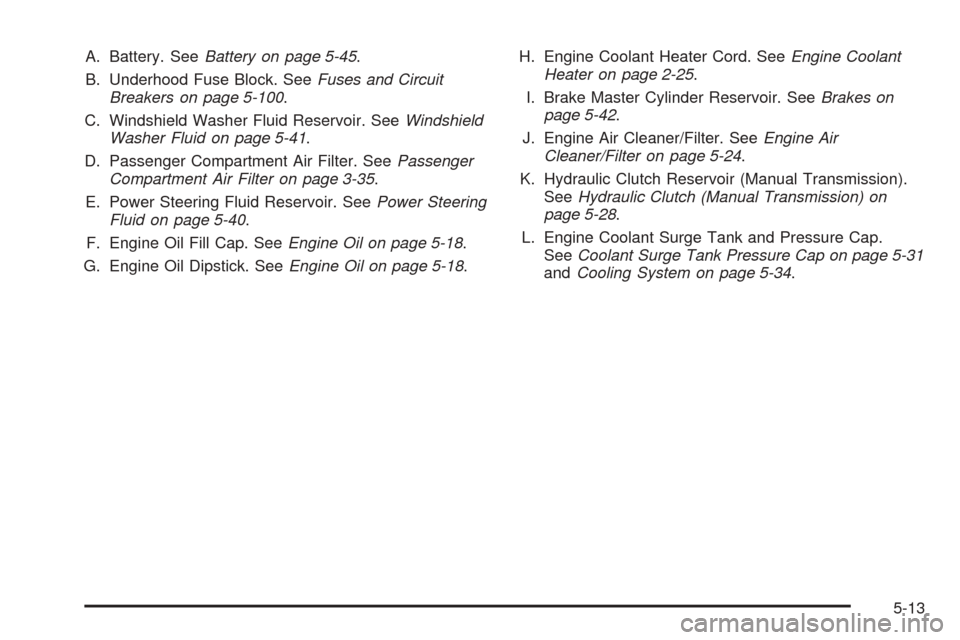
A. Battery. SeeBattery on page 5-45.
B. Underhood Fuse Block. SeeFuses and Circuit
Breakers on page 5-100.
C. Windshield Washer Fluid Reservoir. SeeWindshield
Washer Fluid on page 5-41.
D. Passenger Compartment Air Filter. SeePassenger
Compartment Air Filter on page 3-35.
E. Power Steering Fluid Reservoir. SeePower Steering
Fluid on page 5-40.
F. Engine Oil Fill Cap. SeeEngine Oil on page 5-18.
G. Engine Oil Dipstick. SeeEngine Oil on page 5-18.H. Engine Coolant Heater Cord. SeeEngine Coolant
Heater on page 2-25.
I. Brake Master Cylinder Reservoir. SeeBrakes on
page 5-42.
J. Engine Air Cleaner/Filter. SeeEngine Air
Cleaner/Filter on page 5-24.
K. Hydraulic Clutch Reservoir (Manual Transmission).
SeeHydraulic Clutch (Manual Transmission) on
page 5-28.
L. Engine Coolant Surge Tank and Pressure Cap.
SeeCoolant Surge Tank Pressure Cap on page 5-31
andCooling System on page 5-34.
5-13