service CADILLAC CTS 2004 1.G Owner's Guide
[x] Cancel search | Manufacturer: CADILLAC, Model Year: 2004, Model line: CTS, Model: CADILLAC CTS 2004 1.GPages: 454, PDF Size: 2.87 MB
Page 205 of 454
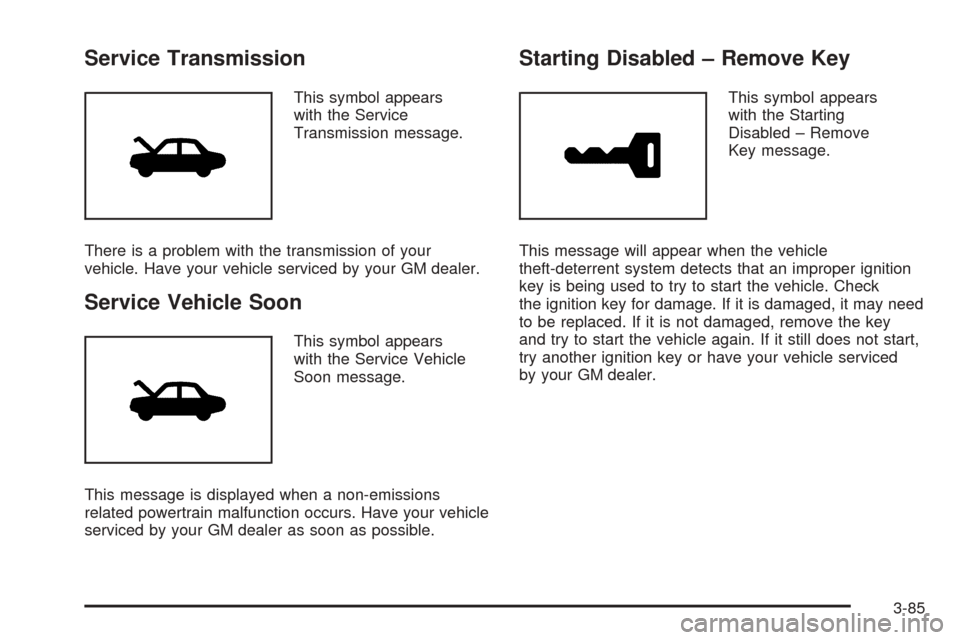
Service Transmission
This symbol appears
with the Service
Transmission message.
There is a problem with the transmission of your
vehicle. Have your vehicle serviced by your GM dealer.
Service Vehicle Soon
This symbol appears
with the Service Vehicle
Soon message.
This message is displayed when a non-emissions
related powertrain malfunction occurs. Have your vehicle
serviced by your GM dealer as soon as possible.
Starting Disabled – Remove Key
This symbol appears
with the Starting
Disabled – Remove
Key message.
This message will appear when the vehicle
theft-deterrent system detects that an improper ignition
key is being used to try to start the vehicle. Check
the ignition key for damage. If it is damaged, it may need
to be replaced. If it is not damaged, remove the key
and try to start the vehicle again. If it still does not start,
try another ignition key or have your vehicle serviced
by your GM dealer.
3-85
Page 206 of 454
Starting Disabled – Throttle Problem
This symbol appears
with the Starting
Disabled – Throttle
Problem message.
This message appears when your vehicle’s throttle
system is not functioning properly. Have your vehicle
serviced by your GM dealer.
Theft Attempted
This symbol appears
with the Theft
Attempted message.
This message is displayed if the content theft-deterrent
system has detected a break-in attempt while you
were away from your vehicle.
Top Speed – Fuel Cut Off
This symbol appears with
the Top Speed – Fuel Cut
Off message.
This message will appear when the Engine Control
Module (ECM) detects that the maximum speed for your
vehicle has been reached. Your vehicle’s top speed is
based on the top speed rating of the tires. This ensures
that your vehicle stays in a safe operating range for
the tires.
3-86
Page 229 of 454

With RDS, the radio can do the following:
Seek to stations broadcasting the selected type
of programming
Receive announcements concerning local and
national emergencies
Display messages from radio stations
Seek to stations with traffic announcements
This system relies upon receiving specic information
from these stations and will only work when the
information is available. In rare cases, a radio station
may broadcast incorrect information that will cause
the radio features to work improperly. If this happens,
contact the radio station.
While the radio is tuned to an RDS station, the station
name or call letters will appear on the display instead of
the frequency. RDS stations may also provide the time of
day, a program type (PTY) for current programming, and
the name of the program being broadcast.
XM™ Satellite Radio Service
XM™ is a satellite radio service that is based in the
48 contiguous United States. XM™ offers 100 coast to
coast channels including music, news, sports, talk,
and children’s programming. XM™ provides digital
quality audio and text information, including song title
and artist name. A service fee is required in order
to receive the XM™ service. For more information,
contact XM™ at www.xmradio.com or call
1-800-852-XMXM (9696).
Playing the Radio
PWR (Power):Press this knob to turn the system on
and off.
VOL (Volume):Turn this knob to increase or to
decrease the volume.
AVC (Automatic Volume Compensation):Available
only with the premium Bose
®audio system, AVC
monitors the noise in the vehicle and will adjust the
volume level so that it always sounds the same to you.
AVC works best when listening at low volume levels.
At loud listening levels there will be little or no effect.
To turn AVC on and off, perform the following steps:
1. Press the TUNE/SEL knob to enter the main menu.
2. Turn the TUNE/SEL knob until AUTO VOLUME
COMP. appears on the display.
3-109
Page 236 of 454

Activating Program Type (PTY)
Stations (RDS and XM™)
PTY allows you to search for stations with specic types
of music. The selectable PTYs are POP, EASY,
TALK, CNTRY (Country), CLASS (Classical), and JAZZ.
To activate program types, perform the following steps:
1. Press the TUNE/SEL knob to enter the main menu.
2. Turn the TUNE/SEL knob until PROGRAM TYPE
MODE appears on the display.
3. Press the TUNE/SEL knob to select ON or OFF.
An X will appear in the box when PTY is selected on.
4. Press the CLR button to exit the display. To return
to the original display, repeatedly press the CLR
button or wait for the display to time out.
Once program type is activated the PTYs will appear on
the display above the pushbuttons, in place of the
preset stations (if programmed). Press the pushbutton
for the PTY that you would like to listen to. Not all
stations support PTYs. The radio may not go to all of
the stations with that music type when pressing
the pushbutton.AF (Alternate Frequency):Alternate frequency allows
the radio to switch to a stronger station with the
same program type.
To turn AF on or off, perform the following steps:
1. Press the TUNE/SEL knob to enter the main menu.
2. Turn the TUNE/SEL knob until ALTERNATE
FREQ. appears on the display.
3. Press the TUNE/SEL knob to select AF OFF,
AF ON, or AF REG. An X will appear in the box
when AF is selected on.
4. Press the CLR button to exit the display. To return
to the original display, repeatedly press the CLR
button or wait for the display to time out.
Radio Message
THEFTLOCK:This message is displayed when the
THEFTLOCK®system has been activated. Take
the vehicle to the dealer for service.
3-116
Page 237 of 454

XM™ Radio Messages
Radio Display
MessageCondition Action Required
XL (Explicit Language
Channels)XL on the radio display,
after the channel name,
indicates content with
explicit language.These channels, or any others, can be blocked at a
customer’s request, by calling 1-800-852-XMXM (9696).
XM Updating Updating
encryption codeThe encryption code in the receiver is being updated, and
no action is required. This process should take no longer
than 30 seconds.
No XM Signal Loss of signal The system is functioning correctly, but the vehicle is in a
location that is blocking the XM signal. When the vehicle is
moved into an open area, the signal should return.
Loading XM Acquiring channel audio
(after 4 second delay)The audio system is acquiring and processing audio and
text data. No action is needed. This message should
disappear shortly.
Channel Off Air Channel not in service This channel is not currently in service. Tune in to
another channel.
Channel Unavail Channel no longer
availableThis previously assigned channel is no longer assigned.
Tune to another station. If this station was one of the
presets, choose another station for that preset button.
No Artist Info Artist Name/Feature
not availableNo artist information is available at this time on this channel.
The system is working properly.
No Title Info Song/Program Title
not availableNo song title information is available at this time on this
channel. The system is working properly.
3-117
Page 238 of 454

XM™ Radio Messages (cont’d)
Radio Display
MessageCondition Action Required
No CAT Info Category Name
not availableNo category information is available at this time on this
channel. The system is working properly.
Not Found No channel available for
the chosen categoryThere are no channels available for the selected category.
The system is working properly.
No Information No Text/Informational
message availableNo text or informational messages are available at this time
on this channel. The system is working properly.
XM Lock Theft lock active The XM receiver in your vehicle may have previously been
in another vehicle. For security purposes, XM receivers
cannot be swapped between vehicles. If this message is
received after having your vehicle serviced, check with your
GM dealer.
XM Radio ID Radio ID label
(channel 0)If tuned to channel 0, this message will alternate with the
XM Radio 8 digit radio ID label. This label is needed to
activate the service.
Unknown Radio ID not known
(should only be if
hardware failure)If this message is received when tuned to channel 0, there
may be a receiver fault. Consult with your GM dealer.
Check XM Receiver Hardware failure If this message does not clear within a short period of time,
the receiver may have a fault. Consult with your GM dealer.
3-118
Page 246 of 454
XM™ Satellite Radio Service
XM™ Satellite Radio Service gives digital radio
reception from coast to coast. Just as with FM, tall
buildings or hills can interfere with satellite radio signals,
causing the sound to fade in and out. The radio may
display NO XM SIGNAL to indicate interference.
Cellular Phone Usage
Cellular phone usage may cause interference with your
vehicle’s radio. This interference may occur when
making or receiving phone calls, charging the phone’s
battery, or simply having the phone on. This interference
is an increased level of static while listening to the
radio. If static is received while listening to the radio,
unplug the cellular phone and turn it off.
Care of Your CDs
Handle CDs carefully. Store them in their original cases
or other protective cases and away from direct
sunlight and dust. If the surface of a CD is soiled,
dampen a clean, soft cloth in a mild, neutral detergent
solution and clean it, wiping from the center to the edge.
Be sure never to touch the side without writing when
handling CDs. Pick up CDs by grasping the outer edges
or the edge of the hole and the outer edge.
Care of Your CD Player
The use of CD lens cleaners for CD players is not
advised, due to the risk of contaminating the lens of the
CD optics with lubricants internal to the CD mechanism.
3-126
Page 259 of 454

Limited-Slip Rear Axle
Your limited-slip rear axle can give you additional
traction on snow, mud, ice, sand or gravel. It works like a
standard axle most of the time, but when one of the rear
wheels has no traction and the other does, this feature
will allow the wheel with traction to move the vehicle.
Stabilitrak®System
Your vehicle may be equipped with a vehicle stability
enhancement system called Stabilitrak®.Itisan
advanced computer controlled system that assists you
with directional control of the vehicle in difficult
driving conditions.
Stabilitrak
®activates when the computer senses a
discrepancy between your intended path and the
direction the vehicle is actually traveling. Stabilitrak
®
selectively applies braking pressure at any one of
the vehicle’s brakes to help steer the vehicle in the
direction which you are steering.When the system activates, a Stability System Engaged
message will be displayed on the Driver Information
Center. SeeDIC Warnings and Messages on page 3-70.
You may also hear a noise or feel vibration in the
brake pedal. This is normal. Continue to steer the
vehicle in the direction you want it to go.
If there is a problem detected with Stabilitrak
®,a
Service Stability System message will be displayed on
the Driver Information Center. SeeDIC Warnings
and Messages on page 3-70. When this message is
displayed, the system is not operational. Driving should
be adjusted accordingly.
Stabilitrak
®comes on automatically whenever you start
your vehicle. To help assist you with directional
control of the vehicle, you should always leave the
system on. You can turn Stabilitrak
®off if you ever need
to through the TC (traction control) on/off button. See
Traction Control System (TCS) (CTS) on page 4-8
orTraction Control System (TCS) (CTS-V) on page 4-9.
If your vehicle is in cruise control when the Stabilitrak
®
activates, the cruise control will automatically disengage.
When road conditions allow you to safely use it again,
you may reengage the cruise control. See “Cruise
Control” underTurn Signal/Multifunction Lever on
page 3-10for more information.
4-11
Page 260 of 454
Panic Brake Assist
Your vehicle has a panic brake assist system that
monitors the intention of the driver while braking. If the
system senses that the driver has applied hard/fast
pressure to the brake pedal, the system will generate
additional pressure, making it easier for the driver
to maintain brake application. When this happens the
brake pedal will feel easier to push. Just hold the brake
pedal down rmly and let the system work for you.
You may feel the brakes vibrate, or you may notice
some noise but this is normal. The brakes will return
to normal operation after the brake pedal has
been released.
Steering
Power Steering
If you lose power steering assist because the engine
stops or the system is not functioning, you can steer but
it will take much more effort.
Speed Variable Assist Steering
If your vehicle has this system, it varies the amount of
effort required to steer the vehicle in relation to the
speed of the vehicle.
The amount of steering effort required is less at slower
speeds to make the vehicle more maneuverable
and easier to park. At faster speeds, the steering effort
increases to provide a sport-like feel to the steering.
This provides maximum control and stability.
If your vehicle seems harder to steer than normal when
parking or driving slowly, there may be a problem
with the system. You will still have power steering, but
steering will be stiffer than normal at slow speeds.
See your dealer for service.
4-12
Page 272 of 454
When you want to leave the freeway, move to the
proper lane well in advance. If you miss your exit,
do not, under any circumstances, stop and back
up. Drive on to the next exit.
The exit ramp can be curved, sometimes quite sharply.
The exit speed is usually posted. Reduce your speed
according to your speedometer, not to your sense
of motion. After driving for any distance at higher
speeds, you may tend to think you are going slower
than you actually are.
Before Leaving on a Long Trip
Make sure you are ready. Try to be well rested. If you
must start when you are not fresh — such as after
a day’s work — do not plan to make too many miles that
rst part of the journey. Wear comfortable clothing
and shoes you can easily drive in.
Is your vehicle ready for a long trip? If you keep it
serviced and maintained, it is ready to go. If it needs
service, have it done before starting out. Of course, you
will nd experienced and able service experts in
GM dealerships all across North America. They will be
ready and willing to help if you need it.Here are some things you can check before a trip:
Windshield Washer Fluid:Is the reservoir full?
Are all windows clean inside and outside?
Wiper Blades:Are they in good shape?
Fuel, Engine Oil, Other Fluids:Have you checked
all levels?
Lamps:Are they all working? Are the lenses clean?
Tires:They are vitally important to a safe,
trouble-free trip. Is the tread good enough for
long-distance driving? Are the tires all inated to the
recommended pressure?
Weather Forecasts:What is the weather outlook
along your route? Should you delay your trip a
short time to avoid a major storm system?
Maps:Do you have up-to-date maps?
4-24