wiper CADILLAC CTS 2004 1.G Owners Manual
[x] Cancel search | Manufacturer: CADILLAC, Model Year: 2004, Model line: CTS, Model: CADILLAC CTS 2004 1.GPages: 454, PDF Size: 2.87 MB
Page 1 of 454
Seats and Restraint Systems........................... 1-1
Front Seats
............................................... 1-2
Rear Seats
............................................... 1-7
Safety Belts
.............................................. 1-9
Child Restraints
.......................................1-29
Airbag Systems
........................................1-48
Restraint System Check
............................1-59
Features and Controls..................................... 2-1
Keys
........................................................ 2-3
Doors and Locks
....................................... 2-8
Windows
.................................................2-14
Theft-Deterrent Systems
............................2-18
Starting and Operating Your Vehicle
...........2-21
Mirrors
....................................................2-41
OnStar
®System
......................................2-45
HomeLink®Transmitter
.............................2-46
Storage Areas
.........................................2-50
Sunroof
..................................................2-52
Vehicle Personalization
.............................2-53
Instrument Panel............................................. 3-1
Instrument Panel Overview
.......................... 3-4
Climate Controls
......................................3-29
Warning Lights, Gages, and Indicators
........3-37
Message Center
.......................................3-53Driver Information Center (DIC)
..................3-60
Audio System(s)
.....................................3-107
Driving Your Vehicle....................................... 4-1
Your Driving, the Road, and Your Vehicle
........ 4-2
Towing
...................................................4-32
Service and Appearance Care.......................... 5-1
Service
..................................................... 5-3
Fuel
......................................................... 5-5
Checking Things Under the Hood
...............5-10
Rear Axle
...............................................5-51
Bulb Replacement
....................................5-52
Windshield Wiper Blade Replacement
.........5-56
Tires
......................................................5-58
Appearance Care
.....................................5-92
Vehicle Identication
.................................5-99
Electrical System
....................................5-100
Capacities and Specications
...................5-111
Maintenance Schedule..................................... 6-1
Maintenance Schedule
................................ 6-2
Customer Assistance and Information.............. 7-1
Customer Assistance and Information
........... 7-2
Reporting Safety Defects
...........................7-10
Index.................................................................1
2004 Cadillac CTS/CTS-VOwner ManualM
Page 88 of 454
Ignition Positions
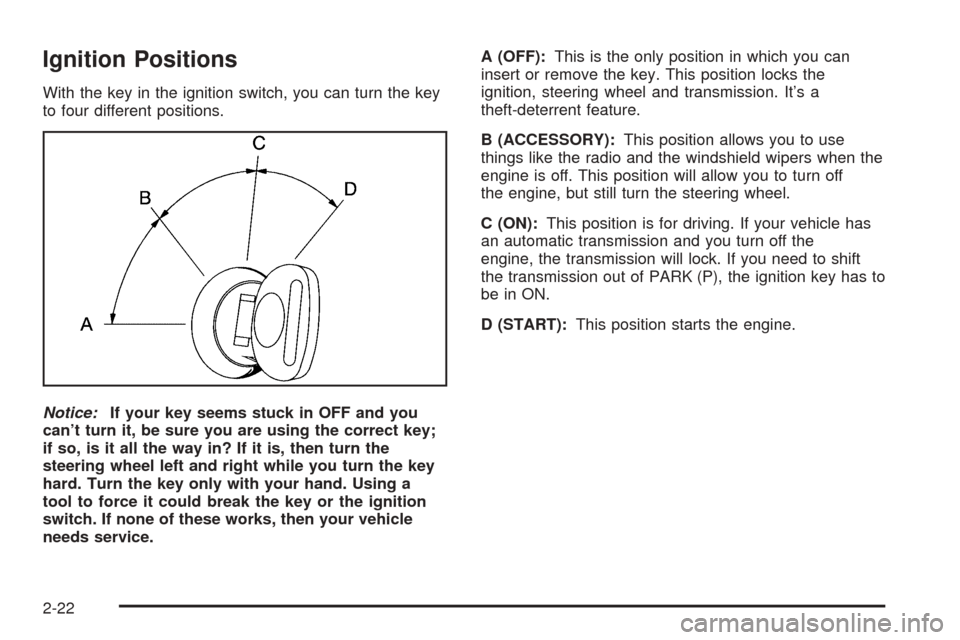
With the key in the ignition switch, you can turn the key
to four different positions.
Notice:If your key seems stuck in OFF and you
can’t turn it, be sure you are using the correct key;
if so, is it all the way in? If it is, then turn the
steering wheel left and right while you turn the key
hard. Turn the key only with your hand. Using a
tool to force it could break the key or the ignition
switch. If none of these works, then your vehicle
needs service.A (OFF):This is the only position in which you can
insert or remove the key. This position locks the
ignition, steering wheel and transmission. It’s a
theft-deterrent feature.
B (ACCESSORY):This position allows you to use
things like the radio and the windshield wipers when the
engine is off. This position will allow you to turn off
the engine, but still turn the steering wheel.
C (ON):This position is for driving. If your vehicle has
an automatic transmission and you turn off the
engine, the transmission will lock. If you need to shift
the transmission out of PARK (P), the ignition key has to
be in ON.
D (START):This position starts the engine.
2-22
Page 121 of 454
Instrument Panel Overview...............................3-4
Hazard Warning Flashers................................3-6
Other Warning Devices...................................3-7
Horn.............................................................3-7
Tilt Wheel.....................................................3-7
Recongurable Steering Wheel
Controls (SWC) (CTS).................................3-8
Turn Signal/Multifunction Lever.......................3-10
Windshield Wiper Lever.................................3-21
Cruise Control..............................................3-23
Exterior Lamps.............................................3-24
Interior Lamps..............................................3-26
Accessory Power Outlets...............................3-27
Ashtrays and Cigarette Lighter........................3-28
Climate Controls............................................3-29
Dual Climate Control System..........................3-29
Outlet Adjustment.........................................3-34
Passenger Compartment Air Filter...................3-35
Steering Wheel Climate Controls (CTS)............3-36
Warning Lights, Gages, and Indicators............3-37
Instrument Panel Cluster................................3-38
Speedometer and Odometer...........................3-40
Tachometer.................................................3-41Safety Belt Reminder Light.............................3-41
Airbag Readiness Light..................................3-42
Charging System Light..................................3-43
Brake System Warning Light..........................3-43
Anti-Lock Brake System Warning Light.............3-44
Traction Control System (TCS)
Warning Light...........................................3-45
Engine Coolant Temperature
Warning Light (CTS)..................................3-45
Engine Coolant Temperature Gage..................3-46
Tire Pressure Light (CTS-V) ...........................3-46
Malfunction Indicator Lamp.............................3-47
Oil Pressure Light.........................................3-49
Winter Driving Mode Light
(Automatic Transmission)............................3-50
Sport Mode Light (Automatic Transmission)......3-50
Security Light...............................................3-51
Fog Lamp Light............................................3-51
Lights On Reminder......................................3-51
Cruise Control Light......................................3-52
Highbeam On Light.......................................3-52
Fuel Gage...................................................3-52
Section 3 Instrument Panel
3-1
Page 125 of 454
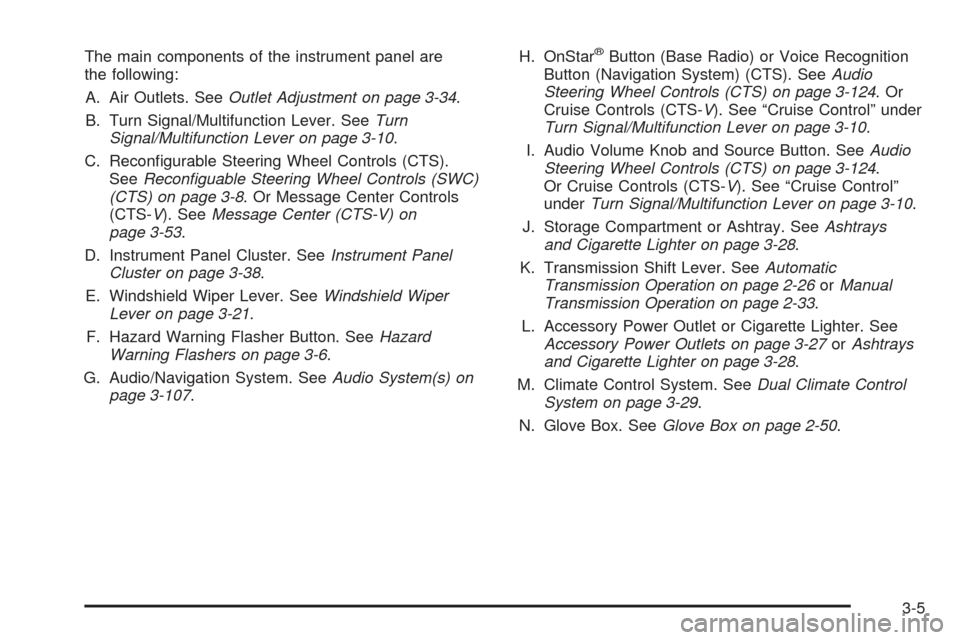
The main components of the instrument panel are
the following:
A. Air Outlets. SeeOutlet Adjustment on page 3-34.
B. Turn Signal/Multifunction Lever. SeeTurn
Signal/Multifunction Lever on page 3-10.
C. Recongurable Steering Wheel Controls (CTS).
SeeReconguable Steering Wheel Controls (SWC)
(CTS) on page 3-8. Or Message Center Controls
(CTS-V). SeeMessage Center (CTS-V) on
page 3-53.
D. Instrument Panel Cluster. SeeInstrument Panel
Cluster on page 3-38.
E. Windshield Wiper Lever. SeeWindshield Wiper
Lever on page 3-21.
F. Hazard Warning Flasher Button. SeeHazard
Warning Flashers on page 3-6.
G. Audio/Navigation System. SeeAudio System(s) on
page 3-107.H. OnStar®Button (Base Radio) or Voice Recognition
Button (Navigation System) (CTS). SeeAudio
Steering Wheel Controls (CTS) on page 3-124.Or
Cruise Controls (CTS-V). See “Cruise Control” under
Turn Signal/Multifunction Lever on page 3-10.
I. Audio Volume Knob and Source Button. SeeAudio
Steering Wheel Controls (CTS) on page 3-124.
Or Cruise Controls (CTS-V). See “Cruise Control”
underTurn Signal/Multifunction Lever on page 3-10.
J. Storage Compartment or Ashtray. SeeAshtrays
and Cigarette Lighter on page 3-28.
K. Transmission Shift Lever. SeeAutomatic
Transmission Operation on page 2-26orManual
Transmission Operation on page 2-33.
L. Accessory Power Outlet or Cigarette Lighter. See
Accessory Power Outlets on page 3-27orAshtrays
and Cigarette Lighter on page 3-28.
M. Climate Control System. SeeDual Climate Control
System on page 3-29.
N. Glove Box. SeeGlove Box on page 2-50.
3-5
Page 133 of 454

Wiper-Activated Headlamps
This feature activates the headlamps and parking lamps
after the windshield wipers have been in use for
about six seconds. For this feature to work, the exterior
lamp control must be in AUTO.
When the exterior lamp control is off or in the parking
lamp position and the windshield wiper control is in any
position except off, the Headlamps Suggested
message will appear on the DIC display. See
“Headlamps Suggested Message” underDIC Warnings
and Messages on page 3-70.
When the ignition is turned to OFF, the wiper-activated
headlamps will immediately turn off. They will also
turn off if the windshield wiper control is turned off.
Headlamps On Reminder
A warning chime will sound if the exterior lamp control
is left on in either the headlamp or parking lamp position
and the driver’s door is opened with the ignition off.
Fog Lamps
Use the fog lamps for better vision in foggy or
misty conditions.
The fog lamp control is located on the turn
signal/multifunction lever.
-:The band with/or next to this symbol is used to
turn the fog lamps on and off.
The parking lamps must be on for the fog lamps to work.
To operate the fog lamps on the CTS:
To turn the fog lamps on, turn the fog lamp band on
the lever up to the dot and release it. The band will
return to its original position.
To turn the fog lamps off, turn the fog lamp band up
to the dot and release it. The band will return to its
original position, and the fog lamps will turn off. If you
turn on the high-beam headlamps, the fog lamps will
also turn off. They’ll turn back on again when you
switch back to low-beam headlamps.
To operate the fog lamps on the CTS-V:
To turn the fog lamps on, turn the band on the lever
up to the fog lamp symbol and release it. The band
will return to its original position.
To turn the fog lamps off, turn the band up to the fog
lamp symbol and release it. The band will return to its
original position, and the fog lamps will turn off. If you
turn on the high-beam headlamps, the fog lamps will
also turn off. They’ll turn back on again when you
switch back to low-beam headlamps.
3-13
Page 141 of 454

Windshield Wiper Lever
Windshield Wipers
The lever on the right side of the steering column
operates the windshield wipers.
7(Mist):Pull the lever down and release it for a
single wiping cycle. The lever will return to its original
position. For more cycles, hold the lever down before
releasing it.
9(Off):Put the lever in this position to turn off
the wipers.
&(Delay):Put the lever in this position to set a delay
between wipes. Turn the delay adjustment band to
set the length of the delay.
x(Delay Adjustment):Use this band to set the
length of the delay between wipes when using the delay
feature. The closer you move the band toward mist,
the longer the delay. The windshield wiper lever must be
in delay for this feature to work.
3-21
Page 142 of 454

6(Low Speed):Put the lever in this position for
slow, steady wiping cycles.
1(High Speed):Put the lever in this position for
rapid wiping cycles.
If the windshield wipers are in use for about six seconds
while you are driving, the exterior lamps will come on
automatically if the exterior lamp control is in AUTO.
See “Wiper-Activated Headlamps” listed previously for
more information.
Be sure to clear ice and snow from the wiper blades
before using them. If they’re frozen to the windshield,
gently loosen or thaw them. If the blades do become
damaged, install new blades or blade inserts. For more
information, seeWindshield Wiper Blade Replacement
on page 5-56.
Heavy snow or ice can overload the wiper motor.
A circuit breaker will stop the motor until it cools down.
Clear away snow or ice to prevent an overload.
Windshield Washer
{CAUTION:
In freezing weather, do not use your washer
until the windshield is warmed. Otherwise the
washer uid can form ice on the windshield,
blocking your vision.
The windshield washer button is located at the end of
the windshield wiper lever.
K(Washer Fluid):Press the button with this symbol
located at the end of the windshield washer lever to
wash the windshield. Washer uid will squirt onto
the windshield and the wipers will run for a few cycles
to clear the windshield. For more wash cycles, press and
hold the button.
If your vehicle is low on washer uid, the Check Washer
Fluid message will appear on the Driver Information
Center (DIC) display. SeeDIC Warnings and Messages
on page 3-70for more information.
If the headlamps are on when you wash the windshield,
the headlamp washers (if equipped) will turn on. Both
the windshield and the headlamps will be washed.
See “Headlamp Washers” following for more information.
3-22
Page 143 of 454

Headlamp Washers
Your vehicle may have headlamp washers. The
headlamp washers clear the headlamp lenses so that
you can get the maximum visibility and brightness from
your headlamps.
The headlamp washers are
located on the inboard side
of the headlamp lenses.The headlamps must be on in order to be washed.
If the headlamps are off, only the windshield will
be washed when the washer button is pressed.
To wash the headlamps, press the washer button
located at the end of the windshield wiper lever.
Both the headlamps and the windshield will be washed.
See “Windshield Washer” listed previously for
more information.
Cruise Control
The controls to operate the cruise control are located on
the turn signal/multifunction lever. See “Cruise Control”
underTurn Signal/Multifunction Lever on page 3-10
for information.
3-23
Page 155 of 454
Operation Tips
Clear away any ice, snow or leaves from the air
inlets at the base of the windshield that may
block the ow of air into your vehicle.
Use of non-GM approved hood deectors may
adversely affect the performance of the system.
Keep the path under the front seats clear of objects
to help circulate the air inside of your vehicle more
effectively.
If the air ow seems low when the fan speed is at
the highest setting, the passenger compartment
air lter may need to be replaced. For more
information, seePassenger Compartment Air Filter
on page 3-35.
Passenger Compartment Air Filter
The passenger compartment air lter traps most of the
pollen from the air entering your vehicle. Like your
vehicle’s engine air cleaner/lter, it needs to be changed
periodically. For how often to change the passenger
compartment air lter, seeScheduled Maintenance on
page 6-4.
Using your climate control system without the passenger
air lter installed may allow water or other debris to
enter the system. This could cause a water leak
or noises. Make sure to install a new air lter after
removing the old one.
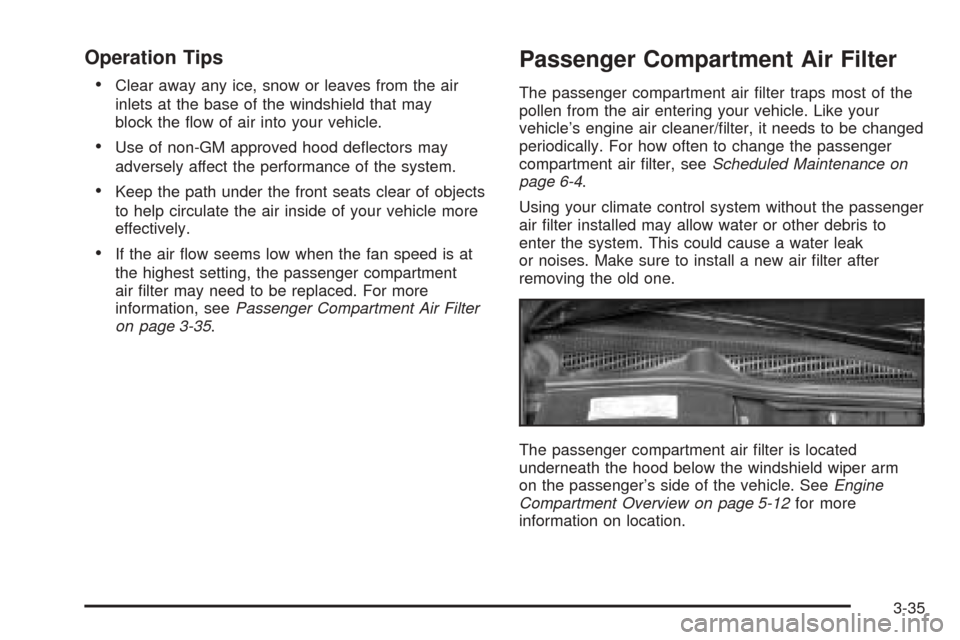
The passenger compartment air lter is located
underneath the hood below the windshield wiper arm
on the passenger’s side of the vehicle. SeeEngine
Compartment Overview on page 5-12for more
information on location.
3-35
Page 156 of 454
Use the procedure listed below to replace the passenger
compartment air lter:
1. Turn the ignition to ON with the engine off.
2. Turn on the windshield wipers and turn them off
again when the wipers are straight up and down
on the windshield.
This will allow you access to the leaf screen
under which is located the passenger compartment
air lter.
3. Open the hood to access the engine compartment.
SeeHood Release on page 5-11for more
information.
4. Remove the four screws that hold the leaf screen in
place and lift off the screen by lifting and sliding
toward the center of the vehicle.
5. Pull out on the two tabs located on each end of the
lter cover.
6. Lift the lter cover off by pulling it straight upward.
7. Remove the old lter and insert a new one.
Make sure the arrow on the lter is pointing toward
the passenger compartment.
SeeNormal Maintenance Replacement Parts on
page 6-15for the correct part number for the lter.
8. Reverse Steps 1 through 6 to reinstall the cover.Steering Wheel Climate
Controls (CTS)
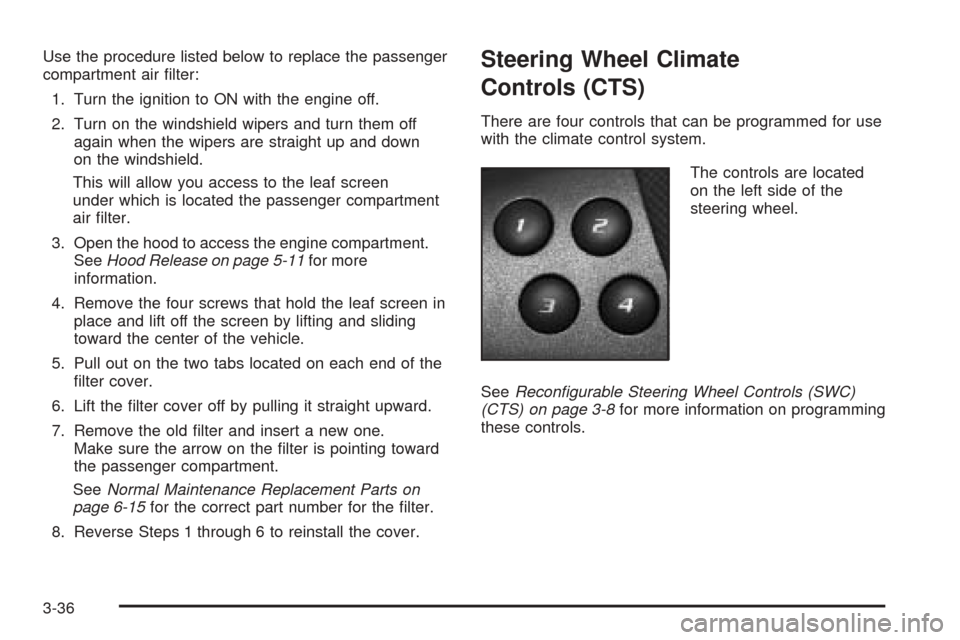
There are four controls that can be programmed for use
with the climate control system.
The controls are located
on the left side of the
steering wheel.
SeeRecongurable Steering Wheel Controls (SWC)
(CTS) on page 3-8for more information on programming
these controls.
3-36