wheel CADILLAC CTS 2006 1.G Owner's Manual
[x] Cancel search | Manufacturer: CADILLAC, Model Year: 2006, Model line: CTS, Model: CADILLAC CTS 2006 1.GPages: 442, PDF Size: 2.57 MB
Page 158 of 442
=(Rear Window Defogger):Press this button to
turn the rear window defogger on or off. Be sure to clear
as much snow from the rear window as possible.
The rear window defogger will turn off about 10 minutes
after the button is pressed, but if the vehicle’s speed
is above 30 mph (48 km/h), the rear defogger will stay
on continuously. If turned on again, the defogger
will only run for about ve minutes before turning off.
The defogger can also be turned off by pressing
the button again or by turning off the engine.
The heated outside rearview mirrors will heat to help
clear fog or frost from the surface of the mirror when the
rear window defogger button is on. SeeOutside
Heated Mirrors on page 2-43.
Notice:Do not try to clear frost or other material
from the inside of the front windshield and rear
window with a razor blade or anything else that is
sharp. This may damage the rear window defogger
grid and affect your radio’s ability to pick up
stations clearly. The repairs wouldn’t be covered by
your warranty.
Outlet Adjustment
Use the knobs located in the center of each outlet to
change the direction of the airow. Use the thumbwheels
to open or close the outlets.
j(Side Window Defog):Turn the thumbwheel to this
symbol to use the side window defog setting. The air
coming through the outlets will be directed toward
the side windows to clear fog.
k(Open):Turn the thumbwheel to this symbol to open
the outlets completely and allow the maximum amount
of air to enter your vehicle. A small amount of air will still
be directed to the side windows.
l(Closed):Turn the thumbwheel to this symbol to
close the outlets and minimize the amount of air entering
the vehicle.
Operation Tips
Clear away any ice, snow or leaves from the air
inlets at the base of the windshield that may
block the ow of air into your vehicle.
Use of non-GM approved hood deectors may
adversely affect the performance of the system.
Keep the path under the front seats clear of objects
to help circulate the air inside of your vehicle more
effectively.
If the airow seems low when the fan speed is at
the highest setting, the passenger compartment
air lter may need to be replaced. For more
information, seePassenger Compartment Air Filter
on page 3-29.
3-28
Page 160 of 442
Steering Wheel Climate
Controls (CTS)
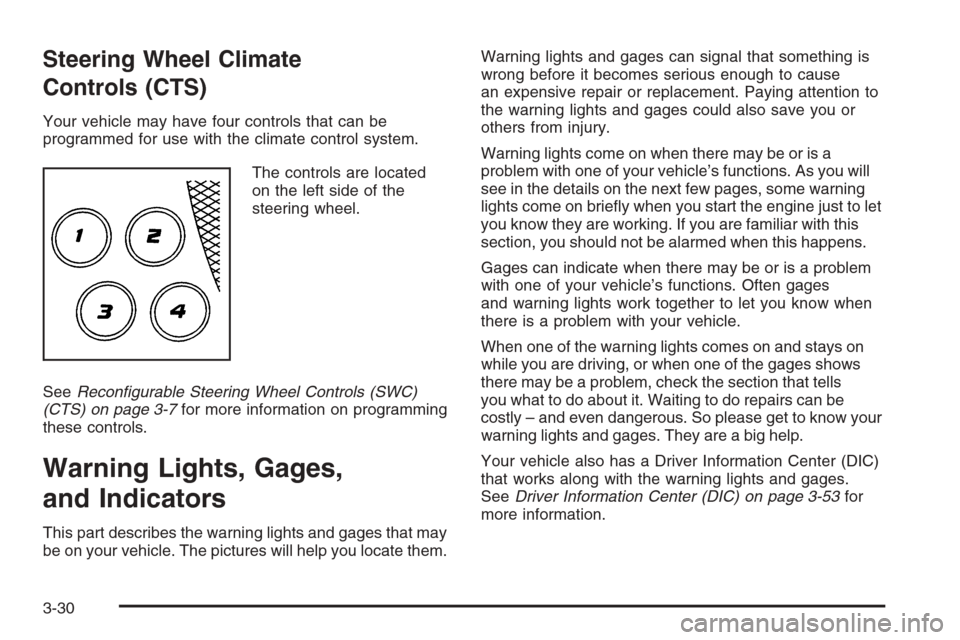
Your vehicle may have four controls that can be
programmed for use with the climate control system.
The controls are located
on the left side of the
steering wheel.
SeeRecongurable Steering Wheel Controls (SWC)
(CTS) on page 3-7for more information on programming
these controls.
Warning Lights, Gages,
and Indicators
This part describes the warning lights and gages that may
be on your vehicle. The pictures will help you locate them.Warning lights and gages can signal that something is
wrong before it becomes serious enough to cause
an expensive repair or replacement. Paying attention to
the warning lights and gages could also save you or
others from injury.
Warning lights come on when there may be or is a
problem with one of your vehicle’s functions. As you will
see in the details on the next few pages, some warning
lights come on briey when you start the engine just to let
you know they are working. If you are familiar with this
section, you should not be alarmed when this happens.
Gages can indicate when there may be or is a problem
with one of your vehicle’s functions. Often gages
and warning lights work together to let you know when
there is a problem with your vehicle.
When one of the warning lights comes on and stays on
while you are driving, or when one of the gages shows
there may be a problem, check the section that tells
you what to do about it. Waiting to do repairs can be
costly – and even dangerous. So please get to know your
warning lights and gages. They are a big help.
Your vehicle also has a Driver Information Center (DIC)
that works along with the warning lights and gages.
SeeDriver Information Center (DIC) on page 3-53for
more information.
3-30
Page 169 of 442
Anti-Lock Brake System
Warning Light
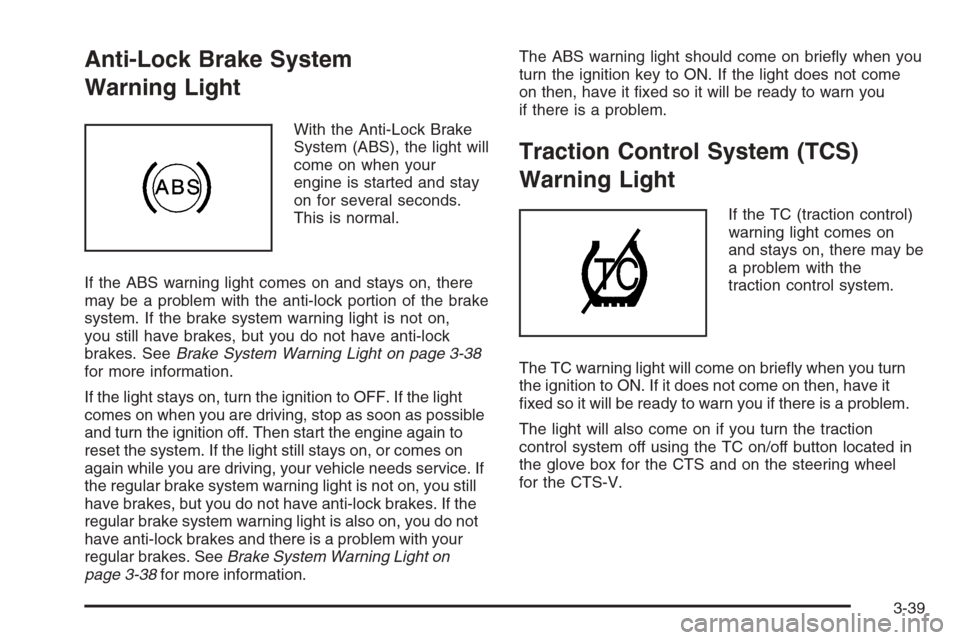
With the Anti-Lock Brake
System (ABS), the light will
come on when your
engine is started and stay
on for several seconds.
This is normal.
If the ABS warning light comes on and stays on, there
may be a problem with the anti-lock portion of the brake
system. If the brake system warning light is not on,
you still have brakes, but you do not have anti-lock
brakes. SeeBrake System Warning Light on page 3-38
for more information.
If the light stays on, turn the ignition to OFF. If the light
comes on when you are driving, stop as soon as possible
and turn the ignition off. Then start the engine again to
reset the system. If the light still stays on, or comes on
again while you are driving, your vehicle needs service. If
the regular brake system warning light is not on, you still
have brakes, but you do not have anti-lock brakes. If the
regular brake system warning light is also on, you do not
have anti-lock brakes and there is a problem with your
regular brakes. SeeBrake System Warning Light on
page 3-38for more information.The ABS warning light should come on briey when you
turn the ignition key to ON. If the light does not come
on then, have it xed so it will be ready to warn you
if there is a problem.
Traction Control System (TCS)
Warning Light
If the TC (traction control)
warning light comes on
and stays on, there may be
a problem with the
traction control system.
The TC warning light will come on briey when you turn
the ignition to ON. If it does not come on then, have it
xed so it will be ready to warn you if there is a problem.
The light will also come on if you turn the traction
control system off using the TC on/off button located in
the glove box for the CTS and on the steering wheel
for the CTS-V.
3-39
Page 177 of 442
Message Center
Message Center (CTS-V)
Your vehicle may have a message center that can
display information relating to powertrain uids,
tire pressures, vehicle dynamics, speedometer and
odometer information, and transmission status. It also
displays warning messages. There are two different
areas where message center information will be
displayed. One display is inside of the tachometer and
the other is inside of the speedometer.
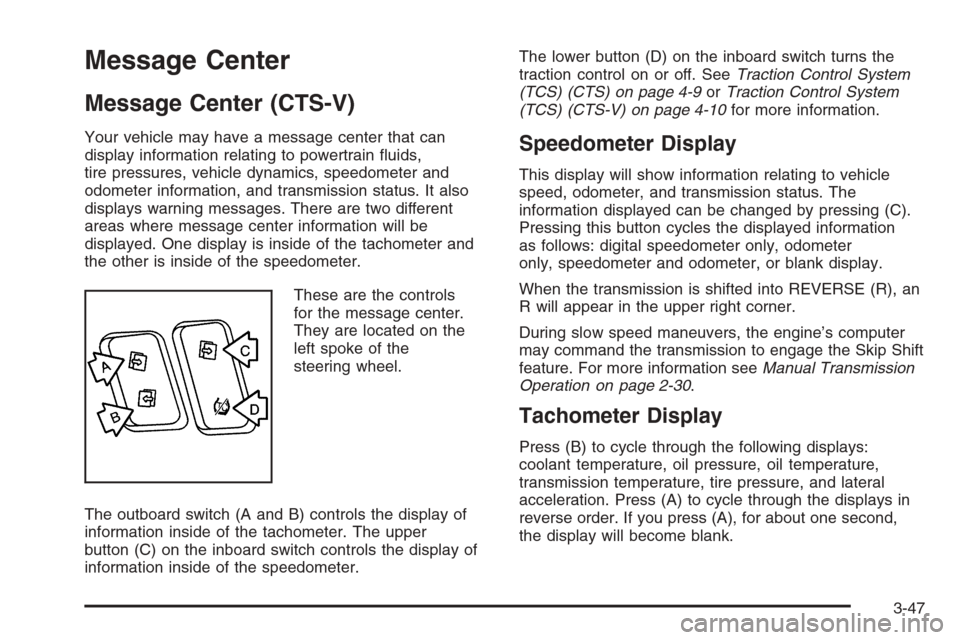
These are the controls
for the message center.
They are located on the
left spoke of the
steering wheel.
The outboard switch (A and B) controls the display of
information inside of the tachometer. The upper
button (C) on the inboard switch controls the display of
information inside of the speedometer.The lower button (D) on the inboard switch turns the
traction control on or off. SeeTraction Control System
(TCS) (CTS) on page 4-9orTraction Control System
(TCS) (CTS-V) on page 4-10for more information.Speedometer Display
This display will show information relating to vehicle
speed, odometer, and transmission status. The
information displayed can be changed by pressing (C).
Pressing this button cycles the displayed information
as follows: digital speedometer only, odometer
only, speedometer and odometer, or blank display.
When the transmission is shifted into REVERSE (R), an
R will appear in the upper right corner.
During slow speed maneuvers, the engine’s computer
may command the transmission to engage the Skip Shift
feature. For more information seeManual Transmission
Operation on page 2-30.
Tachometer Display
Press (B) to cycle through the following displays:
coolant temperature, oil pressure, oil temperature,
transmission temperature, tire pressure, and lateral
acceleration. Press (A) to cycle through the displays in
reverse order. If you press (A), for about one second,
the display will become blank.
3-47
Page 180 of 442
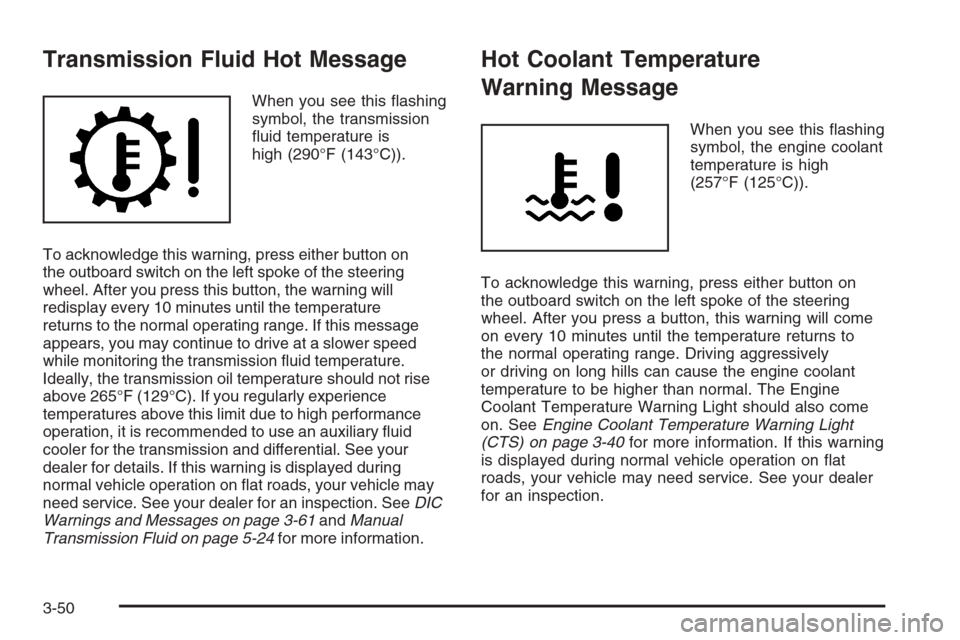
Transmission Fluid Hot Message
When you see this ashing
symbol, the transmission
uid temperature is
high (290°F (143°C)).
To acknowledge this warning, press either button on
the outboard switch on the left spoke of the steering
wheel. After you press this button, the warning will
redisplay every 10 minutes until the temperature
returns to the normal operating range. If this message
appears, you may continue to drive at a slower speed
while monitoring the transmission uid temperature.
Ideally, the transmission oil temperature should not rise
above 265°F (129°C). If you regularly experience
temperatures above this limit due to high performance
operation, it is recommended to use an auxiliary uid
cooler for the transmission and differential. See your
dealer for details. If this warning is displayed during
normal vehicle operation on at roads, your vehicle may
need service. See your dealer for an inspection. SeeDIC
Warnings and Messages on page 3-61andManual
Transmission Fluid on page 5-24for more information.
Hot Coolant Temperature
Warning Message
When you see this ashing
symbol, the engine coolant
temperature is high
(257°F (125°C)).
To acknowledge this warning, press either button on
the outboard switch on the left spoke of the steering
wheel. After you press a button, this warning will come
on every 10 minutes until the temperature returns to
the normal operating range. Driving aggressively
or driving on long hills can cause the engine coolant
temperature to be higher than normal. The Engine
Coolant Temperature Warning Light should also come
on. SeeEngine Coolant Temperature Warning Light
(CTS) on page 3-40for more information. If this warning
is displayed during normal vehicle operation on at
roads, your vehicle may need service. See your dealer
for an inspection.
3-50
Page 181 of 442
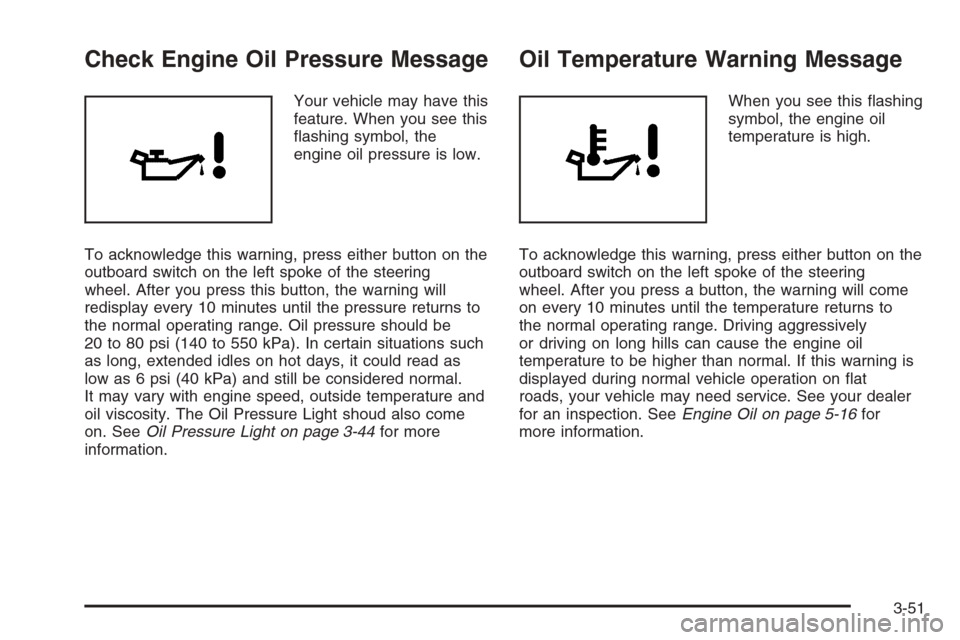
Check Engine Oil Pressure Message
Your vehicle may have this
feature. When you see this
ashing symbol, the
engine oil pressure is low.
To acknowledge this warning, press either button on the
outboard switch on the left spoke of the steering
wheel. After you press this button, the warning will
redisplay every 10 minutes until the pressure returns to
the normal operating range. Oil pressure should be
20 to 80 psi (140 to 550 kPa). In certain situations such
as long, extended idles on hot days, it could read as
low as 6 psi (40 kPa) and still be considered normal.
It may vary with engine speed, outside temperature and
oil viscosity. The Oil Pressure Light shoud also come
on. SeeOil Pressure Light on page 3-44for more
information.
Oil Temperature Warning Message
When you see this ashing
symbol, the engine oil
temperature is high.
To acknowledge this warning, press either button on the
outboard switch on the left spoke of the steering
wheel. After you press a button, the warning will come
on every 10 minutes until the temperature returns to
the normal operating range. Driving aggressively
or driving on long hills can cause the engine oil
temperature to be higher than normal. If this warning is
displayed during normal vehicle operation on at
roads, your vehicle may need service. See your dealer
for an inspection. SeeEngine Oil on page 5-16for
more information.
3-51
Page 182 of 442
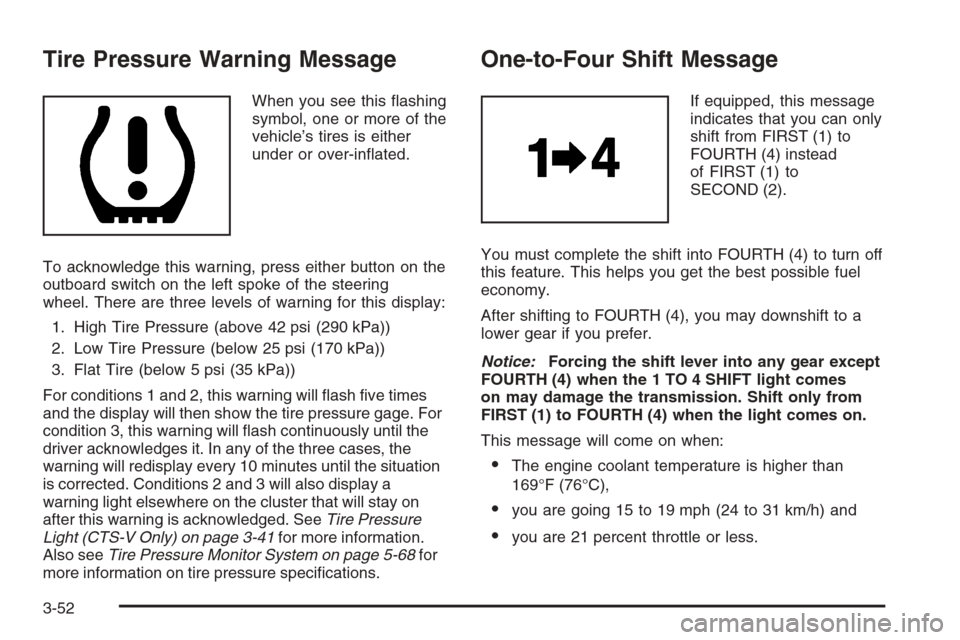
Tire Pressure Warning Message
When you see this ashing
symbol, one or more of the
vehicle’s tires is either
under or over-inated.
To acknowledge this warning, press either button on the
outboard switch on the left spoke of the steering
wheel. There are three levels of warning for this display:
1. High Tire Pressure (above 42 psi (290 kPa))
2. Low Tire Pressure (below 25 psi (170 kPa))
3. Flat Tire (below 5 psi (35 kPa))
For conditions 1 and 2, this warning will ash ve times
and the display will then show the tire pressure gage. For
condition 3, this warning will ash continuously until the
driver acknowledges it. In any of the three cases, the
warning will redisplay every 10 minutes until the situation
is corrected. Conditions 2 and 3 will also display a
warning light elsewhere on the cluster that will stay on
after this warning is acknowledged. SeeTire Pressure
Light (CTS-V Only) on page 3-41for more information.
Also seeTire Pressure Monitor System on page 5-68for
more information on tire pressure specications.
One-to-Four Shift Message
If equipped, this message
indicates that you can only
shift from FIRST (1) to
FOURTH (4) instead
of FIRST (1) to
SECOND (2).
You must complete the shift into FOURTH (4) to turn off
this feature. This helps you get the best possible fuel
economy.
After shifting to FOURTH (4), you may downshift to a
lower gear if you prefer.
Notice:Forcing the shift lever into any gear except
FOURTH (4) when the 1 TO 4 SHIFT light comes
on may damage the transmission. Shift only from
FIRST (1) to FOURTH (4) when the light comes on.
This message will come on when:
The engine coolant temperature is higher than
169°F (76°C),
you are going 15 to 19 mph (24 to 31 km/h) and
you are 21 percent throttle or less.
3-52
Page 190 of 442
TCS (Traction Control System):You can enable or
disable the Traction Control System (TCS) using
this menu item. Press the TUNE/SEL knob to switch
between on and off.
You can also turn the TCS off using the traction control
button located in the glove box (CTS) or on the
steering wheel (CTS-V), or by programming one of the
steering wheel controls (1, 2, 3, or 4) or audio system
soft keys to enable/disable the TCS. SeeRecongurable
Steering Wheel Controls (SWC) (CTS) on page 3-7
and “Congurable Radio Display Keys” underRadio with
CD on page 3-85for more information.
When you disable the TCS, the traction control system
warning light on the instrument panel cluster will
come on. SeeTraction Control System (TCS) Warning
Light on page 3-39for more information.
8(Clock):Use this menu item to set the time on
the clock.
SeeSetting the Time on page 3-85for more information.
8/4(Clock/Information Display):Use this menu
item to toggle between the clock display and the XM™
Information (Song, Artist, Album), if available.SeeSetting the Time on page 3-85and “XM™ Satellite
Radio Service” underRadio with CD on page 3-85
for more information.
SETUP:When you select this menu item, the following
submenu is available:
LANGUAGE
PERSONALIZATION
CONFIGURE DISPLAY KEYS
CONFIGURE SWC (Steering Wheel Control) KEYS
To change the language displayed on the radio, select
LANGUAGE by pressing the TUNE/SEL knob. Turn the
TUNE/SEL knob to scroll through the available languages
and press the knob to make your selection. If you
accidentally select a language that you did not want,
ENGLISH is always at the top of the language list.
For more information on the other items in the SETUP
menu, seeDIC Vehicle Personalization on page 3-70
andRecongurable Steering Wheel Controls (SWC)
(CTS) on page 3-7.
3-60
Page 199 of 442

Starting Disabled – Remove Key
This message will appear when the vehicle
theft-deterrent system detects that an improper ignition
key is being used to try to start the vehicle. Check
the ignition key for damage. If it is damaged, it may need
to be replaced. If it is not damaged, remove the key
and try to start the vehicle again. If it still does not start,
try another ignition key or have your vehicle serviced
by your GM dealer.
Starting Disabled – Throttle Problem
This message appears when your vehicle’s throttle
system is not functioning properly. Have your vehicle
serviced by your GM dealer.
Theft Attempted
This message is displayed if the content theft-deterrent
system has detected a break-in attempt while you
were away from your vehicle.
Top Speed – Fuel Cut Off
This message will appear when the Engine Control
Module (ECM) detects that the maximum speed for your
vehicle has been reached. Your vehicle’s top speed is
based on the top speed rating of the tires. This ensures
that your vehicle stays in a safe operating range for
the tires.
Traction Engaged
This message will appear when the traction control
system is actively limiting wheel spin. Slippery road
conditions may exist if this message is displayed, so
adjust your driving accordingly. The message will stay on
for a few seconds after the traction control system stops
limiting wheel spin. SeeTraction Control System (TCS)
(CTS) on page 4-9orTraction Control System (TCS)
(CTS-V) on page 4-10for more information.
Trans (Transmission) Hot – Idle Engine
This message indicates that the transmission uid in
your vehicle is too hot. Stop the vehicle and allow it to
idle until the transmission cools down or until this
message is removed. See alsoTransmission Fluid Hot
Message on page 3-50for more information.
Trunk Open
When this message appears on the display, it means
that the trunk lid of your vehicle was not closed
completely. You should make sure that the trunk lid is
closed completely.
Turn Signal On
If you drive your vehicle for more than about 1 mile
(1.6 km) with a turn signal on, this message will appear
as a reminder to turn off the turn signal. A multiple
chime will sound when this message is displayed.
3-69
Page 202 of 442
Congure SWC (Steering Wheel
Controls) Keys
This feature allows you to customize the functions of the
four steering wheel controls located on the left spoke
of the steering wheel. SeeRecongurable Steering
Wheel Controls (SWC) (CTS) on page 3-7for
programming information.
Remote Recall Memory
If your vehicle has the optional memory package, you
will have this feature. When this feature is turned on, you
can recall any previously programmed seat and mirror
controls when the unlock button on the Remote Keyless
Entry (RKE) transmitter is pressed.
Programmable Modes
Mode 1:ON
Mode 2:OFF
Before your vehicle was shipped from the factory, it was
programmed to Mode 2. The mode to which the
vehicle was programmed may have been changed since
it left the factory.To program the vehicle to a different mode, use the
following procedure:
1. Enter the personalization portion of the SETUP
menu following the instructions listed previously.
2. Turn the TUNE/SEL knob until REMOTE RECALL
MEMORY is highlighted.
3. Press the TUNE/SEL knob to switch back and forth
between on and off.
When the mode is turned on, a check mark will
appear next to the feature name.
If this feature is selected, Remote Exit Recall or Key In
Recall Memory cannot be selected.
The mode you selected is now set. You can either exit
the programming mode by following the instructions
later in this section or program the next feature available
on your vehicle.
Remote Exit Recall
If your vehicle has the optional memory package, you
will have this feature. When this feature is turned on, you
can recall any previously programmed exit position for
the driver’s seat when the unlock button on the Remote
Keyless Entry (RKE) transmitter is pressed.
3-72