mirror CADILLAC CTS 2008 2.G User Guide
[x] Cancel search | Manufacturer: CADILLAC, Model Year: 2008, Model line: CTS, Model: CADILLAC CTS 2008 2.GPages: 490, PDF Size: 2.59 MB
Page 164 of 490
Battery Run-Down Protection
Your vehicle has a feature to help prevent battery drain
if accessory lamps are left on or something is left plugged
into the accessory power outlet or cigarette lighter, if the
vehicle has one. If accessory lamps such as the vanity
mirror, cargo, reading, console, or glove box are left on,
they automatically time-out after about 20 minutes.
To reset the battery protection, all of the above lamps
must be turned off or the ignition must be in the ACC/
ACCESSORY position.
Accessory Power Outlet(s)
Accessory power outlets can be used to connect
auxiliary electrical equipment, such as a cellular
telephone or CB radio.
There are three accessory power outlets. There is an
outlet located in the front storage area below the climate
control system, one inside the center console storage
bin, and one on the rear of the center console.
To use an outlet, remove the protective cap. When not
in use, always cover the outlet with the protective cap.
The accessory power outlet is operational at all times.Notice:If electrical devices are left plugged into a
power outlet, the battery may drain causing your
vehicle not to start or damage to the battery.
This would not be covered by the warranty.
Always unplug all electrical devices when turning
off your vehicle.
Certain electrical accessories may not be compatible
with the accessory power outlet and could result
in blown vehicle or adapter fuses. If you experience
a problem see your dealer/retailer for additional
information on accessory power outlets.
Notice:Adding any electrical equipment to the
vehicle can damage it or keep other components
from working as they should. The repairs would
not be covered by the vehicle warranty. Do not use
equipment exceeding maximum amperage rating
of 20 amperes. Check with your dealer/retailer before
adding electrical equipment.
Notice:Improper use of the power outlet can cause
damage not covered by your warranty. Do not
hang any type of accessory or accessory bracket
from the plug because the power outlets are
designed for accessory power plugs only.
3-22
Page 169 of 490
Defogging and Defrosting
Fog on the inside of windows is a result of high humidity
(moisture) condensing on the cool window glass.
This can be minimized if the climate control system
is used properly. There are two modes to clear fog
from the windshield. Use the defog mode to clear the
windows of fog or moisture and warm the passengers.
Use the defrost mode to remove fog or frost from
the windshield more quickly.
HG(Mode):Press the mode buttons until defog
appears on the display.
-(Defog):This mode directs the air between the
windshield, oor outlets and side windows. When this
mode is selected, the system turns off recirculation and
runs the air-conditioning compressor unless the outside
temperature is at or below freezing. If recirculation mode
is selected while in defog mode, it will be cancelled after
10 minutes.
0(Defrost):Pressing defrost directs most of the air
to the windshield, with some air directed to the side
windows. In this mode, the system automatically turns off
recirculation and runs the air-conditioning compressor,
unless the outside temperature is at or below freezing.
This mode may also cause the fan speed and air
temperature to increase.
Rear Window Defogger
The rear window defogger uses a warming grid to
remove fog or frost from the rear window.
The rear window defogger will only work when the
ignition is in ON/RUN.
=(Rear Window Defogger):Press this button to turn
the rear window defogger on or off. Be sure to clear
as much snow from the rear window as possible.
The rear window defogger turns off about 15 minutes
after the button is rst pressed if the vehicle is moving
at slower speeds. At higher speeds, the rear window
defogger may stay on continuously. With each additional
press, the defogger runs for about 10 minutes.
The defogger can also be turned off by pressing the
button again or by turning off the engine.
The heated outside rearview mirrors will heat to help
clear fog or frost from the surface of the mirror when
the rear window defogger button is on. SeeOutside
Heated Mirrors on page 2-51.
Notice:Do not try to clear frost or other material
from the inside of the front windshield and rear
window with a razor blade or anything else that is
sharp. This may damage the rear window defogger
grid and affect your radio’s ability to pick up
stations clearly. The repairs wouldn’t be covered by
your warranty.
3-27
Page 220 of 490

Chime Volume
This feature allows you to select the volume level of
the chime.
Press the customization button until Chime Volume
appears on the DIC display. Press the set/reset button
once to access the settings for this feature. Then press
the menu up/down button to scroll through the following
settings:
Normal:The chime volume will be set to a normal level.
Loud:The chime volume will be set to a loud level.
No Change:No change will be made to this feature.
The current setting will remain.
There is no default for chime volume. The volume will
stay at the last known setting.
To select a setting, press the set/reset button while the
desired setting is displayed on the DIC.
Park Tilt Mirrors
If your vehicle has this feature, it allows you to select
whether or not the outside mirror(s) will automatically tilt
down when the vehicle is shifted into REVERSE (R).
SeePark Tilt Mirrors on page 2-51for more information.Press the customization button until Park Tilt Mirrors
appears on the DIC display. Press the set/reset button
once to access the settings for this feature. Then press
the menu up/down button to scroll through the following
settings:
Off (default):Neither outside mirror will be tilted down
when the vehicle is shifted into REVERSE (R).
Driver Mirror:The driver’s outside mirror will be tilted
down when the vehicle is shifted into REVERSE (R).
Passenger Mirror:The passenger’s outside mirror
will be tilted down when the vehicle is shifted into
REVERSE (R).
Both Mirrors:The driver’s and passenger’s outside
mirrors will be tilted down when the vehicle is shifted into
REVERSE (R).
No Change:No change will be made to this feature.
The current setting will remain.
To select a setting, press the set/reset button while the
desired setting is displayed on the DIC.
3-78
Page 221 of 490

Easy Exit Recall
If your vehicle has this feature, it allows you to select
your preference for the automatic easy exit seat feature.
SeeMemory Seat, Mirrors and Steering Wheel on
page 1-7for more information.
Press the customization button until Easy Exit Recall
appears on the DIC display. Press the set/reset button
once to access the settings for this feature. Then press
the menu up/down button to scroll through the following
settings:
Door Button Only:No automatic seat exit recall will
occur. The recall will only occur after pressing the easy
exit seat button.
Button And Automatic (Keyless Access default):
If the features are enabled though the Easy Exit
Setup menu, the driver’s seat will move back, and if
the vehicle has the power tilt wheel and telescopic
steering feature, the power steering column will move
up and forward when the vehicle is parked and the driver
door is opened, or after pressing the easy exit seat
button.
The automatic easy exit seat movement will only occur
one time after the driver door is opened. If the automatic
movement has already occurred, and you close and thenopen the driver door, the seat and steering column will
stay in the original exit position, unless a memory recall
took place prior to opening the driver door again.
Button And Automatic (Key Access default):If the
features are enabled though the Easy Exit Setup menu,
the driver’s seat will move back, and if the vehicle
has the power tilt wheel and telescopic steering feature,
the power steering column will move up and forward
when the key is removed from the ignition or after
pressing the easy exit seat button. The automatic easy
exit seat movement will only occur one time after
the key is removed from the ignition. If the automatic
movement has already occurred, and you put the
key back in the ignition and remove it again, the seat
and steering column will stay in the original exit position,
unless a memory recall took place prior to removing
the key again.
No Change:No change will be made to this feature.
The current setting will remain.
To select a setting, press the set/reset button while the
desired setting is displayed on the DIC.
3-79
Page 222 of 490

Easy Exit Setup
If your vehicle has this feature, it allows you to select
which areas will recall with the automatic easy exit seat
feature. It also allows you to turn off the automatic
easy exit feature. SeeMemory Seat, Mirrors and
Steering Wheel on page 1-7and “Easy Exit Recall”
earlier for more information.
Press the customization button until Easy Exit Setup
appears on the DIC display. Press the set/reset button
once to access the settings for this feature. Then press
the menu up/down button to scroll through the following
settings:
Off:No automatic seat exit will recall.
Seat Only:The driver’s seat will recall.
Tilt Only:The steering wheel tilt feature will recall.
Telescope Only:The steering column telescope
feature will recall.
Seat/Tilt:The driver’s seat and the steering wheel tilt
feature will recall.
Seat/Telescope:The driver’s seat and the steering
column telescope feature will recall.
Tilt/Telescope:The steering wheel tilt and steering
column telescope features will recall.All (default):The driver’s seat and the steering wheel
tilt and steering column telescope features will recall,
if your vehicle has this option.
No Change:No change will be made to this feature.
The current setting will remain.
To select a setting, press the set/reset button while the
desired setting is displayed on the DIC.
Memory Seat Recall
If your vehicle has this feature, it allows you to select
your preference for the remote memory seat recall
feature. SeeMemory Seat, Mirrors and Steering Wheel
on page 1-7for more information.
Press the customization button until Memory Seat Recall
appears on the DIC display. Press the set/reset button
once to access the settings for this feature. Then press
the menu up/down button to scroll through the following
settings:
Off (default):No remote memory seat recall will occur.
On:The driver’s seat and outside mirrors will
automatically move to the stored driving position
when the unlock button on the Remote Keyless
Entry (RKE) or keyless access transmitter is pressed.
The steering column will also move on vehicles
with the power tilt and telescopic steering feature.
SeePower Tilt Wheel and Telescopic Steering
Column on page 3-7for more information.
3-80
Page 281 of 490

Skidding
In a skid, a driver can lose control of the vehicle.
Defensive drivers avoid most skids by taking reasonable
care suited to existing conditions, and by not overdriving
those conditions. But skids are always possible.
The three types of skids correspond to your vehicle’s
three control systems. In the braking skid, the wheels are
not rolling. In the steering or cornering skid, too much
speed or steering in a curve causes tires to slip and lose
cornering force. And in the acceleration skid, too much
throttle causes the driving wheels to spin.
A cornering skid is best handled by easing your foot off
the accelerator pedal.
Remember: Any traction control system helps avoid only
the acceleration skid. If your traction control system is
off, then an acceleration skid is also best handled
by easing your foot off the accelerator pedal.
If your vehicle starts to slide, ease your foot off the
accelerator pedal and quickly steer the way you want
the vehicle to go. If you start steering quickly enough,
your vehicle may straighten out. Always be ready
for a second skid if it occurs.Of course, traction is reduced when water, snow, ice,
gravel, or other material is on the road. For safety,
you will want to slow down and adjust your driving to
these conditions. It is important to slow down on slippery
surfaces because stopping distance will be longer and
vehicle control more limited.
While driving on a surface with reduced traction, try
your best to avoid sudden steering, acceleration,
or braking, including reducing vehicle speed by shifting
to a lower gear. Any sudden changes could cause
the tires to slide. You may not realize the surface
is slippery until your vehicle is skidding. Learn to
recognize warning clues — such as enough water, ice,
or packed snow on the road to make a mirrored
surface — and slow down when you have any doubt.
Remember: Any Antilock Brake System (ABS) helps
avoid only the braking skid.
4-13
Page 282 of 490
Competitive Driving
See your warranty book before using your vehicle for
competitive driving.
Notice:If you use your vehicle for competitive
driving, the engine may use more oil than it would
with normal use. Low oil levels can damage the
engine. Be sure to check the oil level often during
competitive driving and keep the level at or near the
upper mark that shows the proper operating range
on the engine oil dipstick. For information on how to
add oil, seeEngine Oil on page 5-16.
Driving at Night
Night driving is more dangerous than day driving
because some drivers are likely to be impaired — by
alcohol or drugs, with night vision problems, or by fatigue.
Night driving tips include:
Drive defensively.
Do not drink and drive.
Reduce headlamp glare by adjusting the inside
rearview mirror.
Slow down and keep more space between you and
other vehicles because headlamps can only light up
so much road ahead.
Watch for animals.
When tired, pull off the road.
Do not wear sunglasses.
Avoid staring directly into approaching headlamps.
Keep the windshield and all glass on your vehicle
clean — inside and out.
Keep your eyes moving, especially during turns or
curves.
No one can see as well at night as in the daytime.
But, as we get older, these differences increase.
A 50-year-old driver might need at least twice as much
light to see the same thing at night as a 20-year-old.
4-14
Page 284 of 490
Before Leaving on a Long Trip
To prepare your vehicle for a long trip, consider having
it serviced by your dealer/retailer before departing.
Things to check on your own include:
Windshield Washer Fluid:Reservoir full? Windows
clean — inside and outside?
Wiper Blades:In good shape?
Fuel, Engine Oil, Other Fluids:All levels checked?
Lamps:Do they all work and are lenses clean?
Tires:Are treads good? Are tires inated to
recommended pressure?
Weather and Maps:Safe to travel? Have
up-to-date maps?
Highway Hypnosis
Always be alert and pay attention to your surroundings
while driving. If you become tired or sleepy, nd a
safe place to park your vehicle and rest.
Other driving tips include:
Keep the vehicle well ventilated.
Keep interior temperature cool.
Keep your eyes moving — scan the road ahead
and to the sides.
Check the rearview mirror and vehicle instruments
often.
Hill and Mountain Roads
Driving on steep hills or through mountains is different
than driving on at or rolling terrain. Tips for driving
in these conditions include:
Keep the vehicle serviced and in good shape.
Check all uid levels and brakes, tires, cooling
system, and transmission.
Going down steep or long hills, shift to a
lower gear.
4-16
Page 302 of 490

Trailer Wiring Harness
All of the electrical circuits required for your trailer
lighting system can be accessed at the driver’s side rear
lamp connector. This connector is located under the
carpet on the rear corner of the trunk compartment.
Driving with a Trailer
Towing a trailer requires a certain amount of experience.
Before setting out for the open road, you will want to
get to know your rig. Acquaint yourself with the feel of
handling and braking with the added weight of the trailer.
And always keep in mind that the vehicle you are
driving is now a good deal longer and not nearly as
responsive as your vehicle is by itself.
Before you start, check all trailer hitch parts and
attachments, safety chains, electrical connector, lamps,
tires and mirror adjustment. If the trailer has electricbrakes, start your vehicle and trailer moving and then
apply the trailer brake controller by hand to be sure the
brakes are working. This lets you check your electrical
connection at the same time.
During your trip, check occasionally to be sure that the
load is secure, and that the lamps and any trailer
brakes are still working.Following Distance
Stay at least twice as far behind the vehicle ahead as
you would when driving your vehicle without a trailer.
This can help you avoid situations that require
heavy braking and sudden turns.
Passing
You will need more passing distance up ahead when
you are towing a trailer. And, because the vehicle
is a good deal longer, you will need to go much farther
beyond the passed vehicle before you can return to
your lane.
4-34
Page 484 of 490
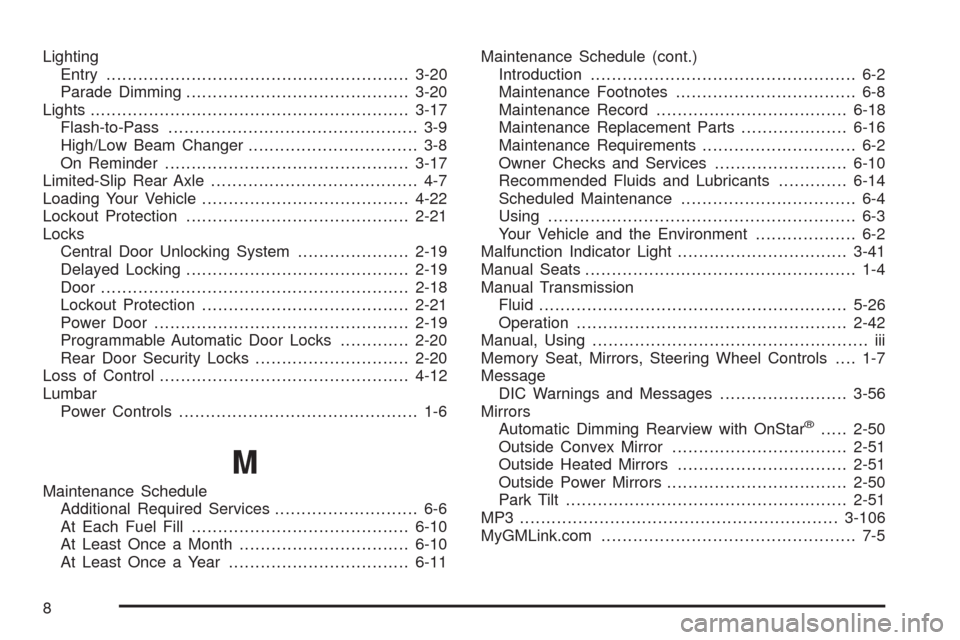
Lighting
Entry.........................................................3-20
Parade Dimming..........................................3-20
Lights............................................................3-17
Flash-to-Pass............................................... 3-9
High/Low Beam Changer................................ 3-8
On Reminder..............................................3-17
Limited-Slip Rear Axle....................................... 4-7
Loading Your Vehicle.......................................4-22
Lockout Protection..........................................2-21
Locks
Central Door Unlocking System.....................2-19
Delayed Locking..........................................2-19
Door ..........................................................2-18
Lockout Protection.......................................2-21
Power Door ................................................2-19
Programmable Automatic Door Locks.............2-20
Rear Door Security Locks.............................2-20
Loss of Control...............................................4-12
Lumbar
Power Controls............................................. 1-6
M
Maintenance Schedule
Additional Required Services........................... 6-6
At Each Fuel Fill.........................................6-10
At Least Once a Month................................6-10
At Least Once a Year..................................6-11Maintenance Schedule (cont.)
Introduction.................................................. 6-2
Maintenance Footnotes.................................. 6-8
Maintenance Record....................................6-18
Maintenance Replacement Parts....................6-16
Maintenance Requirements............................. 6-2
Owner Checks and Services.........................6-10
Recommended Fluids and Lubricants.............6-14
Scheduled Maintenance................................. 6-4
Using.......................................................... 6-3
Your Vehicle and the Environment................... 6-2
Malfunction Indicator Light................................3-41
Manual Seats................................................... 1-4
Manual Transmission
Fluid..........................................................5-26
Operation...................................................2-42
Manual, Using.................................................... iii
Memory Seat, Mirrors, Steering Wheel Controls.... 1-7
Message
DIC Warnings and Messages........................3-56
Mirrors
Automatic Dimming Rearview with OnStar
®.....2-50
Outside Convex Mirror.................................2-51
Outside Heated Mirrors................................2-51
Outside Power Mirrors..................................2-50
Park Tilt.....................................................2-51
MP3 ............................................................3-106
MyGMLink.com................................................ 7-5
8