audio CADILLAC CTS 2009 2.G Owner's Guide
[x] Cancel search | Manufacturer: CADILLAC, Model Year: 2009, Model line: CTS, Model: CADILLAC CTS 2009 2.GPages: 490, PDF Size: 2.68 MB
Page 270 of 490

2. After the tone, say “Re-dial”. The system responds
with “Re-dial using
last number called from the connected Bluetooth
phone.
Once connected, the person called will be heard
through the audio speakers.
Receiving a Call
When an incoming call is received, the audio system
mutes and a ring tone is heard in the vehicle.
Pressbgand begin speaking to answer the call.
Presscªto ignore a call.
Call Waiting
Call waiting must be supported on the Bluetooth phone
and enabled by the wireless service carrier to work.
Pressbgto answer an incoming call when
another call is active. The original call is placed
on hold.
Pressbgagain to return to the original call.
To ignore the incoming call, continue with the
original call with no action.
Presscªto disconnect the current call and
switch to the call on hold.
Three-Way Calling
Three-Way Calling must be supported on the
Bluetooth phone and enabled by the wireless service
carrier to work.
1. While on a call press
bg. The system responds
with “Ready” followed by a tone.
2. Say “Three-way call”. The system responds with
“Three-way call, please say dial or call”.
3. Use the dial or call command to dial the number of
the third party to be called.
4. Once the call is connected, press
bgto link all
the callers together.
Ending a Call
Presscªto end a call.
Muting a Call
During a call, all sounds from inside the vehicle can be
muted so that the person on the other end of the
call cannot hear them.
3-122
Page 271 of 490
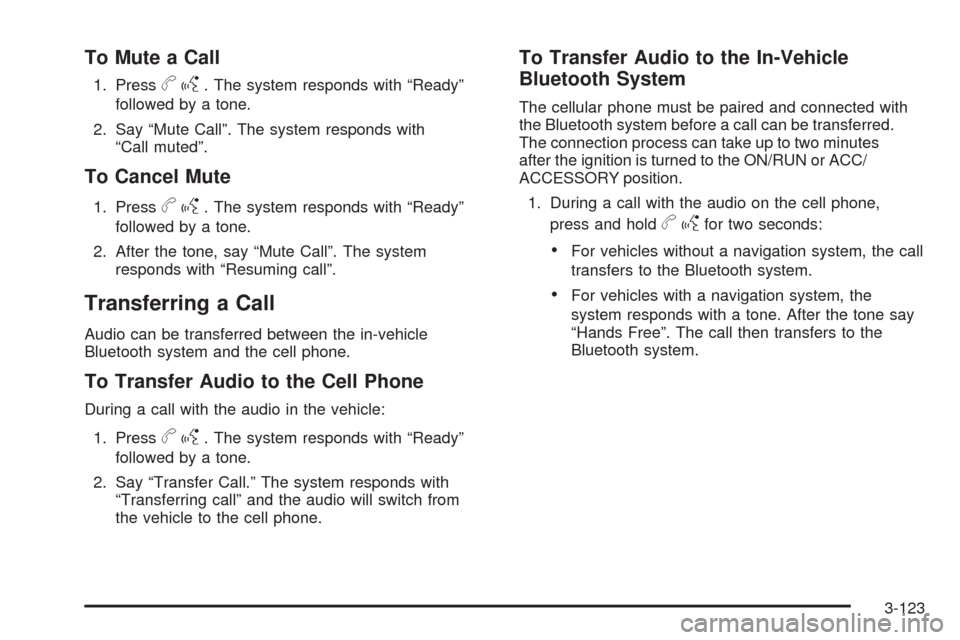
To Mute a Call
1. Pressbg. The system responds with “Ready”
followed by a tone.
2. Say “Mute Call”. The system responds with
“Call muted”.
To Cancel Mute
1. Pressbg. The system responds with “Ready”
followed by a tone.
2. After the tone, say “Mute Call”. The system
responds with “Resuming call”.
Transferring a Call
Audio can be transferred between the in-vehicle
Bluetooth system and the cell phone.
To Transfer Audio to the Cell Phone
During a call with the audio in the vehicle:
1. Press
bg. The system responds with “Ready”
followed by a tone.
2. Say “Transfer Call.” The system responds with
“Transferring call” and the audio will switch from
the vehicle to the cell phone.
To Transfer Audio to the In-Vehicle
Bluetooth System
The cellular phone must be paired and connected with
the Bluetooth system before a call can be transferred.
The connection process can take up to two minutes
after the ignition is turned to the ON/RUN or ACC/
ACCESSORY position.
1. During a call with the audio on the cell phone,
press and hold
bgfor two seconds:
For vehicles without a navigation system, the call
transfers to the Bluetooth system.
For vehicles with a navigation system, the
system responds with a tone. After the tone say
“Hands Free”. The call then transfers to the
Bluetooth system.
3-123
Page 274 of 490

Theft-Deterrent Feature
THEFTLOCK®is designed to discourage theft of the
vehicle’s radio by learning a portion of the Vehicle
Identication Number (VIN). The radio does not operate
if it is stolen or moved to a different vehicle.
Audio Steering Wheel Controls
Vehicles with audio steering wheel controls could differ
depending on the vehicle’s options. Some audio controls
can be adjusted at the steering wheel. They include the
following:
SRCE (Source):Press to switch between the radio AM,
FM, XM, CD, HDD, auxiliary input jack, USB and iPod.
y/cz(Previous/Next):Press to go to the
previous or next radio station stored as a favorite,
or the previous or next track of a CD.
Press to interact with the Bluetooth
®system.
SeeBluetooth®on page 3-113for more information.
+
e−e(Volume):Press to increase or to decrease
the volume.
Left-Side Steering
Wheel Controls for CTS
(CTS-V Similar)
Right-Side Steering
Wheel Controls for
CTS and CTS-V
3-126
Page 275 of 490

bg(Mute/Speech Recognition/Push to Talk):
Press and release to silence the vehicle speakers only.
The audio of the wireless and wired headphones, if
the vehicle has these features, does not mute.
Press and release
bgagain, to turn the sound on.
For vehicles with a navigation system, press
and hold
gfor two seconds to initiate speech
recognition. See “Speech Recognition” in the
Navigation System manual for more information.
For vehicles without a navigation system, press and
hold
gfor two seconds to interact with OnStar®or
Bluetooth. See theOnStar®System on page 2-56,
orBluetooth®on page 3-113for more information
about these features.
For vehicles with a navigation system, Onstar, or
Bluetooth, press and hold
gfor two seconds
and say “hands free” to interact with OnStar or
Bluetooth. See theOnStar
®System on page 2-56,
orBluetooth®on page 3-113for more information
about these features.
Radio Reception
Frequency interference and static can occur during
normal radio reception if items such as cell phone
chargers, vehicle convenience accessories, and external
electronic devices are plugged into the accessory power
outlet. If there is interference or static, unplug the item
from the accessory power outlet.
AM
The range for most AM stations is greater than for FM,
especially at night. The longer range can cause station
frequencies to interfere with each other. For better radio
reception, most AM radio stations boost the power levels
during the day, and then reduce these levels during the
night. Static can also occur when things like storms and
power lines interfere with radio reception. When this
happens, try reducing the treble on the radio.
FM Stereo
FM signals only reach about 10 to 40 miles (16 to 65 km).
Although the radio has a built-in electronic circuit that
automatically works to reduce interference, some static
can occur, especially around tall buildings or hills,
causing the sound to fade in and out.
3-127
Page 434 of 490

Relays Usage
TRUNK/RELSE Trunk Release
UNLCK Unlock
Mini-Fuses Usage
AIRBAG Airbag System
AMP Amplier
AUX/OUTLET Auxiliary Power Outlet
CNSTR/VENT Canister Vent
DR/LCK Door Lock
ECM Engine Control Module (ECM)
FUEL/PUMP Fuel Pump
LT/POS/LP Left Position Lamp
MSM Memory Seat Module
ONSTAR OnStar
®System
PDM Passenger Door Module
RDO Audio System
RDO/SPKR Audio Speakers
REAR/FOG Not Used
RKE/
PASS-KEY/
MDLRemote Keyless Entry System,
PASS-Key III+ Theft Deterrent
Feature Module
RT/POS/LP Right Position Lamp
RT/POS/LP Right Position Lamp
RVC/SNSR Regulated Voltage Control Sensor
Mini-Fuses Usage
S/ROOF Sunroof
SPARE Spare
SPARE Spare
STOP/LP Stoplamp
THEFT/UGDOTheft Deterrent System, Universal
Home Remote System
TRUNK/RELSE Trunk Release
Circuit
BreakersUsage
LF FRT/
PWR/SEATLeft Front Power Seat
PWR CLMN Power Steering Column
PWR/WNDW Power Window
RT FRT/
PWR/SEATRight Front Power Seat
LT/REAR/
WNDWLeft Rear Window
REAR/WNDW Right Rear Window
Rear Compartment Fuse Block
(CTS-V)
The rear compartment fuse block is located on top of
the battery, on the right side of the trunk. The battery
access door must be removed to access the fuse block.
5-124
Page 436 of 490

Relays Usage
FUEL/DR/
RELSENot Used
STOP/LP Stoplamp
TRUNK/RELSE Trunk Release
UNLCK Unlock
Mini-Fuses Usage
AIRBAG Airbag System
AMP Amplier
AUX/OUTLET Auxiliary Power Outlet
CNSTR/VENT Canister Vent
DR/LCK Door Lock
ECM Engine Control Module (ECM)
FUEL/PUMP Fuel Pump
LT/POS/LP Left Position Lamp
MSM Memory Seat Module
ONSTAR OnStar
®System
PDM Passenger Door Module
RDO Audio System
RDO/SPKR Audio Speakers
REAR/FOG Not Used
RKE/
PASS-KEY/
MDLRemote Keyless Entry System,
PASS-Key III+ Theft Deterrent
Feature Module
Mini-Fuses Usage
RT/POS/LP Right Position Lamp
RT/POS/LP Right Position Lamp
RVC/SNSR Regulated Voltage Control Sensor
FSCM Fuel System Control Module
SPARE Spare
SPARE Spare
STOP/LP Stoplamp
THEFT/UGDOTheft Deterrent System, Universal
Home Remote System
TRUNK/RELSE Trunk Release
Circuit
BreakersUsage
LF FRT/
PWR/SEATLeft Front Power Seat
PWR CLMN Power Steering Column
PWR/WNDW Power Window
RT FRT/
PWR/SEATRight Front Power Seat
LT/REAR/
WNDWLeft Rear Window
REAR/WNDW Right Rear Window
5-126
Page 478 of 490
Audio System.................................................3-85
Audio Steering Wheel Controls....................3-126
Backglass Antenna.....................................3-128
Navigation/Radio System,
see Navigation Manual............................3-113
Radio Reception........................................3-127
Theft-Deterrent Feature...............................3-126
XM™ Satellite Radio Antenna System...........3-128
Audio System(s).............................................3-86
Automatic Transmission
Fluid..........................................................5-29
Operation...................................................2-36
B
Backglass Antenna........................................3-128
Battery..........................................................5-45
Electric Power Management..........................3-21
Exterior Lighting Battery Saver......................3-20
Run-Down Protection...................................3-22
Bluetooth
®....................................................3-113
Boost Gage...................................................3-50
Brake
Electric Parking...........................................2-44
Emergencies................................................ 4-5
Brake Fluid....................................................5-42
Brakes..........................................................5-42
System Warning Light..................................3-39
Braking........................................................... 4-4Braking in Emergencies..................................... 4-5
Break-In, New Vehicle.....................................2-30
Bulb Replacement...........................................5-57
Front Turn Signal and Fog Lamps..................5-58
Halogen Bulbs............................................5-57
Headlamp Aiming........................................5-53
High Intensity Discharge (HID) Lighting...........5-57
License Plate Lamps....................................5-59
Replacement Bulbs......................................5-59
Buying New Tires...........................................5-78
C
Calibration.....................................................3-56
California Fuel.................................................. 5-7
California Perchlorate Materials Requirements....... 5-4
California Proposition 65 Warning....................... 5-4
Canadian Owners............................................... iii
Capacities and Specications..........................5-127
Carbon Monoxide...........................2-19, 2-50, 4-17
Care of
Safety Belts..............................................5-109
CD, MP3 .....................................................3-108
Center Console Storage Area...........................2-65
Chains, Tire...................................................5-84
Charging System Light....................................3-38
Check
Engine Lamp..............................................3-43
Checking Things Under the Hood......................5-12
2
Page 488 of 490

Spare Tire
Compact...................................................5-105
Installing....................................................5-99
Removing...................................................5-98
Storing.....................................................5-104
Specications, Capacities...............................5-127
Speedometer..................................................3-33
Split Folding Rear Seat....................................1-13
Stabilitrak
®System........................................... 4-6
StabiliTrak®/TCS Warning Light.........................3-41
Start Vehicle, Remote......................................2-14
Starting the Engine.........................................2-33
Steering.......................................................... 4-9
Steering Wheel Controls, Audio.......................3-126
Steering Wheel Controls, Memory....................... 1-8
Steering Wheel, Power Tilt Wheel and
Telescopic Steering Column............................ 3-7
Steering Wheel, Tilt and Telescopic..................... 3-6
Storage Areas
Center Console Storage Area........................2-65
Convenience Net.........................................2-65
Cupholders.................................................2-64
Glove Box..................................................2-64
Instrument Panel Storage Area......................2-65
Storing the Tire Sealant and Compressor Kit......5-95
Stuck in Sand, Mud, Ice, or Snow.....................4-19
Sun Visors.....................................................2-25
Sunroof.........................................................2-65
T
Tachometer....................................................3-34
Telescopic Steering Column, Power Tilt Wheel...... 3-7
Telescopic Wheel.............................................. 3-6
Theft - Deterrent System..................................2-26
Theft-Deterrent, Radio....................................3-126
Theft-Deterrent Systems...................................2-26
Immobilizer.................................................2-27
Immobilizer Operation..........................2-28, 2-29
Tilt Wheel........................................................ 3-6
Tire
Pressure Light.............................................3-42
Tire Sealant
Storing.......................................................5-95
Tires.............................................................5-61
Aluminum or Chrome-Plated Wheels,
Cleaning...............................................5-112
Buying New Tires........................................5-78
Chains.......................................................5-84
Changing a Flat Tire....................................5-96
Cleaning...................................................5-113
Compact Spare Tire...................................5-105
Different Size..............................................5-80
High-Speed Operation..................................5-70
If a Tire Goes Flat.......................................5-85
Ination - Tire Pressure................................5-69
Inspection and Rotation................................5-76
12