brake CADILLAC CTS 2012 2.G User Guide
[x] Cancel search | Manufacturer: CADILLAC, Model Year: 2012, Model line: CTS, Model: CADILLAC CTS 2012 2.GPages: 496, PDF Size: 6.36 MB
Page 44 of 496
Black plate (12,1)Cadillac CTS/CTS-V Owner Manual (Include Mex) - 2012
2-12 Keys, Doors, and Windows
Remote Vehicle Start
This vehicle may have a remote
starting feature that allows you to
start the engine from outside the
vehicle.
/(Remote Vehicle Start):This
button will be on the RKE
transmitter if you have remote start.
The automatic climate control will
begin to heat or cool your vehicle
during remote start depending on
the temperature inside and outside
of the vehicle. The windshield
defroster and/or rear window
defogger turn on if it is cold outside.
If the vehicle has heated seats, they
may also be turned on during
remote start to warm up the seats in
cold weather. Normal operation of
the climate control system returns
after the ignition is turned to ON/
RUN. See Dual Automatic Climate
Control System on page 8‑1.
Laws in some local communities
may restrict the use of remote
starters. For example, some laws
may require a person using remote start to have the vehicle in view
when doing so. Check local
regulations for any requirements on
remote starting of vehicles.
If your vehicle is low on fuel, do not
use the remote start feature. The
vehicle may run out of fuel.
If your vehicle has the remote start
feature, the RKE transmitter
functions will have an increased
range of operation. However, the
range may be less while the vehicle
is running.
Other conditions can affect the
performance of the transmitter; see
Remote Keyless Entry (RKE)
System on page 2‑4
for additional
information.
Starting the Engine Using Remote
Start
To start the engine using the remote
start feature:
1. Aim the transmitter at the vehicle
and press and release
Qon the
transmitter. 2. Press and hold
/for at least
four seconds or until the
vehicle's turn signal lamps flash.
The parking lamps will turn on
and remain on as long as the
engine is running. The vehicle's
doors will be locked.
3. After entering the vehicle during a remote start, press the brake
pedal and turn the ignition to
ON/RUN to drive the vehicle.
After a remote start, the engine
will automatically shut off after
10 minutes unless a time
extension has been done or
the ignition has been turned to
ON/RUN.
Extending Engine Run Time
To extend the engine run time by
10 minutes, repeat Steps 1 and 2
while the engine is still running.
The engine run time can only be
extended if it is the first remote start
since the vehicle has been driven.
Remote start can be extended
one time.
Page 51 of 496

Black plate (19,1)Cadillac CTS/CTS-V Owner Manual (Include Mex) - 2012
Keys, Doors, and Windows 2-19
WARNING (Continued)
.Adjust the Climate Control
system to a setting that
brings in only outside air and
set the fan speed to the
highest setting. See“Climate
Control Systems” in the
Index.
.If the vehicle is equipped with
a power liftgate, disable the
power liftgate function.
For more information about
carbon monoxide, see Engine
Exhaust on page 9‑26.
Trunk Lock Release
The remote trunk release button is
on the driver door, inside the
storage compartment under the
armrest.
Vehicles with an automatic
transmission, the shift lever must be
in P (Park) or N (Neutral). Vehicles
with a manual transmission, the shift
lever must be in Neutral, and the
parking brake set.
The trunk may be opened by
pressing the remote trunk release
button on the driver door, or
Von the Remote Keyless Entry (RKE)
transmitter, or the trunk release
button located on the rear of the
trunk above the license plate.
Vehicles with the Keyless Access
System, if the vehicle is locked, the
keyless access transmitter must be
within 1 m (3 ft) of the trunk for it to
be recognized, then the trunk can
be opened by the trunk release
button located above the license
plate.
If the vehicle is ever without power,
the trunk area can still be accessed.
On vehicles with a rear seat
pass-through door:
1. Fold the rear armrest down and
open the pass-through door. See
“Rear-Seat Pass Through”
following for more information.
2. Reach upward through the opening to locate the emergency
trunk release handle. See
“Emergency Trunk Release
Handle” following for more
information.
Page 74 of 496

Black plate (8,1)Cadillac CTS/CTS-V Owner Manual (Include Mex) - 2012
3-8 Seats and Restraints
Memory Seats
On vehicles with the memory
feature, memory buttons 1 and 2 on
the driver door are used to save and
recall memory settings for the driver
seat cushion and seatback, outside
mirrors, and the steering column
position, if the vehicle is equipped
with the power tilt and telescopic
steering column.
1:Saves and recalls for driver 1.
2: Saves and recalls for driver 2.
B(Exit Button): Moves the driver
seat and/or power steering column
to the exit position. See “Exit Recall”
later in this section for more
information.
Storing Memory Positions
To save into memory:
1. Adjust the driver seat, outside mirrors, and the power steering
column, if equipped, to the
desired driving positions.
2. Press and hold “1”until two
beeps sound.
3. Repeat for a second driver using “2.”
The vehicle comes with two
Remote Keyless Entry (RKE)
transmitters. Each transmitter has
a number “1”or“2” on it. These
numbers correspond to “1”and “2”
on the driver door. The current
driver is identified when
Kon the
RKE transmitter is pressed, or when
“1” or“2” on the driver door is
pressed. To recall memory positions, press
and release
“1”or“2.” The vehicle
must be in P (Park) for an automatic
transmission, or the parking brake
must be applied for a manual
transmission. A single beep will
sound when the button is pressed.
The seat, outside mirrors, and/or
power steering column will move to
the position previously stored for the
identified driver.
Automatic Entry Recall
If entry/exit recall is programmed on
in the vehicle personalization menu,
automatic entry recall occurs when
the ignition is turned on. See “Entry/
Exit Recall” underVehicle
Personalization on page 5‑46 for
more information.
To stop recall movement, press one
of the power seat, memory,
or outside mirror buttons, or the
power steering column switch,
if equipped.
If something has blocked the driver
seat or the steering column while
recalling a memory position, the
Page 75 of 496

Black plate (9,1)Cadillac CTS/CTS-V Owner Manual (Include Mex) - 2012
Seats and Restraints 3-9
recall may stop. Remove the
obstruction; then press the
appropriate control for the area that
is not recalling for two seconds. Try
recalling the memory position again
by pressing the appropriate memory
button. If the memory position is still
not recalling, see your dealer for
service.
Exit Recall
B(Exit Button):Press to move
the driver seat back a preset
distance and/or the power steering
column, if equipped, up and forward.
A single beep sounds when the exit
feature activates. The vehicle must
be in P (Park) for an automatic
transmission, or the parking brake
must be applied for a manual
transmission.
If entry/exit recall is programmed on
in the vehicle personalization menu,
automatic seat and/or steering
column movement occurs upon
leaving the vehicle, if the following conditions are met. See
Vehicle
Personalization on page 5‑46 for
more information.
.For vehicles with Remote
Keyless Entry (RKE), automatic
exit recall movements occur
when the ignition key is
removed.
.For vehicles with Remote
Keyless Access, automatic exit
recall movements occur when
the following steps are
completed:
1. The ignition is turned on for vehicles with an automatic
transmission, or the engine
is started on vehicles with a
manual transmission.
2. The automatic transmission is shifted out of P (Park),
or the parking brake is
released on vehicles with a
manual transmission. 3. The automatic transmission
is shifted back into P (Park),
or the parking brake is
re-engaged on vehicles
with a manual transmission.
4. The ignition is turned off.
5. The driver door is opened.
Steps 2 and 3 are intended to reflect
that the vehicle has been moved.
If the vehicle is not moved or the
steps above are not performed,
automatic exit recall movement will
not occur. In this case, press
Bto
activate exit recall movements.
If something has blocked the driver
seat while recalling the exit position,
the recall may stop. Remove the
obstruction; then press and hold the
power seat control rearward for
two seconds. Try recalling the exit
position again. If the exit position is
still not recalling, see your dealer for
service.
Page 92 of 496
Black plate (26,1)Cadillac CTS/CTS-V Owner Manual (Include Mex) - 2012
3-26 Seats and Restraints
What Will You See after
an Airbag Inflates?
After the frontal airbags and
seat-mounted side impact airbags
inflate, they quickly deflate, so
quickly that some people may not
even realize an airbag inflated.
Roof-rail airbags may still be at least
partially inflated for some time after
they inflate. Some components of
the airbag module may be hot for
several minutes. For location of the
airbags, seeWhere Are the
Airbags? on page 3‑22.
The parts of the airbag that come
into contact with you may be warm,
but not too hot to touch. There may
be some smoke and dust coming
from the vents in the deflated
airbags. Airbag inflation does not
prevent the driver from seeing out of
the windshield or being able to steer
the vehicle, nor does it prevent
people from leaving the vehicle.
{WARNING
When an airbag inflates, there
may be dust in the air. This dust
could cause breathing problems
for people with a history of
asthma or other breathing trouble.
To avoid this, everyone in the
vehicle should get out as soon as
it is safe to do so. If you have
breathing problems but cannot
get out of the vehicle after an
airbag inflates, then get fresh air
by opening a window or a door.
If you experience breathing
problems following an airbag
deployment, you should seek
medical attention.
The vehicle has a feature that may
automatically unlock the doors, turn
the interior lamps on, turn the
hazard warning flashers on, and
shut off the fuel system after the
airbags inflate. You can lock the
doors, turn the interior lamps off, and turn the hazard warning
flashers off by using the controls for
those features.
{WARNING
A crash severe enough to inflate
the airbags may have also
damaged important functions in
the vehicle, such as the fuel
system, brake and steering
systems, etc. Even if the vehicle
appears to be drivable after a
moderate crash, there may be
concealed damage that could
make it difficult to safely operate
the vehicle.
Use caution if you should attempt
to restart the engine after a crash
has occurred.
In many crashes severe enough to
inflate the airbag, windshields are
broken by vehicle deformation.
Page 129 of 496

Black plate (1,1)Cadillac CTS/CTS-V Owner Manual (Include Mex) - 2012
Instruments and Controls 5-1
Instruments and
Controls
Controls
Steering Wheel Adjustment . . . 5-2
Steering Wheel Controls . . . . . . 5-3
Heated Steering Wheel . . . . . . . 5-4
Horn . . . . . . . . . . . . . . . . . . . . . . . . . . 5-4
Windshield Wiper/Washer . . . . . 5-4
Rear Window Wiper/Washer . . . . . . . . . . . . . . . . . . . . . . 5-6
Headlamp Washer . . . . . . . . . . . . 5-7
Compass . . . . . . . . . . . . . . . . . . . . . 5-7
Clock . . . . . . . . . . . . . . . . . . . . . . . . . 5-8
Power Outlets . . . . . . . . . . . . . . . . . 5-9
Cigarette Lighter . . . . . . . . . . . . . . 5-9
Ashtrays . . . . . . . . . . . . . . . . . . . . . 5-10
Warning Lights, Gauges, and
Indicators
Warning Lights, Gauges, and Indicators . . . . . . . . . . . . . . . . . . 5-10
Instrument Cluster . . . . . . . . . . . 5-11
Speedometer . . . . . . . . . . . . . . . . 5-13
Odometer . . . . . . . . . . . . . . . . . . . . 5-13
Trip Odometer . . . . . . . . . . . . . . . 5-13
Tachometer . . . . . . . . . . . . . . . . . . 5-13 Fuel Gauge . . . . . . . . . . . . . . . . . . 5-13
Boost Gauge . . . . . . . . . . . . . . . . 5-14
Engine Speed Limiter . . . . . . . . 5-14
Engine Oil Pressure
Gauge . . . . . . . . . . . . . . . . . . . . . . 5-15
Engine Coolant Temperature Gauge . . . . . . . . . . . . . . . . . . . . . . 5-16
Safety Belt Reminders . . . . . . . 5-16
Airbag Readiness Light . . . . . . 5-17
Passenger Airbag Status Indicator . . . . . . . . . . . . . . . . . . . . 5-18
Charging System Light . . . . . . 5-19
Malfunction Indicator Lamp . . . . . . . . . . . . . 5-19
Brake System Warning Light . . . . . . . . . . . . . . . . . . . . . . . 5-22
Antilock Brake System (ABS) Warning Light . . . . . . . . . . . . . . 5-23
Up-Shift Light . . . . . . . . . . . . . . . . 5-23
StabiliTrak
®OFF Light . . . . . . . 5-23
Traction Control System (TCS)/StabiliTrak
®Light . . . . 5-24
Engine Coolant Temperature Warning Light . . . . . . . . . . . . . . 5-24
Tire Pressure Light . . . . . . . . . . 5-25
Engine Oil Pressure Light . . . . 5-25
Security Light . . . . . . . . . . . . . . . . 5-26
High-Beam On Light . . . . . . . . . 5-26 Front Fog Lamp Light . . . . . . . . 5-26
Lamps On Reminder . . . . . . . . . 5-26
Cruise Control Light . . . . . . . . . 5-27
Information Displays
Driver Information
Center (DIC) . . . . . . . . . . . . . . . 5-27
Vehicle Messages
Vehicle Messages . . . . . . . . . . . 5-31
Battery Voltage and ChargingMessages . . . . . . . . . . . . . . . . . . 5-31
Brake System Messages . . . . 5-32
Compass Messages . . . . . . . . . 5-34
Cruise Control Messages . . . . 5-34
Door Ajar Messages . . . . . . . . . 5-34
Engine Cooling System Messages . . . . . . . . . . . . . . . . . . 5-35
Engine Oil Messages . . . . . . . . 5-35
Engine Power Messages . . . . 5-36
Fuel System Messages . . . . . . 5-36
Key and Lock Messages . . . . . 5-37
Lamp Messages . . . . . . . . . . . . . 5-39
Object Detection System Messages . . . . . . . . . . . . . . . . . . 5-39
Ride Control System Messages . . . . . . . . . . . . . . . . . . 5-40
Airbag System Messages . . . . 5-43
Page 150 of 496
Black plate (22,1)Cadillac CTS/CTS-V Owner Manual (Include Mex) - 2012
5-22 Instruments and Controls
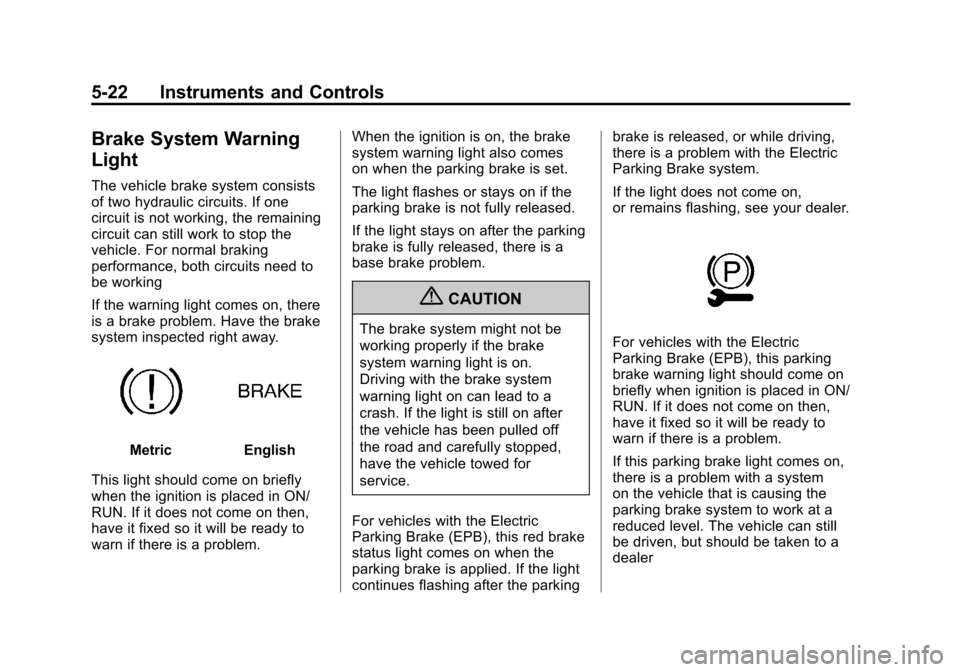
Brake System Warning
Light
The vehicle brake system consists
of two hydraulic circuits. If one
circuit is not working, the remaining
circuit can still work to stop the
vehicle. For normal braking
performance, both circuits need to
be working
If the warning light comes on, there
is a brake problem. Have the brake
system inspected right away.
MetricEnglish
This light should come on briefly
when the ignition is placed in ON/
RUN. If it does not come on then,
have it fixed so it will be ready to
warn if there is a problem. When the ignition is on, the brake
system warning light also comes
on when the parking brake is set.
The light flashes or stays on if the
parking brake is not fully released.
If the light stays on after the parking
brake is fully released, there is a
base brake problem.
{CAUTION
The brake system might not be
working properly if the brake
system warning light is on.
Driving with the brake system
warning light on can lead to a
crash. If the light is still on after
the vehicle has been pulled off
the road and carefully stopped,
have the vehicle towed for
service.
For vehicles with the Electric
Parking Brake (EPB), this red brake
status light comes on when the
parking brake is applied. If the light
continues flashing after the parking brake is released, or while driving,
there is a problem with the Electric
Parking Brake system.
If the light does not come on,
or remains flashing, see your dealer.For vehicles with the Electric
Parking Brake (EPB), this parking
brake warning light should come on
briefly when ignition is placed in ON/
RUN. If it does not come on then,
have it fixed so it will be ready to
warn if there is a problem.
If this parking brake light comes on,
there is a problem with a system
on the vehicle that is causing the
parking brake system to work at a
reduced level. The vehicle can still
be driven, but should be taken to a
dealer
Page 151 of 496
Black plate (23,1)Cadillac CTS/CTS-V Owner Manual (Include Mex) - 2012
Instruments and Controls 5-23
SeeBrake Assist (Except CTS-V)
on page 9‑37 for more information.
Antilock Brake System
(ABS) Warning Light
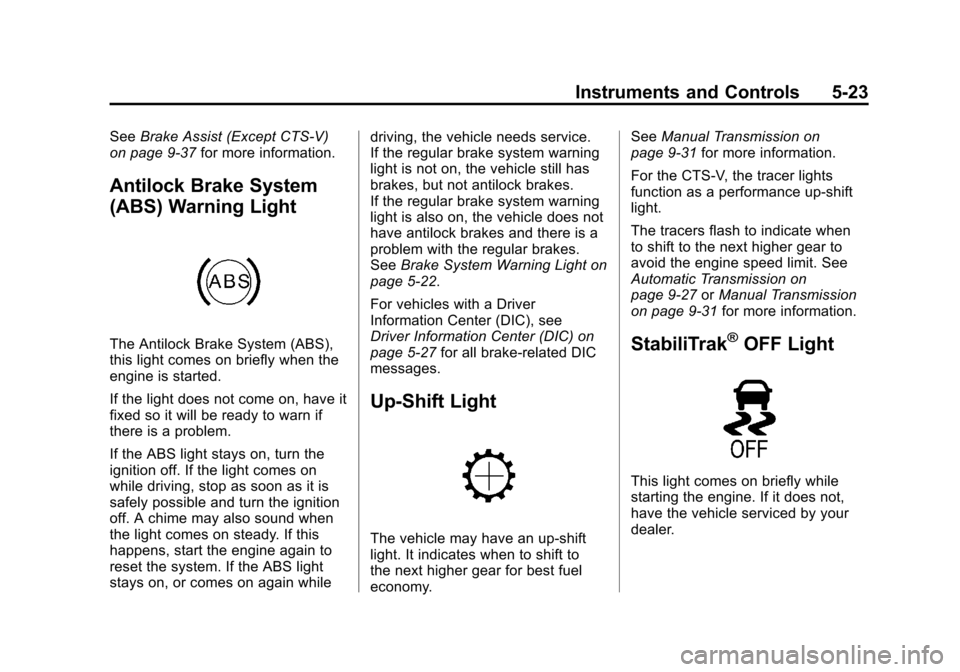
The Antilock Brake System (ABS),
this light comes on briefly when the
engine is started.
If the light does not come on, have it
fixed so it will be ready to warn if
there is a problem.
If the ABS light stays on, turn the
ignition off. If the light comes on
while driving, stop as soon as it is
safely possible and turn the ignition
off. A chime may also sound when
the light comes on steady. If this
happens, start the engine again to
reset the system. If the ABS light
stays on, or comes on again while driving, the vehicle needs service.
If the regular brake system warning
light is not on, the vehicle still has
brakes, but not antilock brakes.
If the regular brake system warning
light is also on, the vehicle does not
have antilock brakes and there is a
problem with the regular brakes.
See
Brake System Warning Light on
page 5‑22.
For vehicles with a Driver
Information Center (DIC), see
Driver Information Center (DIC) on
page 5‑27 for all brake-related DIC
messages.
Up-Shift Light
The vehicle may have an up-shift
light. It indicates when to shift to
the next higher gear for best fuel
economy. See
Manual Transmission on
page 9‑31 for more information.
For the CTS-V, the tracer lights
function as a performance up-shift
light.
The tracers flash to indicate when
to shift to the next higher gear to
avoid the engine speed limit. See
Automatic Transmission on
page 9‑27 orManual Transmission
on page 9‑31 for more information.
StabiliTrak®OFF Light
This light comes on briefly while
starting the engine. If it does not,
have the vehicle serviced by your
dealer.
Page 160 of 496

Black plate (32,1)Cadillac CTS/CTS-V Owner Manual (Include Mex) - 2012
5-32 Instruments and Controls
BATTERY VOLTS LOW
This message displays when the
electrical system is charging less
than 10 volts or the battery has
been drained.
If this message appears
immediately after starting the
engine, it is possible that the
generator can still recharge the
battery. The battery should recharge
while driving, but may take a few
hours to do so. Consider using an
auxiliary charger to boost the
battery after returning home or
arriving at a final destination. Make
sure you follow the manufacturer's
instructions.
If this message appears while
driving or after starting the vehicle
and stays on, have it checked
immediately to determine the cause
of this problem.To help the generator recharge the
battery quickly, reduce the load on
the electrical system by turning off
the accessories.
The normal battery voltage range is
11.5 to 15.5 volts. Monitor battery
voltage on the DIC by pressing the
vehicle information button until
Battery Voltage is displayed.
SERVICE BATTERY
CHARGING SYSTEM
This message displays when there
is a problem with the generator and
battery charging systems. Driving
with this problem could drain the
battery. Turn off all unnecessary
accessories. Stop and turn off the
vehicle as soon as it is safe to do
so. Have the electrical system
checked by your dealer. Under
certain conditions, the charging
system light may also turn on in
the instrument panel cluster. See
Charging System Light on
page 5‑19
for more information.
Brake System Messages
PARK BRAKE RELEASED
For vehicles with the electric
parking brake, this message
displays when the parking brake
has been released from the set
position. See the electric parking
brake information under Parking
Brake (Manual) on page 9‑34 or
Parking Brake (Electric) on
page 9‑35 for more information.
PARK BRAKE SET
For vehicles with the electric parking
brake, this message displays when
the parking brake has been applied
to the set position. See the electric
parking brake information under
Parking Brake (Manual) on
page 9‑34orParking Brake
(Electric) on page 9‑35 for more
information.
Page 161 of 496

Black plate (33,1)Cadillac CTS/CTS-V Owner Manual (Include Mex) - 2012
Instruments and Controls 5-33
PRESS BRAKE TO START
ENGINE (AUTOMATIC
TRANSMISSION ONLY)
If the vehicle has the keyless
access system, this message
displays if you try to start the engine
without having the brake pressed.
The brake needs to be pressed
when starting the engine. See
Ignition Positions (Key Access) on
page 9‑16orIgnition Positions
(Keyless Access) on page 9‑18 for
more information.
RELEASE PARK BRAKE
SWITCH
For vehicles with the electric parking
brake, this message displays if the
switch is pulled while the vehicle is
moving. See the electric parking
brake information under Parking
Brake (Manual) on page 9‑34 or
Parking Brake (Electric) on
page 9‑35 for more information.
SERVICE BRAKE ASSIST
This message displays if there is a
problem with the brake system. The
brake system warning light and the
antilock brake system (ABS)
warning light may also display on
the instrument panel cluster. See
Brake System Warning Light on
page 5‑22andAntilock Brake
System (ABS) Warning Light on
page 5‑23 for more information.
Stop as soon as possible and turn
off the vehicle. Restart the vehicle
and check for the message on the
DIC display. If the message displays
immediately or again after you begin
driving, the brake system needs
service. See your dealer as soon as
possible. See Antilock Brake
System (ABS) on page 9‑33 for
more information.
SERVICE BRAKE SYSTEM
This message displays, while the
ignition is on, when the brake fluid
level is low. The brake system
warning light on the instrument
panel cluster also comes on. See
Brake System Warning Light on
page 5‑22 for more information. This
message may also be displayed for
other brake system problems. Have
the brake system serviced by your
dealer as soon as possible.
SERVICE PARK BRAKE
For vehicles with the electric parking
brake, this message displays if a
problem is detected with the electric
parking brake system. See your
dealer for service.
STEP ON BRAKE TO
RELEASE PARK BRAKE
For vehicles with the electric parking
brake, this message displays if you
try to release the park brake system
without first pressing the brake
pedal. See the electric parking
brake information under Parking
Brake (Manual) on page 9‑34 or
Parking Brake (Electric) on
page 9‑35 for more information.