ABS CADILLAC CTS 2013 2.G User Guide
[x] Cancel search | Manufacturer: CADILLAC, Model Year: 2013, Model line: CTS, Model: CADILLAC CTS 2013 2.GPages: 478, PDF Size: 7.7 MB
Page 200 of 478
Black plate (12,1)Cadillac CTS/CTS-V Owner Manual - 2013 - crc2 - 8/22/12
7-12 Infotainment System
Selecting a Station by Station List
The infotainment system can list all
SiriusXM stations.
To select a station from the
station list:
1. Turn the TUNE/TONE knob andhighlight the desired station.
2. Press the TUNE/TONE knob to select the station.
The highlighted station will also
automatically be selected if TUNE/
TONE is released and no longer
turned.
Selecting a Station by Category
The infotainment system can list
SiriusXM stations by genre.
To select a station from the
category list:
1. Turn the MENU/SELECT knob and highlight the desired genre,
then press the MENU/SELECT
knob to select the genre. 2. Turn the MENU/SELECT knob
and highlight the desired station,
then press the MENU/SELECT
knob to select the station.
Storing a SiriusXM Station as a
Favorite
Drivers are encouraged to set up
their radio station favorites while the
vehicle is stopped. Tune to favorite
stations using the presets, favorites
button, and steering wheel controls,
if the vehicle has this feature.
FAV (Favorites): A maximum of
36 stations can be programmed as
favorites using the six softkeys
below the radio station frequency
tabs on the display and by using the
radio favorites page button (FAV
button). Press the FAV button to go
through up to six pages of favorites,
each having six favorite stations
available per page. Each page of
favorites can contain any
combination of AM, FM, or SiriusXM
stations. To store a station as a favorite:
1. Tune to the desired radio station.
2. Press the FAV button to display
the page where the station is to
be stored.
3. Press and hold one of the six softkeys until a beep sounds.
When that softkey is pressed
and released, the radio recalls
the station that was set.
4. Repeat the steps for each radio station to be stored as a favorite.
The number of favorites pages can
be set up using the CONFIG button.
To set up the number of favorites
pages:
1. Press the CONFIG button to display the radio setup menu.
2. Press the softkey below the FAV label.
3. Select the desired number of favorites pages by pressing the
softkey below the displayed
page numbers.
Page 214 of 478
Black plate (26,1)Cadillac CTS/CTS-V Owner Manual - 2013 - crc2 - 8/22/12
7-26 Infotainment System
TUNE/TONE knob. Songs are
played sequentially; press
sREV
or
\FWD to reverse or advance
through the playing song.
The HDD Radio does not support
preprogrammed playlists. To create
a playlist on the HDD radio from
songs recorded to the HDD, see
Hard Drive Device (HDD) on
page 7‑27.
Playing an MP3/WMA from a
Disc or a USB Storage Device
Selecting an MP3 Track
Tracks can be selected using the
seek buttons, the TUNE/TONE
knob, or the softkeys below the
folder tabs on the infotainment
display.
To use the seek buttons:
Press the
©SEEK button to go to
the start of the current track, if more
than five seconds have played.
Press the
¨SEEK button to go to
the next track. If
©SEEK or¨SEEK is held, or pressed multiple times,
the player continues moving
backward or forward through the
tracks on the disc.
To use the TUNE/TONE knob:
Turn the TUNE/TONE knob to
highlight the desired track, then
press the TUNE/TONE knob to
select the track.
To use the softkeys below the
folder tabs:
S
Folder (Previous Folder): Press
the softkey under the Folder tab to
go to the first track in the previous
folder.
Folder T(Next Folder): Press the
softkey under the Folder tab to go to
the first track in the next folder.
Fast Forward and Rewind
sREV (Fast Reverse): Press
and hold to reverse playback quickly
within a track. Sound is heard at a
reduced volume and the elapsed
time of the track displays. Release
to resume playing the track.
\FWD (Fast Forward): Press
and hold to advance playback
quickly within a track. Sound is
heard at a reduced volume and the
elapsed time of the track displays.
Release to resume playing the
track.
Searching for MP3 Tracks
Tracks can be searched for by using
the menu system.
To use the menu system:
1. Press the MENU/SELECT knob to display the MP3 Menu.
2. Turn the MENU/SELECT knob to highlight an option from the MP3
Menu. The available options are:
.Playlists*
.Tracks
.Folders
.Artists
.Albums
.Song Titles
.AudioBook
Page 241 of 478

Black plate (7,1)Cadillac CTS/CTS-V Owner Manual - 2013 - crc2 - 8/22/12
Climate Controls 8-7
To replace the passenger
compartment air filter:
1. Turn the ignition to ON/RUN withthe engine off.
2. Turn on the windshield wipers and turn the ignition off again
when the wipers are straight up
on the windshield.
This allows access to the leaf
screen. The passenger
compartment air filter is under
the screen.
3. Open the hood to access the engine compartment. See Hood
on page 10‑4 for more
information.
4. Remove the three screws that hold the screen in place and lift
off the screen by lifting and
sliding it toward the center of the
vehicle.
5. Pull out on the two tabs on each end of the filter cover.
6. Lift the filter cover off by pulling it straight up. 7. Remove the old filter and insert
a new one.
See Maintenance Replacement
Parts on page 11‑15 for the
correct part number for the filter.
8. Reverse Steps 1 through 6 to reinstall the cover.
Page 243 of 478

Black plate (1,1)Cadillac CTS/CTS-V Owner Manual - 2013 - crc2 - 8/22/12
Driving and Operating 9-1
Driving and
Operating
Driving Information
Distracted Driving . . . . . . . . . . . . . 9-2
Defensive Driving . . . . . . . . . . . . . 9-3
Drunk Driving . . . . . . . . . . . . . . . . . 9-3
Control of a Vehicle . . . . . . . . . . . 9-3
Braking . . . . . . . . . . . . . . . . . . . . . . . 9-3
Steering . . . . . . . . . . . . . . . . . . . . . . . 9-4
Off-Road Recovery . . . . . . . . . . . . 9-4
Loss of Control . . . . . . . . . . . . . . . . 9-5
Competitive Driving . . . . . . . . . . . 9-5
Driving on Wet Roads . . . . . . . . . 9-6
Highway Hypnosis . . . . . . . . . . . . 9-7
Hill and Mountain Roads . . . . . . 9-7
Winter Driving . . . . . . . . . . . . . . . . . 9-8
If the Vehicle Is Stuck . . . . . . . . . 9-9
Vehicle Load Limits . . . . . . . . . . 9-10
Starting and Operating
New Vehicle Break-In . . . . . . . . 9-14
Ignition Positions (KeylessAccess) . . . . . . . . . . . . . . . . . . . . 9-15
Ignition Positions (Key Access) . . . . . . . . . . . . . . . . . . . . 9-17
Starting the Engine . . . . . . . . . . 9-19 Retained Accessory
Power (RAP) . . . . . . . . . . . . . . . 9-21
Engine Coolant Heater . . . . . . . 9-21
Shifting Into Park . . . . . . . . . . . . 9-22
Shifting out of Park . . . . . . . . . . 9-23
Parking (Manual Transmission) . . . . . . . . . . . . . . 9-23
Parking over Things That Burn . . . . . . . . . . . . . . . . . . 9-23
Engine Exhaust
Engine Exhaust . . . . . . . . . . . . . . 9-24
Running the Vehicle WhileParked . . . . . . . . . . . . . . . . . . . . . 9-24
Automatic Transmission
Automatic Transmission . . . . . 9-25
Manual Mode . . . . . . . . . . . . . . . . 9-26
Manual Transmission
Manual Transmission . . . . . . . . 9-29
Drive Systems
All-Wheel Drive . . . . . . . . . . . . . . 9-31
Brakes
Antilock BrakeSystem (ABS) . . . . . . . . . . . . . . 9-31
Parking Brake (Manual) . . . . . . 9-32
Parking Brake (Electric) . . . . . . 9-33
Brake Assist (Except CTS-V) . . . . . . . . . . . . 9-35
Ride Control Systems
Traction ControlSystem (TCS) . . . . . . . . . . . . . . 9-35
StabiliTrak
®System . . . . . . . . . 9-36
Competitive Driving Mode . . . 9-37
Magnetic Ride Control . . . . . . . 9-38
Limited-Slip Rear Axle . . . . . . . 9-38
Cruise Control
Cruise Control . . . . . . . . . . . . . . . 9-39
Object Detection Systems
Ultrasonic Parking Assist . . . . 9-41
Side Blind Zone Alert (SBZA) . . . . . . . . . . . . . . . 9-42
Rear Vision Camera (RVC) . . . . . . . . . . . . . 9-45
Fuel
Fuel . . . . . . . . . . . . . . . . . . . . . . . . . 9-47
Recommended Fuel . . . . . . . . . 9-47
Gasoline Specifications . . . . . . 9-48
Page 246 of 478

Black plate (4,1)Cadillac CTS/CTS-V Owner Manual - 2013 - crc2 - 8/22/12
9-4 Driving and Operating
Helpful braking tips to keep in mind
include:
.Keep enough distance between
you and the vehicle in front
of you.
.Avoid needless heavy braking.
.Keep pace with traffic.
If the engine ever stops while the
vehicle is being driven, brake
normally but do not pump the
brakes. Doing so could make the
pedal harder to push down. If the
engine stops, there will be some
power brake assist but it will be
used when the brake is applied.
Once the power assist is used up, it
can take longer to stop and the
brake pedal will be harder to push.
Steering
Hydraulic Power Steering
Your vehicle has hydraulic power
steering. It may require
maintenance. See Power Steering
Fluid on page 10‑22. If power steering assist is lost
because the engine stops or
because of a system malfunction,
the vehicle can be steered but may
require increased effort. See your
dealer if there is a problem.
Curve Tips
.Take curves at a reasonable
speed.
.Reduce speed before entering a
curve.
.Maintain a reasonable steady
speed through the curve.
.Wait until the vehicle is out of
the curve before accelerating
gently into the straightaway.
Steering in Emergencies
.There are some situations when
steering around a problem may
be more effective than braking.
.Holding both sides of the
steering wheel allows you to turn
180 degrees without removing
a hand.
.Antilock Brake System (ABS)
allows steering while braking.
Off-Road Recovery
The vehicle's right wheels can drop
off the edge of a road onto the
shoulder while driving. Follow
these tips:
1. Ease off the accelerator and
then, if there is nothing in the
way, steer the vehicle so that it
straddles the edge of the
pavement.
Page 250 of 478
Black plate (8,1)Cadillac CTS/CTS-V Owner Manual - 2013 - crc2 - 8/22/12
9-8 Driving and Operating
.Stay in your own lane. Do not
swing wide or cut across the
center of the road. Drive at
speeds that let you stay in your
own lane.
.Be alert on top of hills;
something could be in your lane
(stalled car, accident).
.Pay attention to special road
signs (falling rocks area, winding
roads, long grades, passing or
no-passing zones) and take
appropriate action.
Winter Driving
Driving on Snow or Ice
Drive carefully when there is snow
or ice between the tires and the
road, creating less traction or grip.
Wet ice can occur at about 0°C
(32°F) when freezing rain begins to
fall, resulting in even less traction.
Avoid driving on wet ice or in
freezing rain until roads can be
treated with salt or sand.Drive with caution, whatever the
condition. Accelerate gently so
traction is not lost. Accelerating too
quickly causes the wheels to spin
and makes the surface under the
tires slick, so there is even less
traction.
Try not to break the fragile traction.
If you accelerate too fast, the drive
wheels will spin and polish the
surface under the tires even more.
The Antilock Brake System (ABS)
improves vehicle stability during
hard stops on slippery roads, but
apply the brakes sooner than when
on dry pavement.
Allow greater following distance on
any slippery road and watch for
slippery spots. Icy patches can
occur on otherwise clear roads in
shaded areas. The surface of a
curve or an overpass can remain icy
when the surrounding roads are
clear. Avoid sudden steering
maneuvers and braking while
on ice.See
Antilock Brake System (ABS)
on page 9‑31.
Turn off cruise control, on slippery
surfaces.
Blizzard Conditions
Being stuck in snow can be a
serious situation. Stay with the
vehicle unless there is help nearby.
If possible, use Roadside Service.
See Roadside Service (U.S. and
Canada) on page 13‑7 orRoadside
Service (Mexico) on page 13‑9. To
get help and keep everyone in the
vehicle safe:
.Turn on the hazard warning
flashers.
.Tie a red cloth to an outside
mirror.
Page 273 of 478
Black plate (31,1)Cadillac CTS/CTS-V Owner Manual - 2013 - crc2 - 8/22/12
Driving and Operating 9-31
Drive Systems
All-Wheel Drive
Vehicles with this feature always
send engine power to all four
wheels. It is fully automatic, and
adjusts itself as needed for road
conditions.
When using a compact spare tire on
an AWD vehicle, the system
automatically detects the compact
spare and disables AWD. To restore
AWD operation and prevent
excessive wear on the system,
replace the compact spare with a
full-size tire as soon as possible.
SeeCompact Spare Tire on
page 10‑98.
Brakes
Antilock Brake
System (ABS)
This vehicle has the Antilock Brake
System (ABS), an advanced
electronic braking system that helps
prevent a braking skid.
When the engine is started and the
vehicle begins to drive away, ABS
checks itself. A momentary motor or
clicking noise might be heard while
this test is going on, and it might
even be noticed that the brake
pedal moves a little. This is normal.
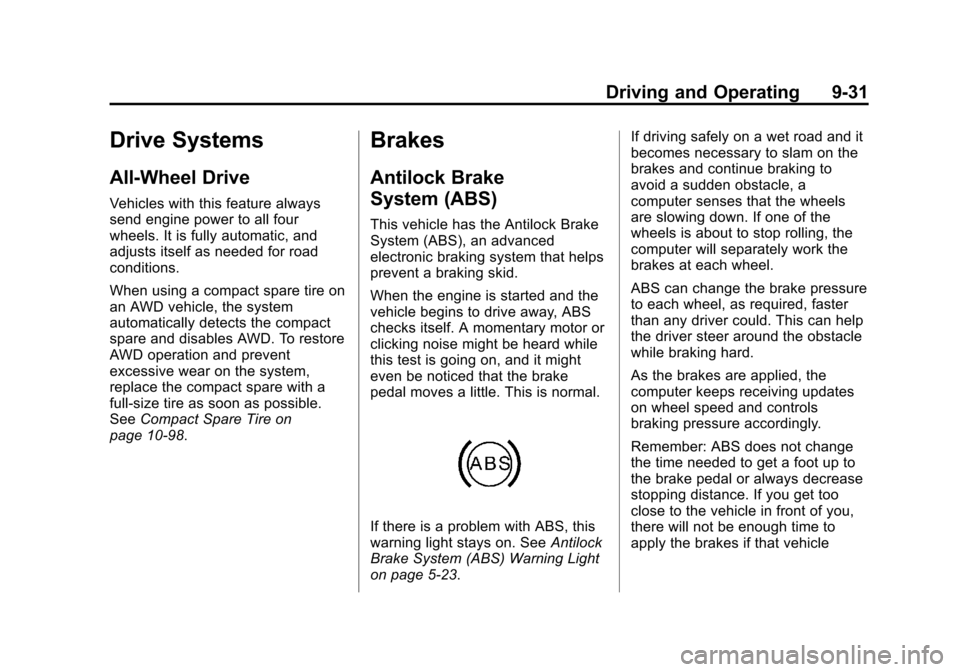
If there is a problem with ABS, this
warning light stays on. See Antilock
Brake System (ABS) Warning Light
on page 5‑23. If driving safely on a wet road and it
becomes necessary to slam on the
brakes and continue braking to
avoid a sudden obstacle, a
computer senses that the wheels
are slowing down. If one of the
wheels is about to stop rolling, the
computer will separately work the
brakes at each wheel.
ABS can change the brake pressure
to each wheel, as required, faster
than any driver could. This can help
the driver steer around the obstacle
while braking hard.
As the brakes are applied, the
computer keeps receiving updates
on wheel speed and controls
braking pressure accordingly.
Remember: ABS does not change
the time needed to get a foot up to
the brake pedal or always decrease
stopping distance. If you get too
close to the vehicle in front of you,
there will not be enough time to
apply the brakes if that vehicle
Page 274 of 478
Black plate (32,1)Cadillac CTS/CTS-V Owner Manual - 2013 - crc2 - 8/22/12
9-32 Driving and Operating
suddenly slows or stops. Always
leave enough room up ahead to
stop, even with ABS.
Using ABS
Do not pump the brakes. Just hold
the brake pedal down firmly and let
ABS work. You might hear the ABS
pump or motor operating and feel
the brake pedal pulsate, but this is
normal.
Braking in Emergencies
ABS allows the driver to steer and
brake at the same time. In many
emergencies, steering can help
more than even the very best
braking.
Parking Brake (Manual)
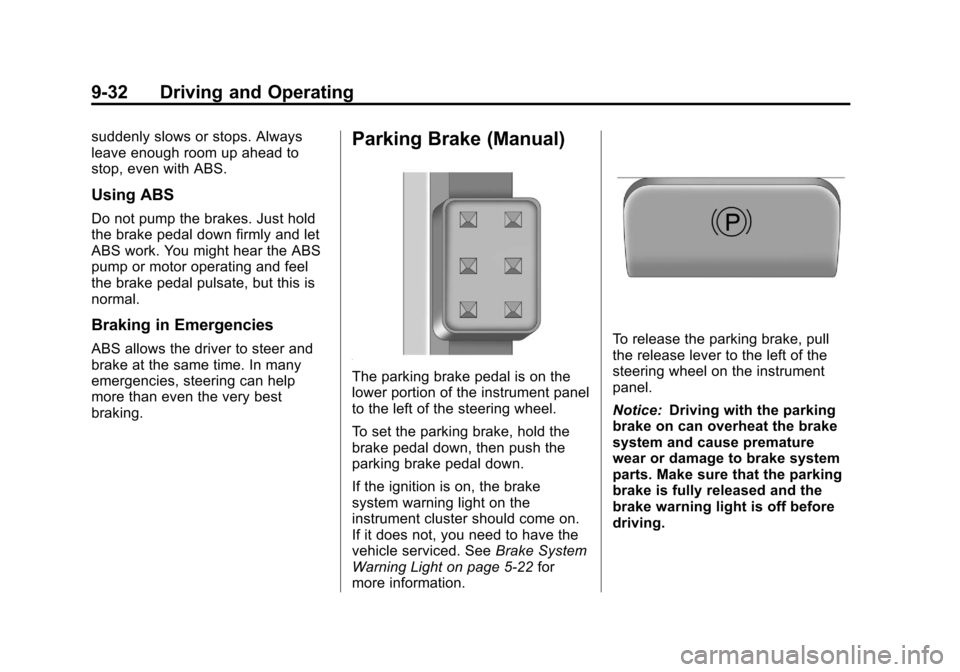
The parking brake pedal is on the
lower portion of the instrument panel
to the left of the steering wheel.
To set the parking brake, hold the
brake pedal down, then push the
parking brake pedal down.
If the ignition is on, the brake
system warning light on the
instrument cluster should come on.
If it does not, you need to have the
vehicle serviced. SeeBrake System
Warning Light on page 5‑22 for
more information.
To release the parking brake, pull
the release lever to the left of the
steering wheel on the instrument
panel.
Notice: Driving with the parking
brake on can overheat the brake
system and cause premature
wear or damage to brake system
parts. Make sure that the parking
brake is fully released and the
brake warning light is off before
driving.
Page 277 of 478

Black plate (35,1)Cadillac CTS/CTS-V Owner Manual - 2013 - crc2 - 8/22/12
Driving and Operating 9-35
Automatic EPB Release
The EPB will automatically release if
the vehicle is running, placed into
gear, and an attempt is made to
drive away. Avoid rapid acceleration
when the EPB is applied, to
preserve park brake lining life.
The EPB can also be used to
prevent roll back for vehicles with a
manual transmission taking off on a
hill. In a situation where no roll back
is desired, an applied EPB will allow
both feet to be used for the clutch
and accelerator pedals in
preparation for starting the vehicle
moving in the intended direction.
In this situation, perform the normal
clutch and/or accelerator actions
required to begin moving the
vehicle. There is no need to push
the switch to release the EPB.
If you are towing a trailer and
parking on a hill, seeDriving
Characteristics and Towing Tips on
page 9‑51 for more information.
Brake Assist
(Except CTS-V)
This vehicle has a brake assist
feature designed to assist the driver
in stopping or decreasing vehicle
speed in emergency driving
conditions. This feature uses the
stability system hydraulic brake
control module to supplement the
power brake system under
conditions where the driver has
quickly and forcefully applied the
brake pedal in an attempt to quickly
stop or slow down the vehicle. The
stability system hydraulic brake
control module increases brake
pressure at each corner of the
vehicle until the ABS activates.
Minor brake pedal pulsation or
pedal movement during this time is
normal and the driver should
continue to apply the brake pedal as
the driving situation dictates. The
brake assist feature will
automatically disengage when the
brake pedal is released or brake
pedal pressure is quickly
decreased.
Ride Control Systems
Traction Control
System (TCS)
The vehicle has a Traction Control
System (TCS) that limits wheel spin.
This is especially useful in slippery
road conditions. On a
rear-wheel-drive vehicle, the system
operates if it senses that one or
both of the rear wheels are spinning
or beginning to lose traction. On an
All-Wheel-Drive (AWD) vehicle, the
system will operate if it senses that
any of the wheels are spinning or
beginning to lose traction. When this
happens, the system brakes the
spinning wheel(s) and/or reduces
engine power to limit wheel spin.
The system may be heard or felt
while it is working, but this is
normal.
Page 296 of 478
Black plate (54,1)Cadillac CTS/CTS-V Owner Manual - 2013 - crc2 - 8/22/12
9-54 Driving and Operating
Parking on Hills
{WARNING
Parking the vehicle on a hill with
the trailer attached can be
dangerous. If something goes
wrong, the rig could start to move.
People can be injured, and both
the vehicle and the trailer can be
damaged. When possible, always
park the rig on a flat surface.
If parking the rig on a hill:
1. Press the brake pedal, but do not shift into P (Park) yet. Turn
the wheels into the curb if facing
downhill or into traffic if facing
uphill.
2. Have someone place chocks under the trailer wheels.
3. When the wheel chocks are in place, release the brake pedal
until the chocks absorb the load. 4. Reapply the brake pedal. Then
apply the parking brake and shift
into P (Park) for vehicles with an
automatic transmission or into
gear for vehicles with a manual
transmission.
5. Release the brake pedal.
Leaving After Parking on a Hill
1. Apply and hold the brake pedal while you:
.Start the engine.
.Shift into a gear.
.Release the parking brake.
2. Let up on the brake pedal.
3. Drive slowly until the trailer is clear of the chocks.
4. Stop and have someone pick up and store the chocks.
Maintenance When Trailer
Towing
The vehicle needs service more
often when pulling a trailer. See the
Maintenance Schedule on
page 11‑3. Things that are
especially important in trailer
operation are automatic
transmission fluid, engine oil, axle
lubricant, belts, cooling system and
brake system. Inspect these before
and during the trip.
Check periodically to see that all
hitch nuts and bolts are tight.
Engine Cooling When Trailer
Towing
The cooling system may temporarily
overheat during severe operating
conditions. See Engine Overheating
on page 10‑21.
Trailer Towing (CTS-V and
Coupe)
The vehicle is neither designed nor
intended to tow a trailer.