service CADILLAC CTS 2013 2.G Workshop Manual
[x] Cancel search | Manufacturer: CADILLAC, Model Year: 2013, Model line: CTS, Model: CADILLAC CTS 2013 2.GPages: 478, PDF Size: 7.7 MB
Page 250 of 478
Black plate (8,1)Cadillac CTS/CTS-V Owner Manual - 2013 - crc2 - 8/22/12
9-8 Driving and Operating
.Stay in your own lane. Do not
swing wide or cut across the
center of the road. Drive at
speeds that let you stay in your
own lane.
.Be alert on top of hills;
something could be in your lane
(stalled car, accident).
.Pay attention to special road
signs (falling rocks area, winding
roads, long grades, passing or
no-passing zones) and take
appropriate action.
Winter Driving
Driving on Snow or Ice
Drive carefully when there is snow
or ice between the tires and the
road, creating less traction or grip.
Wet ice can occur at about 0°C
(32°F) when freezing rain begins to
fall, resulting in even less traction.
Avoid driving on wet ice or in
freezing rain until roads can be
treated with salt or sand.Drive with caution, whatever the
condition. Accelerate gently so
traction is not lost. Accelerating too
quickly causes the wheels to spin
and makes the surface under the
tires slick, so there is even less
traction.
Try not to break the fragile traction.
If you accelerate too fast, the drive
wheels will spin and polish the
surface under the tires even more.
The Antilock Brake System (ABS)
improves vehicle stability during
hard stops on slippery roads, but
apply the brakes sooner than when
on dry pavement.
Allow greater following distance on
any slippery road and watch for
slippery spots. Icy patches can
occur on otherwise clear roads in
shaded areas. The surface of a
curve or an overpass can remain icy
when the surrounding roads are
clear. Avoid sudden steering
maneuvers and braking while
on ice.See
Antilock Brake System (ABS)
on page 9‑31.
Turn off cruise control, on slippery
surfaces.
Blizzard Conditions
Being stuck in snow can be a
serious situation. Stay with the
vehicle unless there is help nearby.
If possible, use Roadside Service.
See Roadside Service (U.S. and
Canada) on page 13‑7 orRoadside
Service (Mexico) on page 13‑9. To
get help and keep everyone in the
vehicle safe:
.Turn on the hazard warning
flashers.
.Tie a red cloth to an outside
mirror.
Page 258 of 478

Black plate (16,1)Cadillac CTS/CTS-V Owner Manual - 2013 - crc2 - 8/22/12
9-16 Driving and Operating
If the vehicle must be shut off in an
emergency:
1. Brake using a firm and steadypressure. Do not pump the
brakes repeatedly. This may
deplete power assist, requiring
increased brake pedal force.
2. Shift the vehicle to neutral. This can be done while the vehicle is
moving. After shifting to neutral,
firmly apply the brakes and steer
the vehicle to a safe location.
3. Come to a complete stop. Shift to P (Park) with an automatic
transmission, or Neutral with a
manual transmission. Turn the
ignition to LOCK/OFF.
4. Set the parking brake. See Parking Brake (Electric) on
page 9‑33 orParking Brake
(Manual) on page 9‑32.{WARNING
Turning off the vehicle while
moving may cause loss of power
assist in the brake and steering
systems and disable the airbags.
While driving, only shut the
vehicle off in an emergency.
If the vehicle cannot be pulled over,
and must be shut off while driving,
switch the ignition to ACC/
ACCESSORY.
2 (ACC/ACCESSORY): This
position allows you to use things
like the radio and the windshield
wipers when the engine is off. This
position will allow you to turn off the
engine.
3 (ON/RUN): This position is for
driving. It is the position the ignition
switch returns to after the engine
starts, and the control knob is
released. This position can also be
used for service and diagnostics,
and to verify the proper operation of the malfunction indicator lamp as
may be required for emission
inspection purposes.
If you need to shift the transmission
out of P (Park), the ignition control
knob has to be in ACC/
ACCESSORY or ON/RUN.
The battery could be drained if you
leave the ignition in the ACC/
ACCESSORY or ON/RUN position
with the engine off. You may not be
able to start the vehicle if the battery
is allowed to drain for an extended
period of time.
4 (START):
This position starts the
engine.
Page 259 of 478
Black plate (17,1)Cadillac CTS/CTS-V Owner Manual - 2013 - crc2 - 8/22/12
Driving and Operating 9-17
Ignition Positions (Key
Access)
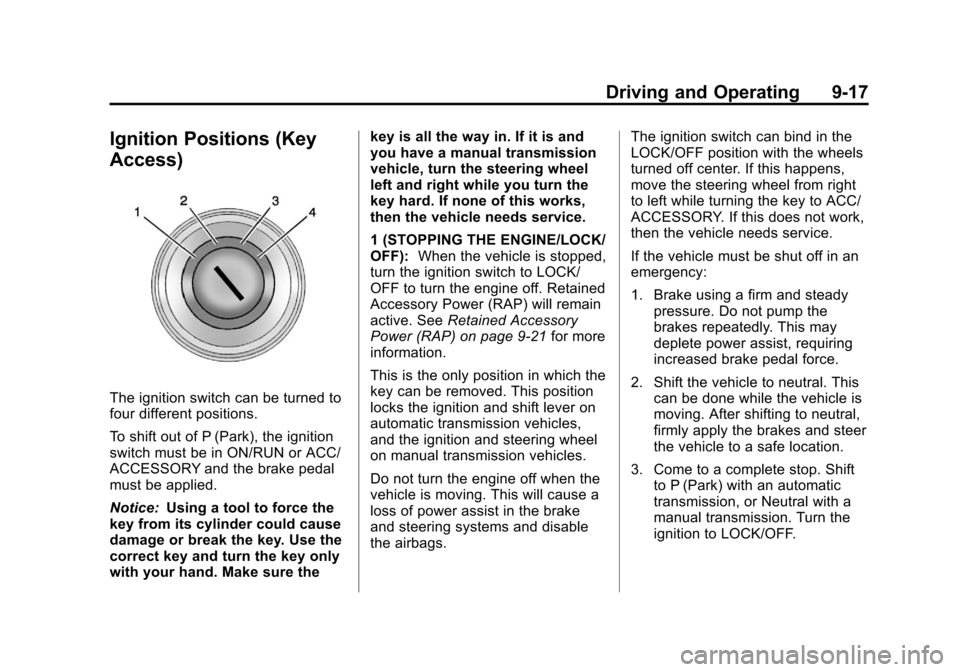
The ignition switch can be turned to
four different positions.
To shift out of P (Park), the ignition
switch must be in ON/RUN or ACC/
ACCESSORY and the brake pedal
must be applied.
Notice:Using a tool to force the
key from its cylinder could cause
damage or break the key. Use the
correct key and turn the key only
with your hand. Make sure the key is all the way in. If it is and
you have a manual transmission
vehicle, turn the steering wheel
left and right while you turn the
key hard. If none of this works,
then the vehicle needs service.
1 (STOPPING THE ENGINE/LOCK/
OFF):
When the vehicle is stopped,
turn the ignition switch to LOCK/
OFF to turn the engine off. Retained
Accessory Power (RAP) will remain
active. See Retained Accessory
Power (RAP) on page 9‑21 for more
information.
This is the only position in which the
key can be removed. This position
locks the ignition and shift lever on
automatic transmission vehicles,
and the ignition and steering wheel
on manual transmission vehicles.
Do not turn the engine off when the
vehicle is moving. This will cause a
loss of power assist in the brake
and steering systems and disable
the airbags. The ignition switch can bind in the
LOCK/OFF position with the wheels
turned off center. If this happens,
move the steering wheel from right
to left while turning the key to ACC/
ACCESSORY. If this does not work,
then the vehicle needs service.
If the vehicle must be shut off in an
emergency:
1. Brake using a firm and steady
pressure. Do not pump the
brakes repeatedly. This may
deplete power assist, requiring
increased brake pedal force.
2. Shift the vehicle to neutral. This can be done while the vehicle is
moving. After shifting to neutral,
firmly apply the brakes and steer
the vehicle to a safe location.
3. Come to a complete stop. Shift to P (Park) with an automatic
transmission, or Neutral with a
manual transmission. Turn the
ignition to LOCK/OFF.
Page 260 of 478

Black plate (18,1)Cadillac CTS/CTS-V Owner Manual - 2013 - crc2 - 8/22/12
9-18 Driving and Operating
4. Set the parking brake. SeeParking Brake (Electric) on
page 9‑33 orParking Brake
(Manual) on page 9‑32.
{WARNING
Turning off the vehicle while
moving may cause loss of power
assist in the brake and steering
systems and disable the airbags.
While driving, only shut the
vehicle off in an emergency.
If the vehicle cannot be pulled over,
and must be shut off while driving,
turn the ignition to ACC/
ACCESSORY.
2 (ACC/ACCESSORY): This
position lets you use things like the
radio and the windshield wipers
when the engine is off. This position
allows you to turn off the engine.
3 (ON/RUN): This position is for
driving. It is the position the ignition
switch returns to after the engine
starts, and the key is released. This position can also be used for
service and diagnostics, and to
verify the proper operation of the
malfunction indicator lamp as may
be required for emission inspection
purposes.
To shift the transmission out of
P (Park), the ignition key has to be
in ACC/ACCESSORY or ON/RUN.
The battery could be drained if the
key is left in the ACC/ACCESSORY
or ON/RUN position with the engine
off. The vehicle might not start if the
battery is allowed to drain for an
extended period of time.
4 (START):
This position starts the
engine. When the engine starts,
release the key. The ignition switch
returns to ON/RUN for driving.
A warning tone will sound when the
driver door is opened, the ignition is
in ACC/ACCESSORY or LOCK/
OFF, and the key is in the ignition.
Key Lock Release
Vehicles with an automatic
transmission are equipped with an
electronic key lock release system.
The key lock release is designed to
prevent ignition key removal unless
the shift lever is in P (Park).
The key lock release is always
functional except in the case of an
uncharged or low voltage (less than
9-volt) battery. If the vehicle has an
uncharged battery or a battery with
Page 265 of 478
Black plate (23,1)Cadillac CTS/CTS-V Owner Manual - 2013 - crc2 - 8/22/12
Driving and Operating 9-23
Shifting out of Park
This vehicle is equipped with an
electronic shift lock release system.
The shift lock release is
designed to:
.Prevent ignition key removal
unless the shift lever is in
P (Park) with the shift lever
button fully released, for vehicles
with key access.
.Prevent movement of the shift
lever out of P (Park), unless the
ignition is in ON/RUN or ACC/
ACCESSORY and the brake
pedal is applied.
The shift lock release is always
functional except in the case of an
uncharged or low voltage (less than
9 volt) battery.
If the vehicle has an uncharged
battery or a battery with low voltage,
try charging or jump starting the
battery. See Jump Starting on
page 10‑99 for more information. To shift out of P (Park):
1. Apply the brake pedal.
2. Release the parking brake. See
Parking Brake (Electric) on
page 9‑33 orParking Brake
(Manual) on page 9‑32.
3. Press the shift lever button.
4. Move the shift lever.
If unable to shift out of P (Park):
1. Fully release the shift lever button.
2. While holding down the brake pedal, press the shift lever
button again.
3. Move the shift lever.
If the shift lever will not move from
P (Park), consult your dealer or a
professional towing service.
Parking (Manual
Transmission)
Before getting out of the vehicle,
place the shift lever in R (Reverse)
and firmly apply the parking brake. For vehicles with the key access
ignition, turn the ignition key to OFF/
LOCK, and remove the key. See
Ignition Positions (Keyless Access)
on page 9‑15
orIgnition Positions
(Key Access) on page 9‑17 for more
information.
For vehicles with the keyless access
ignition, turn the ignition to LOCK/
OFF and remove the keyless
access transmitter.
If towing a trailer, see Driving
Characteristics and Towing Tips on
page 9‑51.
Parking over Things
That Burn
{WARNING
Things that can burn could touch
hot exhaust parts under the
vehicle and ignite. Do not park
over papers, leaves, dry grass,
or other things that can burn.
Page 274 of 478
Black plate (32,1)Cadillac CTS/CTS-V Owner Manual - 2013 - crc2 - 8/22/12
9-32 Driving and Operating
suddenly slows or stops. Always
leave enough room up ahead to
stop, even with ABS.
Using ABS
Do not pump the brakes. Just hold
the brake pedal down firmly and let
ABS work. You might hear the ABS
pump or motor operating and feel
the brake pedal pulsate, but this is
normal.
Braking in Emergencies
ABS allows the driver to steer and
brake at the same time. In many
emergencies, steering can help
more than even the very best
braking.
Parking Brake (Manual)
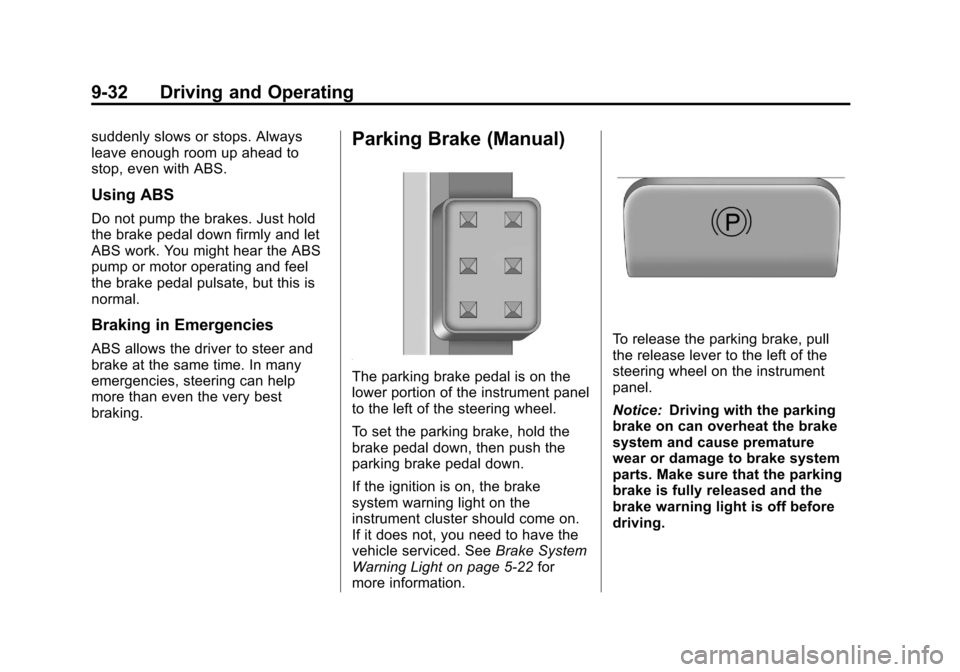
The parking brake pedal is on the
lower portion of the instrument panel
to the left of the steering wheel.
To set the parking brake, hold the
brake pedal down, then push the
parking brake pedal down.
If the ignition is on, the brake
system warning light on the
instrument cluster should come on.
If it does not, you need to have the
vehicle serviced. SeeBrake System
Warning Light on page 5‑22 for
more information.
To release the parking brake, pull
the release lever to the left of the
steering wheel on the instrument
panel.
Notice: Driving with the parking
brake on can overheat the brake
system and cause premature
wear or damage to brake system
parts. Make sure that the parking
brake is fully released and the
brake warning light is off before
driving.
Page 275 of 478
Black plate (33,1)Cadillac CTS/CTS-V Owner Manual - 2013 - crc2 - 8/22/12
Driving and Operating 9-33
A warning chime will sound if the
parking brake is set, the ignition is
on, and the vehicle begins to move.
To stop the chime, fully release the
parking brake.
If you are towing a trailer and
parking on a hill, seeDriving
Characteristics and Towing Tips on
page 9‑51 for more information.
Parking Brake (Electric)
{WARNING
On vehicles with a manual
transmission, releasing the clutch
and pressing the accelerator will
release the Electric Parking
Brake. If the vehicle is not in a
gear, the vehicle could move, and
you or others could be injured.
Make sure the vehicle is in a gear
before attempting to drive away.
To avoid unexpected vehicle
movement, do not partially
release the clutch or press the
(Continued)
WARNING (Continued)
accelerator pedal until you are
ready to release the parking
brake and drive away.
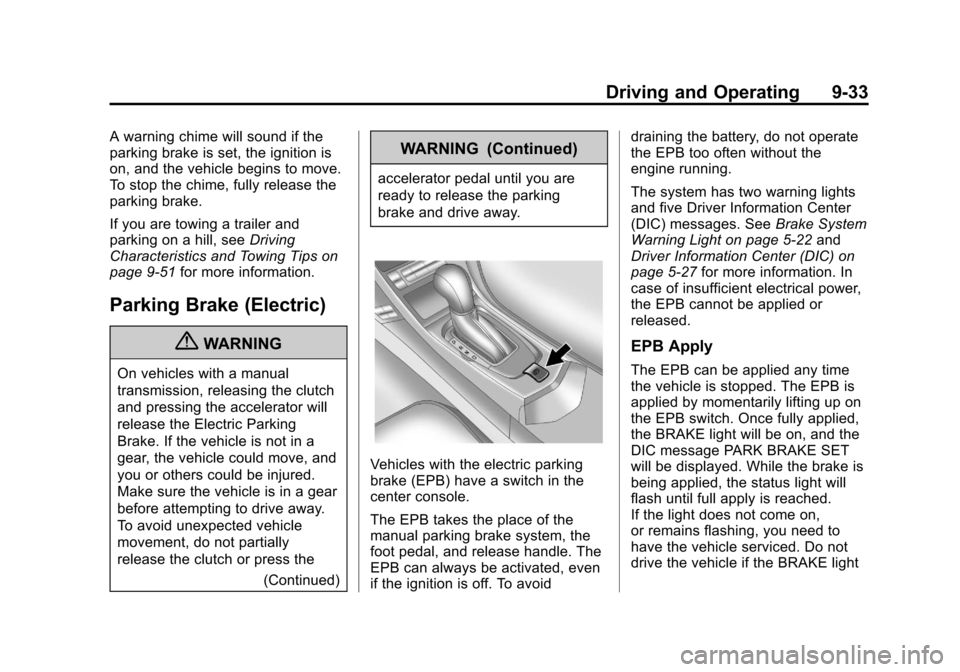
Vehicles with the electric parking
brake (EPB) have a switch in the
center console.
The EPB takes the place of the
manual parking brake system, the
foot pedal, and release handle. The
EPB can always be activated, even
if the ignition is off. To avoid draining the battery, do not operate
the EPB too often without the
engine running.
The system has two warning lights
and five Driver Information Center
(DIC) messages. See
Brake System
Warning Light on page 5‑22 and
Driver Information Center (DIC) on
page 5‑27 for more information. In
case of insufficient electrical power,
the EPB cannot be applied or
released.
EPB Apply
The EPB can be applied any time
the vehicle is stopped. The EPB is
applied by momentarily lifting up on
the EPB switch. Once fully applied,
the BRAKE light will be on, and the
DIC message PARK BRAKE SET
will be displayed. While the brake is
being applied, the status light will
flash until full apply is reached.
If the light does not come on,
or remains flashing, you need to
have the vehicle serviced. Do not
drive the vehicle if the BRAKE light
Page 276 of 478
Black plate (34,1)Cadillac CTS/CTS-V Owner Manual - 2013 - crc2 - 8/22/12
9-34 Driving and Operating
is flashing. See your dealer. See
Brake System Warning Light on
page 5‑22for more information.
If the EPB is applied while the
vehicle is in motion, a chime will
sound, and the DIC message
RELEASE PARK BRAKE SWITCH
will be displayed. The vehicle will
decelerate as long as the switch is
held in the up position. Releasing
the EPB switch during the
deceleration will release the parking
brake. If the switch is held in the up
position until the vehicle comes to a
stop, the EPB will remain applied.
If the BRAKE light is on, either the
EPB is applied, or there is a failure
in the hydraulic brake system.
If this light is flashing continuously,
the EPB is only partially applied or
released, or there is a problem with
the EPB. The DIC message
SERVICE PARK BRAKE will be
displayed. If this light is flashing
continuously, release the EPB, and attempt to apply it again. If this light
continues to flash, do not drive the
vehicle. See your dealer.
If the yellow light is on, the EPB has
detected an error in another system
and is operating with reduced
functionality. To apply the EPB when
this light is on, lift up on the EPB
switch and hold it in the up position.
Full application of the parking brake
by the EPB system may take a
longer period of time than normal
when this light is on. Continue to
hold the switch until the BRAKE
light remains on. If the yellow light is
on, see your dealer.
If the EPB fails to apply, the rear
wheels should be blocked to
prevent vehicle movement.
EPB Release
To release the EPB, turn the ignition
switch to the ACC/ACCESSORY or
ON/RUN position, apply and hold
the brake pedal, and push down
momentarily on the EPB switch.
If you attempt to release the EPB
without the brake pedal applied, achime will sound, and the DIC
message STEP ON BRAKE TO
RELEASE PARK BRAKE will be
displayed. The EPB is released
when the BRAKE light is off and the
DIC message PARK BRAKE
RELEASED is displayed.
If the yellow light is on, the EPB has
detected an error in another system
and is operating with reduced
functionality. To release the EPB
when this light is on, push down on
the EPB switch and hold it in the
down position. EPB release may
take a longer period of time than
normal when this light is on.
Continue to hold the switch until the
BRAKE light is off. If the yellow light
is on, see your dealer.
Notice:
Driving with the parking
brake on can overheat the brake
system and cause premature
wear or damage to brake system
parts. Make sure that the parking
brake is fully released and the red
brake warning light is off before
driving.
Page 278 of 478
Black plate (36,1)Cadillac CTS/CTS-V Owner Manual - 2013 - crc2 - 8/22/12
9-36 Driving and Operating
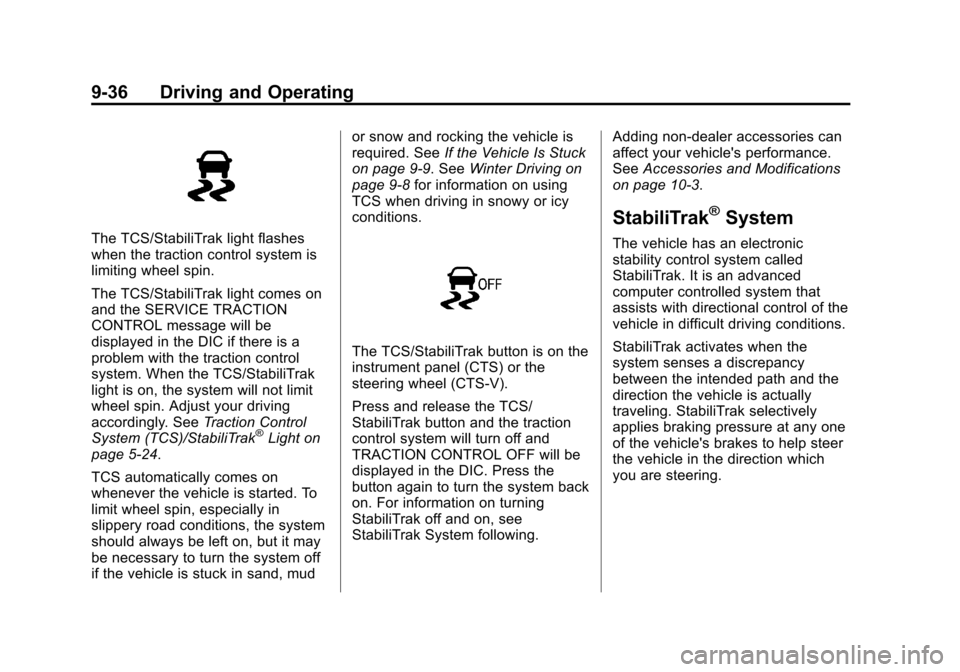
The TCS/StabiliTrak light flashes
when the traction control system is
limiting wheel spin.
The TCS/StabiliTrak light comes on
and the SERVICE TRACTION
CONTROL message will be
displayed in the DIC if there is a
problem with the traction control
system. When the TCS/StabiliTrak
light is on, the system will not limit
wheel spin. Adjust your driving
accordingly. SeeTraction Control
System (TCS)/StabiliTrak
®Light on
page 5‑24.
TCS automatically comes on
whenever the vehicle is started. To
limit wheel spin, especially in
slippery road conditions, the system
should always be left on, but it may
be necessary to turn the system off
if the vehicle is stuck in sand, mud or snow and rocking the vehicle is
required. See
If the Vehicle Is Stuck
on page 9‑9. See Winter Driving on
page 9‑8 for information on using
TCS when driving in snowy or icy
conditions.
The TCS/StabiliTrak button is on the
instrument panel (CTS) or the
steering wheel (CTS-V).
Press and release the TCS/
StabiliTrak button and the traction
control system will turn off and
TRACTION CONTROL OFF will be
displayed in the DIC. Press the
button again to turn the system back
on. For information on turning
StabiliTrak off and on, see
StabiliTrak System following. Adding non-dealer accessories can
affect your vehicle's performance.
See
Accessories and Modifications
on page 10‑3.
StabiliTrak®System
The vehicle has an electronic
stability control system called
StabiliTrak. It is an advanced
computer controlled system that
assists with directional control of the
vehicle in difficult driving conditions.
StabiliTrak activates when the
system senses a discrepancy
between the intended path and the
direction the vehicle is actually
traveling. StabiliTrak selectively
applies braking pressure at any one
of the vehicle's brakes to help steer
the vehicle in the direction which
you are steering.
Page 279 of 478
Black plate (37,1)Cadillac CTS/CTS-V Owner Manual - 2013 - crc2 - 8/22/12
Driving and Operating 9-37
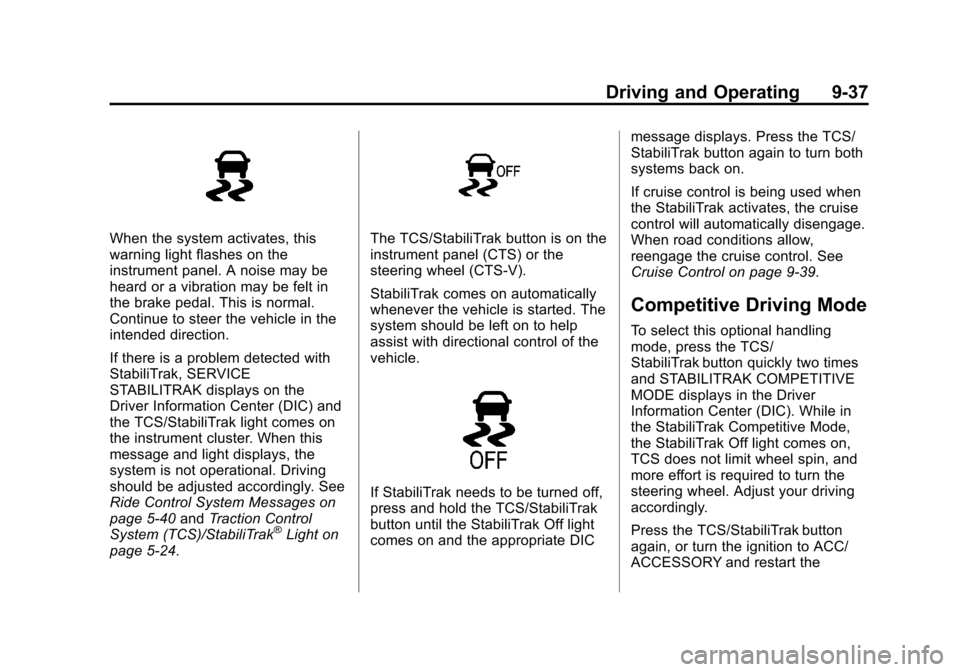
When the system activates, this
warning light flashes on the
instrument panel. A noise may be
heard or a vibration may be felt in
the brake pedal. This is normal.
Continue to steer the vehicle in the
intended direction.
If there is a problem detected with
StabiliTrak, SERVICE
STABILITRAK displays on the
Driver Information Center (DIC) and
the TCS/StabiliTrak light comes on
the instrument cluster. When this
message and light displays, the
system is not operational. Driving
should be adjusted accordingly. See
Ride Control System Messages on
page 5‑40andTraction Control
System (TCS)/StabiliTrak
®Light on
page 5‑24.
The TCS/StabiliTrak button is on the
instrument panel (CTS) or the
steering wheel (CTS-V).
StabiliTrak comes on automatically
whenever the vehicle is started. The
system should be left on to help
assist with directional control of the
vehicle.
If StabiliTrak needs to be turned off,
press and hold the TCS/StabiliTrak
button until the StabiliTrak Off light
comes on and the appropriate DIC message displays. Press the TCS/
StabiliTrak button again to turn both
systems back on.
If cruise control is being used when
the StabiliTrak activates, the cruise
control will automatically disengage.
When road conditions allow,
reengage the cruise control. See
Cruise Control on page 9‑39.
Competitive Driving Mode
To select this optional handling
mode, press the TCS/
StabiliTrak button quickly two times
and STABILITRAK COMPETITIVE
MODE displays in the Driver
Information Center (DIC). While in
the StabiliTrak Competitive Mode,
the StabiliTrak Off light comes on,
TCS does not limit wheel spin, and
more effort is required to turn the
steering wheel. Adjust your driving
accordingly.
Press the TCS/StabiliTrak button
again, or turn the ignition to ACC/
ACCESSORY and restart the