vehicle personalization CADILLAC CTS 2017 3.G User Guide
[x] Cancel search | Manufacturer: CADILLAC, Model Year: 2017, Model line: CTS, Model: CADILLAC CTS 2017 3.GPages: 352, PDF Size: 3.99 MB
Page 46 of 352
Cadillac CTS/CTS-V Owner Manual (GMNA-Localizing-MidEast-10293089) -
2017 - crc - 6/22/16
KEYS, DOORS, AND WINDOWS 45
Reverse Tilt Mirrors
If equipped with memory seats, the
passenger and/or driver mirror tilts to
a preselected position when the
vehicle is in R (Reverse). This allows
the curb to be seen when parallel
parking.
The mirror(s) return to the original
position when:
.The vehicle is shifted out of
R (Reverse), or remains in
R (Reverse) for about 30 seconds.
. The ignition is turned off.
. The vehicle is driven in
R (Reverse) above a set speed.
To turn this feature on or off, see
Vehicle Personalization 0149.
Interior Mirrors
Interior Rearview Mirrors
Adjust the rearview mirror for a clear
view of the area behind the vehicle.
Do not spray glass cleaner directly on
the mirror. Use a soft towel dampened
with water.
Automatic Dimming
Rearview Mirror
The rearview mirror automatically
dims to reduce the glare of the
headlamps from behind. This feature
comes on when the vehicle is started.
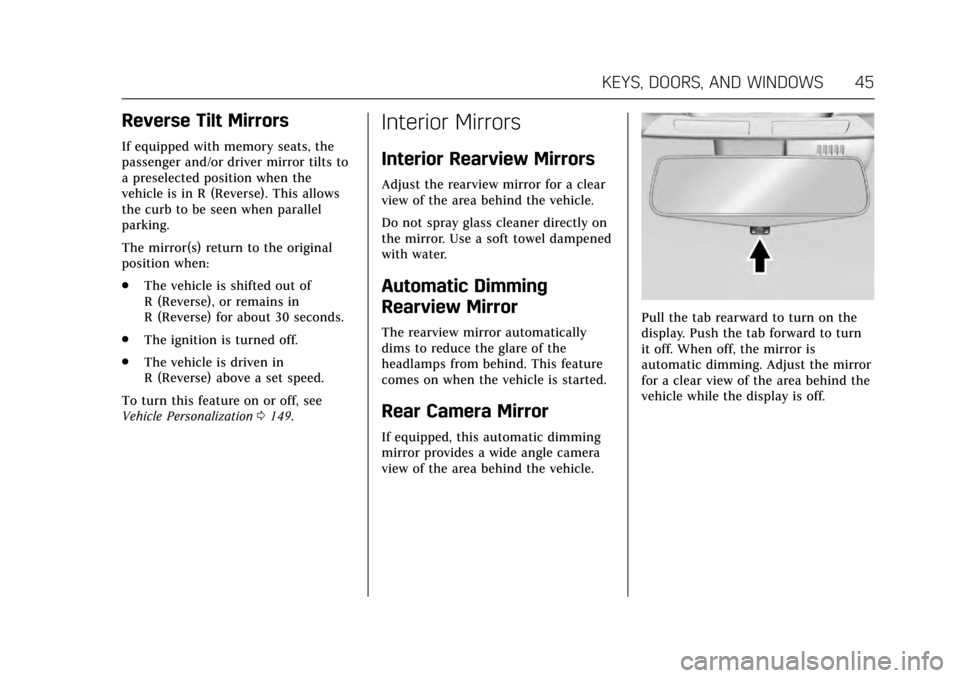
Rear Camera Mirror
If equipped, this automatic dimming
mirror provides a wide angle camera
view of the area behind the vehicle.
Pull the tab rearward to turn on the
display. Push the tab forward to turn
it off. When off, the mirror is
automatic dimming. Adjust the mirror
for a clear view of the area behind the
vehicle while the display is off.
Page 50 of 352

Cadillac CTS/CTS-V Owner Manual (GMNA-Localizing-MidEast-10293089) -
2017 - crc - 6/22/16
KEYS, DOORS, AND WINDOWS 49
Warning (Continued)
obstacle detection override, make
sure that all people and
obstructions are clear of the
window path.
The window can be closed by holding
the window switch in the up position
if conditions prevent it from express
closing.
Programming the Power
Windows
Programming may be necessary if the
vehicle's battery has been
disconnected or discharged. If the
window is unable to express-up, follow
these steps to program the window:
To program the window: 1. Close all doors.
2. Place the ignition in ACC/ ACCESSORY or ON/RUN. 3. Partially open the window to be
programmed, then close it and
continue to pull the switch
briefly after the window has fully
closed.
4. Press the power window switch until the window is fully open
and briefly hold.
Remote Window Operation
If equipped, this feature allows all the
windows to be opened remotely.
If enabled in vehicle personalization,
press and hold
Kon the RKE
transmitter. See Vehicle
Personalization 0149.
Sun Visors
Pull the sun visor down to block glare.
Detach the sun visor from the center
mount to pivot to the side window or,
if equipped, extend along the rod.
Rear Window Sunshade
If equipped with a rear window
sunshade, the switch is on the
overhead console. The sunshade only
operates with the ignition in ON/RUN/
START.
To open the sunshade, press and
release the switch. The sunshade will
fully extend. To close the sunshade,
press and release the switch again.
The sunshade will fully close.
Page 60 of 352

Cadillac CTS/CTS-V Owner Manual (GMNA-Localizing-MidEast-10293089) -
2017 - crc - 6/22/16
SEATS AND RESTRAINTS 59
2. Adjust the driver seat, outsidemirrors, and the power tilt and
telescoping steering column (if
equipped) to the desired
positions.
3. Press and release SET. A beep will sound.
4. Immediately press and hold 1 until two beeps sound.
5. Repeat Steps 1 and 2 for a second driver using 2.
Repeat Steps 1–4 using
Bto store
your positions for getting out of the
vehicle.
Manually Recalling Memory
Positions
Press and hold 1, 2, or
Bto
manually recall the previously stored
memory positions. Releasing 1, 2,
or
Bbefore the stored positions are
reached stops the recall.
Automatically Recalling Memory
Positions
If programmed in vehicle
personalization, the Auto (Automatic)
Memory Recall feature automatically recalls the current driver’s previously
stored 1 or 2 position when the
ignition is changed from off to ON/
RUN/START or ACC/ACCESSORY.
The transmission must be in P (Park).
See
Vehicle Personalization 0149.
To stop recall movement, press one of
the memory, driver seat, outside
mirror, or power tilt and telescoping
steering column controls.
RKE transmitters are not labeled with
a number. If your memory seat
position is stored to 1 or 2 but this
position is not automatically recalling,
then store your positions to the other
button or switch RKE transmitters
with the other driver.
If the vehicle’s driver has changed, in
some vehicles the Driver ID may be
displayed for the first few ignition
cycles.
Easy Exit Recall
If programmed on in the vehicle
personalization menu, the Easy Exit
feature recalls the previously stored
B(Exit) positions when leaving the vehicle. See
“Storing Memory
Positions” listed previously. See also
Vehicle Personalization 0149.
Easy Exit Recall automatically
activates when one of the following
occurs:
. The vehicle is turned off and the
driver door is opened within a
short time.
. The vehicle is turned off with the
driver door open.
Obstructions
If something has blocked the driver
seat and/or the power tilt and
telescoping steering column while
recalling a memory position, the recall
may stop. Remove the obstruction.
Then do one of the following:
. If automatically or manually
recalling the stored memory
position, press and hold the
appropriate manual control for
two seconds. Try recalling again
by pressing the appropriate
memory button, then try recalling
again by opening the driver door
and pressingKon the RKE
transmitter.
Page 62 of 352

Cadillac CTS/CTS-V Owner Manual (GMNA-Localizing-MidEast-10293089) -
2017 - crc - 6/22/16
SEATS AND RESTRAINTS 61
activate that seat. The auto heated
seats feature can be programmed to
always be enabled when the vehicle
is on.
SeeVehicle Personalization 0149.
Remote Start Auto Heated and
Ventilated Seats
During a remote start, the heated or
ventilated seats, if equipped, can be
turned on automatically. When it is
cold outside, the heated seats turn on,
and when it is hot outside the
ventilated seats turn on. The heated
or ventilated seats are canceled when
the ignition is turned on. Press the
heated or ventilated seat button to
use the heated or ventilated seats
after the vehicle is started. The heated or ventilated seat
indicator lights do not turn on during
a remote start.
The temperature performance of an
unoccupied seat may be reduced. This
is normal.
The heated or ventilated seats will not
turn on during a remote start unless
they are enabled in the vehicle
personalization menu. See
Remote
Vehicle Start 034 and Vehicle
Personalization 0149.Rear Seats
Split fold seats are equipped with a
locking latch.
Lock and unlock the seatback using
the vehicle key in the cylinder.
The latch will not open when the
seatback is locked.
Page 106 of 352
Cadillac CTS/CTS-V Owner Manual (GMNA-Localizing-MidEast-10293089) -
2017 - crc - 6/22/16
INSTRUMENTS AND CONTROLS 105
Tire Messages . . . . . . . . . . . . . . . . . . . . 147
Transmission Messages . . . . . . . . . . 147
Vehicle Reminder Messages . . . . . 148
Vehicle Speed Messages . . . . . . . . . 148
Washer Fluid Messages . . . . . . . . . . 148
Vehicle Personalization
Vehicle Personalization . . . . . . . . . . 149
Controls
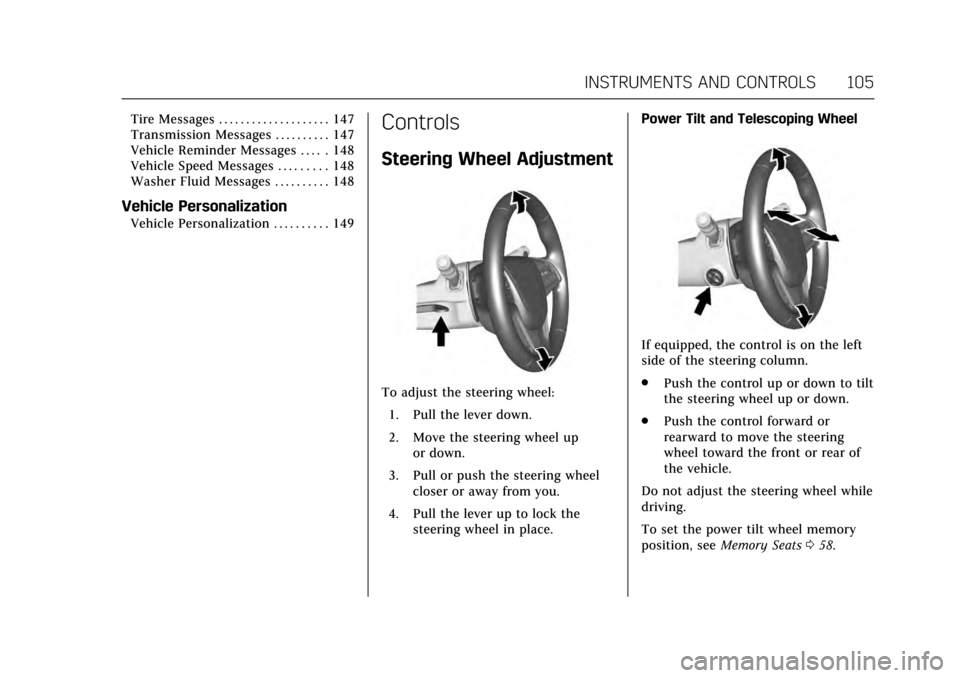
Steering Wheel Adjustment
To adjust the steering wheel:1. Pull the lever down.
2. Move the steering wheel up or down.
3. Pull or push the steering wheel closer or away from you.
4. Pull the lever up to lock the steering wheel in place. Power Tilt and Telescoping Wheel
If equipped, the control is on the left
side of the steering column.
.
Push the control up or down to tilt
the steering wheel up or down.
. Push the control forward or
rearward to move the steering
wheel toward the front or rear of
the vehicle.
Do not adjust the steering wheel while
driving.
To set the power tilt wheel memory
position, see Memory Seats 058.
Page 108 of 352
Cadillac CTS/CTS-V Owner Manual (GMNA-Localizing-MidEast-10293089) -
2017 - crc - 6/22/16
INSTRUMENTS AND CONTROLS 107
{Warning
In freezing weather, do not use the
washer until the windshield is
warmed. Otherwise the washer fluid
can form ice on the windshield,
blocking your vision.
Clear snow and ice from the wiper
blades and windshield before using
them. If frozen to the windshield,
carefully loosen or thaw them.
Damaged blades should be replaced.
See Wiper Blade Replacement 0274.
Heavy snow or ice can overload the
wiper motor. See Electrical System
Overload 0278.
Wiper Parking
If the ignition is put in OFF while the
wipers are on LO, HI, or INT, they will
immediately stop.
If the windshield wiper lever is then
moved to OFF before the driver door is
opened or within 10 minutes, the
wipers will restart and move to the
base of the windshield. If the ignition is put in OFF while the
wipers are performing wipes due to
windshield washing or Rainsense
wipes, the wipers continue to run
until they reach the base of the
windshield.
Rainsense™
If equipped, there is a sensor near the
top center of the windshield detects
the amount of water on the
windshield and controls the frequency
of the windshield wiper. To turn this
feature on or off, see
“Rain Sense
Wipers ”under Vehicle
Personalization 0149.
Keep this area of the windshield clear
of debris to allow for best system
performance.
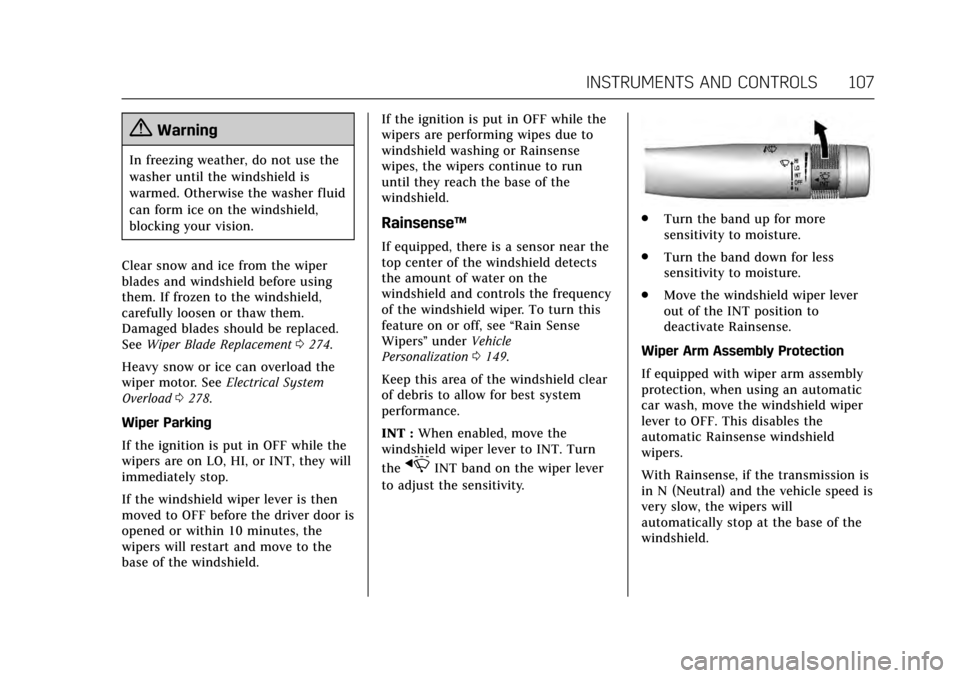
INT : When enabled, move the
windshield wiper lever to INT. Turn
the
xINT band on the wiper lever
to adjust the sensitivity.
. Turn the band up for more
sensitivity to moisture.
. Turn the band down for less
sensitivity to moisture.
. Move the windshield wiper lever
out of the INT position to
deactivate Rainsense.
Wiper Arm Assembly Protection
If equipped with wiper arm assembly
protection, when using an automatic
car wash, move the windshield wiper
lever to OFF. This disables the
automatic Rainsense windshield
wipers.
With Rainsense, if the transmission is
in N (Neutral) and the vehicle speed is
very slow, the wipers will
automatically stop at the base of the
windshield.
Page 136 of 352
Cadillac CTS/CTS-V Owner Manual (GMNA-Localizing-MidEast-10293089) -
2017 - crc - 6/22/16
INSTRUMENTS AND CONTROLS 135
Head-Up Display (HUD)
{Warning
If the HUD image is too bright or
too high in your field of view, it
may take you more time to see
things you need to see when it is
dark outside. Be sure to keep the
HUD image dim and placed low in
your field of view.
If equipped with HUD, some
information concerning the operation
of the vehicle is projected onto the
windshield. The image is projected
through the HUD lens on top of the
instrument panel. The information
appears as an image focused out
toward the front of the vehicle.
Caution
If you try to use the HUD image as
a parking aid, you may misjudge
the distance and damage your
vehicle. Do not use the HUD image
as a parking aid. The HUD information can be
displayed in various languages in
some vehicles. The speedometer
reading and other numerical values
can be displayed in either English or
metric units.
The language selection is changed
through the radio and the units of
measurement is changed through the
instrument cluster. See
Vehicle
Personalization 0149 and “Cluster
Settings Menu ”under Instrument
Cluster 0114.
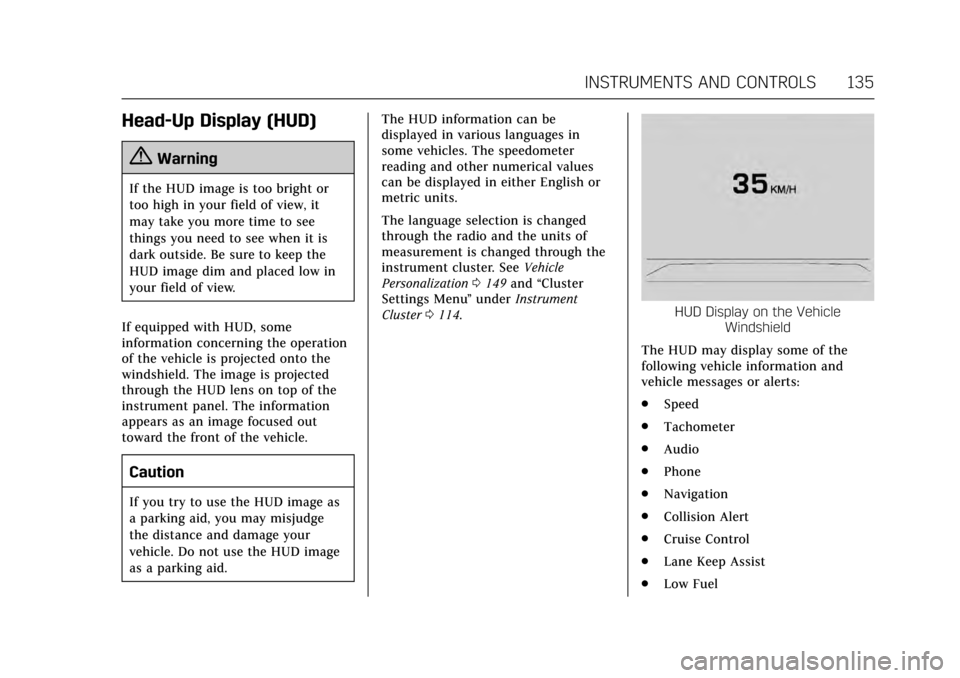
HUD Display on the Vehicle
Windshield
The HUD may display some of the
following vehicle information and
vehicle messages or alerts:
. Speed
. Tachometer
. Audio
. Phone
. Navigation
. Collision Alert
. Cruise Control
. Lane Keep Assist
. Low Fuel
Page 150 of 352
Cadillac CTS/CTS-V Owner Manual (GMNA-Localizing-MidEast-10293089) -
2017 - crc - 6/22/16
INSTRUMENTS AND CONTROLS 149
Vehicle Personalization
Use the audio system controls to
access the personalization menus for
customizing vehicle features.
The following are all possible
personalization features. Depending
on the vehicle, some may not be
available.
Infotainment System Audio System
Controls
To access the personalization menu:1. Press SETTINGS on the Home page on the infotainment system
display.
2. Press the desired feature to display a list of available options.
3. Press to select the desired feature setting.
4. Press the
[Back screen button
to return to the previous menu.
Personalization Menus
The following list of menu items may
be available:
. Time and Date .
Driving Mode
. Language (Language)
. Valet Mode
. Radio
. Vehicle
. Bluetooth
. Apple CarPlay
. Android Auto
. Voice
. Display
. Rear Camera
. Return to Factory Settings
. Software Information
Each menu is detailed in the following
information.
Time and Date
Manually set the time and date. See
Clock 0108.
Driving Mode
These settings will overwrite the main
Vehicle Mode selections made with
the mode button(s) on the console. Press and the following may display:
.
Engine Sound Management
. Steering
. Suspension
Engine Sound Management
This allows the Engine Sound
Management setting to be changed.
Select Auto (Mode Selector), Tour,
Sport, or Track.
Steering
This allows the Steering setting to be
changed.
Select Auto (Mode Selector), Tour,
Sport, or Track.
Suspension
This allows the Suspension setting to
be changed.
Select Auto (Mode Selector), Tour,
Sport, or Track.
Language (Language)
Select Language, then select from the
available language(s).
Page 153 of 352

Cadillac CTS/CTS-V Owner Manual (GMNA-Localizing-MidEast-10293089) -
2017 - crc - 6/22/16
152 INSTRUMENTS AND CONTROLS
Park Assist
This allows the Ultrasonic Parking
Assist feature to be turned on or off.
SeeAssistance Systems for Parking or
Backing 0228.
Select Off or On.
Go Notifier
This feature will give a reminder from
Adaptive Cruise Control when it has
brought the vehicle to a complete stop
behind another stopping vehicle, and
then that vehicle drives on. See
Adaptive Cruise Control 0220.
Select Off or On.
Rear Cross Traffic Alert
This allows the feature to be turned
on or off. See Assistance Systems for
Parking or Backing 0228.
Select Off or On.
Lane Change Alert
This allows the feature to be turned
on or off. See Lane Change Alert
(LCA) 0239.
Select Off or On. Comfort and Convenience
Select and the following may display:
.
Auto Memory Recall
. Easy Exit Options
. Chime Volume
. Reverse Tilt Mirror
. Auto Mirror Folding
. Personalization by Driver
. Rainsense Wipers
Auto Memory Recall
This feature automatically recalls the
current driver’s previously stored 1 or
2 button positions when entering the
vehicle. See Memory Seats 058.
Select Off or On.
Easy Exit Options
This feature automatically recalls the
current driver’s previously stored Exit
button position when exiting the
vehicle. See Memory Seats 058.
Select Off or On. Chime Volume
This allows the selection of the chime
volume level.
Press + or
−to adjust the volume.
Reverse Tilt Mirror
This allows the feature to be turned
on or off.
Select Off, On - Driver and Passenger,
On - Driver, or On - Passenger.
Auto Mirror Folding
When on, the outside rearview mirrors
will automatically fold or unfold when
the Remote Keyless Entry (RKE)
transmitter
QorKbutton is pressed
and held.
Select Off or On.
Personalization by Driver
This allows the Personalization by
Driver to be turned on or off.
Select Off or On.
Rainsense Wipers
This allows the feature to be turned
on or off.
Select Off or On.
Page 164 of 352
Cadillac CTS/CTS-V Owner Manual (GMNA-Localizing-MidEast-10293089) -
2017 - crc - 6/22/16
LIGHTING 163
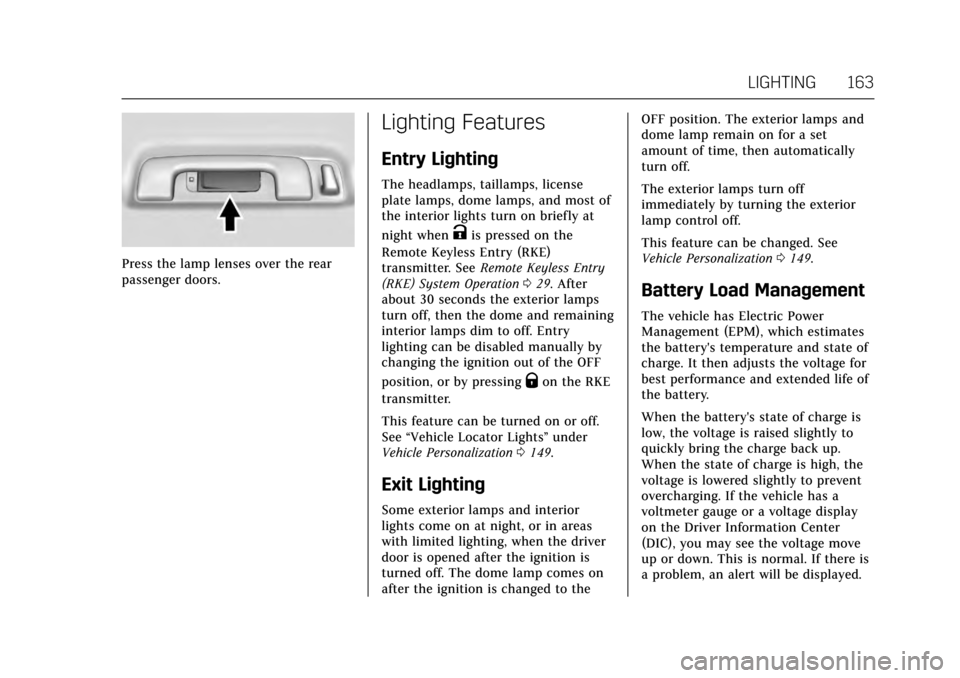
Press the lamp lenses over the rear
passenger doors.
Lighting Features
Entry Lighting
The headlamps, taillamps, license
plate lamps, dome lamps, and most of
the interior lights turn on briefly at
night when
Kis pressed on the
Remote Keyless Entry (RKE)
transmitter. See Remote Keyless Entry
(RKE) System Operation 029. After
about 30 seconds the exterior lamps
turn off, then the dome and remaining
interior lamps dim to off. Entry
lighting can be disabled manually by
changing the ignition out of the OFF
position, or by pressing
Qon the RKE
transmitter.
This feature can be turned on or off.
See “Vehicle Locator Lights” under
Vehicle Personalization 0149.
Exit Lighting
Some exterior lamps and interior
lights come on at night, or in areas
with limited lighting, when the driver
door is opened after the ignition is
turned off. The dome lamp comes on
after the ignition is changed to the OFF position. The exterior lamps and
dome lamp remain on for a set
amount of time, then automatically
turn off.
The exterior lamps turn off
immediately by turning the exterior
lamp control off.
This feature can be changed. See
Vehicle Personalization
0149.
Battery Load Management
The vehicle has Electric Power
Management (EPM), which estimates
the battery's temperature and state of
charge. It then adjusts the voltage for
best performance and extended life of
the battery.
When the battery's state of charge is
low, the voltage is raised slightly to
quickly bring the charge back up.
When the state of charge is high, the
voltage is lowered slightly to prevent
overcharging. If the vehicle has a
voltmeter gauge or a voltage display
on the Driver Information Center
(DIC), you may see the voltage move
up or down. This is normal. If there is
a problem, an alert will be displayed.