ABS CADILLAC CTS 2018 User Guide
[x] Cancel search | Manufacturer: CADILLAC, Model Year: 2018, Model line: CTS, Model: CADILLAC CTS 2018Pages: 394, PDF Size: 6.48 MB
Page 242 of 394
Cadillac CTS/CTS-V Owner Manual (GMNA-Localizing-U.S./Canada/Mexico-
11349156) - 2018 - CRC - 9/29/17
DRIVING AND OPERATING 241
V2V does not automatically brake or
steer the vehicle.
{Warning
V2V features work only when other
nearby vehicles equipped with V2V
are detected and communications
are received. V2V may not detect
other V2V-equipped vehicles or
receive communications under
certain conditions, including
around tall buildings; in parking
garages; around airports; in tunnels
and underpasses; in an area with
very dense trees; or where the roof
antenna is blocked by objects such
as roof carriers, snow or ice.
Communication failures or delays
can occur and may not provide
notice sufficiently in advance to
help avoid a crash, or may not
provide any notices at all. Pay
attention to the road and operation
of the vehicle at all times and be
ready to take action and apply the
brakes. SeeDefensive Driving 0178.
{Warning
V2V does not detect or warn of
pedestrians, animals, signs,
guardrails, bridges, construction
barrels, or other objects.
Under certain conditions, V2V can
notify of situations that are beyond
line-of-sight. It is important to
understand the feature operation to be
prepared when events that may not be
seen immediately are detected.
Even if the V2V features are turned off
through vehicle personalization,
information from the vehicle is sent to
other vehicles equipped with V2V.
Other vehicles equipped with V2V may
be alerted to certain events involving
your vehicle, such as hard braking;
activation of hazard warning flashers;
an airbag deployment; or a
StabiliTrak, Traction Control,
or Antilock Brake System (ABS) event.
V2V communications are not stored
by the vehicle and cannot be used to
identify owners or occupants or to
later track the vehicle’s location. Unnecessary Alerts
V2V features may provide alerts to
driving situations that are too early or
unnecessary. These alerts are normal
operation and the vehicle does not
need service.
SERVICE VEHICLE SOON
If this message displays, V2V features
may need service. Do not use them.
Take the vehicle to your dealer.
V2V Hard Braking Ahead
When the vehicle is traveling above
40 km/h (25 mph), V2V may detect
when a V2V-equipped vehicle ahead is
braking hard. Under these conditions,
V2V may display a Driver Information
Center (DIC) message and icon.
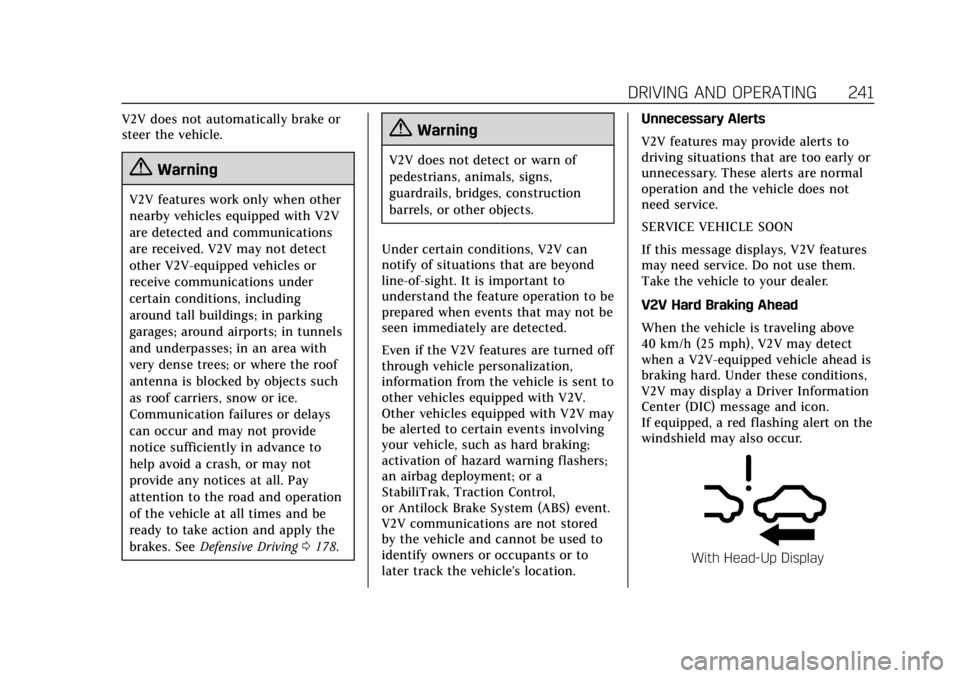
If equipped, a red flashing alert on the
windshield may also occur.
With Head-Up Display
Page 243 of 394
Cadillac CTS/CTS-V Owner Manual (GMNA-Localizing-U.S./Canada/Mexico-
11349156) - 2018 - CRC - 9/29/17
242 DRIVING AND OPERATING
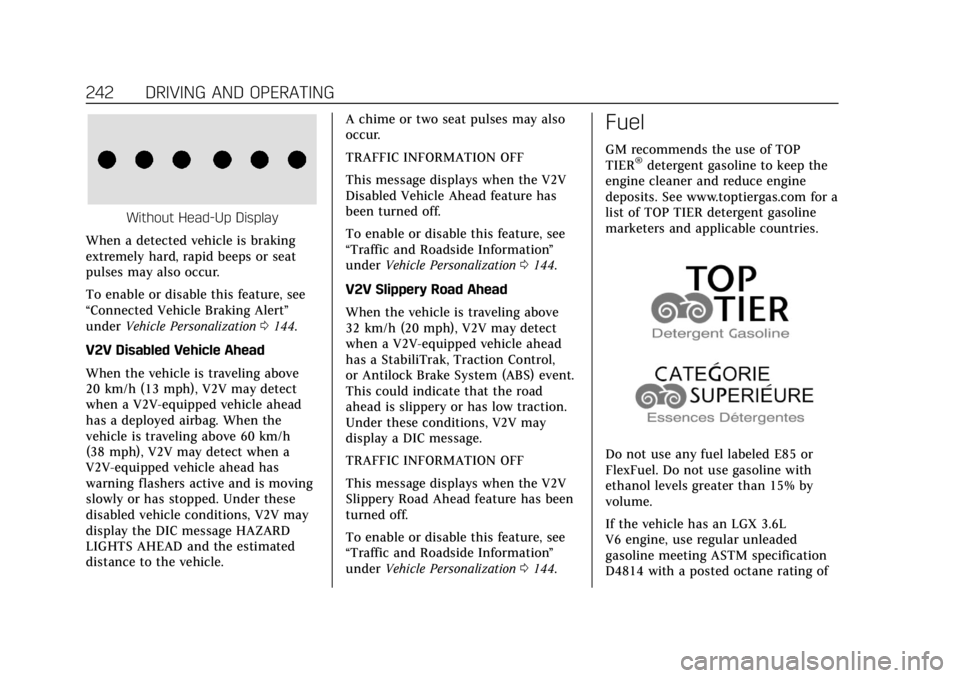
Without Head-Up Display
When a detected vehicle is braking
extremely hard, rapid beeps or seat
pulses may also occur.
To enable or disable this feature, see
“Connected Vehicle Braking Alert ”
under Vehicle Personalization 0144.
V2V Disabled Vehicle Ahead
When the vehicle is traveling above
20 km/h (13 mph), V2V may detect
when a V2V-equipped vehicle ahead
has a deployed airbag. When the
vehicle is traveling above 60 km/h
(38 mph), V2V may detect when a
V2V-equipped vehicle ahead has
warning flashers active and is moving
slowly or has stopped. Under these
disabled vehicle conditions, V2V may
display the DIC message HAZARD
LIGHTS AHEAD and the estimated
distance to the vehicle. A chime or two seat pulses may also
occur.
TRAFFIC INFORMATION OFF
This message displays when the V2V
Disabled Vehicle Ahead feature has
been turned off.
To enable or disable this feature, see
“Traffic and Roadside Information
”
under Vehicle Personalization 0144.
V2V Slippery Road Ahead
When the vehicle is traveling above
32 km/h (20 mph), V2V may detect
when a V2V-equipped vehicle ahead
has a StabiliTrak, Traction Control,
or Antilock Brake System (ABS) event.
This could indicate that the road
ahead is slippery or has low traction.
Under these conditions, V2V may
display a DIC message.
TRAFFIC INFORMATION OFF
This message displays when the V2V
Slippery Road Ahead feature has been
turned off.
To enable or disable this feature, see
“Traffic and Roadside Information ”
under Vehicle Personalization 0144.
Fuel
GM recommends the use of TOP
TIER®detergent gasoline to keep the
engine cleaner and reduce engine
deposits. See www.toptiergas.com for a
list of TOP TIER detergent gasoline
marketers and applicable countries.
Do not use any fuel labeled E85 or
FlexFuel. Do not use gasoline with
ethanol levels greater than 15% by
volume.
If the vehicle has an LGX 3.6L
V6 engine, use regular unleaded
gasoline meeting ASTM specification
D4814 with a posted octane rating of
Page 250 of 394

Cadillac CTS/CTS-V Owner Manual (GMNA-Localizing-U.S./Canada/Mexico-
11349156) - 2018 - CRC - 9/29/17
DRIVING AND OPERATING 249
3. When the wheel chocks are inplace, release the regular brakes
until the chocks absorb the load.
4. Reapply the brake pedal. Then apply the parking brake and shift
into P (Park).
5. Release the brake pedal.
Leaving After Parking on a Hill
1. Apply and hold the brake pedal.
2. Start the engine.
3. Shift into a gear.
4. Release the parking brake.
5. Let up on the brake pedal.
6. Drive slowly until the trailer is clear of the chocks.
7. Stop and have someone pick up and store the chocks.
Maintenance when Trailer
Towing
The vehicle needs service more often
when pulling a trailer. See
Maintenance Schedule 0339. Things
that are especially important in trailer
operation are automatic transmission fluid, engine oil, axle lubricant, belts,
cooling system, and brake system. It is
a good idea to inspect these before
and during the trip.
Check periodically to see that all hitch
nuts and bolts are tight.
Trailer Towing (V6 Engine,
Non Twin Turbo)
Before pulling a trailer, there are three
important considerations that have to
do with weight:
.
The weight of the trailer.
. The weight of the trailer tongue.
. The total weight on your vehicle's
tires.
Weight of the Trailer
How heavy can a trailer safely be?
It should never weigh more than
454 kg (1,000 lb). But even that can be
too heavy.
It depends on how the rig is used. For
example, speed, altitude, road grades,
outside temperature, and how much
the vehicle is used to pull a trailer are all important. It can depend on any
special equipment on the vehicle, and
the amount of tongue weight the
vehicle can carry. See
“Weight of the
Trailer Tongue ”later in this section.
Maximum trailer weight is calculated
assuming only the driver is in the tow
vehicle and it has all the required
trailering equipment. The weight of
additional optional equipment,
passengers, and cargo in the tow
vehicle must be subtracted from the
maximum trailer weight.
Ask your dealer for trailering
information or advice.
Weight of the Trailer Tongue
The tongue load (1) of any trailer is an
important weight to measure because
it affects the total gross weight of the
vehicle. The Gross Vehicle Weight
(GVW) includes the curb weight of the
vehicle, any cargo carried in it, and
the people who will be riding in the
vehicle. If there are a lot of options,
equipment, passengers, or cargo in the
vehicle, it will reduce the tongue
weight the vehicle can carry, which
will also reduce the trailer weight the
Page 278 of 394
Cadillac CTS/CTS-V Owner Manual (GMNA-Localizing-U.S./Canada/Mexico-
11349156) - 2018 - CRC - 9/29/17
VEHICLE CARE 277
The brake master cylinder reservoir is
filled with GM approved DOT 3 brake
fluid as indicated on the reservoir cap.
SeeEngine Compartment Overview
0 256 for the location of the reservoir.
Checking Brake Fluid
With the vehicle in P (Park) on a level
surface, the brake fluid level should be
between the minimum and maximum
marks on the brake fluid reservoir.
There are only two reasons why the
brake fluid level in the reservoir may
go down:
. Normal brake lining wear. When
new linings are installed, the fluid
level goes back up.
. A fluid leak in the brake hydraulic
system. Have the brake hydraulic
system fixed. With a leak, the
brakes will not work well.
Always clean the brake fluid reservoir
cap and the area around the cap
before removing it.
Do not top off the brake fluid. Adding
fluid does not correct a leak. If fluid is
added when the linings are worn,
there will be too much fluid when new brake linings are installed. Add or
remove fluid, as necessary, only when
work is done on the brake hydraulic
system.
{Warning
If too much brake fluid is added, it
can spill on the engine and burn,
if the engine is hot enough. You or
others could be burned, and the
vehicle could be damaged. Add
brake fluid only when work is done
on the brake hydraulic system.
When the brake fluid falls to a low
level, the brake warning light comes
on. See Brake System Warning Light
0 129.
Brake fluid absorbs water over time
which degrades the effectiveness of
the brake fluid. Replace brake fluid at
the specified intervals to prevent
increased stopping distance. See
Maintenance Schedule 0339. What to Add
Use only GM approved DOT 3 brake
fluid from a clean, sealed container.
See
Recommended Fluids and
Lubricants 0348.{Warning
The wrong or contaminated brake
fluid could result in damage to the
brake system. This could result in
the loss of braking leading to a
possible injury. Always use the
proper GM approved brake fluid.
Caution
If brake fluid is spilled on the
vehicle's painted surfaces, the paint
finish can be damaged. Immediately
wash off any painted surface.
Battery - North America
The original equipment battery is
maintenance free. Do not remove the
cap and do not add fluid.
Page 279 of 394
Cadillac CTS/CTS-V Owner Manual (GMNA-Localizing-U.S./Canada/Mexico-
11349156) - 2018 - CRC - 9/29/17
278 VEHICLE CARE
The battery is in the trunk, behind the
trim panel, on the driver side of the
vehicle. Refer to the replacement
number shown on the original battery
label when a new battery is needed.
{Warning
WARNING:Battery posts,
terminals, and related accessories
contain lead and lead compounds,
chemicals known to the State of
California to cause cancer and birth
defects or other reproductive harm.
Batteries also contain other
chemicals known to the State of
California to cause cancer. WASH
HANDS AFTER HANDLING. For
more information go to
www.P65Warnings.ca.gov/
passenger-vehicle.
See California Proposition 65 Warning
0 253 and the back cover.
After a power loss, such as
disconnecting the battery or removing
the maxi fuses in the power
distribution fuse block, the following steps must be performed to calibrate
the electronic throttle control. If this
is not done, the engine will not run
properly.
1. Turn the ignition on but do not start the engine.
2. Leave the ignition on for at least three minutes so that the
electronic throttle control will
cycle and relearn its home
position.
3. Turn the ignition off.
4. Start and run the engine for at least 30 seconds.
Stop/Start System
If equipped with the Stop/Start
system, the engine will not engage
auto stop after the battery is
disconnected. After reconnecting the
battery, the vehicle must sit
untouched for four hours. See “Auto
Stop/Start ”in Starting the Engine
0 194. This vehicle has an Absorbed Glass
Mat (AGM) 12-volt battery.
Installation of a standard 12-volt
battery will result in reduced 12-volt
battery life.
When using a 12-volt battery charger
on the 12-volt AGM battery, some
chargers have an AGM battery setting
on the charger. If available, use the
AGM setting on the charger, to limit
charge voltage to 14.8 volts. Follow
the charger manufacture’s
instructions.
Vehicle Storage
{Warning
Batteries have acid that can burn
you and gas that can explode. You
can be badly hurt if you are not
careful. See
Jump Starting - North
America 0323 for tips on working
around a battery without
getting hurt.
Infrequent Usage: Remove the black,
negative (−) cable from the battery to
keep the battery from running down.
Page 290 of 394

Cadillac CTS/CTS-V Owner Manual (GMNA-Localizing-U.S./Canada/Mexico-
11349156) - 2018 - CRC - 9/29/17
VEHICLE CARE 289
RelaysUsage
24 Wiper speed
25 Engine control module
46 Rear washer
47 Front washer
54 Coolant pump
57 Low-beam headlamp relay
58 High-beam headlamp
59 Run/Crank
60 Starter 2
61 Vacuum pump
62 Starter 1
63 Air conditioning control
70 HornInstrument Panel Fuse
Block
The instrument panel fuse block is in
the end of the driver side of the
instrument panel.
To access the fuses, remove the end
panel by gently prying with a plastic
tool near each clip, beginning at the
point shown.
To install the end cover, insert the
tabs on the back of the cover into the
slots in the instrument panel at the
points shown. Align the clips with the
slots in the instrument panel, and
press the cover into place.
The vehicle may not be equipped with
all of the fuses and relays shown.
Page 330 of 394

Cadillac CTS/CTS-V Owner Manual (GMNA-Localizing-U.S./Canada/Mexico-
11349156) - 2018 - CRC - 9/29/17
VEHICLE CARE 329
Appearance Care
Exterior Care
Locks
Locks are lubricated at the factory.
Use a de-icing agent only when
absolutely necessary, and have the
locks greased after using. See
Recommended Fluids and Lubricants
0348.
Washing the Vehicle
To preserve the vehicle's finish, wash
it often and out of direct sunlight.
Caution
Do not use petroleum-based, acidic,
or abrasive cleaning agents as they
can damage the vehicle's paint,
metal, or plastic parts. If damage
occurs, it would not be covered by
the vehicle warranty. Approved
cleaning products can be obtained
from your dealer. Follow all
manufacturer directions regarding
(Continued)
Caution (Continued)
correct product usage, necessary
safety precautions, and appropriate
disposal of any vehicle care
product.
Caution
Avoid using high-pressure washes
closer than 30 cm (12 in) to the
surface of the vehicle. Use of power
washers exceeding 8,274 kPa
(1,200 psi) can result in damage or
removal of paint and decals.
Caution
Do not power wash any component
under the hood that has this
e
symbol.
This could cause damage that
would not be covered by the vehicle
warranty. If using an automatic car wash, follow
the car wash instructions. The
windshield wiper and rear window
wiper, if equipped, must be off.
Remove any accessories that may be
damaged or interfere with the car
wash equipment.
Rinse the vehicle well, before washing
and after, to remove all cleaning
agents completely. If they are allowed
to dry on the surface, they could stain.
Dry the finish with a soft, clean
chamois or an all-cotton towel to
avoid surface scratches and water
spotting.
Finish Care
Application of aftermarket clearcoat
sealant/wax materials is not
recommended. If painted surfaces are
damaged, see your dealer to have the
damage assessed and repaired. Foreign
materials such as calcium chloride
and other salts, ice melting agents,
road oil and tar, tree sap, bird
droppings, chemicals from industrial
chimneys, etc., can damage the
vehicle's finish if they remain on
painted surfaces. Wash the vehicle as
Page 383 of 394

Cadillac CTS/CTS-V Owner Manual (GMNA-Localizing-U.S./Canada/Mexico-
11349156) - 2018 - CRC - 9/29/17
382 INDEX
IndexA
Accessories and Modifications . . . . . 254
Accessory Power . . . . . . . . . . . . . . . . . . . . 197
Adaptive Cruise Control . . . . . . . . . . . . 217
Adaptive ForwardLighting (AFL) . . . . . . . . . . . . . . . . . . . . . 156
Adaptive Forward Lighting (AFL) Light . . . . . . . . . . . . . . . . . . . . . . . . 135
Add-On Electrical Equipment . . . . . . 251
Additional Information OnStar . . . . . . . . . . . . . . . . . . . . . . . . . . . . . 377
Additional Maintenance and Care . . . . . . . . . . . . . . . . . . . . . . . . . . . 345
Adjustments
Lumbar, Front Seats . . . . . . . . . . . . . . . . 60
Thigh Support . . . . . . . . . . . . . . . . . . . . . . 60
Air Cleaner/Filter, Engine . . . . . . . . . . 267
Air Conditioning . . . . . . . . . . . . . . .167, 172
Air Filter, Passenger Compartment . . . . . . . . . . . . . . . . . . . . . 175
Air Vents . . . . . . . . . . . . . . . . . . . . . . . . . . . . 174
Airbag System Check . . . . . . . . . . . . . . . . . . . . . . . . . . . . . . . . 87
How Does an Airbag Restrain? . . . . . 81
Passenger Sensing System . . . . . . . . . 82
What Makes an Airbag Inflate? . . . . 80
What Will You See after anAirbag Inflates? . . . . . . . . . . . . . . . . . . . 81 Airbag System (cont'd)
When Should an Airbag
Inflate? . . . . . . . . . . . . . . . . . . . . . . . . . . . . . 79
Where Are the Airbags? . . . . . . . . . . . . 78
Airbags Adding Equipment to theVehicle . . . . . . . . . . . . . . . . . . . . . . . . . . . . . 87
Passenger Status Indicator . . . . . . . 126
Readiness Light . . . . . . . . . . . . . . . . . . . 126
Servicing Airbag-Equipped Vehicles . . . . . . . . . . . . . . . . . . . . . . . . . . . . 86
System Check . . . . . . . . . . . . . . . . . . . . . . . 76
Alarm Vehicle Security . . . . . . . . . . . . . . . . . . . . . 44
Alert Lane Change . . . . . . . . . . . . . . . . . . . . . . 236
Side Blind Zone (SBZA) . . . . . . . . . . 236
All-Season Tires . . . . . . . . . . . . . . . . . . . . . 295
All-Wheel Drive . . . . . . . . . . . . . . . .203, 279
Antilock Brake System (ABS) . . . . . . 204
Warning Light . . . . . . . . . . . . . . . . . . . . 131
Appearance Care Exterior . . . . . . . . . . . . . . . . . . . . . . . . . . . . 329
Interior . . . . . . . . . . . . . . . . . . . . . . . . . . . . 333
Armrest Storage . . . . . . . . . . . . . . . . . . . . . 107
Assistance Systems for Driving . . . . 232
Assistance Systems for Parking and Backing . . . . . . . . . . . . . . . . . . . . . . . 226
Page 388 of 394

Cadillac CTS/CTS-V Owner Manual (GMNA-Localizing-U.S./Canada/Mexico-
11349156) - 2018 - CRC - 9/29/17
INDEX 387
K
Keyless EntryRemote (RKE) System . . . . . . . . . . . . . . 30
Keys . . . . . . . . . . . . . . . . . . . . . . . . . . . . . . . . . . 29
L
Labeling, Tire Sidewall . . . . . . . . . . . . . 297
Lamps Courtesy . . . . . . . . . . . . . . . . . . . . . . . . . . . 158
Daytime Running (DRL) . . . . . . . . . . 155
Dome . . . . . . . . . . . . . . . . . . . . . . . . . . . . . . 158
Exterior Controls . . . . . . . . . . . . . . . . . . 153
Exterior Lamps Off Reminder . . . . 155
Exterior Lighting BatterySaver . . . . . . . . . . . . . . . . . . . . . . . . . . . . . 160
License Plate . . . . . . . . . . . . . . . . . . . . . . 284
Malfunction Indicator (Check Engine) . . . . . . . . . . . . . . . . . . . . . . . . . . 128
On Reminder . . . . . . . . . . . . . . . . . . . . . . 136
Reading . . . . . . . . . . . . . . . . . . . . . . . . . . . . 158
Lane Change Alert (LCA) . . . . . . . . . . . 236
Lane Departure Warning (LDW) . . . . . . . . . . . . . . . . . . . 238
Lane Keep Assist (LKA) . . . . . . . . . . . . 239
Lane Keep Assist Light . . . . . . . . . . . . . 131
Lap-Shoulder Belt . . . . . . . . . . . . . . . . . . . . 71
LATCH System
Replacing Parts after a Crash . . . . 100 LATCH, Lower Anchors and
Tethers for Children . . . . . . . . . . . . . . . 95
LED Lighting . . . . . . . . . . . . . . . . . . . . . . . . 283
Light, Auto Stop Mode . . . . . . . . . . . . . 135
Lighting Adaptive Forward . . . . . . . . . . . . . . . . . 156
Entry . . . . . . . . . . . . . . . . . . . . . . . . . . . . . . 159
Exit . . . . . . . . . . . . . . . . . . . . . . . . . . . . . . . . 159
Illumination Control . . . . . . . . . . . . . . 158
LED . . . . . . . . . . . . . . . . . . . . . . . . . . . . . . . . 283
Lights
Adaptive Forward Lighting(AFL) Light . . . . . . . . . . . . . . . . . . . . . . 135
Airbag Readiness . . . . . . . . . . . . . . . . . 126
Antilock Brake System (ABS) Warning . . . . . . . . . . . . . . . . . . . . . . . . . 131
Brake System Warning . . . . . . . . . . . 129
Charging System . . . . . . . . . . . . . . . . . . 127
Check Engine (Malfunction Indicator) . . . . . . . . . . . . . . . . . . . . . . . . 128
Cruise Control . . . . . . . . . . . . . . . . . . . . . 136
Door Ajar . . . . . . . . . . . . . . . . . . . . . . . . . . 136
Driver Mode Control . . . . . . . . . . . . . . 133
Electric Parking Brake . . . . . . . . . . . . 130
Engine Coolant Temperature
Warning . . . . . . . . . . . . . . . . . . . . . . . . . 133
Engine Oil Pressure . . . . . . . . . . . . . . . 134
Flash-to-Pass . . . . . . . . . . . . . . . . . . . . . . 155 Lights (cont'd)
High-Beam On . . . . . . . . . . . . . . . . . . . . 135
High/Low Beam Changer . . . . . . . . . 155
Lane Keep Assist . . . . . . . . . . . . . . . . . . 131
Low Fuel Warning . . . . . . . . . . . . . . . . 134
Seat Belt Reminders . . . . . . . . . . . . . . 125
Security . . . . . . . . . . . . . . . . . . . . . . . . . . . . 135
Service Electric Parking Brake . . . 130
StabiliTrak OFF . . . . . . . . . . . . . . . . . . . 132
Tire Pressure . . . . . . . . . . . . . . . . . . . . . . 133
Traction Control System
(TCS)/StabiliTrak . . . . . . . . . . . . . . . . 132
Traction Off . . . . . . . . . . . . . . . . . . . . . . . 132
Limited-Slip Differential . . . . . . . . . . . . 214
Locks
Automatic Door . . . . . . . . . . . . . . . . . . . . . 41
Delayed Locking . . . . . . . . . . . . . . . . . . . . 40
Door . . . . . . . . . . . . . . . . . . . . . . . . . . . . . . . . . 38
Lockout Protection . . . . . . . . . . . . . . . . . 41
Power Door . . . . . . . . . . . . . . . . . . . . . . . . . . 40
Safety . . . . . . . . . . . . . . . . . . . . . . . . . . . . . . . . 42
Loss of Control . . . . . . . . . . . . . . . . . . . . . . 180
Low Fuel Warning Light . . . . . . . . . . . 134
Low-Profile Tires . . . . . . . . . . . . . . . . . . . . 296
Lower Anchors and Tethers for Children (LATCH System) . . . . . . . . . 95
Lumbar Adjustment . . . . . . . . . . . . . . . . . 60 Front Seats . . . . . . . . . . . . . . . . . . . . . . . . . . 60