wheel CADILLAC CTS 2018 Workshop Manual
[x] Cancel search | Manufacturer: CADILLAC, Model Year: 2018, Model line: CTS, Model: CADILLAC CTS 2018Pages: 394, PDF Size: 6.48 MB
Page 204 of 394
Cadillac CTS/CTS-V Owner Manual (GMNA-Localizing-U.S./Canada/Mexico-
11349156) - 2018 - CRC - 9/29/17
DRIVING AND OPERATING 203
To enter Permanent Tap Shift Mode:1. With the shift lever in D (Drive), press the M (Manual Mode)
button on the top of the shift
lever. While in Tap Shift Mode,
the M of the PRNDM section of
the instrument cluster will
become highlighted, and the
current gear is indicated.
2. Tap the left control to downshift, and the right control to upshift.
To shift to the lowest available
gear, press and hold the left
control.
3. To exit, press the M (Manual Mode) button a second time.
With the shift lever in D (Drive) and
not in Permanent Tap Shift Mode, the
tap shift controls will activate a
temporary tap manual shift mode,
allowing the transmission to be
manually shifted. Automatic shifts
return after no manual shifts have
been done for seven to 10 seconds.
The Temporary Tap Shift Mode can
also be deactivated by holding the
right upshift control briefly. While using Tap Shift, the vehicle will
have firmer, quicker shifting. You can
use this for sport driving or when
climbing or descending hills, to stay in
gear longer, or to downshift for more
power or engine braking.
The transmission will only allow you
to shift into gears appropriate for the
vehicle speed and engine revolutions
per minute (rpm). The transmission
will not automatically shift to the next
lower gear if the engine rpm is too
high, nor to the next higher gear when
the maximum engine rpm is reached.
If shifting is prevented for any reason,
a SHIFT DENIED message will be
displayed in the instrument cluster.
When accelerating the vehicle from a
stop in snowy and icy conditions, it is
suggested to shift into second gear.
A higher gear allows the vehicle to
gain more traction on slippery
surfaces.Drive Systems
All-Wheel Drive
Vehicles with this feature always send
engine power to all four wheels. It is
fully automatic, and adjusts itself as
needed for road conditions.
Page 205 of 394
Cadillac CTS/CTS-V Owner Manual (GMNA-Localizing-U.S./Canada/Mexico-
11349156) - 2018 - CRC - 9/29/17
204 DRIVING AND OPERATING
Brakes
Antilock Brake
System (ABS)
This vehicle has an Antilock Brake
System (ABS), an advanced electronic
braking system that helps prevent a
braking skid.
When the vehicle begins to drive
away, ABS checks itself. A momentary
motor or clicking noise may be heard
while this test is going on, and it may
even be noticed that the brake pedal
moves a little. This is normal.
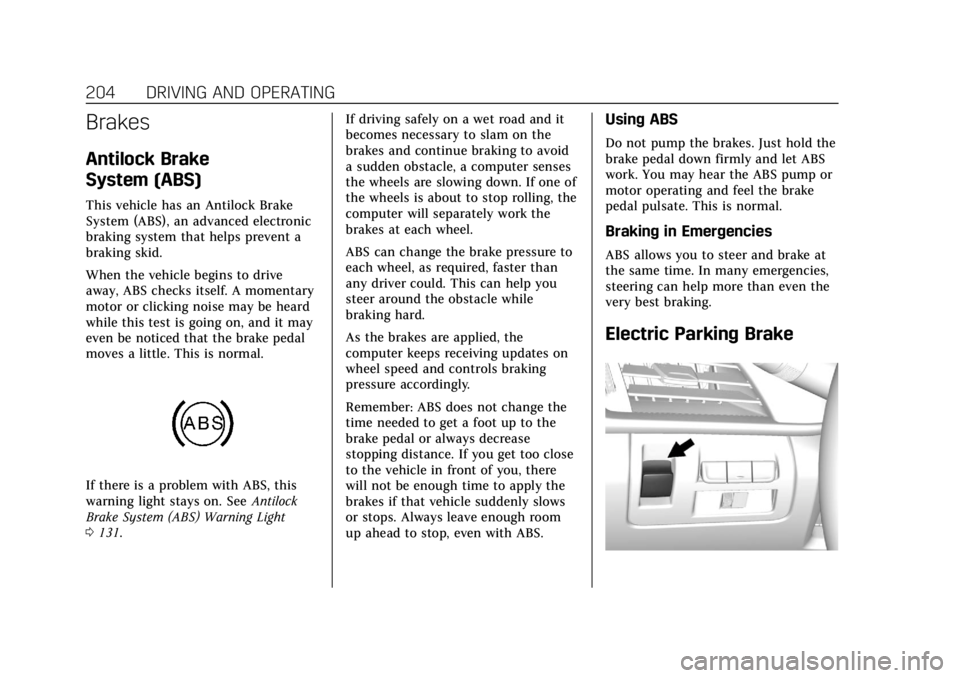
If there is a problem with ABS, this
warning light stays on. SeeAntilock
Brake System (ABS) Warning Light
0 131. If driving safely on a wet road and it
becomes necessary to slam on the
brakes and continue braking to avoid
a sudden obstacle, a computer senses
the wheels are slowing down. If one of
the wheels is about to stop rolling, the
computer will separately work the
brakes at each wheel.
ABS can change the brake pressure to
each wheel, as required, faster than
any driver could. This can help you
steer around the obstacle while
braking hard.
As the brakes are applied, the
computer keeps receiving updates on
wheel speed and controls braking
pressure accordingly.
Remember: ABS does not change the
time needed to get a foot up to the
brake pedal or always decrease
stopping distance. If you get too close
to the vehicle in front of you, there
will not be enough time to apply the
brakes if that vehicle suddenly slows
or stops. Always leave enough room
up ahead to stop, even with ABS.
Using ABS
Do not pump the brakes. Just hold the
brake pedal down firmly and let ABS
work. You may hear the ABS pump or
motor operating and feel the brake
pedal pulsate. This is normal.
Braking in Emergencies
ABS allows you to steer and brake at
the same time. In many emergencies,
steering can help more than even the
very best braking.
Electric Parking Brake
Page 206 of 394
Cadillac CTS/CTS-V Owner Manual (GMNA-Localizing-U.S./Canada/Mexico-
11349156) - 2018 - CRC - 9/29/17
DRIVING AND OPERATING 205
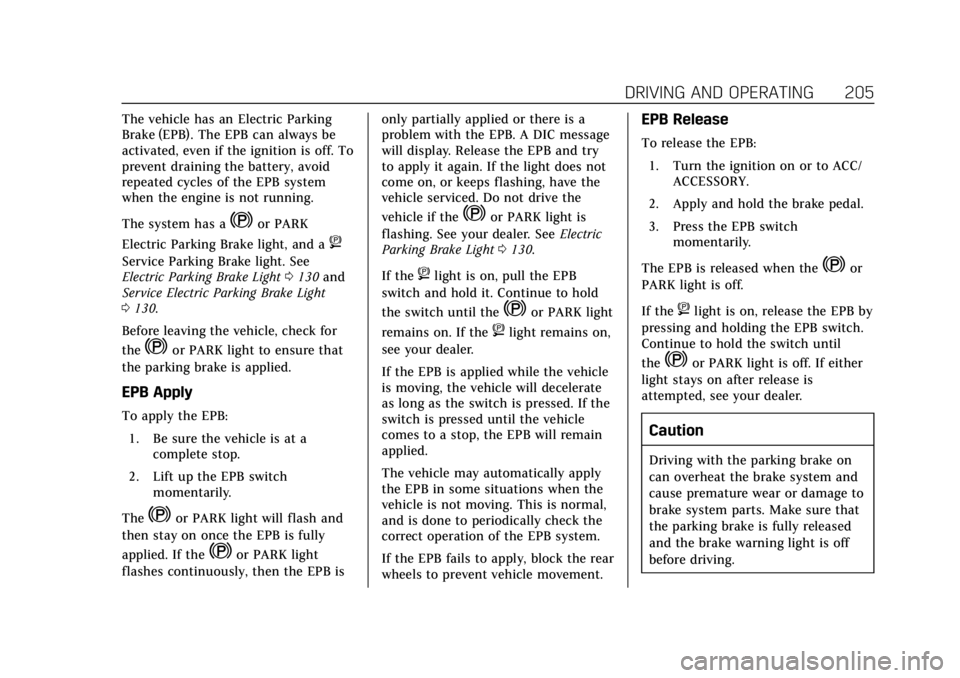
The vehicle has an Electric Parking
Brake (EPB). The EPB can always be
activated, even if the ignition is off. To
prevent draining the battery, avoid
repeated cycles of the EPB system
when the engine is not running.
The system has a
Yor PARK
Electric Parking Brake light, and a
8
Service Parking Brake light. See
Electric Parking Brake Light 0130 and
Service Electric Parking Brake Light
0 130.
Before leaving the vehicle, check for
the
Yor PARK light to ensure that
the parking brake is applied.
EPB Apply
To apply the EPB:
1. Be sure the vehicle is at a complete stop.
2. Lift up the EPB switch momentarily.
The
Yor PARK light will flash and
then stay on once the EPB is fully
applied. If the
Yor PARK light
flashes continuously, then the EPB is only partially applied or there is a
problem with the EPB. A DIC message
will display. Release the EPB and try
to apply it again. If the light does not
come on, or keeps flashing, have the
vehicle serviced. Do not drive the
vehicle if the
Yor PARK light is
flashing. See your dealer. See Electric
Parking Brake Light 0130.
If the
8light is on, pull the EPB
switch and hold it. Continue to hold
the switch until the
Yor PARK light
remains on. If the
8light remains on,
see your dealer.
If the EPB is applied while the vehicle
is moving, the vehicle will decelerate
as long as the switch is pressed. If the
switch is pressed until the vehicle
comes to a stop, the EPB will remain
applied.
The vehicle may automatically apply
the EPB in some situations when the
vehicle is not moving. This is normal,
and is done to periodically check the
correct operation of the EPB system.
If the EPB fails to apply, block the rear
wheels to prevent vehicle movement.
EPB Release
To release the EPB:
1. Turn the ignition on or to ACC/ ACCESSORY.
2. Apply and hold the brake pedal.
3. Press the EPB switch momentarily.
The EPB is released when the
Yor
PARK light is off.
If the
8light is on, release the EPB by
pressing and holding the EPB switch.
Continue to hold the switch until
the
Yor PARK light is off. If either
light stays on after release is
attempted, see your dealer.
Caution
Driving with the parking brake on
can overheat the brake system and
cause premature wear or damage to
brake system parts. Make sure that
the parking brake is fully released
and the brake warning light is off
before driving.
Page 207 of 394
Cadillac CTS/CTS-V Owner Manual (GMNA-Localizing-U.S./Canada/Mexico-
11349156) - 2018 - CRC - 9/29/17
206 DRIVING AND OPERATING
Automatic EPB Release
The EPB will automatically release if
the vehicle is running, placed into
gear, and an attempt is made to drive
away. Avoid rapid acceleration when
the EPB is applied, to preserve parking
brake lining life.
Brake Assist
This vehicle has a brake assist feature
designed to assist the driver in
stopping or decreasing vehicle speed
in emergency driving conditions. This
feature uses the stability system
hydraulic brake control module to
supplement the power brake system
under conditions where the driver has
quickly and forcefully applied the
brake pedal in an attempt to quickly
stop or slow down the vehicle. The
stability system hydraulic brake
control module increases brake
pressure at each corner of the vehicle
until the ABS activates. Minor brake
pedal pulsation or pedal movement
during this time is normal and the
driver should continue to apply the
brake pedal as the driving situation
dictates. The brake assist feature willautomatically disengage when the
brake pedal is released or brake pedal
pressure is quickly decreased.
Hill Start Assist (HSA)
Hill Start Assist (HSA) will activate
when the vehicle is stopped on a
moderate to steep grade to help
prevent it from rolling in the
unintended direction.
After the brake pedal has been
released and before the accelerator
pedal has been pressed, HSA uses
braking pressure to hold the vehicle
stationary.
If HSA is holding the vehicle, a DIC
message displays.
The vehicle will roll if in a drive gear
and facing downhill, or in R (Reverse)
and facing uphill.
Once HSA is active it will hold the
vehicle, unless the driver door is
opened or the driver seat belt is
unbuckled prior to releasing the brake
pedal.
Ride Control Systems
Traction Control/Electronic
Stability Control
The vehicle has a Traction Control
System (TCS) and StabiliTrak, an
electronic stability control system.
These systems help limit wheel slip
and assist the driver in maintaining
control, especially on slippery road
conditions.
TCS activates if it senses that any of
the drive wheels are spinning or
beginning to lose traction. When this
happens, the system brakes the
spinning wheel(s) and/or reduces
engine power to limit wheel spin.
StabiliTrak activates when the
computer senses a difference between
the intended path and the direction
the vehicle is actually traveling.
StabiliTrak selectively applies braking
pressure at any one of the vehicle's
brakes to help steer the vehicle in the
intended direction.
Page 208 of 394

Cadillac CTS/CTS-V Owner Manual (GMNA-Localizing-U.S./Canada/Mexico-
11349156) - 2018 - CRC - 9/29/17
DRIVING AND OPERATING 207
If cruise control is being used and TCS
or StabiliTrak begins to limit wheel
spin, cruise control will disengage.
Cruise control may be turned back on
when road conditions allow.
Both systems come on automatically
when the vehicle is started and begins
to move. The systems may be heard or
felt while they are operating or while
performing diagnostic checks. This is
normal and does not mean there is a
problem with the vehicle.
It is recommended to leave both
systems on for normal driving
conditions, but It may be necessary to
turn TCS off if the vehicle gets stuck
in sand, mud, ice, or snow. SeeIf the
Vehicle Is Stuck 0187 and “Turning
the Systems Off and On ”later in this
section.The indicator light for both systems is
in the instrument cluster. This
light will:
. Flash when TCS is limiting
wheel spin.
. Flash when StabiliTrak is
activated.
. Turn on and stay on when either
system is not working.
If either system fails to turn on or to
activate, a message may display in the
Driver Information Center (DIC), and
dcomes on and stays on to indicate
that the system is inactive and is not
assisting the driver in maintaining
control. The vehicle is safe to drive,
but driving should be adjusted
accordingly.
If
dcomes on and stays on:
1. Stop the vehicle.
2. Turn the engine off and wait 15 seconds.
3. Start the engine. Drive the vehicle. if
dcomes on and
stays on, the vehicle may need more
time to diagnose the problem. If the
condition persists, see your dealer.
Turning the Systems Off and On
Caution
Do not repeatedly brake or
accelerate heavily when TCS is off.
The vehicle driveline could be
damaged.
Page 209 of 394
Cadillac CTS/CTS-V Owner Manual (GMNA-Localizing-U.S./Canada/Mexico-
11349156) - 2018 - CRC - 9/29/17
208 DRIVING AND OPERATING
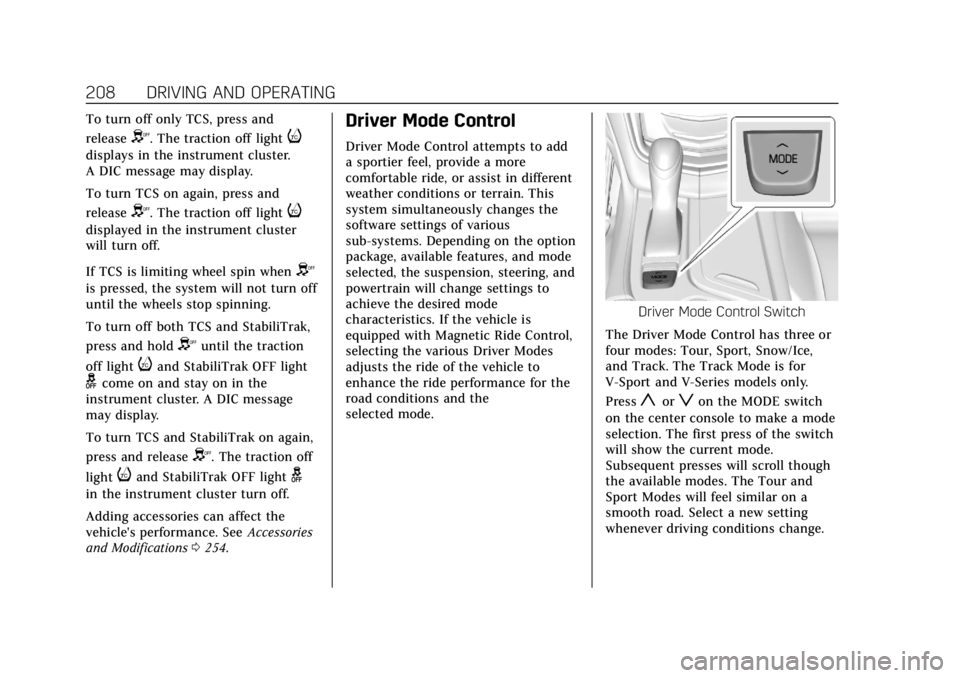
To turn off only TCS, press and
release
Y. The traction off lighti
displays in the instrument cluster.
A DIC message may display.
To turn TCS on again, press and
release
Y. The traction off lighti
displayed in the instrument cluster
will turn off.
If TCS is limiting wheel spin when
Y
is pressed, the system will not turn off
until the wheels stop spinning.
To turn off both TCS and StabiliTrak,
press and hold
Yuntil the traction
off light
iand StabiliTrak OFF light
gcome on and stay on in the
instrument cluster. A DIC message
may display.
To turn TCS and StabiliTrak on again,
press and release
Y. The traction off
light
iand StabiliTrak OFF lightg
in the instrument cluster turn off.
Adding accessories can affect the
vehicle's performance. See Accessories
and Modifications 0254.
Driver Mode Control
Driver Mode Control attempts to add
a sportier feel, provide a more
comfortable ride, or assist in different
weather conditions or terrain. This
system simultaneously changes the
software settings of various
sub-systems. Depending on the option
package, available features, and mode
selected, the suspension, steering, and
powertrain will change settings to
achieve the desired mode
characteristics. If the vehicle is
equipped with Magnetic Ride Control,
selecting the various Driver Modes
adjusts the ride of the vehicle to
enhance the ride performance for the
road conditions and the
selected mode.
Driver Mode Control Switch
The Driver Mode Control has three or
four modes: Tour, Sport, Snow/Ice,
and Track. The Track Mode is for
V-Sport and V-Series models only.
Press
yorzon the MODE switch
on the center console to make a mode
selection. The first press of the switch
will show the current mode.
Subsequent presses will scroll though
the available modes. The Tour and
Sport Modes will feel similar on a
smooth road. Select a new setting
whenever driving conditions change.
Page 211 of 394

Cadillac CTS/CTS-V Owner Manual (GMNA-Localizing-U.S./Canada/Mexico-
11349156) - 2018 - CRC - 9/29/17
210 DRIVING AND OPERATING
Modes:TOUR
Default SPORT SNOW/ICE TRACK
Throttle Progression TourTour Snow/Ice Track
Transmission Shift Mode TourSport TourTrack
Steering (Assist Effort) TourSport TourTrack
Magnetic Ride Control (if equipped) TourSport TourTrack
Launch Control (V-Series Only) NANANAAvailable
Stability Control TourTourTourTrack
Performance Traction Management (if
equipped) (V-Series Only) NA
NANAAvailable
Engine Sound Management TourSport TourTrack
Driver Mode Selector Attributes
Affected
The Gauge Cluster Display is
configured for each mode when linked
(default):
Throttle Progression
Adjusts throttle sensitivity by
selecting how quick or slow the
throttle reacts to input. .
Snow/Ice - The accelerator pedal
will reduce engine torque at small
pedal inputs. This allows better
wheel control on slippery surfaces.
. Track - The accelerator pedal is
adjusted to give maximum control
during the highest level of spirited
driving. Transmission Shift Mode
Sport or Track
–Performance Mode
Lift Foot (PMLF) allows the
transmission to hold the current gear
after a quick release of a heavily
applied accelerator pedal. This
provides greater engine braking and
enhanced vehicle control without
using the paddles. Performance
Algorithm Shift (PAS) recognizes
aggressive cornering, heavy braking,
and high acceleration to select and
Page 212 of 394
Cadillac CTS/CTS-V Owner Manual (GMNA-Localizing-U.S./Canada/Mexico-
11349156) - 2018 - CRC - 9/29/17
DRIVING AND OPERATING 211
hold lower gears when not using
paddles. The shifts are also firmer to
increase the quickness of shifting.
Steering (Assist Effort)
Adjusts from a lighter steering feel in
Tour Mode to reduced assist in Sport
and Track Mode for more
steering feel.
Magnetic Ride Control (if equipped)
Adjusts the shock dampening
firmness from a comfort tune in Tour
Mode to an optimized responsiveness
tune in Sport and Track.
Launch Control (V-Series Only)
Available only in Track Mode for
maximum“off–the–line ”acceleration
when in Competitive or PTM Modes.
Stability Control
. Competitive Mode allows less
computer control to permit some
slide and drift and is selected with
the button –only available in
Track Mode.
. StabiliTrak can be turned off by
pressing and holding the button
for five seconds.Driver Mode Customization
The Engine Sound Management,
steering, and suspension drive modes
can be set to the driver’s preference.
See “Driving Mode ”under Vehicle
Personalization 0144.
When in the Track main vehicle mode,
you cannot overwrite the Steering or
Suspension settings. These settings
are designed to interact with the
advanced functions in the Track Mode
and cannot be overwritten.
The selections made in the Driving
Mode menu overwrite the main
vehicle mode selection via the buttons
or switch on the center console. In
order to customize and overwrite,
select one of the three settings by
touching the infotainment display.
When in the customization screen for
each system, select one of the
available options:
. Auto (Follows the MODE switch)
. Tour
. Sport
. Track The default will be to follow the
vehicle MODE switch settings, but the
main vehicle mode selection for the
currently selected system can be
overwritten using this menu. The
settings selected in this menu will set
the vehicle behavior in all selected
vehicle modes, and will be retained
over each ignition cycle. They do not
have to be reset each time the vehicle
is started.
Competitive Driving Mode
(V-Sport Only)
To select this optional handling mode,
press
Yquickly two times and the
DIC will display COMPETITIVE MODE
ON. While in the Competitive Driving
Mode, the traction off light
iand
StabiliTrak OFF light
gwill come on
in the instrument cluster. TCS does
not limit wheel spin, the Electronic
Limited-Slip Differential (eLSD) allows
increased vehicle agility, and more
effort is required to turn the steering
wheel. See “Limited-Slip Differential
Page 214 of 394
Cadillac CTS/CTS-V Owner Manual (GMNA-Localizing-U.S./Canada/Mexico-
11349156) - 2018 - CRC - 9/29/17
DRIVING AND OPERATING 213
.StabiliTrak is on and engine power
is slightly reduced.
PERFORMANCE TRACTION 3 –
SPORT ACTIVE HANDLING ON
. For use by drivers who are familiar
with the track.
. Dry conditions only.
. Requires more driving skill than
mode 2.
. StabiliTrak is on and more engine
power is available than in mode 2.
PERFORMANCE TRACTION 4 –
SPORT ACTIVE HANDLING OFF
. For use by drivers who are familiar
with the track.
. Dry conditions only.
. Requires more driving skill than
modes 2 or 3.
. StabiliTrak is off and available
engine power is the same as
mode 3.
PERFORMANCE TRACTION 5 –
RACE ACTIVE HANDLING OFF
. For use by experienced drivers
who are familiar with the track.
. Dry conditions only.
. Requires more driving skill than in
other modes.
. StabiliTrak is off and engine power
is available for maximum
cornering speed.
Press and release
Yto turn off PTM
and return to the traction control and
StabiliTrak systems. The traction off
light
iand StabiliTrak OFF lightg
will go out.
Launch Control (V-Series Only)
A Launch Control feature is available,
within Performance Traction
Management, to allow the driver to
achieve high levels of vehicle
acceleration in a straight line. Launch
Control is a form of traction control
that manages tire spin while
launching the vehicle. This feature is intended for use during closed course
race events where consistent zero to
60 and quarter mile times are
desirable.
Launch Control is only available when
the following criteria are met:
.
Performance Traction
Management modes are selected.
The TCS light comes on in the
instrument cluster and the
appropriate DIC message displays.
. The vehicle is not moving.
. The steering wheel is pointing
straight.
. The brake pedal must be firmly
pressed to the floor, equivalent to
a panic brake event.
. The accelerator pedal is rapidly
applied to wide open throttle. (If
the vehicle rolls due to wide open
throttle, release the throttle, press
the brake pedal more firmly, and
re-apply the accelerator to wide
open throttle.)
Page 215 of 394
Cadillac CTS/CTS-V Owner Manual (GMNA-Localizing-U.S./Canada/Mexico-
11349156) - 2018 - CRC - 9/29/17
214 DRIVING AND OPERATING
The Launch Control feature will
initially limit engine speed as the
driver rapidly applies the accelerator
pedal to wide open throttle. Allow the
engine rpm to stabilize. A smooth,
quick release of the brake pedal, while
maintaining the fully pressed
accelerator pedal, will manage
wheel slip.
After the vehicle is launched, the
system continues in Performance
Traction Management.
Competitive Driving Mode, PTM, and
Launch Control are systems designed
for a closed course race track and not
intended for use on public roads. The
systems are not intended to
compensate for lack of driver
experience or familiarity with the race
track.Limited-Slip Differential
If equipped, the Electronic
Limited-Slip Differential (eLSD) is
automatically activated. eLSD actively
monitors vehicle sensors and driver
inputs to determine the amount of
change for the conditions. With eLSD,
the vehicle has:
.Enhanced high-speed control.
. Improved traction through
corners, allowing more
acceleration.
. More precise steering.
. Increased vehicle agility.
. Integration with StabiliTrak.
For vehicles with eLSD, driven under
severe conditions, the rear axle fluid
should be changed. See Competitive
Driving Mode (V-Sport Only) 0211 and
Maintenance Schedule 0339.
Cruise Control
{Warning
Cruise control can be dangerous
where you cannot drive safely at a
steady speed. Do not use cruise
control on winding roads or in
heavy traffic.
Cruise control can be dangerous on
slippery roads. On such roads, fast
changes in tire traction can cause
excessive wheel slip, and you could
lose control. Do not use cruise
control on slippery roads.
With cruise control, a speed of about
40 km/h (25 mph) or more can be
maintained without keeping your foot
on the accelerator. Cruise control does
not work at speeds below about
40 km/h (25 mph).
If the StabiliTrak
®system begins to
limit wheel spin while using cruise
control, the cruise control
automatically disengages. See Traction
Control/Electronic Stability Control
0 206. If a collision alert occurs when