automatic CADILLAC DEVILLE 1996 7.G Owner's Manual
[x] Cancel search | Manufacturer: CADILLAC, Model Year: 1996, Model line: DEVILLE, Model: CADILLAC DEVILLE 1996 7.GPages: 354, PDF Size: 20.32 MB
Page 137 of 354
Downloaded from www.Manualslib.com manuals search engine When AVG MPG is selected, the total distance is
divided by the total fuel used.
When the INST button (Instantaneous Fuel Economy)
is
selected, you will see what the fuel economy is at that
instant. The computer takes a new reading twice every second. It will show economy up to
70 miles-per-gallon
(or
2 L per 100 km).
To reset the average fuel economy, press the
INFORMATION button until the AVG MPG is
displayed on the
DIC. Press and hold the RESET
button until both the fuel data center and DIC display
reads
0.0.
The RANGE display shows how far the computer thinks
you can travel with the fuel that is in the tank. The
computer does not
know what driving conditions will be
like for the rest of your trip, so the range is estimated
based on the recent fuel economy. Therefore, the range
reading may change as your driving habits change.
Going from city to highway driving may increase the
range reading.
If the range display shows
LO, you should stop for fuel
as
soon as possible. Your computer needs enough data
for the
RANGE reading to work.
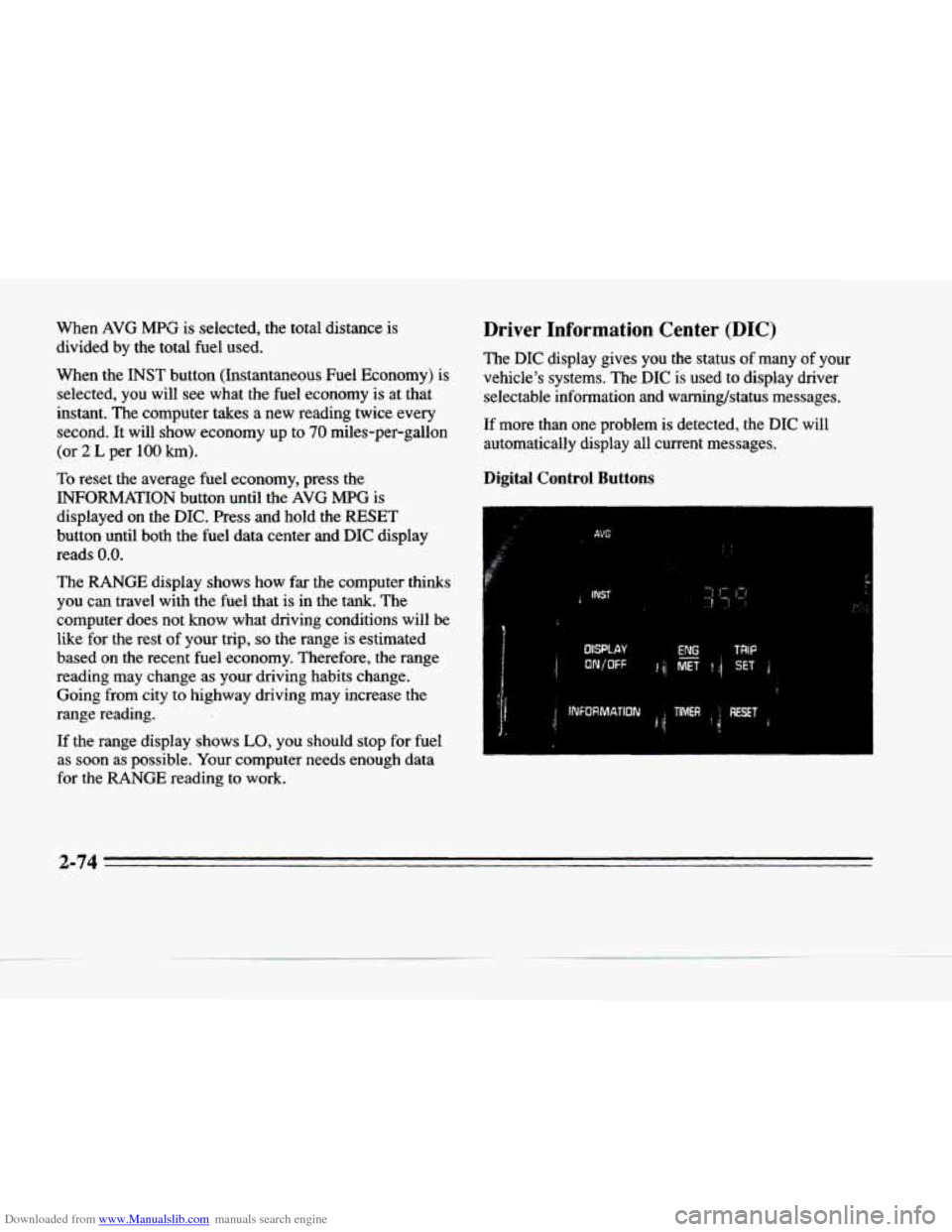
Driver Information Center (DIC)
The DIC display gives you the status of many of your
vehicle's systems. The
DIC is used to display driver
selectable information and warning/status messages.
If more than one problem is detected, the
DIC will
automatically display all current messages.
Digital Control Buttons
i
I
c
2-74
Page 138 of 354
Downloaded from www.Manualslib.com manuals search engine c
c-
rc
Ir
.-
c
DISPLAY ONIOFF: Pressing this button will turn off
the DIC, Electronic Climate Control, fuel data center, the fuel gage, trip odometer and odometer. While the
displays
are off, pressing the INFORMATION button
will only turn on the DIC. If the TRIP SET button
is pressed or the fuel level falls below four gallons
(15.2 L), all the displays will come back on.
ENG/MET (EnglishMetric): You can change the
display from English (miles) to metric (kilometers) by
pressing this button. The same button also changes other
readings (like temperature, fuel and odometer).
TRIP SET By using this button you can tell how far
you’ve gone since you last set the TRIP SET back to
zero.
To reset, press and hold the button until zeros
appear. If your vehicle
is domestic, the trip odometer
will return to zero after 999.9 miles
(1 609 km). If your
vehicle
is Canadian, the trip odometer will return to zero
after
1 999.9 km (1,242 miles).
INFORMATION: Pressing this button repeatedly will
display the AVG
MPG, FUEL USED, AVG MPH, OIL
LIFE LEFT, ENGINE RPM, BATTERY VOLTS and
COOLANT TEMP.
TIMER: This feature is like a stopwatch, in that you
can clock the time it takes to get from one point
to another.
To operate, press the TIMER button until TIMER
0O:OO:OO is displayed on the DIC. Each of the fields for
the hours, minutes and seconds are
two numeric digits.
Once TIMER
OFF 0O:OO:OO is displayed, press the
TIMER button to start the timing feature. Press the
TIMER button again to stop
it, If you will be starting
and stopping
your Cadillac, during a trip for instance,
the TIMER feature will automatically
start timing where
it left off when you last stopped. To reset it, press and
hold the RESET button until the display reads TIMER
0O:OO:OO. Press the INFORMATION button to exit from
the TIMER function.
RESET Pressing this button will reset the MPG AVG,
FUEL USED, AVG MPH and OIL LIFE LEFT. Pressing
RESET when a non-resettable display appears will
cause
a “recall” mode to occur. When this happens, all
DIC warning messages that have been displayed since
the ignition key was turned to RUN will redisplay.
If no
messages were displayed, a MONITORED SYSTEMS
OK message will appear.
2-75
Page 139 of 354
Downloaded from www.Manualslib.com manuals search engine MPG AVG (Average Fuel Economy) Reset: Press the
INFORMATION button to display the MPG AVG, then
press and hold the RESET button until
0.0 MPG AVG
is displayed.
Fuel Used Reset: Press the INFORMATION button
to display the FUEL USED on the DIC, then press
and hold the RESET button until
FUEL USED 0.0
is displayed.
AVG MPH (Average Speed) Reset: Press the
INFORMATION button to display the AVG MPH, then
press and hold the RESET button until
0.0 AVG MPH
is displayed.
Oil Life Left Reset: Press the INFORMATION button
to display the OIL LIFE LEFT, then press and hold the
RESET button’until
100% OIL LIFE LEFT is displayed.
f
Driver Information Center Messages
These messages will appear if there is a problem sensed
in one of your vehicle’s systems. Vehicles that are first
sold
in Canada will have a number after each message.
This number helps to identify the message which is only
displayed in English.
A/C OFF FOR ENGINE PROTECTION - 16: This
message displays when the engine coolant becomes
hotter than the normal operating temperature. To avoid
added strain on a hot engine, the air conditioning
compressor is automatically turned
off so that air
conditioned air
is not delivered. If the coolant
temperature returns
to normal, you must select AC to
return to a normal
A/C compressor operation. If this
message continues to appear, have the system repaired
as soon as possible to avoid compressor damage.
APPLY BRAKE TO SHIFT - 46: This message will
appear if your vehicle is in PARK (P) for about 15 seconds
and the brake is not pressed
in. Remove the message by
holding the
OFF and the blue (cooler) button on the
Electronic Climate Control panel for about five seconds. Hold
the same two buttons again to redisplay the message.
BATTERY NO CHARGE - 07: This message will
appear
if the battery is not being charged. Have the
electrical system checked by your Cadillac dealership at
your earliest convenience.
2-76
-.
-.
Page 145 of 354
Downloaded from www.Manualslib.com manuals search engine TRANSMISSION HOT - 112: This messages indicates
that the transmission fluid in your vehicle is too hot
(message -apppears when fluid temperature has reached
266 "F (1 30°C) for 15 minutes or when the temperature
reaches
291 OF (144°C) for 32 seconds). Have your
vehicle serviced immediately.
TRUNK OPEN - 24: This message indicates that the
trunk is open when the ignition is in RUN.
TURN SIGNAL ON - 20: This message is a reminder,
after driving about
a mile, that you have the turn signal on.
VEHICLE SPEED LIMITED TO XXX MPH
(KM/H) - 113: A failure in the suspension control
system has occurred when this message appears. The
PCM determines the speed your vehicle is limited to.
Have your Cadillac serviced if this message appears.
VERY LOW REFRIGERANT A/C COMPRESSOR
OFF - 12: This message means that the air conditioning
system detects a refrigerant level that is low enough to
:awe damage to the
A/C compressor. To avoid damage
:he
A/C compressor automatically turns off and the
Electronic Climate Control will automatically switch ?om
AUTO to AC and remain there. Have the A/C
iystem serviced if this message appears.
Traction Active
When your traction control system is limiting wheel spin,
the
TRACTION ACTIVE message will be displayed.
Slippery road conditions may exist if this message is
displayed,
so adjust your driving accordingly. This
message
will stay on for a few seconds after the traction
control system
stops limiting wheel spin.
Trip Computer
Road Sensing Suspension
The Road Sensing Suspension (RSS)(DeVille) and the Continuous Variable-Road Sensing Suspension
(CV-RSS)(Concours) automatically adjust the ride of
your vehicle, with the
CV-RSS having a wider range of
control. Automatic ride control is achieved through the
RSS controller, a computer used to control and monitor
the suspension system. The controller receives inputs
from various sensors to determine the proper system
response.
If the controller detects a problem within the
system, the DIC
will display a SERVICE RIDE
CONTROL message. If this message appears, have
your vehicle serviced at your Cadillac dealership.
Z-82
Page 146 of 354
Downloaded from www.Manualslib.com manuals search engine Oil Life Indicator
P
c
:. ..; .. .. .. '... ,
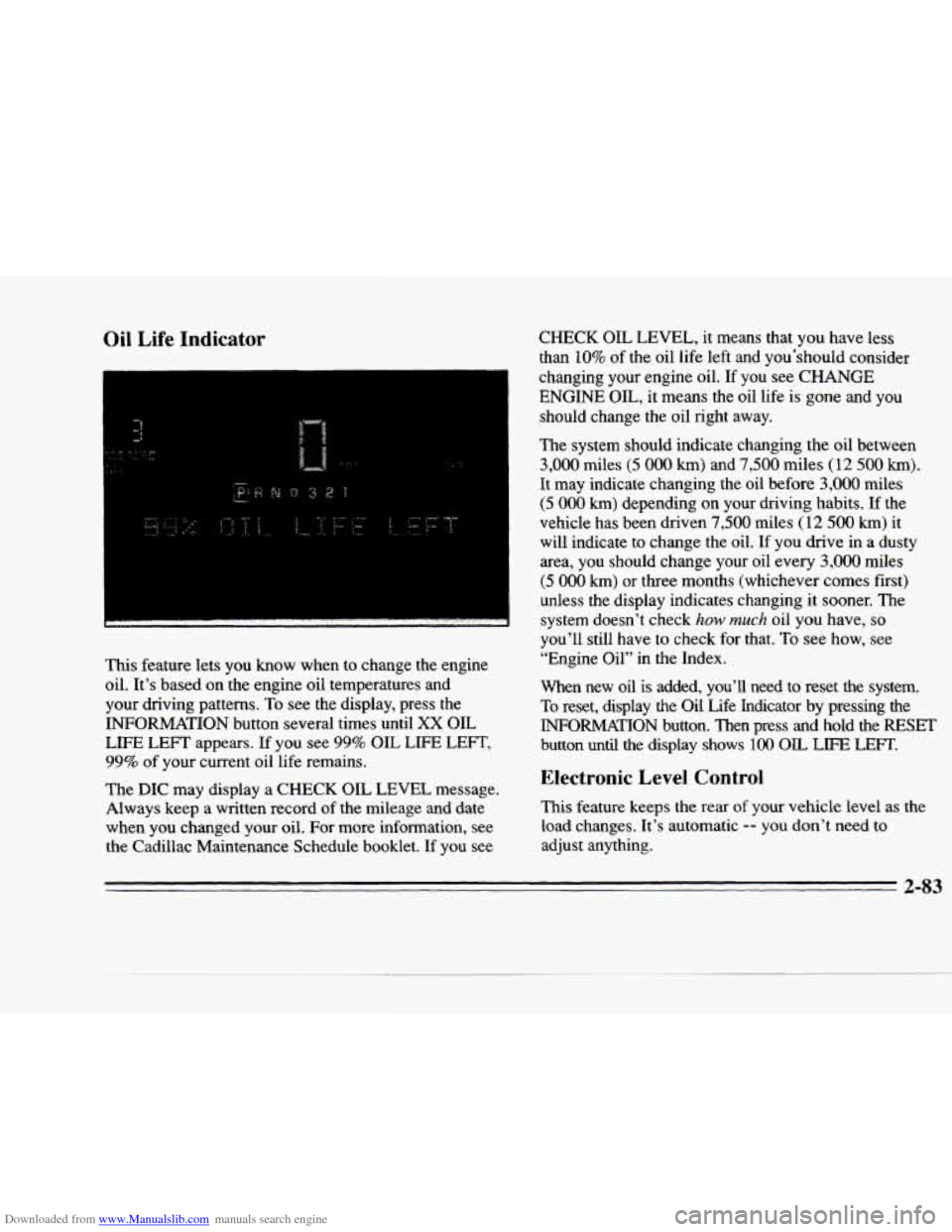
This feature lets you know when to change the engine
oil. It's based on the engine oil temperatures and
your driving patterns.
To see the display, press the
INFORMATION button several times until
XX OIL
LIFE LEFT appears. If you see 99% OIL LIFE LEFT,
99% of your current oil life remains.
The DIC may display a
CHECK OIL LEVEL message.
Always keep a written record of the mileage and date
when you changed your oil. For more information, see
the Cadillac Maintenance Schedule booklet.
If you see
CHECK OIL LEVEL, it means that you have less
than 10% of the oil life left and you'should consider
changing your engine oil. If you see
CHANGE
ENGINE OIL, it means the oil life is gone and you
should change the oil right away.
The system should indicate changing the oil between
3,000 miles (5 000 km) and 7,500 miles (12 500 km).
It may indicate changing the oil before 3,000 miles
(5 000 km) depending on your driving habits. If the
vehicle has been driven
7,500 miles (12 500 km) it
will indicate to change the oil.
If you drive in a dusty
area, you should change your oil every
3,000 miles
(5 000 km) or three months (whichever comes first)
unless the display indicates changing
it sooner. The
system doesn't check
how much oil you have, so
you'll still have to check for that. To see how, see
"Engine Oil" in
the Index.
When new oil is added, you'll need to reset the system.
To reset, display the Oil Life Indicator by pressing the
INFORMATION button. Then press and hold the RESET
button until the display shows 100 OIL LIFE LEFT.
Electronic Level Control
This feature keeps the rear of your vehicle level as the
load changes. It's automatic
-- you don't need to
adjust anything.
2-83
Page 149 of 354
Downloaded from www.Manualslib.com manuals search engine Fan Button
The button with the fan symbol adjusts the fan speed. Press the up
arrow to increase fan speed and the down
arrow to decrease fan speed.
Temperature Button
The red and blue temperature buttons adjust the air
temperature coming through the system. Press the blue
button for a eooler setting or the red button for a warmer setting. The outside temperature is always displayed
when your vehicle is running.
You can change it from
Fahrenheit to Celsius by pressing the
ENGNET
(English/metric) button on the DIC.
Mode Controls
The AUTO/ECON button automatically controls the
direction
of air delivery for air conditioning and non-air
conditioning modes.
Automatic Operation
When the system is set for AUTO, sensors will control
the air delivery mode.
Air will come from the floor,
middle or windshield outlets. The fan speed will vary as
the system maintains the selected temperature setting. Be
careful not to put anything over the solar sensor
located in the middle of the instrument panel near the
windshield. This sensor
is used by the automatic system
to regulate temperature.
To find your comfort zone, start with 75°F (24°C)
setting, allow about 20 minutes for the system to
regulate. Press the red or blue temperature buttons to
adjust the temperature if necessary. If you choose
60°F
(1 6" C), the system will remain at that maximum cooling
setting
and will not regulate fan speed. If you choose the
temperature of
90°F (32"C), the system will remain at
that maximum heating setting and will not regulate
fan
speed. Choosing either maximum setting will not cause
the system to heat or cool any faster.
With this setting,
the air conditioning compressor
automatically cycles when needed to cool the air. In cold
weather, when the system senses the need for heat, the
airflow will be directed
out the floor outlets. As. the
interior temperature approaches a desired setting, the
blower speed will decrease.
To maintain interior
comfort, the airflow may move to the instrument panel
air outlets and floor outlets
(BI-LEVEL mode). On
bright, sunny days in cold weather, the airflow may
come
out of the A/C outlets (A/C mode) to maintain
comfort and prevent stuffiness.
Page 151 of 354
Downloaded from www.Manualslib.com manuals search engine DEFOG: Press thl's button to divide the air between the
windshield and
the heater outlets. This is useful when
fog appears on the windshield or side glass due to
sudden rain or snowy conditions. This feature is not
available with the heated windshield option.
AUTO/ECON: Press this button to switch between
AUTO and ECON. The ECON setting attempts to keep
air at a selected temperature, however, it does not
remove humidity from the air. Use this setting in cold
or
cool weather to save fuel. The AUTO setting is used
when it's warm outside and you need
to cool the air in
order to maintain a selected temperature and blower
speed.
FAN SPEEDS: Press the button with the fan
symbol until AUTO is displayed on the screen. At this
setting, the fan speed
is automatically controlled. If it is
cold outside, the blower may not
run in the maximum
high
fan speed right away. The system checks the temperature of the engine
coolant to assure it is warm
enough to provide heat. When
the engine coolant is
wm, the controller allows the fan to gradually increase
to a higher speed. This prevents cold air from blowing
into the passenger compartment.
If you want the blower
fan at a high speed, press the up arrow button until you
see HI
on the display. If you want the fan speed to be
automatic, but
you like the fan speed to be higher than
the
AUTO setting, press the fan symbol button until HI
AUTO
is shown on the display. If you want the blower
fan at a
low speed, press the down mow button until
LO is shown on the display. If you want the fan speed to
run lower than the
AUTO setting, press the button until
AUTO LO is shown on the display.
9 DEFROST: Press this button to quickly remove
fog or frost from the windshield.
This setting sends most
of the airflow to the windshield with only a small
amount to the floor outlets.
Page 152 of 354
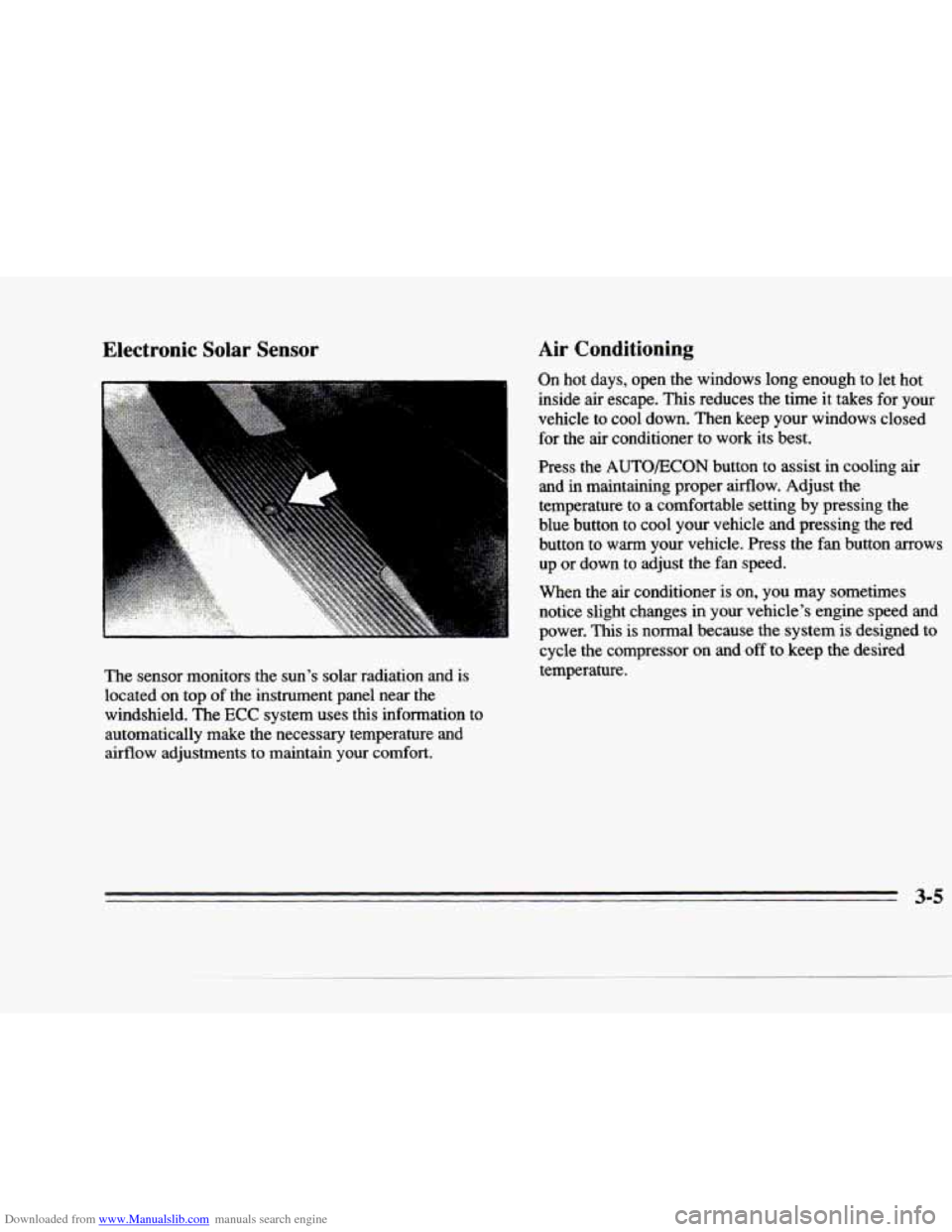
Downloaded from www.Manualslib.com manuals search engine Electronic Solar Sensor
The sensor monitors the sun’s solar radiation and is
located
on top of the instrument panel near the
windshield. The
ECC system uses this information to
automatically
make the necessary temperature and
airflow adjustments to maintain your
comfort.
Air Conditioning
On hot days, open the windows long enough to let hot
inside
air escape. This reduces the time it takes for your
vehicle to cool down. Then keep your windows closed for the air conditioner to work its best.
Press the
AUTO/ECON button to assist in cooling air
and in maintaining proper airflow. Adjust the
temperature
to a comfortable setting by pressing the
blue button to cool your vehicle
and pressing the red
button to
warm your vehicle. Press the fan button arrows
up or down
to adjust the fan speed.
When the air conditioner is on, you may sometimes
notice slight changes in your vehicle’s engine speed and
power. This is normal because the system is designed to
cycle the compressor on and off to keep the desired
temperature.
3-5
Page 156 of 354
Downloaded from www.Manualslib.com manuals search engine P
L-
c
(@ Rear Window Defogger
The lines you see on the rear window warrn the glass.
Press the button to turn on the rear defogger. With it,
the rear window and both outside rearview mirrors are heated.
The system will automatically shut off after
10 minutes. If further defogging is desired, press the
button again.
Do not attach a temporary vehicle license, tape or decals
across the defogger grid on the rear window.
NOTICE:
Scraping the inside of your rear window could
cut and damage the heating grids.
Your warranty
would not cover this damage.
And don’t put
decals there;
you might have to scrape them off.
Steering Wheel Controls for
Climate Control
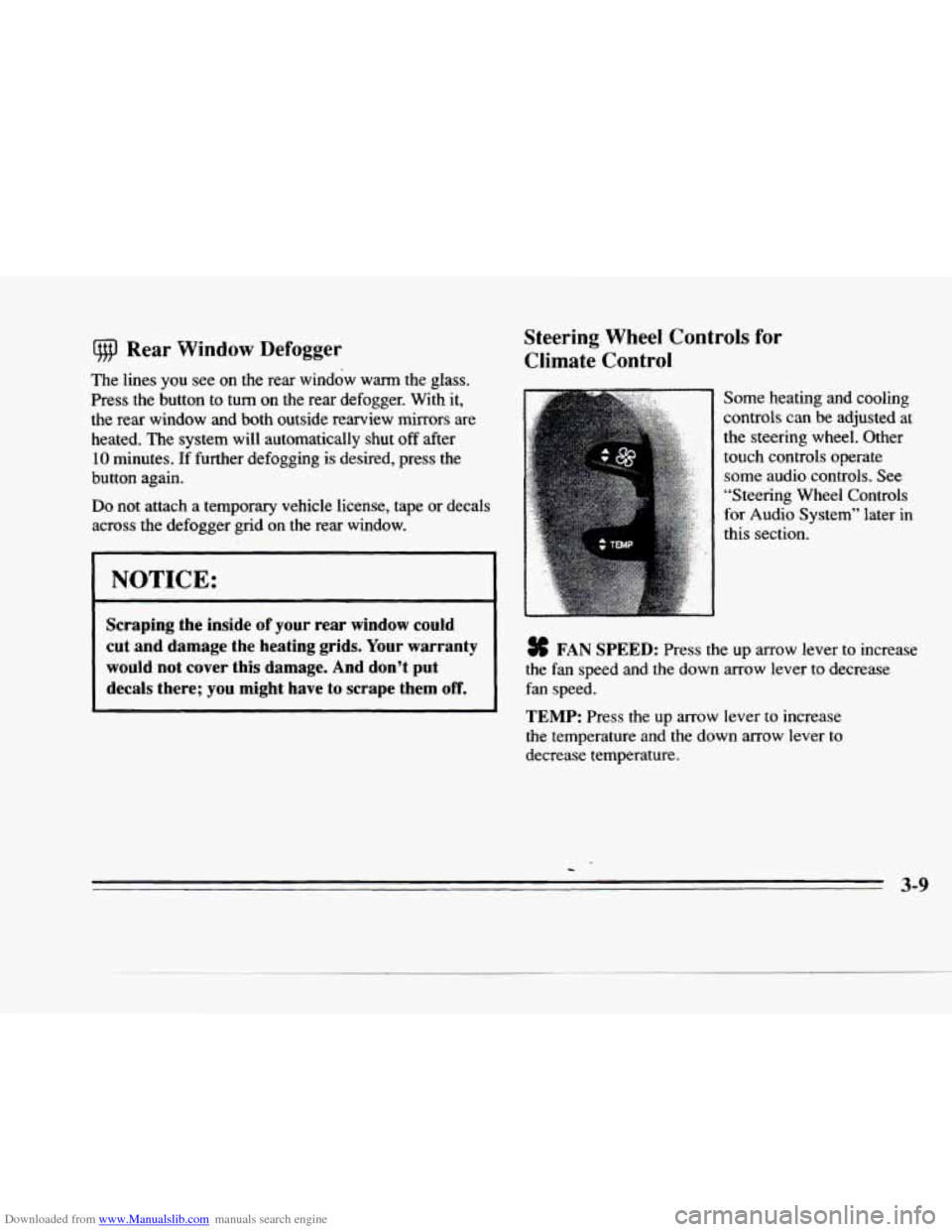
Some heating and cooling
controls can be adjusted at
the steering wheel. Other touch controls operate some audio controls. See
“Steering Wheel Controls
for Audio System’’ later in
this section.
# FAN SPEED: Press the up arrow lever to increase
the
fan speed and the down arrow lever to decrease
fan speed.
TEMP: Press the up arrow lever to increase
the temperature and the down arrow lever to
decrease temperature.
c
Page 167 of 354
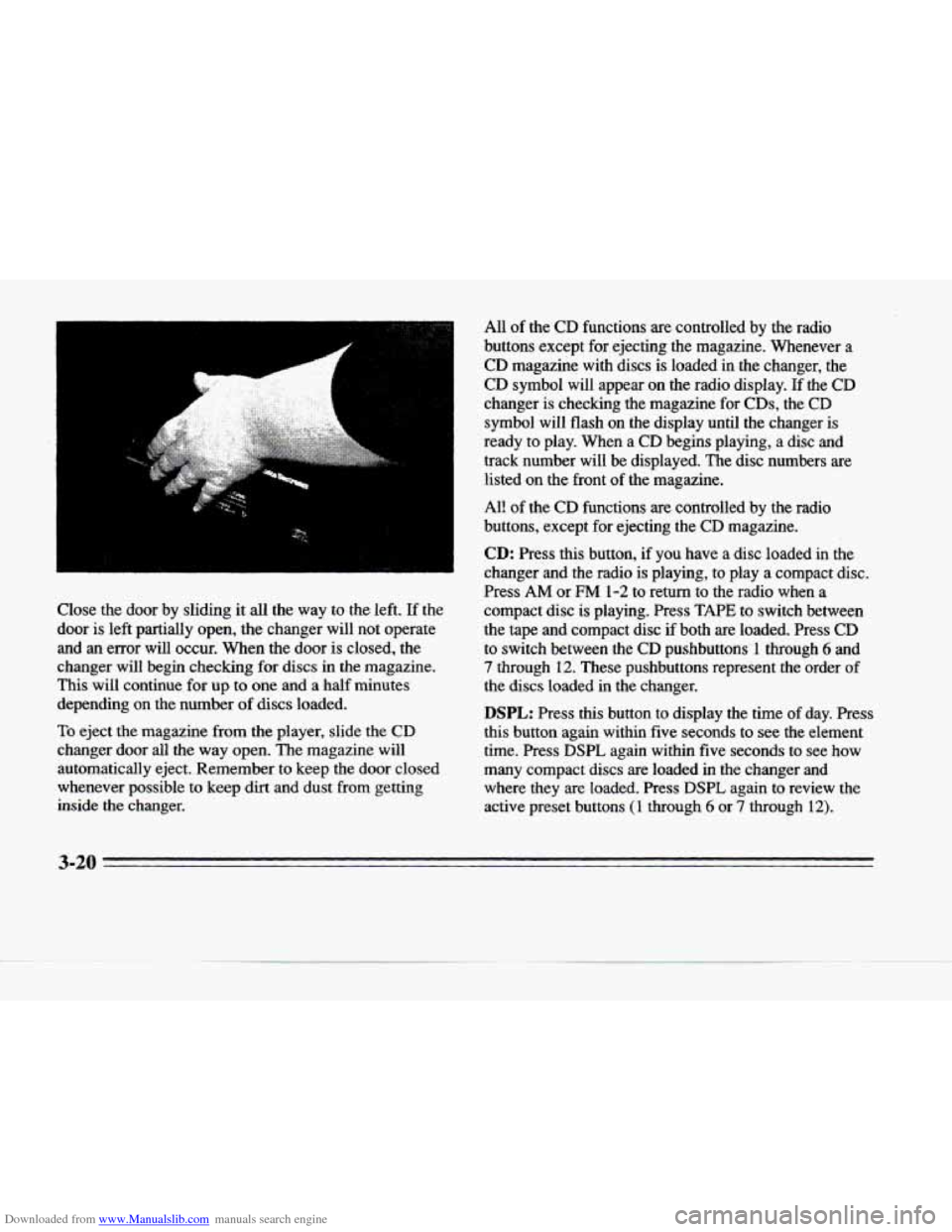
Downloaded from www.Manualslib.com manuals search engine Close the door by sliding it all the way to the left. If the
door
is left partially open, the changer will not operate
and
an error will occur. When the door is closed, the
changer will begin checking
for discs in the magazine.
This will continue for
up to one and a half minutes
depending
on the number of discs loaded.
To eject the magazine from the player, slide the CD
changer door all the way open. The magazine will
automatically eject. Remember to keep the door closed
whenever possible to keep dirt
and dust from getting
inside
the changer. All
of the CD functions are controlled
by the radio
buttons except for ejecting the magazine. Whenever a
CD magazine with discs is loaded in the changer, the
CD symbol will appear
on the radio display. If the CD
changer is checking the magazine for
CDs, the CD
symbol will flash on the display until the changer is
ready to play. When a
CD begins playing, a disc and
track number will be displayed. The disc numbers are
listed on the front of the magazine.
All of the CD functions
are controlled by the radio
buttons, except for ejecting the CD magazine.
CD: Press this button, if you have a disc loaded in the
changer and the radio is playing, to play a compact disc.
Press
AM or FM 1-2 to return to the radio when a
compact disc is playing. Press TAPE to switch between
the tape and compact disc if both are loaded. Press
CD
to switch between the CD pushbuttons'l through 6 and
7 through 12. These pushbuttons represent the order of
the discs loaded in the changer.
DSPL: Press this button to display the time of day. Press
this button again within five seconds to see the element time. Press DSPL again within five seconds to see how
many compact discs are loaded in the changer and where they are loaded. Press
DSPL again to review the
active preset buttons (1 through 6 or 7 through 12).
-
c
3-20