fuel CADILLAC DEVILLE 1996 7.G Owner's Manual
[x] Cancel search | Manufacturer: CADILLAC, Model Year: 1996, Model line: DEVILLE, Model: CADILLAC DEVILLE 1996 7.GPages: 354, PDF Size: 20.32 MB
Page 143 of 354
Downloaded from www.Manualslib.com manuals search engine SERVICE BRAKE FLUID SWITCH - 37: A high
level of brake fluid causes this message to display if the
ignition is in the
RUN position. Have the brake system
serviced by a Cadillac technician as soon as possible.
If
the brake warning light is on, refer to the directions
listed in that 'part.
SERVICE CHARGING SYSTEM - 102: This
message will display when a problem with
the charging
system has been detected. Have your vehicle serviced at
your Cadillac dealership.
SERVICE ELECTRICAL SYSTEM - 106: This
message will display if
an electrical problem has
occurred within the PCM. Have your vehicle service by your Cadillac dealership.
SERVICE EMISSIONS SYSTEM - 104: A problem
in the emissions system has occurred when this message
appears. Have your Cadillac dealership service your vehicle.
SERVICE ENGINE COOLING SYSTEM - 103: A
problem within the engine cooling system has been
detected when this message displays. See your Cadillac
dealership
for service.
SERVICE FUEL SYSTEM - 101: The PCM
has detected a problem within the fuel system when
this message appears. See
your Cadillac dealership
for service.
SERVICE IDLE CONTROL SYSTEM - 107: A
problem with the idle control has occurred when this message displays. Bring your vehicle
to your Cadillac
dealership for service.
SERVICE IGNITION SYSTEM - 105: This
message displays when a failure in the ignition system
has been detected. Have your vehicle serviced by your Cadillac dealership.
SERVICE RIDE CONTROL - 84: This message is
displayed to indicate that the suspension system is not
operating properly.
To correct this problem have your
vehicle serviced at your Cadillac dealership.
SERVICE TRANSMISSION - 100: If a problem is
detected with the transaxle, this message will appear. Have your vehicle checked by your CadilIac dealership.
SPEED SENSOR FAULT - 109: A circuit problem with
the vehicle speed sensor will trigger this message to appear.
Have your Cadillac dealership service your vehicle.
2-80
-.
-4
Page 144 of 354
Downloaded from www.Manualslib.com manuals search engine c
.c
c
STARTING DISABLED DUE TO THEFT SYSTEM
REMOVE IGNITION KEY
- 33: This message will
appear when the Personalized Automotive Security
System (PASS-Key
11) senses that an improper ignition
key is being used to try to start
the vehicle. Check the
ignition key for damage. If
it is damaged, it may need to
be replaced. If you see no damage, clean the pellet
contacts
with a soft cloth or napkin. Remove the ignition
key and wait for the
DTC to display WAIT 3 MINUTES.
The instrument panel cluster will then run a timer and change the messages to WAIT
2 MINUTES, WAIT
1 MINUTE and then START CAR. When the START
CAR message is displayed, try again to start the engine.
STOP ENGINE ENGINE OVERHEATED - 42: This
message will appear when the engine has overheated. Stop and turn the engine off immediately to avoid severe
engine damage. See “Engine Overheating” in
the Index.
this message appears while the engine is running, stop
the engine and do not operate it until the cause
of low
oil pressure is corrected. Severe damage to
the engine
can result.
STOP ENGINE LOW OIL PRESSURE - 35: If
THEFT SYSTEM PROBLEMlCAR MAY NOT
RESTART
- 34: This message means there is a problem
in the Personalized Automotive Security System
(PASS-Key 11).
A fault has been detected in the system
which means that
the PASS-Key I1 system is disabled
and is not protecting
the vehicle. The vehicle usually
restarts however, you may want to take your vehicle to a
proper service center before turning off the engine.
TOP SPEED FUEL CUT-OFF - 111: This message
will appear when the PCM senses that the maximum
speed for your Cadillac has been reached. The speed
of
your vehicle will decrease several mph as the fuel
supply is cutoff. This allows your vehicle to stay in a
stable operating range.
TRACTION READY - 91: This message informs the
driver that the traction control system is available. This occurs when the traction on/off button in the glove box
has been returned to
an on position (pressing the button
once turns the traction control system off; pressing the
button again turns the system back on).
TRACTION OFF - 89: This message will be displayed
after
the traction control has been turned off.
TRANS FLUID RESET - 48: With the engine not
running and the ignition on, press and hold the
OFF and
rear defog buttons until the TRANS FLUID RESET
meGage appears on the DIC (between 5 and 20 seconds).
2-81 c
Page 151 of 354
Downloaded from www.Manualslib.com manuals search engine DEFOG: Press thl's button to divide the air between the
windshield and
the heater outlets. This is useful when
fog appears on the windshield or side glass due to
sudden rain or snowy conditions. This feature is not
available with the heated windshield option.
AUTO/ECON: Press this button to switch between
AUTO and ECON. The ECON setting attempts to keep
air at a selected temperature, however, it does not
remove humidity from the air. Use this setting in cold
or
cool weather to save fuel. The AUTO setting is used
when it's warm outside and you need
to cool the air in
order to maintain a selected temperature and blower
speed.
FAN SPEEDS: Press the button with the fan
symbol until AUTO is displayed on the screen. At this
setting, the fan speed
is automatically controlled. If it is
cold outside, the blower may not
run in the maximum
high
fan speed right away. The system checks the temperature of the engine
coolant to assure it is warm
enough to provide heat. When
the engine coolant is
wm, the controller allows the fan to gradually increase
to a higher speed. This prevents cold air from blowing
into the passenger compartment.
If you want the blower
fan at a high speed, press the up arrow button until you
see HI
on the display. If you want the fan speed to be
automatic, but
you like the fan speed to be higher than
the
AUTO setting, press the fan symbol button until HI
AUTO
is shown on the display. If you want the blower
fan at a
low speed, press the down mow button until
LO is shown on the display. If you want the fan speed to
run lower than the
AUTO setting, press the button until
AUTO LO is shown on the display.
9 DEFROST: Press this button to quickly remove
fog or frost from the windshield.
This setting sends most
of the airflow to the windshield with only a small
amount to the floor outlets.
Page 153 of 354
Downloaded from www.Manualslib.com manuals search engine Heating
rress the AUTOECON button to direct airflow out
of the floor outlets and to help save fuel. Adjust the
temperature, if necessary, by pressing the blue button
to decrease temperature and pressing the red button
to
increase temperature. Also remember to adjust the fan
speed by pressing the up or down arrow.
Outside air will be brought in and sent through the floor
outlets. The heater works best if you keep your windows
closed while using it.
Ventilation System
Your Cadillac's flow-through ventilation system
supplies outside air into the vehicle when it
is moving.
Outside
air will also enter the vehicle when the heater or
the air conditioning fan is running.
.I . .
....,.
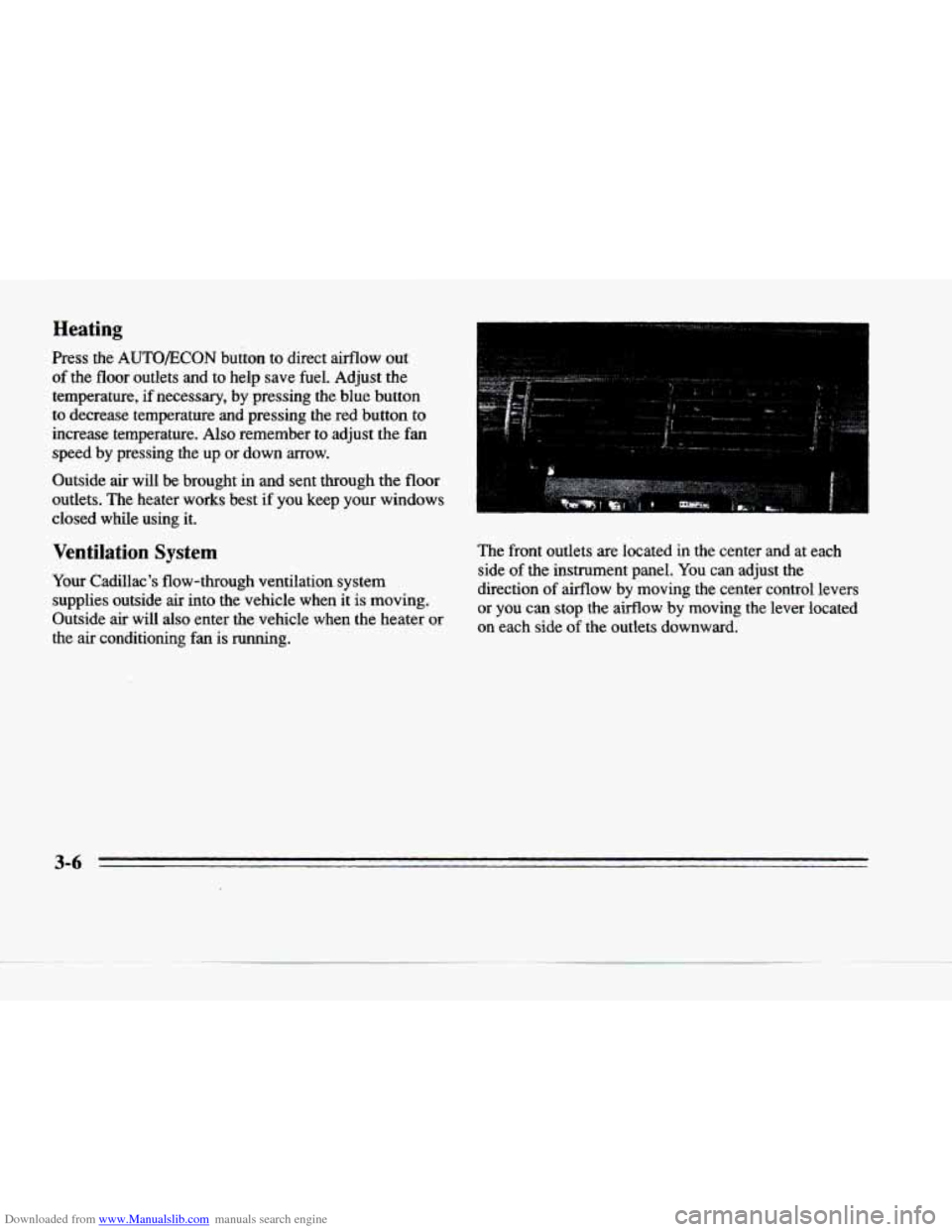
The front outlets are located in the center and at each
side
of the instrument panel. You can adjust the
direction
of airflow by moving the center control levers
or you can stop the airflow by moving the lever located
on each side
of the outlets downward.
3-6
Page 203 of 354
Downloaded from www.Manualslib.com manuals search engine The exit speed is usually posted. Reduce your speed according to your speedometer, not
to your sense of motion. After driving for any distance
at higher speeds, you may tend to
think you are going
slower than you actually are.
Before Leaving on a Long Trip
Make sure you’re ready. Try to be well rested. If you
must start when you’re not fresh
-- such as after a day’s
work
-- don’t plan to make too many miles that first part
of the journey. Wear comfortable clothing and shoes you
can easily drive in.
Is your vehicle ready for a
long trip? If you keep it
serviced and maintained, it’s ready
to go. If it needs
service, have it done before starting out. Of course,
you’ll
find experienced and able service experts in
Cadillac dealerships all across North America. They’ll
be ready and willing to help if you need
it.
Here are some things you can check before a trip:
0
a
a
a
0
a
0
Windshield Washer Fluid: Is the reservoir full? Are
all windows clean inside and outside?
Wiper Blades: Are they in good shape?
Fuel, Engine Oil, Other Fluids: Have you checked
all levels?
Lamps: Are they all working? Are the lenses clean?
Tires: They are vitally important to a safe,
trouble-free trip. Is the tread good enough for long-distance driving? Are the tires all inflated
to the
recommended pressure?
Weather Forecasts: What’s the weather outlook
along your route? Should you delay your trip a short
time to avoid a major storm system?
Maps: Do you have up-to-date maps?
4-22
Page 210 of 354
Downloaded from www.Manualslib.com manuals search engine P
C
Run your engine only as long as you must. This saves
fuel. When you
run the engine, make it go a little faster
than just idle. That is, push the accelerator slightly. This
uses less fuel
for the heat that you get and it keeps the
battery charged. You will need a well-charged battery to
restart the vehicle, and possibly
for signaling later on
with your headlamps. Let the heater run for awhile.
Then, shut the engine off
and close the window almost
all the way
to preserve the heat. Start the engine again
and repeat this only when you feel really uncomfortable
from the cold. But do it as little as possible. Preserve the
fuel as long as
you can. To help keep warm, you can get
out of
the vehicle and do some fairly vigorous exercises
every half hour
or so until help comes.
Loading Your Vehicle
Tm OCCUPANTS VEHICLE CAP. WT.
TIRE-LOADING INFORMATION
FRT. CTR. RR. TOTAL LBS. KG
MAX. LOADING & GVWR SAME AS VEHICLE
CAPACITY
WEIGHT XXX COLD TIRE
TIRE SIZE SPEED PRESSURE
RTG PSI/KPa
FRT.
RR.
SPA.
IF TIRES ARE HOT, ADD 4PSiI28KPa
SEE OWNER'S MANUAL FOR ADDITIONAL
INFORMATION
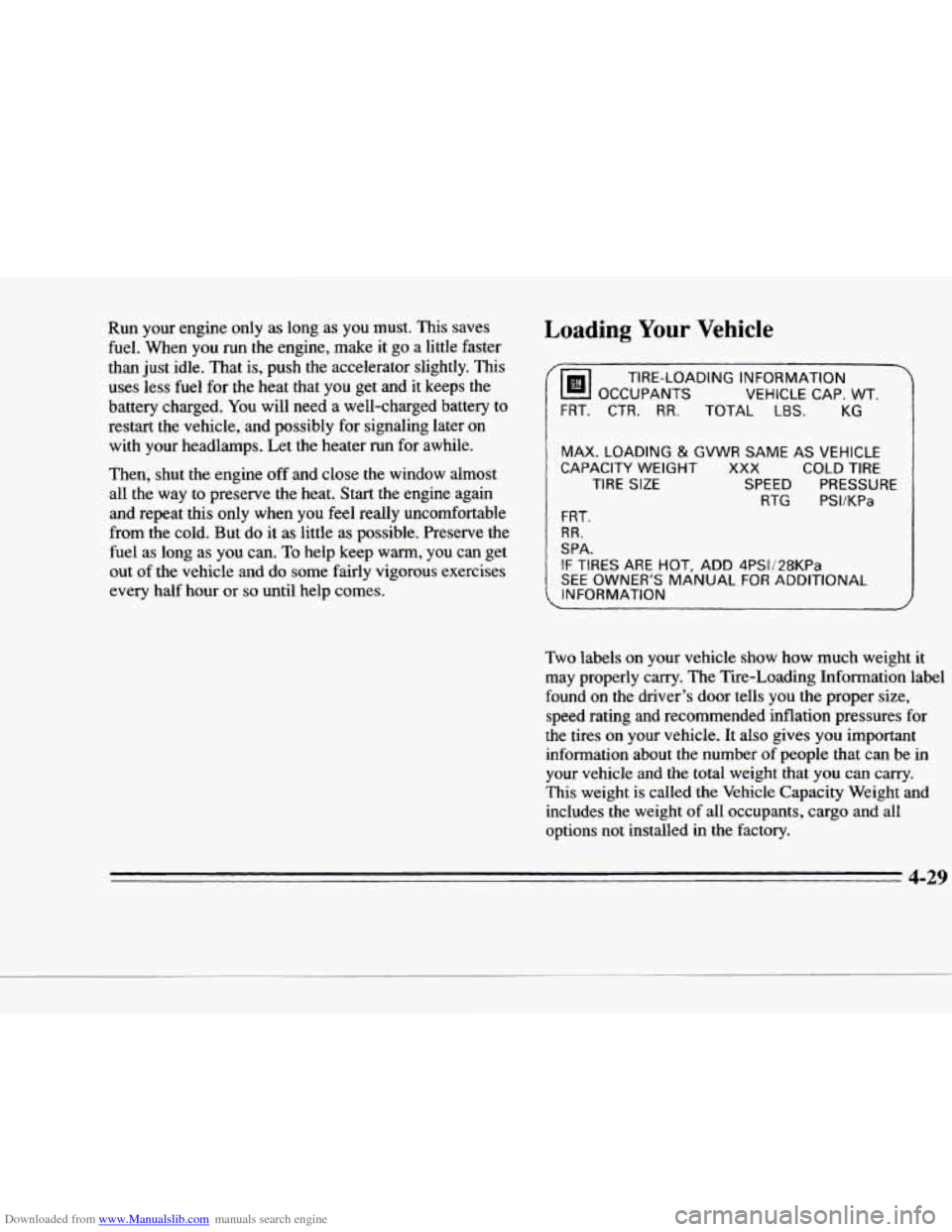
Two labels on your vehicle show how much weight it
may properly carry. The Tire-Loading Information label
found on the driver's door tells you the proper size,
speed rating
and recommended inflation pressures for
the tires on your vehicle.
It also gives you important
information about the number
of people that can be in
your vehicle and the total weight that
you can carry.
This weight is called the Vehicle Capacity Weight and
includes the weight of all occupants, cargo and all
options not installed in the factory.
4-29
c
Page 211 of 354
Downloaded from www.Manualslib.com manuals search engine MFD BY GENERAL MOTORS CORP
DATE GVWR GAWR FRT GAWR RR
THIS VEHICLE CONFORMS TO ALL APPLI-
CABLE US. FEDERAL MOTOR VEHICLE
SAFETY, BUMPER, AND THEFT PREVENTION
STANDARDS IN EFFECT ON THE DATE OF
MANUFACTURE SHOWN ABOVE.
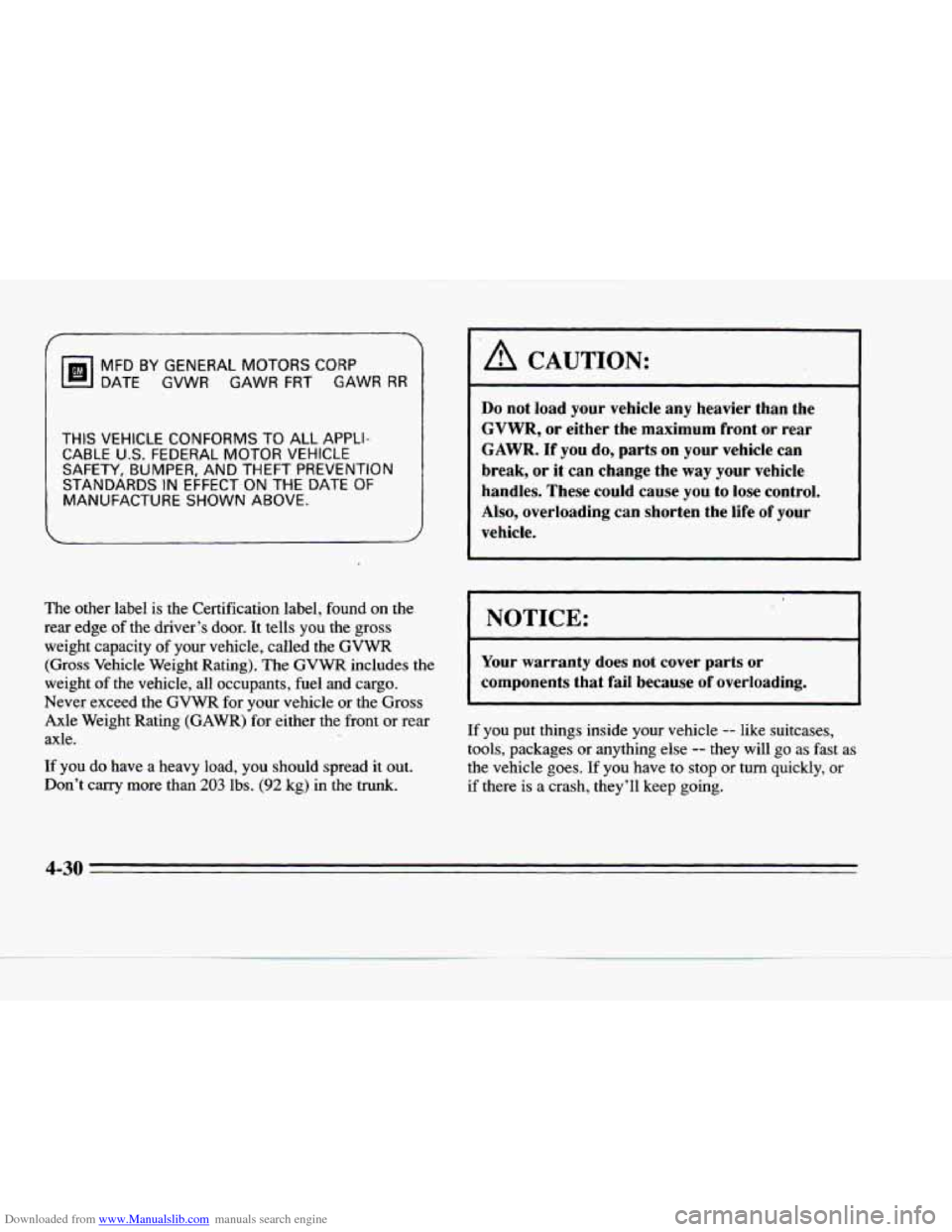
The other label is the Certification label, found on the
rear edge
of the driver’s door. It tells you the gross
weight capacity of your vehicle, called the
GVWR
(Gross Vehicle Weight Rating). The GVWR includes the
weight of
the vehicle, all occupants, fuel and cargo.
Never exceed the GVWR for your vehicle or the Gross
Axle Weight Rating (GAWR) for either the front
or rear
axle.
If you do have a heavy load, you should spread it out.
Don’t
carrv more than 203 lbs. (92 kg) in the trunk.
I ‘A CAUTION:
Do not load your vehicle any heavier than the
GVWR, or either the maximum front or rear
GAWR. If you do, parts on your vehicle can
break, or it can change the
way your vehicle
handles. These could cause
you to lose control.
Also, overloading can shorten the life of your
vehicle.
I NOTICE:
Your warranty does not cover parts or
components that faiI because of overloading.
If you put things inside your vehicle -- like suitcases,
tools, packages
or anything else -- they will go as fast as
the vehicle goes.
If you have to stop or turn quickly, or
if there is a crash, they’I1 keep going.
4-30
Page 213 of 354
Downloaded from www.Manualslib.com manuals search engine Your vehicle can tow a trailer if it is equipped with
proper towing equipment.
To identify what the vehicle
trailering capacity
is for your vehicle, you should read
the information
in “Weight of the Trailer” that appears
later
in this section. But trailering is different than just
driving your vehicle by itself. Trailering means changes
in handling, durability and fuel economy. Successful,
safe trailering takes correct equipment, and it has to be
used properly.
That’s the reason for this part. In
it are many
time-tested, important trailering tips and safety rules.
Many of these are important for your safety and that of
your passengers.
So please read this section carefully
before you pull a trailer.
Load-pulling components such
as the engine, transaxle,
wheel assemblies and tires are forced
to work harder
against the drag of
the added weight. The engine is
required to operate at relatively higher speeds and under
greater loads, generating extra heat. What’s more, the
trailer adds considerably to wind resistance, increasing the pulling requirements.
If You Do Decide To Pull A Trailer
If you do, here are some important points.
0
0
e
0
0
There are many different laws, including speed limit
restrictions, having to do with trailering. Make sure
your rig will be legal, not only where you live but
also where you’ll be driving.
A good source for this
information can be state or provincial police.
Consider
using a sway control if your trailer will
weigh
2,000 lbs. (900 kg) or less. You should always
use a sway control if your trailer will weigh more
than
2,000 lbs. (900 kg). You can ask a hitch dealer
about sway controls.
Don’t tow a trailer at all during the first
1 ,OOO miles
(1
600 km) your new vehicle is driven. Your engine,
axle
or other parts could be damaged.
Then, during the first
500 miles (800 km) that you
tow a trailer, don’t drive over
50 mph (80 kmh) and
don’t make starts at full throttle. This helps your
engine and other parts of your vehicle wear in at the
heavier loads.
Obey speed limit restrictions when towing a trailer.
Don’t drive faster than the maximum posted speed
for trailers (or no more than
55 mph (90 km/h)) to
save wear on your vehicle’s parts.
-.
4-32
Page 262 of 354
Downloaded from www.Manualslib.com manuals search engine c
Section 6 Service and Appearance Care
Here you will find information about the care of your
Cadillac. This section begins with service and fuel
information, and then it shows how to check important
fluid and lubricant levels. There is also technical
information about your vehicle, and a part devoted
to its appearance care.
Service
Your Cadillac dealer knows your vehicle best and wants
you
to be happy with it. We hope you’ll go to your
dealer €or all your service needs. You’ll get genuine GM \
parts
and GM-trained and supported service people.
We hope you’ll want to keep your GM vehicle all GM.
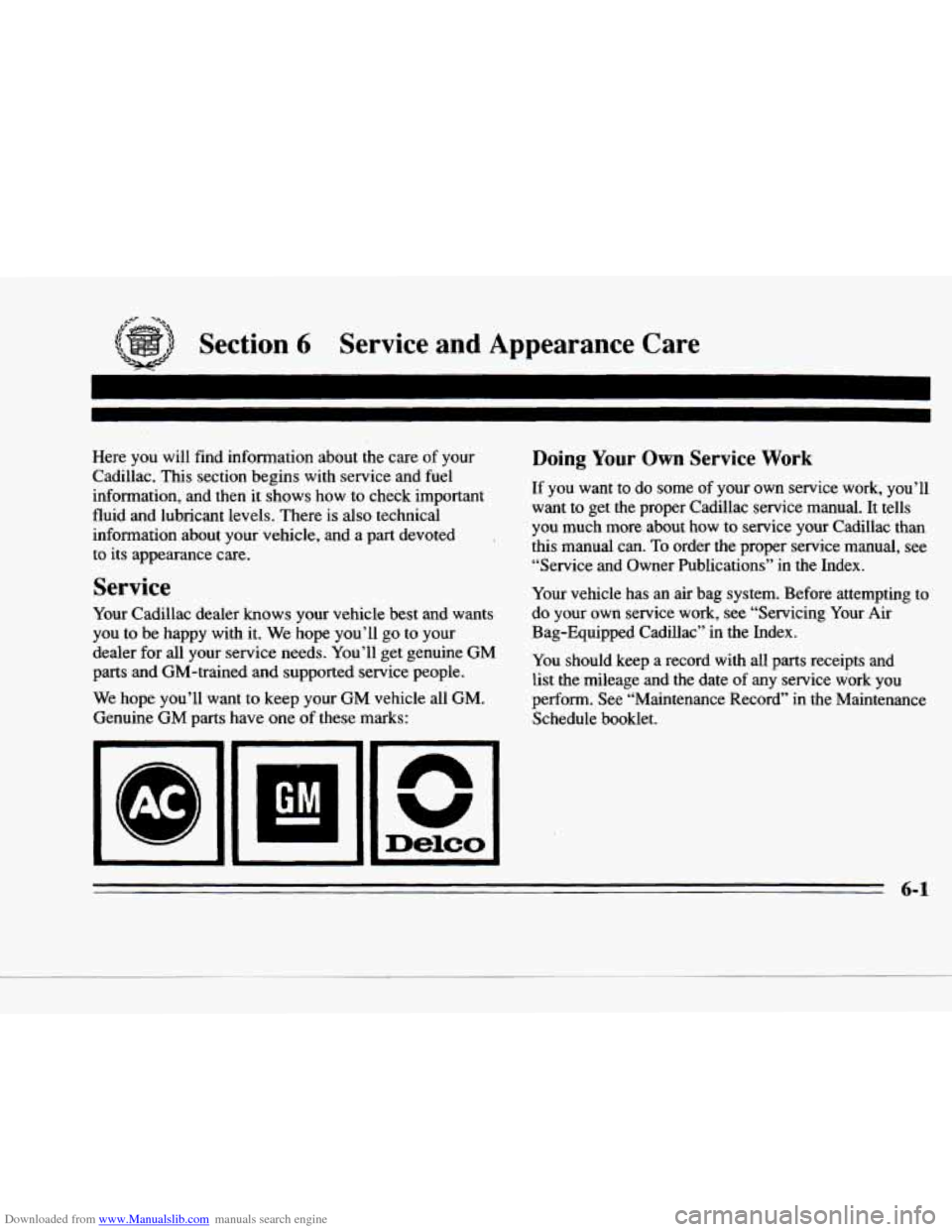
Genuine GM parts have one of these marks:
Doing Your Own Service Work
If you want to do some of your own service work, you’ll
want to get the proper Cadillac service manual. It tells
you much more about how to service your Cadillac
than
this manual can. To order the proper service manual, see
“Service and Owner Publications” in the Index.
Your vehicle has an air bag system. Before attempting to
do your own service work, see “Servicing Your Air
Bag-Equipped Cadillac” in the Index.
You should keep a record with all parts receipts and
list the mileage and the date
of any service work you
perform. See “Maintenance Record” in the Maintenance
Schedule booklet.
6-1
Page 263 of 354
Downloaded from www.Manualslib.com manuals search engine c-
I A CAUTION:
You can be injured and your vehicle could be
damaged if
you try to do service work on a
vehicle without knowing enough about it.
Be sure you have sufficient knowledge,
experience, and the proper replacement
parts and tools before you attempt any vehicle maintenance task.
Be sure to use the proper nuts, bolts and
other fasteners. “English’ and “metric”
fasteners can be easily confused. If you use
the wrong fasteners, parts can later break
or fall off. You could be hurt.
Fuel
Use premiurn unleaded gasoline rated at 91 octane or
higher.
At a minimum, it should meet specifications ASTM
D4814 in the United States and CGSB 3.5-M93 in Canada.
Improved gasoline specifications have been developed by
the American Automobile Manufacturers Association
(AAMA) for better vehicle performance and engine
protection. Gasolines meeting the
AAMA specification could provide improved driveability and emission control
system protection compared to other gasolines.
Be sure the posted octane for premium is at least
91. If
the octane is less than
91, you may get a heavy knocking
noise when you drive.
(In an emergency, you may be
able to use a lower octane
-- as low as 87 -- if heavy
knocking does not occur.) If you’re using
91 or higher
octane unleaded gasoline and you still hear heavy
knocking, your engine needs service.
If your vehicle is certified to meet California Emission
Standards (indicated on the underhood tune-up label),
it is designed to operate on fuels that meet California
specifications. If such fuels are not available
in states
adopting California emissions standards, your vehicle
will operate satisfactorily on fuels meeting federal
specifications, but emission control system performance
may be affected. The malfunction indicator lamp on
your instrument panel may
turn on and/or your vehicle
may fail a smog-check test. If this occurs, return to your
authorized Cadillac dealer for diagnosis to determine the
cause
of failure. In the event it is determined that the
cause of the condition is the type of fuels used, repairs
may not be covered by your warranty.
6-2