tow CADILLAC DEVILLE 1997 7.G User Guide
[x] Cancel search | Manufacturer: CADILLAC, Model Year: 1997, Model line: DEVILLE, Model: CADILLAC DEVILLE 1997 7.GPages: 386, PDF Size: 21.61 MB
Page 96 of 386

Downloaded from www.Manualslib.com manuals search engine Move the lever up as far as it will go.
1. With your right foot still holding the brake pedal
down, set the parking brake.
2. Move the ignition key to LOCK.
3. Remove the key and take it with you. If you can
leave your vehicle with the ignition key in your
hand, your vehicle
is in PARK (P).
Console Shift Lever (DeVie Concours Only)
1. Hold the brake pedal down with your right foot.
2. Move the shift lever into the PARK (P) position like this:
. ..
A
3. Hold in the button on the lever and push the lever all
the way toward the front of your vehicle.
4. With your right foot still holding the brake pedal
down, set the parking brake.
5. Move the ignition key to LOCK.
6. Remove the key and take it with you. If you can
leave your vehicle with the ignition key in your
hand, your vehicle is in PARK (P).
2-31
~
Page 97 of 386

Downloaded from www.Manualslib.com manuals search engine Leaving Your Vehicle With the
Enpw Run-;ng
A CAUTIC’Y:
1
It can be dangerous to leave your vehicle with the
engine running. Your vehicle could move
suddenly if the shift lever
is not fully in PARK (P)
with the parking brake firmly set. And, if you
leave the vehicle with the engine running, it could
overheat and even catch fire. You or others could be injured. Don’t leave
your vehicle with the
engine running unless
you have to.
If you have to leave your vehicle with the engine
running, be sure your vehicle is in
PARK (P) and your
parking brake is firmly set before you leave it. After
you’ve moved the shift lever into the PARK (P)
position, hold the regular brake pedal down. Then, see
if
you can move the shift lever away from PARK (P)
without first pulling it toward you (or, if you have the
console shift lever, without first pressing the button).
If
you can, it means that the shift lever wasn’t fully locked
into PARK
(P) .
I
Torque Lock
If you are parking on a lin and you don’t shift your
transaxle into
PARK (P) properly, the weight of the
vehicle may put too much force on the parking pawl in
the transaxle. You may find
it difficult to pull the shift
lever out of PARK
(P). This is called “torque lock.” To
prevent torque lock, set the parking brake and then shift
into PARK (P) properly before you leave the driver’s
seat.
To find out how, see “Shifting Into PARK (P)” in
the Index.
If torque lock does occur,
you may need to have another
vehicle push yours a little uphill to take some of the
pressure from the parking pawl in the transaxle,
so you
can pull the shift lever out of PARK
(P).
Page 100 of 386

Downloaded from www.Manualslib.com manuals search engine It can be dangerous to get out of your vehicle if
the shift lever is not fully in PARK (P) with the
parking brake firmly set. Your vehicle can roll.
Don’t leave your vehicle when the engine
is
running unless you have to. If you’ve left the
engine running, the vehicle can move suddenly.
You or others could be injured.
To be sure your
vehicle won’t move, even when you’re on fairly
level ground, always set your parking brake after
you move the shift lever to
PARK (P).
Follow the proper steps to be sure your vehicle won’t
move. See “Shifting Into
PARK (P)” in the Index.
If you are parking on a hill and if you’re pulling a
trailer, also see “Towing
a Trailer” in the Index.
Windows
Power Windows
The controls are located near each window. Press the control
forward
to raise the window and press rearward to lower.
Note that the second rearward position on the driver’s
control operates the express-down window feature.
Your vehicle has Retained Accessory Power
(RAP).
When you stop your vehicle and turn the ignition key to
OFF, you can still use your power windows. The
electrical power to operate the windows will not shut
off
until you open a door or 10 minutes have passed. If you
want this power for another
10 minutes, turn the key to
RUN and back to OFF.
2-35
Page 101 of 386

Downloaded from www.Manualslib.com manuals search engine Express-Down Window
This feature is present on the driver’s power window.
Pressing the control rearward into the second position then
releasing it
will lower the window completely. If you want
to stop the window as it
is lowering, press the control
forward. Press the control forward to raise the window.
Note that the first position
on the control operates the
driver’s power window in the non-express mode.
Rear Window Lockout
Pressing the button down will disable the rear
passenger window controls.
This is a useful feature if
you have children
as
passengers. Press the button
again to allow your
passengers to reuse their
window controls.
Horn
The horn can be sounded by pressing on the center of
the steering wheel pad.
Tilt Wheel
Tilt steering allows you to adjust the steering wheel
before you drive. Raising the steering wheel to the
highest level gives your legs more room when you enter
and exit the vehicle.
Hold the steering wheel and pull the lever toward
you to
tilt the wheel. Adjust the steering wheel to a comfortable
position and then release the lever to
lock the wheel
in place.
Page 102 of 386
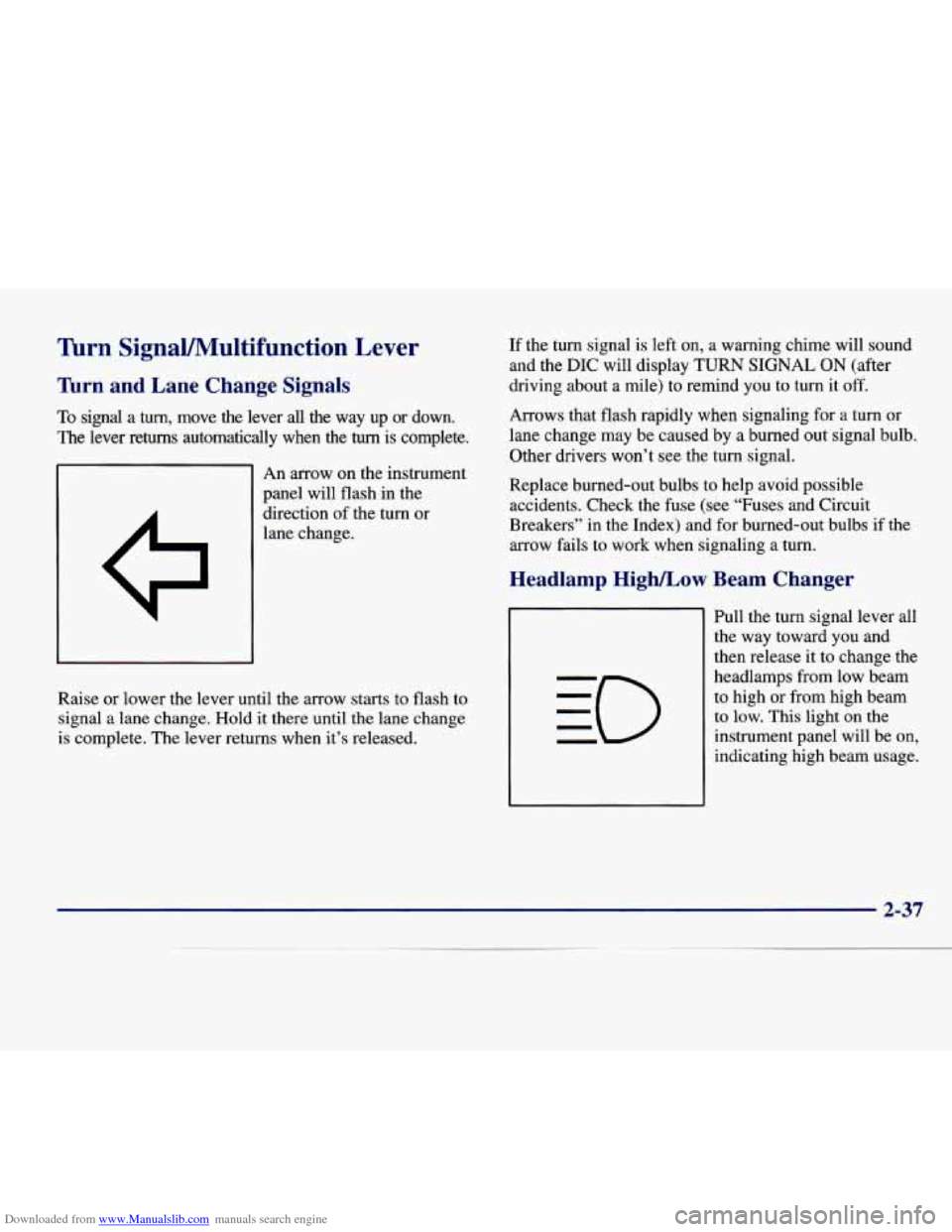
Downloaded from www.Manualslib.com manuals search engine lhrn SignaVMultifunction Lever
’hrn and Lane Change Signals
To signal a turn, move the lever all the way up or down.
The lever returns automatically when the turn is complete.
An arrow on the instrument
panel will flash in the
direction of the turn or
lane change. If
the turn signal is left on, a warning chime will sound
and the
DIC will display TURN SIGNAL ON (after
driving about
a mile) to remind you to turn it off.
Arrows that flash rapidly when signaling for a turn or
lane change may be caused by a burned out signal bulb.
Other drivers won’t see the turn signal.
Replace burned-out bulbs to help avoid possible
accidents. Check the fuse (see “Fuses and Circuit
Breakers” in the Index) and for burned-out bulbs if the
arrow fails to work when signaling
a turn.
r Beam Changer Headlamp High/Low
Raise or lower the lever until the arrow starts to flash to
signal a lane change. Hold it there until
the lane change
is complete. The lever returns when it’s released. Pull the turn signal lever all
the way toward
you and
then release it to change the
headlamps from low beam
to high or from high beam
to low. This light on the
instrument panel will be on,
indicating high beam usage.
2-37
Page 103 of 386

Downloaded from www.Manualslib.com manuals search engine Flash-To-Pass Windshield Wipers
This lets you use the high-beam headlamps to signal the
driver in front of you that you want to pass.
Pull the
turn signal lever toward you to use. When
you do:
0
0
0
If the headlamps are either off or in the DlU mode,
the high-beam headlamps will
turn on. They’ll stay
on as long as you hold the lever there. Release the
lever to turn them
off.
If the headlamps are on low beam, they will shift to
high beam and stay there. Pull the lever toward you
to return to
low beam.
If the headlamps are on high beam, they will switch
to low beam. To return to high beam, pull the lever
toward you.
WIPER: Turn the band on the turn signal lever to
control the wipers.
2-38
Page 104 of 386

Downloaded from www.Manualslib.com manuals search engine MIST Turn the band toward you and then release it for
a single wipe cycle. For more cycles, hold the band on
MIST longer.
LO or HI: Turn the band away from you to either LO
(low speed) or to HI (high speed), depending on the
wiper speed you want.
Rainsense Wipers (DeVille d’Elegance and
DeVille Concours
Only)
DELAY You can set the wiper speed for a long or short
delay between wipes with
this setting. Move the band to
the DELAY position. The closer you move it to
LO, the
shorter the delay. (DeVille Only)
OFF: Turn the band to OFF to turn off the wipers.
Be sure to clear ice and snow from the wiper blades
before using them.
If they’re frozen to the windshield,
carefully loosen or thaw them.
If the blades do become
damaged, get new blades or blade inserts.
Heavy snow or ice can overload the wiper motor.
A
circuit breaker will stop the motor until it cools. Clear
away snow or ice to prevent an overload. This
moisture sensor is mounted on the passenger’s
interior side of the windshield behind the rearview
mirror and is used to automatically operate the wipers
by monitoring the amount of moisture that is on
the windshield.
2-39
Page 141 of 386

Downloaded from www.Manualslib.com manuals search engine Brake System Warning Light
Your Cadillac’s hydraulic brake system is divided into
two parts. If one part isn’t working, the other
part can
still work and stop you. For good braking though, you
ueed both parts working well.
If the warning light comes
on, there could be a brake
problem. Have your brake system inspected right away.
BRAKE
This light should come on
briefly when you turn the
’ ignition key to RUN. If it
doesn’t come
on then, have
1 it fixed so it will be ready to
warn
you if there’s a
problem.
If the light comes on while you
are driving, pull off the
road and stop carefully. You may notice that the pedal is
harder to push. Or, the pedal may go closer to the floor.
It may take longer to stop. If the light is still on, have the
vehicle towed
for service. (See “Towing Your Vehicle”
in the Index.)
I- 4
Your brake system may not be working properly
if the brake system warning light
is on. Driving
with the brake system warning light on can lead
to an accident. If the light is still on after you’ve
pulled off the road and stopped carefully, have
the vehicle towed for service.
I I
When the ignition is on, the brake system warning light
will also come on when you set your parking brake. The
light will stay on
if your parking brake doesn’t release
fully. If it stays on after your parking brake is fully
released, it means you have a brake problem.
Page 146 of 386

Downloaded from www.Manualslib.com manuals search engine If the Light Is Flashing
The following may prevent more serious damage to
your vehicle:
0 Reducing vehicle speed.
0 Avoiding hard accelerations.
0 Avoiding steep uphill grades.
If you are towing a trailer, reduce the amount of
cargo being hauled as soon as it is possible.
If the light stops flashing and remains on steady, see “If
the Light Is On Steady” following.
If the light continues to flash, when it is safe to do so,
stop the vehicle. Find a safe place to park your vehicle.
Turn the key off, wait at least
10 seconds and restart the
engine.
If the light remains on steady, see “If the Light
Is On Steady” following.
If the light is still flashing,
follow the previous steps, and drive the vehicle to your
dealer or qualified service center for service.
If the Light Is On Steady
You may be able to correct the emission system
malfunction by considering the following:
Did you just drive through
a deep puddle of water?
If so, your electrical system may be wet. The condition
will usually be corrected when the electrical system dries
out.
A few driving trips should turn the
light off.
Are you low on fuel?
As your engine starts to run out of fuel, your engine may
not run as efficiently as designed since small amounts of
air are sucked into the fuel line causing a misfire. The
system can detect this. Adding fuel should correct this
condition. Make sure to install the fuel cap properly. It
will take a few driving trips to turn the light off.
Have you recently changed brands of fuel?
If so, be sure to fuel your vehicle with quality fuel (see
“Fuel” in the Index).
Poor fuel quality will cause your
engine not to
run as efficiently as designed. You may
notice
this as stalling after start-up, stalling when you put
the vehicle into gear, misfiring, hesitation on acceleration
or stumbling on acceleration. (These conditions may go
away once the engine is warmed up.)
This will be detected
by the system and cause the light to
turn on.
If you experience one or more of these conditions,
change the fuel brand you use. It will require at least one
full tank of the proper fuel to turn the light off.
If none of the above steps have made the light turn off,
have your dealer or qualified service center check the
vehicle. Your dealer has the proper test equipment and
diagnostic tools to fix any mechanical or electrical
problems that may have developed.
2-81
Page 172 of 386

Downloaded from www.Manualslib.com manuals search engine Manual -= mation
You may manually adjust the air delivery mode or
fan speed.
he
fl AC: This setting directs airflow through the
middle instrument panel outlets.
he
BI-LEVEL: This setting directs air into your
vehicle in two ways. Cool air is directed to the upper
portion of your body through the four instrument panel
outlets while warmed air
is directed to the floor.
'# HEATERDEFROST: This setting directs air to
the floor outlets and toward the windshield.
lfl HEATER: This setting directs warmed air
through the floor outlets. Some warm air is diverted to
the windshield to minimize fogging.
DEFROST Press this button to quickly remove
fog or frost from the windshield.
This setting sends most
of the airflow to the windshield with only a small
amount to
the floor outlets.
we
0
# FAN SPEEDS: Press the button with the fan symbol
on it until AUTO is displayed on the screen. At
this
setting, the fan speed is automatically controlled. If it is
cold outside, the blower may not run in the maximum
high fan speed right away. The system checks the
temperature of the engine coolant to assure it is warm
enough to provide heat. When the engine coolant is
warm, the controller allows the fan to gradually increase
to a higher speed.
This prevents cold air from blowing
into the passenger compartment. If you want the blower
fan at a high speed, press the up arrow button until you see HI on the display. If you want the fan speed to be
automatic, but
you like the fan speed to be higher than
the AUTO setting, press the fan symbol button until HI
AUTO is shown on the display. If you want the blower
fan at a low speed, press the down arrow button until LO
is shown on the display. If you want the fan speed to run
lower than the AUTO setting, press the button until
LO
AUTO is shown on the display.