wheel CADILLAC DEVILLE 1997 7.G User Guide
[x] Cancel search | Manufacturer: CADILLAC, Model Year: 1997, Model line: DEVILLE, Model: CADILLAC DEVILLE 1997 7.GPages: 386, PDF Size: 21.61 MB
Page 86 of 386
Downloaded from www.Manualslib.com manuals search engine C
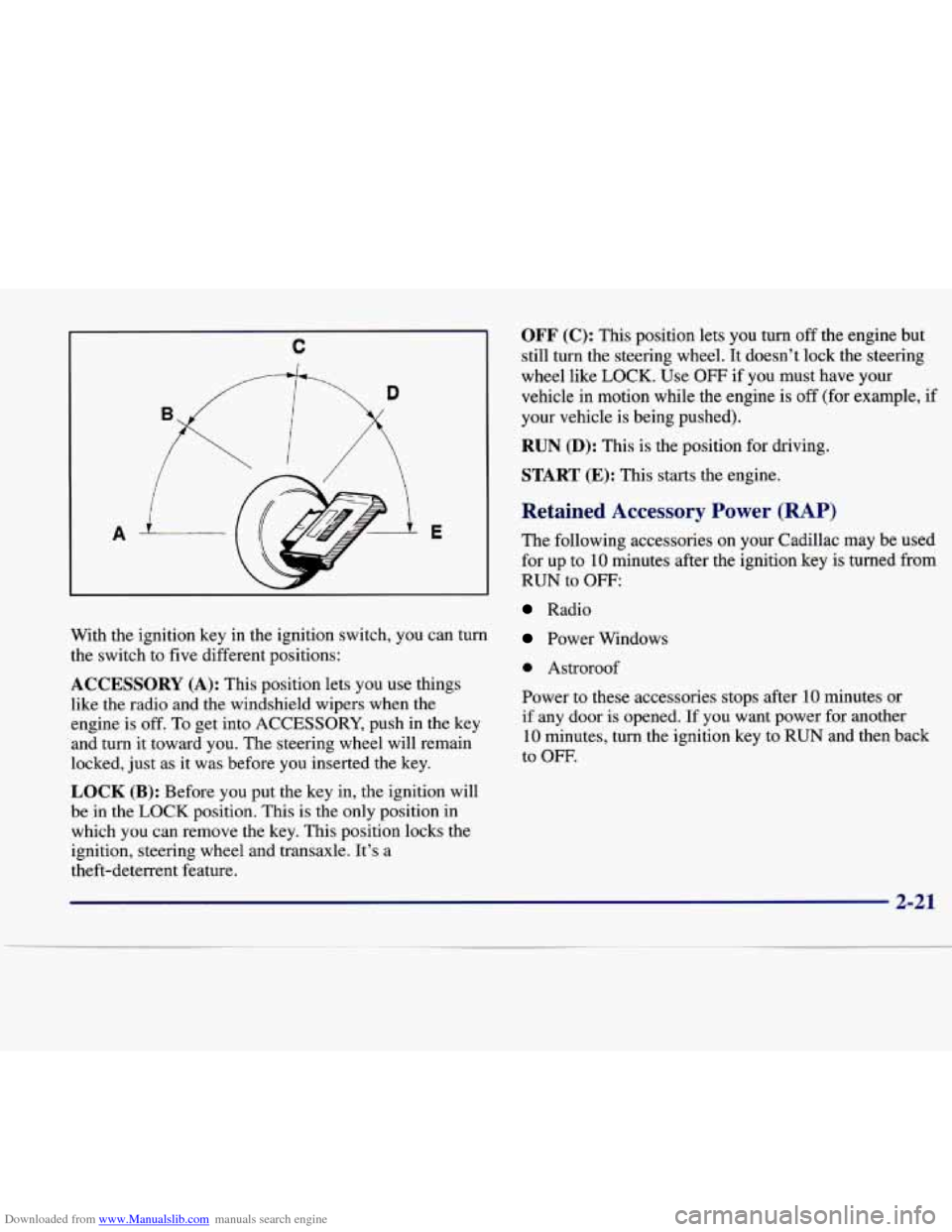
With the ignition key in the ignition switch, you can turn
the switch to five different positions:
ACCESSORY (A): This position lets you use things
like the radio and the windshield wipers when the
engine is off.
To get into ACCESSORY, push in the key
and turn it toward you. The steering wheel will remain
locked, just as it was before you inserted the key.
LOCK (B): Before you put the key in, the ignition will
be in the LOCK position. This
is the only position in
which you can remove the key. This position locks the
ignition, steering wheel and transaxle. It’s a
theft-deterrent feature.
OFF (C): This position lets you turn off the engine but
still turn the steering wheel. It doesn’t lock the steering
wheel like
LOCK. Use OFF if you must have your
vehicle in motion while the engine is off (for example, if
your vehicle is being pushed).
RUN (D): This is the position for driving.
START (E): This starts the engine.
Retained Accessory Power (RAP)
The following accessories on your Cadillac may be used
for up to
10 minutes after the ignition key is turned from
RUN to
OFF:
Radio
Power Windows
0 Astroroof
Power to these accessories stops after
10 minutes or
if any door is opened.
If you want power for another
10 minutes, turn the ignition key to RUN and then back
to
OFF.
Page 90 of 386
Downloaded from www.Manualslib.com manuals search engine Automatic Transaxle Operation
The automatic transaxle may have either a shift lever
located on the steering column or
on the console
between the seats.
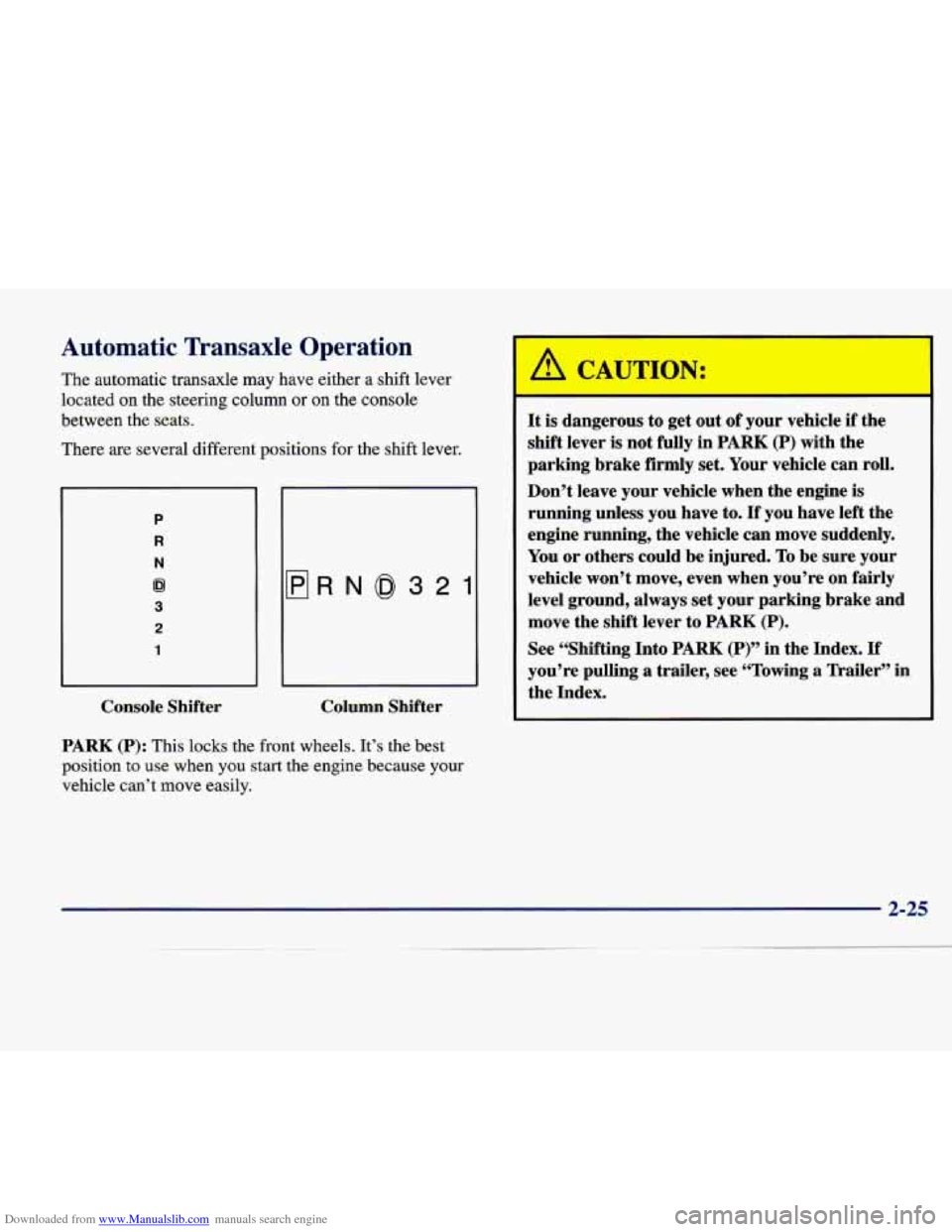
There are several different positions for the shift lever.
P
R
N
62
3
2
1
flRN0321
Console Shifter Column Shifter
PARK (P): This
locks the front wheels. It’s the best
position
to use when you start the engine because your
vehicle can’t move easily.
It is dangerous to get out of your vehicle if the
shift lever
is not fully in PARK (P) with the
parking brake firmly set. Your vehicle can roll.
Don’t leave your vehicle when the engine is
running unless you have to.
If you have left the
engine running, the vehicle can move suddenly.
You or others could be injured.
To be sure your
vehicle won’t move, even when you’re on fairly
level ground, always set your parking brake and
move the shift lever to
PARK (P).
See “Shifting Into PARK (P)” in the Index. If
you’re pulling a trailer, see “Towing a Trailer” in
the Index.
Page 91 of 386

Downloaded from www.Manualslib.com manuals search engine Ensure the shift lever is fully in PARK (P) range before
starting the engine. Your Cadillac has a brake-transaxle
shift interlock. You have to fully
apply your regular
brakes
before you can shift from PARK (P) when the
ignition key is in the RUN position. If you cannot shift
out of
PARK (P), ease pressure on the shift lever -- push
the shift lever all the way into PARK
(P) and release the
shift lever button on the floor shift console models as
you maintain brake application. Then move the shift
lever into the gear you wish. (Press the shift lever button
before moving the shift lever on
floor shift console
models.) See “Shifting Out of PARK (P)” in this section.
REVERSE (R): Use this gear
to back up.
NOTICE:
Shifting to REVERSE (R) while your vehicle is
moving forward could damage your transaxle.
Shift to REVERSE (R) only after your vehicle
has stopped.
Also use this gear to rock your vehicle back and forth to
get out
of snow, ice or sand without damaging your
transaxle. See
“If You’re Stuck in Sand, Mud, Ice or
Snow” in the Index for additional information.
NEUTRAL (N): In this position, the engine doesn’t
connect with the wheels.
To restart when you’re
already moving, use
NEUTRAL (N) only. Also, use
NEUTRAL (N) when your vehicle is being towed.
Shifting out of PARK
(P) or NEUTRAL (N) while
your engine
is “racing” (running at high speed) is
dangerous. Unless your foot
is firmly on the
brake pedal, your vehicle could move very
rapidly. You could lose control and hit people or
objects. Don’t shift out
of PARK (P) or
NEUTRAL (N) while your engine is racing.
NOTICE: I
Damage to your transaxle caused by shifting out
of
PARK (P) or NEUTRAL (N) with the engine
racing isn’t covered by your warranty.
Page 93 of 386

Downloaded from www.Manualslib.com manuals search engine FIRST (1): This position gives you even more power
than
SECOND (2). You can use it on very steep hills,
or in deep snow or mud. (If the shift lever is put in
FIRST (l), the transaxle won’t shift into gear until the
vehicle
is going slowly enough.)
NOTICE:
If your front wheels can’t rotate, don’t try to
drive. This might happen
if you were stuck in
very deep sand or mud or were up against
a solid
object. You could damage your transaxle.
Also,
if you stop when going uphill, don’t hold
your vehicle there with only the accelerator
pedal. This could cause overheating and damage
the transaxle. Use your brakes to hold your
vehicle in position on
a hill.
Parking Brake
Hold the regular brake
pedal down with your right foot and push down the
parking brake pedal with
your left foot to set the
parking brake. If the ignition is on, the PARK
BRAKE indicator light should come on. If it
doesn’t, you need to have
your vehicle serviced.
If the parking brake has not been fully released and you try to drive
off with the parking brake on, the PARK
BRAKE indicator light comes on and stays on. See
“Parking Brake Indicator Light” in the Index for
more information.
When
you move out of PARK (P) or NEUTRAL (N), if
the engine
is running, the parking brake should release. If
it doesn’t, you can manually release the parking brake.
Page 101 of 386

Downloaded from www.Manualslib.com manuals search engine Express-Down Window
This feature is present on the driver’s power window.
Pressing the control rearward into the second position then
releasing it
will lower the window completely. If you want
to stop the window as it
is lowering, press the control
forward. Press the control forward to raise the window.
Note that the first position
on the control operates the
driver’s power window in the non-express mode.
Rear Window Lockout
Pressing the button down will disable the rear
passenger window controls.
This is a useful feature if
you have children
as
passengers. Press the button
again to allow your
passengers to reuse their
window controls.
Horn
The horn can be sounded by pressing on the center of
the steering wheel pad.
Tilt Wheel
Tilt steering allows you to adjust the steering wheel
before you drive. Raising the steering wheel to the
highest level gives your legs more room when you enter
and exit the vehicle.
Hold the steering wheel and pull the lever toward
you to
tilt the wheel. Adjust the steering wheel to a comfortable
position and then release the lever to
lock the wheel
in place.
Page 107 of 386

Downloaded from www.Manualslib.com manuals search engine I
Cruise control can be dangerous where you
can’t drive safely
at a steady speed. So,
don’t use your cruise control on winding
roads or in heavy traffic.
slippery roads. On such roads, fast changes
in tire traction can cause needless wheel
spinning, and you could lose control. Don’t
use cruise control on slippery roads.
Cruise control can be dangerous on
If your vehicle is in cruise control when the traction
control system begins to limit wheel spin, the cruise
control will automatically disengage. (See “Traction
Control System” in the Index.) When road conditions
allow you
to safely use it again, you may turn the cruise
control back on. Setting Cruise Control
A
/!1 CAUTION:
If you
leave your cruise control switch on when
you’re not using cruise, you might hit
a button
and go into cruise when you don’t want to. You
could be startled and even lose control. Keep
the cruise control switch
off until you want to
use it.
I
Page 128 of 386

Downloaded from www.Manualslib.com manuals search engine Illuminated Rear Seat Visor Vanity
Mirror (DeVille d’Elegance and DeVille
Concours Only)
Turn the sunshade down and lift the cover to see the
mirror. Move the slide switch up or down to brighten or
dim the lamp.
Cellular Telephone (Option)
Your vehicle has been prewired for dealer installation of
a Cadillac dual-mode (analog/digital) cellular telephone.
A fixed mobile or a portable hand-held system are
available. Either system has steering wheel telephone
controls and information output through the DIC.
Voice activation and hands-free operation are standard
features. For more information, contact your Cadillac
dealer.
A user’s guide is provided with the telephone.
OnStar System (Option)
This system may be ordered if you have the optional
fixed cellular telephone. The following services are
available
24 hours a day:
0 Roadside Service with Location
0 Emergency Services Button
0
0
0
0
Remote Door Unlock
Theft DetectiodNotification and Stolen-Vehicle
Tracking
Automatic Notification of Front
Air Bag Deployment
Concierge/Customer Convenience Services
For more information, contact your Cadillac dealer.
Assist Handles
A folding handle above each door can be used when
getting out of your vehicle.
Umbrella Holder
(DeVille d’Elegance
Only)
The driver’s front seat cushion comes equipped with an
umbrella holder. Gently slide the umbrella into the slot
located under the front portion
of the driver’s seat cushion.
Floor Mats
Your Cadillac is equipped with rubber-backed front and
rear floor mats. Keep them clean by vacuuming and
using a spot cleaner,
if necessary. Do not machine wash.
2-63
Page 134 of 386

Downloaded from www.Manualslib.com manuals search engine The instrument panel is designed to let you know at a glance how your Cadillac is running. You’ll know how fast
you’re going, how much fuel you’re using and many of the other things you’ll need to know to drive safely and
economically. The main components of the instrument panel are:
A. Air Outlets
B. Turn SignaVMultifunction Lever
C. Driver Information Center Control Buttons
D. Driver’s Side Air Bag
E. Cluster
E Steering Column Shift Lever
G. Electronic Climate Controls
H. Radio
I. Passenger’s Side Air Bag
J. Lamp Controls
K. HVAC Steering Wheel Controls (or Cellular
L. Hood Release
M. Horn
N. Audio Steering Wheel Controls
0. Ashtray and Cigarette Lighter
P. Glove Box
Telephone Controls,
If Equipped)
Page 143 of 386
Downloaded from www.Manualslib.com manuals search engine don’t have anti-lock brakes and there’s a problem with
your regular brakes. See “Brake System Warning Light”
earlier in this section.
The anti-lock brake system warning light should come
on briefly when you turn the ignition key to
RUN. If the
light doesn’t come on then, have it fixed
so it will be
ready to warn you if there is a problem.
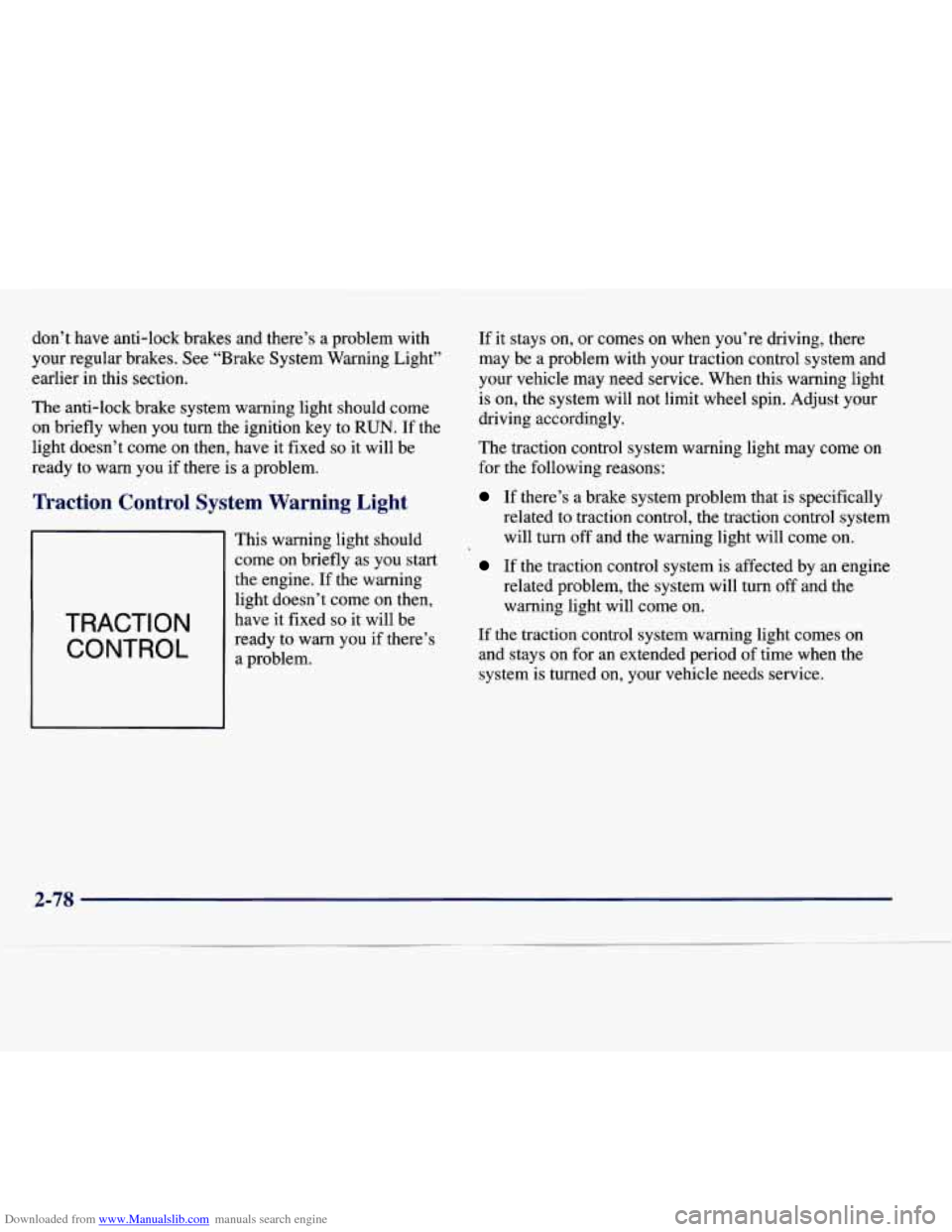
I Control System Warning Light
TRACTION
CONTROL
This warning light should
come on briefly as you start
the engine. If the warning
light doesn’t come on then,
have
it fixed so it will be
ready to warn you if there’s
a problem. If
it stays on, or comes on when you’re driving, there
may be a problem with your traction control system and
your vehicle may need service. When this warning light
is on, the system will not limit wheel spin. Adjust your
driving accordingly.
The traction control system warning light may come
on
for the following reasons:
If there’s a brake system problem that is specifically
related to traction control, the traction control system
will turn off and the warning light will come on.
If the traction control system is affected by an engice
related problem, the system will turn
off and the
warning light will come on.
If the traction control system warning light comes on
and stays on for an extended period of time when the
system is turned on, your vehicle needs service.
2-78
Page 157 of 386

Downloaded from www.Manualslib.com manuals search engine PCM FAULT - 110: The circuit in the Powertrain
Control Module (PCM) has shorted or is loose when this
message appears. Have your Cadillac serviced by your
dealership at once.
REDUCED ENGINE POWER - 41: This message
informs the driver, that due to wheel slippage, your vehicle
is reducing engine power to compensate for the loss of
traction. Accelerating too fast, causing the tires to spin,
is
an example of when this message would display.
REMOVE KEY - 70: This message will appear when
the Personalized Automotive Security System
(PASS-Key 11) is unable to read the pellet on the
ignition key or an improper key pellet has been inserted.
Wait for the DIC to display STARTING DISABLED
DUE TO THEFT SYSTEM REMOVE IGNITION
KEY. The instrument panel cluster will then run a timer
and change the messages to WAIT
3 MINUTES, WAIT
2 MINUTES, WAIT 1 MINUTE and then START CAR.
When the REMOVE KEY message is displayed, remove
the ignition key. Check the ignition key for damage. If it
is damaged, it may need to be replaced. If you
see no
damage, clean the pellet contacts with a soft cloth or
napkin before inserting the key back into the ignition. Have your vehicle serviced if the message still appears.
SERVICE A/C SYSTEM A/C COMPRESSOR
OFF - 14: This message appears when the electronic
sensors that control the air conditioning and heating systems
are no longer working. Have the climate control
system serviced if you notice a drop in heating and air
conditioning efficiency.
SERVICE AIR BAG - 83: There is a problem with the
Supplemental Inflatable Restraint (air bag) system when
this message appears. Let only a qualified technician
work on your vehicle.
See your Cadillac dealership for
service at once.
SERVICE BRAKE FLUID SWITCH - 37: A defect
in the brake fluid detection circuit causes this message
to display if the ignition is in the
RUN position. Have
the brake system serviced by a Cadillac technician as soon
as possible. If the brake warning light is on, refer
to the directions listed in that part.
SERVICE CHARGING SYSTEM - 102: This
message will display when a problem with the charging system has been detected. Have your vehicle serviced at
your Cadillac dealership.
SERVICE ELECTRICAL SYSTEM - 106: This
message will display if an electrical problem has
occurred within the PCM. Have your vehicle serviced
by your Cadillac dealership.
SERVICE EMISSIONS SYSTEM - 104: A problem in
the emissions system has occurred when
this message
appears. Have your Cadillac dealership service your vehicle.
2-92