belt CADILLAC DEVILLE 1997 7.G Service Manual
[x] Cancel search | Manufacturer: CADILLAC, Model Year: 1997, Model line: DEVILLE, Model: CADILLAC DEVILLE 1997 7.GPages: 386, PDF Size: 21.61 MB
Page 139 of 386

Downloaded from www.Manualslib.com manuals search engine Warning Lights, Gages and Indicators
This part describes the warning lights and gages that
may be on your vehicle. The pictures will help
you
locate them.
Warning lights and gages can signal that something
is
wrong before it becomes serious enough to cause an
expensive repair or replacement. Paying attention to
your warning lights and gages could also save
you or
others from injury.
Warning lights come on when there may be or is a
problem with one
of your vehicle’s functions. As you
will see in the details on the next few pages, some
warning lights come on briefly when
you start the
engine just
to let you know they’re working. If you are
familiar with this section, you should not be alarmed
when this happens.
Gages can indicate when there may be
or is a problem
with one of your vehicle’s functions. Often gages and
warning lights work together to let you know when
there’s
a problem with your vehicle.
When one of the warning lights comes
on and stays on
when you are driving, or when one of the gages shows
there may be a problem, check the section that tells you what
to do about it. Please follow this manual’s advice.
Waiting to do repairs can be costly
-- and even
dangerous.
So please get to know your warning lights
and gages. They’re a big help.
Your vehicle also has a Driver Information Center that
works along with the warning lights and gages. See
“Driver Information Center” later in this section.
Safety Belt Reminder Light
When the key is turned to RUN or START, a chime will
come on for about eight seconds
to remind people to
fasten their safety belts, unless the driver’s safety belt
is
already buckled.
The safety belt light will
also come on and stay
on
for about 20 seconds,
then it will flash for about
70 seconds. If the driver’s
belt
is already buckled,
neither the chime nor the light will come on.
Page 195 of 386

Downloaded from www.Manualslib.com manuals search engine Some cleaning cassettes or CD adapter kits may appear
as a broken tape. If the cleaning cassette is ejected
immediately from the tape player, follow these steps for
the TAPE CLEAN OVERRIDE feature:
1. Turn the ignition to RUN or ACC.
2. Turn the radio off.
3. Press and hold the SOURCE button for three
seconds. After three seconds, the tape icon will flash
indicating the cut tape feature is now turned
off.
4.
Turn the radio on and insert the cleaning cassette (or
the CD adapter
kit).
5. Eject the tape after the tape player has been cleaned.
When the cleaning cassette has been ejected, the broken
tape detection feature is active again.
You may also choose a non-scrubbing action, wet-type
cleaner which uses a cassette with a fabric belt to clean
the tape head.
This type of cleaning cassette will not
eject and, it may not clean as thoroughly as the
scrubbing type cleaner.
Cassettes
are subject to wear and the sound quality
may degrade over time. Always make sure the cassette
tape is
in good condition before you have your tape
player serviced.
Care of Your Compact Discs
Handle discs carefully. Store them in their original cases
or other protective cases and away from direct sunlight
and dust. If the surface of a disc
is soiled, dampen a
clean, soft cloth in a mild, neutral detergent solution and
clean it, wiping from the center to the edge.
Be sure never to touch the signal surface when handling
discs. Pick up discs by grasping the outer edges or the
edge of the hole and the outer edge.
Power Antenna Mast Care
Your power antenna will look its best and work well
if it’s cleaned from time to time. To clean the
antenna mast:
1. Turn on the ignition and radio to raise the antenna.
2. Dampen a clean cloth with mineral spirits or
equivalent solvent.
3. Wipe the cloth over the mast sections, removing any dirt.
Page 203 of 386

Downloaded from www.Manualslib.com manuals search engine Defensive Driving
The best advice anyone can give about driving is:
Drive defensively.
Please start with a very important safety device in your
Cadillac: Buckle up.
(See “Safety Belts” in the Index.)
Defensive driving really means “be ready for anything.”
On city streets, rural roads or freeways, it means
“always expect the unexpected.”
Assume that pedestrians or other drivers are going to be
careless and make mistakes. Anticipate what they might
do. Be ready for their mistakes.
Kear-end collisions are about the most preventable of
accidents. Yet they are common. Allow enough
following distance. It’s the best defensive driving
maneuver, in both city and rural driving. You never
know when the vehicle in front of you is going to brake
or turn suddenly.
4-2
Page 213 of 386
Downloaded from www.Manualslib.com manuals search engine Steering in Emergencies
There are times when steering can be more effective
than braking. For example, you come over a hill and
find a truck stopped in your lane, or a car suddenly pulls
out from nowhere, or a child darts out from between
parked
cars and stops right in front of you. You can
avoid these problems by braking
-- if you can stop in
time. But sometimes you can’t; there isn’t room.
That’s the time for evasive action
-- steering around
the problem.
Your Cadillac can perform very well in emergencies like
these. First apply your brakes. (See “Braking in
Emergencies” earlier in this section.) It
is better to
remove as much speed as you can from a possible
collision. Then steer around the problem, to the left
or
right depending on the space available.
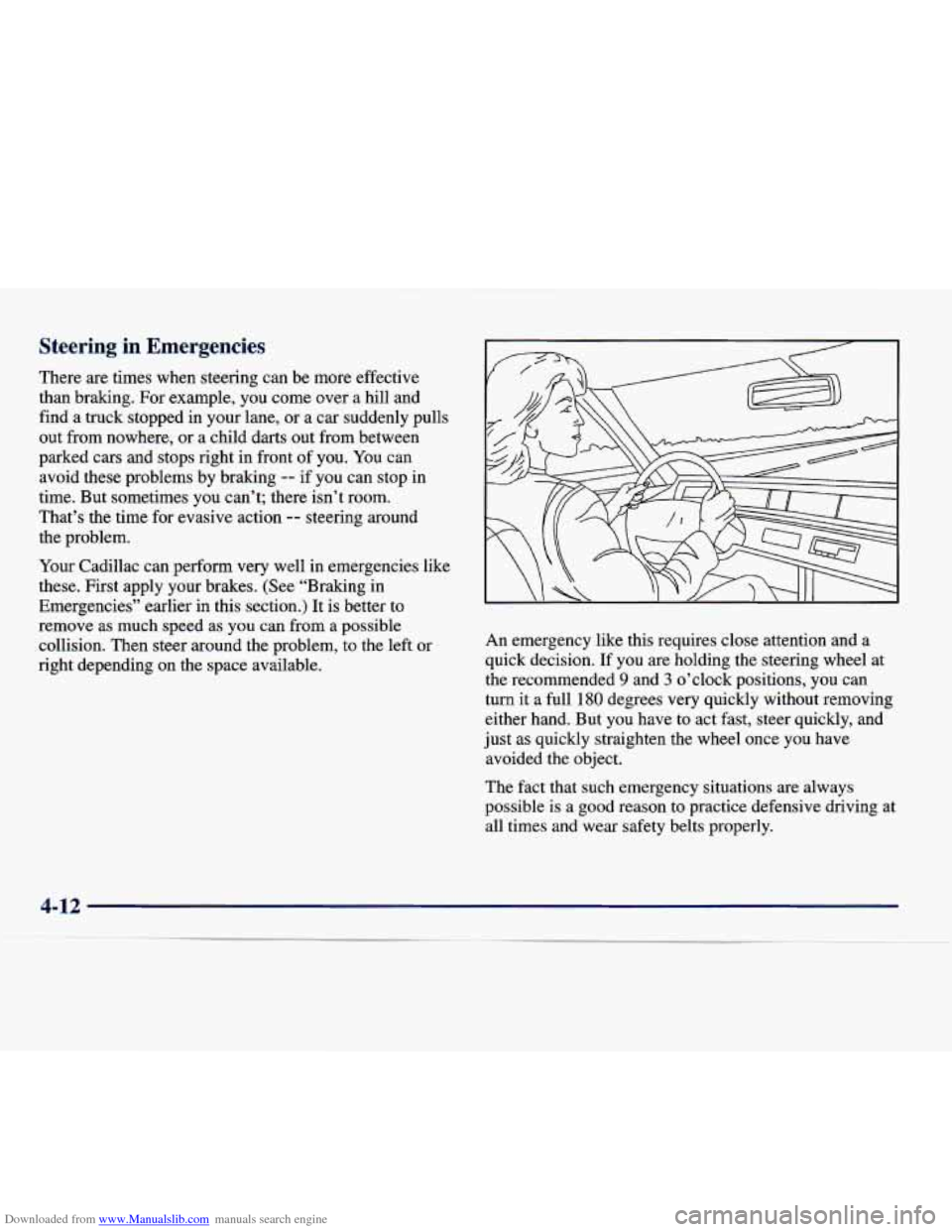
An emergency like this requires close attention and a
quick decision. If you are holding the steering wheel at
the recommended
9 and 3 o’clock positions, you can
turn it a full
180 degrees very quickly without removing
either hand. But you have to act fast, steer quickly, and
just as quickly straighten the wheel once you have
avoided the object.
The fact that such emergency situations are always
possible
is a good reason to practice defensive driving at
all times and wear safety belts properly.
Page 240 of 386
Downloaded from www.Manualslib.com manuals search engine Parking on Hills
You really should not park your vehicle, with a trailer
attached, on a hill.
If something goes wrong, your rig
could start to move. People can be injured, and both
your vehicle and the trailer can be damaged.
But if you ever have to park your rig on a hill, here’s
how to do it:
1. Apply your regular brakes, but do not shift into
PARK (P).
2. Have someone place chocks under the trailer wheels.
3. When the wheel chocks are in place, release the
regular brakes until the chocks absorb the load.
4. Reapply the regular brakes. Then shift into
PARK (P) firmly and apply your parking brakes.
5. Release the regular brakes.
When You Are Ready to Leave After
Parking on a Hill
1. Apply your regular brakes and hold the pedal down
while you:
0 Start your engine;
Shift into a gear; and
0 Be sure the parking brake has released.
2. Let up on the brake pedal.
3. Drive slowly until the trailer is clear of the chocks.
4. Stop and have someone pick up and store the chocks.
Maintenance When Trailer Towing
Your vehicle will need service more often when you’re
pulling a trailer. See the Maintenance Schedule for more
on
this. Things that are especially important in trailer
operation are automatic transaxle fluid (don’t overfill),
engine oil, belt, cooling system and brake adjustment.
Each of these is covered in
this manual, and the Index
will help you find them quickly.
If you’re trailering, it’s
a good idea to review these sections before you start
your trip.
Check periodically to see that
all hitch nuts and bolts
are tight.
4-39
Page 284 of 386

Downloaded from www.Manualslib.com manuals search engine $z=* ‘dc
Section 6 Service and Appearance Care
Here you will find information about the care of your Cadillac. This section begins with service and fuel information,
and then it shows how to check important fluid and lubricant levels. There is also technical information about your
6-2 6-3
6-4
6-5
6-7
6-10
6-15
6-18
6-2
1
6-25
6-27
6-30
6-3
1
6-39
6-40
6-48
6-49
6-52
vehicle, and a part
devoted to its appearance care.
Service
Fuel
Fuels in Foreign Countries
Filling Your Tank
Checking Things Under the Hood
Engine Oil
Air Cleaner
Automatic Transaxle Fluid
Engine Coolant
Windshield Washer Fluid
Brakes
Battery
Bulb Replacement
Windshield Wiper Blade Replacement
Tires
Appearance Care
Cleaning the Inside of Your Cadillac
Care
of Safety Belts 6-52
6-5 3
6-53
6-53
6-54
6-55
6-55
6-56
6-57
6-58
6-58
6-59
6-69
6-69
6-70
6-70 Cleaning Glass
Surfaces
Cleaning the Outside of the Windshield and
Wiper Blades
Weatherstrips Cleaning the Outside of Your Cadillac
Cleaning Aluminum or Chrome Wheels
(If Equipped)
Cleaning Tires
Sheet Metal Damage
Chemical Paint Spotting
Appearance Care Materials Chart
Vehicle Identification Number
(VIN)
Service Parts Identification Label
Electrical System
Replacement Bulbs
Capacities and Specifications
Air Conditioning Refrigerants
Normal Maintenance Replacement Parts
6-1
Page 327 of 386

Downloaded from www.Manualslib.com manuals search engine Buying New Tires
To find out what kind and size of tires you need, look at
the Tire-Loading Information label.
The tires installed on your vehicle when it was new had
a Tire Performance Criteria Specification (TPC Spec)
number on each tire’s sidewall. When you get new tires,
get ones with that same TPC Spec number. That way
your vehicle will continue to have tires that are designed
to give proper endurance, handling, speed rating,
traction, ride and other things during normal service on
your vehicle. If your tires have an all-season tread
design, the TPC number will be followed by an
“MS”
(for mud and snow).
If you ever replace your tires with those not having a
TPC Spec number, make sure they are the same size,
load range, speed rating and construction type (bias,
bias-belted or radial) as your original tires.
I
Mixing tires could cause you to lose control while
driving.
If you mix tires of different sizes or types
(radial and bias-belted tires), the vehicle may not
handle properly, and you could have
a crash.
Using tires
of different sizes may also cause
damage to your vehicle. Be sure to use the same
size and type tires on all wheels.
It’s all right to drive with your compact spare,
though.
It was developed for use on your vehicle.
6-44
Page 335 of 386
Downloaded from www.Manualslib.com manuals search engine Cleaning Speaker Covers
Vacuum around a speaker cover gently, so that the
speaker won’t be damaged. Some spots and stains will
clean
off better with just water and mild soap. If
something gets on one of them and you need to use a
solvent, follow
these steps:
1. Gently scrape excess soil from the trim material with
a clean, dull knife or scraper.
2. Use very little cleaner, light pressure and clean cloths
(preferably cheesecloth). Cleaning should start at the
outside of the stain, “feathering” toward the center.
3. Keep changing to a clean section of the cloth.
4. When you clean a stain from fabric, immediately
dry the area with a blow dryer to help prevent
a
cleaning ring.
Care of Safety Belts
I
Keep belts clean and dry.
Do not bleach or dye safety belts. If you do, it
may severely weaken them. In a crash, they
might not be able to provide adequate protection. Clean safety belts only with mild soap and
lukewarm water.
Cleaning Glass Surfaces
Glass should be cleaned often. GM Glass Cleaner (GM
Part No. 1050427) or a liquid household glass cleaner
will remove normal tobacco smoke and dust films on
interior glass.
Don’t use abrasive cleaners on
glass, because they may
cause scratches. Avoid placing decals on the inside rear
window, since they may have to be scraped
off later.
If abrasive cleaners are used on the inside of the rear
window, an electric defogger element may be damaged.
Any temporary license should not be attached across the
defogger grid.
Page 343 of 386
Downloaded from www.Manualslib.com manuals search engine MaxiF'usesIRelay Center
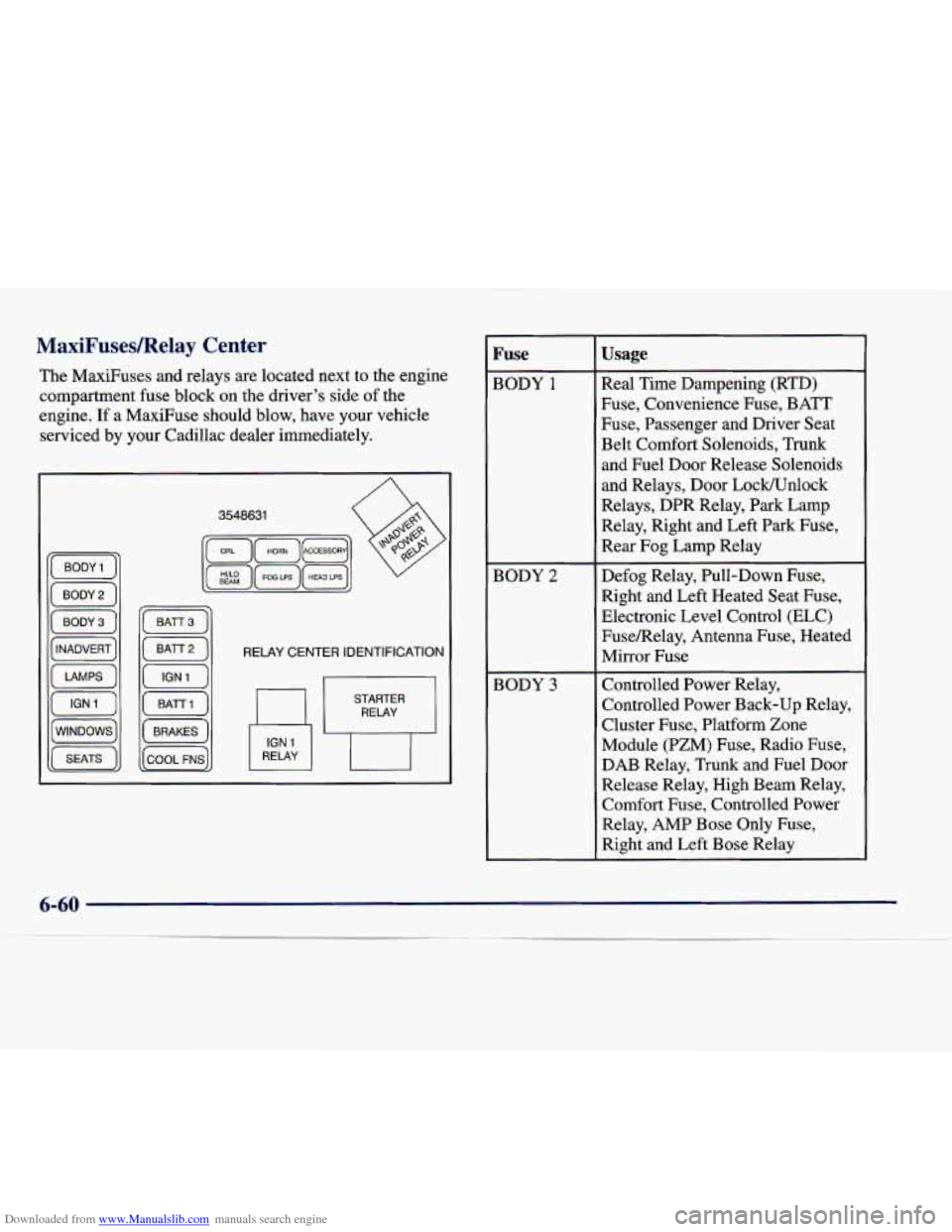
The MaxiFuses and relays are located next to the engine
compartment fuse block on the driver's side
of the
engine.
If a MaxiFuse should blow, have your vehicle
serviced by your Cadillac dealer immediately.
RELAY CENTER IDENTIFICATION
RELAY
Fuse
BODY 1
BODY 2
BODY 3
Usage
Real Time Dampening (RTD)
Fuse, Convenience Fuse, BATT
Fuse, Passenger and Driver Seat
Belt Comfort Solenoids, Trunk
and Fuel Door Release Solenoids
and Relays, Door Lock/Unlock
Relays, DPR Relay, Park Lamp
Relay, Right and Left Park Fuse,
Rear Fog Lamp Relay
Defog Relay, Pull-Down Fuse, Right and Left Heated Seat Fuse,
Electronic Level Control (ELC)
FuseRelay, Antenna Fuse, Heated
Mirror Fuse
Controlled Power Relay,
Controlled Power Back-up Relay,
Cluster Fuse, Platform Zone
Module (PZM) Fuse, Radio Fuse,
DAB Relay, Trunk and Fuel Door
Release Relay, High Beam Relay,
Comfort Fuse, Controlled Power
Relay, AMP Bose Only Fuse,
Right and Left Bose Relay
Page 377 of 386
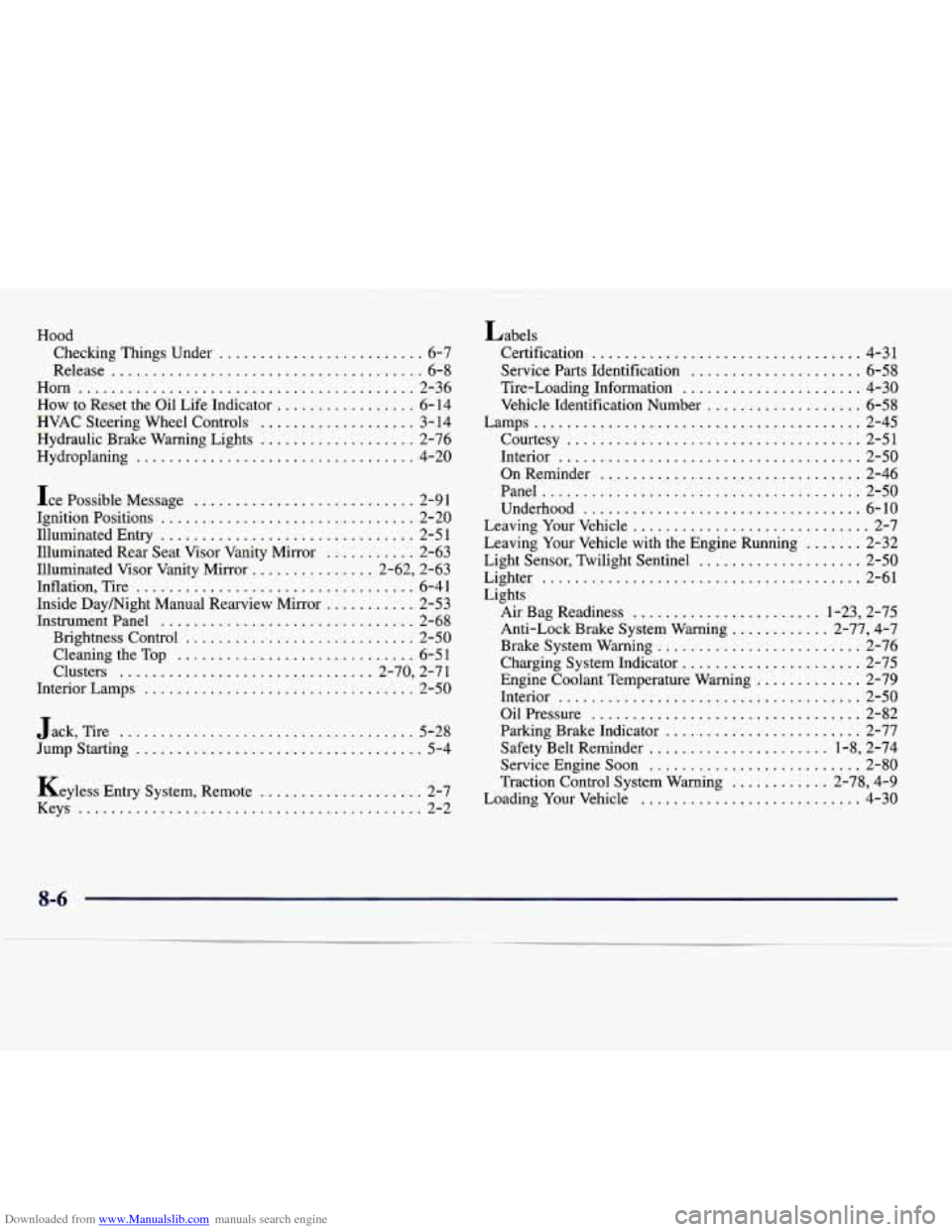
Downloaded from www.Manualslib.com manuals search engine Hood Checking Things Under
......................... 6-7
Release
...................................... 6-8
Horn
......................................... 2-36
How to Reset the Oil Life Indicator ................. 6- 14
HVAC Steering Wheel Controls ................... 3- 14
Hydraulic Brake Warning Lights
................... 2-76
Hydroplaning
.................................. 4-20
Ice Possible Message
........................... 2-91
Ignition Positions
............................... 2-20
Illuminated Entry
............................... 2-51
Illuminated Rear Seat Visor Vanity Mirror
........... 2-63
Illuminated Visor Vanity Mirror
............... 2.62. 2.63
Inflation. Tire
.................................. 6-41
Inside Day/Night Manual Rearview Mirror ........... 2-53
InstrumentPanel
............................... 2-68
Brightness Control
............................ 2-50
Cleaning the
Top ............................. 6-5 1
Clusters ............................... 2.70. 2.71
Interior Lamps
................................. 2-50
Jack. Tire
.................................... 5-28
Jump Starting
................................... 5-4
Keyless Entry System. Remote
.................... 2-7
Keys
.......................................... 2-2 Labels
Certification
................................. 4-31
Service Parts Identification
..................... 6-58
Tire-Loading Information
...................... 4-30
Vehicle Identification Number
................... 6-58
Lamps
........................................ 2-45
Courtesy
.................................... 2-51
Interior
..................................... 2-50
OnReminder
................................ 2-46
Panel
....................................... 2-50
Underhood
.................................. 6-10
Leaving Your Vehicle
............................. 2-7
Leaving Your Vehicle with the Engine Running
....... 2-32
Light Sensor. Twilight Sentinel
.................... 2-50
Lighter
....................................... 2-61
Lights Air Bag Readiness
....................... 1-23. 2-75
Anti-Lock Brake System Warning
............ 2-77. 4-7
Brake System Warning
......................... 2-76
Charging System Indicator
...................... 2-75
Engine Coolant Temperature Warning
............. 2-79
Interior
..................................... 2-50
Oil Pressure
................................. 2-82
Parking Brake Indicator
........................ 2-77
Safety Belt Reminder
...................... 1-8. 2-74
Service Engine Soon
.......................... 2-80
Traction Control System Warning
............ 2-78. 4-9
Loading Your Vehicle
........................... 4-30
8-6