trunk CADILLAC DEVILLE 1998 7.G User Guide
[x] Cancel search | Manufacturer: CADILLAC, Model Year: 1998, Model line: DEVILLE, Model: CADILLAC DEVILLE 1998 7.GPages: 386, PDF Size: 22.36 MB
Page 119 of 386
Downloaded from www.Manualslib.com manuals search engine Inadvertent Power Battery Saver
This feature is designed to protect your vehicle’s
battery against drainage from the interior lamps,
trunk lamp, glove box lamp, cigarette lighters or the
garage door opener. When the ignition is turned
off,
the power to these features will automatically turn off
after 10 minutes (three minutes if a new car has 15 miles
(24 km) or less). Power will be restored for an additional
10 minutes if any door is opened, the trunk is opened or
the courtesy lamp switch is turned on.
Storage Mode Personalization
This feature is for long term use and must be
programmed through the Driver Information Center
(DIC) while the ignition is in RUN. Storage mode
personalization protects the battery by placing your
vehicle
in a storage mode so that the radio, amplifiers,
instrument cluster and remote keyless entry will not
drain the battery over a long period of time. For
programming information, see “Programmable, Memory
and Personalization Features” later in
this section.
Mirrors
Electrochromic Daymight Rearview Mirror
When this feature is turned on, the mirror automatically
changes to reduce glare from headlamps behind you. A
photocell on the mirror senses when it is becoming dark
outside. Another photocell, built into the mirror face,
senses when headlamps are behind you.
At night, when the glare is too high, the mirror will
gradually darken to reduce glare (this change may take a
few seconds). The mirror will return to its clear daytime
state when.the glare is reduced.
2-48
Page 126 of 386
Downloaded from www.Manualslib.com manuals search engine Rear Storage Armrest (If Equipped)
Your vehicle may be equipped with a rear seat armrest
which includes an open storage compartment and a dual
cupholder that unfolds for use.
To open, lift the front
edge.
(This feature is available on vehicles with leather
interiors only.)
Conver 0 I nce Net
The convenience net is located inside the back wall of
the trunk. Put small loads, like grocery bags, behind the
net. It can help keep them from falling over during sharp
turns or quick starts and stops.
The net is not for larger, heavier loads. Store them in the
trunk as far forward as you can. When not using the net,
hook the net to the tabs securing it to the sill plate.
Ashtrays and Cigarette Lighter
With the full center console (available on DeVille
Concours only), press
on the cover, which is located
below the climate control system, to reveal the front
ashtray. To clean this ashtray, lift it out by gripping the
sides. For vehicles without the center console, pull the tray
out to reveal the ashtray. The tray is located beneath
the radio.
To clean this ashtray, lift it out by pulling on
the snuffer.
To use the rear ashtray, lift the lid.
I NOTICE: I
Don’t put papers or other flammable items
into your ashtrays. Hot cigarettes or other
smoking materials could ignite them, causing a
damaging fire.
The cigarette lighter is located near the ashtray. Press it
all the way in and release. It will pop back by itself
when it’s ready to light. You may also have a lighter
located at the rear seat air outlet.
Note that power to the cigarette lighter will shut
off 10
minutes after the ignition is turned off. This helps to
prevent battery drainage. For more information, see “Inadvertent Battery Saver” earlier in this section.
2-55
Page 160 of 386
Downloaded from www.Manualslib.com manuals search engine TRACTION ENGAGED - 91: When your traction
control system is limiting wheel spin, the TRACTION
ENGAGED message will be displayed. Slippery road conditions may exist if this message is displayed,
so
adjust your driving accordingly. This message will stay
on for a few seconds after the traction control system
stops limiting wheel spin.
TRACTION OFF - 89: This message will be displayed
after the traction control has been turned off.
TRACTION READY - 90: This message informs the
driver that the traction control system
is available. This
occurs when the traction
ordoff button in the glove box
has been returned to an on position (pressing the button
once turns the traction control system off pressing the
button again turns the system back on). This message
also self-cancels after five seconds.
TRACTION SUSPENDED - 56: This message
displays when the traction control system has been
temporarily shut
off because your vehicle’s brakes have
overheated. This message does not indicate a problem
with your vehicle’s traction control system. After a few
minutes, the traction control system will be available
again and the TRACTION READY message
will appear.
TRANS FLUID RESET - 48: With the engine not
running and the ignition on, press and hold the
OFF and
rear defog buttons until the TRANS FLUID RESET message appears on the Driver Information Center
(DIC) (between
five and 20 seconds).
TRANS HOT IDLE ENG - 112: This messages
indicates that the transaxle fluid in your vehicle is too
hot. Stop and allow your vehicle to idle until it cools
down or until this message is removed.
TRUNK OPEN - 24: This message indicates that the
trunk is open when your vehicle’s ignition is in
RUN.
TURN SIGNAL ON - 20: This message is a reminder,
after driving about
1 mile (1.6 km/h), that you have the
turn signal on. A multiple chime will also sound when
this message is displayed.
VEHICLE OVERSPEED - 52: A failure in the
suspension control system has occurred when this
message appears. The PCM determines the speed your
vehicle is limited to. Have your vehicle serviced if this
message appears.
VEHICLE SPEED LIMITED TO XXX MPH
(KM/H) - 113: A failure in the suspension control
system has occurred when this message appears. The
PCM determines the speed your vehicle is limited to.
Have your vehicle serviced if this message appears.
Page 168 of 386
Downloaded from www.Manualslib.com manuals search engine Section 3 Comfort Controls and Audio Systems
In this section, you’ll find out how to operate the comfort control and audio systems offered with your vehicle. Be
sure to read about the particular systems supplied
with your vehicle.
3-2 Comfort Controls 3-22
AM-FM Stereo with Cassette Tape and
3-2 Digital
Cluster Climate Control.Pane1
Systems
(RDS) and Digital Signal Processing
(DeWlle and DeVille d’Elegance Only) Compact Disc Player with Radio Data
. .
3-6 Analog Cluster Climate Control Panel
(DSP) (If Equipped)
. (DeVille Concours Only) 3-3 1 Radio Data Systems (RDS) Program Type
3-
10 Air Conditioning. 3-32 Trunk Mounted CD Changer (If Equipped)
3-10
’ Heating
3- 11 Ventilation System
3-4
1 Power Antenna Mast Care 3- 18 AM-FM Stereo with Cassette Tape and 3-41 Care
of Your Compact Disc Player
3-14 AM-FM Stereo with Cassette Tape Player 3-40 Care
of Your
Compact Discs
3-14 Setting the Clock 3-39 Care
of Your
Cassette Tape Player
3-14 Audio Systems 3-38 Tips
About Your
Audio System
3-13 Climate Control Personalization If (Equipped) 3-38 Understanding Radio Reception
3-13 HVAC Steering Whed Controls 3-37 Audio Steering Wheel Controls
(If Equipped) 3-12 Rear Window Defogger 3-36 Theft-Deterrent Feature
3- 12 Defogging and Defrosting 3-36 Radio Personalization (If Equipped)
319
Electronic Solar Sensor
(PTY) Selections
.-- 3-35 CD Adapter Kits
Compact Disc Player
(If Equipped)
3-1
Page 199 of 386
Downloaded from www.Manualslib.com manuals search engine Trunk Mounted CD Changer (If Equipped)
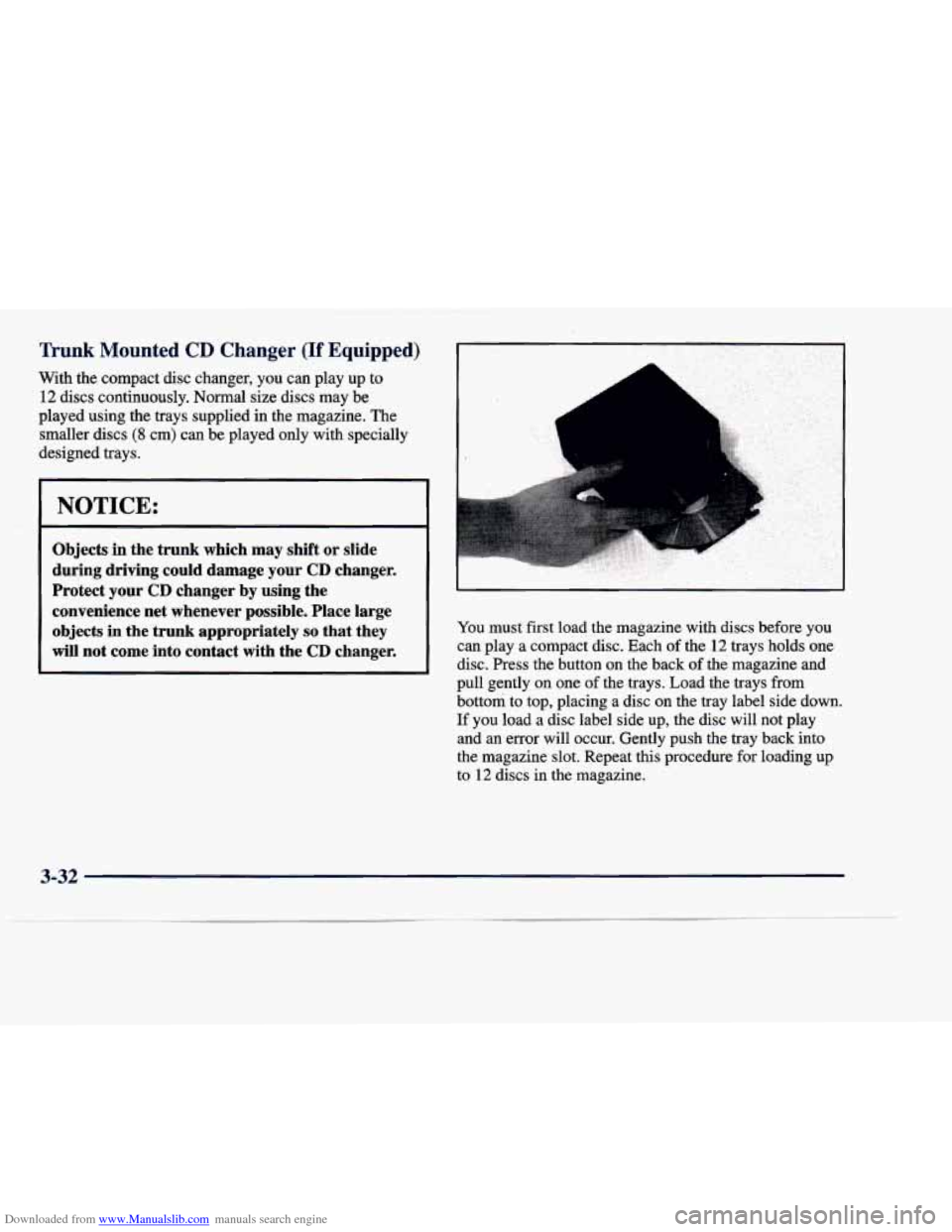
With the compact disc changer, you can play up to 12 discs continuously. Normal size discs may be
played using the trays supplied in the magazine. The
smaller discs
(8 cm) can be played only with specially
designed trays.
Objects in the trunk which may shift or slide
during driving could damage your CD changer.
' Protect your CD changer by using the
I convenience net whenever possible. Place large
objects in the trunk appropriately
so that they
will not come into contact with the CD changer.
You must first load the magazine with discs before you
can play a compact disc. Each of the 12 trays holds one
disc. Press the button on the back
of the magazine and
pull gently on one of the trays. Load the trays from
bottom to top, placing a disc on the tray label side down.
If you load a disc label side up, the disc will not play
and
an error will occur. Gently push the tray back into
the magazine slot. Repeat this procedure for loading up
to
12 discs in the magazine.
3-32
Page 236 of 386
Downloaded from www.Manualslib.com manuals search engine Winter Driving
Here are some tips for winter driving:
0 Have your vehicle in good shape for winter.
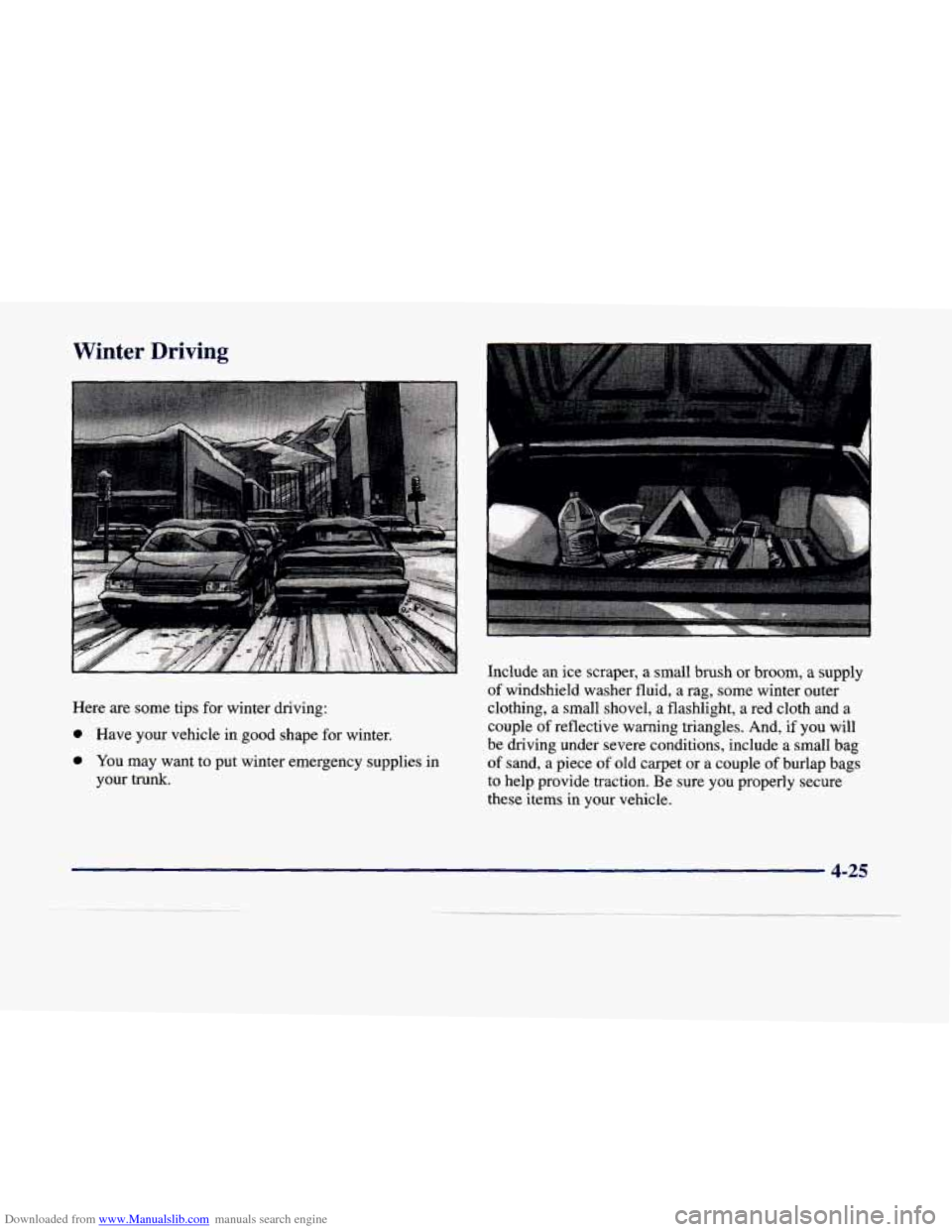
0 You may want to put winter emergency supplies in
your trunk. Include an ice scraper,
a small brush or broom,
a supply
of windshield washer fluid, a rag, some winter outer
clothing, a small shovel, a flashlight,
a red cloth and a
couple
of reflective warning triangles. And, if you will
be driving under severe conditions, include a small bag
of sand, a piece
of old carpet or a couple of burlap bags
to help provide traction. Be sure you properly secure
these items in your vehicle.
4-25
Page 241 of 386
Downloaded from www.Manualslib.com manuals search engine MFDBYGENERALMOTORSCORP DATE
GVWR GAWR FRT GAWR RR
THIS VEHICLE CONFORMS TO ALL APPLI-
CABLE U.S. FEDERAL MOTOR VEHICLE
SAFETY, BUMPER, AND THEFT PREV.ENTlON
STANDARDS
IN EFFECT ON THE DATE OF
MANUFACTURE SHOWN ABOVE.
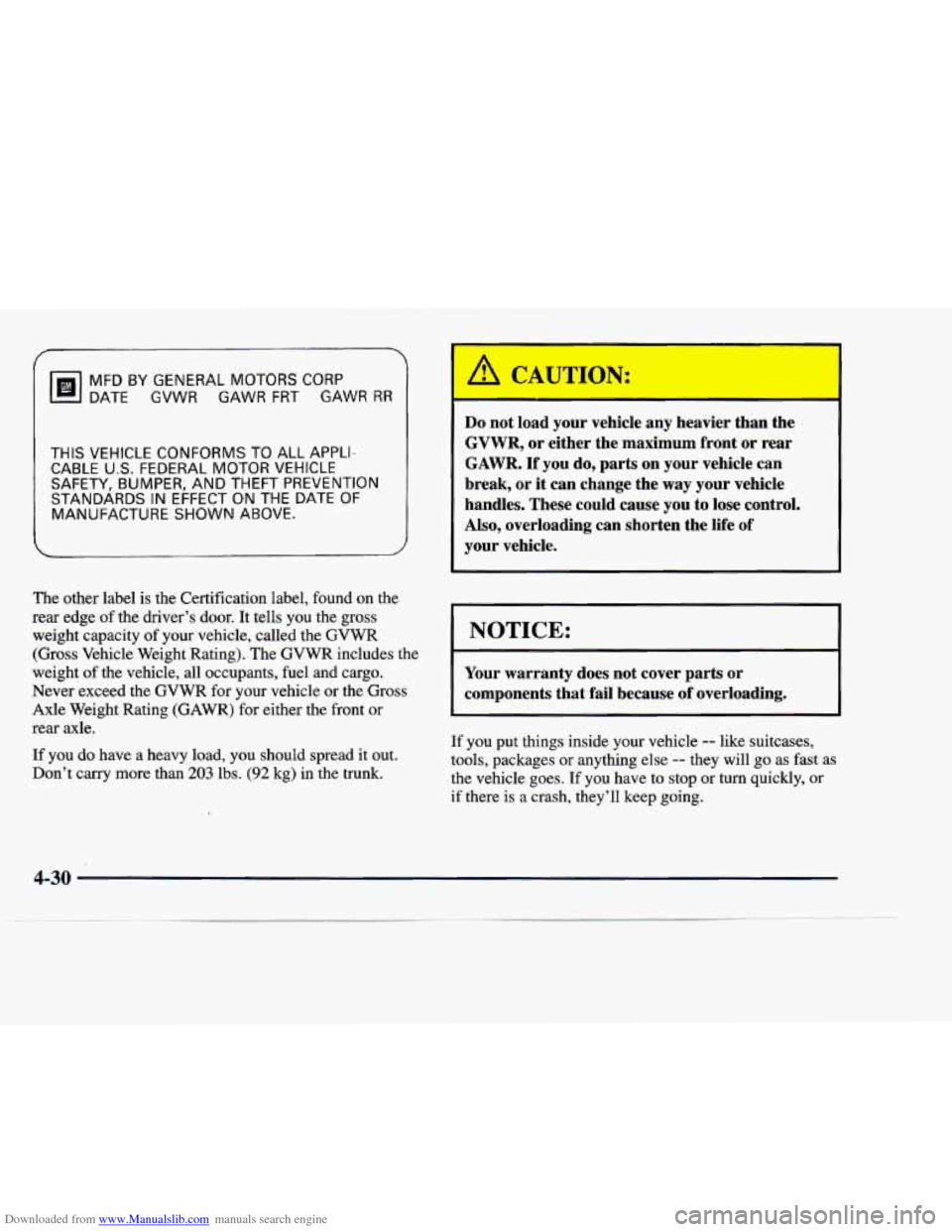
The other label is the Certification label, found on the
rear edge of the driver’s door. It tells you the gross
weight capacity of your vehicle, called the GVWR
(Gross Vehicle Weight Rating). The
GVWR includes the
weight
of the vehicle, all occupants, fuel and cargo.
Never exceed the GVWR for your vehicle or the Gross
Axle Weight Rating (GAWR) for either the front or
rear axle.
If you do have
a heavy load, you should spread it out.
Don’t
carry more than 203 lbs. (92 kg) in the trunk.
I A CAUTION:
Do not load your vehicle any heavier than the
GVWR, or either the maximum front or rear
GAWR.
If you do, parts on your vehicle can
break, or it can change the
way your vehicle
handles. These could cause you to lose control.
Also, overloading can shorten the life
of
your vehicle.
I NOTICE:
Your warranty does not cover parts or
components
that fail because of overloading.
If you put things inside your vehicle
-- like suitcases,
tools, packages or anything else
-- they will go as fast as
the vehicle goes. If you have to stop
or turn quickly, or
if there is
a crash, they’ll keep going.
4-30
Page 242 of 386
Downloaded from www.Manualslib.com manuals search engine A CAUTION:
Things you put inside your vehicle can strike
and injure people in a sudden stop or turn, or in
a crash.
Put things in the trunk of your vehicle. In a
trunk, put them
as far forward as you can.
Try to spread the weight evenly.
Never stack heavier things, like suitcases,
inside the vehicle
so that some of them are
above the tops of the seats.
Don’t leave an unsecured child restraint in
your vehicle.
When you carry something inside the
vehicle, secure it whenever you can.
Electronic Level Control
This feature keeps the rear of your vehicle level as the
load changes. It’s automatic
-- you don’t need to
adjust anything.
Towing a Trailer
If you don’t use the correct equipment and drive
properly,
you can lose control when you pull a
trailer. For example, if the trailer
is too heavy, the
brakes may not work well
-- or even at all. You
and your passengers could be seriously injured.
You may also damage your vehicle; the resulting
repairs would not be covered by your warranty.
Pull a trailer only if you have followed all the
steps in this section. Ask your dealer for advice
and information about towing a- trailer with
your vehicle.
Page 247 of 386
Downloaded from www.Manualslib.com manuals search engine Trailer Wiring Harness
If your vehicle is equipped with the 3,000-lb. (1 360 kg)
trailer towing package option, you will have
a wiring
harness located under the
trunk trim. The harness is a
five-wire harness, with connector.
These trailer-wiring harness color codes should be
followed when connecting it
to your trailer:
WHITE: Direct trailer ground for trailer lamps.
BROWN: Parking lamps.
0 YELLOW Left turn and stoplamps.
GREEN: Right turn and stoplamps.
0 BLUE: Auxiliary circuit.
Driving with a Trailer
Towing a trailer requires a certain amount of experience.
Before setting out for the open road, you’ll want to get
to know your
rig. Acquaint yourself with the feel of
handling and braking with the added weight of the
trailer. And always keep in mind that the vehicle you are driving is now a good deal longer and not nearly as
responsive as your vehicle
is by itself. Before
you start, check the trailer hitch and platform
(and attachments), safety chains, electrical connector,
lamps, tires and mirror adjustment. If the trailer has
electric brakes, start your vehicle
and trailer moving and
then apply the trailer brake controller by hand to be sure
the brakes are working.
This lets you check your
electrical connection at the same time.
During your trip, check occasionally to be sure that the load is secure, and that the lamps and any trailer brakes
are still working.
Following Distance
Stay at least twice as far behind the vehicle ahead as you
would when driving your vehicle without a tr$ler. This
can help you avoid situations that require heavy braking
and sudden turns.
Passing
You’ll need more passing distance up ahead when
you’re towing a trailer. And, because you’re a good deal \
longer, you’ll need to go much farther beyond the
passed vehicle before you can return to your lane.
4-36
Page 274 of 386
Downloaded from www.Manualslib.com manuals search engine Removing the Spare Tire and Tools
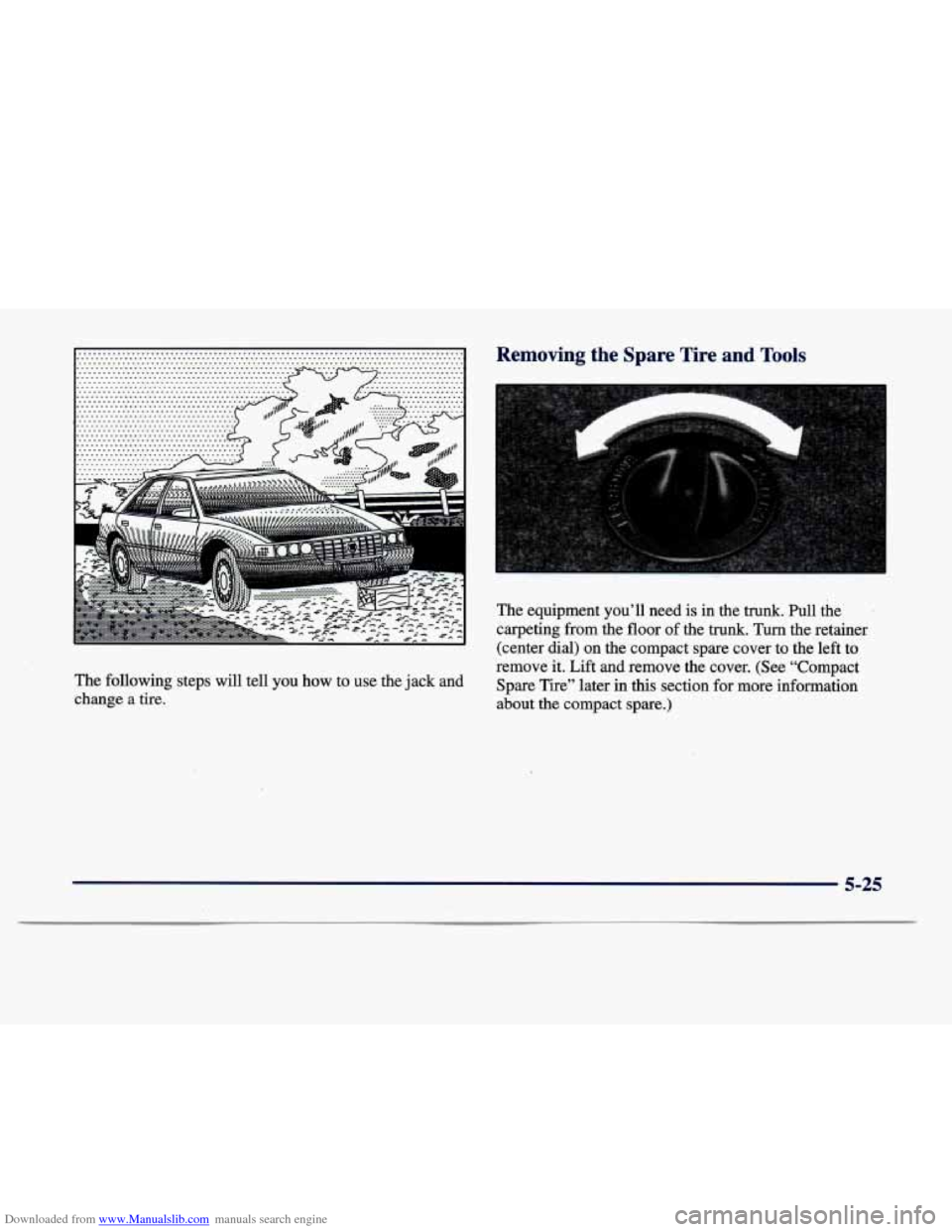
The equipment you’ll need is in the trunk. Pull the
carpeting from the floor
of the trunk. Turn the retainer
(center dial) on the compact spare cover to the left to
The following steps will tell you how to use the jack and
change a tire. remove
it. Lift and remove the cover. (See “Compact
Spare Tire’’ later in this section for more information
about the compact spare.)
5-25