battery CADILLAC DEVILLE 1998 7.G Owner's Manual
[x] Cancel search | Manufacturer: CADILLAC, Model Year: 1998, Model line: DEVILLE, Model: CADILLAC DEVILLE 1998 7.GPages: 386, PDF Size: 22.36 MB
Page 182 of 386

Downloaded from www.Manualslib.com manuals search engine Finding a Station
BAND:
Press this button to select AM, FM1 or F"2
and preset stations.
SEEK-TUNE: Press and release this button to seek to
the next higher or lower radio station. Pressing and
holding this button until a chime sounds puts the radio
in a tune mode. In this mode, higher or lower radio
stations are advanced to in small increments until the
SEEK-TUNE button is released. Tuning stops when
you release this button. If you press and hold the
SEEK-TUNE button again within five seconds of
being in the tune mode, tuning will continue. Waiting
longer than five seconds places the radio back in the
seek mode.
2. Press BAND to select AM, FM1 or FM2.
SCAN: Press this button and SCAN will appear on the
display. Use SCAN to listen to stations for a few
seconds. The radio will go to a station, stop for a few
seconds, then go on to the next station. Press this button
again to stop scanning.
PUSHBUTTONS: The six numbered pushbuttons let
you return to your favorite stations. You can set up to
18 stations (six AM, six FM1 and six FM2). Just:
1. Turn the radio on.
3. Tune in the desired station.
4. Press and hold one of the six numbered buttons for
more than two seconds until you hear a beep.
Whenever you press that numbered button for less
than two seconds, the station you set will return.
5. Repeat the steps for each pushbutton.
When battery power is removed and later applied, you
will not have to reset your radio presets because the
radio remembers them.
PRESET SCAN: Press and hold SCAN for two to
three seconds until PRESET SCAN appears on the
display to listen to each of your preset stations for a
few seconds (factory presets which have not been
reprogrammed with your stations will be ignored). The radio will go to the first preset station stored on
your pushbuttons, stop for a few seconds, then go on
to the next preset station. Press SCAN again to stop
scanning.
If a preset station has weak reception, the
radio will not stop at the preset station.
Page 186 of 386

Downloaded from www.Manualslib.com manuals search engine PUSHBUTTONS: The six numbered pushbuttons let
you return to your favorite stations. You can set up to
18 stations (six AM, six FM1 and six FM2). Just:
1. Turn the radio on.
2. Press BAND to select AM, FM1 or FM2.
3. Tune in the desired station.
4. Press and hold one of the six numbered buttons for
more than two seconds until you hear a beep.
Whenever you press that numbered button for less
than two seconds, the station you set will return.
5. Repeat the steps for each pushbutton.
When battery power is removed and later applied, you
will not have to reset your radio presets because the
radio remembers them.
PRESET SCAN: Press and hold SCAN for more than
two
seconds until you hear a beep to listen to each of
your preset stations for five seconds. The radio will go
to the first preset station stored on your pushbuttons,
stop for five seconds, then go on to the next preset
station. Press SCAN again to stop scanning.
If a preset
station has weak reception, the radio will not stop at the
preset station.
Setting the Tone
TONE:
Press and release this button until the desired
tone control (BASS or TREBLE) is found.
LEVEL: After selecting the desired tone control, press
the plus
(+) or minus (-) symbol on this button to select
the desired level.
Adjusting the Speakers
4 SPEAKER: Press and release this button until the
desired BALANCE or FADE control is found.
LEVEL: After selecting the desired BALANCE or
FADE control, press the plus
(+) or minus (-) symbol
on this button to select the desired level.
Playing a Cassette Tape
With the radio on, insert a cassette tape. The tape will
begin playing as soon as it is inserted. When one side of
your cassette tape is done playing, auto reverse plays the
other side of your cassette tape. Cassette tapes may be
loaded with the radio off but they will not start playing
until the radio is on. If you want to insert a cassette tape
when the ignition is
off, first press EJECT.
3-19
Page 190 of 386
Downloaded from www.Manualslib.com manuals search engine SOURCE: Press this button to select a source. Source
include cassette and compact disc. The audio source
must be loaded to play. Available loaded sources are shown on the display.
If a source is being used, it will be
underlined on the display.
If none of the audio sources
are loaded,
NO SOURCE LOADED will appear on the
display. Press this button again or BAND to switch back
to the radio.
Finding a Station
BAND:
Press this button to select AM, FM 1, FM2 or
weather, and preset stations.
TUNE-SEEK: When this button is pressed it has two
positions. Press this button to the first position to
manually tune to higher or lower stations. If this button
is held at the first position for a few seconds, the radio
will continue tuning until this button is released. Press
this button to the second position and release to seek to
the next higher or lower radio station.
SCAN: Press this button for less than two seconds to
scan radio stations. The radio
will go to a station, stop
for five seconds, then go on to the next station. Press
this button again to stop scanning.
PUSHBUTTONS: The six numbered pushbuttons let you
return to your favorite stations. The
RDS PTY mode must be
off to
use this mode. You can set up to 24 stations (six
AM, six FM1, six FM2 and six weather). Just:
1. Turn the radio on.
2. Press BAND to select AM, FM 1, FM2 or weather.
3. Tune in the desired station.
4. Press and hold one of the six numbered buttons for
more than two seconds. Whenever you press that
numbered button for less than two seconds, the
station you set will return.
5. Repeat the steps for each pushbutton.
When battery power is removed and later applied, you
will not have to' reset your radio presets because the
radio remembers them.
PRESET SCAN: Press and hold SCAN for more than
two seconds until you hear a beep to listen to each
of
your preset stations for five seconds. The radio will go
to the first preset station stored on your pushbuttons,
stop for five seconds, then go on to the next preset
station. Press SCAN again to stop scanning. If a preset
station has weak reception, the radio will not stop at the
preset station.
3-23
Page 193 of 386
Downloaded from www.Manualslib.com manuals search engine for three seconds. (The EI”y shown will be the last PTY
selected.) Press the RDS SELECT button, followed by this
button again to turn the PTY display off.
< PTY > (5) (6): With RDS on, press the RDS
SELECT button, followed by < or > . The PTY display
will turn
on, if it is not already on. RDS SELECT PTY
NEWS will appear on the display for three seconds.
(The PTY shown will be the last PTY selected.) While
this message is displayed, use
< and > to move up and
down the PTY list.
If you pause on a PTY for three
seconds, PRESET
PTY NEWS will appear on the
display. While this message
is displayed, you can save
the PTY in a preset by pressing one of the six numbered
pushbuttons until you hear a beep. Allow three seconds for the message to disappear if you do not want to save
the PTY
in a preset. See “Radio Data Systems (RDS)
Program Type (PTY) Selections’’ in the Index.
When the PTY display is on, press
SEEK and SCAN to
find radio stations of the PTY you want to listen to. The
last PTY selected will be used for seek and scan modes.
If a station with the selected PTY is not found, NONE
FOUND will appear on the display.
If both PTY and TA
are on, the radio will search for stations with traffic
announcements and the selected
PTY.
PUSHBUTTONS: The six numbered pushbuttons let
you return to your favorite Program Types (PTYs).
These buttons have factory PTY presets. See “Radio
Data Systems
(RDS) Program Type (PTY) Selections’’
in the Index. You can set up to 12 PTYs (six
F”1 and
six FM2). Just:
1. Turn PTY on.
2. Press BAND to select FM1 or mM2.
3. Tune an RDS station with the PTY you desire.
4. Press and hold one of the six numbered buttons for
more than two seconds until you hear a beep.
Whenever you press that numbered button for less
than two seconds, the PTY you set will return.
5. Repeat the steps for each pushbutton.
When battery power is removed and later applied, you will not have to reset your
RDS presets because the
radio remembers them.
HR or MN: Press the RDS SELECT button, followed
by one
of these buttons to display the time for the
current station. STATION TIME IS will be displayed. If
a time has not been sent to the radio, NO STATION
TIME will be displayed. If you have recently tuned to
the station, you may need to wait a minute before the
time is available to the radio.
To set the clock to the
Page 240 of 386
Downloaded from www.Manualslib.com manuals search engine Run your engine only as long as you must. This saves
fuel. When you run the engine, make it go a little faster
than just idle. That is, push the accelerator slightly. This
uses less fuel for the heat that you get and it keeps the
battery charged. You will need a well-charged battery to
restart the vehicle, and possibly for signaling later on
with your headlamps. Let the heater run for a while.
Then, shut the engine
off and close the window almost
all the way to preserve the heat. Start the engine again
and repeat this only when you feel really uncomfortable
from the cold. But do it as little as possible. Preserve the
fuel as long as you can. To help keep warm, you can get
out of the vehicle and do some fairly vigorous exercises
every half hour or
so until help comes.
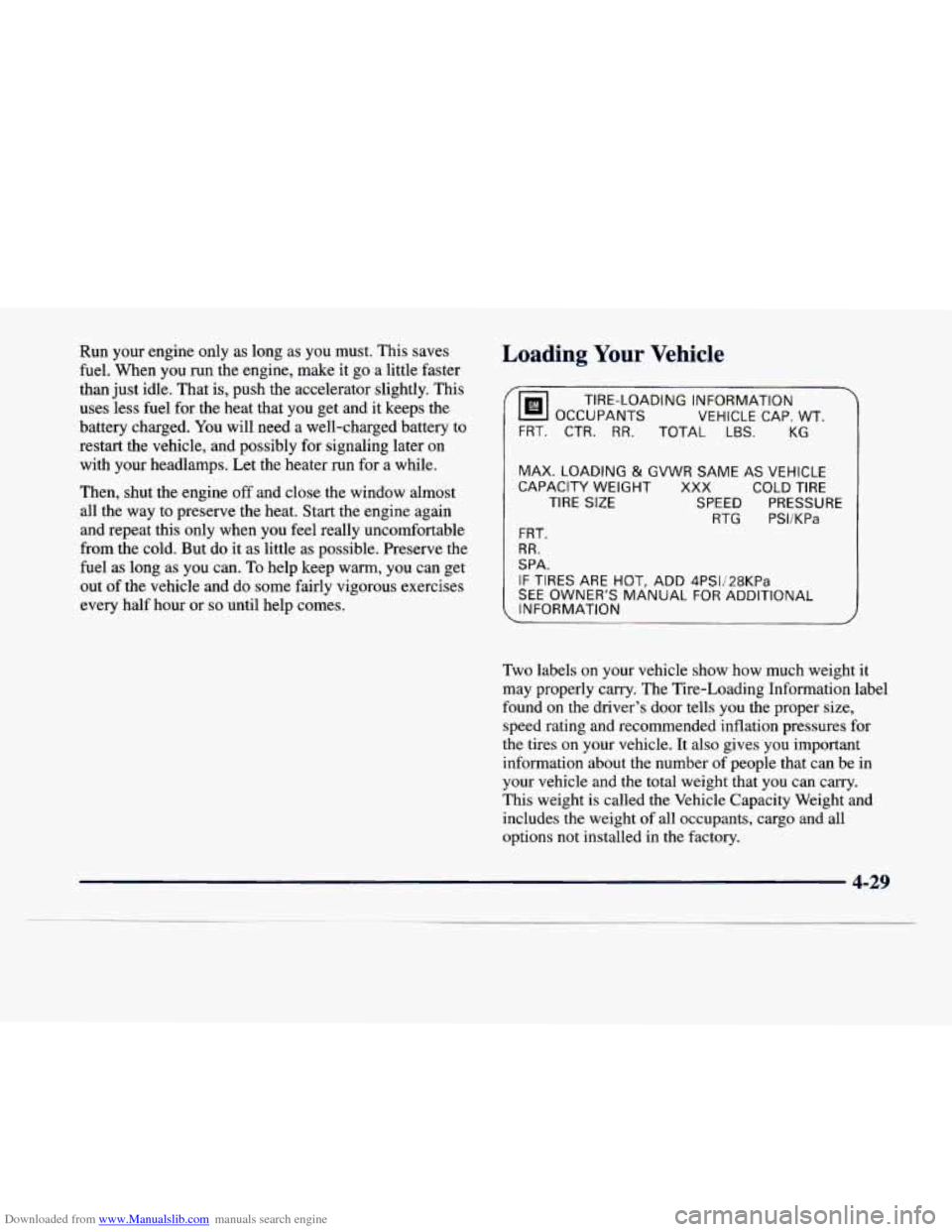
Loading Your Vehicle
OCCUPANTS
VEHICLE CAP. WT.
TIRE-LOADING
INFORMATION
FRT. CTR.
RR. TOTAL LBS. KG
MAX. LOADING
& GVWR SAME AS VEHICLE
CAPACITY WEIGHT XXX COLD TIRE
TIRE SIZE SPEED PRESSURE
RTG PSI/KPa
FRT.
RR.
SPA.
IF TIRES ARE HOT, ADD 4PS1/28KPa
SEE OWNER'S MANUAL FOR ADDITIONAL
, INFORMATION
Two labels on your vehicle show how much weight it
may properly carry. The Tire-Loading Information label
found
on the driver's door tells you the proper size,
speed rating and recommended inflation pressures for
the tires on your vehicle. It also gives you important
information about the number of people that can be in
your vehicle and the total weight that you can carry.
This weight is called the Vehicle Capacity Weight and
includes the weight
of all occupants, cargo and all
options not installed
in the factory.
4-29
Page 252 of 386
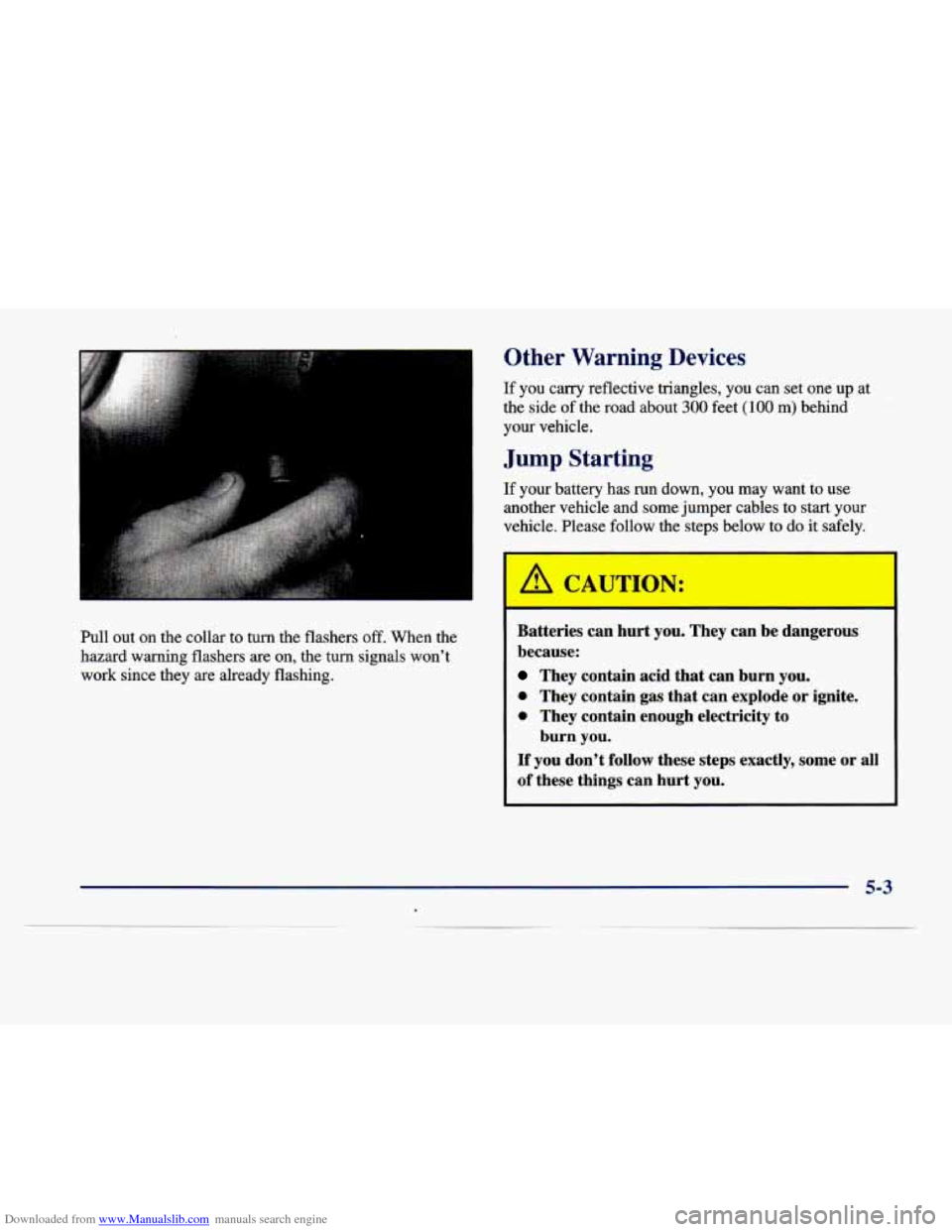
Downloaded from www.Manualslib.com manuals search engine Pull out on the collar to turn the flashers off. When the
hazard warning flashers are on, the turn signals won’t
work since they are already flashing.
I 011- Warning Devices
If you carry reflective triangles, you can set one up at
the side of the road about
300 feet (100 m) behind
your vehicle.
Jump Starting
If your battery has run down, you may want to use
another vehicle and some jumper cables to
start your
vehicle. Please follow the steps below to do it safely.
I because: I
They contain acid that can burn you.
0 They contain gas that can explode or ignite.
0 They contain enough electricity to
If you don’t follow these steps exactly, some or all
of these things can hurt you. burn you.
5-3
Page 253 of 386
Downloaded from www.Manualslib.com manuals search engine I NOTICE:
Ignoring these steps could result in costly damage
to your vehicle that wouldn’t be covered
by
your warranty.
Trying to
start your vehicle by pushing or pulling
it won’t work, and it could damage your vehicle.
1. Check the other vehicle. It must have a 12-volt
battery with a negative ground system.
I NOTICE: I
2. Get the vehicles close enough so the jumper cables
can reach, but be sure the vehicles aren’t touching
each other. If they are, it could cause a ground
connection you don’t want.
You wouldn’,t be able
to start your vehicle and the bad grounding could
damage the electrical systems.
unnecessary accessories plugged into the cigarette
lighter.
Turn off all lamps that aren’t needed as well
as radios. This
will avoid sparks and help save both
batteries. In addition, it could save your radio!
4. Open the hoods and locate the batteries. Find
the positive
(+) and negative (-) terminals on
each battery.
3. Turn off the ignition on both vehicles. Unplug
I
If the other system isn’t a 12-volt system with a
negative ground, both vehicles can be damaged.
A CAUTION:
I I
An electric fan can start up even when the engine
is not running and can injure you. Keep hands,
clothing and tools away from any underhood
electric fan.
5-4
Page 254 of 386

Downloaded from www.Manualslib.com manuals search engine 5. Start by removing
the red positive
(+)
terminal cover.
Using
a match near a battery can cause battery
gas to explode. People have been hurt doing this,
and some have been blinded. Use
a flashlight if
you need more light.
Be sure the battery has enough water.
You don’t
need to add water to the ACDelco Freedom@
battery installed in every new
GM vehicle. But
if a battery has filler caps, be sure the right
amount of fluid is there.
If it is low, add water to
take care
of that first. If you don’t, explosive gas
could be present.
Battery fluid contains acid that can burn you.
Don’t get it on you. If you accidentally get it in
your eyes or on your
skin, flush the place with
water and get medical help immediately.
I
5-5
Page 255 of 386
Downloaded from www.Manualslib.com manuals search engine 6. Check that the jumper cables don’t have loose or
missing insulation..
If they do, you could get a shock.
The vehicles could also be damaged.
Before you connect the cables, here are some basic
things you should
know. Positive (+) will go to
positive
(+) and negative (-) will go to an unpainted
metal engine part or a body metal surface.
Don’t
connect positive (+) to negative (-) or you will get
a
short that, would damage the battery and maybe
other parts, too. Also, don’t connect negative
(-)
to negative (-).
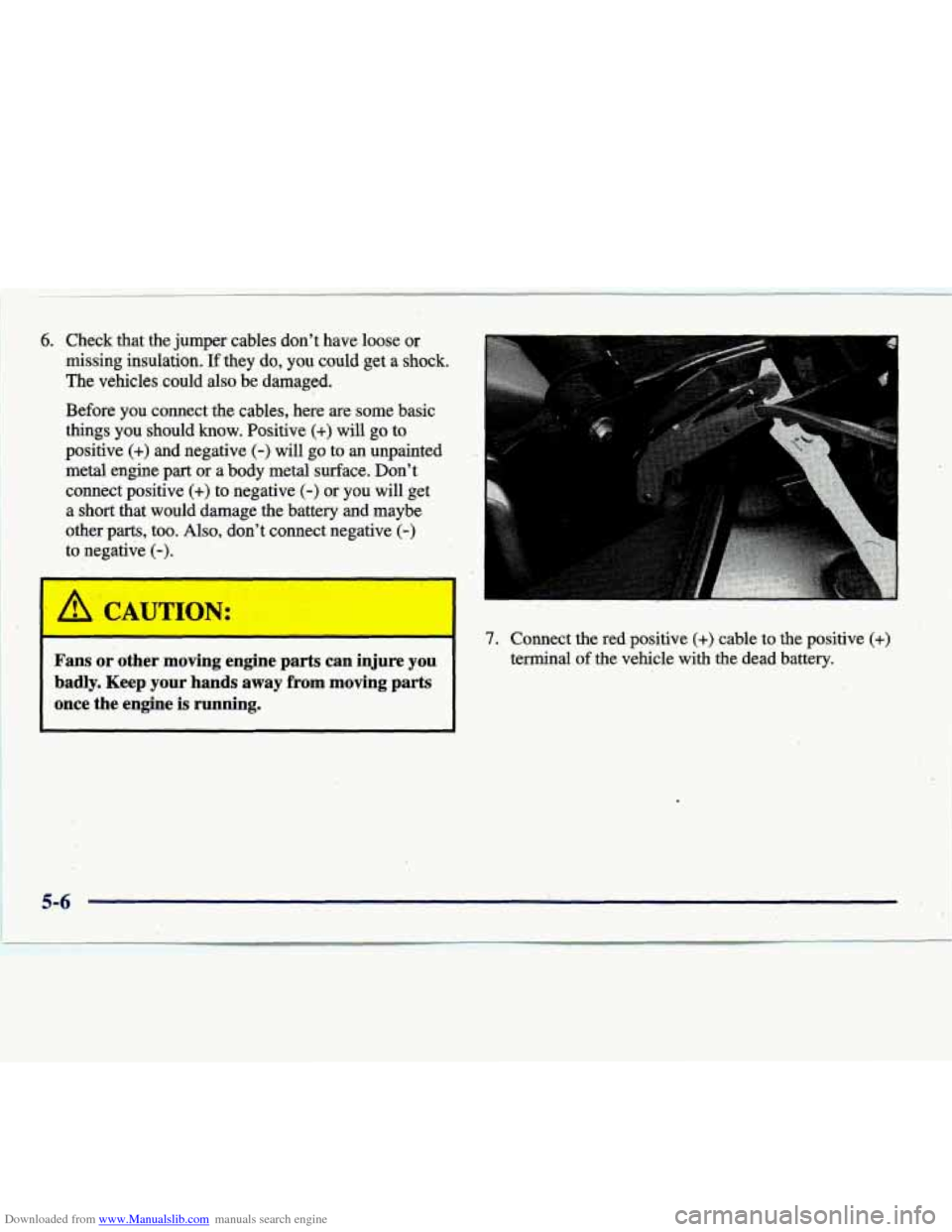
4% CAUTION: 1’ - 7. Connect the red. positive (+) cable to the positive (+)
Fans or other moving engine parts can injure you terminal of the vehicle with the dead battery.
badly. Keep your hands away from moving parts
once the engine
is running.
5-6
Page 256 of 386

Downloaded from www.Manualslib.com manuals search engine 8. Don't let the other
end
of the positive
cable touch metal.
Connect it to the
positive
(+) terminal Don't
let the other end
of the negative (-) cable touch
anything until the next step. The other end
of the
negative
(-) cable doesn 'I go to the dead battery. It goes
to a heavy unpainted metal part on the engine
of the
vehicle with the dead battery.
of the good battery.
9. Now connect the black
negative
(-) cable to
the good battery's
negative
(-) terminal.
10. Attach the cable at least
~ 18 inches (46 cm) away
from the dead battery,
but not near engine parts that move. The
electrical connection is
just as good there, but
the chance of sparks
getting back to the
battery is much less.
11. Now start the vehicle with the good battery and
12. Try to start the vehicle with the dead battery.
run the engine for awhile.
If it won't start after a few tries, it probably
needs service.
5-7