battery CADILLAC DEVILLE 1998 7.G User Guide
[x] Cancel search | Manufacturer: CADILLAC, Model Year: 1998, Model line: DEVILLE, Model: CADILLAC DEVILLE 1998 7.GPages: 386, PDF Size: 22.36 MB
Page 117 of 386
Downloaded from www.Manualslib.com manuals search engine -
Exterior Lighting Battery Saver
If the manual parking lamp control has been left on, the
exterior lamps will
turn off approximately 10 minutes
after the ignition is turned to
LOCK or ACCESSORY.
This protects draining the battery in case yoihave
accidently left the headlamps or parking lamps on. If
you need to purposely leave the lamps on for more than
10 minutes with the ignition in LOCK or ACCESSORY,
turn the manual control knob off and then back on. To
delay the lahps from turning off, see "Twilight
Sentinel" earlier in this section.
Interior Lamps
Instrument Panel Brightness Control
Cluster lighting as well as instrument panel lighting
.automatically dims when it becomes dark outside and
your lights are on. When it's dark, the brightness control
can be manually adjusted by turning the lamp control
knob to the left to dimand
to the right to brighten the
lighting. Cluster lighting and instrument panel lighting automatically brighten when
it becomes light outside.
Courtesy Lamps (DeVille Only)
The courtesy lamps are located in the roof in the rear
seat. These lamps come
ofi with the lamp knob or when
any door is opened and it
is dark outside.
Illuminated Entry
The illuminated eptry system turns on the courtesy
lamps and the backlighting to, the 'door switches
and to
the lamp control
knob when a door is opened or if you
press
a remote keyless entry transmitter button. Since
the illuminated entry system has a photocell,
this means
that it must be dark outside
in order for the courtesy
lamps or backlighting to
turn on. The courtesy lamps
turn off approximately 20 seconds after the last door is
closed
or after the ignition key is placed in the ignition.
2-46
Page 119 of 386
Downloaded from www.Manualslib.com manuals search engine Inadvertent Power Battery Saver
This feature is designed to protect your vehicle’s
battery against drainage from the interior lamps,
trunk lamp, glove box lamp, cigarette lighters or the
garage door opener. When the ignition is turned
off,
the power to these features will automatically turn off
after 10 minutes (three minutes if a new car has 15 miles
(24 km) or less). Power will be restored for an additional
10 minutes if any door is opened, the trunk is opened or
the courtesy lamp switch is turned on.
Storage Mode Personalization
This feature is for long term use and must be
programmed through the Driver Information Center
(DIC) while the ignition is in RUN. Storage mode
personalization protects the battery by placing your
vehicle
in a storage mode so that the radio, amplifiers,
instrument cluster and remote keyless entry will not
drain the battery over a long period of time. For
programming information, see “Programmable, Memory
and Personalization Features” later in
this section.
Mirrors
Electrochromic Daymight Rearview Mirror
When this feature is turned on, the mirror automatically
changes to reduce glare from headlamps behind you. A
photocell on the mirror senses when it is becoming dark
outside. Another photocell, built into the mirror face,
senses when headlamps are behind you.
At night, when the glare is too high, the mirror will
gradually darken to reduce glare (this change may take a
few seconds). The mirror will return to its clear daytime
state when.the glare is reduced.
2-48
Page 126 of 386
Downloaded from www.Manualslib.com manuals search engine Rear Storage Armrest (If Equipped)
Your vehicle may be equipped with a rear seat armrest
which includes an open storage compartment and a dual
cupholder that unfolds for use.
To open, lift the front
edge.
(This feature is available on vehicles with leather
interiors only.)
Conver 0 I nce Net
The convenience net is located inside the back wall of
the trunk. Put small loads, like grocery bags, behind the
net. It can help keep them from falling over during sharp
turns or quick starts and stops.
The net is not for larger, heavier loads. Store them in the
trunk as far forward as you can. When not using the net,
hook the net to the tabs securing it to the sill plate.
Ashtrays and Cigarette Lighter
With the full center console (available on DeVille
Concours only), press
on the cover, which is located
below the climate control system, to reveal the front
ashtray. To clean this ashtray, lift it out by gripping the
sides. For vehicles without the center console, pull the tray
out to reveal the ashtray. The tray is located beneath
the radio.
To clean this ashtray, lift it out by pulling on
the snuffer.
To use the rear ashtray, lift the lid.
I NOTICE: I
Don’t put papers or other flammable items
into your ashtrays. Hot cigarettes or other
smoking materials could ignite them, causing a
damaging fire.
The cigarette lighter is located near the ashtray. Press it
all the way in and release. It will pop back by itself
when it’s ready to light. You may also have a lighter
located at the rear seat air outlet.
Note that power to the cigarette lighter will shut
off 10
minutes after the ignition is turned off. This helps to
prevent battery drainage. For more information, see “Inadvertent Battery Saver” earlier in this section.
2-55
Page 131 of 386
Downloaded from www.Manualslib.com manuals search engine 3.
4.
5.
Hold the end of the hand-held transmitter against the
front surface of the universal transmitter
so that you
can still see the amber light.
Using both hands, press the hand-held transmitter button and the desired button on the universal
transmitter. Continue to. press both buttons through
Step
5.
Hold down both buttons until you see the amber light
on the universal transmitter flash slowly and then
rapidly. The rapid flashing, which could take up to
90 seconds, indicates that the universal transmitter
has been programmed. Release both buttons once the
light starts to flash rapidly.
If you have trouble programming the universal
transmitter, make sure that you have followed the
directions exactly as described and that the battery in the
hand-held transmitter is not dead.
If you still cannot
program it, rotate the hand-held transmitter end over end
and
try again. The universal transmitter may not work
with older garage door openers that do not meet current
Federal Consumer Safety Standards. If you cannot
program the transmitter after repeated attempts, consult
your dealer.
Be sure to keep the original hand-held transmitter
in case
you need to erase and reprogram the universal transmitter. on
Note to Canadian Owners: During programming, the
hand-held transmitter may stop transmitting after one or
two seconds. If
you are programming from one of these
transmitters, you should press and re-press the button
the hand-held transmitter every two seconds without
ever releasing the button on the universal transmitter.
Release both buttons
when the amber light on the
universal transmitter begins to flash rapidly.
Operating the Transmitter
Press and hold the appropriate button on the universal
transmitter. The amber light comes on while the signal is
being transmitted.
Note that the universal transmitter is disabled when the
valet button inside the glove
box is activated. For more
information, see “Valet Lockout Button” earlier
in
this section.
Also note that if the hand-held transmitter appears to
program the universal transmitter but does not open
your garage door, and if the garage door opener was
manufactured after
1995, the garage door opener may
have a “rolling code” system.
A rolling code system
changes the code
of the garage door opener every time
you open
or close the garage door.
To determine if you have this system, press the button
on the universal transmitter that you have programmed
2-60
Page 140 of 386
Downloaded from www.Manualslib.com manuals search engine Charging System Indicator Light
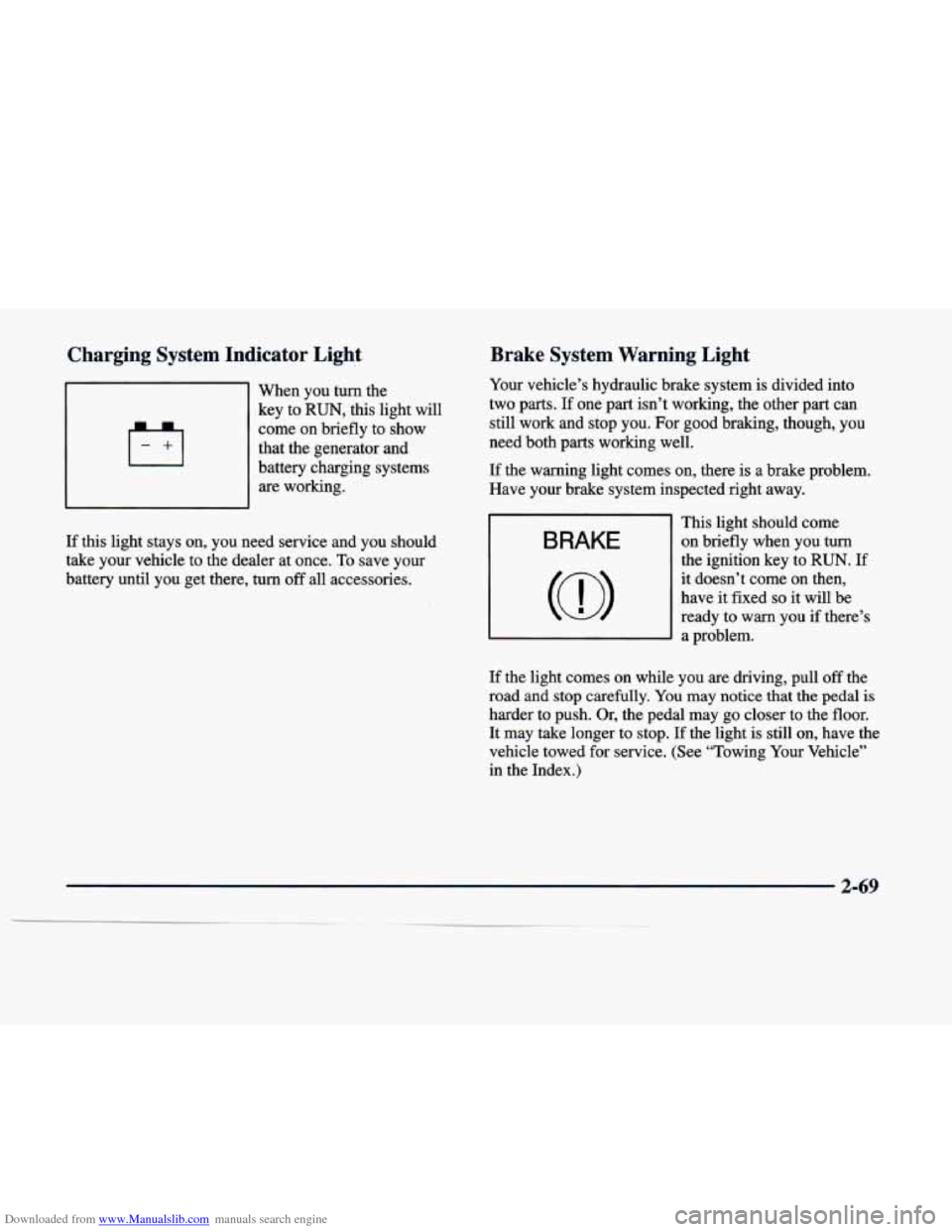
~ -
-1 When you turn the
key to
RUN, this light will
come on briefly to show
that the generator and
battery charging systems are working.
Brake System Warning Light
Your vehicle’s hydraulic brake system is divided into
two parts.
If one part isn’t working, the other part can
still work and stop you. For good braking, though, you
need both parts working well.
If the warning light comes on, there is a brake problem.
Have your brake system inspected right away.
If
this light stays on, you need service and you should
take your vehicle to the dealer at once.
To save your
battery until you get there, turn off all accessories. This light should come
on briefly when you turn
the ignition key to RUN. If
it doesn’t come on then,
have it fixed
so it will be
ready to warn you if there’s
a problem.
If the light comes on while you are driving, pull off the
road and stop carefully.
You may notice that the pedal is
harder to push. Or, the pedal may go closer to the floor.
It may take longer to stop. If the light is still on, have the
vehicle towed for service. (See “Towing
Your Vehicle”
in the Index.)
2-69
Page 150 of 386
Downloaded from www.Manualslib.com manuals search engine Driver Information Center (DIC)
This display gives you the status of many of your
vehicle’s systems. The DIC is also used to display driver
personalization features and warningktatus messages.
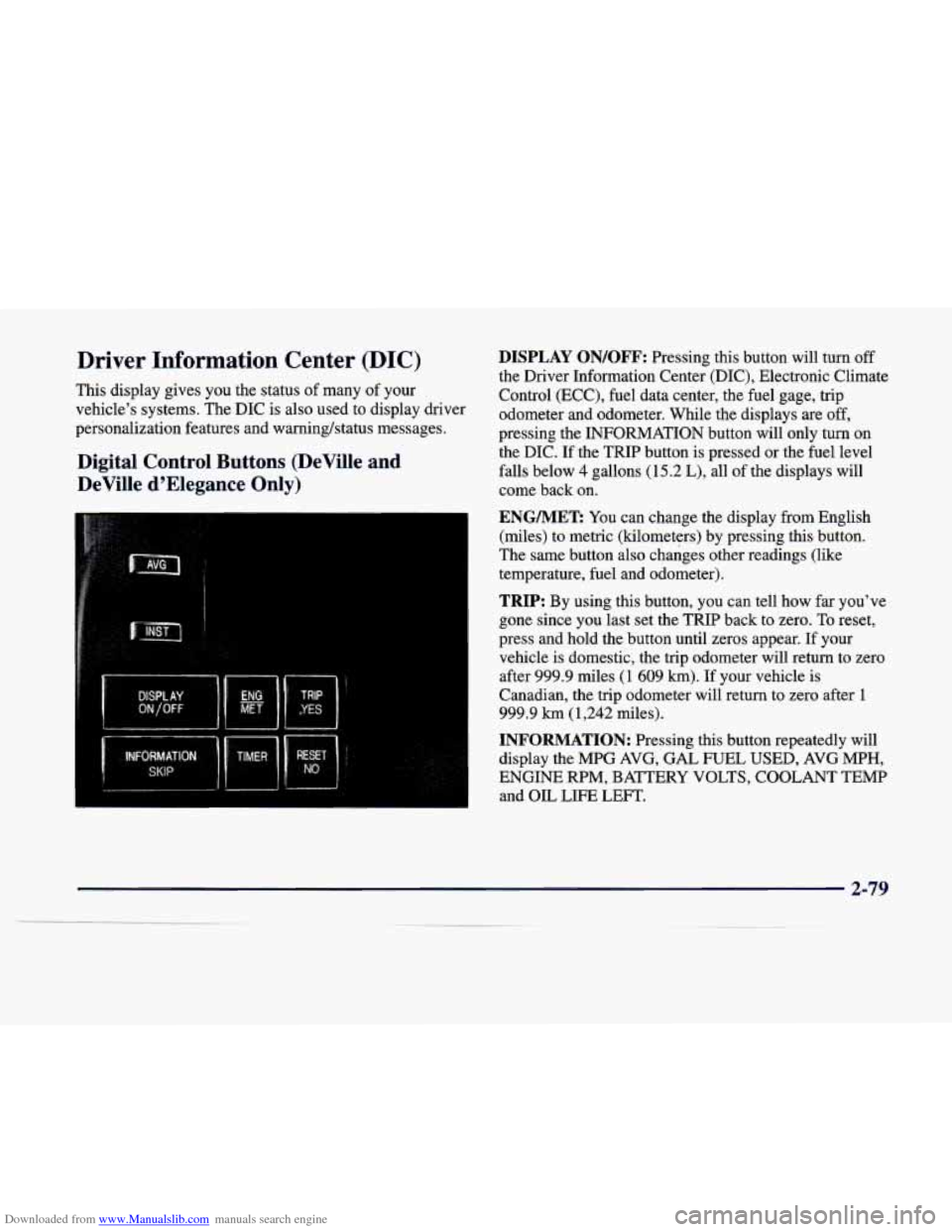
Digital Control Buttons (DeVille and
DeVille d’Elegance Only)
DISPLAY ON/OFF: Pressing this button will turn off
the Driver Information Center (DIC), Electronic Climate
Control (ECC), fuel data center, the fuel gage, trip
odometer and odometer. While the displays are off,
pressing the INFORMATION button will only turn on
the DIC. If the TRIP button is pressed or the fuel level
falls below
4 gallons (15.2 L), all of the displays will
come back on.
ENGMET: You can change the display from English
(miles) to metric (kilometers) by pressing this button.
The same button also changes other readings (like
temperature, fuel and odometer).
TRIP: By using this button, you can tell how far you’ve
gone since you last set the TRIP back to zero. To reset,
press and hold the button until zeros appear. If your
vehicle is domestic, the trip odometer will return to zero
after 999.9 miles
(1 609 km). If your vehicle is
Canadian, the trip odometer will return
to zero after 1
999.9 km (1,242 miles).
INFORMATION: Pressing this button repeatedly will
display the MPG AVG,
GAL FUEL USED, AVG MPH,
ENGINE RPM, BATTERY VOLTS, COOLANT TEMP
and OIL LIFE LEFT.
Page 152 of 386
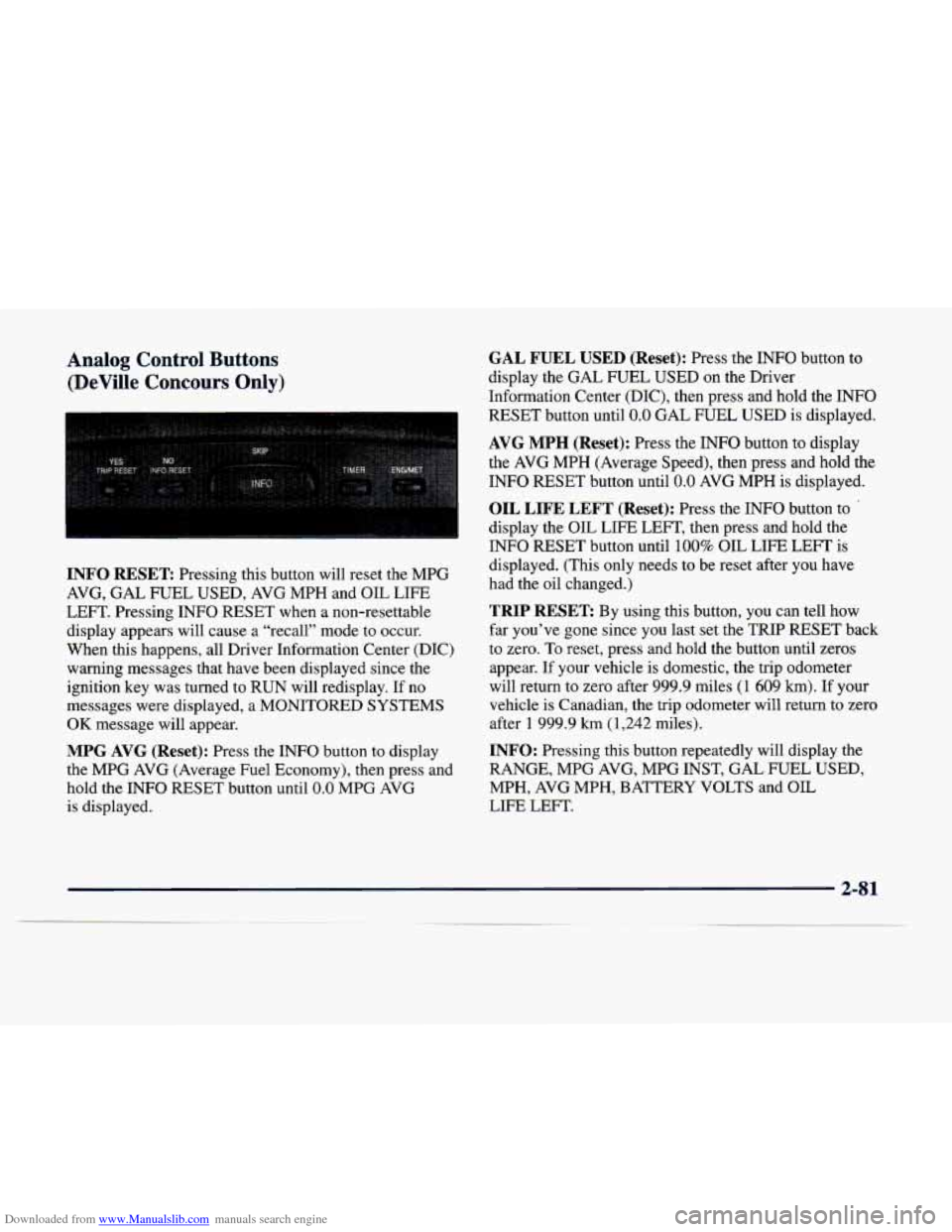
Downloaded from www.Manualslib.com manuals search engine Analog Control Buttons (DeVille Concours Only)
INFO RESET Pressing this button will reset the MPG
AVG, GAL FUEL USED, AVG MPH and OIL LIFE
LEFT. Pressing INFO RESET when a non-resettable
display appears will cause a “recall” mode to occur.
When this happens, all Driver Information Center (DIC) warning messages that have been displayed since the
ignition key was turned to RUN will redisplay. If no
messages were displayed,
a MONITORED SYSTEMS
OK message will appear.
MPG AVG (Reset): Press the INFO button to display
the MPG AVG (Average Fuel Economy), then press and
hold the INFO RESET button until
0.0 MPG AVG
is displayed.
GAL FUEL USED (Reset): Press the INFO button to
display the GAL FUEL
USED on the Driver
Information Center (DIC), then press and hold the
INFO
RESET button until 0.0 GAL FUEL USED is displayed.
AVG MPH (Reset): Press the INFO button to display
the AVG MPH (Average Speed), then press and hold the
INFO RESET button until
0.0 AVG MPH is displayed.
OIL LIFE LEFT (Reset): Press the INFO button to
display the OIL LIFE LEFT, then press and hold the
INFO RESET button until
100% OIL LIFE LEFT is
displayed. (This only needs to be reset after you have
had the oil changed.)
TRIP RESET By using this button, you can tell how
far you’ve gone since you last set the
TRIP RESET back
to zero. To reset, press and hold the button until zeros
appear. If your vehicle is domestic, the trip odometer
will return to zero after 999.9 miles
(1 609 km). If your
vehicle is Canadian, the trip odometer will return to zero
after
1 999.9 km (1,242 miles).
INFO: Pressing this button repeatedly will display the
RANGE, MPG AVG, MPG INST, GAL FUEL USED,
MPH, AVG MPH, BATTERY VOLTS and OIL
LIFE LEFT.
Page 153 of 386
Downloaded from www.Manualslib.com manuals search engine TIMER: This feature is like a stopwatch, in that
you can clock the time it takes to get from one point
to another.
To operate, press the TIMER button until- TIMER OFF
0O:OO:OO is displayed on the Driver Information Center
(DIC). Each of the fields for the hours, minutes and
seconds are two numeric digits.
Once TIMER
OFF 0O:OO:OO is displayed, press the
TIMER button to start the timing feature. Press the
TIMER button again to stop it.
If you will be starting
and stopping your vehicle
-- during a trip for
instance
-- the TIMER feature will automatically start
timing where it left off when you last stopped. To reset
it, press,and hold the INFO RESET button
until the
display reads TIMER
0O:OO:OO. Press the INFO button
to exit from the TIMER function.
ENG/MET: You can change the display from English
(miles) to metric (kilometers) by pressing this button.
The same button also changes other readings (like
temperature, fuel and odometer).
..
DIC Messages
These messages will appear if there is a problem sensed
in one of your vehicle’s systems. Vehicles that are first
sold in Canada will have a number after each message.
This number helps to identify the message which is only
displayed in English.
APPLY BRAKE TO SHIFT - 46: This message will
appear
if your vehicle is in PARK (P) for about 15
seconds and the brake is not pressed in. To remove this
message from the Driver Information Center (DIC)
display, hold the
OFF and the blue (cooler) buttons on
the digital cluster control panel for about five seconds.
On the analog climate control panel, press the
OFF
button (next to the MODE button) and the down arrow
on the PASS TEMP button for about five seconds. Hold
the same two buttons to display the message again.
BATTERY NOT CHARGING - 7: This message will
appear if the battery is not.being charged. Have the
electrical system checked by your dealership at your
earliest convenience.
2-82
Page 154 of 386
Downloaded from www.Manualslib.com manuals search engine BATTERY VOLTAGE HIGH -’ 8: This message
shows that the electrical charging system is
overcharging (more than 16 volts). To avoid being
stranded, have the electrical system checked by your
dealership. You can reduce the charging overload by
using the accessories. Turn on the lamps and radio, set
the climate control on AUTO and the fan speed on HI,
and turn the rear window defogger on.
You can monitor
battery voltage on the Driver Information Center (DIC)
by pressing the
INFO button. The normal range is
11.5 to 15.5 volts when the engine is running.
BATTERY VOLTAGE LOW - 6: This message will
appear when the electrical system is charging less than
10 volts or if the battery has been drained. If this
message appears immediately after starting,
it is possible
that the generator can still recharge the battery. The
battery should recharge and may take a few hours to do
so. Consider using an auxiliary charger to boost the
battery after returning home or to a final destination.
(Be sure to follow the manufacturer’s instructions when
recharging the battery.)
If this message appears while driving or after starting
your vehicle and stays on, have it checked immediately
to determine the cause of this problem.
To help the
generator recharge the battery quickly, you can reduce
the load on the electrical system by turning
off the
accessories. You can monitor battery voltage on the Driver Information Center (DIC) by pressing the
INFORMATION
(INFO) button. The normal range is
11.5 to 15.5 volts.
BRAKE VACUUM PROBLEM -108: The circuit in
the brake booster vacuum has shorted or is loose when
this message appears. Your vehicle may lose power
brakes but you will still have the use of manual brakes.
The power brakes will not be affected if the problem
is
caused by a failed sensor. Have your vehicle serviced
immediately at your dealership.
CHANGE ENGINE OIL - 82: This means that the life
of the engine oil has expired and it should be changed
within
200 miles (322 km). See “Engine Oil” and “Filter
Recommendations’’ in the Maintenance Schedule
booklet. After an oil change, the Oil Life Indicator must be reset. For more information, see “How to Reset the
Oil Life Indicator” in the Index.
CHANGE TRANS FLUID - 47: This message will
appear when it is time to replace the transaxle fluid. See
the Maintenance Schedule booklet for the proper fluid
and change intervals.
CHECK BRAKE FLUID - 37: This message will
display if the ignition is in RUN to inform the driver that
the brake fluid level is low. Check the brake reservoir
level and add fluid as needed. Have the brake system
2-83
__
Page 165 of 386
Downloaded from www.Manualslib.com manuals search engine Storage Mode Personalization
Before you begin programming, make sure that your vehicle’s ignition is
in RUN. To begin programming,
press the INFORMATION (INFO) and RESET (INFO
RESET) buttons at the same time for about two seconds.
The first message to appear
is DOORS LOCK IN
GEAR. Press the INFORMATION
(INFO) button after
this prompt is displayed until the STORAGE MODE
prompt appears on the Driver Information Center (DIC).
Press the TRIP (TRIP RESET) button to answer “yes” or press the RESET (INFO RESET) button to indicate a
“no” response.
FEATURE ON appears when a yes response is made
and FEATURE
OFF shows when a no response is made.
Since this is the last personalization feature available,
a
yes or no response will end out of the Driver
Information Center (DIC) display.
Once the battery guard has been programmed, your
vehicle will enter the storage mode about
20 minutes
after the ignition key has been turned off.
Your vehicle will stay in the storage mode until the
ignition key is turned out of LOCK. The system will
“wake-up” when the door key is inserted into the door,
however, your vehicle will remain in the storage mode.
The ignition must be out
of LOCK before the battery
guard is disabled.
Home and Away Feature
To program, hold two radio preset buttons at the same
time until
HOME PRESETS DRVR 1 ( DRVR 2)
appears on the Driver Information Center (DIC) display.
At this time, you are able to input your desired radio
stations. Holding the same
two radio preset buttons
again will display AWAY PRESETS DRVR
1 (or
DRVR
2). Radio stations that are out of your normal
operating range can be input at this time.
Climate Control Personalization
With this feature, your vehicle will recall the latest
climate control settings as adjusted the last time your
vehicle was operated. This feature allows two different
drivers to store and recall their own climate control
settings. The settings recalled by the climate control
system are determined by which remote keyless entry
transmitter
(“1” or “2”) was used to enter the vehicle.
The number on the back of the remote keyless entry
transmitter corresponds to driver
1 or to driver 2. After
the unlock button is pressed on the remote keyless entry
transmitter or the ignition key
is placed in the ignition,
the climate control settings will automatically adjust to
where they were last set. The settings can also be
changed by briefly pressing the memory seat buttons
1 or 2 located on the driver’s door.