mirror CADILLAC DEVILLE 2003 8.G User Guide
[x] Cancel search | Manufacturer: CADILLAC, Model Year: 2003, Model line: DEVILLE, Model: CADILLAC DEVILLE 2003 8.GPages: 423, PDF Size: 2.91 MB
Page 123 of 423

Vehicle Personalization
Memory Seat, Mirrors and Steering
Wheel
Your vehicle may be
equipped with the memory
package. The controls
for these features
are located on the driver's
door panel, and are
used to program and recall
memory settings for the
driver's seating positions.
Use the following steps to program each button:
1. Adjust the driver's seat including the seatback
recliner, lumbar and head restraint, both outside
mirrors and the steering wheel to a comfortable
position.
2. Press the SET button.
3. Within ®ve seconds, press button 1. After a brief
delay, a single beep will sound through the driver's
side front speaker to let you know that the
position has been stored.A second mirror, seating and steering wheel position
can be programmed by repeating the above steps and
pressing button 2 (for driver 2). Each time a memory
button is pressed, a single beep will sound. Each time
button 1 or 2 is pressed and released while the
vehicle is in PARK (P), the memory positions will be
recalled after a brief delay. If the vehicle is not in PARK
(P), the memory buttons must be pressed and held
to recall the stored positions.
If you use the remote keyless entry transmitter to enter
your vehicle, automatic seat and mirror movement
will occur. The numbers on the back of the transmitters,
1 and 2, correspond to the numbers on the buttons
on the door panel.
When the key is placed in the ignition in OFF and you
have entered the vehicle without using the remote
keyless entry transmitter, the seat and mirrors
will automatically adjust to the programmed position of
the last driver.
To stop recall movement of the memory feature at any
time, press one of the power seat controls or memory
buttons.
2-55
Page 124 of 423

Two personalized exit positions can be set by ®rst
recalling the driving position (by pressing 1 or 2), then
positioning the steering wheel and seat in the desired
exit positions and then pressing and releasing the
MEMORY SET button and, within ®ve seconds, pressing
the EXIT button. With the vehicle in PARK (P), the
exit position for the previously set driver can be recalled
by pressing the EXIT button. The mirrors, power
lumbar and shoulder belt height positions will not be
stored or recalled.Further programming for automatic seat and mirror
movement can be done using the Driver Information
Center (DIC). You can select or not select the following:
·Automatic seat and mirror movement when the
vehicle is unlocked with the remote keyless
entry transmitter, or
·automatic seat and mirror movement when a key is
placed in the ignition.
For programming information, see
DIC Vehicle
Personalization on page 3-67.
2-56
Page 131 of 423
Power Tilt Wheel and Telescopic
Steering Column
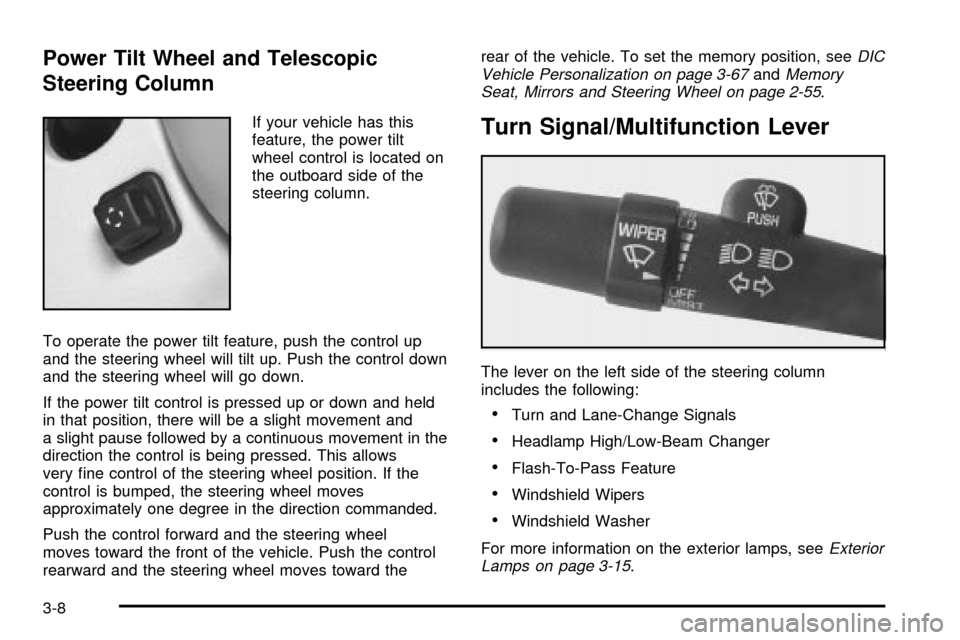
If your vehicle has this
feature, the power tilt
wheel control is located on
the outboard side of the
steering column.
To operate the power tilt feature, push the control up
and the steering wheel will tilt up. Push the control down
and the steering wheel will go down.
If the power tilt control is pressed up or down and held
in that position, there will be a slight movement and
a slight pause followed by a continuous movement in the
direction the control is being pressed. This allows
very ®ne control of the steering wheel position. If the
control is bumped, the steering wheel moves
approximately one degree in the direction commanded.
Push the control forward and the steering wheel
moves toward the front of the vehicle. Push the control
rearward and the steering wheel moves toward therear of the vehicle. To set the memory position, see
DIC
Vehicle Personalization on page 3-67andMemory
Seat, Mirrors and Steering Wheel on page 2-55.
Turn Signal/Multifunction Lever
The lever on the left side of the steering column
includes the following:
·Turn and Lane-Change Signals
·Headlamp High/Low-Beam Changer
·Flash-To-Pass Feature
·Windshield Wipers
·Windshield Washer
For more information on the exterior lamps, see
Exterior
Lamps on page 3-15.
3-8
Page 132 of 423
Turn and Lane-Change Signals
To signal a turn, move the lever all the way up or down.
The lever returns automatically when the turn is
complete.
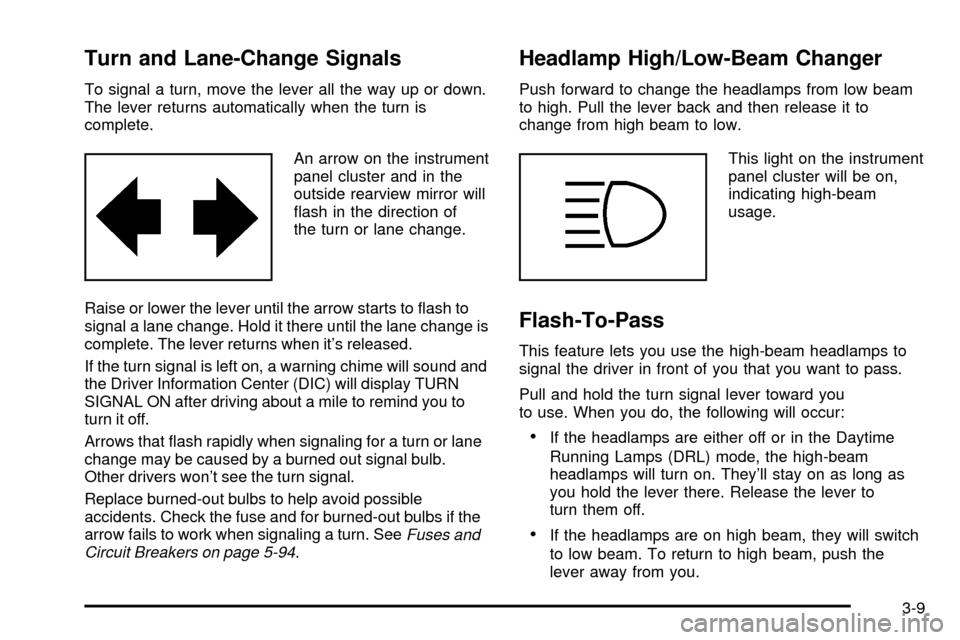
An arrow on the instrument
panel cluster and in the
outside rearview mirror will
¯ash in the direction of
the turn or lane change.
Raise or lower the lever until the arrow starts to ¯ash to
signal a lane change. Hold it there until the lane change is
complete. The lever returns when it's released.
If the turn signal is left on, a warning chime will sound and
the Driver Information Center (DIC) will display TURN
SIGNAL ON after driving about a mile to remind you to
turn it off.
Arrows that ¯ash rapidly when signaling for a turn or lane
change may be caused by a burned out signal bulb.
Other drivers won't see the turn signal.
Replace burned-out bulbs to help avoid possible
accidents. Check the fuse and for burned-out bulbs if the
arrow fails to work when signaling a turn. See
Fuses and
Circuit Breakers on page 5-94.
Headlamp High/Low-Beam Changer
Push forward to change the headlamps from low beam
to high. Pull the lever back and then release it to
change from high beam to low.
This light on the instrument
panel cluster will be on,
indicating high-beam
usage.
Flash-To-Pass
This feature lets you use the high-beam headlamps to
signal the driver in front of you that you want to pass.
Pull and hold the turn signal lever toward you
to use. When you do, the following will occur:
·If the headlamps are either off or in the Daytime
Running Lamps (DRL) mode, the high-beam
headlamps will turn on. They'll stay on as long as
you hold the lever there. Release the lever to
turn them off.
·If the headlamps are on high beam, they will switch
to low beam. To return to high beam, push the
lever away from you.
3-9
Page 133 of 423
Windshield Wipers
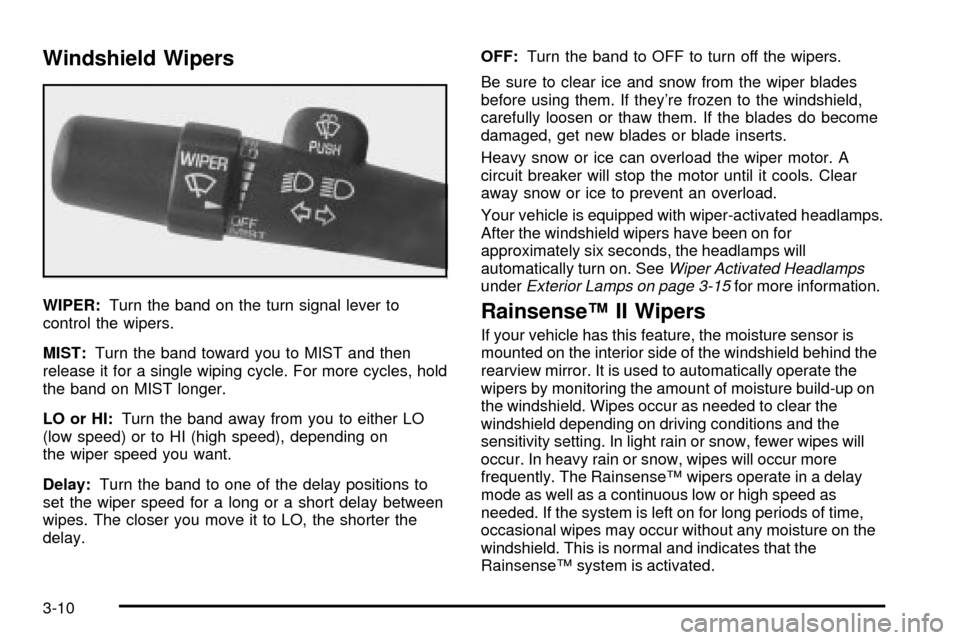
WIPER:Turn the band on the turn signal lever to
control the wipers.
MIST:Turn the band toward you to MIST and then
release it for a single wiping cycle. For more cycles, hold
the band on MIST longer.
LO or HI:Turn the band away from you to either LO
(low speed) or to HI (high speed), depending on
the wiper speed you want.
Delay:Turn the band to one of the delay positions to
set the wiper speed for a long or a short delay between
wipes. The closer you move it to LO, the shorter the
delay.OFF:Turn the band to OFF to turn off the wipers.
Be sure to clear ice and snow from the wiper blades
before using them. If they're frozen to the windshield,
carefully loosen or thaw them. If the blades do become
damaged, get new blades or blade inserts.
Heavy snow or ice can overload the wiper motor. A
circuit breaker will stop the motor until it cools. Clear
away snow or ice to prevent an overload.
Your vehicle is equipped with wiper-activated headlamps.
After the windshield wipers have been on for
approximately six seconds, the headlamps will
automatically turn on. See
Wiper Activated HeadlampsunderExterior Lamps on page 3-15for more information.
RainsenseŸ II Wipers
If your vehicle has this feature, the moisture sensor is
mounted on the interior side of the windshield behind the
rearview mirror. It is used to automatically operate the
wipers by monitoring the amount of moisture build-up on
the windshield. Wipes occur as needed to clear the
windshield depending on driving conditions and the
sensitivity setting. In light rain or snow, fewer wipes will
occur. In heavy rain or snow, wipes will occur more
frequently. The RainsenseŸ wipers operate in a delay
mode as well as a continuous low or high speed as
needed. If the system is left on for long periods of time,
occasional wipes may occur without any moisture on the
windshield. This is normal and indicates that the
RainsenseŸ system is activated.
3-10
Page 145 of 423

Inadvertent Power Battery Saver
This feature is designed to protect your vehicle's battery
against drainage from the interior lamps, trunk lamp,
glove box lamp, cigarette lighters or the garage
door opener. When the ignition is turned off, the power
to these features will automatically turn off after
10 minutes (three minutes if a new car has 15 miles
(24 km) or less). Power will be restored for an additional
10 minutes if any door is opened, the trunk is opened
or the courtesy lamp switch is turned on.
Night Vision System
The optional Night Vision System can help you see
better when you drive at night. The system works
by sensing heat given off by objects in its ®eld of view.
Warmer objects, such as pedestrians, animals and
other moving vehicles, will appear whiter. Colder objects,
such as the sky, signs and parked vehicles, will
appear darker.Use this system as an aid to help you in seeing objects
beyond the headlamps. Do this by occasionally
glancing at the image as you would a rearview mirror.
Do not stare at the image.
The Night Vision System can be operated if:
·the instrument panel brightness knob is in any
position except OFF
·it is dark enough outside
·the headlamps or fog lamps (if equipped) are on
and
·the ignition is turned to ON.
3-22
Page 148 of 423

Ultrasonic Rear Parking Assist
(URPA)
Your vehicle may be equipped with Ultrasonic Rear
Parking Assist (URPA). This system can help you
to determine how close an object is to your rear bumper
within a given area, making parking easier.
{CAUTION:
Even with the Ultrasonic Rear Park Assist
system, the driver must check carefully before
backing up. The system does not operate above
typical backing speeds of 3 mph (5 km/h) while
parking. And, the system doesn't detect objects
that are more than 5 feet (1.5 meters) behind the
vehicle.
CAUTION: (Continued)
CAUTION: (Continued)
So, unless you check carefully behind you
before and when you back up, you could strike
children, pedestrians, bicyclists or pets behind
you, and they could be injured or killed.
Whether or not you are using Rear Park Assist,
always check carefully behind your vehicle
before you back up and then watch closely
as you do.
The URPA display is
located inside the vehicle,
above the rear window.
It has three color-coded
lights that can be seen
through the rearview mirror
or by turning around.
3-25
Page 156 of 423
1FRONT (Defrost):Pressing FRONT directs most of
the air to the windshield and the side window outlets, with
some air directed to the ¯oor outlets. In this mode, the
system will automatically turn off recirculation and run the
air-conditioning compressor, unless the outside
temperature is at or below freezing. Recirculation cannot
be selected while in the defrost mode. Do not drive the
vehicle until all the windows are clear.
Rear Window Defogger
The rear window defogger uses a warming grid to
remove fog or frost from the rear window.
The rear window defogger will only work when the
ignition is in ON.
=REAR:Press this button to turn the rear window
defogger on or off. Be sure to clear as much snow from
the rear window as possible.
The rear window defogger will turn off approximately 10
minutes after the button is pressed. If turned on
again, the defogger will only run for approximately ®ve
minutes before turning off. The defogger can also
be turned off by pressing the button again or by turning
off the engine.
The heated outside rearview mirrors will heat to help
clear fog or frost from the surface of the mirror when the
REAR button is pressed.
Notice:Don't use a razor blade or something else
sharp on the inside of the rear window. If you
do, you could cut or damage the defogger and the
repairs would not be covered by your warranty.
Do not attach a temporary vehicle license, tape, a
decal or anything similar to the defogger grid.
Outlet Adjustment
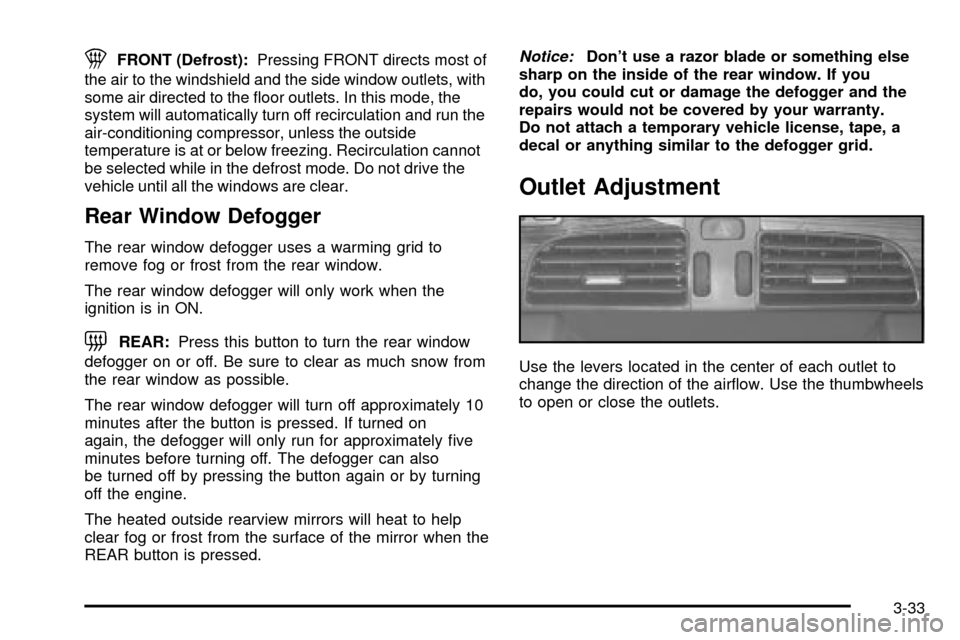
Use the levers located in the center of each outlet to
change the direction of the air¯ow. Use the thumbwheels
to open or close the outlets.
3-33
Page 162 of 423

Climate Controls Personalization
If your vehicle is equipped with this feature, you
can store and recall climate control settings for the
temperature, the fan speed and the direction of
the air¯ow.
Memory buttons 1 and 2 are located on the driver's door
panel and correspond to the numbers 1 or 2 found on
the back of each remote keyless entry transmitter.
To recall the climate control settings last stored on your
transmitter, press the unlock button on your remote
keyless entry transmitter and put the ignition in
ACCESSORY or ON. The settings will be recalled.
To change the stored settings, do the following:
1. Select the desired temperature, fan speed and
air¯ow mode. If desired, a separate temperature
setting may also be selected for the front seat
passenger. For information on how to do this, see
Dual Climate Control System on page 3-29.2. Locate memory buttons 1 and 2 on the driver's
door panel.
3. Press the memory button on the door panel that
corresponds to the number on the back of the
transmitter you are programming, until you hear two
beeps. The beeps con®rm that your selection has
been saved and can now be recalled. For more
information on the memory feature, see
Memory
Seat, Mirrors and Steering Wheel on page 2-55.
Follow these steps each time you want to change the
stored settings.
3-39
Page 190 of 423

Climate Controls and Radio System
Personalization
These features allow both drivers to personalize their
own climate control settings as well as their radio
settings. For more information, see
Climate Controls
Personalization on page 3-39andRadio Personalization
with Home and Away Feature on page 3-103.
DIC Vehicle Personalization
Your vehicle is equipped with personalization capabilities
that allows you to program certain features to a preferred
setting for up to two people. The number of
programmable features varies depending upon which
model of the vehicle is purchased. On all vehicles,
features such as climate control settings, radio preset
settings, exterior lighting at unlock, remote lock and
unlock con®rmation, and automatic door locks have
already been programmed for your convenience. Some
vehicles are equipped with additional features that can be
programmed including the seat position, steering column
position (if equipped) and outside mirror position. The
navigation screen preferences (if equipped) will remain at
the last set position.If your vehicle is equipped with the ability to program
additional personalization features, the driver's
preferences are recalled by pressing the unlock button
on the remote keyless entry transmitter or by pressing
the appropriate memory button, 1 or 2, located on
the driver's door. Certain features can be programmed
not to recall until the key is placed in the ignition.
To change feature preferences you must use one of the
following procedures.
Entering Feature Programming
To enter feature programming mode, do the following:
1. Turn the ignition to ON, making sure the vehicle is in
PARK (P).
2. If your vehicle has memory settings, press the
appropriate memory button, 1 or 2, located on
the driver's door panel. The DIC display will show
either 1 or 2 depending on which button was
selected. Make sure the number on the DIC display
matches the number on the back of your key fob.
3. Press the INFO button until FEATURE
PROGRAMMING appears on the DIC display.
4. Press the ON/OFF button to enter FEATURE
PROGRAMMING.
3-67