door lock CADILLAC DEVILLE 2004 8.G Owner's Guide
[x] Cancel search | Manufacturer: CADILLAC, Model Year: 2004, Model line: DEVILLE, Model: CADILLAC DEVILLE 2004 8.GPages: 460, PDF Size: 2.88 MB
Page 211 of 460
Doors Lock in Gear
With the ignition in ON and all the doors closed, this
feature allows the vehicle’s doors to automatically lock
when the driver shifts the transaxle out of PARK (P).
Programmable Modes
Mode 1:ON
Mode 2:OFF
Before your vehicle was shipped from the factory, it was
programmed to Mode 1. The mode to which the
vehicle was programmed may have been changed since
it left the factory.To determine the mode to which the vehicle is
programmed or to program the vehicle to a different
mode, do the following:
1. Enter FEATURE PROGRAMMING following the
instructions listed previously.
2. Press the down arrow on the INFO button until
DOORS LOCK IN GEAR appears on the DIC
display.
3. To turn on the feature, press the ON/OFF button
until ON appears on the DIC display. To turn it off,
press the ON/OFF button until OFF appears on
the display.
The mode you selected is now set. You can either exit
the programming mode by following the instructions
later in this section or program the next feature available
on your vehicle.
3-83
Page 212 of 460

Driver Unlock in PARK (P)
This feature allows the driver’s door to automatically
unlock when the vehicle is shifted into PARK (P).
All other doors will remain locked until the unlock button
on either front door armrest or on the remote keyless
entry transmitter is pressed.
Programmable Modes
Mode 1:ON
Mode 2:OFF
Before your vehicle was shipped from the factory, it was
programmed to Mode 2. The mode to which the
vehicle was programmed may have been changed since
it left the factory.To determine the mode to which the vehicle is
programmed or to program the vehicle to a different
mode, do the following:
1. Enter FEATURE PROGRAMMING following the
instructions listed previously.
2. Press the down arrow on the INFO button until
DRIVER UNLOCK IN PARK appears on the DIC
display.
3. To turn on the feature, press the ON/OFF button
until ON appears on the DIC display. To turn it off,
press the ON/OFF button until OFF appears on
the display.
The mode you selected is now set. You can either exit
the programming mode by following the instructions
later in this section or program the next feature available
on your vehicle.
3-84
Page 213 of 460

Driver Unlock Key Off
This feature allows the driver’s door to automatically
unlock when the ignition key is turned to OFF. All other
doors will remain locked until the unlock button on
either front door armrest or on the remote keyless entry
transmitter is pressed.
Programmable Modes
Mode 1:ON
Mode 2:OFF
Before your vehicle was shipped from the factory, it was
programmed to Mode 2. The mode to which the
vehicle was programmed may have been changed since
it left the factory.To determine the mode to which the vehicle is
programmed or to program the vehicle to a different
mode, do the following:
1. Enter FEATURE PROGRAMMING following the
instructions listed previously.
2. Press the down arrow on the INFO button until
DRIVER UNLOCK KEY OFF appears on the
DIC display.
3. To turn on the feature, press the ON/OFF button
until ON appears on the DIC display. To turn it off,
press the ON/OFF button until OFF appears on
the display.
The mode you selected is now set. You can either exit
the programming mode by following the instructions
later in this section or program the next feature available
on your vehicle.
3-85
Page 214 of 460
Doors Unlock in PARK (P)
This feature will automatically unlock all doors when the
vehicle is shifted in to PARK (P).
Programmable Modes
Mode 1:ON
Mode 2:OFF
Before your vehicle was shipped from the factory, it was
programmed to Mode 1. The mode to which the
vehicle was programmed may have been changed since
it left the factory. To determine the mode to which the
vehicle is programmed or to program the vehicle to
a different mode, do the following:
1. Enter FEATURE PROGRAMMING following the
instructions listed previously.
2. Press the down arrow on the INFO button until
DOORS UNLOCK IN PARK appears on the DIC
display.
3. To turn on the feature, press the ON/OFF button
until ON appears on the DIC display. To turn it off,
press the ON/OFF button until OFF appears on
the display.
The mode you selected is now set. You can either exit
the programming mode by following the instructions
later in this section or program the next feature available
on your vehicle.
Doors Unlock Key Off
This feature will automatically unlock all doors when the
ignition key is turned to OFF.
Programmable Modes
Mode 1:ON
Mode 2:OFF
Before your vehicle was shipped from the factory, it was
programmed to Mode 2. The mode to which the
vehicle was programmed may have been changed since
it left the factory. To determine the mode to which the
vehicle is programmed or to program the vehicle to
a different mode, do the following:
1. Enter FEATURE PROGRAMMING following the
instructions listed previously.
2. Press the down arrow on the INFO button until
DRIVER UNLOCK KEY OFF appears on the
DIC display.
3. To turn on the feature, press the ON/OFF button
until ON appears on the DIC display. To turn it off,
press the ON/OFF button until OFF appears on
the display.
The mode you selected is now set. You can either exit
the programming mode by following the instructions
later in this section or program the next feature available
on your vehicle.
3-86
Page 216 of 460

Tire Pressure Display
This feature will allow the individual tire pressure
readings to be displayed when using the INFO button to
scroll through the DIC displays. Even with this feature
programmed to be turned off, a low or high tire pressure
condition will still cause the CHECK TIRE PRESSURE
message to be displayed on the DIC. SeeDIC Warnings
and Messages on page 3-65for more information.
Programmable Modes
Mode 1:ON
Mode 2:OFF
Before your vehicle was shipped from the factory, it was
programmed to Mode 1. The mode to which the
vehicle was programmed may have been changed since
it left the factory. To determine the mode to which the
vehicle is programmed or to program the vehicle to
a different mode, do the following:
1. Enter FEATURE PROGRAMMING following the
instructions listed previously.
2. Press the down arrow on the INFO button until
TIRE PRESSURE DISPLAY appears on the DIC
display.3. To turn on the feature, press the ON/OFF button
until ON appears on the DIC display. To turn it off,
press the ON/OFF button until OFF appears on
the display.
The mode you selected is now set. You can either exit
the programming mode by following the instructions
later in this section or program the next feature available
on your vehicle.
Driver’s Name Set/Recall
If your vehicle has the optional memory package, you
will have this feature. This feature allows individual
driver’s names to be displayed in the DIC when
the ignition is turned to ON. This feature only works
when the remote keyless entry transmitter is used
to unlock the vehicle or when buttons 1 or 2 on the
driver’s door are pressed. See your dealer for assistance
in programming this feature.
Exiting Feature Programming
To exit FEATURE PROGRAMMING, press the INFO
RESET or INFO button.
3-88
Page 303 of 460

The fuel door release
button is located to the left
of the steering wheel
next to the exterior lamp
control.
The button only works when the vehicle is in PARK (P)
or NEUTRAL (N), when the key is in the ignition and
the VALET lockout button is in OFF.An alternate fuel door
release is located inside of
the trunk on the driver’s
side. Pull it to release
the fuel door.
5-9
Page 304 of 460

While refueling, hang the fuel cap by the tether from the
hook on the ller door.
To remove the fuel cap, turn it slowly to the left
(counterclockwise). The fuel cap has spring in it; if you let
go of the cap too soon, it will spring back to the right.
{CAUTION:
If you spill fuel and then something ignites it,
you could be badly burned. Fuel can spray out
on you if you open the fuel cap too quickly. This
spray can happen if your tank is nearly full, and
is more likely in hot weather. Open the fuel cap
slowly and wait for any “hiss” noise to stop.
Then unscrew the cap all the way.
5-10
Page 406 of 460
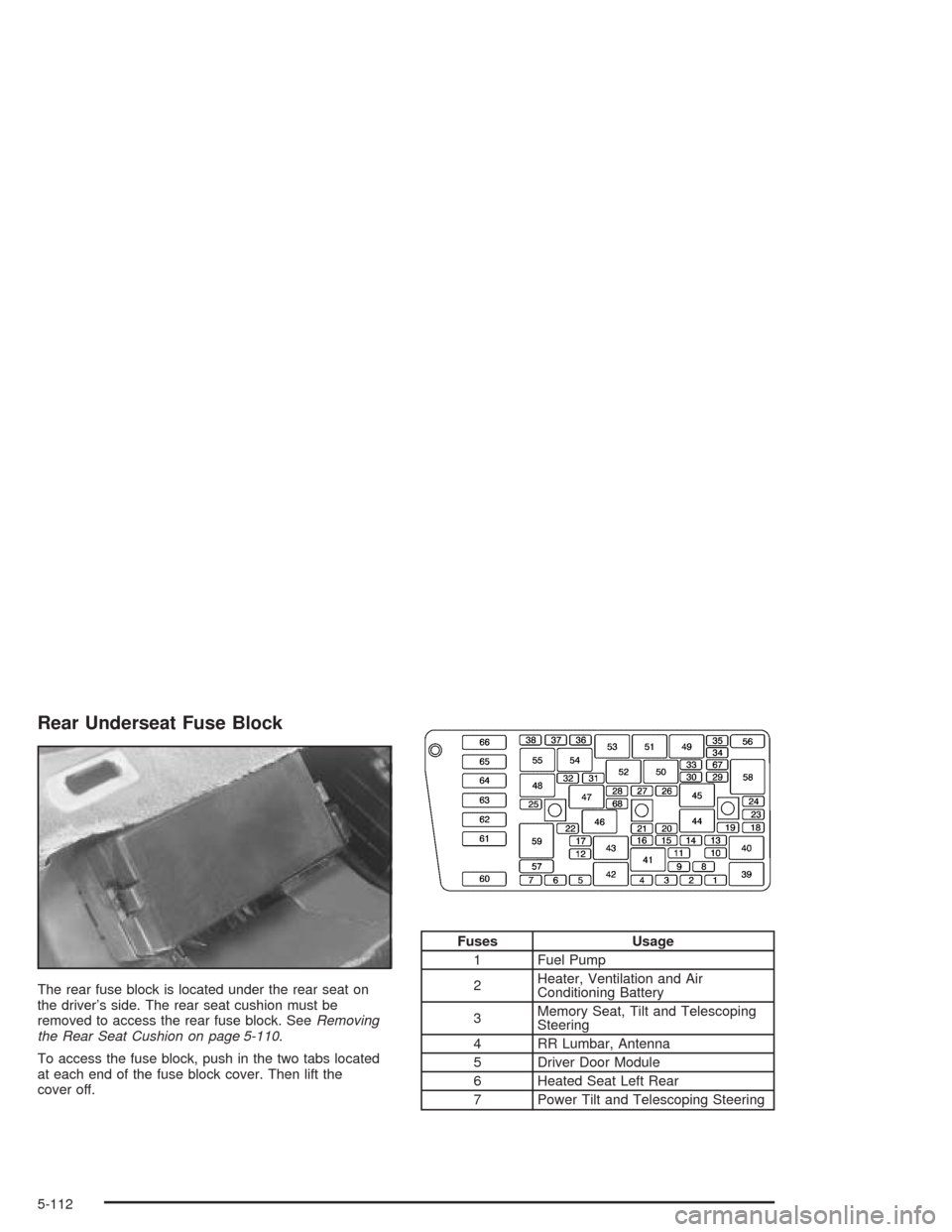
Rear Underseat Fuse Block
The rear fuse block is located under the rear seat on
the driver’s side. The rear seat cushion must be
removed to access the rear fuse block. SeeRemoving
the Rear Seat Cushion on page 5-110.
To access the fuse block, push in the two tabs located
at each end of the fuse block cover. Then lift the
cover off.
Fuses Usage
1 Fuel Pump
2Heater, Ventilation and Air
Conditioning Battery
3Memory Seat, Tilt and Telescoping
Steering
4 RR Lumbar, Antenna
5 Driver Door Module
6 Heated Seat Left Rear
7 Power Tilt and Telescoping Steering
5-112
Page 407 of 460
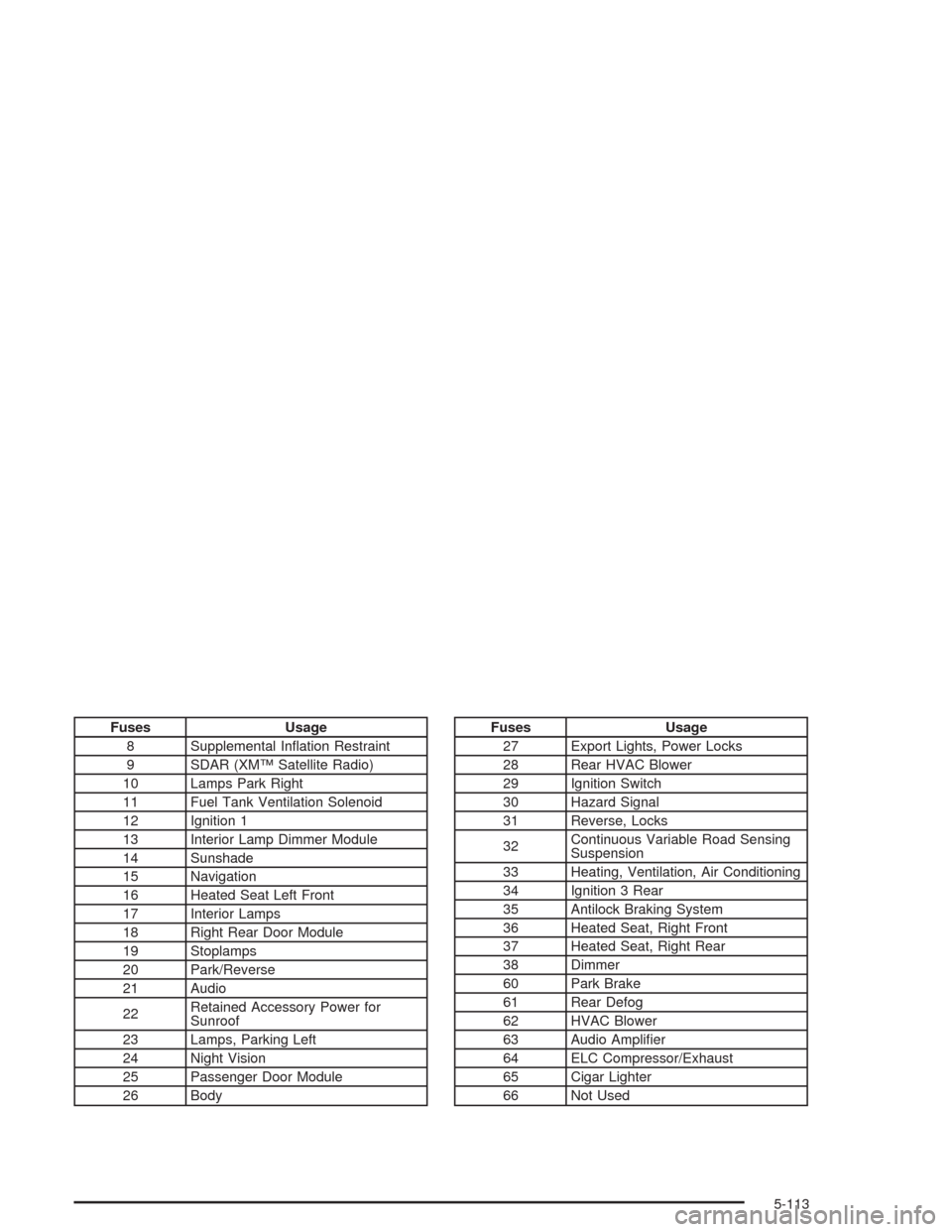
Fuses Usage
8 Supplemental Ination Restraint
9 SDAR (XM™ Satellite Radio)
10 Lamps Park Right
11 Fuel Tank Ventilation Solenoid
12 Ignition 1
13 Interior Lamp Dimmer Module
14 Sunshade
15 Navigation
16 Heated Seat Left Front
17 Interior Lamps
18 Right Rear Door Module
19 Stoplamps
20 Park/Reverse
21 Audio
22Retained Accessory Power for
Sunroof
23 Lamps, Parking Left
24 Night Vision
25 Passenger Door Module
26 BodyFuses Usage
27 Export Lights, Power Locks
28 Rear HVAC Blower
29 Ignition Switch
30 Hazard Signal
31 Reverse, Locks
32Continuous Variable Road Sensing
Suspension
33 Heating, Ventilation, Air Conditioning
34 Ignition 3 Rear
35 Antilock Braking System
36 Heated Seat, Right Front
37 Heated Seat, Right Rear
38 Dimmer
60 Park Brake
61 Rear Defog
62 HVAC Blower
63 Audio Amplier
64 ELC Compressor/Exhaust
65 Cigar Lighter
66 Not Used
5-113
Page 408 of 460
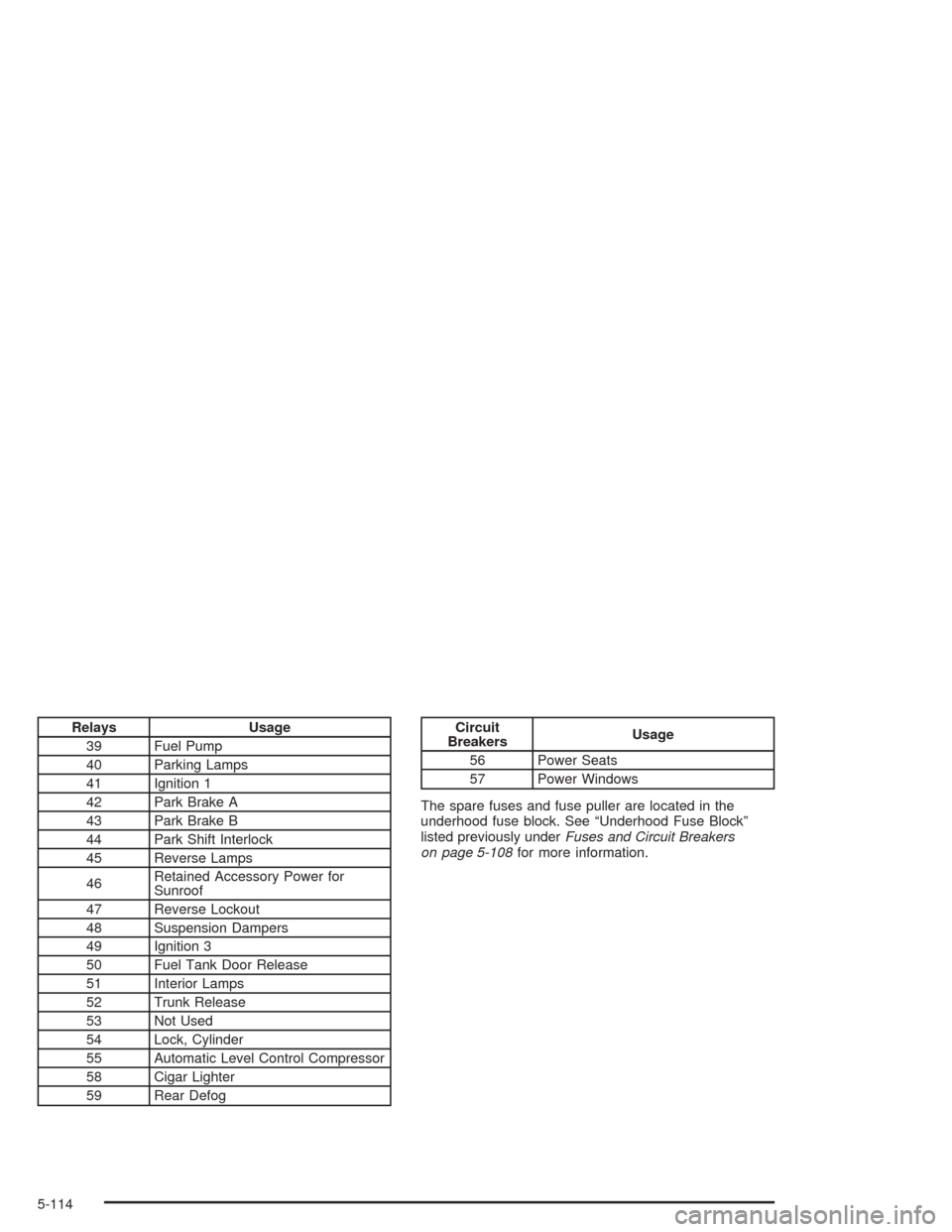
Relays Usage
39 Fuel Pump
40 Parking Lamps
41 Ignition 1
42 Park Brake A
43 Park Brake B
44 Park Shift Interlock
45 Reverse Lamps
46Retained Accessory Power for
Sunroof
47 Reverse Lockout
48 Suspension Dampers
49 Ignition 3
50 Fuel Tank Door Release
51 Interior Lamps
52 Trunk Release
53 Not Used
54 Lock, Cylinder
55 Automatic Level Control Compressor
58 Cigar Lighter
59 Rear DefogCircuit
BreakersUsage
56 Power Seats
57 Power Windows
The spare fuses and fuse puller are located in the
underhood fuse block. See “Underhood Fuse Block”
listed previously underFuses and Circuit Breakers
on page 5-108for more information.
5-114