brake light CADILLAC DTS 2006 1.G User Guide
[x] Cancel search | Manufacturer: CADILLAC, Model Year: 2006, Model line: DTS, Model: CADILLAC DTS 2006 1.GPages: 450, PDF Size: 2.55 MB
Page 194 of 450

Brake System Warning Light
Your vehicle’s hydraulic brake system is divided into
two parts. If one part isn’t working, the other part can
still work and stop you. For good braking, though, you
need both parts working well.
If the warning light comes on, there is a brake problem.
Have your brake system inspected right away.
This light should come on briey when you turn the
engine on. If it does not come on then, have it xed
so it will be ready to warn you if there is a problem.When the ignition is on, the brake system warning light
will also come on when you set your parking brake.
The light will stay on if your parking brake does
not release fully. If it stays on after your parking brake is
fully released, it means you have a brake problem.
If the light comes on while you are driving, pull off the
road and stop carefully. You may notice that the pedal is
harder to push, or the pedal may go closer to the
oor. It may take longer to stop. If the light is still on,
have the vehicle towed for service. SeeTowing
Your Vehicle on page 4-37.
{CAUTION:
Your brake system may not be working
properly if the brake system warning light is on.
Driving with the brake system warning light on
can lead to an accident. If the light is still on
after you have pulled off the road and stopped
carefully, have the vehicle towed for service. United StatesCanada
3-62
Page 195 of 450
Anti-Lock Brake System
Warning Light
With the anti-lock brake
system, the light will come
on when your engine is
started and may stay on
for several seconds.
That is normal.
If the ABS warning light comes on and stays on, there
may be a problem with the antilock portion of the
brake system. If the red BRAKE light is not on, you still
have brakes, but you do not have antilock brakes.
SeeBrake System Warning Light on page 3-62.
If the light stays on, turn the ignition to OFF/ACC. If the
light comes on when you are driving, stop as soon as
possible and turn the ignition off. Then start the engine
again to reset the system. If the light still stays on, or
comes on again while you are driving, your vehicle needs
service. If the regular brake system warning light is not
on, you still have brakes, but you do not have anti-lock
brakes. If the regular brake system warning light is also
on, you do not have anti-lock brakes and there is a
problem with your regular brakes. SeeBrake System
Warning Light on page 3-62.The anti-lock brake system warning light should come
on briey when you turn the ignition key to RUN. If
the light does not come on then, have it xed so it
will be ready to warn you if there is a problem.
Low Tire Pressure Warning Light
This light will come on
briey as you start the
engine, for vehicles
equipped with the Tire
Pressure Monitor System.
It will then come on only when a at or low tire pressure
condition exists.
SeeTire Pressure Monitor System on page 5-59for
more information.
3-63
Page 216 of 450
SERVICE BRAKE ASSIST
This message will display if there is a problem with the
brake system. The brake system warning light and the
anti-lock brake system warning light may also be
displayed on the instrument panel cluster. SeeBrake
System Warning Light on page 3-62andAnti-Lock Brake
System Warning Light on page 3-63for more information.
If this happens, stop as soon as possible and turn off the
vehicle. Restart the vehicle and check for the message
on the DIC display. If the message is displayed or
appears again when you begin driving, the brake system
needs service. See your GM dealer as soon as possible.
SeeBrakes on page 5-35for more information.
SERVICE BRAKE SYSTEM
This message will display if the ignition is on to inform
the driver that the brake uid level is low. Have the
brake system serviced by your GM dealer as soon
as possible.
SERVICE PARKING ASSIST
If your vehicle has the Ultrasonic Front and Rear
Parking Assist (UFRPA) system, this message will
display if there is a problem with the UFRPA system.
Do not use this system to help you park. SeeUltrasonic
Front and Rear Parking Assist (UFRPA) on page 3-38
for more information. See your GM dealer for service.
SERVICE POWER STEERING
Your vehicle may have a speed variable assist steering
system. SeeSteering on page 4-11.
This message will display if a problem is detected with
the speed variable assist steering system. When this
message is displayed, you may notice that the effort
required to steer the vehicle decreases or feels lighter,
but you will still be able to steer the vehicle.
SERVICE RADAR CRUISE
This message will display when the Adaptive Cruise
Control (ACC) system and the Forward Collision
Alert (FCA) system are disabled and need service.
See your GM dealer.
3-84
Page 264 of 450
Braking
SeeBrake System Warning Light on page 3-62.
Braking action involves perception time and
reaction time.
First, you have to decide to push on the brake pedal.
That is perception time. Then you have to bring up your
foot and do it. That is reaction time.
Average reaction time is about three-fourths of a
second. But that is only an average. It might be less
with one driver and as long as two or three seconds or
more with another. Age, physical condition, alertness,
coordination, and eyesight all play a part. So do alcohol,
drugs, and frustration. But even in three-fourths of a
second, a vehicle moving at 60 mph (100 km/h) travels
66 feet (20 m). That could be a lot of distance in an
emergency, so keeping enough space between
your vehicle and others is important.
And, of course, actual stopping distances vary greatly
with the surface of the road, whether it is pavement
or gravel; the condition of the road, whether it is
wet, dry, or icy; tire tread; the condition of your brakes;
the weight of the vehicle; and the amount of brake
force applied.Avoid needless heavy braking. Some people drive
in spurts — heavy acceleration followed by heavy
braking — rather than keeping pace with traffic. This is a
mistake. Your brakes may not have time to cool between
hard stops. Your brakes will wear out much faster if you
do a lot of heavy braking. If you keep pace with the traffic
and allow realistic following distances, you will eliminate a
lot of unnecessary braking. That means better braking
and longer brake life.
If your engine ever stops while you are driving, brake
normally but do not pump your brakes. If you do,
the pedal may get harder to push down. If your engine
stops, you will still have some power brake assist.
But you will use it when you brake. Once the power
assist is used up, it may take longer to stop and
the brake pedal will be harder to push.
Adding non-GM accessories can affect your vehicle’s
performance. SeeAccessories and Modications
on page 5-3.
4-6
Page 265 of 450
Anti-Lock Brake System (ABS)
Your vehicle has the Anti-Lock Brake System (ABS), an
advanced electronic braking system that will help prevent
a braking skid.
When you start your engine and begin to drive away,
ABS will check itself. You may hear a momentary motor
or clicking noise while this test is going on, and you may
even notice that your brake pedal moves a little.
This is normal.
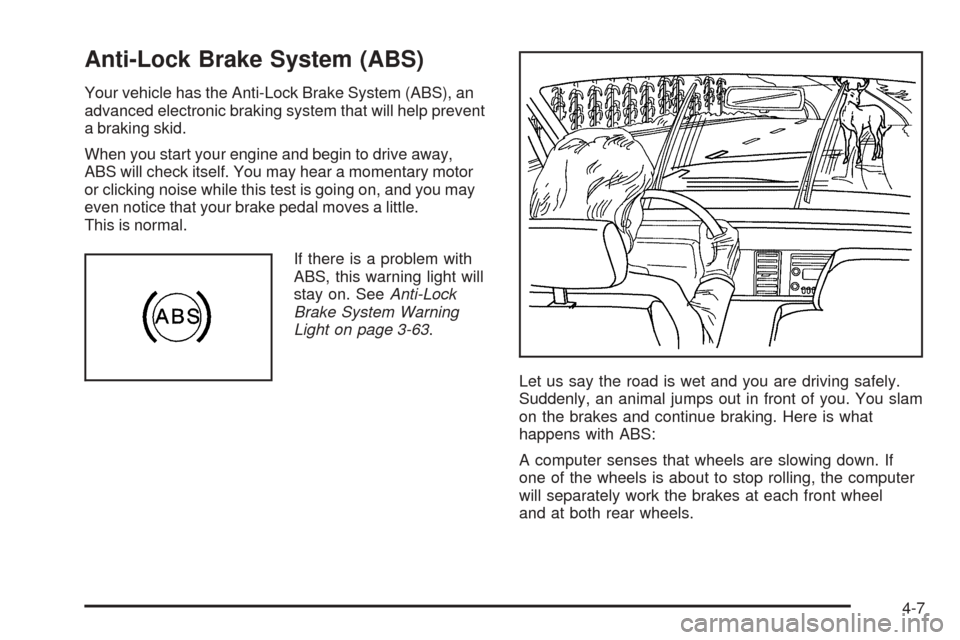
If there is a problem with
ABS, this warning light will
stay on. SeeAnti-Lock
Brake System Warning
Light on page 3-63.
Let us say the road is wet and you are driving safely.
Suddenly, an animal jumps out in front of you. You slam
on the brakes and continue braking. Here is what
happens with ABS:
A computer senses that wheels are slowing down. If
one of the wheels is about to stop rolling, the computer
will separately work the brakes at each front wheel
and at both rear wheels.
4-7
Page 267 of 450
Traction Control System (TCS)
Your vehicle has a traction control system that limits
wheel spin. This is especially useful in slippery road
conditions. The system operates only if it senses that the
front wheels are spinning too much or beginning to lose
traction. When this happens, the system works the front
brakes and reduces engine power (by closing the throttle
and managing engine spark) to limit wheel spin.
The traction control system and StabiliTrak
®warning
light will ash when the traction control system is limiting
wheel spin. SeeTraction Control System (TCS)
Warning Light on page 3-64andStabiliTrak
®Indicator
Light on page 3-64for more information. You may feel or
hear the system working, but this is normal.
If your vehicle is in cruise control when the traction
control system begins to limit wheel spin, the cruise
control will automatically disengage. When road
conditions allow you to safely use it again, you may
re-engage the cruise control. SeeCruise Control
on page 3-16orAdaptive Cruise Control on page 3-19
for more information.The SERVICE TRACTION CONTROL message, the
traction control system warning light and the StabiliTrak
®
warning light will come on to let you know if there is a
problem with the traction control system. SeeDIC
Warnings and Messages on page 3-76.
When this light and the SERVICE TRACTION
CONTROL message are on, the system will not limit
wheel spin. Adjust your driving accordingly.
The traction control system automatically comes on
whenever you start your vehicle. To limit wheel
spin, especially in slippery road conditions, you should
always leave the system on. But you can turn the
traction control system off if you ever need to.
You can turn the system on or off at any time by
pressing the traction control system button located on
the console or on the end of the column shifter. The DIC
will display TRACTION CONTROL OFF when you
press the button.
Adding non-GM accessories can affect your vehicle’s
performance. SeeAccessories and Modications
on page 5-3for more information.
4-9
Page 268 of 450
Magnetic Ride Control
Your vehicle may have a feature called Magnetic Ride
Control that automatically adjusts the ride of your
vehicle. Automatic ride control is achieved through a
computer used to control and monitor the suspension
system. The controller receives input from various
sensors to determine the proper system response. If the
controller detects a problem within the system, the
DIC will display a SERVICE SUSPENSION SYS
message. SeeDIC Warnings and Messages on
page 3-76for more information. If this message appears,
have your vehicle serviced at your dealership.
Electronically Controlled Air Ride
Suspension
If you have a Cadillac Professional Vehicle, you may
have a feature called Electronically Controlled Air
Suspension. Air ride control is achieved through a
computer used to control and monitor the system. The
controller receives input from two height sensors to
determine the proper system response. If the controller
detects a problem with the system, the Driver
Information Center (DIC) will display a SERVICE
SUSPENSION SYS message. If this message appears,
have your vehicle serviced at your dealership.
StabiliTrak®System
Your vehicle may have this feature. The StabiliTrak®
system is an advanced computer controlled system that
helps the driver maintain directional control of the
vehicle in difficult driving conditions. This is
accomplished by selectively applying any one of the
vehicle’s brakes and reducing engine power.
The StabiliTrak
®system comes on automatically
whenever you start your vehicle. The system cannot be
turned off.
The STABILITRAK NOT READY message may be
displayed in the DIC and the traction control system and
StabiliTrak
®warning light on the instrument panel
cluster will be on after rst driving the vehicle and
exceeding 30 mph 48 (km/h) for 30 seconds. The
StabiliTrak
®system is off until the light has turned off.
This could take up to 15 minutes.
The traction control system and StabiliTrak
®warning
light on the instrument panel cluster will ash when the
system is operating. SeeTraction Control System
(TCS) Warning Light on page 3-64and
StabiliTrak
®Indicator Light on page 3-64for more
information. You may also feel or hear the system
working. This is normal.
4-10
Page 269 of 450
The SERVICE STABILITRAK message will be displayed
and the traction control system and StabiliTrak®warning
light on the instrument panel cluster will come on if there
is a problem with the system. When this light and the
SERVICE STABILITRAK message are on, the system is
not operational. Adjust your driving accordingly.
Panic Brake Assist
Your vehicle has a panic brake assist system that
monitors the intention of the driver while braking. If the
system senses that the driver has applied hard/fast
pressure to the brake pedal, the system will generate
additional pressure, making it easier for the driver to
maintain brake application. When this happens the brake
pedal will feel easier to push. Just hold the brake pedal
down rmly and let the system work for you. You may feel
the brakes vibrate, or you may notice some noise but this
is normal. The brakes will return to normal operation after
the brake pedal has been released.
Steering
Power Steering
If you lose power steering assist because the engine
stops or the system is not functioning, you can steer but
it will take much more effort.
Magnetic Speed Variable Assist
Steering System
This system continuously adjusts the effort you feel
when steering at all vehicle speeds. It provides ease
when parking, yet a rm, solid feel at highway speeds.
Steering Tips
It is important to take curves at a reasonable speed.
A lot of the “driver lost control” accidents mentioned on
the news happen on curves. Here is why:
Experienced driver or beginner, each of us is subject to
the same laws of physics when driving on curves.
The traction of the tires against the road surface makes
it possible for the vehicle to change its path when
you turn the front wheels. If there is no traction, inertia
will keep the vehicle going in the same direction. If
you have ever tried to steer a vehicle on wet ice, you
will understand this.
The traction you can get in a curve depends on the
condition of your tires and the road surface, the angle at
which the curve is banked, and your speed. While
you are in a curve, speed is the one factor you
can control.
4-11
Page 277 of 450
The heavier the rain, the harder it is to see. Even if your
windshield wiper blades are in good shape, a heavy
rain can make it harder to see road signs and
traffic signals, pavement markings, the edge of the road,
and even people walking.
It is wise to keep your windshield wiping equipment in
good shape and keep your windshield washer uid
reservoir lled with washer uid. Replace your
windshield wiper inserts when they show signs of
streaking or missing areas on the windshield, or when
strips of rubber start to separate from the inserts.
{CAUTION:
Wet brakes can cause accidents. They will not
work as well in a quick stop and may cause
pulling to one side. You could lose control of
the vehicle.
After driving through a large puddle of water
or a car wash, apply your brake pedal lightly
until your brakes work normally.Driving too fast through large water puddles or even
going through some car washes can cause problems,
too. The water may affect your brakes. Try to avoid
puddles. But if you cannot, try to slow down before
you hit them.
Hydroplaning
Hydroplaning is dangerous. So much water can build up
under your tires that they can actually ride on the
water. This can happen if the road is wet enough and
you are going fast enough. When your vehicle is
hydroplaning, it has little or no contact with the road.
Hydroplaning does not happen often. But it can if your
tires do not have much tread or if the pressure in
one or more is low. It can happen if a lot of water is
standing on the road. If you can see reections
from trees, telephone poles, or other vehicles, and
raindrops dimple the water’s surface, there could be
hydroplaning.
Hydroplaning usually happens at higher speeds. There
just is not a hard and fast rule about hydroplaning.
The best advice is to slow down when it is raining.
4-19
Page 303 of 450
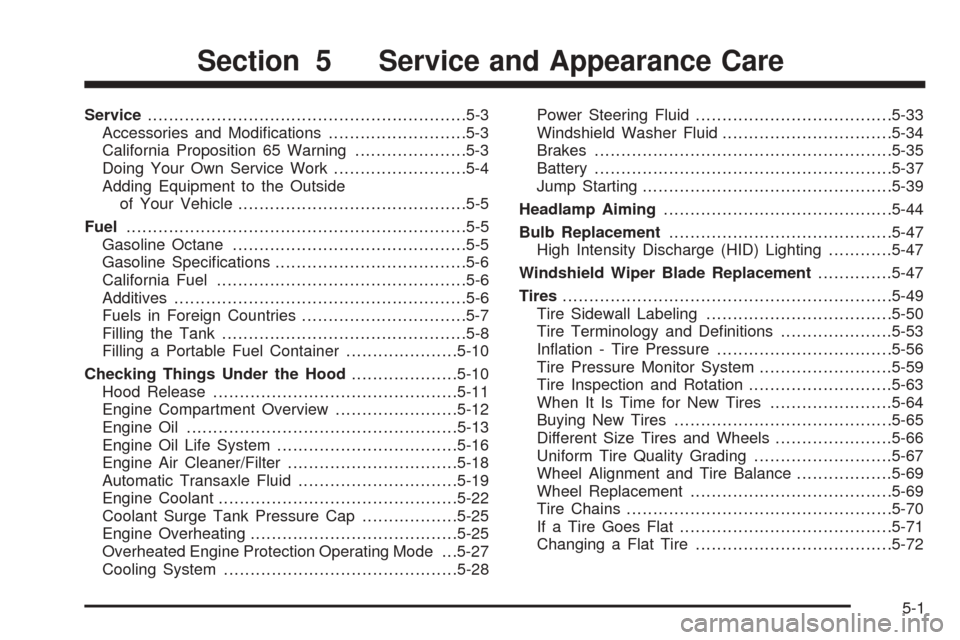
Service............................................................5-3
Accessories and Modications..........................5-3
California Proposition 65 Warning.....................5-3
Doing Your Own Service Work.........................5-4
Adding Equipment to the Outside
of Your Vehicle...........................................5-5
Fuel................................................................5-5
Gasoline Octane............................................5-5
Gasoline Specications....................................5-6
California Fuel...............................................5-6
Additives.......................................................5-6
Fuels in Foreign Countries...............................5-7
Filling the Tank..............................................5-8
Filling a Portable Fuel Container.....................5-10
Checking Things Under the Hood....................5-10
Hood Release..............................................5-11
Engine Compartment Overview.......................5-12
Engine Oil...................................................5-13
Engine Oil Life System..................................5-16
Engine Air Cleaner/Filter................................5-18
Automatic Transaxle Fluid..............................5-19
Engine Coolant.............................................5-22
Coolant Surge Tank Pressure Cap..................5-25
Engine Overheating.......................................5-25
Overheated Engine Protection Operating Mode . . .5-27
Cooling System............................................5-28Power Steering Fluid.....................................5-33
Windshield Washer Fluid................................5-34
Brakes........................................................5-35
Battery........................................................5-37
Jump Starting...............................................5-39
Headlamp Aiming...........................................5-44
Bulb Replacement..........................................5-47
High Intensity Discharge (HID) Lighting............5-47
Windshield Wiper Blade Replacement..............5-47
Tires..............................................................5-49
Tire Sidewall Labeling...................................5-50
Tire Terminology and Denitions.....................5-53
Ination - Tire Pressure.................................5-56
Tire Pressure Monitor System.........................5-59
Tire Inspection and Rotation...........................5-63
When It Is Time for New Tires.......................5-64
Buying New Tires.........................................5-65
Different Size Tires and Wheels......................5-66
Uniform Tire Quality Grading..........................5-67
Wheel Alignment and Tire Balance..................5-69
Wheel Replacement......................................5-69
Tire Chains..................................................5-70
If a Tire Goes Flat........................................5-71
Changing a Flat Tire.....................................5-72
Section 5 Service and Appearance Care
5-1