instrument panel CADILLAC DTS 2006 1.G Owner's Guide
[x] Cancel search | Manufacturer: CADILLAC, Model Year: 2006, Model line: DTS, Model: CADILLAC DTS 2006 1.GPages: 450, PDF Size: 2.55 MB
Page 176 of 450
Cigarette Lighter
Notice:Holding a cigarette lighter in while it is
heating will not allow the lighter to back away from
the heating element when it is hot. Damage from
overheating may occur to the lighter or heating
element, or a fuse could be blown. Do not hold a
cigarette lighter in while it is heating.
The cigarette lighter is located near the front ashtray.
Press the lighter all the way in and release it. It will pop
back out by itself once the element has heated for use.
Cigarette lighters can be used to provide electrical
power to accessories. SeeAccessory Power Outlet(s)
on page 3-42for more information.
Analog Clock
The clock is located on the instrument panel above the
radio. To adjust the clock, do the following:
1. Locate the adjustment button directly below the
clock face.
2. Push and hold the adjustment button to advance
the clock hands. Holding the button down will
cause the clock to advance faster. Release the
buttonbeforeyou get to the desired time.
3. Push and release the button to increase the time by
one minute increments until the desired time is
reached.
Climate Controls
Dual Climate Control System
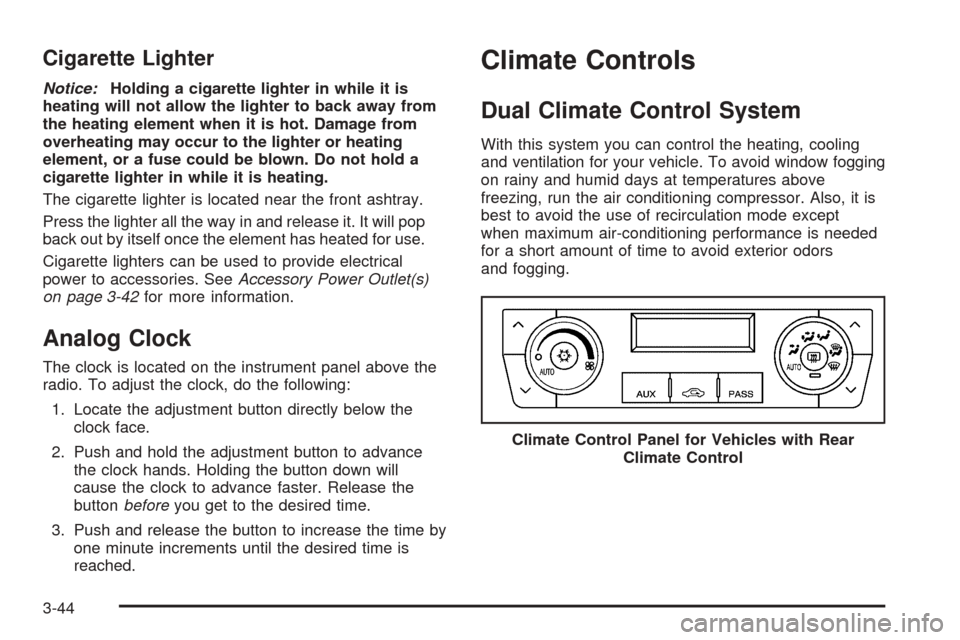
With this system you can control the heating, cooling
and ventilation for your vehicle. To avoid window fogging
on rainy and humid days at temperatures above
freezing, run the air conditioning compressor. Also, it is
best to avoid the use of recirculation mode except
when maximum air-conditioning performance is needed
for a short amount of time to avoid exterior odors
and fogging.
Climate Control Panel for Vehicles with Rear
Climate Control
3-44
Page 177 of 450

Automatic Operation
AUTO9(Automatic Fan):When this position is
selected on the fan control, the system will adjust the fan
speed. If the OnStar
®system is activated when this
position is selected, the climate control fan speed
will lower.
AUTO (Automatic Mode):
1. Turn the fan control to the AUTO position.
2. Turn the mode control to the AUTO position.
3. Adjust the temperature to a comfortable setting
between 68°F (21°C) and 78°F (26°C).
Choosing the coldest or warmest temperature
setting will not cause the system to heat or cool any
faster. In cold weather, the system will start at
reduced fan speeds to avoid blowing cold air into
your vehicle until warmer air is available. The
system will start out blowing air at the oor but may
change modes automatically as the vehicle
warms up to maintain the chosen temperature
setting. The length of time needed to warm
the interior will depend on the outside temperature
and temperature of the vehicle.
4. Wait 20 to 30 minutes for the system to stabilize in
order for the system to regulate automatically. Then
adjust the temperature as necessary to nd your
comfort setting.Do not cover the solar sensor located in the center of
the instrument panel near the windshield. For more
information on the solar sensor, see “Sensors” later in
this section.
After your vehicle is started, the display will show the
interior temperature settings and the outside
temperature.
If the AUTO position is selected on the fan or mode
control, the system will automatically control the
air conditioning compressor. The A/C compressor will
run automatically even at cool outside temperatures
in order to dehumidify the air. The A/C indicator light
will be lit when the system is operating automatically,
even at near freezing outside temperatures. Press
the A/C button on the fan control to turn off the A/C.
For improved window clearing performance in defog
or defrost modes, the A/C compressor will run
automatically in damp cool conditions.
3-45
Page 178 of 450
h(AUTO RECIRCULATION):If the AUTO position
is selected on either the fan or mode control, the
system will automatically control the air inlet to supply
fresh outside air or recirculate the interior air to cool
the car faster. The indicator light on the recirculation
button will light whenever the system switches to
recirculation. You may force outside air by pressing the
button when the light is lit. The next time AUTO fan
or mode is selected, the air inlet will reset back to
AUTO operation.
Manual Operation
9(Fan):Turn the left knob either to the left or right to
adjust the fan speed. Turning this control completely
counterclockwise will turn on the automatic fan
operation. Turning this control to the “O” position will
turn the climate control system off. If the airow seems
low when the fan speed is at the highest setting, the
passenger compartment air lter may need to be
replaced. SeePassenger Compartment Air Filter on
page 3-53.
9(Off):Turn the left control to this position to turn
the entire climate control system off.
To change the current mode, select one of the following
positions using the right control:
AUTO:Turn the control to this position to turn on the
automatic delivery mode operation.
F(Vent):Turn the control to this mode to direct air to
the instrument panel outlets.
*(Bi-Level):Turn the control to this mode to direct
approximately half of the air to the instrument panel
outlets and most of the remaining air to the oor outlets.
In automatic operation, cooler air is directed to the
upper outlets and warmer air to the oor outlets.
7(Floor):Turn the control to this mode to direct most
of the air to the oor outlets with some air directed to
the side window outlets and the windshield.
The mode control can also be used to select the
oor/defog mode. Information on defogging and
defrosting can be found later in this section.
3-46
Page 180 of 450

Sensors
The solar sensor, located in the defrost grille, middle of
the instrument panel, monitors the solar radiation.
Do not cover the solar sensor or the system will not
work properly.There is also an interior temperature sensor located
next to the steering wheel that measures the
temperature of the air inside your vehicle.
There is also an exterior temperature sensor located
behind the front grille. This sensor reads the outside air
temperature and helps maintain the temperature inside
the vehicle. Any cover on the front of the vehicle could
cause a false reading in the displayed temperature.
3-48
Page 188 of 450

Instrument Panel Cluster
The instrument panel cluster is designed to let you know at a glance how your vehicle is running. You will know how
fast you are going, how much fuel you are using and many of the other things you will need to know to drive safely
and economically.
United States version shown, Canada similar
3-56
Page 190 of 450

Passenger Safety Belt
Reminder Light
Several seconds after the key is turned to RUN or
START, a chime will sound for several seconds to
remind the front passenger to buckle their safety belt.
This would only occur if the passenger airbag is enabled.
SeePassenger Sensing System on page 1-65for more
information. The passenger safety belt light will also
come on and stay on for several seconds, then it will ash
for several more.
This chime and light will be
repeated if the passenger
remains unbuckled and
the vehicle is in motion.
If the passenger’s safety belt is buckled, neither the
chime nor the light will come on.
Airbag Readiness Light
There is an airbag readiness light on the instrument
panel, which shows the airbag symbol. The system
checks the airbag’s electrical system for malfunctions.
The light tells you if there is an electrical problem.
The system check includes the airbag sensors, the
airbag modules, the wiring and the diagnostic module.
For more information on the airbag system, see
Airbag System on page 1-54.
This light will come on
when you start your
vehicle, and it will ash for
a few seconds. Then the
light should go out. This
means the system is ready.
If the airbag readiness light stays on after you start the
vehicle or comes on when you are driving, your airbag
system may not work properly. Have your vehicle
serviced right away.
3-58
Page 203 of 450

If the fuel supply gets low, the Fuel Level Low message
will appear on the DIC and a single chime will sound.
Here are a few concerns some owners have had about
the fuel gage. All of these situations are normal and
do not indicate that anything is wrong with the fuel gage:
At the gas station the gas pump shuts off before
the gage reads full.
The gage may change when you turn, stop quickly
or accelerate quickly.
It takes a little more or less fuel to ll the tank than
the gage indicated. For example, the gage may have
indicated that the tank was half full, but it actually
took a little more or less than half the tank’s capacity
to ll the tank.
Driver Information Center (DIC)
The Driver Information Center (DIC) gives you the
status of many of your vehicle’s systems. The DIC
is also used to display warning/status messages. All
messages will appear in the DIC display located at
the bottom of the instrument panel cluster, below the
tachometer and speedometer. The DIC buttons are
located on the instrument panel, to the left of the
steering wheel.
The DIC comes on when the ignition is on. After a short
delay, the DIC will display the information that was
last displayed before the engine was turned off.
The top line of the DIC display shows the vehicle system
information and the warning/status messages. The
bottom line of the DIC display shows the odometer on
the left side. The bottom line of the DIC display also
shows a digital speedometer on the right side.
If a problem is detected, a warning message will appear
on the display. Be sure to take any message that
appears on the display seriously and remember that
clearing the message will only make the message
disappear, not correct the problem.
3-71
Page 204 of 450

DIC Controls and Displays
The Driver Information
Center (DIC) has different
displays which can be
accessed by pressing the
DIC buttons located on
the instrument panel, to the
left of the steering wheel.
3Trip/Fuel:Press this button to scroll through the
trip and fuel displays. See “Trip/Fuel Display Menu
Items” following for more information on these displays.
TVehicle Information:Press this button to scroll
through the vehicle information displays. See “Vehicle
Information Display Menu Items” following for more
information on these displays.
UCustomization:Press this button to scroll through
each of the customization features. SeeDIC Vehicle
Customization on page 3-88for more information on the
customization features.
VSet/Reset:Press this button to reset certain DIC
features and to acknowledge DIC warning messages
and clear them from the DIC display.
yzMenu Up/Down:Press this button to scroll up
and down the menu items.
Trip/Fuel Display Menu Items
3
(Trip/Fuel):The following display menu items
can be displayed by pressing the trip/fuel button:
TRIP A or TRIP B
These displays show the current distance traveled since
the last reset for each trip odometer in either miles (mi)
or kilometers (km). Both odometers can be used at the
same time. Each trip odometer can be reset to zero
separately by pressing and holding the set/reset button
for a few seconds while the desired trip odometer is
displayed.
3-72
Page 211 of 450
ENGINE OIL LOW ADD OIL
This message will display when the oil level is low. See
Engine Oil on page 5-13for more information on
checking your engine oil.
ENGINE OVERHEATED IDLE ENGINE
Notice:If you drive your vehicle while the engine is
overheating, severe engine damage may occur. If
an overheat warning appears on the instrument
panel cluster and/or DIC, stop the vehicle as soon
as possible. Do not increase the engine speed above
normal idling speed. SeeEngine Overheating on
page 5-25for more information.
This message will display when the engine coolant
temperature is too hot. Stop and allow the vehicle to idle
until it cools down. SeeEngine Coolant Temperature
Warning Light on page 3-65.
SeeOverheated Engine Protection Operating Mode on
page 5-27for information on driving to a safe place
in an emergency.
ENGINE OVERHEATED STOP ENGINE
Notice:If you drive your vehicle while the engine
is overheating, severe engine damage may occur.
If an overheat warning appears on the instrument
panel cluster and/or DIC, stop the vehicle as soon as
possible. Do not increase the engine speed above
normal idling speed. SeeEngine Overheating
on page 5-25for more information.
This message will display when the engine has
overheated. Immediately look for a safe place to pull
your vehicle over and turn the engine off right away to
avoid severe engine damage. SeeEngine Overheating
on page 5-25andOverheated Engine Protection
Operating Mode on page 5-27. A chime will also sound
when this message is displayed.
ENGINE POWER REDUCED
This message will display when the engine power is
being reduced to protect the engine from damage. There
could be several malfunctions that might cause this
message. Reduced engine power can affect the vehicle’s
ability to accelerate. If this message is on, but there is no
reduction in performance, proceed to your destination.
The performance may be reduced the next time the
vehicle is driven. The vehicle may be driven at a reduced
speed while this message is on, but acceleration and
speed may be reduced. Anytime this message stays on,
the vehicle should be taken to your GM dealer for service
as soon as possible.
3-79
Page 214 of 450
OIL PRESSURE LOW STOP ENGINE
Notice:If you drive your vehicle while the engine
oil pressure is low, severe engine damage may
occur. If a low oil pressure warning appears on the
instrument panel cluster and/or DIC, stop the
vehicle as soon as possible. Do not drive the vehicle
until the cause of the low oil pressure is corrected.
SeeEngine Oil on page 5-13for more information.
A multiple chime will sound when this message is
displayed. SeeEngine Oil on page 5-13for more
information.
PARKING ASSIST OFF
If your vehicle has the Ultrasonic Front and Rear
Parking Assist (UFRPA) system, after the vehicle is
shifted out of PARK (P), this message will display
to remind the driver that the UFRPA system has been
turned off. Press the set/reset button to acknowledge
this message and clear it from the DIC display. To turn
the UFRPA system back on, see “PARKING ASSIST”
underDIC Controls and Displays on page 3-72.
SeeUltrasonic Front and Rear Parking Assist (UFRPA)
on page 3-38for more information.
PASSENGER DOOR OPEN
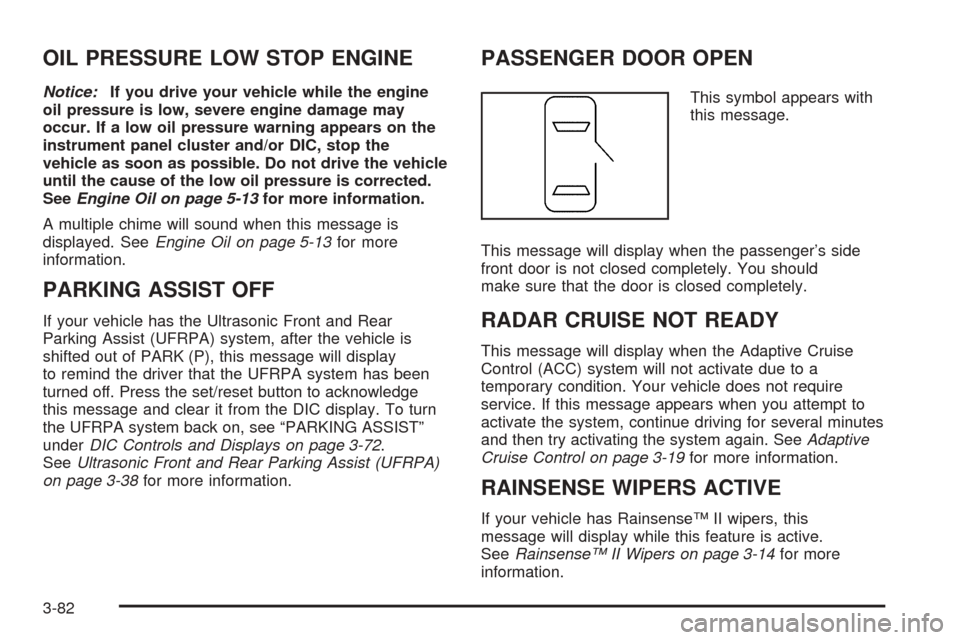
This symbol appears with
this message.
This message will display when the passenger’s side
front door is not closed completely. You should
make sure that the door is closed completely.
RADAR CRUISE NOT READY
This message will display when the Adaptive Cruise
Control (ACC) system will not activate due to a
temporary condition. Your vehicle does not require
service. If this message appears when you attempt to
activate the system, continue driving for several minutes
and then try activating the system again. SeeAdaptive
Cruise Control on page 3-19for more information.
RAINSENSE WIPERS ACTIVE
If your vehicle has Rainsense™ II wipers, this
message will display while this feature is active.
SeeRainsense™ II Wipers on page 3-14for more
information.
3-82