park assist CADILLAC DTS 2006 1.G Owners Manual
[x] Cancel search | Manufacturer: CADILLAC, Model Year: 2006, Model line: DTS, Model: CADILLAC DTS 2006 1.GPages: 450, PDF Size: 2.55 MB
Page 79 of 450
Keys...............................................................2-3
Remote Keyless Entry System.........................2-4
Remote Keyless Entry System Operation...........2-5
Doors and Locks............................................2-10
Door Locks..................................................2-10
Central Door Unlocking System......................2-11
Power Door Locks........................................2-11
Programmable Automatic Door Locks..............2-11
Rear Door Security Locks..............................2-12
Lockout Protection........................................2-12
Trunk..........................................................2-13
Windows........................................................2-15
Power Windows............................................2-16
Sun Visors...................................................2-18
Theft-Deterrent Systems..................................2-19
Valet Lockout Switch.....................................2-19
Content Theft-Deterrent.................................2-19
PASS-Key
®III+............................................2-21
PASS-Key®III+ Operation..............................2-21
Starting and Operating Your Vehicle................2-23
New Vehicle Break-In....................................2-23
Ignition Positions..........................................2-23Retained Accessory Power (RAP)...................2-24
Starting the Engine.......................................2-24
Engine Coolant Heater..................................2-25
Automatic Transaxle Operation.......................2-26
Performance Shifting.....................................2-29
Parking Brake..............................................2-30
Shifting Into Park (P).....................................2-30
Shifting Out of Park (P).................................2-32
Parking Over Things That Burn.......................2-33
Engine Exhaust............................................2-33
Running the Engine While Parked...................2-34
Mirrors...........................................................2-35
Automatic Dimming Rearview Mirror with
Intellibeam™, OnStar
®, and Compass..........2-35
Automatic Dimming Rearview Mirror with
OnStar
®and Compass...............................2-37
Automatic Dimming Rearview Mirror with
Compass.................................................2-39
Outside Power Foldaway Mirrors.....................2-41
Outside Automatic Dimming Mirror..................2-42
Outside Curb View Assist Mirror.....................2-42
Outside Convex Mirror...................................2-42
Outside Heated Mirrors..................................2-42
Section 2 Features and Controls
2-1
Page 102 of 450
B (ACCESSORY):This position lets the radio and
windshield wipers operate while the engine is off. To use
ACCESSORY, turn the key clockwise.
C (RUN):This position is where the key returns to after
the vehicle is started. This position displays some of
the warning and indicator lights.
D (START):This position starts the engine.
A warning chime will sound and the Driver Information
Center (DIC) will display DRIVER’S DOOR OPEN when
the driver’s door is opened if the ignition is in OFF,
ACCESSORY and the key is in the ignition. SeeDIC
Warnings and Messages on page 3-76for more
information.
Retained Accessory Power (RAP)
The following accessories on your vehicle may be used
for up to 10 minutes after the ignition key is turned
from RUN to OFF:
Radio
Power Windows
Audio Steering Wheel Controls
Sunroof
Power to these accessories stops after 10 minutes or
if a door is opened. If you want power for another
10 minutes, close all the doors and turn the ignition
key to RUN and then back to OFF.
Starting the Engine
Move your shift lever to PARK (P) or NEUTRAL (N).
The engine will not start in any other position — that is
a safety feature. To restart when you are already
moving, use NEUTRAL (N) only.
Notice:Shifting into PARK (P) with the vehicle
moving could damage the transaxle. Shift into
PARK (P) only when your vehicle is stopped.
1. With your foot off the accelerator pedal, turn the
ignition key to START. When the engine starts,
let go of the key. The idle speed will go down as the
engine gets warm.
Your vehicle has a Computer-Controlled Cranking
System. This feature assists in starting the
engine and protects the electrical system. If the
ignition key is turned to the START position,
and then released when the engine begins cranking,
the engine will continue cranking until the vehicle
starts or until it exceeds the maximum cranking time
allowed, approximately 15 seconds to prevent
cranking motor damage. To prevent starter-motor
gear damage, this system also prevents cranking if
the engine is already running. The engine cranking
can be stopped by turning the ignition switch to
the ACCESSORY or OFF position.
2-24
Page 120 of 450
Outside Automatic Dimming Mirror
If the vehicle is equipped with this feature, the
driver’s side mirror will adjust for the glare of headlamps
behind you. This feature is controlled by the on and
off settings on the automatic dimming rearview mirror.
Outside Curb View Assist Mirror
If your vehicle is equipped with memory mirrors, it will
also be capable of performing the curb view assist mirror
feature. This feature will allow the driver’s and
passenger’s side mirror to tilt to a factory programmed
position when the vehicle is in REVERSE (R). This
feature may be useful in allowing you to view the curb
when you are parallel parking.
When the vehicle is shifted out of REVERSE (R) and
either a thirty-second delay has occurred, the vehicle
speed is greater than 8 mph (12 kph), or the ignition is
turned to off, the driver’s and passenger’s side mirror
will return to its original position.
This feature can be enabled/disabled through the Driver
Information Center (DIC).
Outside Convex Mirror
{CAUTION:
A convex mirror can make things (like other
vehicles) look farther away than they really are.
If you cut too sharply into the right lane, you
could hit a vehicle on your right. Check your
inside mirror or glance over your shoulder
before changing lanes.
The passenger’s side mirror is convex. A convex
mirror’s surface is curved so more can be seen from
the driver’s seat. This mirror does not have a
dimming feature.
Outside Heated Mirrors
When you operate the rear window defogger, it also
warms both outside mirrors to help clear them of fog or
ice. SeeDual Climate Control System on page 3-44
for more information.
2-42
Page 124 of 450
Universal Home Remote System
Operation
Do not use the Universal Home Remote with any
garage door opener that does not have the stop and
reverse feature. This includes any garage door opener
model manufactured before April 1, 1982. If you
have a newer garage door opener with rolling codes,
please be sure to follow Steps 6 through 8 to complete
the programming of your Universal Home Remote
Transmitter.
Read the instructions completely before attempting to
program the Universal Home Remote. Because of
the steps involved, it may be helpful to have another
person available to assist you in the programming steps.
Keep the original hand-held transmitter for use in
other vehicles as well as for future Universal Home
Remote programming. It is also recommended that upon
the sale of the vehicle, the programmed Universal
Home Remote buttons should be erased for security
purposes. See “Erasing Universal Home Remote
Buttons” later in this section or, for assistance, see
Customer Assistance Offices on page 7-4.
Be sure that people and objects are clear of the garage
door or gate operator you are programming. When
programming a garage door, it is advised to park outside
of the garage.It is recommended that a new battery be installed in
your hand-held transmitter for quicker and more
accurate transmission of the radio-frequency signal.Programming Universal Home Remote
Follow these steps to program up to three channels:
1. Press and hold down the two outside Universal
Home Remote buttons, releasing only when the
Universal Home Remote indicator light begins
to ash, after 20 seconds. Do not hold down the
buttons for longer than 30 seconds and do not
repeat this step to program a second and/or third
hand-held transmitter to the remaining two Universal
Home Remote buttons.
2. Position the end of your hand-held transmitter
about 1 to 3 inches (3 to 8 cm) away from the
Universal Home Remote buttons while keeping the
indicator light in view.
3. Simultaneously press and hold both the desired
Universal Home Remote button and the hand-held
transmitter button. Do not release the buttons
until Step 4 has been completed.
Some entry gates and garage door openers may
require you to substitute Step 3 with the procedure
noted in “Gate Operator and Canadian
Programming” later in this section.
2-46
Page 133 of 450
Instrument Panel Overview...............................3-4
Hazard Warning Flashers................................3-6
Other Warning Devices...................................3-6
Horn.............................................................3-6
Tilt Wheel.....................................................3-6
Power Tilt Wheel and Telescopic Steering
Column......................................................3-7
Heated Steering Wheel...................................3-7
Turn Signal/Multifunction Lever.........................3-8
Turn and Lane-Change Signals........................3-8
Headlamp High/Low-Beam Changer..................3-9
Forward Collision Alert (FCA) System................3-9
Flash-to-Pass...............................................3-13
Windshield Wipers........................................3-13
Rainsense™ II Wipers...................................3-14
Windshield Washer.......................................3-15
Cruise Control..............................................3-16
Adaptive Cruise Control.................................3-19
Exterior Lamps.............................................3-30
Wiper Activated Headlamps............................3-34
Headlamps on Reminder................................3-34
Daytime Running Lamps (DRL).......................3-34Fog Lamps..................................................3-35
Cornering Lamps..........................................3-35
Exterior Lighting Battery Saver........................3-35
Instrument Panel Brightness...........................3-36
Courtesy Lamps...........................................3-36
Entry Lighting...............................................3-36
Parade Dimming...........................................3-36
Reading Lamps............................................3-37
Battery Load Management.............................3-37
Inadvertent Power Battery Saver.....................3-37
Ultrasonic Front and Rear Parking
Assist (UFRPA).........................................3-38
Accessory Power Outlet(s).............................3-42
Ashtray(s) and Cigarette Lighter......................3-43
Analog Clock...............................................3-44
Climate Controls............................................3-44
Dual Climate Control System..........................3-44
Outlet Adjustment.........................................3-50
Rear Climate Control System.........................3-51
Passenger Compartment Air Filter...................3-53
Section 3 Instrument Panel
3-1
Page 137 of 450
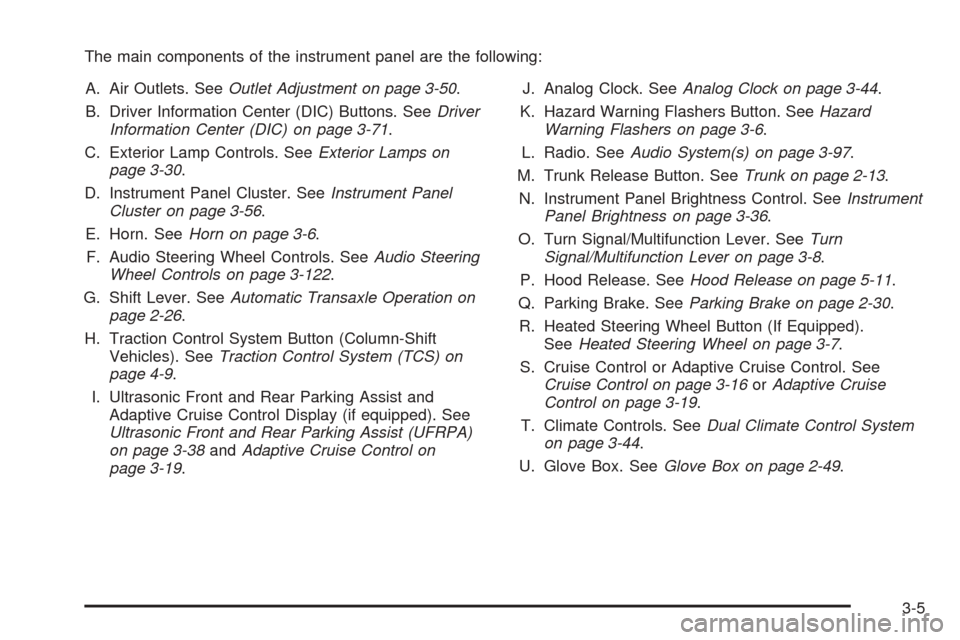
The main components of the instrument panel are the following:
A. Air Outlets. SeeOutlet Adjustment on page 3-50.
B. Driver Information Center (DIC) Buttons. SeeDriver
Information Center (DIC) on page 3-71.
C. Exterior Lamp Controls. SeeExterior Lamps on
page 3-30.
D. Instrument Panel Cluster. SeeInstrument Panel
Cluster on page 3-56.
E. Horn. SeeHorn on page 3-6.
F. Audio Steering Wheel Controls. SeeAudio Steering
Wheel Controls on page 3-122.
G. Shift Lever. SeeAutomatic Transaxle Operation on
page 2-26.
H. Traction Control System Button (Column-Shift
Vehicles). SeeTraction Control System (TCS) on
page 4-9.
I. Ultrasonic Front and Rear Parking Assist and
Adaptive Cruise Control Display (if equipped). See
Ultrasonic Front and Rear Parking Assist (UFRPA)
on page 3-38andAdaptive Cruise Control on
page 3-19.J. Analog Clock. SeeAnalog Clock on page 3-44.
K. Hazard Warning Flashers Button. SeeHazard
Warning Flashers on page 3-6.
L. Radio. SeeAudio System(s) on page 3-97.
M. Trunk Release Button. SeeTrunk on page 2-13.
N. Instrument Panel Brightness Control. SeeInstrument
Panel Brightness on page 3-36.
O. Turn Signal/Multifunction Lever. SeeTurn
Signal/Multifunction Lever on page 3-8.
P. Hood Release. SeeHood Release on page 5-11.
Q. Parking Brake. SeeParking Brake on page 2-30.
R. Heated Steering Wheel Button (If Equipped).
SeeHeated Steering Wheel on page 3-7.
S. Cruise Control or Adaptive Cruise Control. See
Cruise Control on page 3-16orAdaptive Cruise
Control on page 3-19.
T. Climate Controls. SeeDual Climate Control System
on page 3-44.
U. Glove Box. SeeGlove Box on page 2-49.
3-5
Page 170 of 450

Ultrasonic Front and Rear Parking
Assist (UFRPA)
If your vehicle is equipped, the Ultrasonic Front and
Rear Parking Assist (UFRPA) system is designed
to help you park. It operates only at speeds less than
5 mph (8km/h). UFRPA helps make parking easier and
helps you avoid colliding with objects such as parked
vehicles. The UFRPA system detects objects that
are close to the vehicle which are at least 10 inches
(25.4 cm) off the ground and below hood or trunk level.
The system detects objects up to 4 feet (1.2 m) in
front of the vehicle and up to 8 feet (2.5 m) behind your
vehicle. UFRPA determines how close these objects
are from your bumpers within this area. Four ultrasonic
sensors on the front and rear bumpers are used to
detect the distance to the object.
{CAUTION:
Even with the Ultrasonic Front and Rear Park
Assist system, the driver must check carefully
before backing up or moving forward while
parking. The system does not operate above
speeds of 5 mph (8 km/h). The system does
not detect objects that are more than 4 feet
(1.2 meters) in front of the vehicle and more
than 8 feet (2.5 meters) behind the vehicle.
This detection distance limit may be reduced
during warm weather or high humidity. Also,
the system does not detect objects that are
below your bumper, underneath your vehicle,
or some objects very close to the vehicle.
The system is not designed to detect children,
pedestrians, bicyclists, or pets.
So, unless you check carefully behind and in
front of your vehicle while you are parking
they could be injured or killed.
Whether or not you are using front and rear
park assist, always check carefully in front and
behind your vehicle before moving forward or
backing up and then watch closely as you do.
3-38
Page 171 of 450

The front display is located on top of the instrument
panel to the right of the driver. The rear display is
located near the rear window and can be seen by
looking over your right shoulder. The rear display has
three color-coded lights. The front display will have
either three or six lights depending on whether
your vehicle is equipped with Adaptive Cruise Control
(ACC). If your vehicle has ACC, it will have three lights
along with the ACC lights. If your vehicle does not
have ACC, it will have six UFRPA lights.The UFRPA lights are used to provide distance and
system information, along with beeps played out either
the front or rear speakers. For objects detected near
the front bumper, high-toned beeps will be played
out the front speakers. For objects detected near the
rear bumper, low-toned beeps will be played out the
rear speakers.
How the System Works
When the vehicle is started, the front display will
briey illuminate to let you know the display is
operating correctly. When the shift lever is moved into
REVERSE (R), the rear display will briey illuminate
to let you know the display is operating correctly.
UFRPA comes on automatically when the shift lever is
moved out of PARK (P). The system does not work
at a forward speed greater than 5 mph (8 km/h), so
the front display indicators are turned off. The system
also does not work at a reverse speed greater than
5 mph (8 km/h). To remind you of this, the red light on
the rear display will ash.
The system can be disabled using the Driver Information
Center (DIC). SeeDIC Controls and Displays on
page 3-72. Front Parking Assist
Display
Rear Parking Assist
Display
3-39
Page 173 of 450
When you are backing the vehicle and objects are
detected at the same time near both the front and rear
bumpers, both color-coded light displays will notify
you of objects close to each bumper. If there are objects
detected near both bumpers, the beeps will only be
sounded to notify that objects are close to the rear
bumper. However, if while you are backing and an object
comes within 1 ft (0.3 m) of the front bumper, and at
the same time there is another object further than
1 ft (0.3 m) from the rear bumper, then the beeps will
only be sounded to notify you of the closer object that is
near the front bumper.
When the System Does Not Seem to
Work Properly
If the UFRPA system will not activate due to a temporary
condition, the message PARKING ASSIST OFF will
be displayed on the DIC and a red light will be shown on
the rear UFRPA display when the shift lever is moved
into REVERSE (R). This occurs under the following
conditions:
The driver disables the system. SeeDIC Controls
and Displays on page 3-72.
The parking brake pedal is depressed.
A trailer was attached to your vehicle, or a bicycle
or an object was hanging out of your trunk during
your last drive when you turned off the vehicle. If the
attached objects are removed from your vehicle
before the start of your next drive, the system will
return to normal operation unless an object is
detected when the vehicle is shifted out of park.
If this occurs, you will have to wait until the vehicle
is driven forward above 15 mph (25 km/h) before
UFRPA will return to normal operation.
A bicycle or an object is attached to the front
bumper during your last drive when you turned off
the vehicle. If the attached objects are removed
from your vehicle before the start of your next drive,
the system will return to normal unless an object
is detected when the vehicle is shifted out of park.
If this occurs, UFRPA will return to normal
operation when the vehicle is driven forward
above 15 mph (25 km/h).
The ultrasonic sensors are not kept clean.
So be sure to keep your vehicle’s front and rear
bumpers free of mud, dirt, snow, ice and slush.
For cleaning instructions, seeWashing Your Vehicle
on page 5-86. If after cleaning the front and rear
bumpers and driving forward at a speed of
at least 15 mph (25 km/h), the DIC displays the
PARKING ASSIST OFF message, see your dealer.
3-41
Page 174 of 450

Other conditions that may affect system performance
include vibrations from a jackhammer or the
compression of air brakes on a very large truck or
other mechanical devices that interfere with UFRPA
performance.
When UFRPA is disabled without driver action and
the driver attempts to turn UFRPA back on using the
Driver Information Center (DIC), the PARKING
ASSIST ON option will not be selectable if the
necessary conditions stated above for normal system
operation are not met.
As always, drivers should use care when backing up a
vehicle. Always look behind you, being sure to check
for other vehicles, obstructions and blind spots.
For Driver Information Center messages related to
UFRPA, seeDIC Warnings and Messages on
page 3-76.
If the bumper is damaged, your UFRPA system may
not work properly. Take the vehicle to your dealer
to repair the system.
Accessory Power Outlet(s)
Your vehicle is equipped with accessory power outlets.
The outlets can be used to plug in electrical equipment
such as a cellular telephone, CB radio, etc.
If your vehicle has a stationary center console, the
power outlet is located inside the lower storage area.
There are outlets also on the right front lower part of the
driver’s seat and in the lower storage bin. SeeCenter
Console Storage Area on page 2-50.
There are two accessory power outlets in the rear
seat area located on the door armrests next to the
ashtrays.
Your vehicle may have a small cap that must be
removed to access the accessory power outlet. If it
does, when not using the outlet be sure to cover it with
the protective cap.
The accessory power outlet can be used at any time.
Notice:Leaving electrical equipment on for
extended periods will drain the battery. Always turn
off electrical equipment when not in use and do
not plug in equipment that exceeds the maximum
amperage rating.
3-42