radio CADILLAC DTS 2006 1.G Owners Manual
[x] Cancel search | Manufacturer: CADILLAC, Model Year: 2006, Model line: DTS, Model: CADILLAC DTS 2006 1.GPages: 450, PDF Size: 2.55 MB
Page 82 of 450

There is a master key that works all of the lock cylinders
(driver’s door, ignition, and glove box).
There is also a valet key which only operates the
driver’s door and the ignition.
Notice:If you ever lock your keys in your vehicle,
you may have to damage the vehicle to get in.
Be sure you have spare keys.
In an emergency, contact Cadillac Roadside Assistance.
SeeRoadside Service on page 7-6.
If your vehicle is equipped with the OnStar
®system with
an active subscription and you lock your keys inside
the vehicle, OnStar
®may be able to send a command to
unlock your vehicle. SeeOnStar®System on page 2-43
for more information.
Remote Keyless Entry System
Your keyless entry system operates on a radio
frequency subject to Federal Communications
Commission (FCC) Rules and with Industry Canada.
This device complies with Part 15 of the FCC Rules.
Operation is subject to the following two conditions:
1. This device may not cause interference.
2. This device must accept any interference received,
including interference that may cause undesired
operation of the device.
This device complies with RSS-210 of Industry Canada.
Operation is subject to the following two conditions:
1. This device may not cause interference.
2. This device must accept any interference received,
including interference that may cause undesired
operation of the device.
Changes or modications to this system by other than
an authorized service facility could void authorization to
use this equipment. Master Key
Valet Key
2-4
Page 99 of 450
Testing the Alarm
1. From inside the vehicle, roll down the window, then
get out of the vehicle, keeping the door open.
2. From outside of the vehicle, with the door open,
lock the vehicle using the power door lock or the
remote keyless entry system and close the
door. Wait 30 seconds until the security lamp
goes off.
3. Reach in and unlock the door using the manual
lock and open the door. The horn will sound and
the hazard lights will ash.
You can turn off the alarm by unlocking the driver’s door
with your key, using the unlock button on the remote
keyless entry transmitter or by starting the car with
a valid key.
If the alarm does not sound when it should, check to
see if the horn works. The horn fuse may be blown. To
replace the fuse, seeFuses and Circuit Breakers on
page 5-93. If the fuse does not need to be replaced, you
may need to have your vehicle serviced.
To reduce the possibility of theft, always arm the
theft-deterrent system when leaving your vehicle.
PASS-Key®III+
The PASS-Key®III+ system operates on a radio
frequency subject to Federal Communications
Commission (FCC) Rules and with Industry Canada.This device complies with Part 15 of the FCC Rules.
Operation is subject to the following two conditions:
1. This device may not cause harmful interference.
2. This device must accept any interference received,
including interference that may cause
undesired operation.
This device complies with RSS-210 of Industry Canada.
Operation is subject to the following two conditions:
1. This device may not cause interference.
2. This device must accept any interference received,
including interference that may cause undesired
operation of the device.
Changes or modications to this system by other than
an authorized service facility could void authorization to
use this equipment.
PASS-Key
®III+ uses a radio frequency transponder in
the key that matches a decoder in your vehicle.
PASS-Key®III+ Operation
Your vehicle has PASS-Key®III+ (Personalized
Automotive Security System) theft-deterrent system.
PASS-Key
®III+ is a passive theft-deterrent system. This
means you do not have to do anything special to arm
or disarm the system. It works when you insert or
remove the key from the ignition or transition the key
from run, accessory or start from the off position.
2-21
Page 102 of 450
B (ACCESSORY):This position lets the radio and
windshield wipers operate while the engine is off. To use
ACCESSORY, turn the key clockwise.
C (RUN):This position is where the key returns to after
the vehicle is started. This position displays some of
the warning and indicator lights.
D (START):This position starts the engine.
A warning chime will sound and the Driver Information
Center (DIC) will display DRIVER’S DOOR OPEN when
the driver’s door is opened if the ignition is in OFF,
ACCESSORY and the key is in the ignition. SeeDIC
Warnings and Messages on page 3-76for more
information.
Retained Accessory Power (RAP)
The following accessories on your vehicle may be used
for up to 10 minutes after the ignition key is turned
from RUN to OFF:
Radio
Power Windows
Audio Steering Wheel Controls
Sunroof
Power to these accessories stops after 10 minutes or
if a door is opened. If you want power for another
10 minutes, close all the doors and turn the ignition
key to RUN and then back to OFF.
Starting the Engine
Move your shift lever to PARK (P) or NEUTRAL (N).
The engine will not start in any other position — that is
a safety feature. To restart when you are already
moving, use NEUTRAL (N) only.
Notice:Shifting into PARK (P) with the vehicle
moving could damage the transaxle. Shift into
PARK (P) only when your vehicle is stopped.
1. With your foot off the accelerator pedal, turn the
ignition key to START. When the engine starts,
let go of the key. The idle speed will go down as the
engine gets warm.
Your vehicle has a Computer-Controlled Cranking
System. This feature assists in starting the
engine and protects the electrical system. If the
ignition key is turned to the START position,
and then released when the engine begins cranking,
the engine will continue cranking until the vehicle
starts or until it exceeds the maximum cranking time
allowed, approximately 15 seconds to prevent
cranking motor damage. To prevent starter-motor
gear damage, this system also prevents cranking if
the engine is already running. The engine cranking
can be stopped by turning the ignition switch to
the ACCESSORY or OFF position.
2-24
Page 124 of 450
Universal Home Remote System
Operation
Do not use the Universal Home Remote with any
garage door opener that does not have the stop and
reverse feature. This includes any garage door opener
model manufactured before April 1, 1982. If you
have a newer garage door opener with rolling codes,
please be sure to follow Steps 6 through 8 to complete
the programming of your Universal Home Remote
Transmitter.
Read the instructions completely before attempting to
program the Universal Home Remote. Because of
the steps involved, it may be helpful to have another
person available to assist you in the programming steps.
Keep the original hand-held transmitter for use in
other vehicles as well as for future Universal Home
Remote programming. It is also recommended that upon
the sale of the vehicle, the programmed Universal
Home Remote buttons should be erased for security
purposes. See “Erasing Universal Home Remote
Buttons” later in this section or, for assistance, see
Customer Assistance Offices on page 7-4.
Be sure that people and objects are clear of the garage
door or gate operator you are programming. When
programming a garage door, it is advised to park outside
of the garage.It is recommended that a new battery be installed in
your hand-held transmitter for quicker and more
accurate transmission of the radio-frequency signal.Programming Universal Home Remote
Follow these steps to program up to three channels:
1. Press and hold down the two outside Universal
Home Remote buttons, releasing only when the
Universal Home Remote indicator light begins
to ash, after 20 seconds. Do not hold down the
buttons for longer than 30 seconds and do not
repeat this step to program a second and/or third
hand-held transmitter to the remaining two Universal
Home Remote buttons.
2. Position the end of your hand-held transmitter
about 1 to 3 inches (3 to 8 cm) away from the
Universal Home Remote buttons while keeping the
indicator light in view.
3. Simultaneously press and hold both the desired
Universal Home Remote button and the hand-held
transmitter button. Do not release the buttons
until Step 4 has been completed.
Some entry gates and garage door openers may
require you to substitute Step 3 with the procedure
noted in “Gate Operator and Canadian
Programming” later in this section.
2-46
Page 126 of 450
Gate Operator and Canadian
Programming
Canadian radio-frequency laws require transmitter
signals to time out or quit after several seconds of
transmission. This may not be long enough for Universal
Home Remote to pick up the signal during programming.
Similarly, some U.S. gate operators are manufactured
to time out in the same manner.
If you live in Canada, or you are having difficulty
programming a gate operator or garage door opener
by using the “Programming Universal Home Remote”
procedures, regardless of where you live, replace Step 3
under “Programming Universal Home Remote” with
the following:
Continue to press and hold the Universal Home Remote
button while you press and release every two seconds
(cycle) the hand-held transmitter button until the
frequency signal has been successfully accepted by the
Universal Home Remote. The Universal Home Remote
indicator light will ash slowly at rst and then rapidly.
Proceed with Step 4 under “Programming Universal
Home Remote” to complete.
Using Universal Home Remote
Press and hold the appropriate Universal Home Remote
button for at least half of a second. The indicator light
will come on while the signal is being transmitted.
Erasing Universal Home Remote
Buttons
To erase programming from the three Universal Home
Remote buttons do the following:
1. Press and hold down the two outside buttons until
the indicator light begins to ash, after 20 seconds.
Do not hold the two outside buttons for longer
than 30 seconds.
2. Release both buttons.
The Universal Home Remote is now in the training
(learning) mode and can be programmed at any time
beginning with Step 2 under “Programming Universal
Home Remote” shown earlier in this section.
Individual buttons cannot be erased, but they can be
reprogrammed. See “Reprogramming a Single Universal
Home Remote Button” following this section.
2-48
Page 134 of 450
Warning Lights, Gages, and Indicators............3-55
Instrument Panel Cluster................................3-56
Speedometer and Odometer...........................3-57
Tachometer.................................................3-57
Safety Belt Reminder Light.............................3-57
Passenger Safety Belt Reminder Light.............3-58
Airbag Readiness Light..................................3-58
Passenger Airbag Status Indicator...................3-59
Charging System Light..................................3-61
Brake System Warning Light..........................3-62
Anti-Lock Brake System Warning Light.............3-63
Low Tire Pressure Warning Light....................3-63
Traction Control System (TCS)
Warning Light...........................................3-64
StabiliTrak
®Indicator Light..............................3-64
Engine Coolant Temperature Warning Light......3-65
Engine Coolant Temperature Gage..................3-65
Malfunction Indicator Lamp.............................3-66
Oil Pressure Light.........................................3-68
Security Light...............................................3-69
Fog Lamp Light............................................3-69
Rear Fog Lamp Light....................................3-69
Lights On Reminder......................................3-70Cruise Control Light......................................3-70
Highbeam On Light.......................................3-70
Fuel Gage...................................................3-70
Driver Information Center (DIC).......................3-71
DIC Controls and Displays.............................3-72
DIC Warnings and Messages.........................3-76
DIC Vehicle Customization.............................3-88
Audio System(s).............................................3-97
Setting the Time (Radio with Single
CD Player)...............................................3-98
Setting the Time (Radio with Six-Disc
CD Player).............................................3-100
Radio with CD (MP3)..................................3-102
Navigation/Radio System..............................3-121
Theft-Deterrent Feature................................3-121
Audio Steering Wheel Controls......................3-122
Radio Reception.........................................3-123
Care of Your CDs.......................................3-124
Care of the CD Player.................................3-124
Diversity Antenna System.............................3-124
XM™ Satellite Radio Antenna System............3-125
Section 3 Instrument Panel
3-2
Page 137 of 450
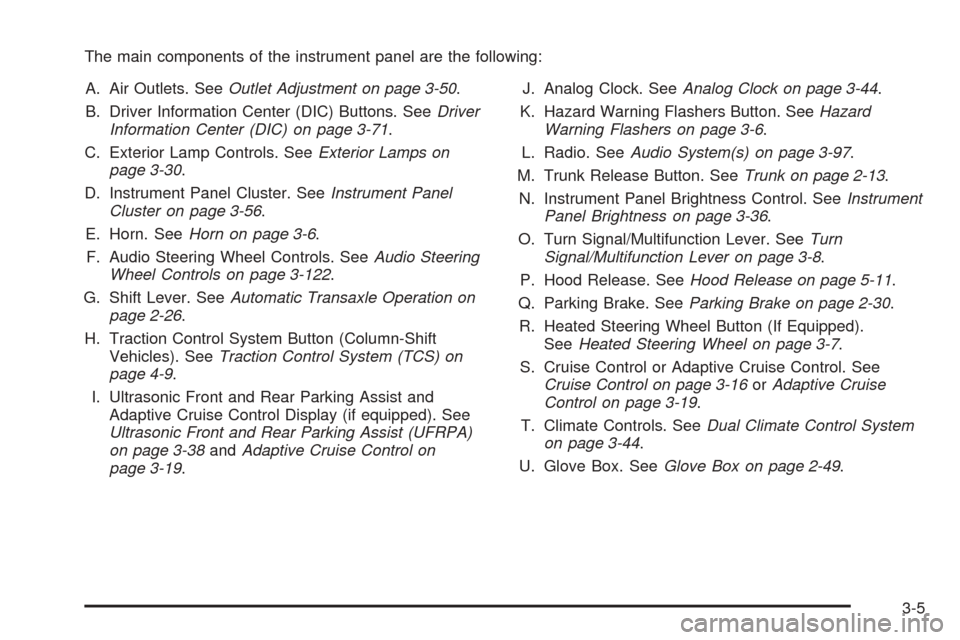
The main components of the instrument panel are the following:
A. Air Outlets. SeeOutlet Adjustment on page 3-50.
B. Driver Information Center (DIC) Buttons. SeeDriver
Information Center (DIC) on page 3-71.
C. Exterior Lamp Controls. SeeExterior Lamps on
page 3-30.
D. Instrument Panel Cluster. SeeInstrument Panel
Cluster on page 3-56.
E. Horn. SeeHorn on page 3-6.
F. Audio Steering Wheel Controls. SeeAudio Steering
Wheel Controls on page 3-122.
G. Shift Lever. SeeAutomatic Transaxle Operation on
page 2-26.
H. Traction Control System Button (Column-Shift
Vehicles). SeeTraction Control System (TCS) on
page 4-9.
I. Ultrasonic Front and Rear Parking Assist and
Adaptive Cruise Control Display (if equipped). See
Ultrasonic Front and Rear Parking Assist (UFRPA)
on page 3-38andAdaptive Cruise Control on
page 3-19.J. Analog Clock. SeeAnalog Clock on page 3-44.
K. Hazard Warning Flashers Button. SeeHazard
Warning Flashers on page 3-6.
L. Radio. SeeAudio System(s) on page 3-97.
M. Trunk Release Button. SeeTrunk on page 2-13.
N. Instrument Panel Brightness Control. SeeInstrument
Panel Brightness on page 3-36.
O. Turn Signal/Multifunction Lever. SeeTurn
Signal/Multifunction Lever on page 3-8.
P. Hood Release. SeeHood Release on page 5-11.
Q. Parking Brake. SeeParking Brake on page 2-30.
R. Heated Steering Wheel Button (If Equipped).
SeeHeated Steering Wheel on page 3-7.
S. Cruise Control or Adaptive Cruise Control. See
Cruise Control on page 3-16orAdaptive Cruise
Control on page 3-19.
T. Climate Controls. SeeDual Climate Control System
on page 3-44.
U. Glove Box. SeeGlove Box on page 2-49.
3-5
Page 141 of 450

Headlamp High/Low-Beam Changer
Push forward to change the headlamps from low
beam to high. Pull the lever back and then release it
to change from high beam to low.
This light on the instrument
panel cluster will be on,
indicating high-beam
usage.
Forward Collision Alert (FCA)
System
If your vehicle has this feature, be sure to read this
entire section before using it.
The system operates on a radio frequency subject to
Federal Communications Commission (FCC) Rules and
with Industry Canada.This device complies with Part 15 of the FCC Rules.
Operation is subject to the following two conditions:
1. This device may not cause interference.
2. This device must accept any interference received,
including interference that may cause undesired
operation of the device.
This device complies with RSS-210 of Industry Canada.
Operation is subject to the following two conditions:
1. This device may not cause interference.
2. This device must accept any interference received,
including interference that may cause undesired
operation of the device.
Changes or modications to this system by other than
an authorized service facility could void authorization to
use this equipment.
3-9
Page 151 of 450
Using Cruise Control on Hills
How well your cruise control will work on hills depends
upon your speed, load and the steepness of the
hills. When going up steep hills, you may have to step
on the accelerator pedal to maintain your speed.
When going downhill, you may have to brake or shift to
a lower gear to keep your speed down. Applying the
brake or shifting into a lower gear will take you out
of cruise control. If you need to apply the brake or shift
to a lower gear due to the grade of the downhill
slope, you may not want to attempt to use your cruise
control feature.
Ending Cruise Control
To turn off the cruise control, step lightly on the brake
pedal, or press the cancel button on the steering wheel.
Erasing Speed Memory
When you turn off the cruise control or the ignition, your
cruise control set speed memory is erased.
Adaptive Cruise Control
If your vehicle has this feature, be sure to read this
entire section before using it.
The system operates on a radio frequency subject to
Federal Communications Commission (FCC) Rules and
with Industry Canada.
This device complies with Part 15 of the FCC Rules.
Operation is subject to the following two conditions:
1. This device may not cause interference.
2. This device must accept any interference received,
including interference that may cause undesired
operation of the device.
This device complies with RSS-210 of Industry Canada.
Operation is subject to the following two conditions:
1. This device may not cause interference.
2. This device must accept any interference received,
including interference that may cause undesired
operation of the device.
Changes or modications to this system by other than
an authorized service facility could void authorization to
use this equipment.
3-19
Page 174 of 450

Other conditions that may affect system performance
include vibrations from a jackhammer or the
compression of air brakes on a very large truck or
other mechanical devices that interfere with UFRPA
performance.
When UFRPA is disabled without driver action and
the driver attempts to turn UFRPA back on using the
Driver Information Center (DIC), the PARKING
ASSIST ON option will not be selectable if the
necessary conditions stated above for normal system
operation are not met.
As always, drivers should use care when backing up a
vehicle. Always look behind you, being sure to check
for other vehicles, obstructions and blind spots.
For Driver Information Center messages related to
UFRPA, seeDIC Warnings and Messages on
page 3-76.
If the bumper is damaged, your UFRPA system may
not work properly. Take the vehicle to your dealer
to repair the system.
Accessory Power Outlet(s)
Your vehicle is equipped with accessory power outlets.
The outlets can be used to plug in electrical equipment
such as a cellular telephone, CB radio, etc.
If your vehicle has a stationary center console, the
power outlet is located inside the lower storage area.
There are outlets also on the right front lower part of the
driver’s seat and in the lower storage bin. SeeCenter
Console Storage Area on page 2-50.
There are two accessory power outlets in the rear
seat area located on the door armrests next to the
ashtrays.
Your vehicle may have a small cap that must be
removed to access the accessory power outlet. If it
does, when not using the outlet be sure to cover it with
the protective cap.
The accessory power outlet can be used at any time.
Notice:Leaving electrical equipment on for
extended periods will drain the battery. Always turn
off electrical equipment when not in use and do
not plug in equipment that exceeds the maximum
amperage rating.
3-42