oil CADILLAC DTS 2007 1.G User Guide
[x] Cancel search | Manufacturer: CADILLAC, Model Year: 2007, Model line: DTS, Model: CADILLAC DTS 2007 1.GPages: 518, PDF Size: 2.77 MB
Page 283 of 518
Playing a CD(s) (Six-Disc CD Player)
LOAD^:Press this button to load CDs into the
CD player. This CD player holds up to six CDs.
To insert one CD, do the following:
1. Press and release the load button.
2. Wait for the message to insert the disc.
3. Load a CD. Insert the CD partway into the slot,
label side up. The player pulls the CD in.
To insert multiple CDs, do the following:
1. Press and hold the LOAD button for
ve seconds. A beep sounds and Load
All Discs displays.
2. Follow the displayed instruction on when to
insert the discs. The CD player takes up to
six CDs.
3. Press the Load button again to cancel loading
more CDs.If the ignition or radio is turned off, with a CD in the
player, it stays in the player. When the ignition or
radio is turned on, the CD starts playing where it
stopped, if it was the last selected audio source.
When a CD is inserted, the CD symbol displays
on the CD. As each new track starts to play,
the track number also displays.
If playing a CD-R, the sound quality can be reduced
due to CD-R quality, the method of recording, the
quality of the music that has been recorded, and the
way the CD-R has been handled. There can be an
increase in skipping, difficulty in nding tracks,
and/or difficulty in loading and ejecting. If these
problems occur, check the bottom surface of the
CD. If the surface of the CD is damaged, such as
cracked, broken, or scratched, the CD does not
play properly. If the surface of the CD is soiled,
seeCare of Your CDs on page 299for more
information.
If there is no apparent damage, try a known
good CD.
283
Page 299 of 518

Cellular Phone Usage
Cellular phone usage may cause interference
with your vehicle’s radio. This interference
may occur when making or receiving phone calls,
charging the phone’s battery, or simply having
the phone on. This interference is an increased
level of static while listening to the radio. If static
is received while listening to the radio, unplug
the cellular phone and turn it off.
Care of Your CDs
Handle CDs carefully. Store them in their original
cases or other protective cases and away from
direct sunlight and dust. The CD player scans
the bottom surface of the disc. If the surface of a
CD is damaged, such as cracked, broken, orscratched, the CD does not play properly or not at
all. If the surface of a CD is soiled, take a soft, lint
free cloth or dampen a clean, soft cloth in a mild,
neutral detergent solution mixed with water, and
clean it. Make sure the wiping process starts from
the center to the edge.
Do not touch the bottom side of a CD while
handling it; this could damage the surface. Pick up
CDs by grasping the outer edges or the edge of
the hole and the outer edge.
Care of the CD Player
Do not use CD lens cleaners for CD players
because the lens of the CD optics can become
contaminated by lubricants.
299
Page 325 of 518

Of course, you will nd experienced and able
service experts in GM dealerships all across North
America. They will be ready and willing to help
if you need it.
Here are some things you can check before a trip:
Windshield Washer Fluid:Is the reservoir
full? Are all windows clean inside and outside?
Wiper Blades:Are they in good shape?
Fuel, Engine Oil, Other Fluids:Have you
checked all levels?
Lamps:Are they all working? Are the
lenses clean?
Tires:They are vitally important to a safe,
trouble-free trip. Is the tread good enough
for long-distance driving? Are the tires
all inated to the recommended pressure?
Weather Forecasts:What is the weather
outlook along your route? Should you
delay your trip a short time to avoid a major
storm system?
Maps:Do you have up-to-date maps?
Highway Hypnosis
Is there actually such a condition as highway
hypnosis? Or is it just plain falling asleep at the
wheel? Call it highway hypnosis, lack of
awareness, or whatever.
There is something about an easy stretch of road
with the same scenery, along with the hum of the
tires on the road, the drone of the engine, and the
rush of the wind against the vehicle that can make
you sleepy. Do not let it happen to you! If it does,
your vehicle can leave the road in less than a
second, and you could crash and be injured.
What can you do about highway hypnosis? First,
be aware that it can happen.
Then here are some tips:
Make sure your vehicle is well ventilated, with
a comfortably cool interior.
Keep your eyes moving. Scan the road ahead
and to the sides. Check your rearview mirrors
and your instruments frequently.
If you get sleepy, pull off the road into a rest,
service, or parking area and take a nap, get
some exercise, or both. For safety, treat
drowsiness on the highway as an emergency.
325
Page 349 of 518
When You Are Ready to Leave After
Parking on a Hill
1. Apply your regular brakes and hold the pedal
down while you:
Start your engine,
Shift into a gear, and
Make sure the parking brake has released.
2. Let up on the brake pedal.
3. Drive slowly until the trailer is clear of
the chocks.
4. Stop and have someone pick up and store
the chocks.
Maintenance When Trailer Towing
Your vehicle will need service more often when
you are pulling a trailer. See the Maintenance
Schedule for more on this. Things that are
especially important in trailer operation are
automatic transmission uid (do not overll),
engine oil, drive belt, cooling system and brake
system. Each of these is covered in this manual,
and the Index will help you nd them quickly.
If you are trailering, it is a good idea to review this
information before you start your trip.
Check periodically to see that all hitch nuts and
bolts are tight.
Engine Cooling When Trailer Towing
Your cooling system may temporarily overheat
during severe operating conditions. SeeEngine
Overheating on page 377.
349
Page 351 of 518
Service........................................................ 353
Accessories and Modications................... 353
California Proposition 65 Warning.............. 354
Doing Your Own Service Work.................. 354
Adding Equipment to the Outside of
Your Vehicle.......................................... 355
Fuel............................................................. 355
Gasoline Octane........................................ 356
Gasoline Specications.............................. 356
California Fuel........................................... 356
Additives................................................... 357
Fuels in Foreign Countries........................ 358
Filling the Tank......................................... 358
Filling a Portable Fuel Container............... 361
Checking Things Under the Hood.............. 362
Hood Release........................................... 363
Engine Compartment Overview.................. 364
Engine Oil................................................. 365
Engine Oil Life System.............................. 368
Engine Air Cleaner/Filter............................ 370
Automatic Transaxle Fluid......................... 372
Engine Coolant.......................................... 374
Coolant Surge Tank Pressure Cap............ 377
Engine Overheating................................... 377Overheated Engine Protection
Operating Mode..................................... 379
Cooling System......................................... 380
Power Steering Fluid................................. 385
Windshield Washer Fluid........................... 386
Brakes...................................................... 387
Battery...................................................... 390
Jump Starting............................................ 392
Headlamp Aiming........................................ 397
Bulb Replacement....................................... 400
High Intensity Discharge (HID) Lighting..... 400
Windshield Wiper Blade Replacement....... 400
Tires............................................................ 402
Tire Sidewall Labeling............................... 403
Tire Terminology and Denitions............... 408
Ination - Tire Pressure............................. 411
High-Speed Operation............................... 413
Tire Pressure Monitor System................... 414
Tire Inspection and Rotation...................... 418
When It Is Time for New Tires.................. 419
Buying New Tires...................................... 420
Different Size Tires and Wheels................ 422
Uniform Tire Quality Grading..................... 422
Section 5 Service and Appearance Care
351
Page 358 of 518

Fuels in Foreign Countries
If you plan on driving in another country outside the
United States or Canada, the proper fuel might be
hard to nd. Never use leaded gasoline or any other
fuel not recommended in the previous text on fuel.
Costly repairs caused by use of improper fuel would
not be covered by your warranty.
To check the fuel availability, ask an auto club, or
contact a major oil company that does business
in the country where you will be driving.
Filling the Tank
{CAUTION:
Fuel vapor burns violently and a fuel re
can cause bad injuries. To help avoid
injuries to you and others, read and follow
all the instructions on the pump island.
Turn off your engine when you are
refueling. Do not smoke if you are near
fuel or refueling your vehicle. Do not use
cellular phones. Keep sparks, ames, and
smoking materials away from fuel. Do not
leave the fuel pump unattended when
refueling your vehicle. This is against the
law in some places. Do not re-enter the
vehicle while pumping fuel. Keep children
away from the fuel pump; never let
children pump fuel.
358
Page 362 of 518

Checking Things Under
the Hood
{CAUTION:
An electric fan under the hood can start up
and injure you even when the engine is not
running. Keep hands, clothing, and tools
away from any underhood electric fan.
{CAUTION:
Things that burn can get on hot engine
parts and start a re. These include
liquids like fuel, oil, coolant, brake uid,
windshield washer and other uids, and
plastic or rubber. You or others could be
burned. Be careful not to drop or spill
things that will burn onto a hot engine.
362
Page 365 of 518
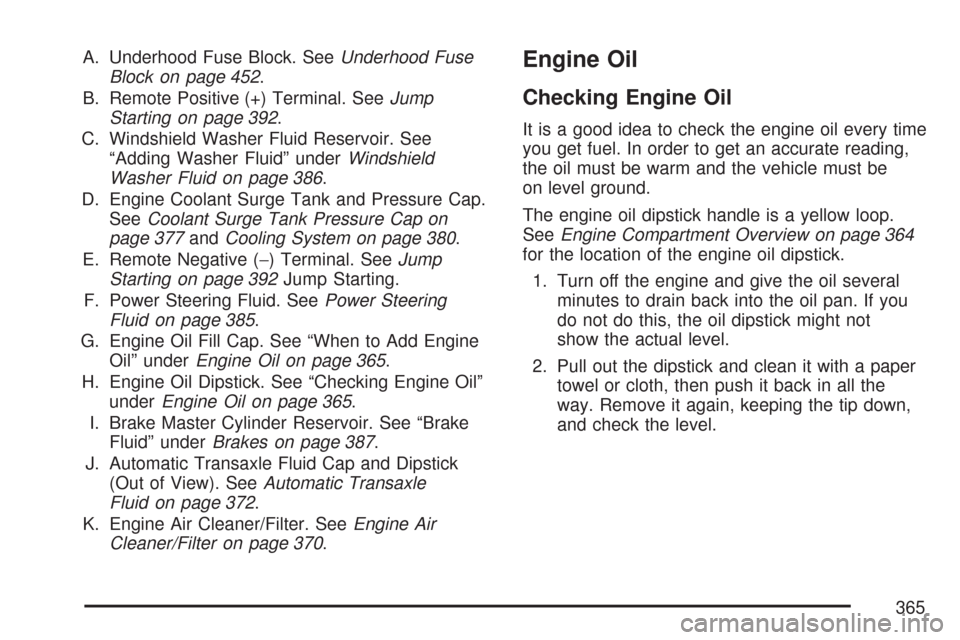
A. Underhood Fuse Block. SeeUnderhood Fuse
Block on page 452.
B. Remote Positive (+) Terminal. SeeJump
Starting on page 392.
C. Windshield Washer Fluid Reservoir. See
“Adding Washer Fluid” underWindshield
Washer Fluid on page 386.
D. Engine Coolant Surge Tank and Pressure Cap.
SeeCoolant Surge Tank Pressure Cap on
page 377andCooling System on page 380.
E. Remote Negative (−) Terminal. SeeJump
Starting on page 392Jump Starting.
F. Power Steering Fluid. SeePower Steering
Fluid on page 385.
G. Engine Oil Fill Cap. See “When to Add Engine
Oil” underEngine Oil on page 365.
H. Engine Oil Dipstick. See “Checking Engine Oil”
underEngine Oil on page 365.
I. Brake Master Cylinder Reservoir. See “Brake
Fluid” underBrakes on page 387.
J. Automatic Transaxle Fluid Cap and Dipstick
(Out of View). SeeAutomatic Transaxle
Fluid on page 372.
K. Engine Air Cleaner/Filter. SeeEngine Air
Cleaner/Filter on page 370.Engine Oil
Checking Engine Oil
It is a good idea to check the engine oil every time
you get fuel. In order to get an accurate reading,
the oil must be warm and the vehicle must be
on level ground.
The engine oil dipstick handle is a yellow loop.
SeeEngine Compartment Overview on page 364
for the location of the engine oil dipstick.
1. Turn off the engine and give the oil several
minutes to drain back into the oil pan. If you
do not do this, the oil dipstick might not
show the actual level.
2. Pull out the dipstick and clean it with a paper
towel or cloth, then push it back in all the
way. Remove it again, keeping the tip down,
and check the level.
365
Page 366 of 518
When to Add Engine Oil
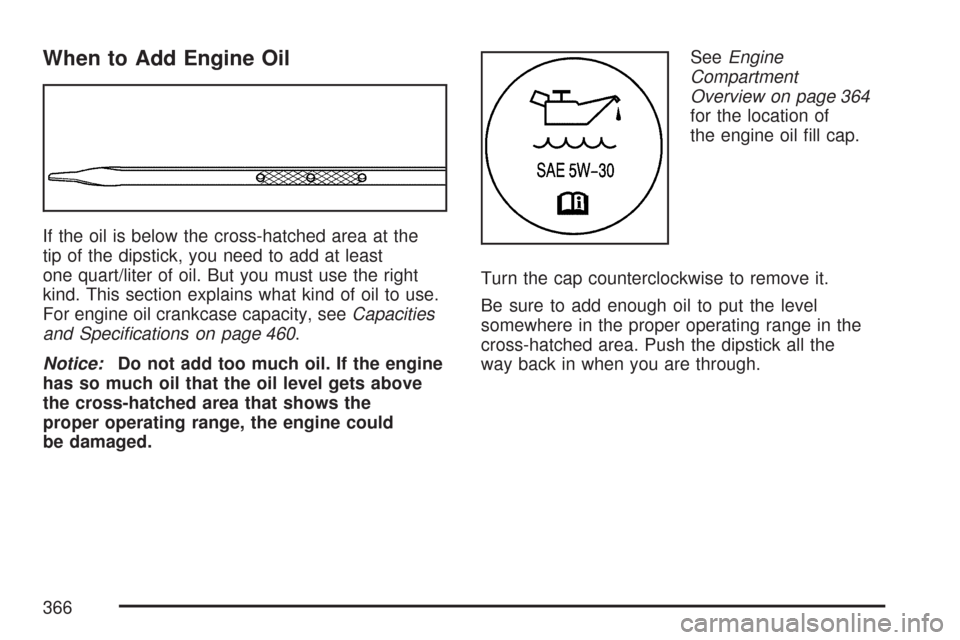
If the oil is below the cross-hatched area at the
tip of the dipstick, you need to add at least
one quart/liter of oil. But you must use the right
kind. This section explains what kind of oil to use.
For engine oil crankcase capacity, seeCapacities
and Specications on page 460.
Notice:Do not add too much oil. If the engine
has so much oil that the oil level gets above
the cross-hatched area that shows the
proper operating range, the engine could
be damaged.SeeEngine
Compartment
Overview on page 364
for the location of
the engine oil ll cap.
Turn the cap counterclockwise to remove it.
Be sure to add enough oil to put the level
somewhere in the proper operating range in the
cross-hatched area. Push the dipstick all the
way back in when you are through.
366
Page 367 of 518

What Kind of Engine Oil to Use
Look for three things:
GM6094M
Your vehicle’s engine requires oil meeting GM
Standard GM6094M. Look for and use only
an oil that meets GM Standard GM6094M.
SAE 5W-30
As shown in the viscosity chart, SAE 5W-30 is
best for your vehicle.These numbers on an oil container show its
viscosity, or thickness. Do not use other
viscosity oils such as SAE 20W-50.
Oils meeting these
requirements should
have the starburst
symbol on the
container. This
symbol indicates that
the oil has been
certied by the
American Petroleum
Institute (API).
Look for this information on the oil container, and
use only those oils that are identied as meeting
GM Standard GM6094M and have the starburst
symbol on the front of the oil container.
Notice:Use only engine oil identied as
meeting GM Standard GM6094M and showing
the American Petroleum Institute Certied
For Gasoline Engines starburst symbol. Failure
to use the recommended oil can result in
engine damage not covered by your warranty.
GM Goodwrench
®oil meets all the requirements
for your vehicle.
367