battery CADILLAC DTS 2008 1.G User Guide
[x] Cancel search | Manufacturer: CADILLAC, Model Year: 2008, Model line: DTS, Model: CADILLAC DTS 2008 1.GPages: 454, PDF Size: 2.48 MB
Page 139 of 454
Instrument Panel Overview...............................3-4
Hazard Warning Flashers................................3-6
Other Warning Devices...................................3-6
Horn .............................................................3-6
Tilt Wheel.....................................................3-6
Power Tilt Wheel and Telescopic Steering
Column......................................................3-7
Heated Steering Wheel...................................3-7
Turn Signal/Multifunction Lever.........................3-8
Turn and Lane-Change Signals........................3-9
Headlamp High/Low-Beam Changer..................3-9
Forward Collision Alert (FCA) System..............3-10
Flash-to-Pass...............................................3-13
Windshield Wipers........................................3-13
Rainsense™ II Wipers...................................3-14
Windshield Washer.......................................3-15
Cruise Control..............................................3-16
Adaptive Cruise Control.................................3-19
Exterior Lamps.............................................3-32
Wiper Activated Headlamps............................3-35
Headlamps on Reminder................................3-35
Daytime Running Lamps (DRL).......................3-35
Fog Lamps ..................................................3-36
Cornering Lamps..........................................3-37
Exterior Lighting Battery Saver........................3-37
Instrument Panel Brightness...........................3-37
Courtesy Lamps...........................................3-37Entry Lighting...............................................3-37
Parade Dimming...........................................3-38
Reading Lamps............................................3-38
Footwell Lamps............................................3-38
Battery Load Management.............................3-38
Electric Power Management...........................3-39
Inadvertent Power Battery Saver.....................3-40
Battery Run-Down Protection..........................3-40
Accessory Power Outlet(s).............................3-40
Ashtray(s)....................................................3-41
Analog Clock...............................................3-42
Climate Controls............................................3-42
Dual Climate Control System..........................3-42
Outlet Adjustment.........................................3-48
Rear Climate Control System.........................3-49
Passenger Compartment Air Filter...................3-51
Warning Lights, Gages, and Indicators............3-53
Instrument Panel Cluster................................3-54
Speedometer and Odometer...........................3-55
Tachometer.................................................3-55
Safety Belt Reminders...................................3-56
Airbag Readiness Light..................................3-57
Passenger Airbag Status Indicator...................3-58
Charging System Light..................................3-60
Brake System Warning Light..........................3-60
Antilock Brake System (ABS) Warning Light.....3-61
Section 3 Instrument Panel
3-1
Page 175 of 454

Cornering Lamps
The cornering lamps come on when the headlamps or
parking lamps are on and you signal a turn with the
multifunction lever. They provide more light for
cornering.
Exterior Lighting Battery Saver
If the exterior lamp button has been left on, the exterior
lamps will turn off about 10 minutes after the ignition is
turned to LOCK/OFF and a door has been opened. This
protects against draining the battery if the headlamps or
parking lamps are accidentally left on. If you need to
leave the lamps on for more than 10 minutes, use the
exterior lamp control to turn the lamps back on after the
ignition is turned to LOCK/OFF and any door is opened.
Instrument Panel Brightness
D(Instrument Panel Brightness):This feature
controls the brightness of the instrument panel and
footwell lights, if equipped.
The button for this control is located below the exterior
lamps control.
Push the button in and release to extend the button.
Turn the button clockwise or counterclockwise to
brighten or dim the lights.
Courtesy Lamps
The courtesy lamps are located on the headliner above
the rear seat. These lamps come on by turning the
instrument panel brightness knob fully clockwise or when
any door is opened and it is dark outside. Puddle
lamps are located on the bottom of the front and rear
door trim.
Professional vehicles have an additional dome lamp and
also opera lamps.
Entry Lighting
This feature turns on the courtesy lamps and the
backlighting for the door switches and the exterior
lamp control when a door is opened or if the remote
keyless entry transmitter unlock button is pressed.
If activated due to the transmitter, the lighting remains
active for about 40 seconds. Since the entry lighting
system uses the light sensor, it must be dark outside in
order for the courtesy lamps to turn on. The courtesy
lamps turn off approximately 25 seconds after the
last door is closed. They will dim to off if the ignition
key is turned to ON/RUN, or immediately deactivate if
the power locks are activated.
3-37
Page 176 of 454

Parade Dimming
This feature prohibits dimming of the digital displays and
backlighting during daylight hours when the key is in
the ignition and the headlamps are on. This feature is
fully automatic. When the light sensor reads darkness
outside and the parking lamps are active, the digital
displays can be adjusted by turning the instrument panel
brightness knob counterclockwise to dim and clockwise
to brighten lighting.
Reading Lamps
The reading lamps are located on the overhead console
on the headliner and in the rear door opening. These
lamps come on automatically when any door is opened
and it is dark outside.
For manual operation, press the button to turn them on.
Press it again to turn them off.
If the reading lamps are left on, they automatically shut
off 10 minutes after the ignition has been turned off.
Footwell Lamps
If your vehicle has footwell lamps, they are located
under the instrument panel and at the rear of the front
seats. These lamps provide soft light to the front
and rear oor areas. They dim with the instrument panel
cluster lights, before going out completely.
Footwell lighting brightness can be adjusted with the
instrument panel brightness control located below
the exterior lamps control. SeeInstrument Panel
Brightness on page 3-37. The footwell lights will turn off
before the instrument panel lights are at their lowest
level of brightness.
Battery Load Management
The battery load management feature is designed to
monitor the vehicle’s electrical load and determine when
the battery is in a heavy discharge condition. During
times of high electrical loading, the engine may idle
at a higher revolutions per minute (rpm) setting
than normal to make sure the battery charges. High
electrical loads may occur when several of the following
are on: headlamps, high beams, fog lamps, rear
window defogger, the climate control fan at high speeds,
heated seats and engine cooling fans.
3-38
Page 177 of 454

If the battery continues to discharge, even with the
engine idling at a higher rpm setting, some electrical
loads will automatically be reduced. When this occurs,
the rear window defogger may take slightly longer
to clear the glass, the heated seats may not get as warm
as they usually do and the climate control fan may cut
back to a lower speed. For more battery saving
information, see “Battery Saver Active Message” under
DIC Warnings and Messages on page 3-75.
Electric Power Management
The vehicle has Electric Power Management (EPM) that
estimates the battery’s temperature and state of charge.
It then adjusts the voltage for best performance and
extended life of the battery.
When the battery’s state of charge is low, the voltage is
raised slightly to quickly put the charge back in. When
the state of charge is high, the voltage is lowered slightly
to prevent overcharging. If the vehicle has a voltmeter
gage or a voltage display on the Driver Information
Center (DIC), you may see the voltage move up
or down. This is normal. If there is a problem, an
alert will be displayed.The battery can be discharged at idle if the electrical
loads are very high. This is true for all vehicles.
This is because the generator (alternator) may not be
spinning fast enough at idle to produce all the power
that is needed for very high electrical loads.
A high electrical load occurs when several of the
following loads are on: headlamps, high beams, fog
lamps, rear window defogger, climate control fan at
high speed, heated seats, engine cooling fans, trailer
loads, and loads plugged into accessory power outlets.
EPM works to prevent excessive discharge of the
battery. It does this by balancing the generator’s output
and the vehicle’s electrical needs. It can increase
engine idle speed to generate more power, whenever
needed. It can temporarily reduce the power demands
of some accessories.
Normally, these actions occur in steps or levels, without
being noticeable. In rare cases at the highest levels
of corrective action, this action may be noticeable
to the driver. If so, a Driver Information Center (DIC)
message might be displayed, such as Battery Saver
Active or Service Battery Charging System. If this
message is displayed, it is recommended that the
driver reduce the electrical loads as much as possible.
SeeDIC Warnings and Messages on page 3-75.
3-39
Page 178 of 454

Inadvertent Power Battery Saver
This feature is designed to protect your vehicle’s battery
against drainage from the interior lamps, trunk lamp,
glove box lamp, or the garage door opener. When the
ignition is turned off, the power to these features will
automatically turn off after 10 minutes. Power will
be restored for an additional 10 minutes if any door or
trunk is opened, or the courtesy lamp switch is
turned on.
Battery Run-Down Protection
This vehicle has a feature to help prevent the battery
from being drained, if the interior courtesy lamps,
reading/map lamps, visor vanity lamps or trunk lamp are
accidentally left on. If any of these lamps are left on,
they will automatically turn off after 10 minutes, if
the ignition is off. The lamps will not come back on
again until one of the following occurs:
The ignition is turned on.
The exterior lamps control is turned off, then
on again.
The headlamps will timeout after 10 minutes, if they are
manually turned on before the ignition is off.
Accessory Power Outlet(s)
The accessory power outlets can be used to plug in
electrical equipment such as a cellular telephone,
CB radio, etc.
If your vehicle has a center console, the power outlet is
located inside the lower storage area. There are
outlets also on the right front lower part of the driver’s
seat and under the climate control system next to
the ashtray. SeeCenter Console Storage on page 2-59.
There are two accessory power outlets in the rear
seat area located on the door armrests next to the
ashtrays.
There may be a small cap that must be removed to
access the accessory power outlet. When not using the
outlet be sure to cover it with the protective cap.
The accessory power outlet can be used at any time.
Notice:Leaving electrical equipment plugged in for
an extended period of time while the vehicle is off
will drain the battery. Power is always supplied
to the outlets. Always unplug electrical equipment
when not in use and do not plug in equipment
that exceeds the maximum 20 ampere rating.
3-40
Page 205 of 454

Emissions Inspection and
Maintenance Programs
Some state/provincial and local governments have
or might begin programs to inspect the emission
control equipment on your vehicle. Failure to pass this
inspection could prevent you from getting a vehicle
registration.
Here are some things you need to know to help your
vehicle pass an inspection:
Your vehicle will not pass this inspection if the check
engine light is on or not working properly.
Your vehicle will not pass this inspection if the OBD
(on-board diagnostic) system determines that critical
emission control systems have not been completely
diagnosed by the system. The vehicle would be
considered not ready for inspection. This can happen
if you have recently replaced the battery or if the battery
has run down. The diagnostic system is designed to
evaluate critical emission control systems during normal
driving. This can take several days of routine driving.
If you have done this and your vehicle still does not pass
the inspection for lack of OBD system readiness, your
dealer/retailer can prepare the vehicle for inspection.
Oil Pressure Light
{CAUTION:
Do not keep driving if the oil pressure is low.
If you do, your engine can become so hot that
it catches re. You or others could be burned.
Check your oil as soon as possible and have
your vehicle serviced.
Notice:Lack of proper engine oil maintenance may
damage the engine. The repairs would not be covered
by your warranty. Always follow the maintenance
schedule in this manual for changing engine oil.
This light will come on
briey when you start your
engine as a check to be
sure it works. If it does
not, have your vehicle
serviced.
If the light comes on and stays on, it means that oil is not
owing through your engine properly. You could be low
on oil and you might have some other system problem.
3-67
Page 210 of 454

FUEL USED
This display shows the number of gallons (gal) or
liters (L) of fuel used since the last reset of this display.
To reset this display, press the set/reset button.
The display will return to zero.
TIMER ON/OFF
This display can be used like a stopwatch. You can
record the time it takes to travel from one point to
another. To access the timer, press the trip/fuel button
until 00:00:00 TIMER OFF displays.
To turn on the timer, press the set/reset button until
TIMER ON displays. The timer will then start.
To turn off the timer, press the set/reset button again
until TIMER OFF displays. The timer will stop and
display the end timing value.
To reset the timer, press and hold the set/reset button
after the timer has been stopped. The display will
return to zero.
AVERAGE SPEED
This display shows the average speed of the vehicle in
either miles per hour (mph) or kilometers per hour (km/h).
This average is calculated based on the various vehicle
speeds recorded since the last reset of this display.
To reset this display, press the set/reset button.
The display will return to zero.
BATTERY VOLTAGE
This display shows the current battery voltage. If the
voltage is in the normal range, the value will display.
For example, the display may read BATTERY
VOLTAGE 13.2 VOLTS. If the voltage is low, the display
will show LOW. If the voltage is high, the display will
show HIGH. Your vehicle’s charging system regulates
voltage based on the state of the battery. The battery
voltage may uctuate when viewing this information on
the DIC. This is normal. SeeCharging System Light
on page 3-60for more information.
If there is a problem with the battery charging system,
the DIC will display a message. SeeDIC Warnings
and Messages on page 3-75andElectric Power
Management on page 3-39for more information.
Blank Display
This display shows no information.
3-72
Page 213 of 454
DIC Warnings and Messages
These messages appear if there is a problem detected
in one of your vehicle’s systems.
You must acknowledge a message to clear it from the
screen for further use. To clear a message, press
the set/reset button.
Be sure to take any message that appears on the
screen seriously and remember that clearing the
message will only make the message disappear,
not the problem.
AUTOMATIC LIGHT CONTROL OFF
This message displays when the automatic headlamps
are turned off. SeeExterior Lamps on page 3-32for
more information.
AUTOMATIC LIGHT CONTROL ON
This message displays when the automatic headlamps
are turned on. SeeExterior Lamps on page 3-32for
more information.
BATTERY SAVER ACTIVE
This message displays when the system detects that
the battery voltage is dropping beyond a reasonable
level. The battery saver system starts reducing certain
features of the vehicle that you may be able to notice.At the point that the features are disabled, this message
is displayed. It means that the vehicle is trying to
save the charge in the battery.
Turn off all unnecessary accessories to allow the battery
to recharge.
The normal battery voltage range is 11.5 to 15.5 volts.
You can monitor battery voltage on the Driver Information
Center (DIC) by pressing the trip/fuel button until
BATTERY VOLTAGE is displayed.
CHANGE ENGINE OIL SOON
This message displays when service is required for your
vehicle. See your dealer/retailer. SeeEngine Oil on
page 5-15andScheduled Maintenance on page 6-4for
more information.
When you reset the CHANGE ENGINE OIL SOON
message by clearing it from the display, you still must
reset the engine oil life system separately. For more
information on resetting the engine oil life system, see
Engine Oil Life System on page 5-18.
CHECK TIRE PRESSURE
This message displays when the pressure in one or
more of the vehicle’s tires needs to be checked. This
message also displays LEFT FRONT, RIGHT FRONT,
LEFT REAR, or RIGHT REAR to indicate which tire
needs to be checked. You can receive more
than one tire pressure message at a time.
3-75
Page 219 of 454
RADAR CRUISE NOT READY
This message displays when the Adaptive Cruise
Control (ACC) system will not activate due to a
temporary condition. Your vehicle does not require
service. If this message appears when you attempt to
activate the system, continue driving for several minutes
and then try activating the system again. SeeAdaptive
Cruise Control on page 3-19for more information.
RAINSENSE WIPERS ACTIVE
If your vehicle has Rainsense™ II wipers, this message
displays while this feature is active. SeeRainsense™
II Wipers on page 3-14for more information.
REMOTE KEY LEARNING ACTIVE
This message displays while you are matching a
Remote Keyless Entry (RKE) transmitter to your vehicle.
See “Matching Transmitter(s) to Your Vehicle” under
Remote Keyless Entry (RKE) System Operation
on page 2-5andDIC Operation and Displays on
page 3-70for more information.
REPLACE BATTERY IN REMOTE KEY
This message displays when the battery in the Remote
Keyless Entry (RKE) transmitter needs to be replaced.
To replace the battery, see “Battery Replacement” under
Remote Keyless Entry (RKE) System Operation on
page 2-5.
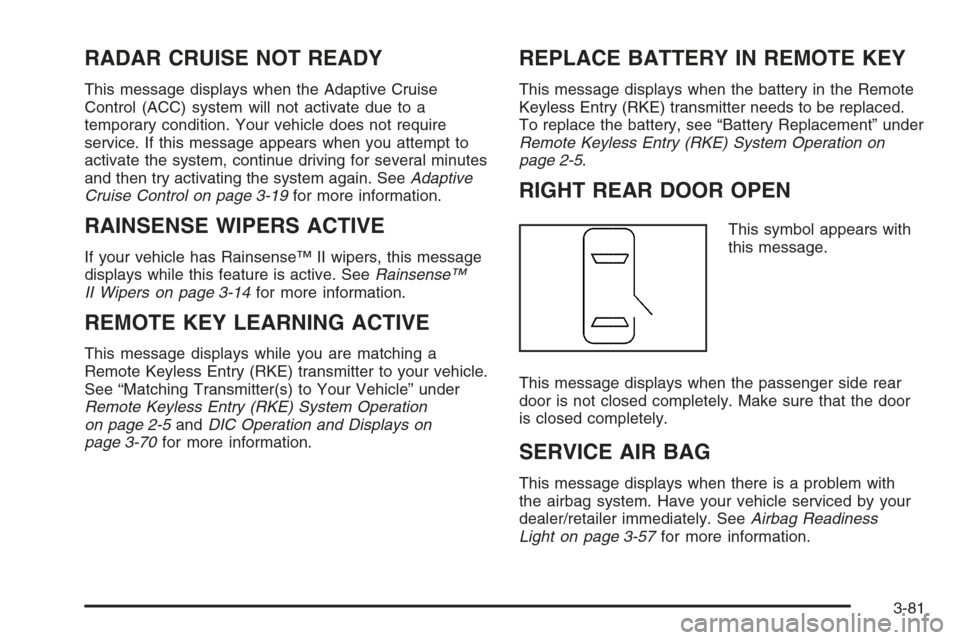
RIGHT REAR DOOR OPEN
This symbol appears with
this message.
This message displays when the passenger side rear
door is not closed completely. Make sure that the door
is closed completely.
SERVICE AIR BAG
This message displays when there is a problem with
the airbag system. Have your vehicle serviced by your
dealer/retailer immediately. SeeAirbag Readiness
Light on page 3-57for more information.
3-81
Page 220 of 454

SERVICE A/C SYSTEM
This message displays when the air delivery mode door
or the electronic sensors that control the air conditioning
and heating systems are no longer working. Have
the climate control system serviced by your dealer/
retailer if you notice a drop in heating and air
conditioning efficiency.
SERVICE BATTERY CHARGING
SYSTEM
This message displays when a problem with the
charging system has been detected. The charging
system light also displays on the instrument panel
cluster. SeeCharging System Light on page 3-60for
more information. Have your vehicle serviced by
your dealer/retailer.
SERVICE BRAKE ASSIST
This message displays if there is a problem with the
brake system. The brake system warning light and the
antilock brake system warning light may also be
displayed on the instrument panel cluster. SeeBrake
System Warning Light on page 3-60andAntilock Brake
System (ABS) Warning Light on page 3-61for more
information. If this happens, stop as soon as possible
and turn off the vehicle. Restart the vehicle and
check for the message on the DIC display.If the message is displayed or appears again when you
begin driving, the brake system needs service. See
your dealer/retailer as soon as possible. SeeBrakes
on page 5-37for more information.
SERVICE BRAKE SYSTEM
This message displays if the ignition is on to inform the
driver that the brake uid level is low. Have the brake
system serviced by your dealer/retailer as soon as
possible.
SERVICE LANE DEPARTURE SYSTEM
If your vehicle has the Lane Departure Warning
(LDW) system, this message may display to indicate
that the LDW system is not working properly.
If this message remains on after continued driving,
the system needs service. See your dealer/retailer.
SeeLane Departure Warning (LDW) on page 2-46for
more information.
SERVICE PARKING ASSIST
If your vehicle has the Ultrasonic Front and Rear
Parking Assist (UFRPA) system, this message displays
if there is a problem with the UFRPA system. Do not
use this system to help you park. SeeUltrasonic Front
and Rear Parking Assist (UFRPA) on page 2-40for
more information. See your dealer/retailer for service.
3-82