radio CADILLAC DTS 2008 1.G User Guide
[x] Cancel search | Manufacturer: CADILLAC, Model Year: 2008, Model line: DTS, Model: CADILLAC DTS 2008 1.GPages: 454, PDF Size: 2.48 MB
Page 157 of 454
Using Cruise Control on Hills
How well your cruise control works on hills depends
upon the vehicle speed, load, and the steepness of the
hills. When going up steep hills, you might have to
step on the accelerator pedal to maintain the vehicle’s
speed. When going downhill, you might have to brake or
shift to a lower gear to keep the vehicle’s speed
down. Applying the brake or shifting into a lower gear
ends cruise control. If you need to apply the brake
or shift to a lower gear due to the grade of the downhill
slope, you might not want to attempt to use the
cruise control feature.
Ending Cruise Control
To turn off the cruise control, step lightly on the brake
pedal, or press the cancel button on the steering wheel.
Erasing Speed Memory
When you turn off the cruise control or the ignition, your
cruise control set speed memory is erased.
Adaptive Cruise Control
If your vehicle has this feature, be sure to read this
entire section before using it.
The system operates on a radio frequency subject to
Federal Communications Commission (FCC) Rules and
with Industry Canada.This device complies with Part 15 of the FCC Rules.
Operation is subject to the following two conditions:
1. This device may not cause interference.
2. This device must accept any interference received,
including interference that may cause undesired
operation of the device.
This device complies with RSS-210 of Industry Canada.
Operation is subject to the following two conditions:
1. This device may not cause interference.
2. This device must accept any interference received,
including interference that may cause undesired
operation of the device.
Changes or modications to this system by other than
an authorized service facility could void authorization to
use this equipment.
Adaptive Cruise Control is an enhancement to traditional
cruise control. It allows you to keep cruise control
engaged in moderate traffic conditions without having to
constantly reset your cruise control. Adaptive Cruise
Control uses radar to detect a vehicle directly ahead in
your path, within a distance of 330 ft (100 m), and
operates at speeds above 25 mph (40 km/h). When it is
engaged by the driver, the system can apply limited
braking or acceleration of the vehicle automatically to
maintain a selected follow distance to the vehicle ahead.
3-19
Page 178 of 454

Inadvertent Power Battery Saver
This feature is designed to protect your vehicle’s battery
against drainage from the interior lamps, trunk lamp,
glove box lamp, or the garage door opener. When the
ignition is turned off, the power to these features will
automatically turn off after 10 minutes. Power will
be restored for an additional 10 minutes if any door or
trunk is opened, or the courtesy lamp switch is
turned on.
Battery Run-Down Protection
This vehicle has a feature to help prevent the battery
from being drained, if the interior courtesy lamps,
reading/map lamps, visor vanity lamps or trunk lamp are
accidentally left on. If any of these lamps are left on,
they will automatically turn off after 10 minutes, if
the ignition is off. The lamps will not come back on
again until one of the following occurs:
The ignition is turned on.
The exterior lamps control is turned off, then
on again.
The headlamps will timeout after 10 minutes, if they are
manually turned on before the ignition is off.
Accessory Power Outlet(s)
The accessory power outlets can be used to plug in
electrical equipment such as a cellular telephone,
CB radio, etc.
If your vehicle has a center console, the power outlet is
located inside the lower storage area. There are
outlets also on the right front lower part of the driver’s
seat and under the climate control system next to
the ashtray. SeeCenter Console Storage on page 2-59.
There are two accessory power outlets in the rear
seat area located on the door armrests next to the
ashtrays.
There may be a small cap that must be removed to
access the accessory power outlet. When not using the
outlet be sure to cover it with the protective cap.
The accessory power outlet can be used at any time.
Notice:Leaving electrical equipment plugged in for
an extended period of time while the vehicle is off
will drain the battery. Power is always supplied
to the outlets. Always unplug electrical equipment
when not in use and do not plug in equipment
that exceeds the maximum 20 ampere rating.
3-40
Page 180 of 454

Analog Clock
The analog clock is located on the instrument
panel above the radio. The clock is not connected
with any other vehicle system and runs by itself.
To adjust the clock:
1. Locate the adjustment button directly below the
clock face.
2. Push and hold the adjustment button to advance
the clock hands. Holding the button down will
cause the clock to advance faster. Release the
button before reaching the desired time.
3. Push and release the button to increase the
time by one minute increments until the desired
time is reached.
Climate Controls
Dual Climate Control System
The heating, cooling, and ventilation for the vehicle
can be controlled with this system. To avoid window
fogging on rainy and humid days at temperatures above
freezing, run the air conditioning. Also, it is best to avoid
the use of recirculation mode except when maximum
air conditioning performance is needed for a short
amount of time to avoid exterior odors and fogging.Dual Climate Control System
Dual Climate Control System for Vehicles
with Rear Climate Control
3-42
Page 198 of 454
Charging System Light
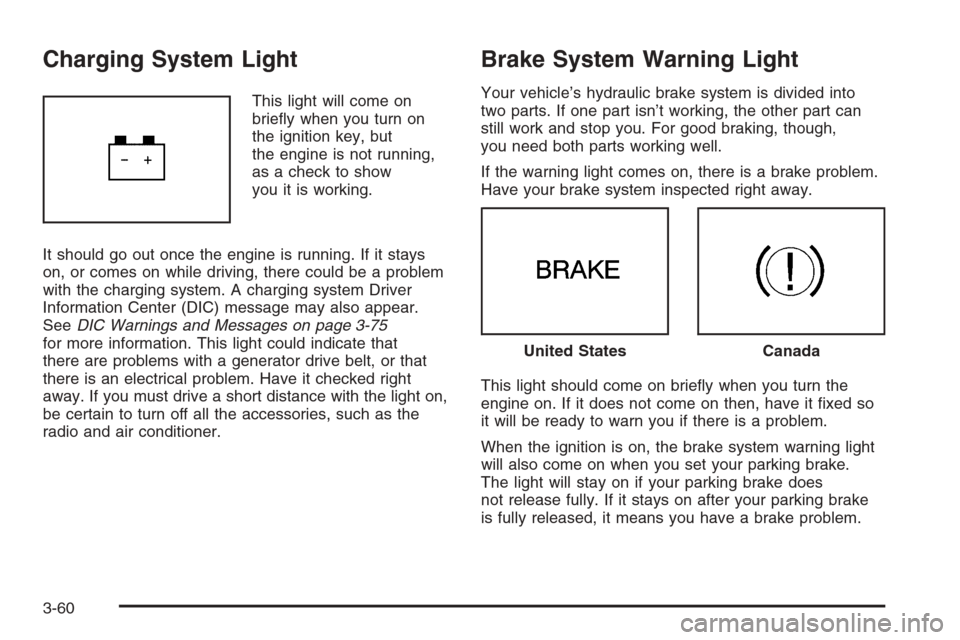
This light will come on
briey when you turn on
the ignition key, but
the engine is not running,
as a check to show
you it is working.
It should go out once the engine is running. If it stays
on, or comes on while driving, there could be a problem
with the charging system. A charging system Driver
Information Center (DIC) message may also appear.
SeeDIC Warnings and Messages on page 3-75
for more information. This light could indicate that
there are problems with a generator drive belt, or that
there is an electrical problem. Have it checked right
away. If you must drive a short distance with the light on,
be certain to turn off all the accessories, such as the
radio and air conditioner.
Brake System Warning Light
Your vehicle’s hydraulic brake system is divided into
two parts. If one part isn’t working, the other part can
still work and stop you. For good braking, though,
you need both parts working well.
If the warning light comes on, there is a brake problem.
Have your brake system inspected right away.
This light should come on briey when you turn the
engine on. If it does not come on then, have it xed so
it will be ready to warn you if there is a problem.
When the ignition is on, the brake system warning light
will also come on when you set your parking brake.
The light will stay on if your parking brake does
not release fully. If it stays on after your parking brake
is fully released, it means you have a brake problem.
United StatesCanada
3-60
Page 234 of 454
Audio System(s)
Determine which radio your vehicle has and then read
the pages following to familiarize yourself with its
features.
{CAUTION:
This system provides you with far greater
access to audio stations and song listings.
Giving extended attention to entertainment
tasks while driving can cause a crash and you
or others can be injured or killed. Always keep
your eyes on the road and your mind on the
drive — avoid engaging in extended searching
while driving.
Keeping your mind on the drive is important for safe
driving. SeeDefensive Driving on page 4-2. Here
are some ways in which you can help avoid distraction
while driving.While your vehicle is parked:
Familiarize yourself with all of its controls.
Familiarize yourself with its operation.
Set up your audio system by presetting your
favorite radio stations, setting the tone, and
adjusting the speakers. Then, when driving
conditions permit, you can tune to your favorite
radio stations using the presets and steering wheel
controls if the vehicle has them.
Notice:Before adding any sound equipment to
your vehicle, such as an audio system, CD player,
CB radio, mobile telephone, or two-way radio, make
sure that it can be added by checking with your
dealer/retailer. Also, check federal rules covering
mobile radio and telephone units. If sound
equipment can be added, it is very important to do
it properly. Added sound equipment may interfere
with the operation of your vehicle’s engine, radio,
or other systems, and even damage them. Your
vehicle’s systems may interfere with the operation
of sound equipment that has been added.
Your vehicle has a feature called Retained Accessory
Power (RAP). With RAP, the audio system can be
played even after the ignition is turned off. SeeRetained
Accessory Power (RAP) on page 2-24for more
information.
3-96
Page 235 of 454
Setting the Clock
Radio with a Single CD or a
Six-Disc CD Player
Your vehicle has an analog clock as well as the
digital radio clock. At the time of new vehicle delivery,
the digital radio clock display should be disabled.
If you decide to use the digital radio clock as well as
the analog clock, you can change the setting to enable
the radio clock display.
Enabling/Disabling the Digital
Radio Clock
For the Single CD Player
Turn the radio clock display on or off by following
these steps:
1. Turn the radio on.
2. Press the
Hbutton until the clock and date
setting menus appear.3. Press the pushbutton located under the forward
arrow label until the menu for default clock and
date settings appear.
4. Press the pushbutton located under the currently
displayed status of either ON or OFF. The ON
display indicates the radio clock display is disabled
and the OFF display indicates the radio clock
display is enabled. Press this pushbutton to toggle
the radio clock display on or off.
If the radio clock display is turned on, the screen
displays Radio Clock ON for 10 seconds, then
returns to the original clock display menu.
If the radio clock display is turned off, the screen
displays Radio Clock OFF for 10 seconds. The
menus for clock and date settings are removed, and
ON displays as a current status indicating that the
clock display can be turned on, if desired.
The radio clock and analog clock are not synchronized.
Occasionally you might need to set the digital radio
clock using the procedure below to synchronize
both clocks.
3-97
Page 236 of 454
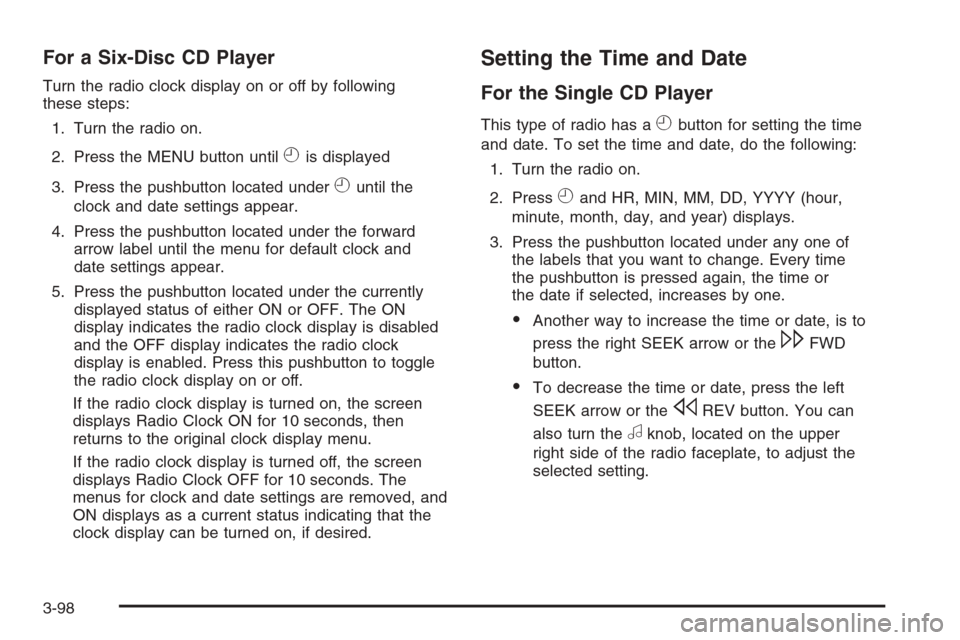
For a Six-Disc CD Player
Turn the radio clock display on or off by following
these steps:
1. Turn the radio on.
2. Press the MENU button until
His displayed
3. Press the pushbutton located under
Huntil the
clock and date settings appear.
4. Press the pushbutton located under the forward
arrow label until the menu for default clock and
date settings appear.
5. Press the pushbutton located under the currently
displayed status of either ON or OFF. The ON
display indicates the radio clock display is disabled
and the OFF display indicates the radio clock
display is enabled. Press this pushbutton to toggle
the radio clock display on or off.
If the radio clock display is turned on, the screen
displays Radio Clock ON for 10 seconds, then
returns to the original clock display menu.
If the radio clock display is turned off, the screen
displays Radio Clock OFF for 10 seconds. The
menus for clock and date settings are removed, and
ON displays as a current status indicating that the
clock display can be turned on, if desired.
Setting the Time and Date
For the Single CD Player
This type of radio has aHbutton for setting the time
and date. To set the time and date, do the following:
1. Turn the radio on.
2. Press
Hand HR, MIN, MM, DD, YYYY (hour,
minute, month, day, and year) displays.
3. Press the pushbutton located under any one of
the labels that you want to change. Every time
the pushbutton is pressed again, the time or
the date if selected, increases by one.
Another way to increase the time or date, is to
press the right SEEK arrow or the
\FWD
button.
To decrease the time or date, press the left
SEEK arrow or the
sREV button. You can
also turn the
aknob, located on the upper
right side of the radio faceplate, to adjust the
selected setting.
3-98
Page 237 of 454
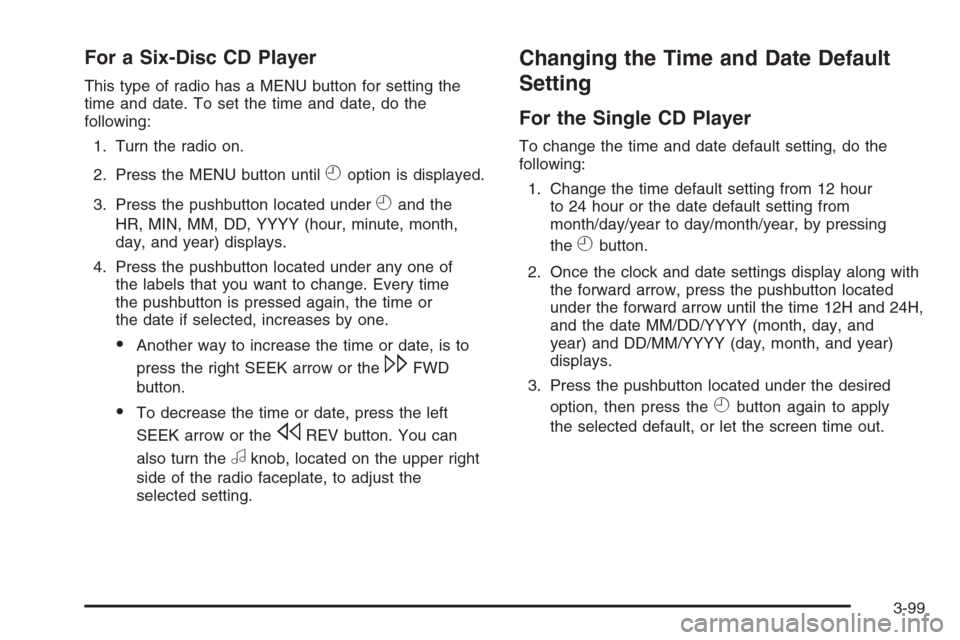
For a Six-Disc CD Player
This type of radio has a MENU button for setting the
time and date. To set the time and date, do the
following:
1. Turn the radio on.
2. Press the MENU button until
Hoption is displayed.
3. Press the pushbutton located under
Hand the
HR, MIN, MM, DD, YYYY (hour, minute, month,
day, and year) displays.
4. Press the pushbutton located under any one of
the labels that you want to change. Every time
the pushbutton is pressed again, the time or
the date if selected, increases by one.
Another way to increase the time or date, is to
press the right SEEK arrow or the
\FWD
button.
To decrease the time or date, press the left
SEEK arrow or the
sREV button. You can
also turn the
aknob, located on the upper right
side of the radio faceplate, to adjust the
selected setting.
Changing the Time and Date Default
Setting
For the Single CD Player
To change the time and date default setting, do the
following:
1. Change the time default setting from 12 hour
to 24 hour or the date default setting from
month/day/year to day/month/year, by pressing
the
Hbutton.
2. Once the clock and date settings display along with
the forward arrow, press the pushbutton located
under the forward arrow until the time 12H and 24H,
and the date MM/DD/YYYY (month, day, and
year) and DD/MM/YYYY (day, month, and year)
displays.
3. Press the pushbutton located under the desired
option, then press the
Hbutton again to apply
the selected default, or let the screen time out.
3-99
Page 238 of 454
For the Six-Disc CD Player
To change the time and date default setting, do the
following:
1. Change the time default setting from 12 hour
to 24 hour or the date default setting from
month/day/year to day/month/year, by pressing
the MENU button.
2. Once
Hdisplays, press the pushbutton located
under
Huntil the time and date settings display
along with a forward arrow.
3. Press the pushbutton located under the forward
arrow until the time 12H and 24H, and the date
MM/DD/YYYY (month, day, and year) and
DD/MM/YYYY (day, month, and year) displays.
4. Press the pushbutton located under the desired
option, then press the MENU button again to
apply the selected default, or let the screen
time out.
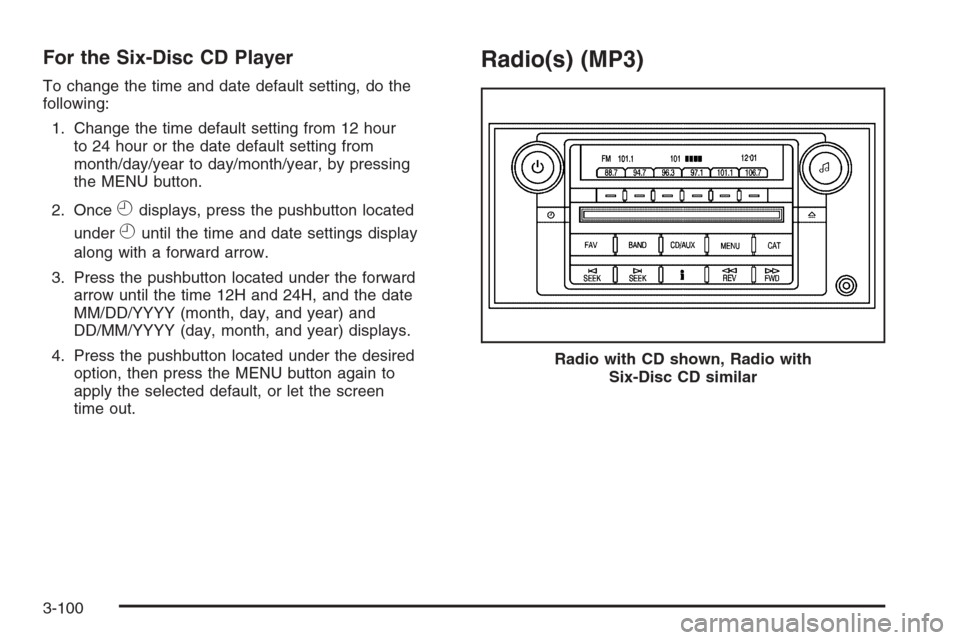
Radio(s) (MP3)
Radio with CD shown, Radio with
Six-Disc CD similar
3-100
Page 239 of 454

Radio Data System (RDS)
The audio system has RDS. The RDS feature is
available for use only on FM stations that broadcast
RDS information. This system relies upon receiving
specic information from these stations and only works
when the information is available. While the radio is
tuned to an FM-RDS station, the station name or
call letters display. In rare cases, a radio station can
broadcast incorrect information that causes the
radio features to work improperly. If this happens,
contact the radio station.
Playing the Radio
O
(Power/Volume):Press to turn the system on
and off.
Turn clockwise or counterclockwise to increase or
decrease the volume.Speed Compensated Volume (SCV):Radios with
SCV automatically adjusts the radio volume to
compensate for road and wind noise as you speed up
or slow down while driving. That way, the volume
level should sound about the same as you drive.
To activate SCV:
1. Set the radio volume to the desired level.
2. Press the MENU button to display the radio
setup menu.
3. Press the pushbutton under the AUTO VOLUM
(automatic volume) label on the radio display.
4. Press the pushbutton under the desired Speed
Compensated Volume setting (OFF, Low, Med,
or High) to select the level of radio volume
compensation. The display times out after
approximately 10 seconds. Each higher setting
allows for more radio volume compensation at
faster vehicle speeds.
3-101