fuel CADILLAC DTS 2008 1.G Owners Manual
[x] Cancel search | Manufacturer: CADILLAC, Model Year: 2008, Model line: DTS, Model: CADILLAC DTS 2008 1.GPages: 454, PDF Size: 2.48 MB
Page 1 of 454
Seats and Restraint Systems........................... 1-1
Front Seats
............................................... 1-2
Rear Seats
............................................... 1-9
Safety Belts
.............................................1-10
Child Restraints
.......................................1-31
Airbag System
.........................................1-53
Restraint System Check
............................1-70
Features and Controls..................................... 2-1
Keys
........................................................ 2-3
Doors and Locks
......................................2-10
Windows
.................................................2-14
Theft-Deterrent Systems
............................2-18
Starting and Operating Your Vehicle
...........2-22
Mirrors
....................................................2-36
Object Detection Systems
..........................2-40
OnStar
®System
......................................2-49
Universal Home Remote System
................2-52
Storage Areas
.........................................2-59
Sunroof
..................................................2-61
Instrument Panel............................................. 3-1
Instrument Panel Overview
.......................... 3-4
Climate Controls
......................................3-42
Warning Lights, Gages, and Indicators
........3-53
Driver Information Center (DIC)
..................3-70
Audio System(s)
.......................................3-96Driving Your Vehicle....................................... 4-1
Your Driving, the Road, and the Vehicle
....... 4-2
Towing
...................................................4-26
Service and Appearance Care.......................... 5-1
Service
..................................................... 5-3
Fuel
......................................................... 5-5
Checking Things Under the Hood
...............5-12
Headlamp Aiming
.....................................5-47
Bulb Replacement
....................................5-50
Windshield Wiper Blade Replacement
.........5-50
Tires
......................................................5-52
Appearance Care
.....................................5-90
Vehicle Identication
.................................5-99
Electrical System
....................................5-100
Capacities and Specications
...................5-109
Maintenance Schedule..................................... 6-1
Maintenance Schedule
................................ 6-2
Customer Assistance Information.................... 7-1
Customer Assistance and Information
........... 7-2
Reporting Safety Defects
...........................7-16
Vehicle Data Recording and Privacy
...........7-18
Index................................................................ 1
2008 Cadillac DTS Owner ManualM
Page 84 of 454
Remote Vehicle Start
The remote vehicle starting feature allows you to start
the engine from outside of the vehicle. It also starts up the
vehicle’s automatic climate control system. When the
remote start system is active, the climate control system
will heat and cool the inside of the vehicle according to
the previous settings of the system before turning the
vehicle off. The rear window defogger will be turned on by
the climate control system when it is cold outside. If the
vehicle has heated seats, they will also turn on when it is
cold outside. SeeHeated and Cooled Seats on page 1-3
for additional information. Cooled seats are not activated
during a remote start. Normal operation of the climate
control system will return after the key is turned to
ON/RUN. SeeDual Climate Control System on
page 3-42.
Laws in some communities may restrict the use of
remote starters. For example, some laws may require a
person using remote start to have the vehicle in view
when doing so. Check local regulations for any
requirements on remote starting of vehicles.
Do not use the remote start feature if your vehicle is low
on fuel. Your vehicle may run out of fuel.
If your vehicle has the remote start feature, the RKE
transmitter functions will have an increased range
of operation. However, the range may be less while the
vehicle is running.There are other conditions which can affect the
performance of the transmitter, seeRemote Keyless
Entry (RKE) System Operation on page 2-5for
additional information.
/(Remote Start):This button will be on the RKE
transmitter if you have remote start.
To start the vehicle using the remote start feature:
1. Aim the transmitter at the vehicle.
2. Press and release the transmitter’s lock button, then
immediately press and hold the transmitter’s remote
start button until the turn signal lights ash or if the
vehicle’s lights are not visible, press and hold the
remote start button for at least four seconds. The
vehicle’s doors will lock. Pressing the remote start
button again after the vehicle has started will turn off
the ignition.
When the vehicle starts, the parking lamps will turn
on and remain on while the vehicle is running.
3. If it is the rst remote start since the vehicle has been
driven, repeat these steps, while the engine is still
running, to extend the engine running time by
10 minutes. Remote start can be extended one time.
After entering the vehicle during a remote start, insert
and turn the key to ON/RUN to drive the vehicle.
2-8
Page 102 of 454
Engine Coolant Heater
The engine coolant heater, if available, can help in cold
weather conditions at or below 0°F (−18°C) for easier
starting and better fuel economy during engine warm-up.
Plug in the coolant heater at least four hours before
starting your vehicle.
To Use the Engine Coolant Heater
1. Turn off the engine.
2. Open the hood and unwrap the electrical cord.
The electrical cord is located on the driver’s side
of the engine, behind the transmission dipstick/uid
ll location and next to the engine.
3. Plug it into a normal, grounded 110-volt AC outlet.
{CAUTION:
Plugging the cord into an ungrounded outlet
could cause an electrical shock. Also, the
wrong kind of extension cord could overheat
and cause a re. You could be seriously
injured. Plug the cord into a properly grounded
three-prong 110-volt AC outlet. If the cord will
not reach, use a heavy-duty three-prong
extension cord rated for at least 15 amps.
4. Before starting the engine, be sure to unplug and
store the cord as it was before to keep it away
from moving engine parts. If you do not, it could be
damaged.
How long should you keep the coolant heater plugged
in? The answer depends on the outside temperature, the
kind of oil you have, and some other things. Instead
of trying to list everything here, we ask that you contact
your dealer in the area where you will be parking
your vehicle. The dealer/retailer can give you the best
advice for that particular area.
2-26
Page 104 of 454

REVERSE (R):Use this gear to back up.
Notice:Shifting to R (Reverse) while the vehicle is
moving forward could damage the transmission.
The repairs would not be covered by the vehicle
warranty. Shift to R (Reverse) only after the vehicle
is stopped.
Also use this gear to rock your vehicle back and forth to
get out of snow, ice or sand without damaging your
transmission. SeeIf Your Vehicle is Stuck in Sand, Mud,
Ice, or Snow on page 4-19for additional information.
NEUTRAL (N):In this position, the engine does
not connect with the wheels. To restart when you are
already moving, use NEUTRAL (N) only. Also, use
NEUTRAL (N) when your vehicle is being towed.
{CAUTION:
Shifting into a drive gear while the engine is
running at high speed is dangerous. Unless
your foot is rmly on the brake pedal, the
vehicle could move very rapidly. You could lose
control and hit people or objects. Do not shift
into a drive gear while the engine is running at
high speed.
Notice:Shifting out of P (Park) or N (Neutral) with
the engine running at high speed may damage
the transmission. The repairs would not be covered
by the vehicle warranty. Be sure the engine is
not running at high speed when shifting the vehicle.
DRIVE (D):This position is for normal driving. It
provides the best fuel economy for your vehicle. If you
need more power for passing, and you are:
Going less than 35 mph (55 km/h), push the
accelerator pedal about halfway down.
Going about 35 mph (55 km/h) or more, push the
accelerator all the way down.
The transmission will shift down to the next gear and
have more power.
2-28
Page 140 of 454
Traction Control System (TCS) Warning Light . . .3-62
StabiliTrak®Indicator Light.............................3-62
Lane Departure Warning Light........................3-63
Engine Coolant Temperature Warning Light......3-63
Engine Coolant Temperature Gage..................3-64
Tire Pressure Light.......................................3-64
Malfunction Indicator Lamp.............................3-65
Oil Pressure Light.........................................3-67
Security Light...............................................3-68
Fog Lamp Light............................................3-68
Lights On Reminder......................................3-68
Cruise Control Light......................................3-68
Highbeam On Light.......................................3-69
Fuel Gage...................................................3-69Driver Information Center (DIC).......................3-70
DIC Operation and Displays...........................3-70
DIC Warnings and Messages.........................3-75
DIC Vehicle Customization.............................3-87
Audio System(s).............................................3-96
Setting the Clock..........................................3-97
Radio(s) (MP3)...........................................3-100
Using an MP3............................................3-111
XM Radio Messages...................................3-117
Navigation/Radio System..............................3-118
Theft-Deterrent Feature................................3-118
Audio Steering Wheel Controls......................3-118
Radio Reception.........................................3-119
Backglass Antenna......................................3-120
XM™ Satellite Radio Antenna System............3-120
Section 3 Instrument Panel
3-2
Page 192 of 454
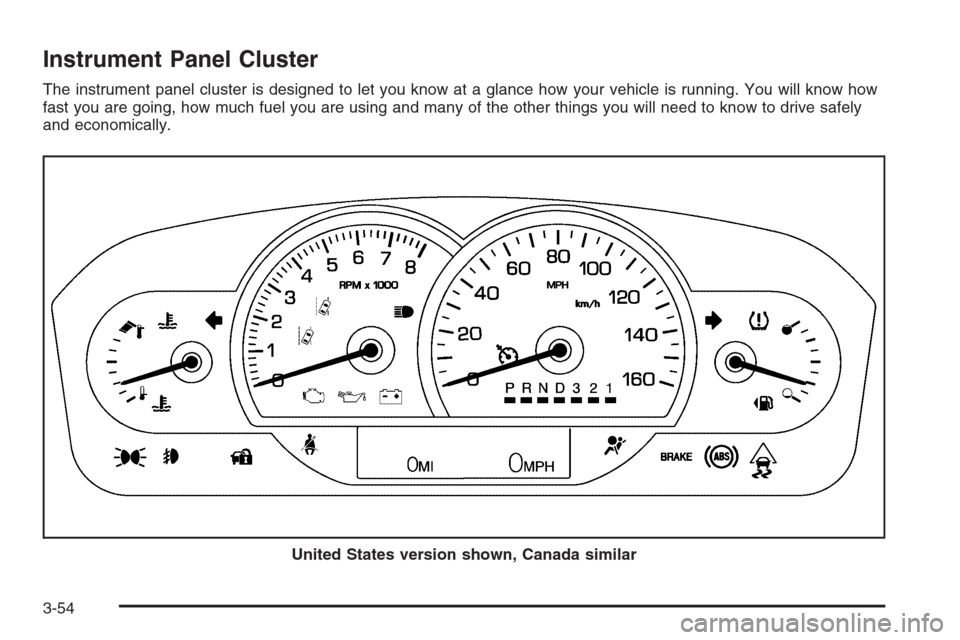
Instrument Panel Cluster
The instrument panel cluster is designed to let you know at a glance how your vehicle is running. You will know how
fast you are going, how much fuel you are using and many of the other things you will need to know to drive safely
and economically.
United States version shown, Canada similar
3-54
Page 193 of 454
Speedometer and Odometer
The speedometer lets you see your speed in both miles
per hour (mph) and kilometers per hour (km/h). See
“MPH (km)” underDIC Operation and Displays on
page 3-70for more information.
The odometer mileage can be checked without the
vehicle running. Your vehicle’s odometer works together
with the driver information center. You can set a
Trip A and a Trip B odometer. See “Trip Fuel” under
DIC Operation and Displays on page 3-70for more
information.
If your vehicle ever needs a new odometer installed, the
new one will be set to the correct mileage total of the
old odometer.
Tachometer
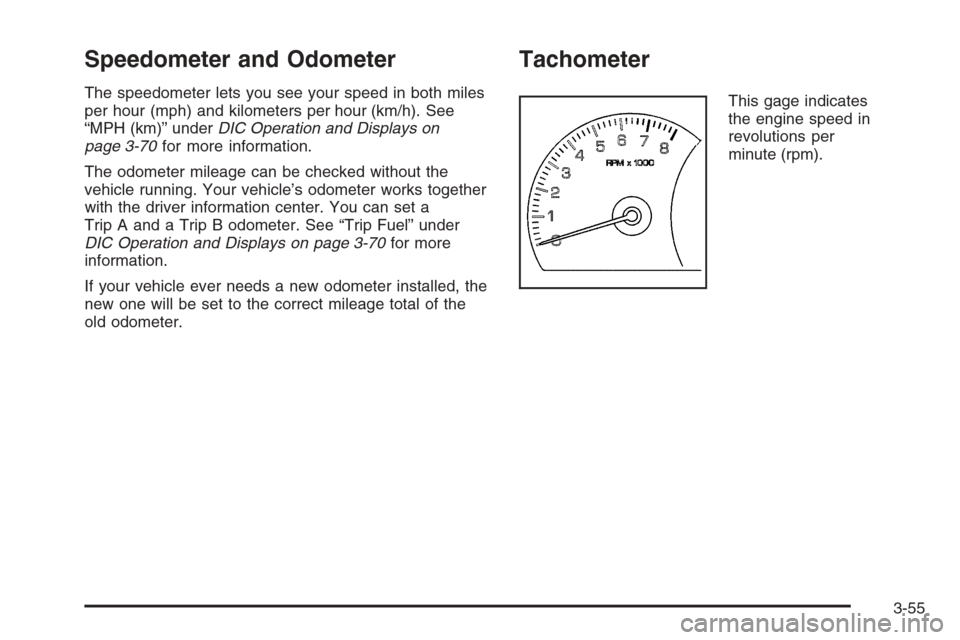
This gage indicates
the engine speed in
revolutions per
minute (rpm).
3-55
Page 203 of 454
Malfunction Indicator Lamp
Check Engine Light
A computer system called OBD II (On-Board
Diagnostics-Second Generation) monitors operation of
the fuel, ignition, and emission control systems. It makes
sure that emissions are at acceptable levels for the life of
the vehicle, helping to produce a cleaner environment.
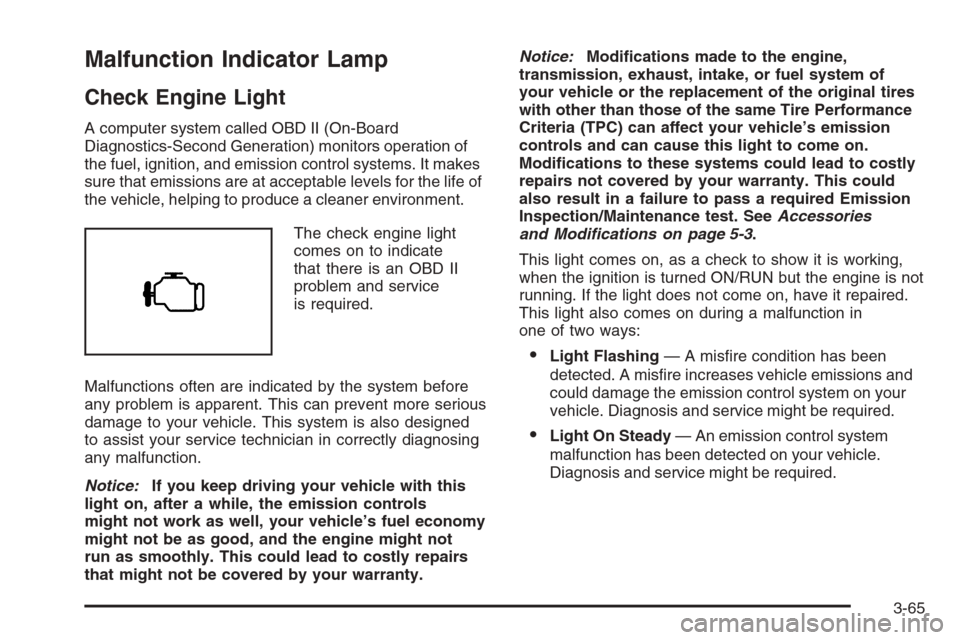
The check engine light
comes on to indicate
that there is an OBD II
problem and service
is required.
Malfunctions often are indicated by the system before
any problem is apparent. This can prevent more serious
damage to your vehicle. This system is also designed
to assist your service technician in correctly diagnosing
any malfunction.
Notice:If you keep driving your vehicle with this
light on, after a while, the emission controls
might not work as well, your vehicle’s fuel economy
might not be as good, and the engine might not
run as smoothly. This could lead to costly repairs
that might not be covered by your warranty.Notice:Modications made to the engine,
transmission, exhaust, intake, or fuel system of
your vehicle or the replacement of the original tires
with other than those of the same Tire Performance
Criteria (TPC) can affect your vehicle’s emission
controls and can cause this light to come on.
Modications to these systems could lead to costly
repairs not covered by your warranty. This could
also result in a failure to pass a required Emission
Inspection/Maintenance test. SeeAccessories
and Modifications on page 5-3.
This light comes on, as a check to show it is working,
when the ignition is turned ON/RUN but the engine is not
running. If the light does not come on, have it repaired.
This light also comes on during a malfunction in
one of two ways:
Light Flashing— A misre condition has been
detected. A misre increases vehicle emissions and
could damage the emission control system on your
vehicle. Diagnosis and service might be required.
Light On Steady— An emission control system
malfunction has been detected on your vehicle.
Diagnosis and service might be required.
3-65
Page 204 of 454
If the Light is Flashing
The following can prevent more serious damage to your
vehicle:
Reduce vehicle speed.
Avoid hard accelerations.
Avoid steep uphill grades.
If you are towing a trailer, reduce the amount of
cargo being hauled as soon as it is possible.
If the light stops ashing and remains on steady,
see “If the Light Is On Steady” following.
If the light continues to ash, when it is safe to do so,
stop the vehicle. Find a safe place to park the vehicle.
Turn the ignition off, wait at least 10 seconds, and restart
the engine. If the light remains on steady, see “If the
Light Is On Steady” following. If the light is still ashing,
follow the previous steps and see your dealer/retailer
for service as soon as possible.
If the Light Is On Steady
You might be able to correct the emission system
malfunction by considering the following:
Did you recently put fuel into your vehicle?
If so, reinstall the fuel cap, making sure to fully
install the cap. SeeFilling the Tank on page 5-8.
The diagnostic system can determine if the fuel
cap has been left off or improperly installed.A loose or missing fuel cap allows fuel to evaporate
into the atmosphere. A few driving trips with the
cap properly installed should turn the light off.
Did you just drive through a deep puddle of water?
If so, your vehicle’s electrical system might be wet. The
condition is usually corrected when the electrical system
dries out. A few driving trips should turn the light off.
Have you recently changed brands of fuel?
If so, be sure to fuel your vehicle with quality fuel. See
Gasoline Octane on page 5-5. Poor fuel quality causes
the engine not to run as efficiently as designed. You
might notice this as stalling after start-up, stalling when
you put the vehicle into gear, misring, hesitation on
acceleration, or stumbling on acceleration — these
conditions might go away once the engine is warmed up.
This will be detected by the system and cause the light to
turn on.
If you experience one or more of these conditions,
change the fuel brand you use. It will require at least
one full tank of the proper fuel to turn the light off.
If none of the above steps have made the light turn off,
your dealer/retailer can check the vehicle. Your
dealer/retailer has the proper test equipment and
diagnostic tools to x any mechanical or electrical
problems that might have developed.
3-66
Page 207 of 454

Highbeam On Light
This light comes on when
the high-beam headlamps
are in use.
SeeHeadlamp High/Low-Beam Changer on page 3-9
for more information.
Fuel Gage
The fuel gage shows
approximately how
much fuel is in the tank.
It works only when
the engine is on.If the fuel supply gets low, the FUEL LEVEL LOW
message will appear in the Driver Information Center
and a single chime will sound. SeeDIC Warnings
and Messages on page 3-75for more information.
Here are a few concerns some owners have had about
the fuel gage. All of these situations are normal and
do not indicate that anything is wrong with the fuel gage:
At the gas station the gas pump shuts off before
the gage reads full.
The gage may change when you turn, stop quickly
or accelerate quickly.
It takes a little more or less fuel to ll the tank than
the gage indicated. For example, the gage may
have indicated that the tank was half full, but
it actually took a little more or less than half the
tank’s capacity to ll the tank.
3-69