instrument cluster CADILLAC DTS 2009 1.G Owners Manual
[x] Cancel search | Manufacturer: CADILLAC, Model Year: 2009, Model line: DTS, Model: CADILLAC DTS 2009 1.GPages: 462, PDF Size: 2.46 MB
Page 97 of 462
Content Theft-Deterrent
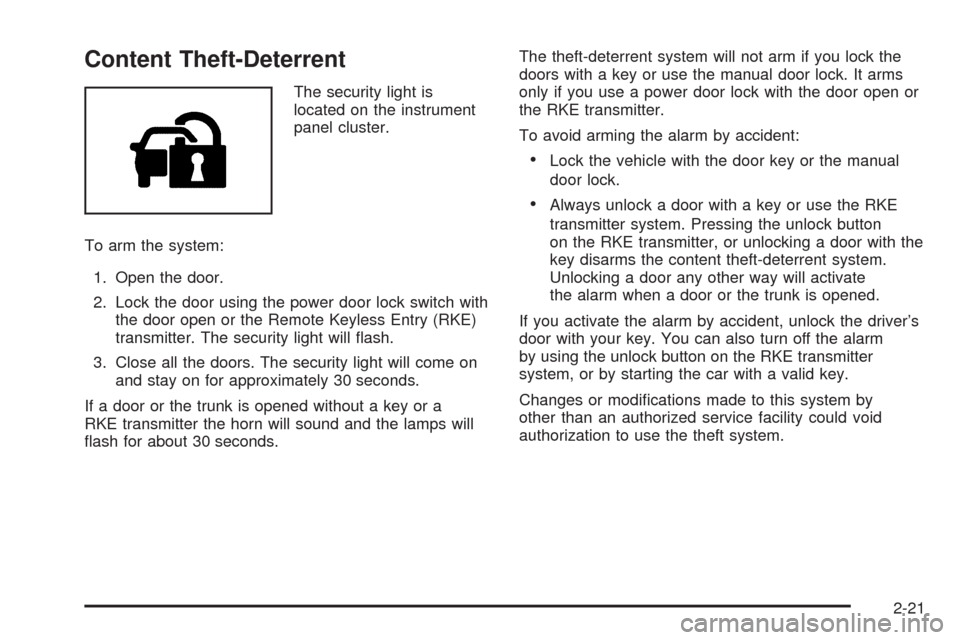
The security light is
located on the instrument
panel cluster.
To arm the system:
1. Open the door.
2. Lock the door using the power door lock switch with
the door open or the Remote Keyless Entry (RKE)
transmitter. The security light will ash.
3. Close all the doors. The security light will come on
and stay on for approximately 30 seconds.
If a door or the trunk is opened without a key or a
RKE transmitter the horn will sound and the lamps will
ash for about 30 seconds.The theft-deterrent system will not arm if you lock the
doors with a key or use the manual door lock. It arms
only if you use a power door lock with the door open or
the RKE transmitter.
To avoid arming the alarm by accident:
Lock the vehicle with the door key or the manual
door lock.
Always unlock a door with a key or use the RKE
transmitter system. Pressing the unlock button
on the RKE transmitter, or unlocking a door with the
key disarms the content theft-deterrent system.
Unlocking a door any other way will activate
the alarm when a door or the trunk is opened.
If you activate the alarm by accident, unlock the driver’s
door with your key. You can also turn off the alarm
by using the unlock button on the RKE transmitter
system, or by starting the car with a valid key.
Changes or modications made to this system by
other than an authorized service facility could void
authorization to use the theft system.
2-21
Page 108 of 462
Performance Shifting
If the vehicle has this feature, it can detect a change in
driving patterns. If you make an aggressive driving
maneuver, the vehicle’s transmission automatically
shifts to the lowest possible gear to maximize vehicle
performance. The vehicle will automatically return
to normal operation when you return to normal driving
patterns.
Parking Brake
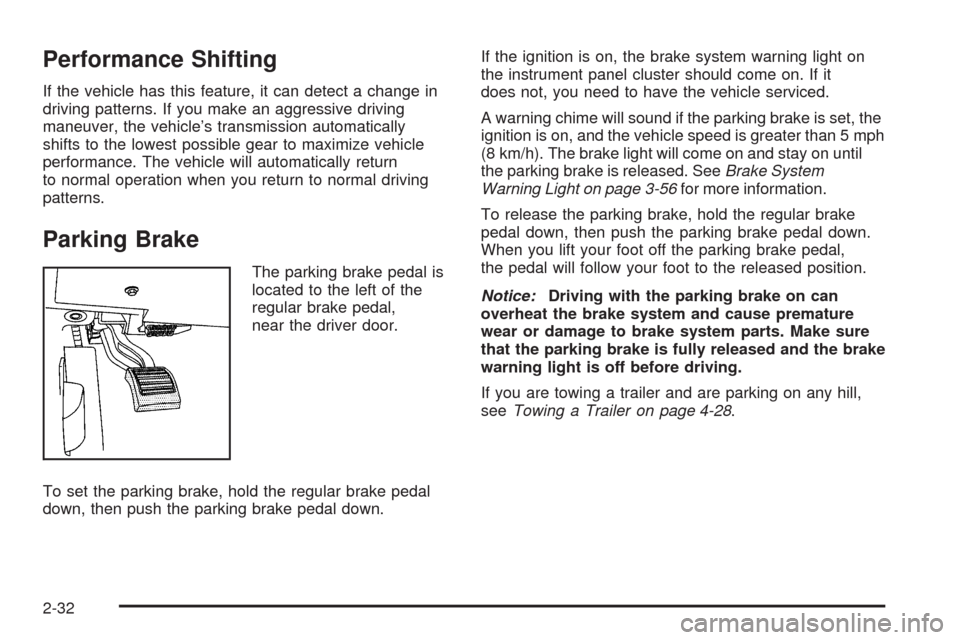
The parking brake pedal is
located to the left of the
regular brake pedal,
near the driver door.
To set the parking brake, hold the regular brake pedal
down, then push the parking brake pedal down.If the ignition is on, the brake system warning light on
the instrument panel cluster should come on. If it
does not, you need to have the vehicle serviced.
A warning chime will sound if the parking brake is set, the
ignition is on, and the vehicle speed is greater than 5 mph
(8 km/h). The brake light will come on and stay on until
the parking brake is released. SeeBrake System
Warning Light on page 3-56for more information.
To release the parking brake, hold the regular brake
pedal down, then push the parking brake pedal down.
When you lift your foot off the parking brake pedal,
the pedal will follow your foot to the released position.
Notice:Driving with the parking brake on can
overheat the brake system and cause premature
wear or damage to brake system parts. Make sure
that the parking brake is fully released and the brake
warning light is off before driving.
If you are towing a trailer and are parking on any hill,
seeTowing a Trailer on page 4-28.
2-32
Page 126 of 462

How the System Works
LDW uses a camera located between the inside rearview
mirror and the windshield to detect the lane markings.
@(Lane Departure Warning):To turn LDW on and off,
press the LDW control, located by the exterior headlamp
control. An indicator on the control will light to indicate
that LDW is on.
When the vehicle is started, the LDW symbol, located in
the instrument panel cluster, will briey come on to
indicate that the light is operational.LDW only operates at speeds of 35 mph (56 km) or
greater. If LDW is turned on when traveling at these
speeds, the LDW symbol will appear green if the system
detects a left or right lane marking. This symbol will
change to amber and ash and three beeps will sound if
you cross a detected lane marking without using the
turn signal.
If the LDW symbol does not appear, LDW is not currently
operating and will not warn you.
To change the volume of the warning chime, see Chime
Volume underDIC Vehicle Customization on page 3-86
for more information.
When the System Does Not Seem To
Work Properly
The LDW symbol will not appear when the system is
having difficulty seeing the lines on the road or if
the view of the camera on the windshield is blocked
with mud, dirt, snow, ice, or slush, if the windshield
is damaged, or when weather limits visibility, such as
while driving in fog, rain, or snow conditions. This is
normal operation, the vehicle does not need service.
For cleaning instructions, seeWashing Your Vehicle
on page 5-90.
2-50
Page 141 of 462

Instrument Panel Overview...............................3-4
Hazard Warning Flashers................................3-6
Horn .............................................................3-6
Tilt Wheel.....................................................3-6
Power Tilt Wheel and Telescopic
Steering Column.........................................3-7
Heated Steering Wheel...................................3-7
Turn Signal/Multifunction Lever.........................3-8
Turn and Lane-Change Signals........................3-8
Headlamp High/Low-Beam Changer..................3-9
Forward Collision Alert (FCA) System................3-9
Flash-to-Pass...............................................3-13
Windshield Wipers........................................3-13
Rainsense™ II Wipers...................................3-14
Windshield Washer.......................................3-15
Cruise Control..............................................3-16
Adaptive Cruise Control.................................3-19
Exterior Lamps.............................................3-29
Wiper Activated Headlamps............................3-32
Headlamps on Reminder................................3-33
Daytime Running Lamps (DRL).......................3-33
Fog Lamps ..................................................3-34
Cornering Lamps..........................................3-34
Exterior Lighting Battery Saver........................3-34
Instrument Panel Brightness...........................3-34Courtesy Lamps...........................................3-35
Entry Lighting...............................................3-35
Parade Dimming...........................................3-35
Reading Lamps............................................3-35
Footwell Lamps............................................3-36
Battery Load Management.............................3-36
Electric Power Management...........................3-36
Inadvertent Power Battery Saver.....................3-37
Battery Run-Down Protection..........................3-37
Accessory Power Outlet(s).............................3-38
Ashtray(s)....................................................3-39
Analog Clock...............................................3-39
Climate Controls............................................3-40
Dual Climate Control System..........................3-40
Outlet Adjustment.........................................3-46
Rear Climate Control System.........................3-46
Passenger Compartment Air Filter...................3-48
Warning Lights, Gages, and Indicators............3-50
Instrument Panel Cluster................................3-51
Speedometer and Odometer...........................3-52
Tachometer.................................................3-52
Safety Belt Reminders...................................3-53
Airbag Readiness Light..................................3-54
Passenger Airbag Status Indicator...................3-55
Charging System Light..................................3-56
Section 3 Instrument Panel
3-1
Page 145 of 462
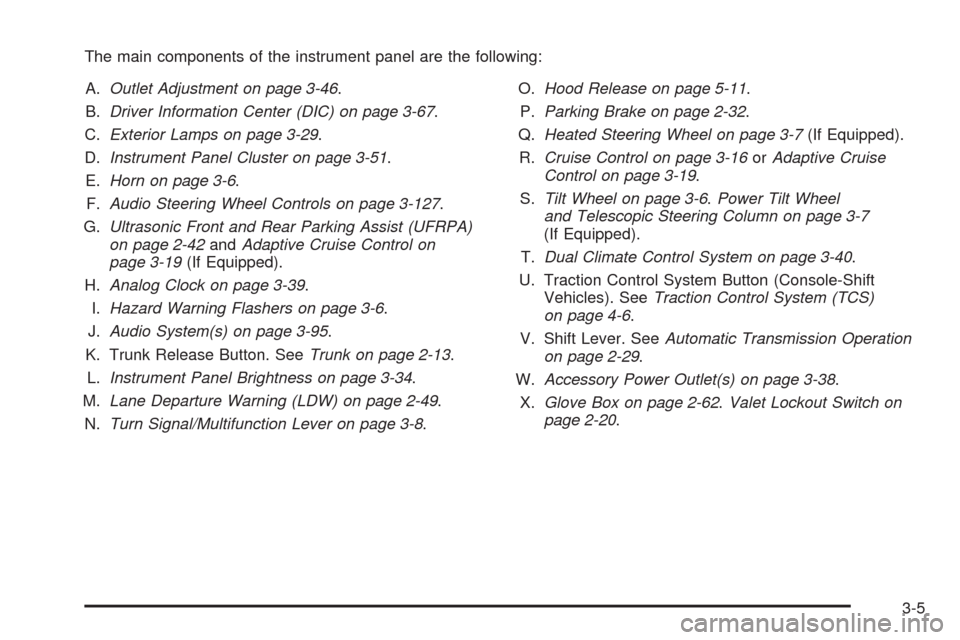
The main components of the instrument panel are the following:
A.Outlet Adjustment on page 3-46.
B.Driver Information Center (DIC) on page 3-67.
C.Exterior Lamps on page 3-29.
D.Instrument Panel Cluster on page 3-51.
E.Horn on page 3-6.
F.Audio Steering Wheel Controls on page 3-127.
G.Ultrasonic Front and Rear Parking Assist (UFRPA)
on page 2-42andAdaptive Cruise Control on
page 3-19(If Equipped).
H.Analog Clock on page 3-39.
I.Hazard Warning Flashers on page 3-6.
J.Audio System(s) on page 3-95.
K. Trunk Release Button. SeeTrunk on page 2-13.
L.Instrument Panel Brightness on page 3-34.
M.Lane Departure Warning (LDW) on page 2-49.
N.Turn Signal/Multifunction Lever on page 3-8.O.Hood Release on page 5-11.
P.Parking Brake on page 2-32.
Q.Heated Steering Wheel on page 3-7(If Equipped).
R.Cruise Control on page 3-16orAdaptive Cruise
Control on page 3-19.
S.Tilt Wheel on page 3-6.Power Tilt Wheel
and Telescopic Steering Column on page 3-7
(If Equipped).
T.Dual Climate Control System on page 3-40.
U. Traction Control System Button (Console-Shift
Vehicles). SeeTraction Control System (TCS)
on page 4-6.
V. Shift Lever. SeeAutomatic Transmission Operation
on page 2-29.
W.Accessory Power Outlet(s) on page 3-38.
X.Glove Box on page 2-62.Valet Lockout Switch on
page 2-20.
3-5
Page 148 of 462

Turn Signal/Multifunction Lever
The lever on the left side of the steering column
includes the following:
G:Turn and Lane-Change Signals
23:Headlamp High/Low-Beam Changer
N:Windshield Wipers
L:Windshield Washer
_:Heated Washer Fluid
Flash-To-Pass Feature.
Information for these features is on the pages following.
Turn and Lane-Change Signals
An arrow on the instrument
panel cluster and in the
outside rearview mirror
ashes in the direction of
the turn or lane change.
Move the lever all the way up or down to signal a
turn. The lever returns automatically when the turn is
complete. If you momentarily press and release the lever,
the turn signal will ash 3 times.
Raise or lower the lever until the arrow starts to ash to
signal a lane change. Hold it there until the lane change is
complete.
The lever returns to its starting position when it is
released.
If after signaling a turn or lane change the arrow
ashes rapidly or does not come on, a signal bulb
may be burned out.
Have the bulbs replaced. If the bulb is not burned out,
check the fuse. SeeRear Underseat Fuse Block on
page 5-98.
3-8
Page 149 of 462

Turn Signal On Chime
If the turn signal is left on, a warning chime will sound
and the Driver Information Center (DIC) will display
TURN SIGNAL ON after driving about a mile to remind
you to turn it off. SeeDIC Warnings and Messages
on page 3-73.
Headlamp High/Low-Beam Changer
Push forward to change the headlamps from low
beam to high. Pull the lever back and then release
it to change from high beam to low.
This light on the instrument
panel cluster will be on,
indicating high-beam
usage.
Forward Collision Alert (FCA)
System
If your vehicle has this feature, be sure to read this
entire section before using it.
The system operates on a radio frequency subject to
Federal Communications Commission (FCC) Rules and
with Industry Canada.
This device complies with Part 15 of the FCC Rules.
Operation is subject to the following two conditions:
1. This device may not cause interference.
2. This device must accept any interference received,
including interference that may cause undesired
operation of the device.
This device complies with RSS-210 of Industry Canada.
Operation is subject to the following two conditions:
1. This device may not cause interference.
2. This device must accept any interference received,
including interference that may cause undesired
operation of the device.
Changes or modications to this system by other than
an authorized service facility could void authorization to
use this equipment.
3-9
Page 156 of 462

Cruise Control
With cruise control, a speed of approximately 25 mph
(40 km/h) or more can be maintained without keeping
your foot on the accelerator. Cruise control does not work
at speeds below about 25 mph (40 km/h). A cruise control
light appears in the instrument panel cluster when the
cruise control is on.
When the brakes are applied, the cruise control
shuts off.{CAUTION:
Cruise control can be dangerous where you
cannot drive safely at a steady speed. So, do
not use the cruise control on winding roads or
in heavy traffic.
Cruise control can be dangerous on slippery roads.
On such roads, fast changes in tire traction can
cause excessive wheel slip, and you could lose
control. Do not use cruise control on slippery roads.
If your vehicle is in cruise control when the Traction
Control System (TCS) begins to limit wheel spin, the
cruise control automatically turns off. SeeTraction
Control System (TCS) on page 4-6. When road
conditions let you safely use it again, the cruise
control can be turned back on.
3-16
Page 157 of 462

Setting Cruise Control
{CAUTION:
If you leave your cruise control on when you
are not using cruise, you might hit a button and go
into cruise when you do not want to. You could be
startled and even lose control. Keep the cruise
control switch off until you want to use cruise
control.
The cruise control buttons
are located on left side of
the steering wheel.
I(On):Turns on the cruise control system.
+ RES (Resume/Accelerate):Press to make the
vehicle accelerate or resume to a previously set speed.
SET– (Set):Press to set the speed.
[(Cancel):Press to cancel cruise control.
Cruise control will not work if the parking brake is set, or
if the master cylinder brake uid level is low.
If the brakes are applied, the cruise control shuts off.
The cruise light on the instrument panel cluster comes
on after the cruise control has been set to the desired
speed.
1. Press
I.
2. Get up to the desired speed.
3. Press the SET– button located on the steering
wheel and release it.
4. Take your foot off the accelerator.
3-17
Page 170 of 462
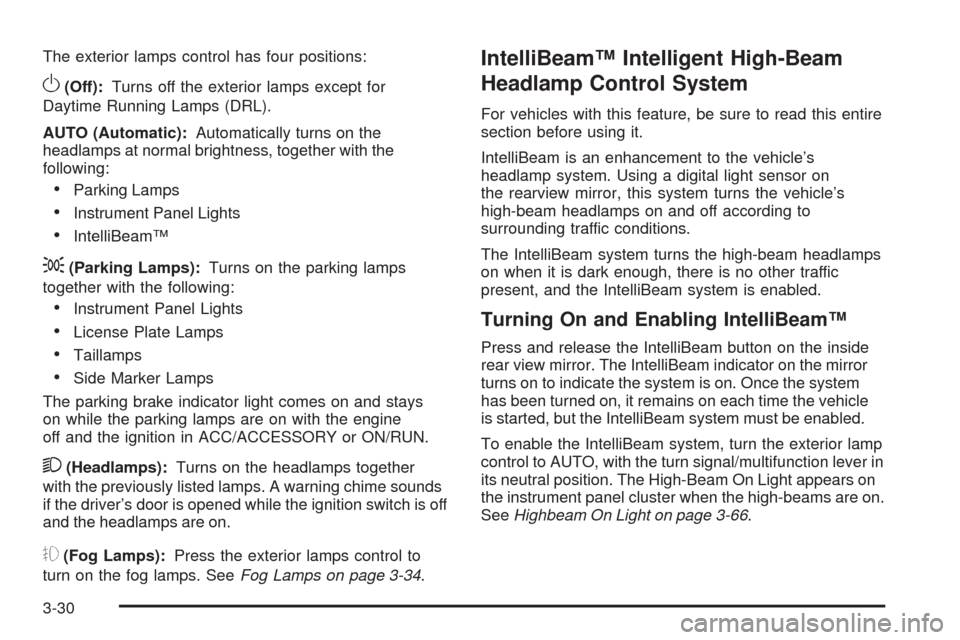
The exterior lamps control has four positions:
O(Off):Turns off the exterior lamps except for
Daytime Running Lamps (DRL).
AUTO (Automatic):Automatically turns on the
headlamps at normal brightness, together with the
following:
Parking Lamps
Instrument Panel Lights
IntelliBeam™
;(Parking Lamps):Turns on the parking lamps
together with the following:
Instrument Panel Lights
License Plate Lamps
Taillamps
Side Marker Lamps
The parking brake indicator light comes on and stays
on while the parking lamps are on with the engine
off and the ignition in ACC/ACCESSORY or ON/RUN.
2(Headlamps):Turns on the headlamps together
with the previously listed lamps. A warning chime sounds
if the driver’s door is opened while the ignition switch is off
and the headlamps are on.
#(Fog Lamps):Press the exterior lamps control to
turn on the fog lamps. SeeFog Lamps on page 3-34.
IntelliBeam™ Intelligent High-Beam
Headlamp Control System
For vehicles with this feature, be sure to read this entire
section before using it.
IntelliBeam is an enhancement to the vehicle’s
headlamp system. Using a digital light sensor on
the rearview mirror, this system turns the vehicle’s
high-beam headlamps on and off according to
surrounding traffic conditions.
The IntelliBeam system turns the high-beam headlamps
on when it is dark enough, there is no other traffic
present, and the IntelliBeam system is enabled.
Turning On and Enabling IntelliBeam™
Press and release the IntelliBeam button on the inside
rear view mirror. The IntelliBeam indicator on the mirror
turns on to indicate the system is on. Once the system
has been turned on, it remains on each time the vehicle
is started, but the IntelliBeam system must be enabled.
To enable the IntelliBeam system, turn the exterior lamp
control to AUTO, with the turn signal/multifunction lever in
its neutral position. The High-Beam On Light appears on
the instrument panel cluster when the high-beams are on.
SeeHighbeam On Light on page 3-66.
3-30