steering wheel CADILLAC DTS 2011 1.G Owner's Manual
[x] Cancel search | Manufacturer: CADILLAC, Model Year: 2011, Model line: DTS, Model: CADILLAC DTS 2011 1.GPages: 470, PDF Size: 4.72 MB
Page 109 of 470
Black plate (5,1)Cadillac DTS Owner Manual - 2011
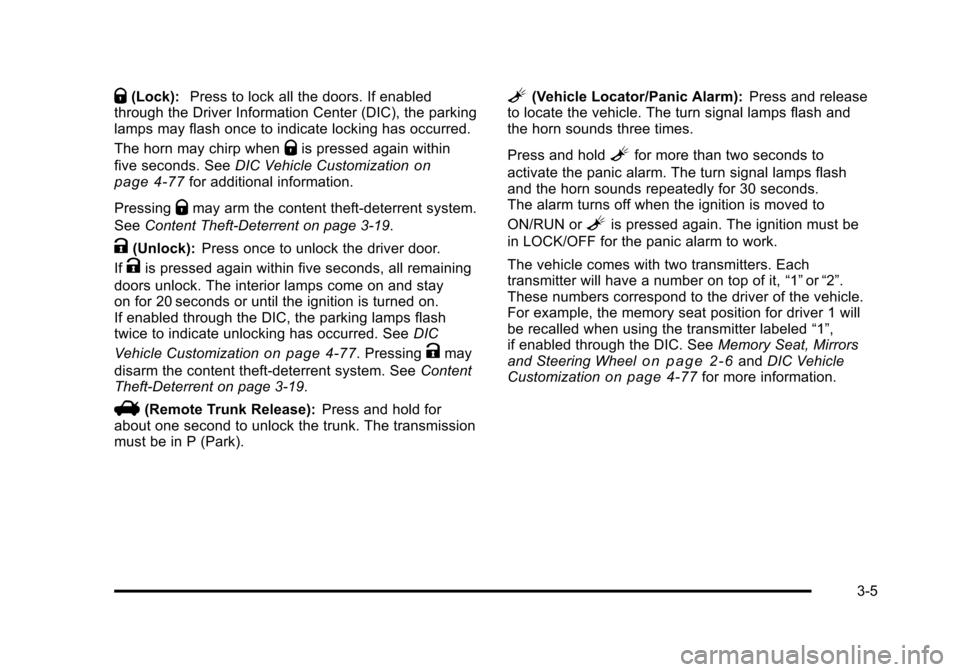
Q(Lock):Press to lock all the doors. If enabled
through the Driver Information Center (DIC), the parking
lamps may flash once to indicate locking has occurred.
The horn may chirp when
Qis pressed again within
five seconds. See DIC Vehicle Customization
on
page 4‑77for additional information.
Pressing
Qmay arm the content theft-deterrent system.
See Content Theft-Deterrent on page 3‑19.
K(Unlock): Press once to unlock the driver door.
If
Kis pressed again within five seconds, all remaining
doors unlock. The interior lamps come on and stay
on for 20 seconds or until the ignition is turned on.
If enabled through the DIC, the parking lamps flash
twice to indicate unlocking has occurred. See DIC
Vehicle Customization
on page 4‑77. PressingKmay
disarm the content theft-deterrent system. See Content
Theft-Deterrent on page 3‑19.
V(Remote Trunk Release): Press and hold for
about one second to unlock the trunk. The transmission
must be in P (Park).
L(Vehicle Locator/Panic Alarm): Press and release
to locate the vehicle. The turn signal lamps flash and
the horn sounds three times.
Press and hold
Lfor more than two seconds to
activate the panic alarm. The turn signal lamps flash
and the horn sounds repeatedly for 30 seconds.
The alarm turns off when the ignition is moved to
ON/RUN or
Lis pressed again. The ignition must be
in LOCK/OFF for the panic alarm to work.
The vehicle comes with two transmitters. Each
transmitter will have a number on top of it, “1”or“2”.
These numbers correspond to the driver of the vehicle.
For example, the memory seat position for driver 1 will
be recalled when using the transmitter labeled “1”,
if enabled through the DIC. See Memory Seat, Mirrors
and Steering Wheel
on page 2‑6and DIC Vehicle
Customizationon page 4‑77for more information.
3-5
Page 116 of 470
Black plate (12,1)Cadillac DTS Owner Manual - 2011
Trunk
{WARNING:
Exhaust gases can enter the vehicle if it is driven
with the liftgate, trunk/hatch open, or with any
objects that pass through the seal between the
body and the trunk/hatch or liftgate. Engine
exhaust contains Carbon Monoxide (CO) which
cannot be seen or smelled. It can cause
unconsciousness and even death.
If the vehicle must be driven with the liftgate,
or trunk/hatch open:
.Close all of the windows.
.Fully open the air outlets on or under the
instrument panel.
.Adjust the Climate Control system to a setting
that brings in only outside air and set the fan
speed to the highest setting. See Climate
Control System in the Index.
.If the vehicle is equipped with a power liftgate,
disable the power liftgate function.
For more information about carbon monoxide, see
Engine Exhaust on page 3‑33.
Remote Trunk Release
V
(Remote Trunk Release): The remote trunk
release button is located to the left of the steering wheel
next to the instrument panel brightness control. Press
the button to open the trunk. The vehicle must be in
P (Park) or N (Neutral) and the valet lockout switch must
be off to use this button.
You can also press the button with the trunk symbol on
the RKE transmitter to open the trunk. To disable this
feature, see Valet Lockout Switch on page 3‑18.
The trunk can be accessed using the Rear Seat
Pass-Through. See “Rear Seat Pass-Through” following
this section.
3-12
Page 127 of 470

Black plate (23,1)Cadillac DTS Owner Manual - 2011
A (STOPPING THE ENGINE/LOCK/OFF):When the
vehicle is stopped, turn the ignition switch to LOCK/OFF
to turn the engine off. Retained Accessory Power (RAP)
will remain active. See Retained Accessory Power
(RAP) on page 3‑24.
This is the only position in which the ignition key can be
inserted or removed. This position locks the ignition and
transmission and steering column.
Do not turn the engine off when the vehicle is moving.
This will cause a loss of power assist in the brake and
steering systems and disable the airbags.
In an emergency:
1. Brake using a firm and steady pressure. Do not pump the brakes repeatedly. This may deplete
power assist, requiring increased brake pedal
force.
2. Shift the vehicle to neutral. This can be done while the vehicle is moving. After shifting to neutral,
firmly apply the brakes and steer the vehicle to a
safe location.
3. Come to a complete stop, shift to P (Park), and turn the ignition to LOCK/OFF. On vehicles with
an automatic transmission, the shift lever must
be in P (Park) to turn the ignition switch to the
LOCK/OFF position.
4. Set the parking brake. See Parking Brake
on
page 3‑29. The steering can bind with the wheels turned off center.
If this happens, move the steering wheel from right to
left while turning the key to ACC/ACCESSORY. If this
doesn't work, the vehicle needs service.
B (ACC/ACCESSORY):
This position lets the radio
and windshield wipers operate while the engine is off.
To use ACC/ACCESSORY, turn the key clockwise.
C (ON/RUN): This position is where the key returns to
after the vehicle is started. This position displays some
of the warning and indicator lights.
The battery could be drained if you leave the key in
the ACC/ACCESSORY or ON/RUN position with the
engine off. You may not be able to start the vehicle if
the battery is allowed to drain for an extended period
of time.
D (START): This position starts the engine.
A warning chime will sound and the Driver Information
Center (DIC) will display DRIVER DOOR OPEN when
the driver door is opened if the ignition is in LOCK/OFF,
ACC/ACCESSORY and the key is in the ignition. See
DIC Warnings and Messages
on page 4‑65for more
information.
3-23
Page 128 of 470

Black plate (24,1)Cadillac DTS Owner Manual - 2011
Retained Accessory Power (RAP)
These vehicle accessories can be used for up to
10 minutes after the ignition key is turned off:
.Audio System
.Audio Steering Wheel Controls
.Power Windows
.Sunroof (if equipped)
Power to these accessories will work up to 10 minutes
or until the driver's door is opened. For an additional
10 minutes of power, close all the doors and turn the
key to ON/RUN and then back to LOCK/OFF.
Starting the Engine
Move the shift lever to P (Park) or N (Neutral). The
engine will not start in any other position. To restart the
engine when the vehicle is already moving, use
N (Neutral) only.
Notice: Do not try to shift to P (Park) if the vehicle
is moving. If you do, you could damage the
transmission. Shift to P (Park) only when the vehicle
is stopped.
Starting Procedure
1. With your foot off the accelerator pedal, turn the ignition to START. When the engine starts, let
go of the key. The idle speed will slow down
as the engine warms. Do not race the engine
immediately after starting it. Operate the engine
and transmission gently to allow the oil to warm up
and lubricate all moving parts.
The vehicle has a Computer-Controlled Cranking
System. This feature assists in starting the engine
and protects components. If the ignition key is
turned to the START position, and then released
when the engine begins cranking, the engine will
continue cranking for a few seconds or until the
vehicle starts. If the engine does not start and the
key is held in START, cranking will be stopped
after 15 seconds to prevent cranking motor
damage. To prevent gear damage, this system also
prevents cranking if the engine is already running.
Engine cranking can be stopped by turning the
ignition switch to the ACC/ACCESSORY or LOCK/
OFF position.
3-24
Page 130 of 470
Black plate (26,1)Cadillac DTS Owner Manual - 2011
To Use the Engine Coolant Heater
1. Turn off the engine.
2. Open the hood and unwrap the electrical cord.The electrical cord is located on the driver side of
the engine, behind the transmission dipstick/fluid
fill location and next to the engine.
3. Plug it into a normal, grounded 110-volt AC outlet.
{WARNING:
Plugging the cord into an ungrounded outlet could
cause an electrical shock. Also, the wrong kind of
extension cord could overheat and cause a fire.
You could be seriously injured. Plug the cord into
a properly grounded three-prong 110-volt AC
outlet. If the cord will not reach, use a heavy-duty
three-prong extension cord rated for at least
15 amps.
4. Before starting the engine, be sure to unplug and store the cord as it was before to keep it away from
moving engine parts and prevent damage. The length of time the heater should remain plugged in
depends on several factors. Ask a dealer in the area
where you will be parking the vehicle for the best advice
on this.
Automatic Transmission Operation
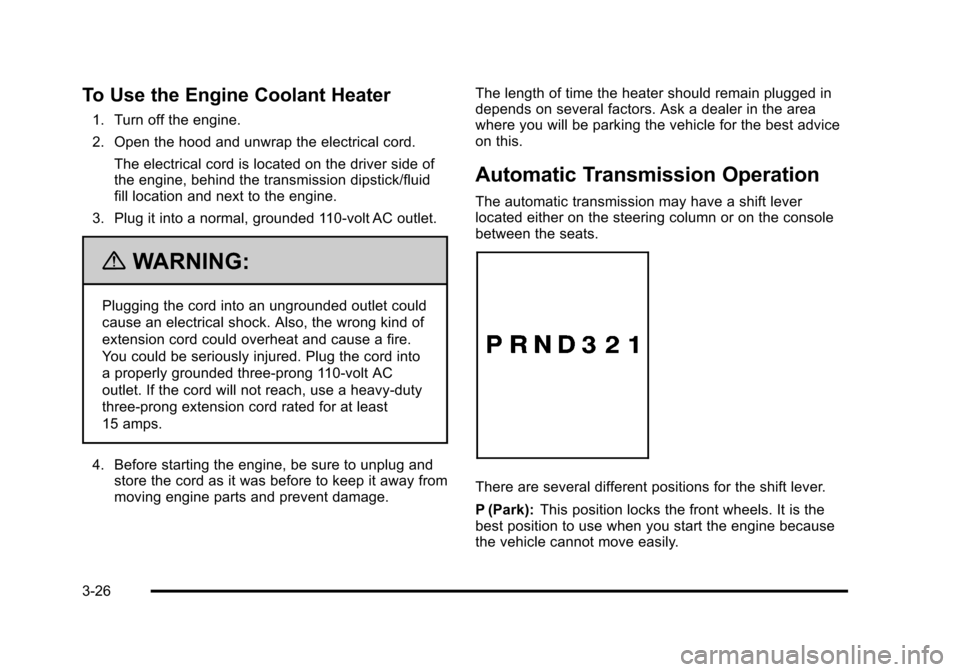
The automatic transmission may have a shift lever
located either on the steering column or on the console
between the seats.
There are several different positions for the shift lever.
P (Park):
This position locks the front wheels. It is the
best position to use when you start the engine because
the vehicle cannot move easily.
3-26
Page 163 of 470

Black plate (1,1)Cadillac DTS Owner Manual - 2011
Section 4 Instrument Panel
Instrument Panel Overview. . . . . . . . . . . . . . . . . . . . . . . .4-3
Hazard Warning Flashers . . . . . . . . . . . . . . . . . . . . . . . 4-3
Horn . . . . . . . . . . . . . . . . . . . . . . . . . . . . . . . . . . . . . . . . . . . . 4-3
Tilt Wheel . . . . . . . . . . . . . . . . . . . . . . . . . . . . . . . . . . . . . . . 4-3
Power Tilt Wheel and Telescopic Steering Column . . . . . . . . . . . . . . . . . . . . . . . . . . . . . . . . . . . . . . . 4-4
Heated Steering Wheel . . . . . . . . . . . . . . . . . . . . . . . . . 4-4
Turn Signal/Multifunction Lever . . . . . . . . . . . . . . . . . . 4-5
Turn and Lane-Change Signals . . . . . . . . . . . . . . . . . 4-5
Headlamp High/Low-Beam Changer . . . . . . . . . . . . 4-6
Forward Collision Alert (FCA) System . . . . . . . . . . . 4-6
Flash-to-Pass . . . . . . . . . . . . . . . . . . . . . . . . . . . . . . . . . . 4-10
Windshield Wipers . . . . . . . . . . . . . . . . . . . . . . . . . . . . . 4-10
Windshield Washer . . . . . . . . . . . . . . . . . . . . . . . . . . . . 4-11
Cruise Control . . . . . . . . . . . . . . . . . . . . . . . . . . . . . . . . . 4-12
Adaptive Cruise Control . . . . . . . . . . . . . . . . . . . . . . . 4-14
Exterior Lamps . . . . . . . . . . . . . . . . . . . . . . . . . . . . . . . . 4-25
Wiper Activated Headlamps . . . . . . . . . . . . . . . . . . . 4-28
Headlamps on Reminder . . . . . . . . . . . . . . . . . . . . . . 4-28
Daytime Running Lamps (DRL) . . . . . . . . . . . . . . . . 4-28
Fog Lamps . . . . . . . . . . . . . . . . . . . . . . . . . . . . . . . . . . . . 4-29
Cornering Lamps . . . . . . . . . . . . . . . . . . . . . . . . . . . . . . 4-29
Exterior Lighting Battery Saver . . . . . . . . . . . . . . . . . 4-30
Instrument Panel Brightness . . . . . . . . . . . . . . . . . . . 4-30
Courtesy Lamps . . . . . . . . . . . . . . . . . . . . . . . . . . . . . . . 4-30 Entry Lighting . . . . . . . . . . . . . . . . . . . . . . . . . . . . . . . . . . 4-30
Parade Dimming . . . . . . . . . . . . . . . . . . . . . . . . . . . . . . . 4-31
Reading Lamps . . . . . . . . . . . . . . . . . . . . . . . . . . . . . . . . 4-31
Footwell Lamps . . . . . . . . . . . . . . . . . . . . . . . . . . . . . . . . 4-31
Battery Load Management . . . . . . . . . . . . . . . . . . . . . 4-31
Electric Power Management . . . . . . . . . . . . . . . . . . . 4-32
Inadvertent Power Battery Saver . . . . . . . . . . . . . . . 4-32
Battery Run-Down Protection . . . . . . . . . . . . . . . . . . 4-33
Accessory Power Outlet(s) . . . . . . . . . . . . . . . . . . . . . 4-33
Analog Clock . . . . . . . . . . . . . . . . . . . . . . . . . . . . . . . . . . 4-34
Climate Controls . . . . . . . . . . . . . . . . . . . . . . . . . . . . . . . . . . 4-34
Dual Climate Control System . . . . . . . . . . . . . . . . . . 4-34
Outlet Adjustment . . . . . . . . . . . . . . . . . . . . . . . . . . . . . . 4-40
Rear Climate Control System . . . . . . . . . . . . . . . . . . 4-40
Passenger Compartment Air Filter . . . . . . . . . . . . . 4-42
Warning Lights, Gauges, and Indicators . . . . . . . .4-44
Instrument Panel Cluster . . . . . . . . . . . . . . . . . . . . . . . 4-45
Speedometer and Odometer . . . . . . . . . . . . . . . . . . . 4-46
Tachometer . . . . . . . . . . . . . . . . . . . . . . . . . . . . . . . . . . . . 4-46
Safety Belt Reminders . . . . . . . . . . . . . . . . . . . . . . . . . 4-47
Airbag Readiness Light . . . . . . . . . . . . . . . . . . . . . . . . 4-48
Passenger Airbag Status Indicator . . . . . . . . . . . . . 4-48
Charging System Light . . . . . . . . . . . . . . . . . . . . . . . . 4-49
Brake System Warning Light . . . . . . . . . . . . . . . . . . . 4-50
4-1
Page 164 of 470
Black plate (2,1)Cadillac DTS Owner Manual - 2011
Section 4 Instrument Panel
Antilock Brake System (ABS) Warning Light . . . 4-51
Traction Control System (TCS) WarningLight . . . . . . . . . . . . . . . . . . . . . . . . . . . . . . . . . . . . . . . . . 4-51
StabiliTrak
®Indicator Light . . . . . . . . . . . . . . . . . . . . . 4-52
Lane Departure Warning (LDW) Light . . . . . . . . . . 4-52
Engine Coolant Temperature Warning Light . . . . 4-53
Engine Coolant Temperature Gauge . . . . . . . . . . . 4-53
Tire Pressure Light . . . . . . . . . . . . . . . . . . . . . . . . . . . . 4-54
Malfunction Indicator Lamp . . . . . . . . . . . . . . . . . . . . 4-54
Oil Pressure Light . . . . . . . . . . . . . . . . . . . . . . . . . . . . . 4-57
Security Light . . . . . . . . . . . . . . . . . . . . . . . . . . . . . . . . . . 4-57
Front Fog Lamp Light . . . . . . . . . . . . . . . . . . . . . . . . . . 4-58
Lights On Reminder . . . . . . . . . . . . . . . . . . . . . . . . . . . 4-58
Cruise Control Light . . . . . . . . . . . . . . . . . . . . . . . . . . . 4-58
Highbeam On Light . . . . . . . . . . . . . . . . . . . . . . . . . . . . 4-58
Fuel Gauge . . . . . . . . . . . . . . . . . . . . . . . . . . . . . . . . . . . . 4-59 Driver Information Center (DIC)
. . . . . . . . . . . . . . . . . .4-59
DIC Operation and Displays . . . . . . . . . . . . . . . . . . . 4-60
DIC Warnings and Messages . . . . . . . . . . . . . . . . . . 4-65
DIC Vehicle Customization . . . . . . . . . . . . . . . . . . . . 4-77
Audio System(s) . . . . . . . . . . . . . . . . . . . . . . . . . . . . . . . . . . 4-86
Setting the Clock . . . . . . . . . . . . . . . . . . . . . . . . . . . . . . 4-87
Radio(s) . . . . . . . . . . . . . . . . . . . . . . . . . . . . . . . . . . . . . . . 4-90
Using an MP3 . . . . . . . . . . . . . . . . . . . . . . . . . . . . . . . . 4-100
XM Radio Messages . . . . . . . . . . . . . . . . . . . . . . . . . 4-105
Navigation/Radio System . . . . . . . . . . . . . . . . . . . . . 4-106
Bluetooth
®. . . . . . . . . . . . . . . . . . . . . . . . . . . . . . . . . . . . 4-107
Theft-Deterrent Feature . . . . . . . . . . . . . . . . . . . . . . . 4-114
Audio Steering Wheel Controls . . . . . . . . . . . . . . . 4-114
Radio Reception . . . . . . . . . . . . . . . . . . . . . . . . . . . . . . 4-115
Backglass Antenna . . . . . . . . . . . . . . . . . . . . . . . . . . . 4-116
XM™ Satellite Radio Antenna System . . . . . . . . 4-116
4-2
Page 165 of 470
Black plate (3,1)Cadillac DTS Owner Manual - 2011
Instrument Panel Overview
Hazard Warning Flashers
|(Hazard Warning Flasher):Press this button
located on the instrument panel, to make the front and
rear turn signal lamps flash on and off. This warns
others that you are having trouble.
Press
|again to turn the flashers off.
Horn
Press near or on the horn symbols on the steering
wheel pad to sound the horn.
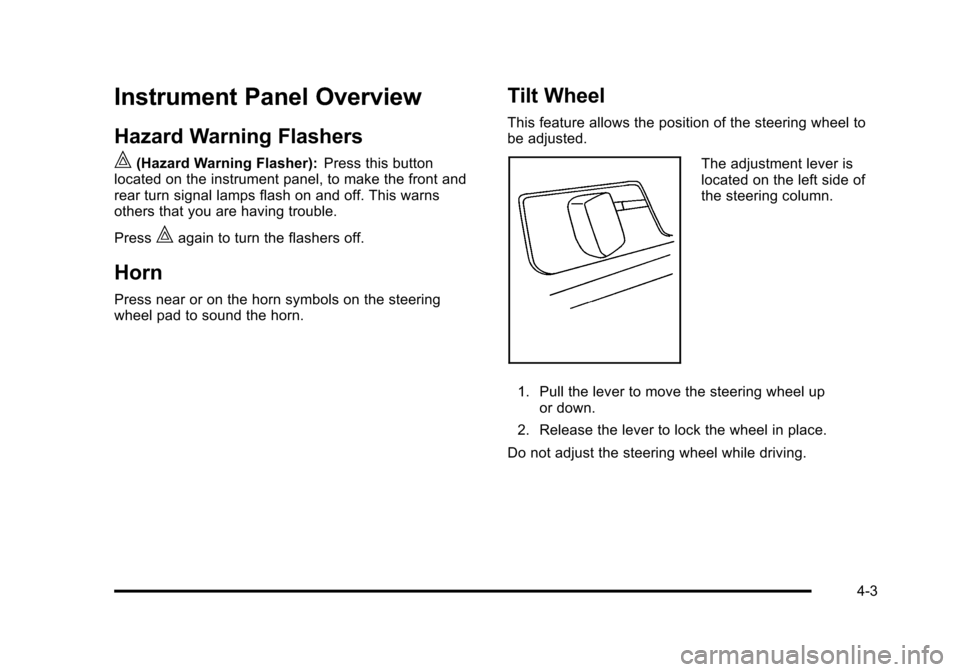
Tilt Wheel
This feature allows the position of the steering wheel to
be adjusted.
The adjustment lever is
located on the left side of
the steering column.
1. Pull the lever to move the steering wheel up or down.
2. Release the lever to lock the wheel in place.
Do not adjust the steering wheel while driving.
4-3
Page 166 of 470
Black plate (4,1)Cadillac DTS Owner Manual - 2011
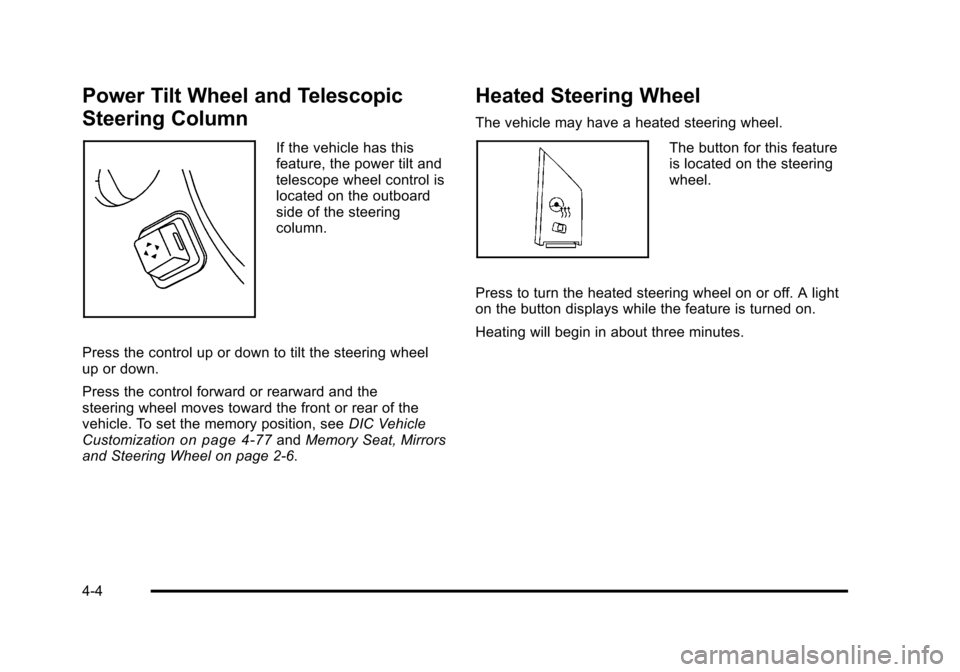
Power Tilt Wheel and Telescopic
Steering Column
If the vehicle has this
feature, the power tilt and
telescope wheel control is
located on the outboard
side of the steering
column.
Press the control up or down to tilt the steering wheel
up or down.
Press the control forward or rearward and the
steering wheel moves toward the front or rear of the
vehicle. To set the memory position, see DIC Vehicle
Customization
on page 4‑77and Memory Seat, Mirrors
and Steering Wheel on page 2‑6.
Heated Steering Wheel
The vehicle may have a heated steering wheel.
The button for this feature
is located on the steering
wheel.
Press to turn the heated steering wheel on or off. A light
on the button displays while the feature is turned on.
Heating will begin in about three minutes.
4-4
Page 169 of 470
Black plate (7,1)Cadillac DTS Owner Manual - 2011
The Forward Collision Alert (FCA) system provides an
audible and visual alert if you approach a vehicle too
quickly that is directly ahead. FCA also provides a
visual alert with no audible alert if you are following
another vehicle much too closely. The FCA alert symbol
is located on top of the instrument panel to the right of
the driver. FCA uses the Adaptive Cruise Control radar
to detect a vehicle directly ahead, in your path, within a
distance of 328 ft (100 m) and operates at speeds
above 20 mph (32 km/h).
{WARNING:
FCA is only a warning system and does not apply
the brakes. When you are approaching a vehicle
or object too rapidly or when you are following a
vehicle too closely that is ahead of you, FCA may
not provide you with enough time to avoid a
collision. FCA is not designed to warn the driver of
pedestrians or animals. Your complete attention is
always required while driving and you should be
ready to take action and apply the brakes. For
more information, seeDefensive Driving
on
page 5‑2
.
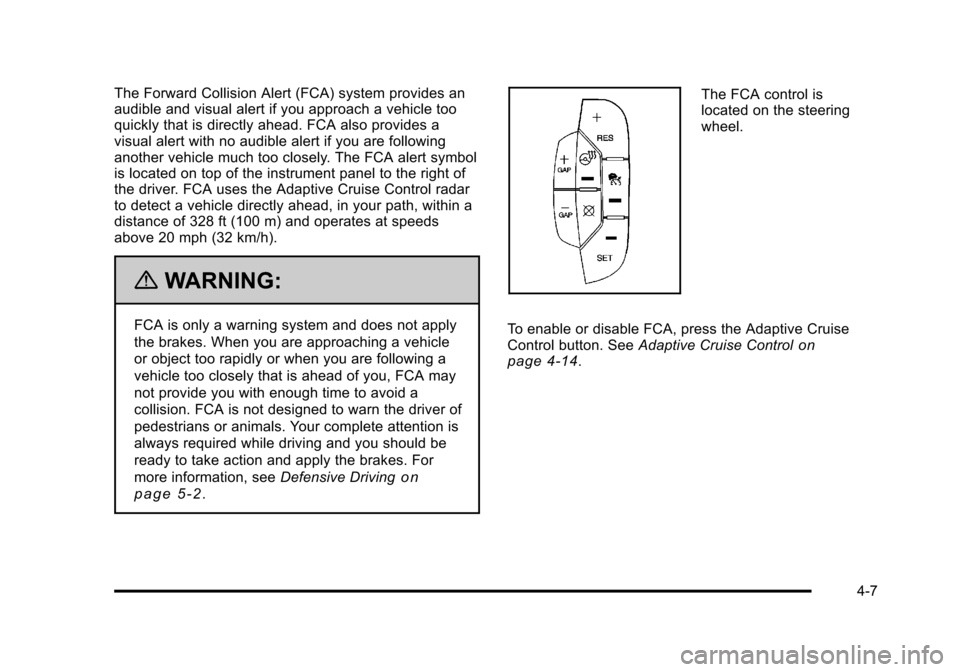
The FCA control is
located on the steering
wheel.
To enable or disable FCA, press the Adaptive Cruise
Control button. See Adaptive Cruise Control
on
page 4‑14.
4-7