warning light CADILLAC DTS 2011 1.G Owner's Manual
[x] Cancel search | Manufacturer: CADILLAC, Model Year: 2011, Model line: DTS, Model: CADILLAC DTS 2011 1.GPages: 470, PDF Size: 4.72 MB
Page 164 of 470
Black plate (2,1)Cadillac DTS Owner Manual - 2011
Section 4 Instrument Panel
Antilock Brake System (ABS) Warning Light . . . 4-51
Traction Control System (TCS) WarningLight . . . . . . . . . . . . . . . . . . . . . . . . . . . . . . . . . . . . . . . . . 4-51
StabiliTrak
®Indicator Light . . . . . . . . . . . . . . . . . . . . . 4-52
Lane Departure Warning (LDW) Light . . . . . . . . . . 4-52
Engine Coolant Temperature Warning Light . . . . 4-53
Engine Coolant Temperature Gauge . . . . . . . . . . . 4-53
Tire Pressure Light . . . . . . . . . . . . . . . . . . . . . . . . . . . . 4-54
Malfunction Indicator Lamp . . . . . . . . . . . . . . . . . . . . 4-54
Oil Pressure Light . . . . . . . . . . . . . . . . . . . . . . . . . . . . . 4-57
Security Light . . . . . . . . . . . . . . . . . . . . . . . . . . . . . . . . . . 4-57
Front Fog Lamp Light . . . . . . . . . . . . . . . . . . . . . . . . . . 4-58
Lights On Reminder . . . . . . . . . . . . . . . . . . . . . . . . . . . 4-58
Cruise Control Light . . . . . . . . . . . . . . . . . . . . . . . . . . . 4-58
Highbeam On Light . . . . . . . . . . . . . . . . . . . . . . . . . . . . 4-58
Fuel Gauge . . . . . . . . . . . . . . . . . . . . . . . . . . . . . . . . . . . . 4-59 Driver Information Center (DIC)
. . . . . . . . . . . . . . . . . .4-59
DIC Operation and Displays . . . . . . . . . . . . . . . . . . . 4-60
DIC Warnings and Messages . . . . . . . . . . . . . . . . . . 4-65
DIC Vehicle Customization . . . . . . . . . . . . . . . . . . . . 4-77
Audio System(s) . . . . . . . . . . . . . . . . . . . . . . . . . . . . . . . . . . 4-86
Setting the Clock . . . . . . . . . . . . . . . . . . . . . . . . . . . . . . 4-87
Radio(s) . . . . . . . . . . . . . . . . . . . . . . . . . . . . . . . . . . . . . . . 4-90
Using an MP3 . . . . . . . . . . . . . . . . . . . . . . . . . . . . . . . . 4-100
XM Radio Messages . . . . . . . . . . . . . . . . . . . . . . . . . 4-105
Navigation/Radio System . . . . . . . . . . . . . . . . . . . . . 4-106
Bluetooth
®. . . . . . . . . . . . . . . . . . . . . . . . . . . . . . . . . . . . 4-107
Theft-Deterrent Feature . . . . . . . . . . . . . . . . . . . . . . . 4-114
Audio Steering Wheel Controls . . . . . . . . . . . . . . . 4-114
Radio Reception . . . . . . . . . . . . . . . . . . . . . . . . . . . . . . 4-115
Backglass Antenna . . . . . . . . . . . . . . . . . . . . . . . . . . . 4-116
XM™ Satellite Radio Antenna System . . . . . . . . 4-116
4-2
Page 168 of 470

Black plate (6,1)Cadillac DTS Owner Manual - 2011
If after signaling a turn or lane change the arrow flashes
rapidly or does not come on, a signal bulb may be
burned out.
Have the bulbs replaced. If the bulb is not burned out,
check the fuse. SeeFuses and Circuit Breakers
on
page 6‑104.
Turn Signal On Chime
If the turn signal is left on, a warning chime sounds and
the Driver Information Center (DIC) will display TURN
SIGNAL ON after driving about a mile as a reminder
to turn it off. See DIC Warnings and Messages
on
page 4‑65.
Headlamp High/Low-Beam Changer
Push forward to change the headlamps from low beam
to high. Pull the lever back and then release it to
change from high beam to low.
This light on the
instrument panel cluster
will be on, indicating
high-beam usage.
Forward Collision Alert (FCA)
System
For vehicles with this feature, read the following section
before using it.
This vehicle has systems that operate on a radio
frequency that comply with Part 15 of the Federal
Communications Commission (FCC) rules and with
Industry Canada Standards RSS‐210/220/310.
Operation is subject to the following two conditions:
1. The device may not cause interference.
2. The device must accept any interference received, including interference that may cause undesired
operation of the device.
Changes or modifications to this system by other than
an authorized service facility could void authorization to
use this equipment.
4-6
Page 170 of 470
Black plate (8,1)Cadillac DTS Owner Manual - 2011
FCA is enabled when the green light on the button
is lit. FCA is disabled when the indicator light is
amber.
{WARNING:
.On winding roads, FCA may not detect a
vehicle ahead. You could crash into a vehicle
ahead of you. Do not rely on FCA on winding
roads.
.When weather limits visibility, such as in fog,
rain, or snow, FCA performance is limited.
There may not be enough warning distance to
the vehicle in front of you. Do not rely on FCA
in low visibility conditions.
{WARNING:
When FCA is enabled, the Adaptive Cruise
Control switch is on. If you press another Adaptive
Cruise Control button, you might go into cruise
when you do not want to. You could be startled
and even lose control. Be careful not to press
adaptive cruise buttons unless you want to use
cruise control.
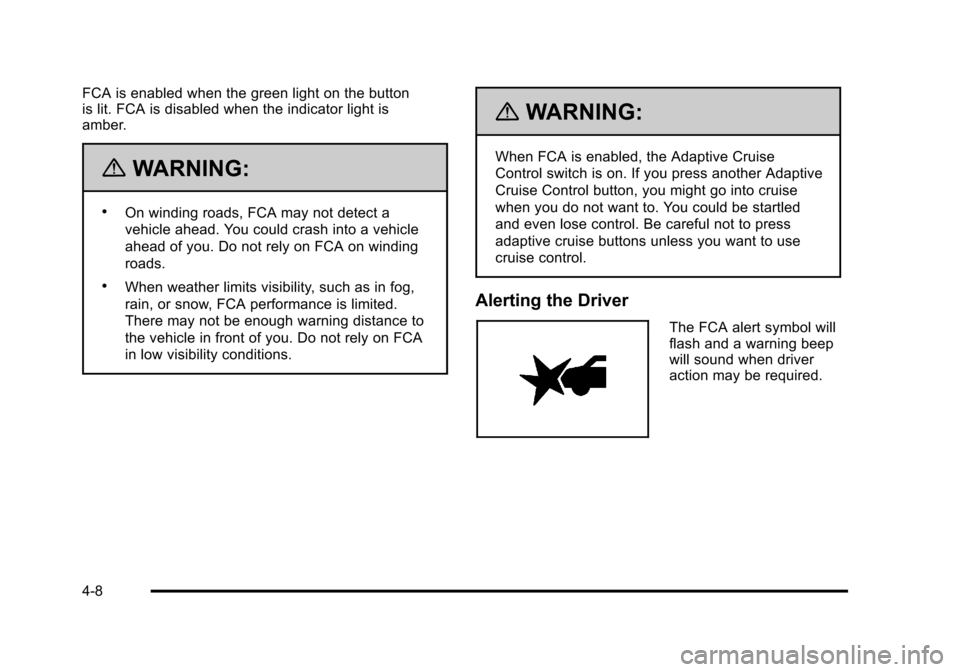
Alerting the Driver
The FCA alert symbol will
flash and a warning beep
will sound when driver
action may be required.
4-8
Page 174 of 470

Black plate (12,1)Cadillac DTS Owner Manual - 2011
Cruise Control
With cruise control, a speed of approximately 40 km/h
(25 mph) or more can be maintained without keeping
your foot on the accelerator. Cruise control does not
work at speeds below about 40 km/h (25 mph). A cruise
control light appears in the instrument panel cluster
when the cruise control is on.
When the brakes are applied, the cruise control
shuts off.
{WARNING:
Cruise control can be dangerous where you
cannot drive safely at a steady speed. So, do not
use the cruise control on winding roads or in
heavy traffic.
Cruise control can be dangerous on slippery
roads. On such roads, fast changes in tire traction
can cause excessive wheel slip, and you could
lose control. Do not use cruise control on slippery
roads.If your vehicle is in cruise control when the Traction
Control System (TCS) begins to limit wheel spin, the
cruise control automatically turns off. See
Traction
Control System (TCS)
on page 5‑6. When road
conditions let you safely use it again, the cruise control
can be turned back on.
The cruise control buttons
are located on left side of
the steering wheel.
I(On/Off): Press to turn the cruise control system on
or off.
+ RES (Resume/Accelerate): Press briefly to make the
vehicle resume to a previously set speed or press and
hold to accelerate.
4-12
Page 182 of 470
Black plate (20,1)Cadillac DTS Owner Manual - 2011
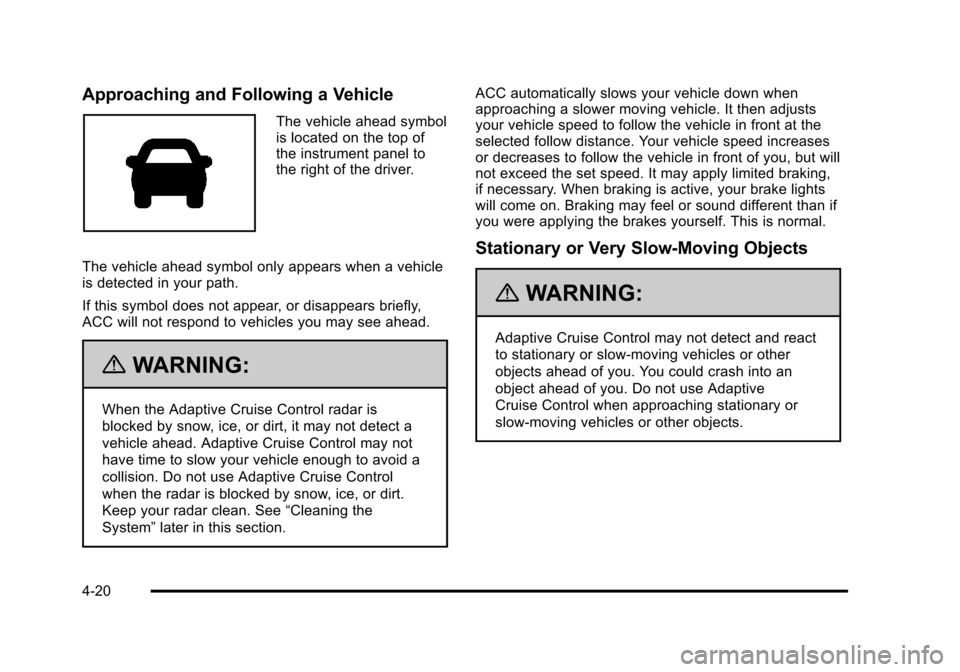
Approaching and Following a Vehicle
The vehicle ahead symbol
is located on the top of
the instrument panel to
the right of the driver.
The vehicle ahead symbol only appears when a vehicle
is detected in your path.
If this symbol does not appear, or disappears briefly,
ACC will not respond to vehicles you may see ahead.
{WARNING:
When the Adaptive Cruise Control radar is
blocked by snow, ice, or dirt, it may not detect a
vehicle ahead. Adaptive Cruise Control may not
have time to slow your vehicle enough to avoid a
collision. Do not use Adaptive Cruise Control
when the radar is blocked by snow, ice, or dirt.
Keep your radar clean. See “Cleaning the
System” later in this section. ACC automatically slows your vehicle down when
approaching a slower moving vehicle. It then adjusts
your vehicle speed to follow the vehicle in front at the
selected follow distance. Your vehicle speed increases
or decreases to follow the vehicle in front of you, but will
not exceed the set speed. It may apply limited braking,
if necessary. When braking is active, your brake lights
will come on. Braking may feel or sound different than if
you were applying the brakes yourself. This is normal.
Stationary or Very Slow-Moving Objects
{WARNING:
Adaptive Cruise Control may not detect and react
to stationary or slow‐moving vehicles or other
objects ahead of you. You could crash into an
object ahead of you. Do not use Adaptive
Cruise Control when approaching stationary or
slow‐moving vehicles or other objects.
4-20
Page 187 of 470

Black plate (25,1)Cadillac DTS Owner Manual - 2011
Exterior Lamps
The exterior lamps
control is located on the
instrument panel to the
left of the steering wheel.
It controls the following systems:
.Headlamps
.Taillamps
.Parking Lamps
.License Plate Lamps
.Instrument Panel Lights
.Fog Lamps
The exterior lamps control has four positions:
O(Off): Turns off the exterior lamps except for
Daytime Running Lamps (DRL). AUTO (Automatic):
Automatically turns on the
headlamps at normal brightness, together with the
following:
.Parking Lamps
.Instrument Panel Lights
.IntelliBeam®
; (Parking Lamps): Turns on the parking lamps
together with the following:
.Instrument Panel Lights
.License Plate Lamps
.Taillamps
.Side Marker Lamps
The parking brake indicator light comes on and stays on
while the parking lamps are on with the engine off and
the ignition in ACC/ACCESSORY or ON/RUN.
2 (Headlamps): Turns on the headlamps together with
the previously listed lamps. A warning chime sounds if
the driver's door is opened while the ignition switch is
off and the headlamps are on.
# (Fog Lamps): Press the exterior lamps control to
turn on the fog lamps. See Fog Lamps on page 4‑29.
4-25
Page 190 of 470

Black plate (28,1)Cadillac DTS Owner Manual - 2011
Cleaning the IntelliBeam Light Sensor
The light sensor is located
on the inside of the
vehicle in front of the
inside rearview mirror.
Clean the light sensor window, periodically, using glass
cleaner on a soft cloth. Gently wipe the sensor window.
Do not spray glass cleaner directly on the surface of the
sensor window.
Wiper Activated Headlamps
This feature activates the headlamps and parking lamps
after the windshield wipers are turned on and have
completed eight wipe cycles within four minutes.
When the ignition is turned to LOCK/OFF, the
wiper-activated headlamps immediately turn off. The
wiper-activated headlamps also turn off if the windshield
wipers are turned off.
Headlamps on Reminder
A warning chime will sound if the exterior lamp control
is left on in either the headlamp or parking lamp position
and the driver's door is opened with the ignition off.
Daytime Running Lamps (DRL)
Daytime Running Lamps (DRL) can make it easier for
others to see the front of your vehicle during the day.
Fully functional daytime running lamps are required on
all vehicles first sold in Canada.
The DRL system makes the turn signal lamps come on
when the following conditions are met:
.It is still daylight and the ignition is on.
.The exterior lamp control is in the off position.
.The transmission is not in P (Park) (United
States only).
.The light sensor is covered or not detecting light.
See “Sensors” underDual Climate Control System
on page 4‑34.
When DRL are on, no other exterior lamps such as the
parking lamps, taillamps, etc. will be on when the DRL
are being used. The instrument panel will not be lit up
either.
When automatic lighting is on and it is dark enough
outside, the turn signal lamps turn off and normal
low-beam headlamp operation occurs.
4-28
Page 193 of 470
Black plate (31,1)Cadillac DTS Owner Manual - 2011
Parade Dimming
This feature prohibits dimming of the digital displays
and backlighting during daylight hours when the key is
in the ignition and the headlamps are on. This feature is
fully automatic. When the light sensor reads darkness
outside and the parking lamps are active, the digital
displays can be adjusted by turning the instrument
panel brightness knob counterclockwise to dim and
clockwise to brighten lighting.
Reading Lamps
The reading lamps are located on the overhead console
on the headliner and in the rear door opening. These
lamps come on automatically when any door is opened
and it is dark outside.
For manual operation, press the button to turn them on.
Press it again to turn them off.
If the reading lamps are left on, they automatically shut
off 10 minutes after the ignition has been turned off.
Footwell Lamps
For vehicles with footwell lamps, they are located under
the instrument panel and at the rear of the front seats.
These lamps provide soft light to the front and rear floor
areas. They dim with the instrument panel cluster lights.Footwell lighting brightness can be adjusted with the
instrument panel brightness control located below the
exterior lamps control. See
Instrument Panel Brightness
on page 4‑30. The footwell lights will turn off before the
instrument panel lights are at their lowest level of
brightness.
Battery Load Management
This feature monitors the vehicle's electrical load and
determines when the battery is in a heavy discharge
condition. During times of high electrical loading, the
engine may idle at a higher revolutions per minute (rpm)
setting than normal to make sure the battery charges.
High electrical loads may occur when several of the
following are on: headlamps, high beams, fog lamps,
rear window defogger, the climate control fan at high
speeds, heated seats and engine cooling fans.
If the battery continues to discharge, even with the
engine idling at a higher rpm setting, some electrical
loads will automatically be reduced. When this occurs,
the rear window defogger may take slightly longer to
clear the glass, the heated seats may not get as warm
as they usually do and the climate control fan may
cut back to a lower speed. For more battery saving
information, see “Battery Saver Active Message” under
DIC Warnings and Messages on page 4‑65.
4-31
Page 194 of 470
Black plate (32,1)Cadillac DTS Owner Manual - 2011
Electric Power Management
The vehicle has Electric Power Management (EPM) that
estimates the battery's temperature and state of charge.
It then adjusts the voltage for best performance and
extended life of the battery.
When the battery's state of charge is low, the voltage
is raised slightly to quickly bring the charge back up.
When the state of charge is high, the voltage is lowered
slightly to prevent overcharging. If the vehicle has a
voltmeter gauge or a voltage display on the Driver
Information Center (DIC), you may see the voltage
move up or down. This is normal. If there is a problem,
an alert will be displayed.
The battery can be discharged at idle if the electrical
loads are very high. This is true for all vehicles. This is
because the generator (alternator) may not be spinning
fast enough at idle to produce all the power that is
needed for very high electrical loads.
A high electrical load occurs when several of the
following are on, such as: headlamps, high beams, fog
lamps, rear window defogger, climate control fan at high
speed, heated seats, engine cooling fans, trailer loads,
and loads plugged into accessory power outlets.EPM works to prevent excessive discharge of the
battery. It does this by balancing the generator's output
and the vehicle's electrical needs. It can increase
engine idle speed to generate more power, whenever
needed. It can temporarily reduce the power demands
of some accessories.
Normally, these actions occur in steps or levels, without
being noticeable. In rare cases at the highest levels
of corrective action, this action may be noticeable to
the driver. If so, a Driver Information Center (DIC)
message might be displayed, such as BATTERY
SAVER ACTIVE, BATTERY VOLTAGE LOW, or
LOW BATTERY. If this message is displayed, it is
recommended that the driver reduce the electrical loads
as much as possible. See
DIC Warnings and Messages
on page 4‑65.
Inadvertent Power Battery Saver
This feature protects the vehicle battery against
drainage from the interior lamps, trunk lamp, glove box
lamp, or the garage door opener. When the ignition is
turned off, the power to these features automatically
turns off after 10 minutes. Power is restored for an
additional 10 minutes if any door or trunk is opened,
or the courtesy lamp switch is turned on.
4-32
Page 206 of 470

Black plate (44,1)Cadillac DTS Owner Manual - 2011
3. To remove the air filter, insert a tool between theair filter and the compartment wall on the outboard
side of the vehicle. Then, push in to flatten the pin
holding the air filter in place. Gently remove the air
filter and any loose debris that may be inside the
air filter compartment.
4. Insert the new air filter by pushing until you hear a click. Then, reinstall the push pin and snap the
cover into place.
Warning Lights, Gauges, and
Indicators
Warning lights and gauges can signal that something is
wrong before it becomes serious enough to cause an
expensive repair or replacement. Paying attention to the
warning lights and gauges could prevent injury.
Warning lights come on when there might be or there is
a problem with one of the vehicle's functions. Some
warning lights come on briefly when the engine is
started to indicate they are working.
Gauges can indicate when there might be or there is
a problem with one of the vehicle's functions. Often
gauges and warning lights work together to indicate a
problem with the vehicle.
When one of the warning lights comes on and stays on
while driving, or when one of the gauges shows there
could be a problem, check the section that explains
what to do. Follow this manual's advice. Waiting to do
repairs can be costly and even dangerous.
4-44