lock CADILLAC DTS 2011 1.G Workshop Manual
[x] Cancel search | Manufacturer: CADILLAC, Model Year: 2011, Model line: DTS, Model: CADILLAC DTS 2011 1.GPages: 470, PDF Size: 4.72 MB
Page 148 of 470
Black plate (44,1)Cadillac DTS Owner Manual - 2011
The SBZA displays may remain on if a trailer is
attached to the vehicle, or a bicycle or object is
extending out to either side of the vehicle.
When SBZA is disabled for any reason other than the
driver turning it off, the driver will not be able to turn
SBZA back on using the DIC. The SIDE BLIND ZONE
ALERT ON option will not be selectable if the conditions
for normal system operation are not met. Until normal
operating conditions for SBZA are met, you should not
rely upon SBZA while driving.
SBZA Error Messages
The following messages may appear in the DIC:
SIDE BLIND ZONE ALERT SYSTEM OFF:This
message indicates that the driver has turned the
system off.
SIDE BLIND ZONE SYSTEM UNAVAILABLE: This
message indicates that the SBZA system is disabled
because the sensor is blocked and cannot detect
vehicles in the blind zone. The sensor may be
blocked by mud, dirt, snow, ice, slush, or even heavy
rainstorms. This message may also activate during
heavy rain or due to road spray. The vehicle does not
need service. For cleaning, see Washing Your Vehicle
on page 6‑98. SERVICE SIDE BLIND ZONE ALERT SYSTEM:
If this
message appears, both SBZA displays will remain on
indicating there is a problem with the SBZA system.
If these displays remain on after continued driving, the
system needs service. Take the vehicle to your dealer.
FCC Information
See Radio Frequency Statementon page 8‑18for information regarding Part 15 of the Federal
Communications Commission (FCC) rules and Industry
Canada Standards RSS-210/220/310.
Frequency of operation: 24.05GHz –24.25GHz
Field Strength: Not greater than 2.5V/m peak
(0.25V/m average) at a distance of 3 m.
The manufacturer is not responsible for any radio or TV
interference caused by unauthorized modifications to
this equipment. Such modifications could void the user's
authority to operate the equipment.
3-44
Page 150 of 470

Black plate (46,1)Cadillac DTS Owner Manual - 2011
How the System Works
LDW uses a camera located between the inside
rearview mirror and the windshield to detect the lane
markings.
@(Lane Departure Warning):To turn LDW on and
off, press the LDW control, located by the exterior
headlamp control. An indicator on the control will light to
indicate that LDW is on.
When the vehicle is started, the LDW symbol, located
in the instrument panel cluster, will briefly come on to
indicate that the light is operational. LDW only operates at speeds of 35 mph (56 km)
or greater. If LDW is turned on when traveling at
these speeds, the LDW symbol will appear green
if the system detects a left or right lane marking.
This symbol will change to amber and flash and
three beeps will sound if you cross a detected lane
marking without using the turn signal.
If the LDW symbol does not appear, LDW is not
currently operating and will not warn you.
To change the volume of the warning chime, see Chime
Volume under
DIC Vehicle Customization
on page 4‑77for more information.
When the System Does Not Seem To Work
Properly
The LDW symbol will not appear when the system is
having difficulty seeing the lines on the road or if the
view of the camera on the windshield is blocked with
mud, dirt, snow, ice, or slush, if the windshield is
damaged, or when weather limits visibility, such as
while driving in fog, rain, or snow conditions. This is
normal operation, the vehicle does not need service.
For cleaning instructions, see Washing Your Vehicle
on
page 6‑98.
3-46
Page 158 of 470

Black plate (54,1)Cadillac DTS Owner Manual - 2011
Storage Areas
Glove Box
Lift up the glove box handle to open it. Use the key to
lock and unlock the glove box.
Cupholders
There are cupholders located in the full floor console,
or in the front of the center seat console. Cupholders
are also located in the rear armrest. Slide the cover
back to access the full floor console cupholder. Fold
open the front of the console to access the center seat
console cupholder.
Front Storage Area
To access the front storage area, push down and then
release. Push up and forward to remove.
Center Console Storage
If the vehicle has a full floor console it has two storage
areas. Lift the left lever located in the front of the
armrest lid to access the upper storage tray . Lift
the right lever to access the lower storage area.
If the vehicle has a center seat console it will have
two storage areas. Press the button located on thefront of the armrest and lift the armrest cover to access
the upper storage area. Pull the strap located behind
the cup holder to access the lower storage area.
Center Flex Storage Unit
This vehicle may have a center flex storage unit that
includes a front center seat with a lap belt and an
underseat storage compartment. The center seatback
can also be used as an armrest. Cupholders are also
located at the front edge of the storage unit and can be
accessed by folding the compartment forward.
Pull the handle rearward to open a storage
compartment and access the accessory power outlet.
Pull out to remove.
When not being used, the center seat lap belt can be
stored in the underseat storage compartment.
Floor Mats
{WARNING:
If a floor mat is the wrong size or is not properly
installed, it can interfere with the accelerator pedal
and/or brake pedal. Interference with the pedals
can cause unintended acceleration and/or
(Continued)
3-54
Page 163 of 470

Black plate (1,1)Cadillac DTS Owner Manual - 2011
Section 4 Instrument Panel
Instrument Panel Overview. . . . . . . . . . . . . . . . . . . . . . . .4-3
Hazard Warning Flashers . . . . . . . . . . . . . . . . . . . . . . . 4-3
Horn . . . . . . . . . . . . . . . . . . . . . . . . . . . . . . . . . . . . . . . . . . . . 4-3
Tilt Wheel . . . . . . . . . . . . . . . . . . . . . . . . . . . . . . . . . . . . . . . 4-3
Power Tilt Wheel and Telescopic Steering Column . . . . . . . . . . . . . . . . . . . . . . . . . . . . . . . . . . . . . . . 4-4
Heated Steering Wheel . . . . . . . . . . . . . . . . . . . . . . . . . 4-4
Turn Signal/Multifunction Lever . . . . . . . . . . . . . . . . . . 4-5
Turn and Lane-Change Signals . . . . . . . . . . . . . . . . . 4-5
Headlamp High/Low-Beam Changer . . . . . . . . . . . . 4-6
Forward Collision Alert (FCA) System . . . . . . . . . . . 4-6
Flash-to-Pass . . . . . . . . . . . . . . . . . . . . . . . . . . . . . . . . . . 4-10
Windshield Wipers . . . . . . . . . . . . . . . . . . . . . . . . . . . . . 4-10
Windshield Washer . . . . . . . . . . . . . . . . . . . . . . . . . . . . 4-11
Cruise Control . . . . . . . . . . . . . . . . . . . . . . . . . . . . . . . . . 4-12
Adaptive Cruise Control . . . . . . . . . . . . . . . . . . . . . . . 4-14
Exterior Lamps . . . . . . . . . . . . . . . . . . . . . . . . . . . . . . . . 4-25
Wiper Activated Headlamps . . . . . . . . . . . . . . . . . . . 4-28
Headlamps on Reminder . . . . . . . . . . . . . . . . . . . . . . 4-28
Daytime Running Lamps (DRL) . . . . . . . . . . . . . . . . 4-28
Fog Lamps . . . . . . . . . . . . . . . . . . . . . . . . . . . . . . . . . . . . 4-29
Cornering Lamps . . . . . . . . . . . . . . . . . . . . . . . . . . . . . . 4-29
Exterior Lighting Battery Saver . . . . . . . . . . . . . . . . . 4-30
Instrument Panel Brightness . . . . . . . . . . . . . . . . . . . 4-30
Courtesy Lamps . . . . . . . . . . . . . . . . . . . . . . . . . . . . . . . 4-30 Entry Lighting . . . . . . . . . . . . . . . . . . . . . . . . . . . . . . . . . . 4-30
Parade Dimming . . . . . . . . . . . . . . . . . . . . . . . . . . . . . . . 4-31
Reading Lamps . . . . . . . . . . . . . . . . . . . . . . . . . . . . . . . . 4-31
Footwell Lamps . . . . . . . . . . . . . . . . . . . . . . . . . . . . . . . . 4-31
Battery Load Management . . . . . . . . . . . . . . . . . . . . . 4-31
Electric Power Management . . . . . . . . . . . . . . . . . . . 4-32
Inadvertent Power Battery Saver . . . . . . . . . . . . . . . 4-32
Battery Run-Down Protection . . . . . . . . . . . . . . . . . . 4-33
Accessory Power Outlet(s) . . . . . . . . . . . . . . . . . . . . . 4-33
Analog Clock . . . . . . . . . . . . . . . . . . . . . . . . . . . . . . . . . . 4-34
Climate Controls . . . . . . . . . . . . . . . . . . . . . . . . . . . . . . . . . . 4-34
Dual Climate Control System . . . . . . . . . . . . . . . . . . 4-34
Outlet Adjustment . . . . . . . . . . . . . . . . . . . . . . . . . . . . . . 4-40
Rear Climate Control System . . . . . . . . . . . . . . . . . . 4-40
Passenger Compartment Air Filter . . . . . . . . . . . . . 4-42
Warning Lights, Gauges, and Indicators . . . . . . . .4-44
Instrument Panel Cluster . . . . . . . . . . . . . . . . . . . . . . . 4-45
Speedometer and Odometer . . . . . . . . . . . . . . . . . . . 4-46
Tachometer . . . . . . . . . . . . . . . . . . . . . . . . . . . . . . . . . . . . 4-46
Safety Belt Reminders . . . . . . . . . . . . . . . . . . . . . . . . . 4-47
Airbag Readiness Light . . . . . . . . . . . . . . . . . . . . . . . . 4-48
Passenger Airbag Status Indicator . . . . . . . . . . . . . 4-48
Charging System Light . . . . . . . . . . . . . . . . . . . . . . . . 4-49
Brake System Warning Light . . . . . . . . . . . . . . . . . . . 4-50
4-1
Page 164 of 470
Black plate (2,1)Cadillac DTS Owner Manual - 2011
Section 4 Instrument Panel
Antilock Brake System (ABS) Warning Light . . . 4-51
Traction Control System (TCS) WarningLight . . . . . . . . . . . . . . . . . . . . . . . . . . . . . . . . . . . . . . . . . 4-51
StabiliTrak
®Indicator Light . . . . . . . . . . . . . . . . . . . . . 4-52
Lane Departure Warning (LDW) Light . . . . . . . . . . 4-52
Engine Coolant Temperature Warning Light . . . . 4-53
Engine Coolant Temperature Gauge . . . . . . . . . . . 4-53
Tire Pressure Light . . . . . . . . . . . . . . . . . . . . . . . . . . . . 4-54
Malfunction Indicator Lamp . . . . . . . . . . . . . . . . . . . . 4-54
Oil Pressure Light . . . . . . . . . . . . . . . . . . . . . . . . . . . . . 4-57
Security Light . . . . . . . . . . . . . . . . . . . . . . . . . . . . . . . . . . 4-57
Front Fog Lamp Light . . . . . . . . . . . . . . . . . . . . . . . . . . 4-58
Lights On Reminder . . . . . . . . . . . . . . . . . . . . . . . . . . . 4-58
Cruise Control Light . . . . . . . . . . . . . . . . . . . . . . . . . . . 4-58
Highbeam On Light . . . . . . . . . . . . . . . . . . . . . . . . . . . . 4-58
Fuel Gauge . . . . . . . . . . . . . . . . . . . . . . . . . . . . . . . . . . . . 4-59 Driver Information Center (DIC)
. . . . . . . . . . . . . . . . . .4-59
DIC Operation and Displays . . . . . . . . . . . . . . . . . . . 4-60
DIC Warnings and Messages . . . . . . . . . . . . . . . . . . 4-65
DIC Vehicle Customization . . . . . . . . . . . . . . . . . . . . 4-77
Audio System(s) . . . . . . . . . . . . . . . . . . . . . . . . . . . . . . . . . . 4-86
Setting the Clock . . . . . . . . . . . . . . . . . . . . . . . . . . . . . . 4-87
Radio(s) . . . . . . . . . . . . . . . . . . . . . . . . . . . . . . . . . . . . . . . 4-90
Using an MP3 . . . . . . . . . . . . . . . . . . . . . . . . . . . . . . . . 4-100
XM Radio Messages . . . . . . . . . . . . . . . . . . . . . . . . . 4-105
Navigation/Radio System . . . . . . . . . . . . . . . . . . . . . 4-106
Bluetooth
®. . . . . . . . . . . . . . . . . . . . . . . . . . . . . . . . . . . . 4-107
Theft-Deterrent Feature . . . . . . . . . . . . . . . . . . . . . . . 4-114
Audio Steering Wheel Controls . . . . . . . . . . . . . . . 4-114
Radio Reception . . . . . . . . . . . . . . . . . . . . . . . . . . . . . . 4-115
Backglass Antenna . . . . . . . . . . . . . . . . . . . . . . . . . . . 4-116
XM™ Satellite Radio Antenna System . . . . . . . . 4-116
4-2
Page 165 of 470
Black plate (3,1)Cadillac DTS Owner Manual - 2011
Instrument Panel Overview
Hazard Warning Flashers
|(Hazard Warning Flasher):Press this button
located on the instrument panel, to make the front and
rear turn signal lamps flash on and off. This warns
others that you are having trouble.
Press
|again to turn the flashers off.
Horn
Press near or on the horn symbols on the steering
wheel pad to sound the horn.
Tilt Wheel
This feature allows the position of the steering wheel to
be adjusted.
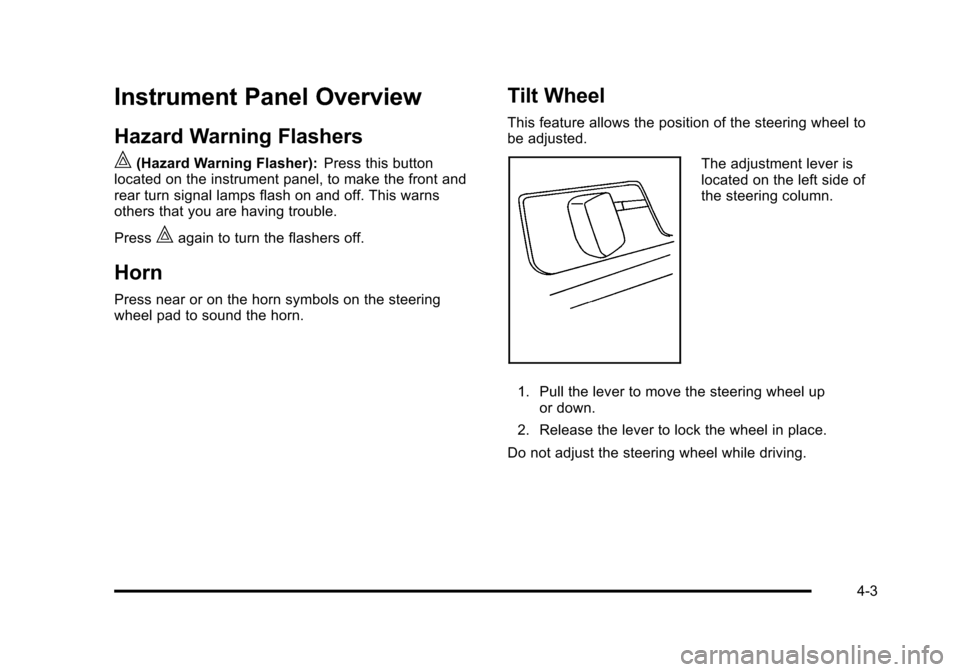
The adjustment lever is
located on the left side of
the steering column.
1. Pull the lever to move the steering wheel up or down.
2. Release the lever to lock the wheel in place.
Do not adjust the steering wheel while driving.
4-3
Page 171 of 470
Black plate (9,1)Cadillac DTS Owner Manual - 2011
The alert symbol will flash when:
.Your vehicle is approaching another vehicle too
quickly.
.Your vehicle is following a vehicle ahead of you
much too closely.
See Defensive Driving
on page 5‑2for more
information.
Detecting the Vehicle Ahead
The vehicle ahead symbol, located next to the FCA
symbol, only appears when a vehicle ahead of you is
detected in your path. If this symbol does not appear,
or disappears briefly, FCA will not respond to vehicles
you may see ahead. The symbol may disappear on
curves, highway exit ramps, or hills. Also, when another
vehicle enters the same lane as you, the FCA system
will not detect the vehicle until it is completely in your
driving lane.
{WARNING:
When the Adaptive Cruise Control radar is
blocked by snow, ice, or dirt, it may not detect a
vehicle ahead. FCA may not help you avoid a
collision under these conditions. Do not use FCA
(Continued)
WARNING: (Continued)
when the radar is blocked by snow, ice, or dirt.
Keep your radar clean. See“Cleaning the
System” underAdaptive Cruise Control
on
page 4‑14
.
{WARNING:
FCA may not detect and warn soon enough to
stationary or slow-moving vehicles or other
objects ahead of you. You could crash into an
object ahead of you. Do not rely on FCA when
approaching stationary or slow-moving vehicles or
other objects.
Unnecessary Alerts
FCA may occasionally provide alerts that you consider
unnecessary. It could respond to a turning vehicle
ahead of you, guard rails, signs, and other stationary
objects. This is normal operation, your vehicle does not
need service.
4-9
Page 172 of 470

Black plate (10,1)Cadillac DTS Owner Manual - 2011
Other Messages
There are three messages that may appear on the
Driver Information Center (DIC). They are CLEAN
RADAR, RADAR CRUISE NOT READY and SERVICE
RADAR CRUISE. SeeDIC Warnings and Messages
on
page 4‑65.
Cleaning the System
The radar can become blocked by snow, ice, or dirt.
If so, you may need to turn off the engine and clean the
lens. See “Cleaning the System” underAdaptive Cruise
Control on page 4‑14.
Flash-to-Pass
This feature lets you use the high-beam headlamps to
signal the driver in front of you that you want to pass.
The flash-to-pass feature will only work with the
headlamps on. It does not work with Daytime Running
Lamps (DRL).
Pull and hold the turn signal lever toward you to use.
If the headlamps are on low beam, pulling the turn
signal towards you will flash the high beams.
Windshield Wipers
The windshield wiper lever is located on the left side of
the steering column.
Turn the band with the wiper symbol on it to control the
windshield wipers.
8(Mist): For a single wiping cycle, hold it on mist until
the wipers start, then release. The wipers stop after
one wipe. Several wipes, hold the band longer.
6(Delay): Use to set the delay time between wipe
cycles. The wiper speed can be set for a long or short
delay between wipes. The closer the band is set to the
top of the lever, the shorter the delay.
4-10
Page 173 of 470

Black plate (11,1)Cadillac DTS Owner Manual - 2011
6(Low Speed): Slow wipes.
1 (High Speed): Fast wipes.
9 (Off): Turns the wipers off.
Clear ice and snow from the wiper blades before using
them. If frozen to the windshield, carefully loosen or
thaw them. Damaged blades should be replaced.
Heavy snow or ice can overload the wiper motor.
A circuit breaker will stop the motor until it cools.
The vehicle has wiper-activated headlamps. After the
windshield wipers have completed eight wipe cycles
within four minutes, the headlamps automatically turn
on. See Wiper Activated Headlamps
on page 4‑28for
more information.
Windshield Washer
{WARNING:
In freezing weather, do not use your washer until
the windshield is warmed. Otherwise the washer
fluid can form ice on the windshield, blocking your
vision.
J(Washer Fluid): Press and release this paddle,
located at the top of the turn signal/multifunction lever,
to spray washer fluid on the windshield. The wipers will
clear the windshield and either stop or return to the
preset speed. For more washer cycles, press and hold
the paddle.
4-11
Page 182 of 470
Black plate (20,1)Cadillac DTS Owner Manual - 2011
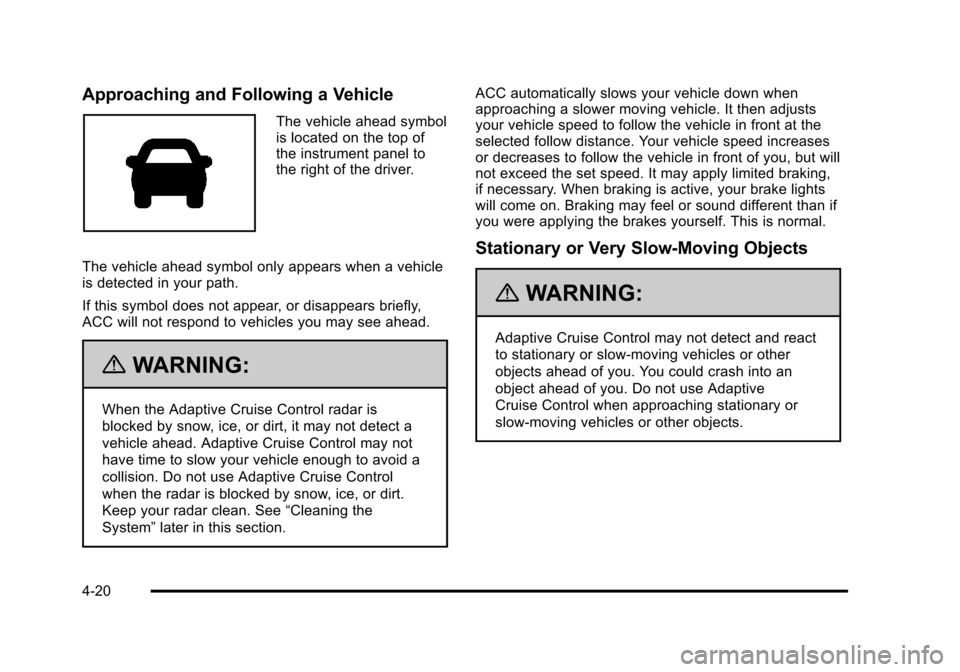
Approaching and Following a Vehicle
The vehicle ahead symbol
is located on the top of
the instrument panel to
the right of the driver.
The vehicle ahead symbol only appears when a vehicle
is detected in your path.
If this symbol does not appear, or disappears briefly,
ACC will not respond to vehicles you may see ahead.
{WARNING:
When the Adaptive Cruise Control radar is
blocked by snow, ice, or dirt, it may not detect a
vehicle ahead. Adaptive Cruise Control may not
have time to slow your vehicle enough to avoid a
collision. Do not use Adaptive Cruise Control
when the radar is blocked by snow, ice, or dirt.
Keep your radar clean. See “Cleaning the
System” later in this section. ACC automatically slows your vehicle down when
approaching a slower moving vehicle. It then adjusts
your vehicle speed to follow the vehicle in front at the
selected follow distance. Your vehicle speed increases
or decreases to follow the vehicle in front of you, but will
not exceed the set speed. It may apply limited braking,
if necessary. When braking is active, your brake lights
will come on. Braking may feel or sound different than if
you were applying the brakes yourself. This is normal.
Stationary or Very Slow-Moving Objects
{WARNING:
Adaptive Cruise Control may not detect and react
to stationary or slow‐moving vehicles or other
objects ahead of you. You could crash into an
object ahead of you. Do not use Adaptive
Cruise Control when approaching stationary or
slow‐moving vehicles or other objects.
4-20