cruise control CADILLAC DTS 2011 1.G Owners Manual
[x] Cancel search | Manufacturer: CADILLAC, Model Year: 2011, Model line: DTS, Model: CADILLAC DTS 2011 1.GPages: 470, PDF Size: 4.72 MB
Page 5 of 470
Black plate (5,1)Cadillac DTS Owner Manual - 2011
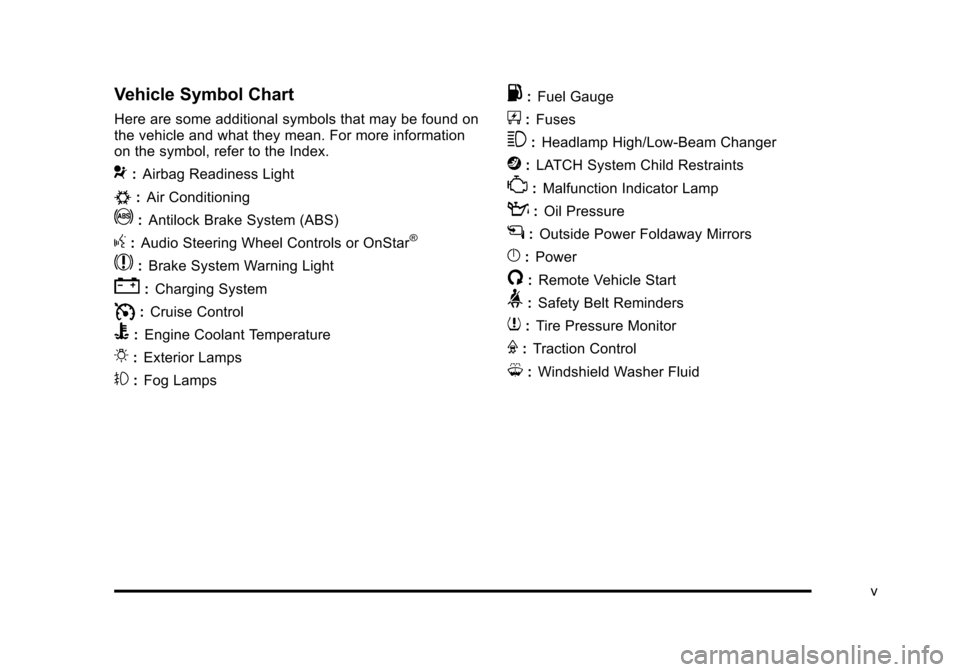
Vehicle Symbol Chart
Here are some additional symbols that may be found on
the vehicle and what they mean. For more information
on the symbol, refer to the Index.
9:Airbag Readiness Light
#:Air Conditioning
!:Antilock Brake System (ABS)
g:Audio Steering Wheel Controls or OnStar®
$: Brake System Warning Light
":Charging System
I:Cruise Control
B: Engine Coolant Temperature
O:Exterior Lamps
#:Fog Lamps
.: Fuel Gauge
+:Fuses
3: Headlamp High/Low-Beam Changer
j:LATCH System Child Restraints
*: Malfunction Indicator Lamp
::Oil Pressure
g:Outside Power Foldaway Mirrors
}:Power
/:Remote Vehicle Start
>:Safety Belt Reminders
7:Tire Pressure Monitor
F:Traction Control
M:Windshield Washer Fluid
v
Page 7 of 470
Black plate (1,1)Cadillac DTS Owner Manual - 2011
Section 1 In Brief
Instrument Panel. . . . . . . . . . . . . . . . . . . . . . . . . . . . . . . . . . . 1-2
Initial Drive Information . . . . . . . . . . . . . . . . . . . . . . . . . . . 1-4
Remote Keyless Entry (RKE) System . . . . . . . . . . . 1-4
Remote Vehicle Start . . . . . . . . . . . . . . . . . . . . . . . . . . . 1-4
Door Locks . . . . . . . . . . . . . . . . . . . . . . . . . . . . . . . . . . . . . 1-5
Trunk Release . . . . . . . . . . . . . . . . . . . . . . . . . . . . . . . . . . 1-5
Windows . . . . . . . . . . . . . . . . . . . . . . . . . . . . . . . . . . . . . . . . 1-6
Seat Adjustment . . . . . . . . . . . . . . . . . . . . . . . . . . . . . . . . 1-6
Memory Features . . . . . . . . . . . . . . . . . . . . . . . . . . . . . . . 1-8
Heated and Ventilated Seats . . . . . . . . . . . . . . . . . . . . 1-9
Head Restraint Adjustment . . . . . . . . . . . . . . . . . . . . . . 1-9
Safety Belt . . . . . . . . . . . . . . . . . . . . . . . . . . . . . . . . . . . . . 1-10
Sensing System for Passenger Airbag . . . . . . . . . 1-10
Mirror Adjustment . . . . . . . . . . . . . . . . . . . . . . . . . . . . . . 1-11
Steering Wheel Adjustment . . . . . . . . . . . . . . . . . . . . 1-12
Interior Lighting . . . . . . . . . . . . . . . . . . . . . . . . . . . . . . . . 1-13
Exterior Lighting . . . . . . . . . . . . . . . . . . . . . . . . . . . . . . . 1-13
Windshield Wiper/Washer . . . . . . . . . . . . . . . . . . . . . . 1-14
Climate Controls . . . . . . . . . . . . . . . . . . . . . . . . . . . . . . . 1-14 Vehicle Features
. . . . . . . . . . . . . . . . . . . . . . . . . . . . . . . . . . 1-15
Radio(s) . . . . . . . . . . . . . . . . . . . . . . . . . . . . . . . . . . . . . . . 1-15
Satellite Radio . . . . . . . . . . . . . . . . . . . . . . . . . . . . . . . . . 1-17
Portable Audio Devices . . . . . . . . . . . . . . . . . . . . . . . . 1-17
Steering Wheel Controls . . . . . . . . . . . . . . . . . . . . . . . 1-18
Bluetooth
®. . . . . . . . . . . . . . . . . . . . . . . . . . . . . . . . . . . . . 1-18
Navigation System . . . . . . . . . . . . . . . . . . . . . . . . . . . . . 1-18
Driver Information Center (DIC) . . . . . . . . . . . . . . . . 1-19
Cruise Control . . . . . . . . . . . . . . . . . . . . . . . . . . . . . . . . . 1-20
Power Outlets . . . . . . . . . . . . . . . . . . . . . . . . . . . . . . . . . 1-20
Performance and Maintenance . . . . . . . . . . . . . . . . . .1-21
Traction Control System (TCS) . . . . . . . . . . . . . . . . 1-21
StabiliTrak
®System . . . . . . . . . . . . . . . . . . . . . . . . . . . 1-21
Tire Pressure Monitor . . . . . . . . . . . . . . . . . . . . . . . . . . 1-21
Tire Sealant and Compressor Kit . . . . . . . . . . . . . . 1-22
Engine Oil Life System . . . . . . . . . . . . . . . . . . . . . . . . 1-22
Driving for Better Fuel Economy . . . . . . . . . . . . . . . 1-22
Roadside Service . . . . . . . . . . . . . . . . . . . . . . . . . . . . . . 1-23
OnStar
®. . . . . . . . . . . . . . . . . . . . . . . . . . . . . . . . . . . . . . . 1-23
1-1
Page 9 of 470

Black plate (3,1)Cadillac DTS Owner Manual - 2011
A.Outlet Adjustment on page 4‑40.
B. Driver Information Center (DIC) Buttons. See Driver Information Center (DIC) on page 4‑59.
C. Exterior Lamps on page 4‑25.
D. Instrument Panel Cluster on page 4‑45.
E. Horn on page 4‑3.
F. Audio Steering Wheel Controls on page 4‑114.
G. Ultrasonic Front and Rear Parking Assist (UFRPA)
on page 3‑38.
Adaptive Cruise Control
on page 4‑14(If Equipped).
H. Analog Clock on page 4‑34.
I. Hazard Warning Flashers on page 4‑3.
J. Audio System(s) on page 4‑86.
K. Trunk Release Button. See Trunk on page 3‑12.
L. Instrument Panel Brightness on page 4‑30.
M. Lane Departure Warning (LDW) on page 3‑45.
N. Turn Signal/Multifunction Lever on page 4‑5.
Windshield Wipers on page 4‑10. O.
Hood Release on page 6‑13.
P. Parking Brake on page 3‑29.
Q. Data Link Connector (DLC). See Malfunction
Indicator Lamp on page 4‑54.
R. Heated Steering Wheel
on page 4‑4(If Equipped).
S. Cruise Control
on page 4‑12(If Equipped).
Adaptive Cruise Control
on page 4‑14(If Equipped).
T. Tilt Wheel
on page 4‑3.
Power Tilt Wheel and Telescopic Steering Column
on page 4‑4(If Equipped).
U. Dual Climate Control System on page 4‑34.
V. Traction Control System Button (Console-Shift Vehicles). See Traction Control System (TCS)
on
page 5‑6.
W. Shift Lever. See Automatic Transmission Operation
on page 3‑26.
X. Accessory Power Outlet(s) on page 4‑33.
Y. Glove Box
on page 3‑54.
Valet Lockout Switch on page 3‑18.
1-3
Page 26 of 470
Black plate (20,1)Cadillac DTS Owner Manual - 2011
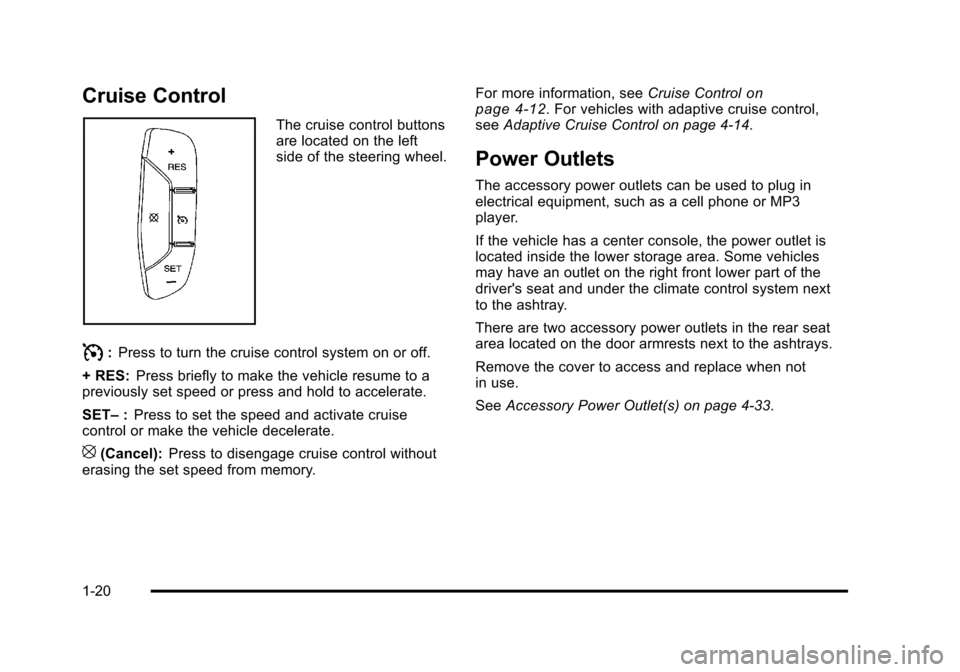
Cruise Control
The cruise control buttons
are located on the left
side of the steering wheel.
I:Press to turn the cruise control system on or off.
+ RES: Press briefly to make the vehicle resume to a
previously set speed or press and hold to accelerate.
SET– :Press to set the speed and activate cruise
control or make the vehicle decelerate.
[(Cancel): Press to disengage cruise control without
erasing the set speed from memory. For more information, see
Cruise Control
on
page 4‑12. For vehicles with adaptive cruise control,
see Adaptive Cruise Control on page 4‑14.
Power Outlets
The accessory power outlets can be used to plug in
electrical equipment, such as a cell phone or MP3
player.
If the vehicle has a center console, the power outlet is
located inside the lower storage area. Some vehicles
may have an outlet on the right front lower part of the
driver's seat and under the climate control system next
to the ashtray.
There are two accessory power outlets in the rear seat
area located on the door armrests next to the ashtrays.
Remove the cover to access and replace when not
in use.
See Accessory Power Outlet(s) on page 4‑33.
1-20
Page 28 of 470

Black plate (22,1)Cadillac DTS Owner Manual - 2011
Tire Sealant and Compressor Kit
This vehicle may come with a jack and spare tire or a
tire sealant and compressor kit. The kit can be used to
seal small punctures in the tread area of the tire.
SeeTire Sealant and Compressor Kit
on page 6‑75for
complete operating information.
If the vehicle came with a jack and spare tire, see
Changing a Flat Tire on page 6‑83.
Engine Oil Life System
The engine oil life system calculates engine oil life
based on vehicle use and displays a DIC message
when it is necessary to change the engine oil and filter.
The oil life system should be reset to 100% only
following an oil change.
Resetting the Oil Life System
1. Turn the ignition to ON/RUN, with the engine off.
2. Press the DIC INFO button until OIL LIFE REMAINING displays.
3. Press and hold the DIC INFO RESET button until 100% displays.
4. Turn the key to LOCK/OFF.
See Engine Oil Life System on page 6‑18.
Driving for Better Fuel Economy
Driving habits can affect fuel mileage. Here are some
driving tips to get the best fuel economy possible.
.Avoid fast starts and accelerate smoothly.
.Brake gradually and avoid abrupt stops.
.Avoid idling the engine for long periods of time.
.When road and weather conditions are
appropriate, use cruise control, if equipped.
.Always follow posted speed limits or drive more
slowly when conditions require.
.Keep vehicle tires properly inflated.
.Combine several trips into a single trip.
.Replace the vehicle's tires with the same TPC
Spec number molded into the tire's sidewall near
the size.
.Follow recommended scheduled maintenance.
1-22
Page 143 of 470
Black plate (39,1)Cadillac DTS Owner Manual - 2011
{WARNING:
The Ultrasonic Front and Rear Park Assist
(UFRPA) system does not replace driver vision.
It cannot detect:
.objects that are below the bumper, underneath
the vehicle, or if they are too close or far from
the vehicle
.children, pedestrians, bicyclists, or pets.
If you do not use proper care before moving
forward and while backing; vehicle damage, injury,
or death could occur. Even with UFRPA, always
check in front of the vehicle before moving
forward and behind the vehicle before backing up.
While moving forward and backing, be sure to
look for objects and check the vehicle's mirrors.
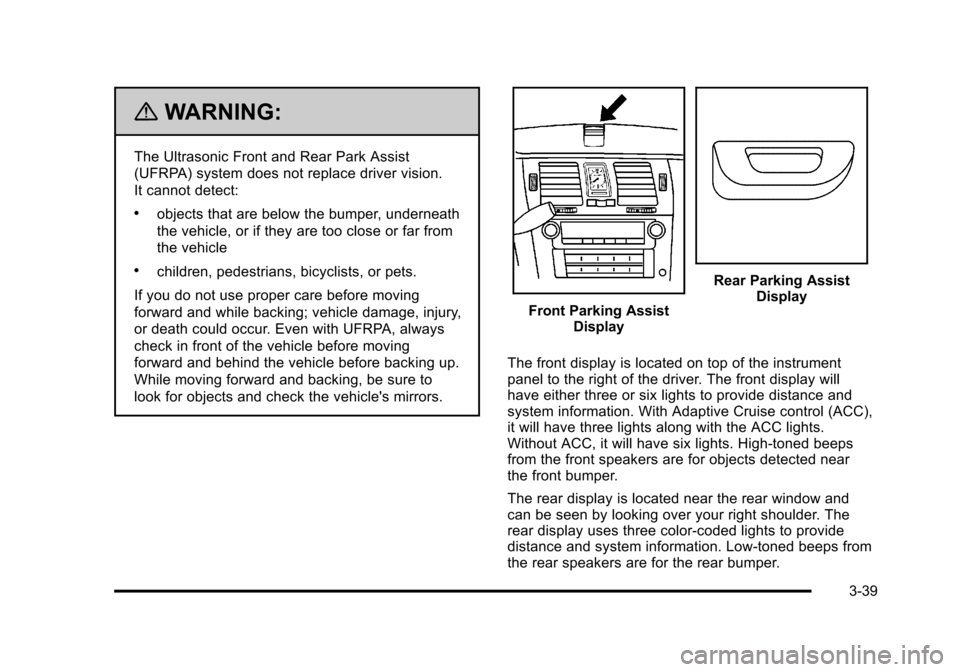
Front Parking Assist Display
Rear Parking AssistDisplay
The front display is located on top of the instrument
panel to the right of the driver. The front display will
have either three or six lights to provide distance and
system information. With Adaptive Cruise control (ACC),
it will have three lights along with the ACC lights.
Without ACC, it will have six lights. High-toned beeps
from the front speakers are for objects detected near
the front bumper.
The rear display is located near the rear window and
can be seen by looking over your right shoulder. The
rear display uses three color-coded lights to provide
distance and system information. Low-toned beeps from
the rear speakers are for the rear bumper.
3-39
Page 163 of 470

Black plate (1,1)Cadillac DTS Owner Manual - 2011
Section 4 Instrument Panel
Instrument Panel Overview. . . . . . . . . . . . . . . . . . . . . . . .4-3
Hazard Warning Flashers . . . . . . . . . . . . . . . . . . . . . . . 4-3
Horn . . . . . . . . . . . . . . . . . . . . . . . . . . . . . . . . . . . . . . . . . . . . 4-3
Tilt Wheel . . . . . . . . . . . . . . . . . . . . . . . . . . . . . . . . . . . . . . . 4-3
Power Tilt Wheel and Telescopic Steering Column . . . . . . . . . . . . . . . . . . . . . . . . . . . . . . . . . . . . . . . 4-4
Heated Steering Wheel . . . . . . . . . . . . . . . . . . . . . . . . . 4-4
Turn Signal/Multifunction Lever . . . . . . . . . . . . . . . . . . 4-5
Turn and Lane-Change Signals . . . . . . . . . . . . . . . . . 4-5
Headlamp High/Low-Beam Changer . . . . . . . . . . . . 4-6
Forward Collision Alert (FCA) System . . . . . . . . . . . 4-6
Flash-to-Pass . . . . . . . . . . . . . . . . . . . . . . . . . . . . . . . . . . 4-10
Windshield Wipers . . . . . . . . . . . . . . . . . . . . . . . . . . . . . 4-10
Windshield Washer . . . . . . . . . . . . . . . . . . . . . . . . . . . . 4-11
Cruise Control . . . . . . . . . . . . . . . . . . . . . . . . . . . . . . . . . 4-12
Adaptive Cruise Control . . . . . . . . . . . . . . . . . . . . . . . 4-14
Exterior Lamps . . . . . . . . . . . . . . . . . . . . . . . . . . . . . . . . 4-25
Wiper Activated Headlamps . . . . . . . . . . . . . . . . . . . 4-28
Headlamps on Reminder . . . . . . . . . . . . . . . . . . . . . . 4-28
Daytime Running Lamps (DRL) . . . . . . . . . . . . . . . . 4-28
Fog Lamps . . . . . . . . . . . . . . . . . . . . . . . . . . . . . . . . . . . . 4-29
Cornering Lamps . . . . . . . . . . . . . . . . . . . . . . . . . . . . . . 4-29
Exterior Lighting Battery Saver . . . . . . . . . . . . . . . . . 4-30
Instrument Panel Brightness . . . . . . . . . . . . . . . . . . . 4-30
Courtesy Lamps . . . . . . . . . . . . . . . . . . . . . . . . . . . . . . . 4-30 Entry Lighting . . . . . . . . . . . . . . . . . . . . . . . . . . . . . . . . . . 4-30
Parade Dimming . . . . . . . . . . . . . . . . . . . . . . . . . . . . . . . 4-31
Reading Lamps . . . . . . . . . . . . . . . . . . . . . . . . . . . . . . . . 4-31
Footwell Lamps . . . . . . . . . . . . . . . . . . . . . . . . . . . . . . . . 4-31
Battery Load Management . . . . . . . . . . . . . . . . . . . . . 4-31
Electric Power Management . . . . . . . . . . . . . . . . . . . 4-32
Inadvertent Power Battery Saver . . . . . . . . . . . . . . . 4-32
Battery Run-Down Protection . . . . . . . . . . . . . . . . . . 4-33
Accessory Power Outlet(s) . . . . . . . . . . . . . . . . . . . . . 4-33
Analog Clock . . . . . . . . . . . . . . . . . . . . . . . . . . . . . . . . . . 4-34
Climate Controls . . . . . . . . . . . . . . . . . . . . . . . . . . . . . . . . . . 4-34
Dual Climate Control System . . . . . . . . . . . . . . . . . . 4-34
Outlet Adjustment . . . . . . . . . . . . . . . . . . . . . . . . . . . . . . 4-40
Rear Climate Control System . . . . . . . . . . . . . . . . . . 4-40
Passenger Compartment Air Filter . . . . . . . . . . . . . 4-42
Warning Lights, Gauges, and Indicators . . . . . . . .4-44
Instrument Panel Cluster . . . . . . . . . . . . . . . . . . . . . . . 4-45
Speedometer and Odometer . . . . . . . . . . . . . . . . . . . 4-46
Tachometer . . . . . . . . . . . . . . . . . . . . . . . . . . . . . . . . . . . . 4-46
Safety Belt Reminders . . . . . . . . . . . . . . . . . . . . . . . . . 4-47
Airbag Readiness Light . . . . . . . . . . . . . . . . . . . . . . . . 4-48
Passenger Airbag Status Indicator . . . . . . . . . . . . . 4-48
Charging System Light . . . . . . . . . . . . . . . . . . . . . . . . 4-49
Brake System Warning Light . . . . . . . . . . . . . . . . . . . 4-50
4-1
Page 164 of 470
Black plate (2,1)Cadillac DTS Owner Manual - 2011
Section 4 Instrument Panel
Antilock Brake System (ABS) Warning Light . . . 4-51
Traction Control System (TCS) WarningLight . . . . . . . . . . . . . . . . . . . . . . . . . . . . . . . . . . . . . . . . . 4-51
StabiliTrak
®Indicator Light . . . . . . . . . . . . . . . . . . . . . 4-52
Lane Departure Warning (LDW) Light . . . . . . . . . . 4-52
Engine Coolant Temperature Warning Light . . . . 4-53
Engine Coolant Temperature Gauge . . . . . . . . . . . 4-53
Tire Pressure Light . . . . . . . . . . . . . . . . . . . . . . . . . . . . 4-54
Malfunction Indicator Lamp . . . . . . . . . . . . . . . . . . . . 4-54
Oil Pressure Light . . . . . . . . . . . . . . . . . . . . . . . . . . . . . 4-57
Security Light . . . . . . . . . . . . . . . . . . . . . . . . . . . . . . . . . . 4-57
Front Fog Lamp Light . . . . . . . . . . . . . . . . . . . . . . . . . . 4-58
Lights On Reminder . . . . . . . . . . . . . . . . . . . . . . . . . . . 4-58
Cruise Control Light . . . . . . . . . . . . . . . . . . . . . . . . . . . 4-58
Highbeam On Light . . . . . . . . . . . . . . . . . . . . . . . . . . . . 4-58
Fuel Gauge . . . . . . . . . . . . . . . . . . . . . . . . . . . . . . . . . . . . 4-59 Driver Information Center (DIC)
. . . . . . . . . . . . . . . . . .4-59
DIC Operation and Displays . . . . . . . . . . . . . . . . . . . 4-60
DIC Warnings and Messages . . . . . . . . . . . . . . . . . . 4-65
DIC Vehicle Customization . . . . . . . . . . . . . . . . . . . . 4-77
Audio System(s) . . . . . . . . . . . . . . . . . . . . . . . . . . . . . . . . . . 4-86
Setting the Clock . . . . . . . . . . . . . . . . . . . . . . . . . . . . . . 4-87
Radio(s) . . . . . . . . . . . . . . . . . . . . . . . . . . . . . . . . . . . . . . . 4-90
Using an MP3 . . . . . . . . . . . . . . . . . . . . . . . . . . . . . . . . 4-100
XM Radio Messages . . . . . . . . . . . . . . . . . . . . . . . . . 4-105
Navigation/Radio System . . . . . . . . . . . . . . . . . . . . . 4-106
Bluetooth
®. . . . . . . . . . . . . . . . . . . . . . . . . . . . . . . . . . . . 4-107
Theft-Deterrent Feature . . . . . . . . . . . . . . . . . . . . . . . 4-114
Audio Steering Wheel Controls . . . . . . . . . . . . . . . 4-114
Radio Reception . . . . . . . . . . . . . . . . . . . . . . . . . . . . . . 4-115
Backglass Antenna . . . . . . . . . . . . . . . . . . . . . . . . . . . 4-116
XM™ Satellite Radio Antenna System . . . . . . . . 4-116
4-2
Page 169 of 470
Black plate (7,1)Cadillac DTS Owner Manual - 2011
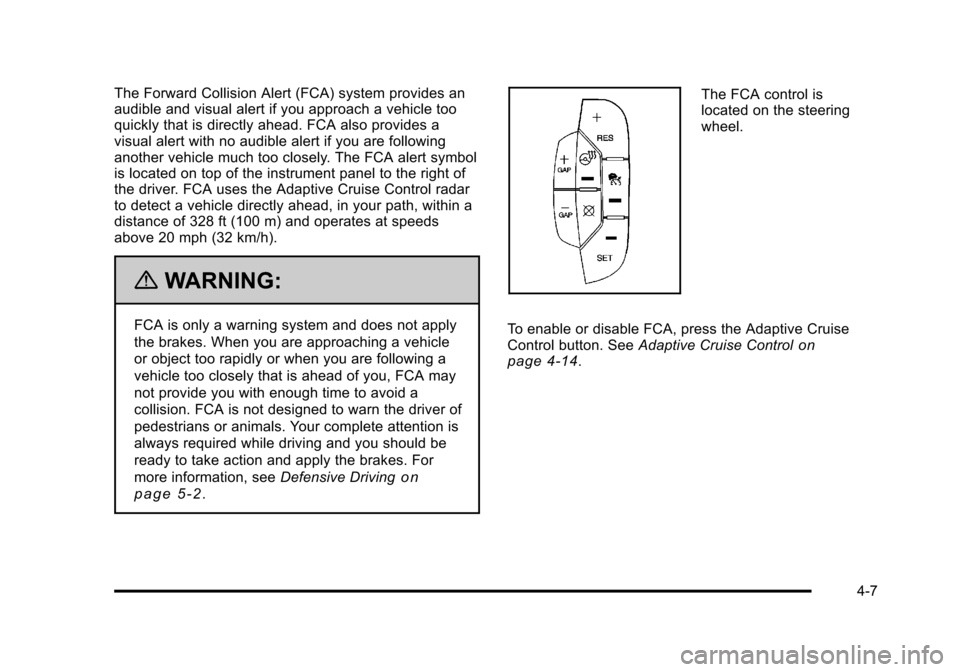
The Forward Collision Alert (FCA) system provides an
audible and visual alert if you approach a vehicle too
quickly that is directly ahead. FCA also provides a
visual alert with no audible alert if you are following
another vehicle much too closely. The FCA alert symbol
is located on top of the instrument panel to the right of
the driver. FCA uses the Adaptive Cruise Control radar
to detect a vehicle directly ahead, in your path, within a
distance of 328 ft (100 m) and operates at speeds
above 20 mph (32 km/h).
{WARNING:
FCA is only a warning system and does not apply
the brakes. When you are approaching a vehicle
or object too rapidly or when you are following a
vehicle too closely that is ahead of you, FCA may
not provide you with enough time to avoid a
collision. FCA is not designed to warn the driver of
pedestrians or animals. Your complete attention is
always required while driving and you should be
ready to take action and apply the brakes. For
more information, seeDefensive Driving
on
page 5‑2
.
The FCA control is
located on the steering
wheel.
To enable or disable FCA, press the Adaptive Cruise
Control button. See Adaptive Cruise Control
on
page 4‑14.
4-7
Page 170 of 470
Black plate (8,1)Cadillac DTS Owner Manual - 2011
FCA is enabled when the green light on the button
is lit. FCA is disabled when the indicator light is
amber.
{WARNING:
.On winding roads, FCA may not detect a
vehicle ahead. You could crash into a vehicle
ahead of you. Do not rely on FCA on winding
roads.
.When weather limits visibility, such as in fog,
rain, or snow, FCA performance is limited.
There may not be enough warning distance to
the vehicle in front of you. Do not rely on FCA
in low visibility conditions.
{WARNING:
When FCA is enabled, the Adaptive Cruise
Control switch is on. If you press another Adaptive
Cruise Control button, you might go into cruise
when you do not want to. You could be startled
and even lose control. Be careful not to press
adaptive cruise buttons unless you want to use
cruise control.
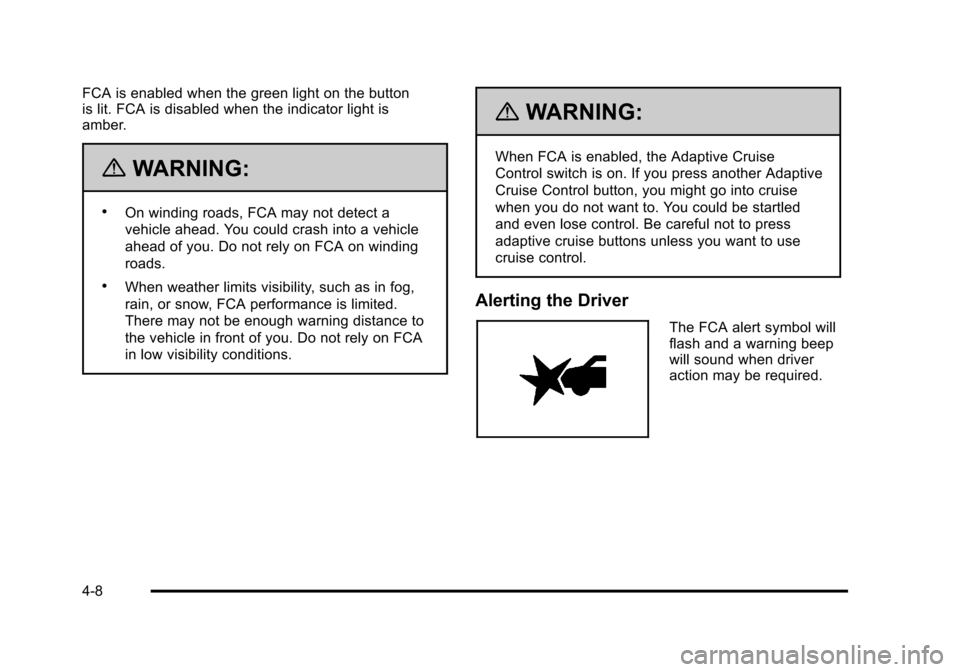
Alerting the Driver
The FCA alert symbol will
flash and a warning beep
will sound when driver
action may be required.
4-8