engine oil CADILLAC DTS 2011 1.G Owners Manual
[x] Cancel search | Manufacturer: CADILLAC, Model Year: 2011, Model line: DTS, Model: CADILLAC DTS 2011 1.GPages: 470, PDF Size: 4.72 MB
Page 5 of 470
Black plate (5,1)Cadillac DTS Owner Manual - 2011
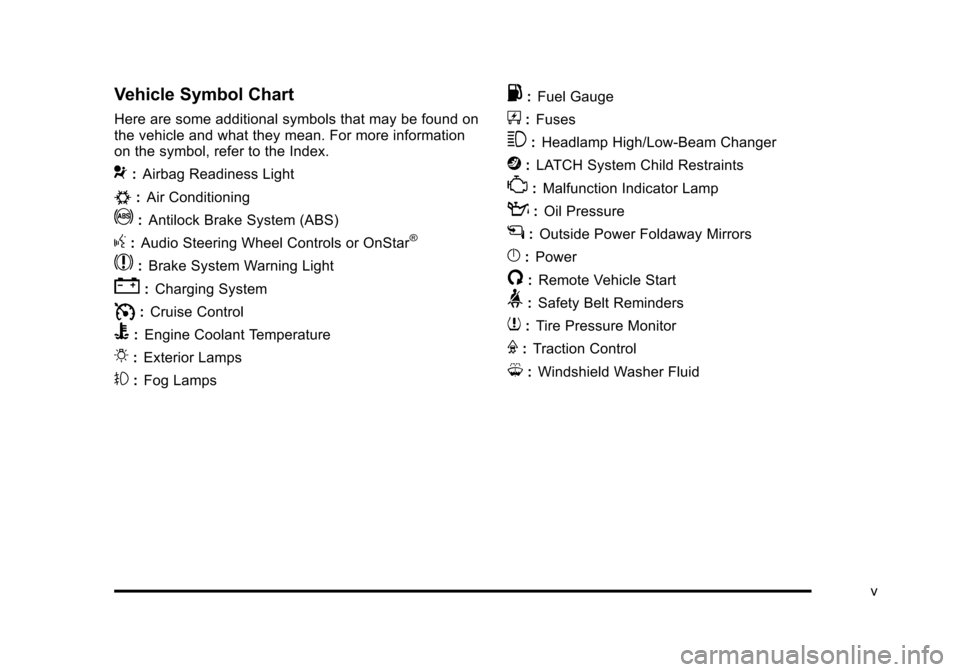
Vehicle Symbol Chart
Here are some additional symbols that may be found on
the vehicle and what they mean. For more information
on the symbol, refer to the Index.
9:Airbag Readiness Light
#:Air Conditioning
!:Antilock Brake System (ABS)
g:Audio Steering Wheel Controls or OnStar®
$: Brake System Warning Light
":Charging System
I:Cruise Control
B: Engine Coolant Temperature
O:Exterior Lamps
#:Fog Lamps
.: Fuel Gauge
+:Fuses
3: Headlamp High/Low-Beam Changer
j:LATCH System Child Restraints
*: Malfunction Indicator Lamp
::Oil Pressure
g:Outside Power Foldaway Mirrors
}:Power
/:Remote Vehicle Start
>:Safety Belt Reminders
7:Tire Pressure Monitor
F:Traction Control
M:Windshield Washer Fluid
v
Page 7 of 470
Black plate (1,1)Cadillac DTS Owner Manual - 2011
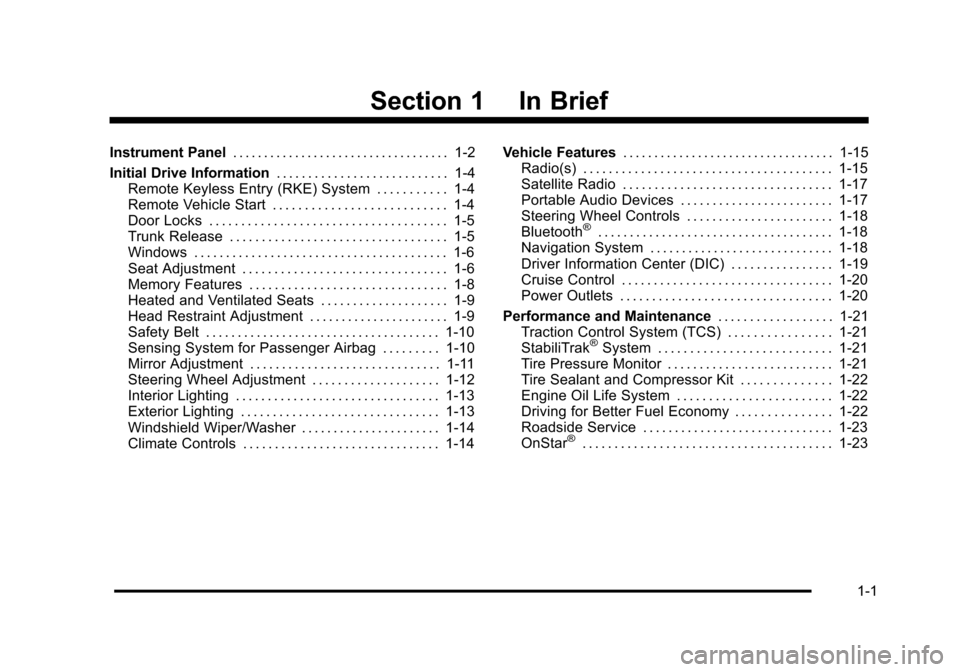
Section 1 In Brief
Instrument Panel. . . . . . . . . . . . . . . . . . . . . . . . . . . . . . . . . . . 1-2
Initial Drive Information . . . . . . . . . . . . . . . . . . . . . . . . . . . 1-4
Remote Keyless Entry (RKE) System . . . . . . . . . . . 1-4
Remote Vehicle Start . . . . . . . . . . . . . . . . . . . . . . . . . . . 1-4
Door Locks . . . . . . . . . . . . . . . . . . . . . . . . . . . . . . . . . . . . . 1-5
Trunk Release . . . . . . . . . . . . . . . . . . . . . . . . . . . . . . . . . . 1-5
Windows . . . . . . . . . . . . . . . . . . . . . . . . . . . . . . . . . . . . . . . . 1-6
Seat Adjustment . . . . . . . . . . . . . . . . . . . . . . . . . . . . . . . . 1-6
Memory Features . . . . . . . . . . . . . . . . . . . . . . . . . . . . . . . 1-8
Heated and Ventilated Seats . . . . . . . . . . . . . . . . . . . . 1-9
Head Restraint Adjustment . . . . . . . . . . . . . . . . . . . . . . 1-9
Safety Belt . . . . . . . . . . . . . . . . . . . . . . . . . . . . . . . . . . . . . 1-10
Sensing System for Passenger Airbag . . . . . . . . . 1-10
Mirror Adjustment . . . . . . . . . . . . . . . . . . . . . . . . . . . . . . 1-11
Steering Wheel Adjustment . . . . . . . . . . . . . . . . . . . . 1-12
Interior Lighting . . . . . . . . . . . . . . . . . . . . . . . . . . . . . . . . 1-13
Exterior Lighting . . . . . . . . . . . . . . . . . . . . . . . . . . . . . . . 1-13
Windshield Wiper/Washer . . . . . . . . . . . . . . . . . . . . . . 1-14
Climate Controls . . . . . . . . . . . . . . . . . . . . . . . . . . . . . . . 1-14 Vehicle Features
. . . . . . . . . . . . . . . . . . . . . . . . . . . . . . . . . . 1-15
Radio(s) . . . . . . . . . . . . . . . . . . . . . . . . . . . . . . . . . . . . . . . 1-15
Satellite Radio . . . . . . . . . . . . . . . . . . . . . . . . . . . . . . . . . 1-17
Portable Audio Devices . . . . . . . . . . . . . . . . . . . . . . . . 1-17
Steering Wheel Controls . . . . . . . . . . . . . . . . . . . . . . . 1-18
Bluetooth
®. . . . . . . . . . . . . . . . . . . . . . . . . . . . . . . . . . . . . 1-18
Navigation System . . . . . . . . . . . . . . . . . . . . . . . . . . . . . 1-18
Driver Information Center (DIC) . . . . . . . . . . . . . . . . 1-19
Cruise Control . . . . . . . . . . . . . . . . . . . . . . . . . . . . . . . . . 1-20
Power Outlets . . . . . . . . . . . . . . . . . . . . . . . . . . . . . . . . . 1-20
Performance and Maintenance . . . . . . . . . . . . . . . . . .1-21
Traction Control System (TCS) . . . . . . . . . . . . . . . . 1-21
StabiliTrak
®System . . . . . . . . . . . . . . . . . . . . . . . . . . . 1-21
Tire Pressure Monitor . . . . . . . . . . . . . . . . . . . . . . . . . . 1-21
Tire Sealant and Compressor Kit . . . . . . . . . . . . . . 1-22
Engine Oil Life System . . . . . . . . . . . . . . . . . . . . . . . . 1-22
Driving for Better Fuel Economy . . . . . . . . . . . . . . . 1-22
Roadside Service . . . . . . . . . . . . . . . . . . . . . . . . . . . . . . 1-23
OnStar
®. . . . . . . . . . . . . . . . . . . . . . . . . . . . . . . . . . . . . . . 1-23
1-1
Page 28 of 470

Black plate (22,1)Cadillac DTS Owner Manual - 2011
Tire Sealant and Compressor Kit
This vehicle may come with a jack and spare tire or a
tire sealant and compressor kit. The kit can be used to
seal small punctures in the tread area of the tire.
SeeTire Sealant and Compressor Kit
on page 6‑75for
complete operating information.
If the vehicle came with a jack and spare tire, see
Changing a Flat Tire on page 6‑83.
Engine Oil Life System
The engine oil life system calculates engine oil life
based on vehicle use and displays a DIC message
when it is necessary to change the engine oil and filter.
The oil life system should be reset to 100% only
following an oil change.
Resetting the Oil Life System
1. Turn the ignition to ON/RUN, with the engine off.
2. Press the DIC INFO button until OIL LIFE REMAINING displays.
3. Press and hold the DIC INFO RESET button until 100% displays.
4. Turn the key to LOCK/OFF.
See Engine Oil Life System on page 6‑18.
Driving for Better Fuel Economy
Driving habits can affect fuel mileage. Here are some
driving tips to get the best fuel economy possible.
.Avoid fast starts and accelerate smoothly.
.Brake gradually and avoid abrupt stops.
.Avoid idling the engine for long periods of time.
.When road and weather conditions are
appropriate, use cruise control, if equipped.
.Always follow posted speed limits or drive more
slowly when conditions require.
.Keep vehicle tires properly inflated.
.Combine several trips into a single trip.
.Replace the vehicle's tires with the same TPC
Spec number molded into the tire's sidewall near
the size.
.Follow recommended scheduled maintenance.
1-22
Page 112 of 470
Black plate (8,1)Cadillac DTS Owner Manual - 2011
If the vehicle is left running it will automatically shut
off after 10 minutes unless a time extension has
been done.
To manually shut off a remote start:
.Aim the RKE transmitter at the vehicle and press
the remote start button until the parking lamps
turn off.
.Turn on the hazard warning flashers.
.Turn the ignition switch on and then off.
The remote vehicle start feature provides two separate
starts, each with 10 minutes of engine running, or it
provides one start with 10 minutes of engine running
that may be extended 10 more minutes. If you press
and release the transmitter lock button and then press
and hold the remote start button on the RKE transmitter
again before the first 10 minutes of engine running time
has expired, 10 minutes are added to the remaining
minutes. For example, if the lock button and then
the remote start buttons are pressed again after
five minutes of the engine run time, 10 minutes are
added and you now have 15 minutes of engine running.
The added ten minutes are considered a second remote
vehicle start. Once two remote starts or a single start with a time
extension have been used, the vehicle must be started
with the ignition key before you can use the remote start
feature again.
The remote vehicle start feature will not operate if the
key is in the ignition, the hood is not closed, or if there
is an emission control system malfunction.
The engine will turn off during a remote vehicle start
if the coolant temperature gets too high, or the oil
pressure is too low.
See
Engine Exhaust
on page 3‑33for important safety
information when using remote start in a closed garage.
Remote Start Ready
If your vehicle does not have the remote vehicle start
feature, it may have the remote start ready feature. This
feature allows your dealer to add the manufacturer's
remote vehicle start feature. See your dealer if you
would like to add the manufacturer's remote vehicle
start feature to your vehicle.
3-8
Page 128 of 470

Black plate (24,1)Cadillac DTS Owner Manual - 2011
Retained Accessory Power (RAP)
These vehicle accessories can be used for up to
10 minutes after the ignition key is turned off:
.Audio System
.Audio Steering Wheel Controls
.Power Windows
.Sunroof (if equipped)
Power to these accessories will work up to 10 minutes
or until the driver's door is opened. For an additional
10 minutes of power, close all the doors and turn the
key to ON/RUN and then back to LOCK/OFF.
Starting the Engine
Move the shift lever to P (Park) or N (Neutral). The
engine will not start in any other position. To restart the
engine when the vehicle is already moving, use
N (Neutral) only.
Notice: Do not try to shift to P (Park) if the vehicle
is moving. If you do, you could damage the
transmission. Shift to P (Park) only when the vehicle
is stopped.
Starting Procedure
1. With your foot off the accelerator pedal, turn the ignition to START. When the engine starts, let
go of the key. The idle speed will slow down
as the engine warms. Do not race the engine
immediately after starting it. Operate the engine
and transmission gently to allow the oil to warm up
and lubricate all moving parts.
The vehicle has a Computer-Controlled Cranking
System. This feature assists in starting the engine
and protects components. If the ignition key is
turned to the START position, and then released
when the engine begins cranking, the engine will
continue cranking for a few seconds or until the
vehicle starts. If the engine does not start and the
key is held in START, cranking will be stopped
after 15 seconds to prevent cranking motor
damage. To prevent gear damage, this system also
prevents cranking if the engine is already running.
Engine cranking can be stopped by turning the
ignition switch to the ACC/ACCESSORY or LOCK/
OFF position.
3-24
Page 129 of 470

Black plate (25,1)Cadillac DTS Owner Manual - 2011
Notice:Cranking the engine for long periods of
time, by returning the key to the START position
immediately after cranking has ended, can overheat
and damage the cranking motor, and drain the
battery. Wait at least 15 seconds between each try,
to let the cranking motor cool down.
2. If the engine does not start after 5‐10 seconds, especially in very cold weather (below 0°F or
−18°C), it could be flooded with too much gasoline.
Try pushing the accelerator pedal all the way to
the floor and holding it there as you hold the key in
START for up to a maximum of 15 seconds. Wait
at least 15 seconds between each try, to allow the
cranking motor to cool down. When the engine
starts, let go of the key and accelerator. If the
vehicle starts briefly but then stops again, repeat
these steps. This clears the extra gasoline from the
engine. Do not race the engine immediately after
starting it. Operate the engine and transmission
gently until the oil warms up and lubricates all
moving parts. Notice:
The engine is designed to work with the
electronics in the vehicle. If you add electrical
parts or accessories, you could change the way
the engine operates. Before adding electrical
equipment, check with your dealer. If you do not,
the engine might not perform properly. Any
resulting damage would not be covered by the
vehicle warranty.
Engine Coolant Heater
The engine coolant heater can provide easier starting
and better fuel economy during engine warm‐up in cold
weather conditions at or below 0°F (−18°C). Vehicles
with an engine coolant heater should be plugged in at
least four hours before starting.
3-25
Page 164 of 470
Black plate (2,1)Cadillac DTS Owner Manual - 2011
Section 4 Instrument Panel
Antilock Brake System (ABS) Warning Light . . . 4-51
Traction Control System (TCS) WarningLight . . . . . . . . . . . . . . . . . . . . . . . . . . . . . . . . . . . . . . . . . 4-51
StabiliTrak
®Indicator Light . . . . . . . . . . . . . . . . . . . . . 4-52
Lane Departure Warning (LDW) Light . . . . . . . . . . 4-52
Engine Coolant Temperature Warning Light . . . . 4-53
Engine Coolant Temperature Gauge . . . . . . . . . . . 4-53
Tire Pressure Light . . . . . . . . . . . . . . . . . . . . . . . . . . . . 4-54
Malfunction Indicator Lamp . . . . . . . . . . . . . . . . . . . . 4-54
Oil Pressure Light . . . . . . . . . . . . . . . . . . . . . . . . . . . . . 4-57
Security Light . . . . . . . . . . . . . . . . . . . . . . . . . . . . . . . . . . 4-57
Front Fog Lamp Light . . . . . . . . . . . . . . . . . . . . . . . . . . 4-58
Lights On Reminder . . . . . . . . . . . . . . . . . . . . . . . . . . . 4-58
Cruise Control Light . . . . . . . . . . . . . . . . . . . . . . . . . . . 4-58
Highbeam On Light . . . . . . . . . . . . . . . . . . . . . . . . . . . . 4-58
Fuel Gauge . . . . . . . . . . . . . . . . . . . . . . . . . . . . . . . . . . . . 4-59 Driver Information Center (DIC)
. . . . . . . . . . . . . . . . . .4-59
DIC Operation and Displays . . . . . . . . . . . . . . . . . . . 4-60
DIC Warnings and Messages . . . . . . . . . . . . . . . . . . 4-65
DIC Vehicle Customization . . . . . . . . . . . . . . . . . . . . 4-77
Audio System(s) . . . . . . . . . . . . . . . . . . . . . . . . . . . . . . . . . . 4-86
Setting the Clock . . . . . . . . . . . . . . . . . . . . . . . . . . . . . . 4-87
Radio(s) . . . . . . . . . . . . . . . . . . . . . . . . . . . . . . . . . . . . . . . 4-90
Using an MP3 . . . . . . . . . . . . . . . . . . . . . . . . . . . . . . . . 4-100
XM Radio Messages . . . . . . . . . . . . . . . . . . . . . . . . . 4-105
Navigation/Radio System . . . . . . . . . . . . . . . . . . . . . 4-106
Bluetooth
®. . . . . . . . . . . . . . . . . . . . . . . . . . . . . . . . . . . . 4-107
Theft-Deterrent Feature . . . . . . . . . . . . . . . . . . . . . . . 4-114
Audio Steering Wheel Controls . . . . . . . . . . . . . . . 4-114
Radio Reception . . . . . . . . . . . . . . . . . . . . . . . . . . . . . . 4-115
Backglass Antenna . . . . . . . . . . . . . . . . . . . . . . . . . . . 4-116
XM™ Satellite Radio Antenna System . . . . . . . . 4-116
4-2
Page 219 of 470
Black plate (57,1)Cadillac DTS Owner Manual - 2011
.the critical emission control systems have not been
completely diagnosed by the system. This can
happen if the battery has recently been replaced or
if the battery has run down. The diagnostic system
evaluates critical emission control systems during
normal driving. This can take several days of
routine driving. If this has been done and the
vehicle still does not pass the inspection, your
dealer can prepare the vehicle for inspection.
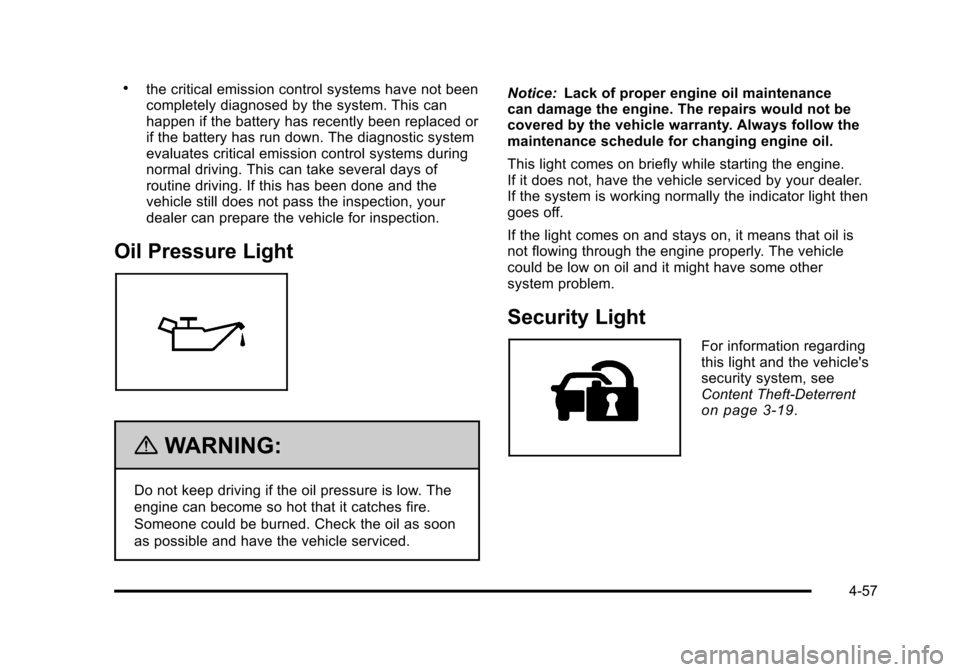
Oil Pressure Light
{WARNING:
Do not keep driving if the oil pressure is low. The
engine can become so hot that it catches fire.
Someone could be burned. Check the oil as soon
as possible and have the vehicle serviced.Notice:
Lack of proper engine oil maintenance
can damage the engine. The repairs would not be
covered by the vehicle warranty. Always follow the
maintenance schedule for changing engine oil.
This light comes on briefly while starting the engine.
If it does not, have the vehicle serviced by your dealer.
If the system is working normally the indicator light then
goes off.
If the light comes on and stays on, it means that oil is
not flowing through the engine properly. The vehicle
could be low on oil and it might have some other
system problem.
Security Light
For information regarding
this light and the vehicle's
security system, see
Content Theft-Deterrent
on page 3‑19.
4-57
Page 224 of 470

Black plate (62,1)Cadillac DTS Owner Manual - 2011
BATTERY VOLTAGE
This display shows the current battery voltage. If the
voltage is in the normal range, the value will display. For
example, the display may read BATTERY VOLTAGE
13.2 VOLTS. If the voltage is low, the display will show
LOW. If the voltage is high, the display will show HIGH.
Your vehicle's charging system regulates voltage based
on the state of the battery. The battery voltage may
fluctuate when viewing this information on the DIC. This
is normal. SeeCharging System Light
on page 4‑49for
more information.
If there is a problem with the battery charging system,
the DIC will display a message. See DIC Warnings
and Messages
on page 4‑65and Electric Power
Managementon page 4‑32for more information.
Blank Display
This display shows no information.
Vehicle Information Display Menu Items
T
(Vehicle Information): The following display
menu items can be displayed by pressing the vehicle
information button:
OIL LIFE REMAINING
If the vehicle has this display, it shows the estimated oil
life remaining. If you see 99% OIL LIFE REMAINING on
the display, that means that 99% of the current oil life
remains.
When the oil life is depleted, the CHANGE ENGINE OIL
SOON message will appear on the display. You should
change the oil as soon as possible. In addition to the
engine oil life system monitoring the oil life, additional
maintenance is recommended in the Maintenance
Schedule in this manual. See Scheduled Maintenance
on page 7‑3andEngine Oil on page 6‑15.
Remember, you must reset the OIL LIFE yourself after
each oil change. It will not reset itself. Also, be careful
not to reset the OIL LIFE accidentally at any time other
than when the oil has just been changed. It cannot be
reset accurately until the next oil change. To reset the
engine oil life system, See Engine Oil Life System
on
page 6‑18. The display will show 100% when the
system is reset.
4-62
Page 228 of 470
Black plate (66,1)Cadillac DTS Owner Manual - 2011
CHANGE ENGINE OIL SOON
This message displays when service is required for
your vehicle. See your dealer. SeeEngine Oilon
page 6‑15and Scheduled Maintenanceon page 7‑3for more information.
When you reset the CHANGE ENGINE OIL SOON
message by clearing it from the display, you still must
reset the engine oil life system separately. For more
information on resetting the engine oil life system, see
Engine Oil Life System on page 6‑18.
CHECK TIRE PRESSURE or ADD AIR
TO TIRE
On vehicles with the Tire Pressure Monitor System
(TPMS), this message displays when the pressure in
one or more of the vehicle's tires is low. This message
also displays LEFT FRONT, RIGHT FRONT, LEFT
REAR, or RIGHT REAR to indicate which tire needs to
be checked. The low tire pressure warning light will also
come on. See Tire Pressure Light
on page 4‑54. If a
tire pressure message appears on the DIC, stop as
soon as you can. Have the tire pressures checked and
set to those shown on the Tire Loading Information
label. See Tires
on page 6‑48,Loading the Vehicleon
page 5‑18, and Inflation - Tire Pressureon page 6‑57.You can receive more than one tire pressure message
at a time. To read the other messages that may have
been sent at the same time, press the set/reset button.
The DIC also shows the tire pressure values. See
DIC
Operation and Displays
on page 4‑60.
CLEAN RADAR
This message displays when the Adaptive Cruise
Control (ACC) system and the Forward Collision Alert
(FCA) system are disabled because the radar is
blocked and cannot detect vehicles in your path. It may
also activate during heavy rain or due to road spray. To
clean the system, see “Cleaning the System” under
Adaptive Cruise Control on page 4‑14.
CRUISE SET TO XXX MPH (km/h)
This message displays whenever the cruise control is
set. See Cruise Controlon page 4‑12andAdaptive
Cruise Controlon page 4‑14for more information.
If your vehicle has Adaptive Cruise Control (ACC), after
a few seconds, this message clears and the message
“SET SPD XX” displays at the bottom of the DIC. See
“SET SPD (Speed)” later in this section.
4-66